 Hyu
4c71de5eca
Hyu
4c71de5eca
The shared Cloud deployment runs one Plugin Runtime for every Workspace, but
nothing reported its health: the instance only exposed two aggregate numbers on
its own health probe, and the per-installation failure registry, the desired
state registry and the reconcile outcome lived in memory with no reader.

Add RuntimeOpsReporter, which every 30 seconds reads the Runtime ``/healthz``
probe over HTTP (derived from ``plugin.runtime_ws_url``), merges it with the
connector's desired-state, failure and reconcile summaries, and posts one
sample to the Space control plane on the existing authenticated direction.
Delivery is best-effort and bounded: a single in-flight request, a ten second
timeout, dropped samples counted in ``runtime_ops`` on the instance health
probe, and a failed probe recorded as a drop so the dashboard shows staleness
instead of grading a stale sample as healthy.

Cloud-only: a non-cloud deployment never enables the reporter, and the channel
is independent of product telemetry so ``space.disable_telemetry`` cannot blind
the ops dashboard.


Production-grade platform for building agentic IM bots.
Quickly build, debug, and ship AI bots to Slack, Discord, Telegram, WeChat, and more.
English / 简体中文 / 繁體中文 / 日本語 / Español / Français / 한국어 / Русский / Tiếng Việt




Website | Features | Docs | API | Cloud | Plugin Market | Roadmap
What is LangBot?
LangBot is an open-source, production-grade platform for building AI-powered instant messaging bots. It connects Large Language Models (LLMs) to any chat platform, enabling you to create intelligent agents that can converse, execute tasks, and integrate with your existing workflows.

Key Capabilities
- AI Conversations & Agents — Multi-turn dialogues, tool calling, multi-modal support, streaming output. Built-in RAG (knowledge base) with deep integration to Dify, Coze, n8n, Langflow, Deerflow, Weknora.
- Universal IM Platform Support — One codebase for Discord, Telegram, Slack, LINE, QQ, WeChat, WeCom, Lark, DingTalk, KOOK.
- Production-Ready — Access control, rate limiting, sensitive word filtering, comprehensive monitoring, and exception handling. Trusted by enterprises.
- Plugin Ecosystem — Hundreds of plugins, event-driven architecture, component extensions, and MCP protocol support.
- Web Management Panel — Configure, manage, and monitor your bots through an intuitive browser interface. No YAML editing required.
- Multi-Pipeline Architecture — Different bots for different scenarios, with comprehensive monitoring and exception handling.
→ Learn more about all features
📍 Practical guides: deploy a multi-platform AI bot in 5 minutes, connect DeepSeek to WeChat, Discord, and Telegram, run a Dify Agent in Discord, Telegram, and Slack, and build an n8n-powered chatbot.
😎 Stay Updated
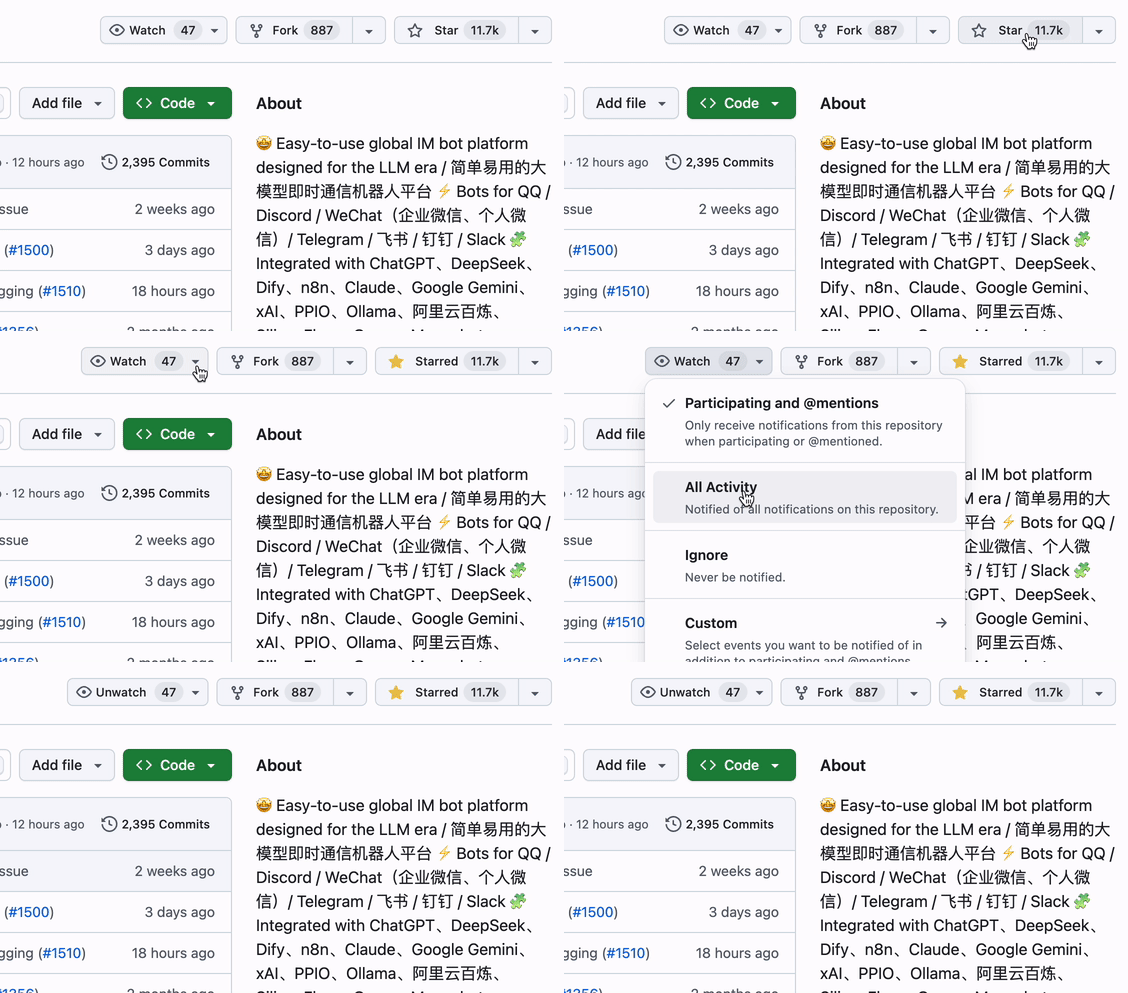
Click the Star and Watch buttons in the top-right corner of the repository to get the latest updates.
Quick Start
☁️ LangBot Cloud (Recommended)

Zero deployment, ready to use.
One-Line Launch
uvx langbot
Requires uv. Visit http://localhost:5300 — done.
Docker Compose
git clone https://github.com/langbot-app/LangBot
cd LangBot/docker
docker compose --profile all up -d
One-Click Cloud Deploy


More options: Docker · Manual · BTPanel · Kubernetes
Supported Platforms
| Platform | Status | Notes |
|---|---|---|
| Discord | ✅ | Official |
| Telegram | ✅ | Official |
| Slack | ✅ | Official |
| LINE | ✅ | Official |
| ✅ | Personal & Official API (Channel, DM, Group) | |
| WeCom | ✅ | Enterprise WeChat, External CS, AI Bot |
| ✅ | Personal & Official Account | |
| Lark | ✅ | Official |
| DingTalk | ✅ | Official |
| KOOK | ✅ | Official |
| Satori | ✅ | |
| ✅ | Matrix, Satori | |
| Matrix | ✅ | Supports multiple bridged platforms such as Signal, WhatsApp, Messenger, iMessage, Mattermost, Google Chat, IRC, XMPP, Zulip, and more |
Supported LLMs & Integrations
| Provider | Type | Status |
|---|---|---|
| OpenAI | LLM | ✅ |
| Anthropic | LLM | ✅ |
| DeepSeek | LLM | ✅ |
| Google Gemini | LLM | ✅ |
| xAI | LLM | ✅ |
| Moonshot | LLM | ✅ |
| Zhipu AI | LLM | ✅ |
| Ollama | Local LLM | ✅ |
| LM Studio | Local LLM | ✅ |
| Dify | LLMOps | ✅ |
| MCP | Protocol | ✅ |
| SiliconFlow | Gateway | ✅ |
| Aliyun Bailian | Gateway | ✅ |
| Volc Engine Ark | Gateway | ✅ |
| ModelScope | Gateway | ✅ |
| GiteeAI | Gateway | ✅ |
| CompShare | GPU Platform | ✅ |
| PPIO | GPU Platform | ✅ |
| ShengSuanYun | GPU Platform | ✅ |
| 接口 AI | Gateway | ✅ |
| 302.AI | Gateway | ✅ |
| Qiniu | Gateway | ✅ |
Why LangBot?
| Use Case | How LangBot Helps |
|---|---|
| Customer Support | Deploy AI agents to Slack/Discord/Telegram that answer questions using your knowledge base |
| Internal Tools | Connect n8n/Dify workflows to WeCom/DingTalk for automated business processes |
| Community Management | Moderate QQ/Discord groups with AI-powered content filtering and interaction |
| Multi-Platform Presence | One bot, all platforms. Manage from a single dashboard |
Built for AI Agents 🤖
LangBot is agent-friendly by design — your coding agents (Claude Code, Codex, Copilot, Cursor, …) can operate, extend, and deploy LangBot with first-class support:
- MCP Server — LangBot exposes a built-in Model Context Protocol endpoint at
/mcp, mirroring the HTTP API so an agent can manage bots, pipelines, plugins, and models programmatically. Authenticate with the same API key (set a global key inconfig.yamlor use a per-user key) — no login flow required. Configure it in the Web panel's API & MCP tab. - CLI (
lbctl) — The standalone LangBot CLI lets agents manage a running LangBot Workspace from a terminal through the Service API. It uses an API key and supports bots, pipelines, knowledge bases, models, plugins, skills, and MCP servers. See the CLI repository for installation and commands. - In-repo Skills — The
skills/directory is the single source of truth for working with LangBot: plugin development, core development, end-to-end testing, deployment, and operating the LangBot / LangBot Space MCP servers. Point your agent at this directory and it knows how to build. - AGENTS.md — Every repo ships an
AGENTS.md(symlinked toCLAUDE.md) describing architecture, conventions, and the rule that API changes must keep the MCP server and skills in sync. llms.txt— Machine-readable project context for LLMs is published on the website.
Cloud / Marketplace: LangBot Space also exposes an MCP server so agents can search and inspect the plugin / MCP / skill marketplace, authenticated with a Personal Access Token.
Community

Contributors
Thanks to all contributors who have helped make LangBot better: