mirror of
https://github.com/langbot-app/LangBot.git
synced 2026-06-23 14:04:19 +00:00
Compare commits
152 Commits
| Author | SHA1 | Date | |
|---|---|---|---|
 Junyan Qin Junyan Qin
|
d7b97741e3 | ||
|
Junyan Qin
|
bf61547083 | ||
|
RockChinQ
|
59b2a7cd51 | ||
|
RockChinQ
|
a43978ff24 | ||
|
RockChinQ
|
e3417dd20b | ||
|
huanghuoguoguo
|
8d9d22a873 | ||
|
huanghuoguoguo
|
a332583750 | ||
|
huanghuoguoguo
|
55b098bf39 | ||
|
RockChinQ
|
2982e7c553 | ||
|
RockChinQ
|
e1e14e9269 | ||
|
huanghuoguoguo
|
1c4713138f | ||
|
huanghuoguoguo
|
dbb39663bc | ||
|
Junyan Chin
|
1c128a1524 | ||
|
RockChinQ
|
8ad1203fd5 | ||
|
huanghuoguoguo
|
2b03095d4e | ||
|
Junyan Chin
|
144bec371c | ||
|
huanghuoguoguo
|
c7d4885bfc | ||
|
huanghuoguoguo
|
4b34d4cffd | ||
|
huanghuoguoguo
|
96f5b5e365 | ||
|
huanghuoguoguo
|
73be17b02c | ||
|
RockChinQ
|
74a18191dd | ||
|
RockChinQ
|
a15c98eb06 | ||
|
RockChinQ
|
cbe17cde6c | ||
|
RockChinQ
|
876e8bf804 | ||
|
RockChinQ
|
b3848c9d05 | ||
|
RockChinQ
|
85743cc75f | ||
|
RockChinQ
|
c689b10c0d | ||
|
RockChinQ
|
812b1fff4c | ||
|
RockChinQ
|
9daf22d661 | ||
|
huanghuoguoguo
|
e5a5188442 | ||
|
RockChinQ
|
42a2c70b14 | ||
|
RockChinQ
|
64ed6d994b | ||
|
RockChinQ
|
2ff854f79a | ||
|
RockChinQ
|
52c096ea4c | ||
|
Junyan Chin
|
eda80030b5 | ||
|
RockChinQ
|
dfbd176e42 | ||
|
RockChinQ
|
6ddd24ae68 | ||
|
huanghuoguoguo
|
190028d5ab | ||
|
RockChinQ
|
a2cdbb621b | ||
|
RockChinQ
|
b92d54254b | ||
|
huanghuoguoguo
|
cede35b31b | ||
|
huanghuoguoguo
|
d22fa82d7c | ||
|
Junyan Chin
|
e9dd584792 | ||
|
RockChinQ
|
91906d73be | ||
|
huanghuoguoguo
|
acfac42107 | ||
|
huanghuoguoguo
|
492827ea75 | ||
|
huanghuoguoguo
|
4538fca901 | ||
|
Junyan Chin
|
b02c9517f6 | ||
|
RockChinQ
|
511b5a7bf4 | ||
|
RockChinQ
|
65fbf4db59 | ||
|
Junyan Chin
|
3d5b70cc5d | ||
|
RockChinQ
|
83623f6afe | ||
|
huanghuoguoguo
|
a020ca680f | ||
|
huanghuoguoguo
|
3a2edf9753 | ||
|
huanghuoguoguo
|
5fe63ce822 | ||
|
Junyan Chin
|
6b15a732e4 | ||
|
Junyan Chin
|
a1e6eccdeb | ||
|
huanghuoguoguo
|
b3c6de2072 | ||
|
RockChinQ
|
4e45886647 | ||
|
RockChinQ
|
f592656680 | ||
|
RockChinQ
|
e9db858dcc | ||
|
RockChinQ
|
2d6faf9d5e | ||
|
RockChinQ
|
d4699547e9 | ||
|
RockChinQ
|
716d7aca94 | ||
|
RockChinQ
|
b3c00fe6da | ||
|
RockChinQ
|
f4a6edf7ec | ||
|
huanghuoguoguo
|
f390980d0a | ||
|
huanghuoguoguo
|
1ae5aacc00 | ||
|
huanghuoguoguo
|
e9fe2f2d43 | ||
|
huanghuoguoguo
|
27be09ab15 | ||
|
huanghuoguoguo
|
1ef4507d9a | ||
|
RockChinQ
|
2e7978317c | ||
|
RockChinQ
|
b7d8332cb0 | ||
|
huanghuoguoguo
|
7fe3eedeea | ||
|
RockChinQ
|
b6fde30aa7 | ||
|
RockChinQ
|
5bfa38cbf2 | ||
|
RockChinQ
|
a97d2040bb | ||
|
RockChinQ
|
a2c6c8201b | ||
|
RockChinQ
|
672abfe95d | ||
|
huanghuoguoguo
|
9ecb587ac0 | ||
|
RockChinQ
|
7965d333ac | ||
|
RockChinQ
|
f7300f1473 | ||
|
RockChinQ
|
2b6dcfe9c7 | ||
|
RockChinQ
|
dd96da895c | ||
|
Junyan Qin
|
4ceb4dce0f | ||
|
Junyan Qin
|
7f174a19d3 | ||
|
Junyan Qin
|
b0b9221495 | ||
|
Junyan Qin
|
f4b3b87d7a | ||
|
Junyan Qin
|
638a322368 | ||
|
Junyan Qin
|
bca710dbd4 | ||
|
RockChinQ
|
47ade18596 | ||
|
Junyan Qin
|
733c9cdf16 | ||
|
Junyan Qin
|
bbc508d42f | ||
|
RockChinQ
|
0551d22689 | ||
|
RockChinQ
|
53d4edb609 | ||
|
RockChinQ
|
f897987ac1 | ||
|
Junyan Chin
|
8e558ad3a1 | ||
|
RockChinQ
|
47fe9bde03 | ||
|
RockChinQ
|
5c3a619e2d | ||
|
RockChinQ
|
e223edeb45 | ||
|
RockChinQ
|
d2c3146334 | ||
|
Haoxuan Xing
|
7d9c8e3065 | ||
|
Haoxuan Xing
|
f12ed81e1e | ||
|
Haoxuan Xing
|
6d4d19b6d7 | ||
|
Typer_Body
|
07b90f12a2 | ||
|
Typer_Body
|
fd896c6974 | ||
|
Typer_Body
|
1fbfa868fb | ||
|
Typer_Body
|
ad05819c2e | ||
|
Typer_Body
|
0c6f71738c | ||
|
Typer_Body
|
af451e7006 | ||
|
Typer_Body
|
59f20bcc73 | ||
|
RockChinQ
|
7eca3cdfca | ||
|
RockChinQ
|
c40354f838 | ||
|
RockChinQ
|
21a5b4658a | ||
|
RockChinQ
|
073acaa053 | ||
|
RockChinQ
|
38759b229d | ||
|
RockChinQ
|
efe32e34ae | ||
|
Junyan Chin
|
46db4de11a | ||
|
RockChinQ
|
170a6756f4 | ||
|
RockChinQ
|
7330732f62 | ||
|
RockChinQ
|
b08e5ca09a | ||
|
RockChinQ
|
dff80a0c0a | ||
|
RockChinQ
|
f54ae4b91c | ||
|
RockChinQ
|
e5b3cced1f | ||
|
Junyan Qin
|
101e04db6d | ||
|
Junyan Qin
|
b79edda3a7 | ||
|
Junyan Qin
|
a20d3d11e5 | ||
|
Junyan Qin
|
3b4c455813 | ||
|
Junyan Qin
|
c967a2aa82 | ||
|
Junyan Qin
|
79cc6da96f | ||
|
wangcham
|
1f67ff2e8d | ||
|
WangCham
|
b68ff1956c | ||
|
WangCham
|
7e5d74a1ad | ||
|
WangCham
|
8a42fd8b21 | ||
|
WangCham
|
4b9aa20985 | ||
|
WangCham
|
7328881e6f | ||
|
Junyan Qin
|
197e117900 | ||
|
Junyan Qin
|
417b83d3aa | ||
|
Junyan Qin
|
950da65797 | ||
|
Junyan Qin
|
3ed35593e9 | ||
|
Junyan Qin
|
63bdee22b4 | ||
|
Junyan Qin
|
c55db54fd2 | ||
|
Junyan Qin
|
57f2e85388 | ||
|
Junyan Qin
|
503d29ffed | ||
|
Junyan Qin
|
05f370ca49 | ||
|
Junyan Qin
|
c7e8eb1214 | ||
|
Junyan Qin
|
5c182c0f29 | ||
|
Junyan Qin
|
e4a471af18 | ||
|
Junyan Qin
|
dfcf9d10e4 | ||
|
RockChinQ
|
eb475245ab | ||
|
RockChinQ
|
d1b7d56392 | ||
|
Junyan Qin
|
9f23f4c572 |
@@ -21,6 +21,7 @@
|
||||
*请在方括号间写`x`以打勾 / Please tick the box with `x`*
|
||||
|
||||
- [ ] 阅读仓库[贡献指引](https://github.com/langbot-app/LangBot/blob/master/CONTRIBUTING.md)了吗? / Have you read the [contribution guide](https://github.com/langbot-app/LangBot/blob/master/CONTRIBUTING.md)?
|
||||
- [ ] 我已签署或将在机器人提示后签署 [CLA](https://github.com/langbot-app/LangBot/blob/master/CLA.md)。 / I have signed, or will sign when prompted by the bot, the [CLA](https://github.com/langbot-app/LangBot/blob/master/CLA.md).
|
||||
- [ ] 与项目所有者沟通过了吗? / Have you communicated with the project maintainer?
|
||||
- [ ] 我确定已自行测试所作的更改,确保功能符合预期。 / I have tested the changes and ensured they work as expected.
|
||||
|
||||
|
||||
@@ -0,0 +1,41 @@
|
||||
name: "CLA Assistant"
|
||||
on:
|
||||
issue_comment:
|
||||
types: [created]
|
||||
pull_request_target:
|
||||
types: [opened, closed, synchronize, reopened]
|
||||
|
||||
permissions:
|
||||
actions: write # re-run the failed CLA check after signing
|
||||
contents: read # signatures are stored in the remote langbot-app/cla repo
|
||||
pull-requests: write # post guidance comments, lock PR after merge
|
||||
statuses: write # set the commit status
|
||||
|
||||
jobs:
|
||||
CLAAssistant:
|
||||
runs-on: ubuntu-latest
|
||||
steps:
|
||||
- name: "CLA Assistant"
|
||||
if: (github.event.comment.body == 'recheck' || github.event.comment.body == 'I have read the CLA Document and I hereby sign the CLA') || github.event_name == 'pull_request_target'
|
||||
# Upstream repo was archived in 2026-03; pin to the v2.6.1 commit SHA.
|
||||
uses: contributor-assistant/github-action@ca4a40a7d1004f18d9960b404b97e5f30a505a08 # v2.6.1
|
||||
env:
|
||||
GITHUB_TOKEN: ${{ secrets.GITHUB_TOKEN }}
|
||||
# repo-scope PAT with write access to langbot-app/cla
|
||||
PERSONAL_ACCESS_TOKEN: ${{ secrets.CLA_PAT }}
|
||||
with:
|
||||
path-to-document: 'https://github.com/langbot-app/LangBot/blob/master/CLA.md'
|
||||
remote-organization-name: 'langbot-app'
|
||||
remote-repository-name: 'cla'
|
||||
path-to-signatures: 'signatures/version1/cla.json'
|
||||
branch: 'main'
|
||||
allowlist: 'dependabot[bot],github-actions[bot],devin-ai-integration[bot],Copilot,renovate[bot],bot*'
|
||||
custom-notsigned-prcomment: |
|
||||
Thank you for your contribution! :heart: Before we can merge this pull request, we need you to sign the [LangBot Contributor License Agreement (CLA)](https://github.com/langbot-app/LangBot/blob/master/CLA.md). You keep full copyright of your code — the CLA grants us a license to use and distribute your contribution. Signing takes 10 seconds and covers all repositories in this organization, permanently.
|
||||
|
||||
感谢您的贡献!合并前请阅读并签署[贡献者许可协议(CLA)](https://github.com/langbot-app/LangBot/blob/master/CLA.md)。您保留代码的全部版权,签署仅需回复下方指定内容,一次签署对本组织全部仓库永久有效。
|
||||
custom-allsigned-prcomment: 'All contributors have signed the CLA. :white_check_mark: 所有贡献者均已签署 CLA。'
|
||||
lock-pullrequest-aftermerge: true
|
||||
# SECURITY: this workflow runs on pull_request_target (it holds secrets and has
|
||||
# write access to the base repository). NEVER add an actions/checkout step that
|
||||
# checks out the PR's code here.
|
||||
@@ -0,0 +1,46 @@
|
||||
name: Frontend Tests
|
||||
|
||||
on:
|
||||
pull_request:
|
||||
types: [opened, synchronize, reopened, ready_for_review]
|
||||
paths:
|
||||
- 'web/**'
|
||||
- '.github/workflows/frontend-tests.yml'
|
||||
push:
|
||||
branches:
|
||||
- master
|
||||
- develop
|
||||
paths:
|
||||
- 'web/**'
|
||||
- '.github/workflows/frontend-tests.yml'
|
||||
|
||||
jobs:
|
||||
playwright-smoke:
|
||||
name: Playwright Smoke
|
||||
runs-on: ubuntu-latest
|
||||
|
||||
steps:
|
||||
- name: Checkout code
|
||||
uses: actions/checkout@v4
|
||||
|
||||
- name: Setup Node.js
|
||||
uses: actions/setup-node@v4
|
||||
with:
|
||||
node-version: '25'
|
||||
|
||||
- name: Install pnpm
|
||||
uses: pnpm/action-setup@v4
|
||||
with:
|
||||
version: 8.9.2
|
||||
|
||||
- name: Install dependencies
|
||||
working-directory: web
|
||||
run: pnpm install --frozen-lockfile
|
||||
|
||||
- name: Install Playwright browsers
|
||||
working-directory: web
|
||||
run: pnpm exec playwright install --with-deps chromium
|
||||
|
||||
- name: Run Playwright smoke tests
|
||||
working-directory: web
|
||||
run: pnpm test:e2e
|
||||
@@ -29,7 +29,7 @@ jobs:
|
||||
run: uv sync --dev
|
||||
|
||||
- name: Run ruff check
|
||||
run: uv run ruff check src
|
||||
run: uv run ruff check src/langbot/ tests/ --output-format=concise
|
||||
|
||||
- name: Run ruff format
|
||||
run: uv run ruff format src --check
|
||||
|
||||
@@ -84,6 +84,67 @@ jobs:
|
||||
echo "" >> $GITHUB_STEP_SUMMARY
|
||||
echo "Test Status: ${{ job.status }}" >> $GITHUB_STEP_SUMMARY
|
||||
|
||||
e2e:
|
||||
name: E2E Startup Tests
|
||||
runs-on: ubuntu-latest
|
||||
|
||||
steps:
|
||||
- name: Checkout code
|
||||
uses: actions/checkout@v4
|
||||
|
||||
- name: Set up Python
|
||||
uses: actions/setup-python@v5
|
||||
with:
|
||||
python-version: '3.12'
|
||||
|
||||
- name: Install uv
|
||||
uses: astral-sh/setup-uv@v4
|
||||
|
||||
- name: Install dependencies
|
||||
run: uv sync --dev
|
||||
|
||||
- name: Run E2E startup tests
|
||||
run: uv run pytest tests/e2e -q --tb=short
|
||||
|
||||
- name: E2E Test Summary
|
||||
if: always()
|
||||
run: |
|
||||
echo "## E2E Startup Test Results" >> $GITHUB_STEP_SUMMARY
|
||||
echo "" >> $GITHUB_STEP_SUMMARY
|
||||
echo "Test Status: ${{ job.status }}" >> $GITHUB_STEP_SUMMARY
|
||||
|
||||
box-integration:
|
||||
name: Box Integration Tests
|
||||
runs-on: ubuntu-latest
|
||||
|
||||
steps:
|
||||
- name: Checkout code
|
||||
uses: actions/checkout@v4
|
||||
|
||||
- name: Set up Python
|
||||
uses: actions/setup-python@v5
|
||||
with:
|
||||
python-version: '3.12'
|
||||
|
||||
- name: Install uv
|
||||
uses: astral-sh/setup-uv@v4
|
||||
|
||||
- name: Install dependencies
|
||||
run: uv sync --dev
|
||||
|
||||
- name: Check Docker runtime
|
||||
run: docker info
|
||||
|
||||
- name: Run Box integration tests
|
||||
run: uv run pytest tests/integration_tests -q --tb=short
|
||||
|
||||
- name: Box Integration Test Summary
|
||||
if: always()
|
||||
run: |
|
||||
echo "## Box Integration Test Results" >> $GITHUB_STEP_SUMMARY
|
||||
echo "" >> $GITHUB_STEP_SUMMARY
|
||||
echo "Test Status: ${{ job.status }}" >> $GITHUB_STEP_SUMMARY
|
||||
|
||||
coverage:
|
||||
name: Coverage Gate
|
||||
runs-on: ubuntu-latest
|
||||
@@ -129,4 +190,4 @@ jobs:
|
||||
echo "## Coverage Results" >> $GITHUB_STEP_SUMMARY
|
||||
echo "" >> $GITHUB_STEP_SUMMARY
|
||||
echo "Threshold: 18%" >> $GITHUB_STEP_SUMMARY
|
||||
echo "Status: ${{ job.status }}" >> $GITHUB_STEP_SUMMARY
|
||||
echo "Status: ${{ job.status }}" >> $GITHUB_STEP_SUMMARY
|
||||
|
||||
@@ -1,81 +1,163 @@
|
||||
# AGENTS.md
|
||||
|
||||
This file is for guiding code agents (like Claude Code, GitHub Copilot, OpenAI Codex, etc.) to work in LangBot project.
|
||||
This file guides code agents (Claude Code, GitHub Copilot, OpenAI Codex, etc.) working in the LangBot project. `CLAUDE.md` is a symlink to this file.
|
||||
|
||||
## Project Overview
|
||||
|
||||
LangBot is a open-source LLM native instant messaging bot development platform, aiming to provide an out-of-the-box IM robot development experience, with Agent, RAG, MCP and other LLM application functions, supporting global instant messaging platforms, and providing rich API interfaces, supporting custom development.
|
||||
LangBot is an open-source, LLM-native instant-messaging bot development platform. It aims to provide an out-of-the-box IM bot development experience with Agent, RAG, MCP and other LLM application capabilities, supporting mainstream global IM platforms and exposing rich APIs for custom development.
|
||||
|
||||
LangBot has a comprehensive frontend, all operations can be performed through the frontend. The project splited into these major parts:
|
||||
LangBot has a comprehensive web frontend — almost every operation can be performed through it.
|
||||
|
||||
- `./src/langbot`: The main python package of the project, below are the main modules in this package:
|
||||
- `./pkg`: The core python package of the project backend.
|
||||
- `./pkg/platform`: The platform module of the project, containing the logic of message platform adapters, bot managers, message session managers, etc.
|
||||
- `./pkg/provider`: The provider module of the project, containing the logic of LLM providers, tool providers, etc.
|
||||
- `./pkg/pipeline`: The pipeline module of the project, containing the logic of pipelines, stages, query pool, etc.
|
||||
- `./pkg/api`: The api module of the project, containing the http api controllers and services.
|
||||
- `./pkg/plugin`: LangBot bridge for connecting with plugin system.
|
||||
- `./libs`: Some SDKs we previously developed for the project, such as `qq_official_api`, `wecom_api`, etc.
|
||||
- `./templates`: Templates of config files, components, etc.
|
||||
- `./web`: Frontend codebase, built with Next.js + **shadcn** + **Tailwind CSS**.
|
||||
- `./docker`: docker-compose deployment files.
|
||||
- **Python**: `>=3.11,<4.0`, dependencies managed by `uv`. Package version is in `pyproject.toml`.
|
||||
- **Frontend**: `web/` is a **Vite + React Router 7 + shadcn/ui + Tailwind CSS** SPA, managed by `pnpm`. (Note: this is NOT Next.js — the `dev` script is `vite`.)
|
||||
- **Backend framework**: Quart (the async flavour of Flask). The HTTP API and the pre-built web UI are both served by the backend on `http://127.0.0.1:5300`.
|
||||
|
||||
## Backend Development
|
||||
## Repository Layout
|
||||
|
||||
We use `uv` to manage dependencies.
|
||||
```
|
||||
LangBot/
|
||||
├── main.py # Entrypoint shim -> langbot.__main__.main()
|
||||
├── pyproject.toml # Python project + deps (uv), pins langbot-plugin==<x.y.z>
|
||||
├── src/langbot/
|
||||
│ ├── __main__.py # Real entrypoint, CLI args (--standalone-runtime, --standalone-box, --debug)
|
||||
│ ├── pkg/ # Core backend package
|
||||
│ │ ├── api/ # HTTP API controllers + services (Quart)
|
||||
│ │ ├── core/ # App bootstrap, stages, task manager
|
||||
│ │ ├── platform/ # IM platform adapters, bot managers, session managers
|
||||
│ │ ├── provider/ # LLM providers, requesters, tool providers
|
||||
│ │ ├── pipeline/ # Pipelines, stages, query pool
|
||||
│ │ ├── plugin/ # Bridge connecting LangBot to the plugin runtime (see below)
|
||||
│ │ ├── box/ # Code-sandbox subsystem (Docker / nsjail / E2B backends)
|
||||
│ │ ├── skill/ # Skill subsystem
|
||||
│ │ ├── rag/ , vector/ # RAG + vector store
|
||||
│ │ ├── command/ # Built-in commands
|
||||
│ │ ├── persistence/ # ORM models + Alembic migrations (SQLite & PostgreSQL)
|
||||
│ │ ├── storage/ # Object/file storage abstractions
|
||||
│ │ ├── config/, entity/, discover/, utils/, telemetry/, survey/
|
||||
│ ├── libs/ # Vendored SDKs (qq_official_api, wecom_api, etc.)
|
||||
│ └── templates/ # Config/component templates (e.g. templates/config.yaml)
|
||||
├── web/ # Frontend SPA (Vite + React Router 7 + shadcn + Tailwind)
|
||||
└── docker/ # docker-compose deployment files
|
||||
```
|
||||
|
||||
## Development Environment Setup
|
||||
|
||||
Full guide lives in the wiki: **["开发配置" / Dev Config](https://docs.langbot.app/zh/develop/dev-config)**. Summary:
|
||||
|
||||
### Backend
|
||||
|
||||
```bash
|
||||
pip install uv
|
||||
uv sync --dev
|
||||
uv sync --dev # uv creates a .venv/ for you; point your editor's interpreter at it
|
||||
uv run main.py # serves API + web UI on http://127.0.0.1:5300
|
||||
```
|
||||
|
||||
Start the backend and run the project in development mode.
|
||||
On first run the config file is generated at `data/config.yaml`. DB is SQLite by default (zero setup); PostgreSQL is supported. Migrations run automatically on startup.
|
||||
|
||||
```bash
|
||||
uv run main.py
|
||||
```
|
||||
### Frontend
|
||||
|
||||
Then you can access the project at `http://127.0.0.1:5300`.
|
||||
|
||||
## Frontend Development
|
||||
|
||||
We use `pnpm` to manage dependencies.
|
||||
Requires Node.js + [pnpm](https://pnpm.io/installation).
|
||||
|
||||
```bash
|
||||
cd web
|
||||
cp .env.example .env
|
||||
cp .env.example .env # Windows: copy .env.example .env
|
||||
pnpm install
|
||||
pnpm dev
|
||||
pnpm dev # http://127.0.0.1:3000 (npm install / npm run dev also work)
|
||||
```
|
||||
|
||||
Then you can access the project at `http://127.0.0.1:3000`.
|
||||
`pnpm dev` reads `VITE_API_BASE_URL` from `web/.env` so the dev frontend can reach the backend on port `5300`. In production the frontend is pre-built into static files served by the backend on the same origin.
|
||||
|
||||
## Plugin System Architecture
|
||||
### Code formatting
|
||||
|
||||
LangBot is composed of various internal components such as Large Language Model tools, commands, messaging platform adapters, LLM requesters, and more. To meet extensibility and flexibility requirements, we have implemented a production-grade plugin system.
|
||||
The repo runs lint + format checks in CI. Install the pre-commit hooks so the same checks run locally before each commit:
|
||||
|
||||
Each plugin runs in an independent process, managed uniformly by the Plugin Runtime. It has two operating modes: `stdio` and `websocket`. When LangBot is started directly by users (not running in a container), it uses `stdio` mode, which is common for personal users or lightweight environments. When LangBot runs in a container, it uses `websocket` mode, designed specifically for production environments.
|
||||
```bash
|
||||
uv run pre-commit install
|
||||
```
|
||||
|
||||
Plugin Runtime automatically starts each installed plugin and interacts through stdio. In plugin development scenarios, developers can use the lbp command-line tool to start plugins and connect to the running Runtime via WebSocket for debugging.
|
||||
## Plugin System
|
||||
|
||||
> Plugin SDK, CLI, Runtime, and entities definitions shared between LangBot and plugins are contained in the [`langbot-plugin-sdk`](https://github.com/langbot-app/langbot-plugin-sdk) repository.
|
||||
LangBot's plugin system (Plugin SDK, CLI `lbp`, Plugin Runtime, and the shared entity/API definitions) lives in a **separate repository**: [`langbot-plugin-sdk`](https://github.com/langbot-app/langbot-plugin-sdk). LangBot depends on it via the pinned `langbot-plugin` package in `pyproject.toml`.
|
||||
|
||||
## Some Development Tips and Standards
|
||||
### Architecture (what to know inside this repo)
|
||||
|
||||
- LangBot is a global project, any comments in code should be in English, and user experience should be considered in all aspects.
|
||||
- Thus you should consider the i18n support in all aspects.
|
||||
- LangBot is widely adopted in both toC and toB scenarios, so you should consider the compatibility and security in all aspects.
|
||||
- If you were asked to make a commit, please follow the commit message format:
|
||||
- format: <type>(<scope>): <subject>
|
||||
- type: must be a specific type, such as feat (new feature), fix (bug fix), docs (documentation), style (code style), refactor (refactoring), perf (performance optimization), etc.
|
||||
- scope: the scope of the commit, such as the package name, the file name, the function name, the class name, the module name, etc.
|
||||
- subject: the subject of the commit, such as the description of the commit, the reason for the commit, the impact of the commit, etc.
|
||||
- LangBot uses [Alembic](https://alembic.sqlalchemy.org/) to manage database migrations, supporting both SQLite and PostgreSQL. Migration files are located in `src/langbot/pkg/persistence/alembic/versions/`. If you changed the definition of database entities (ORM models), generate a new migration script by running `uv run python -m langbot.pkg.persistence.alembic_runner autogenerate "description of your change"` in the project root (requires `data/config.yaml` to exist). Review and edit the generated script before committing. Migrations are executed automatically on LangBot startup. For data migrations (e.g. modifying JSON field content), you need to manually add the migration code in the generated script.
|
||||
- Plugins run as independent processes managed by the **Plugin Runtime**. The Runtime supports two control transports: `stdio` and `websocket`.
|
||||
- When LangBot is started directly by a user (not in a container), it spawns and connects to the Runtime over **stdio** (lightweight/personal use).
|
||||
- When LangBot runs in a container, it connects to a standalone Runtime over **WebSocket** (production).
|
||||
- The bridge code lives in `src/langbot/pkg/plugin/` (`connector.py`, `handler.py`).
|
||||
- Relevant config (`data/config.yaml`): `plugin.runtime_ws_url` (e.g. `ws://langbot_plugin_runtime:5400/control/ws`). Start LangBot with `--standalone-runtime` to make it connect to an externally-launched Runtime over WebSocket instead of spawning one over stdio.
|
||||
|
||||
### Debugging the Plugin Runtime / CLI / SDK
|
||||
|
||||
This is documented in detail in the **SDK repo's `AGENTS.md`** and in the wiki page **["调试插件运行时、CLI、SDK" / Plugin Runtime](https://docs.langbot.app/zh/develop/plugin-runtime)**. The short version:
|
||||
|
||||
- Clone `LangBot` and `langbot-plugin-sdk` as siblings under one parent dir so the editor resolves shared entities.
|
||||
- Start a standalone Runtime from the SDK repo: `uv run --no-sync lbp rt` (control port `5400`, debug port `5401`).
|
||||
- To make LangBot use a locally-modified SDK: from the SDK dir, with LangBot's `.venv` active, run `uv pip install .`, then launch LangBot with `uv run --no-sync main.py --standalone-runtime` (keep `--no-sync` so your local SDK isn't overwritten).
|
||||
|
||||
### Debugging the Box (sandbox) runtime
|
||||
|
||||
The Box subsystem (`src/langbot/pkg/box/`) is the code sandbox. It picks the first available backend among **Docker / nsjail / E2B**. The standalone Box runtime is launched via the SDK CLI: `lbp box`. Backend selection details, the `lbp box` flags, and the SDK-side architecture are documented in the SDK repo's `AGENTS.md`.
|
||||
|
||||
Relevant config (`data/config.yaml`, `box:` section): `box.enabled` (master switch — disabling it also disables the native sandbox tools, skill add/edit, and stdio-mode MCP servers), `box.backend` (`'local'` = Docker/nsjail auto-pick, or `'docker'` / `'nsjail'` / `'e2b'`; also settable via `BOX__BACKEND`), and `box.runtime.endpoint` (external Box runtime base URL, e.g. `ws://127.0.0.1:5410`; empty = local auto-managed runtime). Like the plugin runtime, LangBot can connect to an externally-launched Box runtime by setting that endpoint and starting with `--standalone-box`.
|
||||
|
||||
> A common false "No supported sandbox backend (Docker / nsjail / E2B) is available" comes from Docker being installed and running but the current user not being in the `docker` group → `docker info` gets `permission denied` on the socket. Fix: `sudo usermod -aG docker <user>` and restart the backend in a shell that has the new group.
|
||||
|
||||
## Development Standards
|
||||
|
||||
- LangBot is a global project: **all code comments and docstrings must be in English**, and every user-facing string must support **i18n** (`en_US` + `zh_Hans` at minimum, plus `ja_JP` where the repo already has it).
|
||||
- LangBot is adopted in both toC and toB scenarios — always consider compatibility and security.
|
||||
- **Commit message format**: `<type>(<scope>): <subject>`
|
||||
- `type`: one of `feat`, `fix`, `docs`, `style`, `refactor`, `perf`, `test`, `chore`, etc.
|
||||
- `scope`: the affected package/module/file/class.
|
||||
- `subject`: concise description of the change.
|
||||
|
||||
### Database migrations (Alembic)
|
||||
|
||||
LangBot uses [Alembic](https://alembic.sqlalchemy.org/) for migrations, supporting both SQLite and PostgreSQL from a single set of scripts. Migration files live in `src/langbot/pkg/persistence/alembic/versions/`.
|
||||
|
||||
If you change ORM model definitions, generate a migration:
|
||||
|
||||
```bash
|
||||
# Run from the project root (requires data/config.yaml to exist)
|
||||
uv run python -m langbot.pkg.persistence.alembic_runner autogenerate "description of your change"
|
||||
```
|
||||
|
||||
Review and edit the generated script before committing. Migrations execute automatically on startup. `autogenerate` detects schema changes (add/drop columns, tables, type changes) but **data migrations** (e.g. mutating JSON field contents) must be hand-written into the generated script. `env.py` sets `render_as_batch=True`, so SQLite's ALTER TABLE limits are handled automatically — no need to branch per database. More in the wiki ["开发配置"](https://docs.langbot.app/zh/develop/dev-config#数据库迁移).
|
||||
|
||||
When writing a migration, follow these rules:
|
||||
|
||||
- **Revision id ≤ 32 characters.** PostgreSQL stores `alembic_version.version_num` as `varchar(32)`; a longer id raises `StringDataRightTruncationError` at runtime. Prefer short, descriptive ids like `0005_add_llm_context_length`.
|
||||
- **Guard every operation against missing tables/columns.** Fresh installs build the schema via `create_all()` and then stamp the Alembic baseline, so a migration may run against a table that already has the change — or, in tests, against an empty database. Check `inspector.get_table_names()` / `inspector.get_columns(...)` before `add_column` / `drop_column`, mirroring the existing migrations.
|
||||
- **Keep a single linear head.** Chain `down_revision` to the current head; do not create branches. Run the migration tests after adding one: `uv run pytest tests/integration/persistence/ -q` (the PostgreSQL test needs a running PG via `TEST_POSTGRES_URL`).
|
||||
|
||||
> **Legacy migration system (deprecated — do not extend).** The old 3.x migration system under `src/langbot/pkg/persistence/migrations/` (`DBMigration` subclasses in `dbmXXX_*.py`, run from `pkg/persistence/mgr.py`) is **frozen**. Do **not** add new `dbmXXX_*.py` files. The chain is capped at `required_database_version = 25` (`pkg/utils/constants.py`); those files only exist to upgrade pre-existing 3.x databases up to the Alembic baseline and are kept read-only. All new schema changes go through Alembic.
|
||||
|
||||
## Agent-Facing Surfaces (MCP + Skills)
|
||||
|
||||
LangBot is built to be **agent-friendly**. Three surfaces let AI agents work
|
||||
with LangBot, and they MUST be kept in lockstep with the HTTP API:
|
||||
|
||||
1. **MCP server** — `src/langbot/pkg/api/mcp/` exposes a curated subset of the
|
||||
API as MCP tools at `/mcp` (API-key authenticated, including the
|
||||
`api.global_api_key` from config.yaml). `server.py` defines the tools (they
|
||||
call the service layer directly); `mount.py` is the ASGI dispatcher.
|
||||
2. **In-repo skills** — `skills/` is the **single source of truth** for agent
|
||||
skills (plugin/core/deploy/e2e/MCP-ops). Docs and the landing page link here
|
||||
rather than embedding their own copies.
|
||||
3. **API-key auth** — `api.global_api_key` (config.yaml) authenticates the API
|
||||
and MCP without a login session; see `docs/API_KEY_AUTH.md`.
|
||||
|
||||
> **Maintenance rule (important).** When you add, remove, or change an HTTP API
|
||||
> endpoint that should be agent-accessible, you MUST update **both** the matching
|
||||
> MCP tool in `src/langbot/pkg/api/mcp/server.py` **and** the relevant skill under
|
||||
> `skills/` (especially `skills/skills/langbot-mcp-ops`). The API, the MCP tool
|
||||
> surface, and the skills are one system — drift between them is a bug.
|
||||
|
||||
## Some Principles
|
||||
|
||||
- Keep it simple, stupid.
|
||||
- Entities should not be multiplied unnecessarily
|
||||
- Entities should not be multiplied unnecessarily.
|
||||
- 八荣八耻
|
||||
|
||||
以瞎猜接口为耻,以认真查询为荣。
|
||||
@@ -85,4 +167,4 @@ Plugin Runtime automatically starts each installed plugin and interacts through
|
||||
以跳过验证为耻,以主动测试为荣。
|
||||
以破坏架构为耻,以遵循规范为荣。
|
||||
以假装理解为耻,以诚实无知为荣。
|
||||
以盲目修改为耻,以谨慎重构为荣。
|
||||
以盲目修改为耻,以谨慎重构为荣。
|
||||
|
||||
@@ -0,0 +1,107 @@
|
||||
# LangBot Individual Contributor License Agreement (v1.0)
|
||||
|
||||
Thank you for your interest in contributing to LangBot (the "Project"), stewarded by Beijing Langbo Intelligent Technology Co., Ltd. (北京浪波智能科技有限公司) ("We" or "Us").
|
||||
|
||||
This Individual Contributor License Agreement ("Agreement") documents the rights granted by contributors to Us. By signing this Agreement (see Section 9), You accept and agree to the following terms and conditions for Your present and future Contributions submitted to the Project. Except for the licenses granted herein to Us and recipients of software distributed by Us, You reserve all right, title, and interest in and to Your Contributions.
|
||||
|
||||
## 1. Definitions
|
||||
|
||||
"You" (or "Your") shall mean the copyright owner or legal entity authorized by the copyright owner that is making this Agreement with Us.
|
||||
|
||||
"Contribution" shall mean any original work of authorship, including any modifications or additions to an existing work, that is intentionally submitted by You to Us for inclusion in, or documentation of, any of the products or repositories owned or managed by Us (the "Work"). For the purposes of this definition, "submitted" means any form of electronic, verbal, or written communication sent to Us or our representatives, including but not limited to communication on electronic mailing lists, source code control systems, and issue tracking systems that are managed by, or on behalf of, Us for the purpose of discussing and improving the Work, but excluding communication that is conspicuously marked or otherwise designated in writing by You as "Not a Contribution."
|
||||
|
||||
## 2. Grant of Copyright License
|
||||
|
||||
Subject to the terms and conditions of this Agreement, You hereby grant to Us and to recipients of software distributed by Us a perpetual, worldwide, non-exclusive, no-charge, royalty-free, irrevocable copyright license to reproduce, prepare derivative works of, publicly display, publicly perform, sublicense, and distribute Your Contributions and such derivative works. For clarity, this includes the right for Us to distribute Your Contributions, alone or as part of the Work, under the terms of any license, including without limitation open source licenses and commercial or proprietary licenses.
|
||||
|
||||
## 3. Grant of Patent License
|
||||
|
||||
Subject to the terms and conditions of this Agreement, You hereby grant to Us and to recipients of software distributed by Us a perpetual, worldwide, non-exclusive, no-charge, royalty-free, irrevocable (except as stated in this section) patent license to make, have made, use, offer to sell, sell, import, and otherwise transfer the Work, where such license applies only to those patent claims licensable by You that are necessarily infringed by Your Contribution(s) alone or by combination of Your Contribution(s) with the Work to which such Contribution(s) was submitted. If any entity institutes patent litigation against You or any other entity (including a cross-claim or counterclaim in a lawsuit) alleging that Your Contribution, or the Work to which You have contributed, constitutes direct or contributory patent infringement, then any patent licenses granted to that entity under this Agreement for that Contribution or Work shall terminate as of the date such litigation is filed.
|
||||
|
||||
## 4. Authority; Employer
|
||||
|
||||
You represent that You are legally entitled to grant the above licenses. If Your employer(s) has rights to intellectual property that You create that includes Your Contributions, You represent that You have received permission to make Contributions on behalf of that employer, that Your employer has waived such rights for Your Contributions to Us, or that Your employer has executed a separate Corporate Contributor License Agreement with Us.
|
||||
|
||||
## 5. Original Creation; Disclosure
|
||||
|
||||
You represent that each of Your Contributions is Your original creation (see Section 7 for submissions on behalf of others). You represent that Your Contribution submissions include complete details of any third-party license or other restriction (including, but not limited to, related patents and trademarks) of which You are personally aware and which are associated with any part of Your Contributions.
|
||||
|
||||
## 6. No Obligation of Support; Disclaimer
|
||||
|
||||
You are not expected to provide support for Your Contributions, except to the extent You desire to provide support. You may provide support for free, for a fee, or not at all. Unless required by applicable law or agreed to in writing, You provide Your Contributions on an "AS IS" BASIS, WITHOUT WARRANTIES OR CONDITIONS OF ANY KIND, either express or implied, including, without limitation, any warranties or conditions of TITLE, NON-INFRINGEMENT, MERCHANTABILITY, or FITNESS FOR A PARTICULAR PURPOSE.
|
||||
|
||||
## 7. Third-Party Works
|
||||
|
||||
Should You wish to submit work that is not Your original creation, You may submit it to Us separately from any Contribution, identifying the complete details of its source and of any license or other restriction (including, but not limited to, related patents, trademarks, and license agreements) of which You are personally aware, and conspicuously marking the work as "Submitted on behalf of a third-party: [named here]".
|
||||
|
||||
## 8. Notification
|
||||
|
||||
You agree to notify Us of any facts or circumstances of which You become aware that would make these representations inaccurate in any respect.
|
||||
|
||||
## 9. Electronic Signature
|
||||
|
||||
This Agreement is accepted and signed electronically: posting a comment containing the exact phrase designated by Us (currently "I have read the CLA Document and I hereby sign the CLA") from Your GitHub account on a pull request in the Project's repositories constitutes Your binding electronic signature to this Agreement. You represent that the GitHub account used to sign belongs to You and that You are of legal age to form a binding contract. Your signature covers Your present and future Contributions to all repositories owned or managed by Us, until and unless You notify Us in writing that You withdraw from this Agreement for future Contributions (licenses already granted are irrevocable).
|
||||
|
||||
## 10. Our Commitment
|
||||
|
||||
We commit that the Project's main repository will continue to make an open source version of the Work publicly available.
|
||||
|
||||
## 11. Miscellaneous
|
||||
|
||||
This Agreement is the entire agreement between You and Us regarding Your Contributions and supersedes any prior agreements on this subject. If any provision is held unenforceable, the remaining provisions remain in effect. This Agreement is executed in English; the Chinese translation below is provided for reference only, and the English version shall prevail in case of any discrepancy.
|
||||
|
||||
---
|
||||
|
||||
# LangBot 个人贡献者许可协议(v1.0)中文参考译文
|
||||
|
||||
> 本译文仅供参考,如与英文版有任何歧义,以英文版为准。
|
||||
|
||||
感谢您有意为 LangBot(下称"本项目")作出贡献。本项目由北京浪波智能科技有限公司(下称"我方")运营管理。
|
||||
|
||||
本《个人贡献者许可协议》(下称"本协议")旨在记录贡献者授予我方的各项权利。您一经签署本协议(见第 9 条),即接受并同意以下条款与条件,适用于您向本项目提交的现在及未来的全部贡献。除本协议授予我方及我方分发软件之接收者的许可外,您保留对您的贡献的全部权利、所有权和利益。
|
||||
|
||||
## 1. 定义
|
||||
|
||||
"您"指与我方订立本协议的版权所有人,或经版权所有人授权的法律实体。
|
||||
|
||||
"贡献"指您有意提交给我方、用于纳入我方拥有或管理的任何产品或代码仓库(下称"作品")或其文档的任何原创作品,包括对既有作品的修改或增补。就本定义而言,"提交"指以任何电子、口头或书面形式向我方或我方代表发送的通信,包括但不限于在由我方或代表我方管理的电子邮件列表、源代码管理系统和问题跟踪系统中,为讨论和改进作品而进行的通信;但您以显著方式标注或以书面形式声明为"非贡献"(Not a Contribution)的通信除外。
|
||||
|
||||
## 2. 版权许可的授予
|
||||
|
||||
在遵守本协议条款与条件的前提下,您特此授予我方及我方分发软件之接收者一项永久的、全球范围的、非独占的、免费的、免版税的、不可撤销的版权许可,以复制您的贡献、基于其创作衍生作品、公开展示、公开表演、再许可以及分发您的贡献及上述衍生作品。为明确起见,上述许可包括我方有权以任何许可条款(包括但不限于开源许可证以及商业或专有许可证)单独或作为作品的一部分分发您的贡献。
|
||||
|
||||
## 3. 专利许可的授予
|
||||
|
||||
在遵守本协议条款与条件的前提下,您特此授予我方及我方分发软件之接收者一项永久的、全球范围的、非独占的、免费的、免版税的、不可撤销的(本条所述情形除外)专利许可,以制造、委托制造、使用、许诺销售、销售、进口及以其他方式转让作品;该许可仅适用于您可许可的、且因您的贡献本身或您的贡献与其所提交之作品的结合而必然受到侵犯的专利权利要求。如任何实体对您或任何其他实体提起专利诉讼(包括诉讼中的交叉请求或反诉),主张您的贡献或您所贡献的作品构成直接或帮助性专利侵权,则依据本协议就该贡献或作品授予该实体的任何专利许可,自该诉讼提起之日起终止。
|
||||
|
||||
## 4. 权利能力与雇主
|
||||
|
||||
您声明您在法律上有权授予上述许可。如您的雇主对您创作的、包含您的贡献在内的知识产权享有权利,您声明:您已获得该雇主代表其作出贡献的许可,或该雇主已就您向我方的贡献放弃上述权利,或该雇主已与我方另行签署《企业贡献者许可协议》。
|
||||
|
||||
## 5. 原创性声明与披露义务
|
||||
|
||||
您声明您的每项贡献均为您的原创作品(代表第三方提交的情形见第 7 条)。您声明您提交的贡献中已完整披露您本人知悉的、与您的贡献任何部分相关的任何第三方许可或其他限制(包括但不限于相关专利和商标)的全部细节。
|
||||
|
||||
## 6. 无支持义务;免责声明
|
||||
|
||||
您无义务为您的贡献提供支持,除非您自愿提供。您可以免费提供支持、收费提供支持或不提供支持。除非适用法律要求或另有书面约定,您的贡献按"现状"(AS IS)提供,不附带任何明示或默示的保证或条件,包括但不限于关于权属、不侵权、适销性或特定用途适用性的任何保证或条件。
|
||||
|
||||
## 7. 第三方作品
|
||||
|
||||
如您希望提交非您原创的作品,您可以将其与任何贡献分开单独提交给我方,并完整说明其来源以及您本人知悉的任何许可或其他限制(包括但不限于相关专利、商标和许可协议)的全部细节,同时以显著方式将该作品标注为"代表第三方提交:[此处注明第三方名称]"。
|
||||
|
||||
## 8. 通知义务
|
||||
|
||||
如您知悉任何事实或情况将导致上述声明在任何方面不准确,您同意通知我方。
|
||||
|
||||
## 9. 电子签署
|
||||
|
||||
本协议以电子方式接受并签署:您通过您的 GitHub 账号,在本项目代码仓库的拉取请求(pull request)中发表包含我方指定语句(现为 "I have read the CLA Document and I hereby sign the CLA")的评论,即构成您对本协议具有约束力的电子签名。您声明用于签署的 GitHub 账号归您本人所有,且您已达到订立有约束力合同的法定年龄。您的签署覆盖您对我方拥有或管理的全部代码仓库的现在及未来的贡献,直至您以书面形式通知我方就未来贡献退出本协议为止(已授予的许可不可撤销)。
|
||||
|
||||
## 10. 我方承诺
|
||||
|
||||
我方承诺本项目主仓库将持续公开提供作品的开源版本。
|
||||
|
||||
## 11. 其他
|
||||
|
||||
本协议构成您与我方之间就您的贡献达成的完整协议,并取代双方先前就此主题达成的任何协议。如本协议任何条款被认定为不可执行,其余条款仍然有效。本协议以英文签署,中文译文仅供参考,如有歧义以英文版为准。
|
||||
@@ -14,6 +14,12 @@
|
||||
- 在 PR 和 Commit Message 中请使用全英文
|
||||
- 对于中文用户,issue 中可以使用中文
|
||||
|
||||
### 贡献者许可协议(CLA)
|
||||
|
||||
为了保护项目和每一位贡献者,我们要求所有代码贡献者签署[贡献者许可协议(CLA)](./CLA.md)。这是 Apache、Google、Grafana 等主流开源项目的标准做法:您保留自己代码的全部版权,仅授予项目使用、分发您贡献的许可。
|
||||
|
||||
签署只需 10 秒:首次提交 PR 时,机器人会自动评论提示,按提示回复一句话即完成签署,此后对本组织所有仓库永久有效。历史贡献不受影响。
|
||||
|
||||
<hr/>
|
||||
|
||||
## Guidelines
|
||||
@@ -29,3 +35,9 @@
|
||||
|
||||
- Use English in PRs and Commit Messages
|
||||
- For English users, you can use English in issues
|
||||
|
||||
### Contributor License Agreement (CLA)
|
||||
|
||||
To protect the project and every contributor, we require all code contributors to sign our [Contributor License Agreement](./CLA.md). This is standard practice in major open source projects such as Apache, Google, and Grafana: you keep full copyright of your code — the CLA only grants us a license to use and distribute your contribution.
|
||||
|
||||
Signing takes 10 seconds: when you open your first PR, a bot will guide you to reply with a single comment. One signature covers all repositories in this organization, permanently. Past contributions are not affected.
|
||||
|
||||
+35
@@ -6,6 +6,25 @@ COPY web ./web
|
||||
|
||||
RUN cd web && npm install && npx vite build
|
||||
|
||||
# Build nsjail from source so the image ships a self-contained sandbox backend
|
||||
# that needs no host Docker socket. Pinned to a release tag for reproducibility.
|
||||
# Multi-stage keeps the compile toolchain (bison/flex/protobuf-dev/libnl-dev)
|
||||
# out of the final image; only the nsjail binary and its small runtime libs
|
||||
# (libprotobuf, libnl-route-3) are carried over.
|
||||
FROM python:3.12.7-slim AS nsjail-build
|
||||
|
||||
ARG NSJAIL_VERSION=3.6
|
||||
|
||||
RUN apt-get update \
|
||||
&& apt-get install -y --no-install-recommends \
|
||||
ca-certificates git build-essential \
|
||||
autoconf bison flex libtool pkg-config \
|
||||
protobuf-compiler libprotobuf-dev libnl-route-3-dev \
|
||||
&& git clone --depth 1 --branch "${NSJAIL_VERSION}" https://github.com/google/nsjail.git /nsjail \
|
||||
&& make -C /nsjail \
|
||||
&& install -m 0755 /nsjail/nsjail /usr/local/bin/nsjail \
|
||||
&& rm -rf /var/lib/apt/lists/*
|
||||
|
||||
FROM python:3.12.7-slim
|
||||
|
||||
WORKDIR /app
|
||||
@@ -14,8 +33,15 @@ COPY . .
|
||||
|
||||
COPY --from=node /app/web/dist ./web/dist
|
||||
|
||||
# nsjail binary built in the dedicated stage above. Self-contained sandbox
|
||||
# backend; lets the Box runtime isolate code without a host Docker socket.
|
||||
COPY --from=nsjail-build /usr/local/bin/nsjail /usr/local/bin/nsjail
|
||||
|
||||
RUN apt-get update \
|
||||
&& apt-get install -y --no-install-recommends gcc ca-certificates curl gnupg \
|
||||
# nsjail runtime libraries (the build toolchain stays in the nsjail-build
|
||||
# stage; only these shared libs are needed to execute the binary).
|
||||
&& apt-get install -y --no-install-recommends libprotobuf32 libnl-route-3-200 \
|
||||
# Install the Docker CLI (client only) so the optional langbot_box
|
||||
# service can drive the mounted host Docker socket and create sandbox
|
||||
# containers. The same image powers langbot / plugin_runtime / box; only
|
||||
@@ -26,6 +52,15 @@ RUN apt-get update \
|
||||
&& echo "deb [arch=$(dpkg --print-architecture) signed-by=/etc/apt/keyrings/docker.asc] https://download.docker.com/linux/debian $(. /etc/os-release && echo \"$VERSION_CODENAME\") stable" > /etc/apt/sources.list.d/docker.list \
|
||||
&& apt-get update \
|
||||
&& apt-get install -y --no-install-recommends docker-ce-cli \
|
||||
# Install Node.js LTS so the sandbox (nsjail/Docker box) can run npx-based
|
||||
# stdio MCP servers. node/npx land in /usr/bin, which is on the nsjail
|
||||
# read-only mount whitelist (_READONLY_SYSTEM_MOUNTS), so they are bound
|
||||
# into the sandbox chroot automatically. Without node, any npx-launched
|
||||
# MCP server exits with return_code=127 (command not found).
|
||||
&& curl -fsSL https://deb.nodesource.com/setup_22.x -o /tmp/nodesource_setup.sh \
|
||||
&& bash /tmp/nodesource_setup.sh \
|
||||
&& apt-get install -y --no-install-recommends nodejs \
|
||||
&& rm -f /tmp/nodesource_setup.sh \
|
||||
&& python -m pip install --no-cache-dir uv \
|
||||
&& uv sync \
|
||||
&& apt-get purge -y --auto-remove curl gnupg \
|
||||
|
||||
@@ -36,9 +36,13 @@ English / [简体中文](README_CN.md) / [繁體中文](README_TW.md) / [日本
|
||||
|
||||
LangBot is an **open-source, production-grade platform** for building AI-powered instant messaging bots. It connects Large Language Models (LLMs) to any chat platform, enabling you to create intelligent agents that can converse, execute tasks, and integrate with your existing workflows.
|
||||
|
||||
<p align="center">
|
||||
<img src="res/dashboard-overview.png" alt="LangBot web management dashboard — real-time monitoring of message volume, model calls, success rate and active sessions" width="720"/>
|
||||
</p>
|
||||
|
||||
### Key Capabilities
|
||||
|
||||
- **AI Conversations & Agents** — Multi-turn dialogues, tool calling, multi-modal support, streaming output. Built-in RAG (knowledge base) with deep integration to [Dify](https://dify.ai), [Coze](https://coze.com), [n8n](https://n8n.io), [Langflow](https://langflow.org).
|
||||
- **AI Conversations & Agents** — Multi-turn dialogues, tool calling, multi-modal support, streaming output. Built-in RAG (knowledge base) with deep integration to [Dify](https://dify.ai), [Coze](https://coze.com), [n8n](https://n8n.io), [Langflow](https://langflow.org), [Deerflow](https://deerflow.tech), [Weknora](https://weknora.weixin.qq.com).
|
||||
- **Universal IM Platform Support** — One codebase for Discord, Telegram, Slack, LINE, QQ, WeChat, WeCom, Lark, DingTalk, KOOK.
|
||||
- **Production-Ready** — Access control, rate limiting, sensitive word filtering, comprehensive monitoring, and exception handling. Trusted by enterprises.
|
||||
- **Plugin Ecosystem** — Hundreds of plugins, event-driven architecture, component extensions, and [MCP protocol](https://modelcontextprotocol.io/) support.
|
||||
@@ -51,6 +55,12 @@ LangBot is an **open-source, production-grade platform** for building AI-powered
|
||||
|
||||
---
|
||||
|
||||
## 😎 Stay Updated
|
||||
|
||||
Click the Star and Watch buttons in the top-right corner of the repository to get the latest updates.
|
||||
|
||||
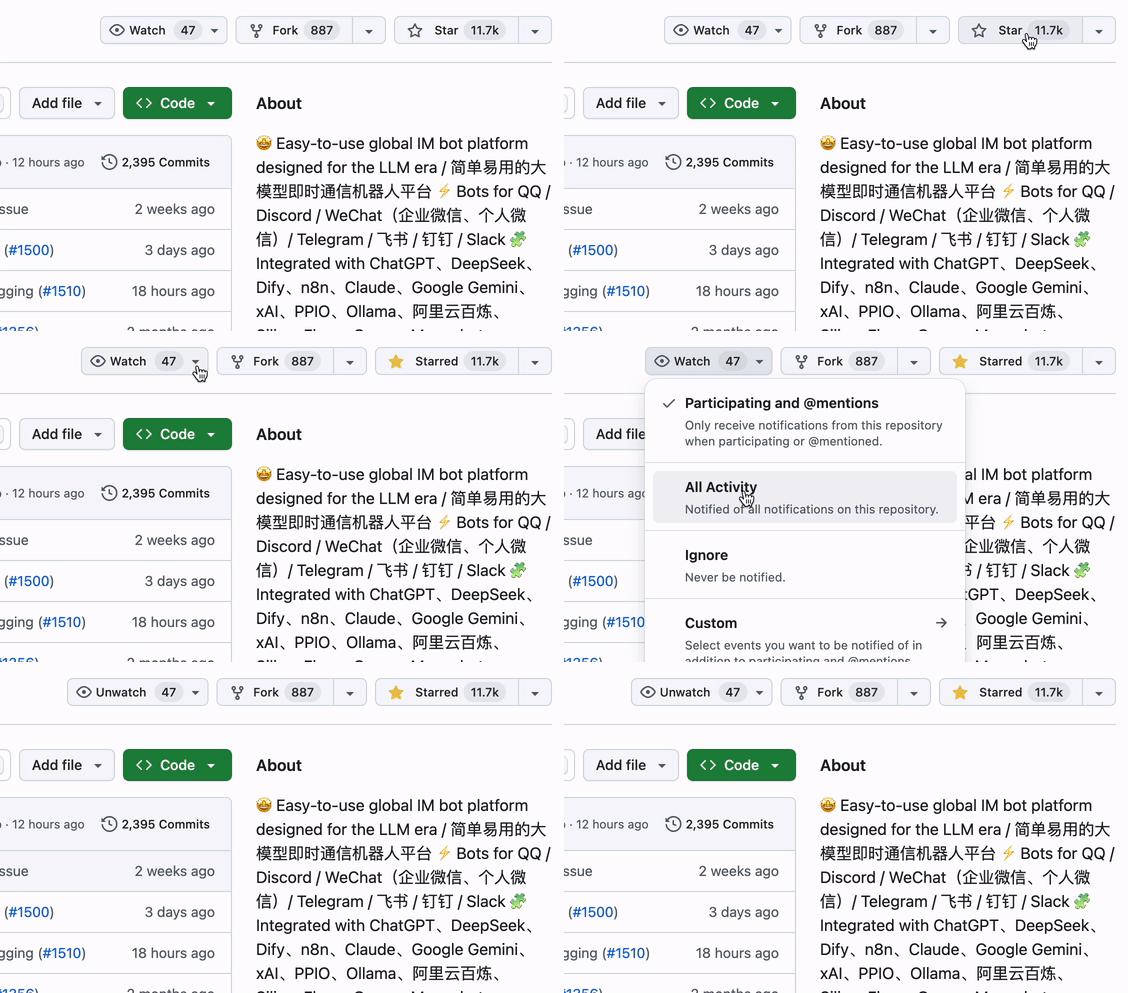
|
||||
|
||||
## Quick Start
|
||||
|
||||
### ☁️ LangBot Cloud (Recommended)
|
||||
@@ -70,7 +80,7 @@ uvx langbot
|
||||
```bash
|
||||
git clone https://github.com/langbot-app/LangBot
|
||||
cd LangBot/docker
|
||||
docker compose up -d
|
||||
docker compose --profile all up -d
|
||||
```
|
||||
|
||||
### One-Click Cloud Deploy
|
||||
@@ -78,7 +88,7 @@ docker compose up -d
|
||||
[](https://zeabur.com/en-US/templates/ZKTBDH)
|
||||
[](https://railway.app/template/yRrAyL?referralCode=vogKPF)
|
||||
|
||||
**More options:** [Docker](https://link.langbot.app/en/docs/docker) · [Manual](https://link.langbot.app/en/docs/manual-deploy) · [BTPanel](https://link.langbot.app/en/docs/bt-panel) · [Kubernetes](./docker/README_K8S.md)
|
||||
**More options:** [Docker](https://link.langbot.app/en/docs/docker) · [Manual](https://link.langbot.app/en/docs/manual-deploy) · [BTPanel](https://link.langbot.app/en/docs/bt-panel) · [Kubernetes](https://docs.langbot.app/en/deploy/langbot/kubernetes)
|
||||
|
||||
---
|
||||
|
||||
@@ -144,6 +154,19 @@ docker compose up -d
|
||||
|
||||
---
|
||||
|
||||
## Built for AI Agents 🤖
|
||||
|
||||
LangBot is **agent-friendly by design** — your coding agents (Claude Code, Codex, Copilot, Cursor, …) can operate, extend, and deploy LangBot with first-class support:
|
||||
|
||||
- **MCP Server** — LangBot exposes a built-in [Model Context Protocol](https://modelcontextprotocol.io/) endpoint at `/mcp`, mirroring the HTTP API so an agent can manage bots, pipelines, plugins, and models programmatically. Authenticate with the same API key (set a global key in `config.yaml` or use a per-user key) — no login flow required. Configure it in the Web panel's **API & MCP** tab.
|
||||
- **In-repo Skills** — The [`skills/`](skills/) directory is the **single source of truth** for working with LangBot: plugin development, core development, end-to-end testing, deployment, and operating the LangBot / LangBot Space MCP servers. Point your agent at this directory and it knows how to build.
|
||||
- **AGENTS.md** — Every repo ships an [`AGENTS.md`](AGENTS.md) (symlinked to `CLAUDE.md`) describing architecture, conventions, and the rule that API changes must keep the MCP server and skills in sync.
|
||||
- **`llms.txt`** — Machine-readable project context for LLMs is published on the website.
|
||||
|
||||
> **Cloud / Marketplace:** [LangBot Space](https://space.langbot.app) also exposes an MCP server so agents can search and inspect the plugin / MCP / skill marketplace, authenticated with a Personal Access Token.
|
||||
|
||||
---
|
||||
|
||||
## Live Demo
|
||||
|
||||
**Try it now:** https://demo.langbot.dev/
|
||||
|
||||
+27
-4
@@ -13,7 +13,7 @@
|
||||
[English](README.md) / 简体中文 / [繁體中文](README_TW.md) / [日本語](README_JP.md) / [Español](README_ES.md) / [Français](README_FR.md) / [한국어](README_KO.md) / [Русский](README_RU.md) / [Tiếng Việt](README_VI.md)
|
||||
|
||||
[](https://discord.gg/wdNEHETs87)
|
||||
[](https://qm.qq.com/q/DxZZcNxM1W)
|
||||
[](https://qm.qq.com/q/IrlV8QFacU)
|
||||
[](https://deepwiki.com/langbot-app/LangBot)
|
||||
[](https://github.com/langbot-app/LangBot/releases/latest)
|
||||
<img src="https://img.shields.io/badge/python-3.10 ~ 3.13 -blue.svg" alt="python">
|
||||
@@ -36,9 +36,13 @@
|
||||
|
||||
LangBot 是一个**开源的生产级平台**,用于构建 AI 驱动的即时通信机器人。它将大语言模型(LLM)连接到各种聊天平台,帮助你创建能够对话、执行任务、并集成到现有工作流程中的智能 Agent。
|
||||
|
||||
<p align="center">
|
||||
<img src="res/dashboard-overview.png" alt="LangBot Web 管理面板仪表盘 — 实时监控消息量、模型调用、成功率与活跃会话" width="720"/>
|
||||
</p>
|
||||
|
||||
### 核心能力
|
||||
|
||||
- **AI 对话与 Agent** — 多轮对话、工具调用、多模态、流式输出。自带 RAG(知识库),深度集成 [Dify](https://dify.ai)、[Coze](https://coze.com)、[n8n](https://n8n.io)、[Langflow](https://langflow.org) 等 LLMOps 平台。
|
||||
- **AI 对话与 Agent** — 多轮对话、工具调用、多模态、流式输出。自带 RAG(知识库),深度集成 [Dify](https://dify.ai)、[Coze](https://coze.com)、[n8n](https://n8n.io)、[Langflow](https://langflow.org)、[Deerflow](https://deerflow.tech)、[Weknora](https://weknora.weixin.qq.com)等 LLMOps 平台。
|
||||
- **全平台支持** — 一套代码,覆盖 QQ、微信、企业微信、飞书、钉钉、Discord、Telegram、Slack、LINE、KOOK 等平台。
|
||||
- **生产就绪** — 访问控制、限速、敏感词过滤、全面监控与异常处理,已被多家企业采用。
|
||||
- **插件生态** — 数百个插件,跨进程的事件驱动架构,组件扩展,适配 [MCP 协议](https://modelcontextprotocol.io/)。
|
||||
@@ -51,6 +55,12 @@ LangBot 是一个**开源的生产级平台**,用于构建 AI 驱动的即时
|
||||
|
||||
---
|
||||
|
||||
## 😎 保持更新
|
||||
|
||||
点击[仓库首页](https://github.com/langbot-app/LangBot)右上角 Star 和 Watch 按钮,获取最新动态。
|
||||
|
||||

|
||||
|
||||
## 快速开始
|
||||
|
||||
### ☁️ LangBot Cloud(推荐)
|
||||
@@ -70,7 +80,7 @@ uvx langbot
|
||||
```bash
|
||||
git clone https://github.com/langbot-app/LangBot
|
||||
cd LangBot/docker
|
||||
docker compose up -d
|
||||
docker compose --profile all up -d
|
||||
```
|
||||
|
||||
### 一键云部署
|
||||
@@ -78,7 +88,7 @@ docker compose up -d
|
||||
[](https://zeabur.com/zh-CN/templates/ZKTBDH)
|
||||
[](https://railway.app/template/yRrAyL?referralCode=vogKPF)
|
||||
|
||||
**更多方式:** [Docker](https://link.langbot.app/zh/docs/docker) · [手动部署](https://link.langbot.app/zh/docs/manual-deploy) · [宝塔面板](https://link.langbot.app/zh/docs/bt-panel) · [Kubernetes](./docker/README_K8S.md)
|
||||
**更多方式:** [Docker](https://link.langbot.app/zh/docs/docker) · [手动部署](https://link.langbot.app/zh/docs/manual-deploy) · [宝塔面板](https://link.langbot.app/zh/docs/bt-panel) · [Kubernetes](https://docs.langbot.app/zh/deploy/langbot/kubernetes)
|
||||
|
||||
---
|
||||
|
||||
@@ -170,6 +180,19 @@ docker compose up -d
|
||||
|
||||
---
|
||||
|
||||
## 为 AI Agent 而生 🤖
|
||||
|
||||
LangBot **从设计上就对 Agent 友好** —— 你的编码 Agent(Claude Code、Codex、Copilot、Cursor 等)可以一等公民般地操作、扩展和部署 LangBot:
|
||||
|
||||
- **MCP Server** —— LangBot 内置 [Model Context Protocol](https://modelcontextprotocol.io/) 端点 `/mcp`,与 HTTP API 对齐,Agent 可编程式管理机器人、流水线、插件和模型。使用同一套 API Key 鉴权(可在 `config.yaml` 配置全局 Key,或使用用户 Key),无需登录流程。在 Web 面板的 **API 与 MCP** 标签页中配置。
|
||||
- **仓库内 Skills** —— [`skills/`](skills/) 目录是使用 LangBot 的**唯一事实来源**:插件开发、核心开发、端到端测试、部署,以及操作 LangBot / LangBot Space MCP Server。把 Agent 指向这个目录,它就知道如何动手。
|
||||
- **AGENTS.md** —— 每个仓库都提供 [`AGENTS.md`](AGENTS.md)(软链到 `CLAUDE.md`),描述架构、规范,以及「API 变更必须同步更新 MCP Server 和 skills」的约定。
|
||||
- **`llms.txt`** —— 面向 LLM 的机器可读项目上下文已发布在官网。
|
||||
|
||||
> **云端 / 市场:** [LangBot Space](https://space.langbot.app) 同样开放 MCP Server,Agent 可搜索和查看插件 / MCP / Skill 市场,使用 Personal Access Token 鉴权。
|
||||
|
||||
---
|
||||
|
||||
## 社区
|
||||
|
||||
[](https://discord.gg/wdNEHETs87)
|
||||
|
||||
+24
-3
@@ -35,9 +35,13 @@
|
||||
|
||||
LangBot es una **plataforma de código abierto y grado de producción** para construir bots de mensajería instantánea impulsados por IA. Conecta modelos de lenguaje de gran escala (LLMs) con cualquier plataforma de chat, permitiéndole crear agentes inteligentes que pueden conversar, ejecutar tareas e integrarse con sus flujos de trabajo existentes.
|
||||
|
||||
<p align="center">
|
||||
<img src="res/dashboard-overview.png" alt="Panel de gestión web de LangBot — monitoreo en tiempo real de volumen de mensajes, llamadas a modelos, tasa de éxito y sesiones activas" width="720"/>
|
||||
</p>
|
||||
|
||||
### Capacidades Clave
|
||||
|
||||
- **Conversaciones e Agentes IA** — Diálogos de múltiples turnos, llamadas a herramientas, soporte multimodal, salida en streaming. RAG (base de conocimientos) incorporado con integración profunda con [Dify](https://dify.ai), [Coze](https://coze.com), [n8n](https://n8n.io), [Langflow](https://langflow.org).
|
||||
- **Conversaciones e Agentes IA** — Diálogos de múltiples turnos, llamadas a herramientas, soporte multimodal, salida en streaming. RAG (base de conocimientos) incorporado con integración profunda con [Dify](https://dify.ai), [Coze](https://coze.com), [n8n](https://n8n.io), [Langflow](https://langflow.org), [Deerflow](https://deerflow.tech)、[Weknora](https://weknora.weixin.qq.com).
|
||||
- **Soporte Universal de Plataformas de MI** — Un solo código base para Discord, Telegram, Slack, LINE, QQ, WeChat, WeCom, Lark, DingTalk, KOOK.
|
||||
- **Listo para Producción** — Control de acceso, limitación de velocidad, filtrado de palabras sensibles, monitoreo completo y manejo de excepciones. De confianza para empresas.
|
||||
- **Ecosistema de Plugins** — Cientos de plugins, arquitectura basada en eventos, extensiones de componentes y soporte del [protocolo MCP](https://modelcontextprotocol.io/).
|
||||
@@ -50,6 +54,12 @@ LangBot es una **plataforma de código abierto y grado de producción** para con
|
||||
|
||||
---
|
||||
|
||||
## 😎 Manténgase Actualizado
|
||||
|
||||
Haga clic en los botones Star y Watch en la esquina superior derecha del repositorio para obtener las últimas actualizaciones.
|
||||
|
||||

|
||||
|
||||
## Inicio Rápido
|
||||
|
||||
### ☁️ LangBot Cloud (Recomendado)
|
||||
@@ -69,7 +79,7 @@ uvx langbot
|
||||
```bash
|
||||
git clone https://github.com/langbot-app/LangBot
|
||||
cd LangBot/docker
|
||||
docker compose up -d
|
||||
docker compose --profile all up -d
|
||||
```
|
||||
|
||||
### Despliegue en la Nube con un Clic
|
||||
@@ -77,7 +87,7 @@ docker compose up -d
|
||||
[](https://zeabur.com/en-US/templates/ZKTBDH)
|
||||
[](https://railway.app/template/yRrAyL?referralCode=vogKPF)
|
||||
|
||||
**Más opciones:** [Docker](https://link.langbot.app/en/docs/docker) · [Manual](https://link.langbot.app/en/docs/manual-deploy) · [BTPanel](https://link.langbot.app/en/docs/bt-panel) · [Kubernetes](./docker/README_K8S.md)
|
||||
**Más opciones:** [Docker](https://link.langbot.app/en/docs/docker) · [Manual](https://link.langbot.app/en/docs/manual-deploy) · [BTPanel](https://link.langbot.app/en/docs/bt-panel) · [Kubernetes](https://docs.langbot.app/en/deploy/langbot/kubernetes)
|
||||
|
||||
---
|
||||
|
||||
@@ -151,6 +161,17 @@ docker compose up -d
|
||||
|
||||
*Nota: Entorno de demostración público. No ingrese información confidencial.*
|
||||
|
||||
## Diseñado para Agentes de IA 🤖
|
||||
|
||||
LangBot es **agent-friendly por diseño** —— tus agentes de codificación (Claude Code, Codex, Copilot, Cursor, …) pueden operar, extender y desplegar LangBot con soporte de primera clase:
|
||||
|
||||
- **Servidor MCP** —— LangBot expone un endpoint integrado de [Model Context Protocol](https://modelcontextprotocol.io/) en `/mcp`, replicando la API HTTP para que un agente gestione bots, pipelines, plugins y modelos de forma programática. Autentícate con la misma API key (configura una clave global en `config.yaml` o usa una clave por usuario) —— sin flujo de login. Configúralo en la pestaña **API & MCP** del panel web.
|
||||
- **Skills en el repositorio** —— El directorio [`skills/`](skills/) es la **única fuente de verdad** para trabajar con LangBot: desarrollo de plugins, desarrollo del core, pruebas end-to-end, despliegue y operación de los servidores MCP de LangBot / LangBot Space. Apunta tu agente a este directorio y sabrá cómo construir.
|
||||
- **AGENTS.md** —— Cada repo incluye un [`AGENTS.md`](AGENTS.md) (enlazado simbólicamente a `CLAUDE.md`) que describe la arquitectura, las convenciones y la regla de que los cambios en la API deben mantener sincronizados el servidor MCP y los skills.
|
||||
- **`llms.txt`** —— El contexto del proyecto legible por máquina para LLMs está publicado en el sitio web.
|
||||
|
||||
> **Nube / Marketplace:** [LangBot Space](https://space.langbot.app) también expone un servidor MCP para que los agentes busquen e inspeccionen el marketplace de plugins / MCP / skills, autenticados con un Personal Access Token.
|
||||
|
||||
---
|
||||
|
||||
## Comunidad
|
||||
|
||||
+24
-3
@@ -35,9 +35,13 @@
|
||||
|
||||
LangBot est une **plateforme open-source de niveau production** pour créer des bots de messagerie instantanée alimentés par l'IA. Elle connecte les grands modèles de langage (LLMs) à n'importe quelle plateforme de chat, vous permettant de créer des agents intelligents capables de converser, d'exécuter des tâches et de s'intégrer à vos workflows existants.
|
||||
|
||||
<p align="center">
|
||||
<img src="res/dashboard-overview.png" alt="Tableau de bord de gestion web LangBot — surveillance en temps réel du volume de messages, des appels de modèles, du taux de réussite et des sessions actives" width="720"/>
|
||||
</p>
|
||||
|
||||
### Capacités Clés
|
||||
|
||||
- **Conversations IA & Agents** — Dialogues multi-tours, appels d'outils, support multimodal, sortie en streaming. RAG (base de connaissances) intégré avec intégration profonde de [Dify](https://dify.ai), [Coze](https://coze.com), [n8n](https://n8n.io), [Langflow](https://langflow.org).
|
||||
- **Conversations IA & Agents** — Dialogues multi-tours, appels d'outils, support multimodal, sortie en streaming. RAG (base de connaissances) intégré avec intégration profonde de [Dify](https://dify.ai), [Coze](https://coze.com), [n8n](https://n8n.io), [Langflow](https://langflow.org), [Deerflow](https://deerflow.tech), [Weknora](https://weknora.weixin.qq.com).
|
||||
- **Support Universel des Plateformes de MI** — Un seul code pour Discord, Telegram, Slack, LINE, QQ, WeChat, WeCom, Lark, DingTalk, KOOK.
|
||||
- **Prêt pour la Production** — Contrôle d'accès, limitation de débit, filtrage de mots sensibles, surveillance complète et gestion des exceptions. Approuvé par les entreprises.
|
||||
- **Écosystème de Plugins** — Des centaines de plugins, architecture événementielle, extensions de composants, et support du [protocole MCP](https://modelcontextprotocol.io/).
|
||||
@@ -50,6 +54,12 @@ LangBot est une **plateforme open-source de niveau production** pour créer des
|
||||
|
||||
---
|
||||
|
||||
## 😎 Restez à Jour
|
||||
|
||||
Cliquez sur les boutons Star et Watch dans le coin supérieur droit du dépôt pour obtenir les dernières mises à jour.
|
||||
|
||||

|
||||
|
||||
## Démarrage Rapide
|
||||
|
||||
### ☁️ LangBot Cloud (Recommandé)
|
||||
@@ -69,7 +79,7 @@ uvx langbot
|
||||
```bash
|
||||
git clone https://github.com/langbot-app/LangBot
|
||||
cd LangBot/docker
|
||||
docker compose up -d
|
||||
docker compose --profile all up -d
|
||||
```
|
||||
|
||||
### Déploiement Cloud en un Clic
|
||||
@@ -77,7 +87,7 @@ docker compose up -d
|
||||
[](https://zeabur.com/en-US/templates/ZKTBDH)
|
||||
[](https://railway.app/template/yRrAyL?referralCode=vogKPF)
|
||||
|
||||
**Plus d'options :** [Docker](https://link.langbot.app/en/docs/docker) · [Manuel](https://link.langbot.app/en/docs/manual-deploy) · [BTPanel](https://link.langbot.app/en/docs/bt-panel) · [Kubernetes](./docker/README_K8S.md)
|
||||
**Plus d'options :** [Docker](https://link.langbot.app/en/docs/docker) · [Manuel](https://link.langbot.app/en/docs/manual-deploy) · [BTPanel](https://link.langbot.app/en/docs/bt-panel) · [Kubernetes](https://docs.langbot.app/en/deploy/langbot/kubernetes)
|
||||
|
||||
---
|
||||
|
||||
@@ -151,6 +161,17 @@ docker compose up -d
|
||||
|
||||
*Note : Environnement de démonstration public. Ne saisissez pas d'informations sensibles.*
|
||||
|
||||
## Conçu pour les agents IA 🤖
|
||||
|
||||
LangBot est **agent-friendly par conception** —— vos agents de codage (Claude Code, Codex, Copilot, Cursor, …) peuvent exploiter, étendre et déployer LangBot avec un support de premier ordre :
|
||||
|
||||
- **Serveur MCP** —— LangBot expose un endpoint [Model Context Protocol](https://modelcontextprotocol.io/) intégré sur `/mcp`, reflétant l'API HTTP pour qu'un agent gère bots, pipelines, plugins et modèles de façon programmatique. Authentifiez-vous avec la même clé API (définissez une clé globale dans `config.yaml` ou utilisez une clé par utilisateur) —— sans flux de connexion. Configurez-le dans l'onglet **API & MCP** du panneau web.
|
||||
- **Skills dans le dépôt** —— Le répertoire [`skills/`](skills/) est la **source unique de vérité** pour travailler avec LangBot : développement de plugins, développement du cœur, tests de bout en bout, déploiement et exploitation des serveurs MCP de LangBot / LangBot Space. Pointez votre agent vers ce répertoire et il saura construire.
|
||||
- **AGENTS.md** —— Chaque dépôt fournit un [`AGENTS.md`](AGENTS.md) (lien symbolique vers `CLAUDE.md`) décrivant l'architecture, les conventions et la règle selon laquelle les changements d'API doivent garder le serveur MCP et les skills synchronisés.
|
||||
- **`llms.txt`** —— Le contexte projet lisible par machine pour les LLM est publié sur le site web.
|
||||
|
||||
> **Cloud / Marketplace :** [LangBot Space](https://space.langbot.app) expose également un serveur MCP pour que les agents recherchent et inspectent le marketplace de plugins / MCP / skills, authentifiés avec un Personal Access Token.
|
||||
|
||||
---
|
||||
|
||||
## Communauté
|
||||
|
||||
+24
-3
@@ -35,9 +35,13 @@
|
||||
|
||||
LangBot は、AI搭載のインスタントメッセージングボットを構築するための**オープンソースの本番グレードプラットフォーム**です。大規模言語モデル(LLM)をあらゆるチャットプラットフォームに接続し、会話、タスク実行、既存のワークフローとの統合が可能なインテリジェントエージェントを作成できます。
|
||||
|
||||
<p align="center">
|
||||
<img src="res/dashboard-overview.png" alt="LangBot Web 管理パネルのダッシュボード — メッセージ量、モデル呼び出し、成功率、アクティブセッションをリアルタイム監視" width="720"/>
|
||||
</p>
|
||||
|
||||
### 主な機能
|
||||
|
||||
- **AI対話とエージェント** — マルチターン対話、ツール呼び出し、マルチモーダル対応、ストリーミング出力。RAG(ナレッジベース)を内蔵し、[Dify](https://dify.ai)、[Coze](https://coze.com)、[n8n](https://n8n.io)、[Langflow](https://langflow.org) と深く統合。
|
||||
- **AI対話とエージェント** — マルチターン対話、ツール呼び出し、マルチモーダル対応、ストリーミング出力。RAG(ナレッジベース)を内蔵し、[Dify](https://dify.ai)、[Coze](https://coze.com)、[n8n](https://n8n.io)、[Langflow](https://langflow.org)、[Deerflow](https://deerflow.tech)、[Weknora](https://weknora.weixin.qq.com) と深く統合。
|
||||
- **ユニバーサルIMプラットフォーム対応** — 単一のコードベースで Discord、Telegram、Slack、LINE、QQ、WeChat、WeCom、Lark、DingTalk、KOOK に対応。
|
||||
- **本番環境対応** — アクセス制御、レート制限、センシティブワードフィルタリング、包括的な監視、例外処理を搭載。エンタープライズの信頼に応える品質。
|
||||
- **プラグインエコシステム** — 数百のプラグイン、イベント駆動アーキテクチャ、コンポーネント拡張、[MCPプロトコル](https://modelcontextprotocol.io/)対応。
|
||||
@@ -50,6 +54,12 @@ LangBot は、AI搭載のインスタントメッセージングボットを構
|
||||
|
||||
---
|
||||
|
||||
## 😎 最新情報を入手
|
||||
|
||||
リポジトリの右上にある Star と Watch ボタンをクリックして、最新の更新を取得してください。
|
||||
|
||||

|
||||
|
||||
## クイックスタート
|
||||
|
||||
### ☁️ LangBot Cloud(推奨)
|
||||
@@ -69,7 +79,7 @@ uvx langbot
|
||||
```bash
|
||||
git clone https://github.com/langbot-app/LangBot
|
||||
cd LangBot/docker
|
||||
docker compose up -d
|
||||
docker compose --profile all up -d
|
||||
```
|
||||
|
||||
### ワンクリッククラウドデプロイ
|
||||
@@ -77,7 +87,7 @@ docker compose up -d
|
||||
[](https://zeabur.com/en-US/templates/ZKTBDH)
|
||||
[](https://railway.app/template/yRrAyL?referralCode=vogKPF)
|
||||
|
||||
**その他:** [Docker](https://link.langbot.app/en/docs/docker) · [手動デプロイ](https://link.langbot.app/en/docs/manual-deploy) · [BTPanel](https://link.langbot.app/en/docs/bt-panel) · [Kubernetes](./docker/README_K8S.md)
|
||||
**その他:** [Docker](https://link.langbot.app/en/docs/docker) · [手動デプロイ](https://link.langbot.app/en/docs/manual-deploy) · [BTPanel](https://link.langbot.app/en/docs/bt-panel) · [Kubernetes](https://docs.langbot.app/en/deploy/langbot/kubernetes)
|
||||
|
||||
---
|
||||
|
||||
@@ -151,6 +161,17 @@ docker compose up -d
|
||||
|
||||
*注意: 公開デモ環境です。機密情報を入力しないでください。*
|
||||
|
||||
## AI エージェントのために 🤖
|
||||
|
||||
LangBot は **設計段階からエージェントフレンドリー** です。お使いのコーディングエージェント(Claude Code、Codex、Copilot、Cursor など)が、ファーストクラスのサポートで LangBot を操作・拡張・デプロイできます:
|
||||
|
||||
- **MCP サーバー** —— LangBot は組み込みの [Model Context Protocol](https://modelcontextprotocol.io/) エンドポイント `/mcp` を公開し、HTTP API とミラーリングされているため、エージェントがボット・パイプライン・プラグイン・モデルをプログラム的に管理できます。同じ API キーで認証(`config.yaml` でグローバルキーを設定、またはユーザーキーを使用)—— ログインフロー不要。Web パネルの **API & MCP** タブで設定します。
|
||||
- **リポジトリ内 Skills** —— [`skills/`](skills/) ディレクトリは LangBot を扱うための**唯一の信頼できる情報源**です:プラグイン開発、コア開発、E2E テスト、デプロイ、LangBot / LangBot Space MCP サーバーの操作。エージェントをこのディレクトリに向ければ、構築方法を理解します。
|
||||
- **AGENTS.md** —— すべてのリポジトリに [`AGENTS.md`](AGENTS.md)(`CLAUDE.md` へのシンボリックリンク)があり、アーキテクチャ・規約、そして「API 変更時は MCP サーバーと skills を同期する」というルールを記述しています。
|
||||
- **`llms.txt`** —— LLM 向けの機械可読なプロジェクトコンテキストを公式サイトで公開しています。
|
||||
|
||||
> **クラウド / マーケット:** [LangBot Space](https://space.langbot.app) も MCP サーバーを公開しており、エージェントが Personal Access Token で認証してプラグイン / MCP / Skill マーケットを検索・確認できます。
|
||||
|
||||
---
|
||||
|
||||
## コミュニティ
|
||||
|
||||
+24
-3
@@ -35,9 +35,13 @@
|
||||
|
||||
LangBot은 AI 기반 인스턴트 메시징 봇을 구축하기 위한 **오픈소스 프로덕션 등급 플랫폼**입니다. 대규모 언어 모델(LLM)을 모든 채팅 플랫폼에 연결하여 대화, 작업 실행, 기존 워크플로우와의 통합이 가능한 지능형 에이전트를 만들 수 있습니다.
|
||||
|
||||
<p align="center">
|
||||
<img src="res/dashboard-overview.png" alt="LangBot 웹 관리 패널 대시보드 — 메시지 양, 모델 호출, 성공률, 활성 세션 실시간 모니터링" width="720"/>
|
||||
</p>
|
||||
|
||||
### 핵심 기능
|
||||
|
||||
- **AI 대화 및 에이전트** — 멀티턴 대화, 도구 호출, 멀티모달 지원, 스트리밍 출력. 내장 RAG(지식 베이스)와 [Dify](https://dify.ai), [Coze](https://coze.com), [n8n](https://n8n.io), [Langflow](https://langflow.org) 심층 통합.
|
||||
- **AI 대화 및 에이전트** — 멀티턴 대화, 도구 호출, 멀티모달 지원, 스트리밍 출력. 내장 RAG(지식 베이스)와 [Dify](https://dify.ai), [Coze](https://coze.com), [n8n](https://n8n.io), [Langflow](https://langflow.org), [Deerflow](https://deerflow.tech), [Weknora](https://weknora.weixin.qq.com) 심층 통합.
|
||||
- **유니버설 IM 플랫폼 지원** — 단일 코드베이스로 Discord, Telegram, Slack, LINE, QQ, WeChat, WeCom, Lark, DingTalk, KOOK 지원.
|
||||
- **프로덕션 레디** — 접근 제어, 속도 제한, 민감어 필터링, 종합 모니터링 및 예외 처리. 기업 환경에서 검증됨.
|
||||
- **플러그인 생태계** — 수백 개의 플러그인, 이벤트 기반 아키텍처, 컴포넌트 확장, [MCP 프로토콜](https://modelcontextprotocol.io/) 지원.
|
||||
@@ -50,6 +54,12 @@ LangBot은 AI 기반 인스턴트 메시징 봇을 구축하기 위한 **오픈
|
||||
|
||||
---
|
||||
|
||||
## 😎 최신 정보 받기
|
||||
|
||||
리포지토리 오른쪽 상단의 Star 및 Watch 버튼을 클릭하여 최신 업데이트를 받으세요.
|
||||
|
||||

|
||||
|
||||
## 빠른 시작
|
||||
|
||||
### ☁️ LangBot Cloud (추천)
|
||||
@@ -69,7 +79,7 @@ uvx langbot
|
||||
```bash
|
||||
git clone https://github.com/langbot-app/LangBot
|
||||
cd LangBot/docker
|
||||
docker compose up -d
|
||||
docker compose --profile all up -d
|
||||
```
|
||||
|
||||
### 원클릭 클라우드 배포
|
||||
@@ -77,7 +87,7 @@ docker compose up -d
|
||||
[](https://zeabur.com/en-US/templates/ZKTBDH)
|
||||
[](https://railway.app/template/yRrAyL?referralCode=vogKPF)
|
||||
|
||||
**더 많은 옵션:** [Docker](https://link.langbot.app/en/docs/docker) · [수동 배포](https://link.langbot.app/en/docs/manual-deploy) · [BTPanel](https://link.langbot.app/en/docs/bt-panel) · [Kubernetes](./docker/README_K8S.md)
|
||||
**더 많은 옵션:** [Docker](https://link.langbot.app/en/docs/docker) · [수동 배포](https://link.langbot.app/en/docs/manual-deploy) · [BTPanel](https://link.langbot.app/en/docs/bt-panel) · [Kubernetes](https://docs.langbot.app/en/deploy/langbot/kubernetes)
|
||||
|
||||
---
|
||||
|
||||
@@ -151,6 +161,17 @@ docker compose up -d
|
||||
|
||||
*참고: 공개 데모 환경입니다. 민감한 정보를 입력하지 마세요.*
|
||||
|
||||
## AI 에이전트를 위한 설계 🤖
|
||||
|
||||
LangBot은 **설계 단계부터 에이전트 친화적**입니다 —— 코딩 에이전트(Claude Code, Codex, Copilot, Cursor 등)가 일급 지원으로 LangBot을 운영·확장·배포할 수 있습니다:
|
||||
|
||||
- **MCP 서버** —— LangBot은 내장 [Model Context Protocol](https://modelcontextprotocol.io/) 엔드포인트 `/mcp`를 제공하며, HTTP API와 동일하게 미러링되어 에이전트가 봇·파이프라인·플러그인·모델을 프로그래밍 방식으로 관리할 수 있습니다. 동일한 API 키로 인증하며(`config.yaml`에 전역 키 설정 또는 사용자 키 사용) 로그인 절차가 필요 없습니다. 웹 패널의 **API & MCP** 탭에서 설정합니다.
|
||||
- **저장소 내 Skills** —— [`skills/`](skills/) 디렉터리는 LangBot 작업의 **단일 진실 공급원**입니다: 플러그인 개발, 코어 개발, E2E 테스트, 배포, LangBot / LangBot Space MCP 서버 운영. 에이전트를 이 디렉터리로 안내하면 빌드 방법을 알게 됩니다.
|
||||
- **AGENTS.md** —— 모든 저장소에는 [`AGENTS.md`](AGENTS.md)(`CLAUDE.md`로 심볼릭 링크)가 있으며 아키텍처, 규약, 그리고 API 변경 시 MCP 서버와 skills를 동기화해야 한다는 규칙을 설명합니다.
|
||||
- **`llms.txt`** —— LLM을 위한 기계 판독 가능한 프로젝트 컨텍스트가 웹사이트에 게시되어 있습니다.
|
||||
|
||||
> **클라우드 / 마켓플레이스:** [LangBot Space](https://space.langbot.app)도 MCP 서버를 제공하여 에이전트가 Personal Access Token으로 인증해 플러그인 / MCP / Skill 마켓플레이스를 검색하고 조회할 수 있습니다.
|
||||
|
||||
---
|
||||
|
||||
## 커뮤니티
|
||||
|
||||
+24
-3
@@ -35,9 +35,13 @@
|
||||
|
||||
LangBot — это **платформа с открытым исходным кодом производственного уровня** для создания ИИ-ботов в мессенджерах. Она связывает большие языковые модели (LLM) с любой чат-платформой, позволяя создавать интеллектуальных агентов, которые могут вести диалоги, выполнять задачи и интегрироваться с вашими существующими рабочими процессами.
|
||||
|
||||
<p align="center">
|
||||
<img src="res/dashboard-overview.png" alt="Панель веб-управления LangBot — мониторинг объёма сообщений, вызовов моделей, успешности и активных сессий в реальном времени" width="720"/>
|
||||
</p>
|
||||
|
||||
### Ключевые возможности
|
||||
|
||||
- **ИИ-диалоги и агенты** — Многораундовые диалоги, вызов инструментов, мультимодальная поддержка, потоковый вывод. Встроенная реализация RAG (база знаний) с глубокой интеграцией в [Dify](https://dify.ai), [Coze](https://coze.com), [n8n](https://n8n.io), [Langflow](https://langflow.org).
|
||||
- **ИИ-диалоги и агенты** — Многораундовые диалоги, вызов инструментов, мультимодальная поддержка, потоковый вывод. Встроенная реализация RAG (база знаний) с глубокой интеграцией в [Dify](https://dify.ai), [Coze](https://coze.com), [n8n](https://n8n.io), [Langflow](https://langflow.org), [Deerflow](https://deerflow.tech), [Weknora](https://weknora.weixin.qq.com).
|
||||
- **Универсальная поддержка IM-платформ** — Единая кодовая база для Discord, Telegram, Slack, LINE, QQ, WeChat, WeCom, Lark, DingTalk, KOOK.
|
||||
- **Готовность к продакшену** — Контроль доступа, ограничение скорости, фильтрация чувствительных слов, комплексный мониторинг и обработка исключений. Проверено в корпоративной среде.
|
||||
- **Экосистема плагинов** — Сотни плагинов, событийно-ориентированная архитектура, расширения компонентов и поддержка [протокола MCP](https://modelcontextprotocol.io/).
|
||||
@@ -50,6 +54,12 @@ LangBot — это **платформа с открытым исходным к
|
||||
|
||||
---
|
||||
|
||||
## 😎 Оставайтесь в курсе
|
||||
|
||||
Нажмите кнопки Star и Watch в правом верхнем углу репозитория, чтобы получать последние обновления.
|
||||
|
||||

|
||||
|
||||
## Быстрый старт
|
||||
|
||||
### ☁️ LangBot Cloud (Рекомендуется)
|
||||
@@ -69,7 +79,7 @@ uvx langbot
|
||||
```bash
|
||||
git clone https://github.com/langbot-app/LangBot
|
||||
cd LangBot/docker
|
||||
docker compose up -d
|
||||
docker compose --profile all up -d
|
||||
```
|
||||
|
||||
### Облачное развертывание одним кликом
|
||||
@@ -77,7 +87,7 @@ docker compose up -d
|
||||
[](https://zeabur.com/en-US/templates/ZKTBDH)
|
||||
[](https://railway.app/template/yRrAyL?referralCode=vogKPF)
|
||||
|
||||
**Другие варианты:** [Docker](https://link.langbot.app/en/docs/docker) · [Ручная установка](https://link.langbot.app/en/docs/manual-deploy) · [BTPanel](https://link.langbot.app/en/docs/bt-panel) · [Kubernetes](./docker/README_K8S.md)
|
||||
**Другие варианты:** [Docker](https://link.langbot.app/en/docs/docker) · [Ручная установка](https://link.langbot.app/en/docs/manual-deploy) · [BTPanel](https://link.langbot.app/en/docs/bt-panel) · [Kubernetes](https://docs.langbot.app/en/deploy/langbot/kubernetes)
|
||||
|
||||
---
|
||||
|
||||
@@ -151,6 +161,17 @@ docker compose up -d
|
||||
|
||||
*Примечание: Публичная демо-среда. Не вводите конфиденциальную информацию.*
|
||||
|
||||
## Создано для ИИ-агентов 🤖
|
||||
|
||||
LangBot **дружелюбен к агентам по своей архитектуре** —— ваши кодинг-агенты (Claude Code, Codex, Copilot, Cursor и др.) могут управлять, расширять и развёртывать LangBot с первоклассной поддержкой:
|
||||
|
||||
- **MCP-сервер** —— LangBot предоставляет встроенную конечную точку [Model Context Protocol](https://modelcontextprotocol.io/) по адресу `/mcp`, зеркалирующую HTTP API, чтобы агент мог программно управлять ботами, пайплайнами, плагинами и моделями. Аутентификация той же API-ключом (задайте глобальный ключ в `config.yaml` или используйте пользовательский ключ) —— без процедуры входа. Настраивается на вкладке **API & MCP** веб-панели.
|
||||
- **Skills в репозитории** —— Каталог [`skills/`](skills/) является **единственным источником истины** для работы с LangBot: разработка плагинов, разработка ядра, сквозное тестирование, развёртывание и работа с MCP-серверами LangBot / LangBot Space. Направьте агента в этот каталог, и он будет знать, как собирать.
|
||||
- **AGENTS.md** —— Каждый репозиторий содержит [`AGENTS.md`](AGENTS.md) (символическая ссылка на `CLAUDE.md`), описывающий архитектуру, соглашения и правило: изменения API должны синхронизировать MCP-сервер и skills.
|
||||
- **`llms.txt`** —— Машиночитаемый контекст проекта для LLM опубликован на сайте.
|
||||
|
||||
> **Облако / Маркетплейс:** [LangBot Space](https://space.langbot.app) также предоставляет MCP-сервер, чтобы агенты могли искать и просматривать маркетплейс плагинов / MCP / skills, аутентифицируясь с помощью Personal Access Token.
|
||||
|
||||
---
|
||||
|
||||
## Сообщество
|
||||
|
||||
+24
-3
@@ -37,9 +37,13 @@
|
||||
|
||||
LangBot 是一個**開源的生產級平台**,用於建構 AI 驅動的即時通訊機器人。它將大語言模型(LLM)連接到各種聊天平台,幫助你創建能夠對話、執行任務、並整合到現有工作流程中的智能 Agent。
|
||||
|
||||
<p align="center">
|
||||
<img src="res/dashboard-overview.png" alt="LangBot Web 管理面板儀表板 — 即時監控訊息量、模型調用、成功率與活躍工作階段" width="720"/>
|
||||
</p>
|
||||
|
||||
### 核心能力
|
||||
|
||||
- **AI 對話與 Agent** — 多輪對話、工具調用、多模態、流式輸出。自帶 RAG(知識庫),深度整合 [Dify](https://dify.ai)、[Coze](https://coze.com)、[n8n](https://n8n.io)、[Langflow](https://langflow.org) 等 LLMOps 平台。
|
||||
- **AI 對話與 Agent** — 多輪對話、工具調用、多模態、流式輸出。自帶 RAG(知識庫),深度整合 [Dify](https://dify.ai)、[Coze](https://coze.com)、[n8n](https://n8n.io)、[Langflow](https://langflow.org)、 [Deerflow](https://deerflow.tech)、[Weknora](https://weknora.weixin.qq.com)等 LLMOps 平台。
|
||||
- **全平台支援** — 一套程式碼,覆蓋 QQ、微信、企業微信、飛書、釘釘、Discord、Telegram、Slack、LINE、KOOK 等平台。
|
||||
- **生產就緒** — 存取控制、限速、敏感詞過濾、全面監控與異常處理,已被多家企業採用。
|
||||
- **外掛生態** — 數百個外掛,事件驅動架構,組件擴展,適配 [MCP 協議](https://modelcontextprotocol.io/)。
|
||||
@@ -52,6 +56,12 @@ LangBot 是一個**開源的生產級平台**,用於建構 AI 驅動的即時
|
||||
|
||||
---
|
||||
|
||||
## 😎 保持更新
|
||||
|
||||
點擊倉庫右上角 Star 和 Watch 按鈕,獲取最新動態。
|
||||
|
||||

|
||||
|
||||
## 快速開始
|
||||
|
||||
### ☁️ LangBot Cloud(推薦)
|
||||
@@ -71,7 +81,7 @@ uvx langbot
|
||||
```bash
|
||||
git clone https://github.com/langbot-app/LangBot
|
||||
cd LangBot/docker
|
||||
docker compose up -d
|
||||
docker compose --profile all up -d
|
||||
```
|
||||
|
||||
### 一鍵雲端部署
|
||||
@@ -79,7 +89,7 @@ docker compose up -d
|
||||
[](https://zeabur.com/zh-CN/templates/ZKTBDH)
|
||||
[](https://railway.app/template/yRrAyL?referralCode=vogKPF)
|
||||
|
||||
**更多方式:** [Docker](https://link.langbot.app/zh/docs/docker) · [手動部署](https://link.langbot.app/zh/docs/manual-deploy) · [寶塔面板](https://link.langbot.app/zh/docs/bt-panel) · [Kubernetes](./docker/README_K8S.md)
|
||||
**更多方式:** [Docker](https://link.langbot.app/zh/docs/docker) · [手動部署](https://link.langbot.app/zh/docs/manual-deploy) · [寶塔面板](https://link.langbot.app/zh/docs/bt-panel) · [Kubernetes](https://docs.langbot.app/zh/deploy/langbot/kubernetes)
|
||||
|
||||
---
|
||||
|
||||
@@ -167,6 +177,17 @@ docker compose up -d
|
||||
|
||||
*注意:公開演示環境,請不要在其中填入任何敏感資訊。*
|
||||
|
||||
## 為 AI Agent 而生 🤖
|
||||
|
||||
LangBot **從設計上就對 Agent 友善** —— 你的編碼 Agent(Claude Code、Codex、Copilot、Cursor 等)可以一等公民般地操作、擴充和部署 LangBot:
|
||||
|
||||
- **MCP Server** —— LangBot 內建 [Model Context Protocol](https://modelcontextprotocol.io/) 端點 `/mcp`,與 HTTP API 對齊,Agent 可程式化管理機器人、流水線、外掛和模型。使用同一套 API Key 鑑權(可在 `config.yaml` 設定全域 Key,或使用使用者 Key),無需登入流程。在 Web 面板的 **API 與 MCP** 分頁中設定。
|
||||
- **倉庫內 Skills** —— [`skills/`](skills/) 目錄是使用 LangBot 的**唯一事實來源**:外掛開發、核心開發、端到端測試、部署,以及操作 LangBot / LangBot Space MCP Server。把 Agent 指向這個目錄,它就知道如何動手。
|
||||
- **AGENTS.md** —— 每個倉庫都提供 [`AGENTS.md`](AGENTS.md)(軟連結到 `CLAUDE.md`),描述架構、規範,以及「API 變更必須同步更新 MCP Server 和 skills」的約定。
|
||||
- **`llms.txt`** —— 面向 LLM 的機器可讀專案上下文已發布在官網。
|
||||
|
||||
> **雲端 / 市集:** [LangBot Space](https://space.langbot.app) 同樣開放 MCP Server,Agent 可搜尋和檢視外掛 / MCP / Skill 市集,使用 Personal Access Token 鑑權。
|
||||
|
||||
---
|
||||
|
||||
## 社群
|
||||
|
||||
+24
-3
@@ -35,9 +35,13 @@
|
||||
|
||||
LangBot là một **nền tảng mã nguồn mở, cấp sản xuất** để xây dựng bot nhắn tin tức thời được hỗ trợ bởi AI. Nó kết nối các Mô hình Ngôn ngữ Lớn (LLM) với bất kỳ nền tảng chat nào, cho phép bạn tạo các agent thông minh có thể trò chuyện, thực hiện tác vụ và tích hợp với quy trình làm việc hiện có của bạn.
|
||||
|
||||
<p align="center">
|
||||
<img src="res/dashboard-overview.png" alt="Bảng điều khiển quản lý web LangBot — giám sát thời gian thực khối lượng tin nhắn, lệnh gọi mô hình, tỷ lệ thành công và phiên hoạt động" width="720"/>
|
||||
</p>
|
||||
|
||||
### Khả năng chính
|
||||
|
||||
- **Hội thoại AI & Agent** — Đối thoại nhiều lượt, gọi công cụ, hỗ trợ đa phương thức, đầu ra streaming. RAG (cơ sở kiến thức) tích hợp sẵn với tích hợp sâu vào [Dify](https://dify.ai), [Coze](https://coze.com), [n8n](https://n8n.io), [Langflow](https://langflow.org).
|
||||
- **Hội thoại AI & Agent** — Đối thoại nhiều lượt, gọi công cụ, hỗ trợ đa phương thức, đầu ra streaming. RAG (cơ sở kiến thức) tích hợp sẵn với tích hợp sâu vào [Dify](https://dify.ai), [Coze](https://coze.com), [n8n](https://n8n.io), [Langflow](https://langflow.org), [Deerflow](https://deerflow.tech), [Weknora](https://weknora.weixin.qq.com).
|
||||
- **Hỗ trợ đa nền tảng IM** — Một mã nguồn cho Discord, Telegram, Slack, LINE, QQ, WeChat, WeCom, Lark, DingTalk, KOOK.
|
||||
- **Sẵn sàng cho sản xuất** — Kiểm soát truy cập, giới hạn tốc độ, lọc từ nhạy cảm, giám sát toàn diện và xử lý ngoại lệ. Được doanh nghiệp tin dùng.
|
||||
- **Hệ sinh thái Plugin** — Hàng trăm plugin, kiến trúc hướng sự kiện, mở rộng thành phần, và hỗ trợ [giao thức MCP](https://modelcontextprotocol.io/).
|
||||
@@ -50,6 +54,12 @@ LangBot là một **nền tảng mã nguồn mở, cấp sản xuất** để x
|
||||
|
||||
---
|
||||
|
||||
## 😎 Cập nhật Mới nhất
|
||||
|
||||
Nhấp vào các nút Star và Watch ở góc trên bên phải của kho lưu trữ để nhận các bản cập nhật mới nhất.
|
||||
|
||||

|
||||
|
||||
## Bắt đầu nhanh
|
||||
|
||||
### ☁️ LangBot Cloud (Khuyên dùng)
|
||||
@@ -69,7 +79,7 @@ uvx langbot
|
||||
```bash
|
||||
git clone https://github.com/langbot-app/LangBot
|
||||
cd LangBot/docker
|
||||
docker compose up -d
|
||||
docker compose --profile all up -d
|
||||
```
|
||||
|
||||
### Triển khai đám mây một cú nhấp
|
||||
@@ -77,7 +87,7 @@ docker compose up -d
|
||||
[](https://zeabur.com/en-US/templates/ZKTBDH)
|
||||
[](https://railway.app/template/yRrAyL?referralCode=vogKPF)
|
||||
|
||||
**Thêm tùy chọn:** [Docker](https://link.langbot.app/en/docs/docker) · [Thủ công](https://link.langbot.app/en/docs/manual-deploy) · [BTPanel](https://link.langbot.app/en/docs/bt-panel) · [Kubernetes](./docker/README_K8S.md)
|
||||
**Thêm tùy chọn:** [Docker](https://link.langbot.app/en/docs/docker) · [Thủ công](https://link.langbot.app/en/docs/manual-deploy) · [BTPanel](https://link.langbot.app/en/docs/bt-panel) · [Kubernetes](https://docs.langbot.app/en/deploy/langbot/kubernetes)
|
||||
|
||||
---
|
||||
|
||||
@@ -151,6 +161,17 @@ docker compose up -d
|
||||
|
||||
*Lưu ý: Môi trường demo công khai. Không nhập thông tin nhạy cảm.*
|
||||
|
||||
## Được xây dựng cho AI Agent 🤖
|
||||
|
||||
LangBot **thân thiện với agent ngay từ thiết kế** —— các coding agent của bạn (Claude Code, Codex, Copilot, Cursor, …) có thể vận hành, mở rộng và triển khai LangBot với sự hỗ trợ hạng nhất:
|
||||
|
||||
- **MCP Server** —— LangBot cung cấp endpoint [Model Context Protocol](https://modelcontextprotocol.io/) tích hợp tại `/mcp`, phản chiếu HTTP API để agent quản lý bot, pipeline, plugin và model theo cách lập trình. Xác thực bằng cùng một API key (đặt key toàn cục trong `config.yaml` hoặc dùng key theo người dùng) —— không cần luồng đăng nhập. Cấu hình tại tab **API & MCP** trong bảng điều khiển Web.
|
||||
- **Skills trong repo** —— Thư mục [`skills/`](skills/) là **nguồn sự thật duy nhất** để làm việc với LangBot: phát triển plugin, phát triển core, kiểm thử end-to-end, triển khai và vận hành MCP Server của LangBot / LangBot Space. Trỏ agent của bạn vào thư mục này và nó sẽ biết cách xây dựng.
|
||||
- **AGENTS.md** —— Mỗi repo đều có [`AGENTS.md`](AGENTS.md) (liên kết tượng trưng tới `CLAUDE.md`) mô tả kiến trúc, quy ước và quy tắc rằng thay đổi API phải giữ MCP Server và skills đồng bộ.
|
||||
- **`llms.txt`** —— Ngữ cảnh dự án có thể đọc bằng máy dành cho LLM được công bố trên website.
|
||||
|
||||
> **Cloud / Marketplace:** [LangBot Space](https://space.langbot.app) cũng cung cấp MCP Server để agent tìm kiếm và kiểm tra marketplace plugin / MCP / skill, xác thực bằng Personal Access Token.
|
||||
|
||||
---
|
||||
|
||||
## Cộng đồng
|
||||
|
||||
@@ -1,629 +0,0 @@
|
||||
# LangBot Kubernetes 部署指南 / Kubernetes Deployment Guide
|
||||
|
||||
[简体中文](#简体中文) | [English](#english)
|
||||
|
||||
---
|
||||
|
||||
## 简体中文
|
||||
|
||||
### 概述
|
||||
|
||||
本指南提供了在 Kubernetes 集群中部署 LangBot 的完整步骤。Kubernetes 部署配置基于 `docker-compose.yaml`,适用于生产环境的容器化部署。
|
||||
|
||||
### 前置要求
|
||||
|
||||
- Kubernetes 集群(版本 1.19+)
|
||||
- `kubectl` 命令行工具已配置并可访问集群
|
||||
- 集群中有可用的存储类(StorageClass)用于持久化存储(可选但推荐)
|
||||
- 至少 2 vCPU 和 4GB RAM 的可用资源
|
||||
|
||||
### 架构说明
|
||||
|
||||
Kubernetes 部署包含以下组件:
|
||||
|
||||
1. **langbot**: 主应用服务
|
||||
- 提供 Web UI(端口 5300)
|
||||
- 处理平台 webhook(端口 2280-2290)
|
||||
- 数据持久化卷
|
||||
|
||||
2. **langbot-plugin-runtime**: 插件运行时服务
|
||||
- WebSocket 通信(端口 5400)
|
||||
- 插件数据持久化卷
|
||||
|
||||
3. **持久化存储**:
|
||||
- `langbot-data`: LangBot 主数据
|
||||
- `langbot-plugins`: 插件文件
|
||||
- `langbot-plugin-runtime-data`: 插件运行时数据
|
||||
|
||||
### 快速开始
|
||||
|
||||
#### 1. 下载部署文件
|
||||
|
||||
```bash
|
||||
# 克隆仓库
|
||||
git clone https://github.com/langbot-app/LangBot
|
||||
cd LangBot/docker
|
||||
|
||||
# 或直接下载 kubernetes.yaml
|
||||
wget https://raw.githubusercontent.com/langbot-app/LangBot/main/docker/kubernetes.yaml
|
||||
```
|
||||
|
||||
#### 2. 部署到 Kubernetes
|
||||
|
||||
```bash
|
||||
# 应用所有配置
|
||||
kubectl apply -f kubernetes.yaml
|
||||
|
||||
# 检查部署状态
|
||||
kubectl get all -n langbot
|
||||
|
||||
# 查看 Pod 日志
|
||||
kubectl logs -n langbot -l app=langbot -f
|
||||
```
|
||||
|
||||
#### 3. 访问 LangBot
|
||||
|
||||
默认情况下,LangBot 服务使用 ClusterIP 类型,只能在集群内部访问。您可以选择以下方式之一来访问:
|
||||
|
||||
**选项 A: 端口转发(推荐用于测试)**
|
||||
|
||||
```bash
|
||||
kubectl port-forward -n langbot svc/langbot 5300:5300
|
||||
```
|
||||
|
||||
然后访问 http://localhost:5300
|
||||
|
||||
**选项 B: NodePort(适用于开发环境)**
|
||||
|
||||
编辑 `kubernetes.yaml`,取消注释 NodePort Service 部分,然后:
|
||||
|
||||
```bash
|
||||
kubectl apply -f kubernetes.yaml
|
||||
# 获取节点 IP
|
||||
kubectl get nodes -o wide
|
||||
# 访问 http://<NODE_IP>:30300
|
||||
```
|
||||
|
||||
**选项 C: LoadBalancer(适用于云环境)**
|
||||
|
||||
编辑 `kubernetes.yaml`,取消注释 LoadBalancer Service 部分,然后:
|
||||
|
||||
```bash
|
||||
kubectl apply -f kubernetes.yaml
|
||||
# 获取外部 IP
|
||||
kubectl get svc -n langbot langbot-loadbalancer
|
||||
# 访问 http://<EXTERNAL_IP>
|
||||
```
|
||||
|
||||
**选项 D: Ingress(推荐用于生产环境)**
|
||||
|
||||
确保集群中已安装 Ingress Controller(如 nginx-ingress),然后:
|
||||
|
||||
1. 编辑 `kubernetes.yaml` 中的 Ingress 配置
|
||||
2. 修改域名为您的实际域名
|
||||
3. 应用配置:
|
||||
|
||||
```bash
|
||||
kubectl apply -f kubernetes.yaml
|
||||
# 访问 http://langbot.yourdomain.com
|
||||
```
|
||||
|
||||
### 配置说明
|
||||
|
||||
#### 环境变量
|
||||
|
||||
在 `ConfigMap` 中配置环境变量:
|
||||
|
||||
```yaml
|
||||
apiVersion: v1
|
||||
kind: ConfigMap
|
||||
metadata:
|
||||
name: langbot-config
|
||||
namespace: langbot
|
||||
data:
|
||||
TZ: "Asia/Shanghai" # 修改为您的时区
|
||||
```
|
||||
|
||||
#### 存储配置
|
||||
|
||||
默认使用动态存储分配。如果您有特定的 StorageClass,请在 PVC 中指定:
|
||||
|
||||
```yaml
|
||||
spec:
|
||||
storageClassName: your-storage-class-name
|
||||
accessModes:
|
||||
- ReadWriteOnce
|
||||
resources:
|
||||
requests:
|
||||
storage: 10Gi
|
||||
```
|
||||
|
||||
#### 资源限制
|
||||
|
||||
根据您的需求调整资源限制:
|
||||
|
||||
```yaml
|
||||
resources:
|
||||
requests:
|
||||
memory: "1Gi"
|
||||
cpu: "500m"
|
||||
limits:
|
||||
memory: "4Gi"
|
||||
cpu: "2000m"
|
||||
```
|
||||
|
||||
### 常用操作
|
||||
|
||||
#### 查看日志
|
||||
|
||||
```bash
|
||||
# 查看 LangBot 主服务日志
|
||||
kubectl logs -n langbot -l app=langbot -f
|
||||
|
||||
# 查看插件运行时日志
|
||||
kubectl logs -n langbot -l app=langbot-plugin-runtime -f
|
||||
```
|
||||
|
||||
#### 重启服务
|
||||
|
||||
```bash
|
||||
# 重启 LangBot
|
||||
kubectl rollout restart deployment/langbot -n langbot
|
||||
|
||||
# 重启插件运行时
|
||||
kubectl rollout restart deployment/langbot-plugin-runtime -n langbot
|
||||
```
|
||||
|
||||
#### 更新镜像
|
||||
|
||||
```bash
|
||||
# 更新到最新版本
|
||||
kubectl set image deployment/langbot -n langbot langbot=rockchin/langbot:latest
|
||||
kubectl set image deployment/langbot-plugin-runtime -n langbot langbot-plugin-runtime=rockchin/langbot:latest
|
||||
|
||||
# 检查更新状态
|
||||
kubectl rollout status deployment/langbot -n langbot
|
||||
```
|
||||
|
||||
#### 扩容(不推荐)
|
||||
|
||||
注意:由于 LangBot 使用 ReadWriteOnce 的持久化存储,不支持多副本扩容。如需高可用,请考虑使用 ReadWriteMany 存储或其他架构方案。
|
||||
|
||||
#### 备份数据
|
||||
|
||||
```bash
|
||||
# 备份 PVC 数据
|
||||
kubectl exec -n langbot -it <langbot-pod-name> -- tar czf /tmp/backup.tar.gz /app/data
|
||||
kubectl cp langbot/<langbot-pod-name>:/tmp/backup.tar.gz ./backup.tar.gz
|
||||
```
|
||||
|
||||
### 卸载
|
||||
|
||||
```bash
|
||||
# 删除所有资源(保留 PVC)
|
||||
kubectl delete deployment,service,configmap -n langbot --all
|
||||
|
||||
# 删除 PVC(会删除数据)
|
||||
kubectl delete pvc -n langbot --all
|
||||
|
||||
# 删除命名空间
|
||||
kubectl delete namespace langbot
|
||||
```
|
||||
|
||||
### 故障排查
|
||||
|
||||
#### Pod 无法启动
|
||||
|
||||
```bash
|
||||
# 查看 Pod 状态
|
||||
kubectl get pods -n langbot
|
||||
|
||||
# 查看详细信息
|
||||
kubectl describe pod -n langbot <pod-name>
|
||||
|
||||
# 查看事件
|
||||
kubectl get events -n langbot --sort-by='.lastTimestamp'
|
||||
```
|
||||
|
||||
#### 存储问题
|
||||
|
||||
```bash
|
||||
# 检查 PVC 状态
|
||||
kubectl get pvc -n langbot
|
||||
|
||||
# 检查 PV
|
||||
kubectl get pv
|
||||
```
|
||||
|
||||
#### 网络访问问题
|
||||
|
||||
```bash
|
||||
# 检查 Service
|
||||
kubectl get svc -n langbot
|
||||
|
||||
# 检查端口转发
|
||||
kubectl port-forward -n langbot svc/langbot 5300:5300
|
||||
```
|
||||
|
||||
### 生产环境建议
|
||||
|
||||
1. **使用特定版本标签**:避免使用 `latest` 标签,使用具体版本号如 `rockchin/langbot:v1.0.0`
|
||||
2. **配置资源限制**:根据实际负载调整 CPU 和内存限制
|
||||
3. **使用 Ingress + TLS**:配置 HTTPS 访问和证书管理
|
||||
4. **配置监控和告警**:集成 Prometheus、Grafana 等监控工具
|
||||
5. **定期备份**:配置自动备份策略保护数据
|
||||
6. **使用专用 StorageClass**:为生产环境配置高性能存储
|
||||
7. **配置亲和性规则**:确保 Pod 调度到合适的节点
|
||||
|
||||
### 高级配置
|
||||
|
||||
#### 使用 Secrets 管理敏感信息
|
||||
|
||||
如果需要配置 API 密钥等敏感信息:
|
||||
|
||||
```yaml
|
||||
apiVersion: v1
|
||||
kind: Secret
|
||||
metadata:
|
||||
name: langbot-secrets
|
||||
namespace: langbot
|
||||
type: Opaque
|
||||
data:
|
||||
api_key: <base64-encoded-value>
|
||||
```
|
||||
|
||||
然后在 Deployment 中引用:
|
||||
|
||||
```yaml
|
||||
env:
|
||||
- name: API_KEY
|
||||
valueFrom:
|
||||
secretKeyRef:
|
||||
name: langbot-secrets
|
||||
key: api_key
|
||||
```
|
||||
|
||||
#### 配置水平自动扩缩容(HPA)
|
||||
|
||||
注意:需要确保使用 ReadWriteMany 存储类型
|
||||
|
||||
```yaml
|
||||
apiVersion: autoscaling/v2
|
||||
kind: HorizontalPodAutoscaler
|
||||
metadata:
|
||||
name: langbot-hpa
|
||||
namespace: langbot
|
||||
spec:
|
||||
scaleTargetRef:
|
||||
apiVersion: apps/v1
|
||||
kind: Deployment
|
||||
name: langbot
|
||||
minReplicas: 1
|
||||
maxReplicas: 3
|
||||
metrics:
|
||||
- type: Resource
|
||||
resource:
|
||||
name: cpu
|
||||
target:
|
||||
type: Utilization
|
||||
averageUtilization: 70
|
||||
```
|
||||
|
||||
### 参考资源
|
||||
|
||||
- [LangBot 官方文档](https://docs.langbot.app)
|
||||
- [Docker 部署文档](https://link.langbot.app/zh/docs/docker)
|
||||
- [Kubernetes 官方文档](https://kubernetes.io/docs/)
|
||||
|
||||
---
|
||||
|
||||
## English
|
||||
|
||||
### Overview
|
||||
|
||||
This guide provides complete steps for deploying LangBot in a Kubernetes cluster. The Kubernetes deployment configuration is based on `docker-compose.yaml` and is suitable for production containerized deployments.
|
||||
|
||||
### Prerequisites
|
||||
|
||||
- Kubernetes cluster (version 1.19+)
|
||||
- `kubectl` command-line tool configured with cluster access
|
||||
- Available StorageClass in the cluster for persistent storage (optional but recommended)
|
||||
- At least 2 vCPU and 4GB RAM of available resources
|
||||
|
||||
### Architecture
|
||||
|
||||
The Kubernetes deployment includes the following components:
|
||||
|
||||
1. **langbot**: Main application service
|
||||
- Provides Web UI (port 5300)
|
||||
- Handles platform webhooks (ports 2280-2290)
|
||||
- Data persistence volume
|
||||
|
||||
2. **langbot-plugin-runtime**: Plugin runtime service
|
||||
- WebSocket communication (port 5400)
|
||||
- Plugin data persistence volume
|
||||
|
||||
3. **Persistent Storage**:
|
||||
- `langbot-data`: LangBot main data
|
||||
- `langbot-plugins`: Plugin files
|
||||
- `langbot-plugin-runtime-data`: Plugin runtime data
|
||||
|
||||
### Quick Start
|
||||
|
||||
#### 1. Download Deployment Files
|
||||
|
||||
```bash
|
||||
# Clone repository
|
||||
git clone https://github.com/langbot-app/LangBot
|
||||
cd LangBot/docker
|
||||
|
||||
# Or download kubernetes.yaml directly
|
||||
wget https://raw.githubusercontent.com/langbot-app/LangBot/main/docker/kubernetes.yaml
|
||||
```
|
||||
|
||||
#### 2. Deploy to Kubernetes
|
||||
|
||||
```bash
|
||||
# Apply all configurations
|
||||
kubectl apply -f kubernetes.yaml
|
||||
|
||||
# Check deployment status
|
||||
kubectl get all -n langbot
|
||||
|
||||
# View Pod logs
|
||||
kubectl logs -n langbot -l app=langbot -f
|
||||
```
|
||||
|
||||
#### 3. Access LangBot
|
||||
|
||||
By default, LangBot service uses ClusterIP type, accessible only within the cluster. Choose one of the following methods to access:
|
||||
|
||||
**Option A: Port Forwarding (Recommended for testing)**
|
||||
|
||||
```bash
|
||||
kubectl port-forward -n langbot svc/langbot 5300:5300
|
||||
```
|
||||
|
||||
Then visit http://localhost:5300
|
||||
|
||||
**Option B: NodePort (Suitable for development)**
|
||||
|
||||
Edit `kubernetes.yaml`, uncomment the NodePort Service section, then:
|
||||
|
||||
```bash
|
||||
kubectl apply -f kubernetes.yaml
|
||||
# Get node IP
|
||||
kubectl get nodes -o wide
|
||||
# Visit http://<NODE_IP>:30300
|
||||
```
|
||||
|
||||
**Option C: LoadBalancer (Suitable for cloud environments)**
|
||||
|
||||
Edit `kubernetes.yaml`, uncomment the LoadBalancer Service section, then:
|
||||
|
||||
```bash
|
||||
kubectl apply -f kubernetes.yaml
|
||||
# Get external IP
|
||||
kubectl get svc -n langbot langbot-loadbalancer
|
||||
# Visit http://<EXTERNAL_IP>
|
||||
```
|
||||
|
||||
**Option D: Ingress (Recommended for production)**
|
||||
|
||||
Ensure an Ingress Controller (e.g., nginx-ingress) is installed in the cluster, then:
|
||||
|
||||
1. Edit the Ingress configuration in `kubernetes.yaml`
|
||||
2. Change the domain to your actual domain
|
||||
3. Apply configuration:
|
||||
|
||||
```bash
|
||||
kubectl apply -f kubernetes.yaml
|
||||
# Visit http://langbot.yourdomain.com
|
||||
```
|
||||
|
||||
### Configuration
|
||||
|
||||
#### Environment Variables
|
||||
|
||||
Configure environment variables in ConfigMap:
|
||||
|
||||
```yaml
|
||||
apiVersion: v1
|
||||
kind: ConfigMap
|
||||
metadata:
|
||||
name: langbot-config
|
||||
namespace: langbot
|
||||
data:
|
||||
TZ: "Asia/Shanghai" # Change to your timezone
|
||||
```
|
||||
|
||||
#### Storage Configuration
|
||||
|
||||
Uses dynamic storage provisioning by default. If you have a specific StorageClass, specify it in PVC:
|
||||
|
||||
```yaml
|
||||
spec:
|
||||
storageClassName: your-storage-class-name
|
||||
accessModes:
|
||||
- ReadWriteOnce
|
||||
resources:
|
||||
requests:
|
||||
storage: 10Gi
|
||||
```
|
||||
|
||||
#### Resource Limits
|
||||
|
||||
Adjust resource limits based on your needs:
|
||||
|
||||
```yaml
|
||||
resources:
|
||||
requests:
|
||||
memory: "1Gi"
|
||||
cpu: "500m"
|
||||
limits:
|
||||
memory: "4Gi"
|
||||
cpu: "2000m"
|
||||
```
|
||||
|
||||
### Common Operations
|
||||
|
||||
#### View Logs
|
||||
|
||||
```bash
|
||||
# View LangBot main service logs
|
||||
kubectl logs -n langbot -l app=langbot -f
|
||||
|
||||
# View plugin runtime logs
|
||||
kubectl logs -n langbot -l app=langbot-plugin-runtime -f
|
||||
```
|
||||
|
||||
#### Restart Services
|
||||
|
||||
```bash
|
||||
# Restart LangBot
|
||||
kubectl rollout restart deployment/langbot -n langbot
|
||||
|
||||
# Restart plugin runtime
|
||||
kubectl rollout restart deployment/langbot-plugin-runtime -n langbot
|
||||
```
|
||||
|
||||
#### Update Images
|
||||
|
||||
```bash
|
||||
# Update to latest version
|
||||
kubectl set image deployment/langbot -n langbot langbot=rockchin/langbot:latest
|
||||
kubectl set image deployment/langbot-plugin-runtime -n langbot langbot-plugin-runtime=rockchin/langbot:latest
|
||||
|
||||
# Check update status
|
||||
kubectl rollout status deployment/langbot -n langbot
|
||||
```
|
||||
|
||||
#### Scaling (Not Recommended)
|
||||
|
||||
Note: Due to LangBot using ReadWriteOnce persistent storage, multi-replica scaling is not supported. For high availability, consider using ReadWriteMany storage or alternative architectures.
|
||||
|
||||
#### Backup Data
|
||||
|
||||
```bash
|
||||
# Backup PVC data
|
||||
kubectl exec -n langbot -it <langbot-pod-name> -- tar czf /tmp/backup.tar.gz /app/data
|
||||
kubectl cp langbot/<langbot-pod-name>:/tmp/backup.tar.gz ./backup.tar.gz
|
||||
```
|
||||
|
||||
### Uninstall
|
||||
|
||||
```bash
|
||||
# Delete all resources (keep PVCs)
|
||||
kubectl delete deployment,service,configmap -n langbot --all
|
||||
|
||||
# Delete PVCs (will delete data)
|
||||
kubectl delete pvc -n langbot --all
|
||||
|
||||
# Delete namespace
|
||||
kubectl delete namespace langbot
|
||||
```
|
||||
|
||||
### Troubleshooting
|
||||
|
||||
#### Pods Not Starting
|
||||
|
||||
```bash
|
||||
# Check Pod status
|
||||
kubectl get pods -n langbot
|
||||
|
||||
# View detailed information
|
||||
kubectl describe pod -n langbot <pod-name>
|
||||
|
||||
# View events
|
||||
kubectl get events -n langbot --sort-by='.lastTimestamp'
|
||||
```
|
||||
|
||||
#### Storage Issues
|
||||
|
||||
```bash
|
||||
# Check PVC status
|
||||
kubectl get pvc -n langbot
|
||||
|
||||
# Check PV
|
||||
kubectl get pv
|
||||
```
|
||||
|
||||
#### Network Access Issues
|
||||
|
||||
```bash
|
||||
# Check Service
|
||||
kubectl get svc -n langbot
|
||||
|
||||
# Test port forwarding
|
||||
kubectl port-forward -n langbot svc/langbot 5300:5300
|
||||
```
|
||||
|
||||
### Production Recommendations
|
||||
|
||||
1. **Use specific version tags**: Avoid using `latest` tag, use specific version like `rockchin/langbot:v1.0.0`
|
||||
2. **Configure resource limits**: Adjust CPU and memory limits based on actual load
|
||||
3. **Use Ingress + TLS**: Configure HTTPS access and certificate management
|
||||
4. **Configure monitoring and alerts**: Integrate monitoring tools like Prometheus, Grafana
|
||||
5. **Regular backups**: Configure automated backup strategy to protect data
|
||||
6. **Use dedicated StorageClass**: Configure high-performance storage for production
|
||||
7. **Configure affinity rules**: Ensure Pods are scheduled to appropriate nodes
|
||||
|
||||
### Advanced Configuration
|
||||
|
||||
#### Using Secrets for Sensitive Information
|
||||
|
||||
If you need to configure sensitive information like API keys:
|
||||
|
||||
```yaml
|
||||
apiVersion: v1
|
||||
kind: Secret
|
||||
metadata:
|
||||
name: langbot-secrets
|
||||
namespace: langbot
|
||||
type: Opaque
|
||||
data:
|
||||
api_key: <base64-encoded-value>
|
||||
```
|
||||
|
||||
Then reference in Deployment:
|
||||
|
||||
```yaml
|
||||
env:
|
||||
- name: API_KEY
|
||||
valueFrom:
|
||||
secretKeyRef:
|
||||
name: langbot-secrets
|
||||
key: api_key
|
||||
```
|
||||
|
||||
#### Configure Horizontal Pod Autoscaling (HPA)
|
||||
|
||||
Note: Requires ReadWriteMany storage type
|
||||
|
||||
```yaml
|
||||
apiVersion: autoscaling/v2
|
||||
kind: HorizontalPodAutoscaler
|
||||
metadata:
|
||||
name: langbot-hpa
|
||||
namespace: langbot
|
||||
spec:
|
||||
scaleTargetRef:
|
||||
apiVersion: apps/v1
|
||||
kind: Deployment
|
||||
name: langbot
|
||||
minReplicas: 1
|
||||
maxReplicas: 3
|
||||
metrics:
|
||||
- type: Resource
|
||||
resource:
|
||||
name: cpu
|
||||
target:
|
||||
type: Utilization
|
||||
averageUtilization: 70
|
||||
```
|
||||
|
||||
### References
|
||||
|
||||
- [LangBot Official Documentation](https://docs.langbot.app)
|
||||
- [Docker Deployment Guide](https://link.langbot.app/zh/docs/docker)
|
||||
- [Kubernetes Official Documentation](https://kubernetes.io/docs/)
|
||||
@@ -1,5 +1,5 @@
|
||||
# Docker Compose configuration for LangBot
|
||||
# For Kubernetes deployment, see kubernetes.yaml and README_K8S.md
|
||||
# For Kubernetes deployment, see kubernetes.yaml and the deployment guide at https://docs.langbot.app
|
||||
version: "3"
|
||||
|
||||
services:
|
||||
|
||||
+174
-3
@@ -1,6 +1,8 @@
|
||||
# Kubernetes Deployment for LangBot
|
||||
# This file provides Kubernetes deployment manifests for LangBot based on docker-compose.yaml
|
||||
#
|
||||
#
|
||||
# Full deployment guide (zh/en/ja): https://docs.langbot.app -> Installation -> Kubernetes
|
||||
#
|
||||
# Usage:
|
||||
# kubectl apply -f kubernetes.yaml
|
||||
#
|
||||
@@ -8,13 +10,15 @@
|
||||
# - A Kubernetes cluster (1.19+)
|
||||
# - kubectl configured to communicate with your cluster
|
||||
# - (Optional) A StorageClass for dynamic volume provisioning
|
||||
# - For the Box sandbox runtime: a node with a reachable Docker daemon
|
||||
# (the box mounts the node's /var/run/docker.sock). See the deployment guide.
|
||||
#
|
||||
# Components:
|
||||
# - Namespace: langbot
|
||||
# - PersistentVolumeClaims for data persistence
|
||||
# - Deployments for langbot and langbot_plugin_runtime
|
||||
# - Deployments for langbot, langbot-plugin-runtime, and langbot-box (sandbox)
|
||||
# - Services for network access
|
||||
# - ConfigMap for timezone configuration
|
||||
# - ConfigMap for timezone + runtime endpoints
|
||||
|
||||
---
|
||||
# Namespace
|
||||
@@ -83,6 +87,11 @@ metadata:
|
||||
data:
|
||||
TZ: "Asia/Shanghai"
|
||||
PLUGIN__RUNTIME_WS_URL: "ws://langbot-plugin-runtime:5400/control/ws"
|
||||
# Box sandbox runtime endpoint. LangBot connects to the Box runtime over
|
||||
# WebSocket. The hostname MUST match the langbot-box Service name. Note the
|
||||
# in-container default ("langbot_box") uses an underscore, which is an
|
||||
# invalid Kubernetes DNS name — so the endpoint is always set explicitly here.
|
||||
BOX__RUNTIME__ENDPOINT: "ws://langbot-box:5410"
|
||||
|
||||
---
|
||||
# Deployment for LangBot Plugin Runtime
|
||||
@@ -169,6 +178,136 @@ spec:
|
||||
protocol: TCP
|
||||
name: runtime
|
||||
|
||||
---
|
||||
# Deployment for LangBot Box (sandbox) runtime
|
||||
#
|
||||
# The Box runtime backs LangBot's sandbox tools (exec / read / write / edit /
|
||||
# glob / grep), the `activate` skill tool, skill add/edit, and stdio-mode MCP
|
||||
# servers. It is OPTIONAL: if you do not deploy it, set `BOX__ENABLED=false` on
|
||||
# the langbot Deployment (or `box.enabled: false` in config.yaml) so the
|
||||
# dashboard renders cleanly with sandbox features disabled.
|
||||
#
|
||||
# IMPORTANT — how the sandbox actually runs:
|
||||
# The bundled image ships only the Docker CLI (no dockerd, no nsjail). The Box
|
||||
# runtime therefore creates sandbox containers by talking to a Docker daemon
|
||||
# over the mounted socket (`/var/run/docker.sock`). Because that daemon
|
||||
# resolves bind-mount paths on the NODE filesystem, the Box workspace root
|
||||
# must be the SAME absolute path inside the box container, inside every
|
||||
# sandbox container it spawns, AND on the node. That is why this manifest uses
|
||||
# a hostPath at a fixed absolute path (/app/data/box) and pins langbot + box
|
||||
# to the same node via podAffinity. A normal PVC will NOT work for the box
|
||||
# workspace, because the node's dockerd cannot see paths that exist only
|
||||
# inside the pod's mount namespace.
|
||||
#
|
||||
# Security note: mounting the host Docker socket grants the Box runtime (and any
|
||||
# code executed in the sandbox) effective root on the node. Only deploy Box on
|
||||
# nodes you trust for this workload, ideally a dedicated node pool. For a
|
||||
# stronger isolation boundary, switch box.backend to 'e2b' (set E2B_API_KEY) and
|
||||
# drop the docker.sock mount + hostPath entirely.
|
||||
apiVersion: apps/v1
|
||||
kind: Deployment
|
||||
metadata:
|
||||
name: langbot-box
|
||||
namespace: langbot
|
||||
labels:
|
||||
app: langbot-box
|
||||
spec:
|
||||
replicas: 1
|
||||
selector:
|
||||
matchLabels:
|
||||
app: langbot-box
|
||||
template:
|
||||
metadata:
|
||||
labels:
|
||||
app: langbot-box
|
||||
spec:
|
||||
# Pin to the same node as langbot so they share the hostPath box root.
|
||||
affinity:
|
||||
podAffinity:
|
||||
requiredDuringSchedulingIgnoredDuringExecution:
|
||||
- labelSelector:
|
||||
matchLabels:
|
||||
app: langbot
|
||||
topologyKey: kubernetes.io/hostname
|
||||
containers:
|
||||
- name: langbot-box
|
||||
image: rockchin/langbot:latest
|
||||
imagePullPolicy: Always
|
||||
# Launched through the same CLI entry point as the plugin runtime.
|
||||
# No flag => WebSocket control transport (default), listening on 5410.
|
||||
command: ["uv", "run", "--no-sync", "-m", "langbot_plugin.cli.__init__", "box"]
|
||||
ports:
|
||||
- containerPort: 5410
|
||||
name: box-rpc
|
||||
protocol: TCP
|
||||
env:
|
||||
- name: TZ
|
||||
valueFrom:
|
||||
configMapKeyRef:
|
||||
name: langbot-config
|
||||
key: TZ
|
||||
# The Box runtime does NOT read box.local.* / BOX__* from its own env;
|
||||
# it receives its configuration from LangBot via the INIT RPC action.
|
||||
# Do not add BOX__* here — they would be silently ignored.
|
||||
volumeMounts:
|
||||
# Box workspace root — identical path on node, box, and sandbox
|
||||
# containers (see the IMPORTANT note above).
|
||||
- name: box-root
|
||||
mountPath: /app/data/box
|
||||
# Host Docker socket — the sandbox backend uses it to create containers.
|
||||
- name: docker-sock
|
||||
mountPath: /var/run/docker.sock
|
||||
resources:
|
||||
requests:
|
||||
memory: "256Mi"
|
||||
cpu: "100m"
|
||||
limits:
|
||||
memory: "1Gi"
|
||||
cpu: "1000m"
|
||||
livenessProbe:
|
||||
tcpSocket:
|
||||
port: 5410
|
||||
initialDelaySeconds: 20
|
||||
periodSeconds: 10
|
||||
timeoutSeconds: 5
|
||||
failureThreshold: 3
|
||||
readinessProbe:
|
||||
tcpSocket:
|
||||
port: 5410
|
||||
initialDelaySeconds: 10
|
||||
periodSeconds: 5
|
||||
timeoutSeconds: 3
|
||||
failureThreshold: 3
|
||||
volumes:
|
||||
- name: box-root
|
||||
hostPath:
|
||||
path: /app/data/box
|
||||
type: DirectoryOrCreate
|
||||
- name: docker-sock
|
||||
hostPath:
|
||||
path: /var/run/docker.sock
|
||||
type: Socket
|
||||
restartPolicy: Always
|
||||
|
||||
---
|
||||
# Service for LangBot Box runtime
|
||||
apiVersion: v1
|
||||
kind: Service
|
||||
metadata:
|
||||
name: langbot-box
|
||||
namespace: langbot
|
||||
labels:
|
||||
app: langbot-box
|
||||
spec:
|
||||
type: ClusterIP
|
||||
selector:
|
||||
app: langbot-box
|
||||
ports:
|
||||
- port: 5410
|
||||
targetPort: 5410
|
||||
protocol: TCP
|
||||
name: box-rpc
|
||||
|
||||
---
|
||||
# Deployment for LangBot
|
||||
apiVersion: apps/v1
|
||||
@@ -213,11 +352,36 @@ spec:
|
||||
configMapKeyRef:
|
||||
name: langbot-config
|
||||
key: PLUGIN__RUNTIME_WS_URL
|
||||
# Box (sandbox) runtime endpoint. Connects LangBot to the langbot-box
|
||||
# Service over WebSocket. Remove this (and the langbot-box Deployment)
|
||||
# and set BOX__ENABLED=false if you do not want the sandbox.
|
||||
- name: BOX__RUNTIME__ENDPOINT
|
||||
valueFrom:
|
||||
configMapKeyRef:
|
||||
name: langbot-config
|
||||
key: BOX__RUNTIME__ENDPOINT
|
||||
# box.local.* config — forwarded to the Box runtime via INIT RPC. The
|
||||
# host_root MUST match the box-root hostPath mountPath below AND the box
|
||||
# Deployment's box-root mountPath, so that skill package paths resolve
|
||||
# identically on both sides and on the node's Docker daemon.
|
||||
- name: BOX__LOCAL__HOST_ROOT
|
||||
value: "/app/data/box"
|
||||
- name: BOX__LOCAL__DEFAULT_WORKSPACE
|
||||
value: "default"
|
||||
- name: BOX__LOCAL__SKILLS_ROOT
|
||||
value: "skills"
|
||||
- name: BOX__LOCAL__ALLOWED_MOUNT_ROOTS
|
||||
value: "/app/data/box"
|
||||
volumeMounts:
|
||||
- name: data
|
||||
mountPath: /app/data
|
||||
- name: plugins
|
||||
mountPath: /app/plugins
|
||||
# Same node-level box root as the langbot-box Deployment. Mounted over
|
||||
# the data PVC's /app/data/box subpath so both LangBot and the Box
|
||||
# runtime (and the node's dockerd) agree on one absolute path.
|
||||
- name: box-root
|
||||
mountPath: /app/data/box
|
||||
resources:
|
||||
requests:
|
||||
memory: "1Gi"
|
||||
@@ -250,6 +414,13 @@ spec:
|
||||
- name: plugins
|
||||
persistentVolumeClaim:
|
||||
claimName: langbot-plugins
|
||||
# Node-level box workspace root, shared with the langbot-box Deployment.
|
||||
# hostPath (not PVC) because the node's Docker daemon must see the same
|
||||
# absolute path when bind-mounting workspaces into sandbox containers.
|
||||
- name: box-root
|
||||
hostPath:
|
||||
path: /app/data/box
|
||||
type: DirectoryOrCreate
|
||||
restartPolicy: Always
|
||||
|
||||
---
|
||||
|
||||
@@ -10,6 +10,38 @@ API keys can be managed through the web interface:
|
||||
2. Click the "API Keys" button at the bottom of the sidebar
|
||||
3. Create, view, copy, or delete API keys as needed
|
||||
|
||||
## Global API Key (config.yaml)
|
||||
|
||||
In addition to web-UI-created keys (stored in the database, prefixed `lbk_`),
|
||||
LangBot supports a **global API key** defined directly in `data/config.yaml`.
|
||||
This is useful for automated deployments, infrastructure-as-code, and AI agents
|
||||
that need API/MCP access **without a login session and without creating a
|
||||
database record first**.
|
||||
|
||||
```yaml
|
||||
api:
|
||||
port: 5300
|
||||
# ...
|
||||
global_api_key: 'your-strong-secret-here' # leave empty to disable
|
||||
```
|
||||
|
||||
Behavior:
|
||||
|
||||
- When `api.global_api_key` is a non-empty string, that exact value is accepted
|
||||
anywhere a normal API key is accepted — the `X-API-Key` header or
|
||||
`Authorization: Bearer <key>` — across the HTTP service API **and the MCP
|
||||
server**.
|
||||
- The global key does **not** require the `lbk_` prefix; use any sufficiently
|
||||
strong secret.
|
||||
- Leave it empty (`''`, the default) to disable it entirely; only database-backed
|
||||
`lbk_` keys will then be accepted.
|
||||
- Existing installs are unaffected until you add the key — config completion only
|
||||
backfills top-level keys, and the lookup is defensive when the field is absent.
|
||||
|
||||
> **Security:** the global key is stored in plaintext in `config.yaml`. Only
|
||||
> enable it on trusted/internal deployments, keep the file permissions tight,
|
||||
> always serve over HTTPS, and rotate the value if it may have leaked.
|
||||
|
||||
## Using API Keys
|
||||
|
||||
### Authentication Headers
|
||||
|
||||
@@ -0,0 +1,575 @@
|
||||
# HTTP Bot Adapter — Design Document
|
||||
|
||||
> Status: **Implemented** · Branch: `feat/http-bot-adapter` · Author: LangBot core
|
||||
>
|
||||
> A first-class, **standalone** message-platform adapter (`http_bot`) that lets
|
||||
> any external system (e.g. LangBot Space ticketing, an internal back-office, a
|
||||
> CRM, a custom web app) talk to a LangBot pipeline over plain HTTP — **inbound**
|
||||
> by POSTing messages in, **outbound** by receiving replies on a callback URL —
|
||||
> with full support for the pipeline's native N→1 aggregation and 1→M
|
||||
> multi-reply semantics, and **without** holding a long-lived WebSocket
|
||||
> connection.
|
||||
>
|
||||
> **Shipped in this branch:**
|
||||
> - `src/langbot/pkg/platform/sources/http_bot.yaml` — adapter manifest (auto-discovered)
|
||||
> - `src/langbot/pkg/platform/sources/http_bot.py` — `HttpBotAdapter`
|
||||
> - `src/langbot/pkg/platform/sources/http_bot_signing.py` — HMAC helpers
|
||||
> - `src/langbot/pkg/platform/sources/http_bot.svg` — icon
|
||||
> - `docs/platforms/http-bot.md` — integration guide
|
||||
> - `docs/http-bot-openapi.json` — machine-readable contract
|
||||
> - `examples/http-bot/` — Python + TypeScript reference clients
|
||||
>
|
||||
> **Final decisions (resolving the original open questions):**
|
||||
> 1. Callback URL is **config-only** — never accepted per-message (SSRF closed).
|
||||
> 2. **Session reset is provided** — `POST /bots/<uuid>/reset` keyed by `session_id`.
|
||||
> 3. Reference **clients are provided** — `examples/http-bot/client.py` + `client.ts`.
|
||||
> 4. **Sync convenience mode is included** — `POST /bots/<uuid>/sync` (opt-in, lossy).
|
||||
|
||||
---
|
||||
|
||||
## 1. Background & Motivation
|
||||
|
||||
### 1.1 The concrete need
|
||||
|
||||
LangBot Space wants to use a LangBot pipeline as the brain for **ticket
|
||||
handling**. The integration is **server-to-server**: Space's backend pushes a
|
||||
user's ticket messages into LangBot and renders LangBot's replies back into the
|
||||
ticket thread.
|
||||
|
||||
This interaction is **not** request/response shaped:
|
||||
|
||||
- **N → 1**: a user may fire several messages in a row ("the app crashed" …
|
||||
"when I click export" … "here's a screenshot"). The pipeline's
|
||||
**message aggregation** feature should debounce and merge these into one turn.
|
||||
- **1 → N**: a single turn may yield **multiple** outbound messages — a tool/
|
||||
function call narrating progress, a plugin emitting several cards, a streamed
|
||||
answer split into chunks.
|
||||
|
||||
### 1.2 Why the existing options don't fit
|
||||
|
||||
LangBot today exposes exactly one externally-reachable way to drive a pipeline
|
||||
that is **not** tied to a specific IM vendor: the **WebSocket** path
|
||||
(`/api/v1/pipelines/<uuid>/ws/connect` for dashboard debug, and
|
||||
`/api/v1/embed/<bot_uuid>/ws/connect` for the embeddable web widget).
|
||||
|
||||
For a server-to-server integration the WebSocket path has real friction:
|
||||
|
||||
| Problem | Detail |
|
||||
|---|---|
|
||||
| Long-lived connection | Caller must maintain a socket, heartbeats, and reconnect logic for what is fundamentally a fire-and-collect workload. |
|
||||
| Session identity | Inbound messages are keyed by the transient `connection_id` (`websocket_{connection_id}`); the caller **cannot supply a stable, business-meaningful session id** (e.g. a ticket number). Multi-ticket isolation is not expressible. |
|
||||
| Auth mismatch | The debug socket is gated by the **dashboard JWT** (must not be handed to an external service); the embed socket is gated by **Cloudflare Turnstile** (a *browser* human-check that a backend cannot satisfy). Neither is a server-to-server credential. |
|
||||
| In-memory, single-process state | Session history lives in process memory and is lost on restart. |
|
||||
|
||||
> **Key realisation.** The N→1 / 1→M behaviour the caller wants is **not**
|
||||
> provided by WebSocket — it is provided by the **pipeline** (aggregation +
|
||||
> the adapter being free to call `reply_message` any number of times). It is
|
||||
> therefore **transport-independent**. We can deliver the exact same semantics
|
||||
> over a far lighter HTTP transport.
|
||||
|
||||
### 1.3 Why a *new, standalone* adapter (not a refactor of an existing one)
|
||||
|
||||
The brief is explicit: **do not reuse / fork an existing vendor adapter.** The
|
||||
vendor adapters (`lark`, `wecom`, `qqofficial`, `slack`, …) carry vendor-specific
|
||||
signature schemes, payload shapes, and message-segment mappings. Bending one of
|
||||
them into a "generic" mode would couple a public integration surface to one
|
||||
vendor's quirks and make the developer experience worse for everyone.
|
||||
|
||||
Instead we ship `http_bot` as a clean, independent adapter whose **entire
|
||||
contract is LangBot's own** — documented, versioned, and designed front-to-back
|
||||
around *integrator* developer experience.
|
||||
|
||||
---
|
||||
|
||||
## 2. Goals & Non-Goals
|
||||
|
||||
### Goals
|
||||
|
||||
- **G1** A standalone `http_bot` adapter, selectable like any other platform
|
||||
adapter in the dashboard, with its own config schema and docs.
|
||||
- **G2** **Inbound**: external systems POST messages to a stable LangBot URL,
|
||||
carrying a **caller-defined `session_id`** that maps 1:1 to a LangBot session.
|
||||
- **G3** **Outbound**: LangBot delivers each reply by POSTing to a
|
||||
caller-configured **callback URL**; one turn may produce **many** callbacks.
|
||||
- **G4** Preserve pipeline-native **N→1 aggregation** and **1→M multi-reply**.
|
||||
- **G5** Server-to-server **auth**: shared-secret HMAC request signing both
|
||||
directions (no JWT, no Turnstile, no long-lived socket).
|
||||
- **G6** **Great DX**: copy-pasteable curl, a tiny reference client, an OpenAPI
|
||||
fragment, idempotency, clear error envelope, and a local echo-server recipe.
|
||||
|
||||
### Non-Goals
|
||||
|
||||
- Not replacing or deprecating the WebSocket / embed widget path (that remains
|
||||
the right tool for *browser*, real-time, streaming chat UIs).
|
||||
- Not a synchronous "one request → one response" RPC (explicitly rejected: it
|
||||
cannot express 1→M; see §9 for the optional sync convenience mode).
|
||||
- No built-in message **persistence/replay** in v1 (callbacks are at-least-once
|
||||
best-effort; durability is the caller's responsibility — see §8).
|
||||
- No multi-tenant API-key management UI in v1 (one secret per bot; see §11).
|
||||
|
||||
---
|
||||
|
||||
## 3. How LangBot routes a message (the parts we plug into)
|
||||
|
||||
Understanding the existing flow is what makes this adapter cheap. A message
|
||||
flows through these stages (verified against current `master`):
|
||||
|
||||
```
|
||||
INBOUND OUTBOUND
|
||||
external POST ─┐ ┌─ reply_message()
|
||||
▼ │ reply_message_chunk()
|
||||
POST /bots/<bot_uuid> (unified webhook router, AuthType.NONE)
|
||||
│ webhooks.py → adapter.handle_unified_webhook(bot_uuid, path, request)
|
||||
▼ │
|
||||
HttpBotAdapter.handle_unified_webhook │ (called 0..N times
|
||||
• verify HMAC signature │ per turn by the
|
||||
• parse {session_id, message[]} │ pipeline / plugins)
|
||||
• build FriendMessage / GroupMessage │
|
||||
• fire registered listener ───────────────┐ │
|
||||
│ │ │
|
||||
▼ ▼ │
|
||||
botmgr.on_friend_message / on_group_message │
|
||||
• (optional) webhook_pusher fan-out │
|
||||
• msg_aggregator.add_message(...) ── N→1 debounce ──►│
|
||||
│ │
|
||||
▼ │
|
||||
query_pool → pipeline.run() ─── invokes adapter ─────┘
|
||||
reply methods 1..M times
|
||||
```
|
||||
|
||||
Two framework facts we rely on:
|
||||
|
||||
1. **N→1 aggregation is free.** `botmgr` hands every inbound event to
|
||||
`self.ap.msg_aggregator.add_message(...)`, which debounces per
|
||||
`session_id` and merges consecutive messages into one pipeline turn
|
||||
(`pkg/pipeline/aggregator.py`). The adapter does nothing special.
|
||||
|
||||
2. **1→M is free.** The pipeline (and any plugin in the chain) calls
|
||||
`adapter.reply_message()` / `reply_message_chunk()` **as many times as it
|
||||
wants** per turn. The adapter's only job is to deliver each call outward.
|
||||
For `http_bot` that means: **one outbound callback POST per call.**
|
||||
|
||||
3. **A unified inbound route already exists.** `WebhookRouterGroup`
|
||||
(`pkg/api/http/controller/groups/webhooks.py`) maps
|
||||
`POST /bots/<bot_uuid>[/<path>]` (auth `NONE`) to
|
||||
`adapter.handle_unified_webhook(bot_uuid, path, request)`. `http_bot`
|
||||
implements that method and is reachable **without registering any new
|
||||
route** — it does its own signature verification, exactly like the vendor
|
||||
webhook adapters do.
|
||||
|
||||
> Net new code is essentially: one `http_bot.py` adapter, one `http_bot.yaml`
|
||||
> schema, signing helpers, and docs. No router, aggregator, or pipeline changes.
|
||||
|
||||
---
|
||||
|
||||
## 4. Architecture Overview
|
||||
|
||||
```
|
||||
┌────────────────────┐ (1) inbound: POST signed message
|
||||
│ External system │ ──────────────────────────────────────────────► ┌──────────────────────┐
|
||||
│ (LangBot Space, │ POST /bots/<bot_uuid> │ LangBot │
|
||||
│ CRM, web app …) │ X-LB-Signature, X-LB-Timestamp │ │
|
||||
│ │ { session_id, message:[...] } │ HttpBotAdapter │
|
||||
│ - callback server │ ◄────────────────────────────────────────────── │ (platform/sources) │
|
||||
│ (receives │ (4) outbound: POST signed reply(s) │ │
|
||||
│ replies) │ POST <callback_url> │ pipeline + aggregator│
|
||||
└────────────────────┘ X-LB-Signature, X-LB-Timestamp └──────────────────────┘
|
||||
{ session_id, sequence, is_final,
|
||||
message:[...] } (sent 1..M times)
|
||||
```
|
||||
|
||||
- The adapter is **stateless across requests** at the HTTP layer; session
|
||||
continuity is carried by `session_id` and resolved by LangBot's normal
|
||||
session manager.
|
||||
- **Inbound** and **outbound** are **independent HTTP exchanges**. LangBot does
|
||||
not answer the inbound POST with the pipeline result; it `202 Accepts` it and
|
||||
later POSTs the reply(s) to the callback URL. This is what makes 1→M natural.
|
||||
|
||||
---
|
||||
|
||||
## 5. Configuration Schema (`http_bot.yaml`)
|
||||
|
||||
Follows the existing `MessagePlatformAdapter` manifest convention (cf.
|
||||
`slack.yaml`). Fields:
|
||||
|
||||
| field | type | required | purpose |
|
||||
|---|---|---|---|
|
||||
| `inbound_secret` | string (secret) | yes | HMAC key the **caller** uses to sign inbound POSTs; LangBot verifies. |
|
||||
| `callback_url` | string (url) | no* | Where LangBot POSTs replies. *Optional if the caller supplies `callback_url` per-message (see §6.1); a static default lives here. |
|
||||
| `outbound_secret` | string (secret) | no | HMAC key LangBot uses to sign outbound callbacks; caller verifies. Defaults to `inbound_secret` if empty. |
|
||||
| `default_session_type` | enum `person`/`group` | no | Default when a message omits `session_type`. Default `person`. |
|
||||
| `signature_required` | bool | no | If `false`, skip inbound signature check (dev only; logs a warning). Default `true`. |
|
||||
| `callback_timeout` | int (seconds) | no | Per-callback HTTP timeout. Default `15`. |
|
||||
| `callback_max_retries` | int | no | Retries on 5xx/timeout with backoff. Default `3`. |
|
||||
| `webhook_url` | webhook-url (display) | — | Read-only field rendering the inbound URL `…/bots/<bot_uuid>` for copy-paste, like other webhook adapters. |
|
||||
|
||||
Manifest sketch (i18n labels elided for brevity):
|
||||
|
||||
```yaml
|
||||
apiVersion: v1
|
||||
kind: MessagePlatformAdapter
|
||||
metadata:
|
||||
name: http_bot
|
||||
label: { en_US: "HTTP Bot", zh_Hans: "HTTP 通用接入" }
|
||||
description:
|
||||
en_US: "Integrate any backend over plain HTTP. Push messages in, receive replies on a callback URL. Server-to-server, no long-lived connection."
|
||||
zh_Hans: "通过 HTTP 接入任意后端系统。推入消息、在回调地址接收回复。面向服务间集成,无需长连接。"
|
||||
icon: http_bot.svg
|
||||
spec:
|
||||
categories: [popular, global]
|
||||
help_links:
|
||||
zh: https://docs.langbot.app/zh/platforms/http-bot
|
||||
en: https://docs.langbot.app/en/platforms/http-bot
|
||||
config:
|
||||
- { name: inbound_secret, type: string, required: true, default: "" }
|
||||
- { name: callback_url, type: string, required: false, default: "" }
|
||||
- { name: outbound_secret, type: string, required: false, default: "" }
|
||||
- { name: default_session_type, type: select, required: false, default: "person",
|
||||
options: [person, group] }
|
||||
- { name: signature_required, type: boolean, required: false, default: true }
|
||||
- { name: callback_timeout, type: integer, required: false, default: 15 }
|
||||
- { name: callback_max_retries, type: integer, required: false, default: 3 }
|
||||
- { name: webhook_url, type: webhook-url, required: false, default: "" }
|
||||
execution:
|
||||
python:
|
||||
path: ./http_bot.py
|
||||
attr: HttpBotAdapter
|
||||
```
|
||||
|
||||
---
|
||||
|
||||
## 6. The HTTP Contract (this is the DX surface)
|
||||
|
||||
### 6.1 Inbound — push a message into LangBot
|
||||
|
||||
```
|
||||
POST /bots/{bot_uuid}
|
||||
Content-Type: application/json
|
||||
X-LB-Timestamp: 1718000000
|
||||
X-LB-Signature: sha256=<hex hmac>
|
||||
X-LB-Idempotency-Key: <uuid> # optional, dedup window
|
||||
```
|
||||
|
||||
Body:
|
||||
|
||||
```jsonc
|
||||
{
|
||||
"session_id": "ticket-10293", // REQUIRED. Caller-defined. Maps 1:1 to a LangBot session.
|
||||
"session_type": "person", // optional, "person" | "group"; default from config
|
||||
"sender": { // optional metadata, surfaced to pipeline/plugins
|
||||
"id": "user-5567",
|
||||
"name": "Alice"
|
||||
},
|
||||
"message": [ // REQUIRED. A LangBot MessageChain (list of segments).
|
||||
{ "type": "Plain", "text": "Export keeps failing on the dashboard." },
|
||||
{ "type": "Image", "url": "https://.../screenshot.png" }
|
||||
]
|
||||
}
|
||||
```
|
||||
|
||||
Response (LangBot does **not** block on the pipeline):
|
||||
|
||||
```jsonc
|
||||
// 202 Accepted
|
||||
{
|
||||
"code": 0,
|
||||
"msg": "accepted",
|
||||
"data": {
|
||||
"session_id": "ticket-10293",
|
||||
"accepted_message_id": "in_01H....", // server-assigned id for this inbound message
|
||||
"aggregating": true // true if buffered by the aggregator
|
||||
}
|
||||
}
|
||||
```
|
||||
|
||||
**N→1 in practice.** Fire three POSTs with the same `session_id` inside the
|
||||
aggregation window → the pipeline runs **once** with the three messages merged.
|
||||
No special flag needed; this is the aggregator's default behaviour when enabled
|
||||
on the pipeline.
|
||||
|
||||
### 6.2 Outbound — LangBot delivers replies to your callback
|
||||
|
||||
For each `reply_message` / `reply_message_chunk` the pipeline emits, LangBot
|
||||
POSTs to `callback_url`:
|
||||
|
||||
```
|
||||
POST {callback_url}
|
||||
Content-Type: application/json
|
||||
X-LB-Timestamp: 1718000001
|
||||
X-LB-Signature: sha256=<hex hmac over body>
|
||||
```
|
||||
|
||||
Body:
|
||||
|
||||
```jsonc
|
||||
{
|
||||
"session_id": "ticket-10293", // echoes the inbound session
|
||||
"reply_to": "in_01H....", // the inbound message id this answers
|
||||
"sequence": 1, // 1-based ordinal within this turn (for 1→M ordering)
|
||||
"is_final": false, // false for intermediate/streamed parts
|
||||
"stream": false, // true when this is a streamed chunk
|
||||
"message": [
|
||||
{ "type": "Plain", "text": "Looking into it — checking your export logs…" }
|
||||
],
|
||||
"timestamp": "2026-06-22T09:00:01Z"
|
||||
}
|
||||
```
|
||||
|
||||
**1→M in practice.** A turn that fires a function call then a final answer
|
||||
produces e.g.:
|
||||
|
||||
```
|
||||
POST callback → { sequence: 1, is_final: false, message: ["Checking logs…"] }
|
||||
POST callback → { sequence: 2, is_final: false, message: ["Found 2 failed exports."] }
|
||||
POST callback → { sequence: 3, is_final: true, message: ["Fixed. Try again now."] }
|
||||
```
|
||||
|
||||
The caller stitches by `session_id` + `sequence`, and knows the turn is complete
|
||||
when `is_final: true` arrives.
|
||||
|
||||
Your callback endpoint should return `200` quickly. A non-2xx triggers retry
|
||||
with backoff (`callback_max_retries`).
|
||||
|
||||
### 6.3 Error envelope (inbound)
|
||||
|
||||
Consistent, machine-readable; never leak internals:
|
||||
|
||||
```jsonc
|
||||
{ "code": 40101, "msg": "invalid signature", "data": null }
|
||||
```
|
||||
|
||||
| HTTP | code | meaning |
|
||||
|---|---|---|
|
||||
| 202 | 0 | accepted |
|
||||
| 400 | 40001 | malformed body / missing `session_id` or `message` |
|
||||
| 401 | 40101 | bad/expired signature |
|
||||
| 403 | 40301 | bot disabled |
|
||||
| 404 | 40401 | bot_uuid not found / not an `http_bot` adapter |
|
||||
| 409 | 40901 | duplicate idempotency key (already accepted) |
|
||||
| 413 | 41301 | message too large |
|
||||
| 500 | 50001 | internal error |
|
||||
|
||||
---
|
||||
|
||||
## 7. Signing scheme (both directions)
|
||||
|
||||
Symmetric, dependency-free HMAC-SHA256 — trivial to implement in any language.
|
||||
|
||||
```
|
||||
signing_string = "{timestamp}.{raw_request_body}"
|
||||
signature = "sha256=" + hex(HMAC_SHA256(secret, signing_string))
|
||||
```
|
||||
|
||||
Verification rules:
|
||||
|
||||
- Reject if `|now - timestamp| > 300s` (replay window).
|
||||
- Constant-time compare (`hmac.compare_digest`).
|
||||
- Inbound verified with `inbound_secret`; outbound signed with
|
||||
`outbound_secret` (falls back to `inbound_secret`).
|
||||
- `signature_required: false` bypasses verification **and logs a warning** —
|
||||
intended only for local development behind a trusted network.
|
||||
|
||||
Reference (Python, ~6 lines):
|
||||
|
||||
```python
|
||||
import hmac, hashlib, time
|
||||
|
||||
def sign(secret: str, body: bytes, ts: int | None = None) -> tuple[str, str]:
|
||||
ts = ts or int(time.time())
|
||||
mac = hmac.new(secret.encode(), f"{ts}.".encode() + body, hashlib.sha256)
|
||||
return str(ts), "sha256=" + mac.hexdigest()
|
||||
```
|
||||
|
||||
---
|
||||
|
||||
## 8. Delivery semantics & reliability
|
||||
|
||||
- **Inbound**: `202 Accepted` means *queued*, not *processed*. Use
|
||||
`X-LB-Idempotency-Key` to make client retries safe (dedup window, e.g. 10 min).
|
||||
- **Outbound**: **at-least-once**, best-effort. Retries on timeout/5xx with
|
||||
exponential backoff up to `callback_max_retries`. Callbacks for one
|
||||
`session_id` are delivered **in `sequence` order** (serialised per session);
|
||||
across sessions they may interleave.
|
||||
- **No persistence in v1**: if LangBot restarts mid-turn, in-flight callbacks
|
||||
may be lost. Durable replay is deferred (see §13). Callers needing exactly-once
|
||||
should dedup on `(session_id, reply_to, sequence)`.
|
||||
- **Backpressure**: the adapter must not block the pipeline on slow callbacks —
|
||||
outbound POSTs run on a per-session ordered queue with the configured timeout.
|
||||
|
||||
---
|
||||
|
||||
## 9. Optional: synchronous convenience mode (v1.1, behind a flag)
|
||||
|
||||
Some simple callers genuinely want "POST a message, get the reply in the HTTP
|
||||
response" and don't care about streaming/multi-part. We can offer an **opt-in**
|
||||
sync endpoint that internally waits for `is_final` and **collapses** all 1→M
|
||||
parts into one array:
|
||||
|
||||
```
|
||||
POST /bots/{bot_uuid}/sync → 200 { session_id, message: [ ...all parts concatenated... ] }
|
||||
```
|
||||
|
||||
Implemented by attaching a per-request future that resolves on the final reply,
|
||||
with a hard timeout. This is a **convenience wrapper** over the same machinery,
|
||||
explicitly documented as lossy for streaming/ordering. Not in v1 core.
|
||||
|
||||
---
|
||||
|
||||
## 10. Adapter implementation sketch (`platform/sources/http_bot.py`)
|
||||
|
||||
Implements `AbstractMessagePlatformAdapter`. Key methods:
|
||||
|
||||
```python
|
||||
class HttpBotAdapter(AbstractMessagePlatformAdapter):
|
||||
listeners: dict = pydantic.Field(default_factory=dict, exclude=True)
|
||||
|
||||
# --- inbound -------------------------------------------------------
|
||||
async def handle_unified_webhook(self, bot_uuid, path, request):
|
||||
body = await request.get_body()
|
||||
if self.config.get("signature_required", True):
|
||||
if not self._verify(request, body):
|
||||
return jsonify({"code": 40101, "msg": "invalid signature"}), 401
|
||||
data = json.loads(body)
|
||||
session_id = data["session_id"] # caller-defined identity
|
||||
session_type = data.get("session_type", self.config.get("default_session_type", "person"))
|
||||
chain = MessageChain.model_validate(data["message"])
|
||||
event = self._build_event(session_type, session_id, data.get("sender"), chain)
|
||||
# remember where to send replies for this session
|
||||
self._callback_for[session_id] = data.get("callback_url") or self.config.get("callback_url")
|
||||
# fire the registered listener → botmgr → msg_aggregator (N→1) → pipeline
|
||||
if type(event) in self.listeners:
|
||||
asyncio.create_task(self.listeners[type(event)](event, self))
|
||||
return jsonify({"code": 0, "msg": "accepted",
|
||||
"data": {"session_id": session_id, "accepted_message_id": event.message_id}}), 202
|
||||
|
||||
# --- outbound (called 1..M times per turn by the pipeline) ---------
|
||||
async def reply_message(self, message_source, message, quote_origin=False):
|
||||
return await self._post_callback(message_source, message, is_final=True, stream=False)
|
||||
|
||||
async def reply_message_chunk(self, message_source, bot_message, message,
|
||||
quote_origin=False, is_final=False):
|
||||
return await self._post_callback(message_source, message, is_final=is_final, stream=True)
|
||||
|
||||
async def is_stream_output_supported(self) -> bool:
|
||||
return True
|
||||
|
||||
def register_listener(self, event_type, func): self.listeners[event_type] = func
|
||||
def unregister_listener(self, event_type, func): self.listeners.pop(event_type, None)
|
||||
async def run_async(self): pass # nothing to poll; purely webhook-driven
|
||||
async def kill(self): pass
|
||||
```
|
||||
|
||||
`_post_callback` resolves the session's callback URL, assigns the next
|
||||
`sequence`, signs the body, and enqueues an ordered, retrying POST.
|
||||
|
||||
Session→callback mapping is kept in a small in-memory dict keyed by
|
||||
`session_id` (acceptable for v1; a turn's callback URL is captured at inbound
|
||||
time so replies always have a destination even if config later changes).
|
||||
|
||||
---
|
||||
|
||||
## 11. Security considerations
|
||||
|
||||
- **Inbound route is `AuthType.NONE`** at the framework level (same as all
|
||||
webhook adapters) — the adapter **must** enforce HMAC itself. Default
|
||||
`signature_required: true`.
|
||||
- **Timestamp window** (±300s) + idempotency key blunt replay.
|
||||
- **SSRF on callback_url**: validate scheme (`https` in prod), and consider an
|
||||
allow-list / block of private CIDRs since LangBot initiates the POST. Document
|
||||
this; enforce in code where feasible.
|
||||
- **Secret storage**: secrets live in the bot's `adapter_config` like every
|
||||
other adapter credential; surfaced as `type: string`/secret in the dashboard.
|
||||
- **One secret per bot** in v1. Per-caller key rotation / multiple keys is a
|
||||
future enhancement (§13).
|
||||
|
||||
---
|
||||
|
||||
## 12. Developer Experience (explicit deliverables)
|
||||
|
||||
The whole point of a standalone adapter is that **integrating is pleasant**. v1
|
||||
ships:
|
||||
|
||||
1. **`docs/platforms/http-bot.md`** — task-oriented integration guide:
|
||||
create the bot → copy inbound URL → set secret → stand up a callback
|
||||
endpoint → send first message → handle 1→M.
|
||||
2. **Copy-paste curl** for the first message (with a working signing one-liner).
|
||||
3. **Reference clients** (≤50 LOC each) in `examples/http-bot/`:
|
||||
`client.py` (push + a Flask/Quart callback receiver) and `client.ts`.
|
||||
4. **OpenAPI fragment** `docs/http-bot-openapi.json` describing inbound +
|
||||
callback shapes, so integrators can codegen.
|
||||
5. **Local echo recipe**: a one-command callback server that prints every
|
||||
reply, so a developer sees N→1 and 1→M working in under five minutes.
|
||||
6. **Postman/Hoppscotch collection** (nice-to-have).
|
||||
|
||||
DX acceptance check: *a developer who has never seen LangBot can, from the docs
|
||||
alone, push a message and observe a multi-part reply on their callback within
|
||||
10 minutes.*
|
||||
|
||||
### Quickstart (curl)
|
||||
|
||||
```bash
|
||||
BOT=https://your-langbot/bots/2f1c....
|
||||
SECRET=supersecret
|
||||
BODY='{"session_id":"ticket-10293","message":[{"type":"Plain","text":"hello"}]}'
|
||||
TS=$(date +%s)
|
||||
SIG="sha256=$(printf '%s.%s' "$TS" "$BODY" | openssl dgst -sha256 -hmac "$SECRET" -r | cut -d' ' -f1)"
|
||||
curl -sS -X POST "$BOT" \
|
||||
-H "Content-Type: application/json" \
|
||||
-H "X-LB-Timestamp: $TS" \
|
||||
-H "X-LB-Signature: $SIG" \
|
||||
-d "$BODY"
|
||||
```
|
||||
|
||||
---
|
||||
|
||||
## 13. Future work
|
||||
|
||||
- **Durable outbound queue** (persist + replay across restarts; exactly-once).
|
||||
- **Per-caller API keys** with rotation and scopes (multi-tenant Space usage).
|
||||
- **Sync convenience endpoint** (§9) once core is stable.
|
||||
- **Server-Sent Events outbound option** for callers that *do* want a stream but
|
||||
not a full duplex socket — single GET, server pushes chunks.
|
||||
- **Dashboard "test console"** for `http_bot` (send a message, watch callbacks)
|
||||
mirroring the existing WebSocket debug panel.
|
||||
|
||||
---
|
||||
|
||||
## 14. Rollout / task breakdown
|
||||
|
||||
| # | Task | Touches |
|
||||
|---|---|---|
|
||||
| 1 | `http_bot.yaml` manifest + icon | `platform/sources/` |
|
||||
| 2 | `HttpBotAdapter` (inbound verify, event build, outbound queue) | `platform/sources/http_bot.py` |
|
||||
| 3 | Signing helper module (shared) | `platform/sources/` or `utils/` |
|
||||
| 4 | i18n strings (en/zh/ja) | adapter yaml + web locale |
|
||||
| 5 | Integration docs `docs/platforms/http-bot.md` | `docs/` |
|
||||
| 6 | OpenAPI fragment + reference clients | `docs/`, `examples/http-bot/` |
|
||||
| 7 | Tests: signature verify, N→1 aggregation, 1→M ordering, retry | `tests/` |
|
||||
| 8 | (opt) SSRF guard for callback_url | adapter |
|
||||
|
||||
No changes required to: the unified webhook router, the aggregator, the query
|
||||
pool, or the pipeline. That is the design's main payoff.
|
||||
|
||||
---
|
||||
|
||||
## 15. Resolved decisions
|
||||
|
||||
1. **Callback URL trust** — **config-only.** The inbound message may not carry a
|
||||
`callback_url`; replies always go to the bot-config URL. Closes the SSRF
|
||||
vector where a leaked inbound secret could redirect replies.
|
||||
2. **Session lifecycle** — **`POST /bots/<uuid>/reset`** (body `{session_id,
|
||||
session_type?}`) drops the matching session from the session manager; the
|
||||
next message starts a fresh conversation. Implemented via sub-path routing in
|
||||
`handle_unified_webhook`.
|
||||
3. **Group semantics** — for `session_type: group`, `session_id` is the group/
|
||||
launcher id; `sender.id` (and optional `sender.group_name`) identify the
|
||||
member. A Space ticket maps to one `session_id`.
|
||||
4. **Backpressure** — bounded per-session outbound queue (maxlen 1000); on
|
||||
overflow the oldest reply is dropped and a warning logged, so a persistently
|
||||
down callback can never exhaust memory.
|
||||
|
||||
### Still open / deferred (see §13)
|
||||
|
||||
- Durable outbound queue (persist + replay across restarts).
|
||||
- Per-caller API keys with rotation/scopes for multi-tenant Space usage.
|
||||
- SSE outbound option and a dashboard test console.
|
||||
@@ -0,0 +1,149 @@
|
||||
# Agent-owned Context 协议设计
|
||||
|
||||
本文档描述插件化 AgentRunner 场景下的上下文边界**设计理由**。结论先行:LangBot 不应成为最终 agentic context manager;它提供 context substrate,AgentRunner 或其背后的 runtime 自己决定如何管理历史、压缩、召回和 KV cache。
|
||||
|
||||
> 涉及的数据结构(`AgentRunContext`、`ContextAccess`、`AgentRunAPIProxy` 等)唯一定义在 [PROTOCOL_V1.md](./PROTOCOL_V1.md)。本文只讲语义和约束,不重抄 schema。
|
||||
|
||||
## 1. 设计原则
|
||||
|
||||
### 1.1 Agent 拥有上下文策略
|
||||
|
||||
不同 runner 背后的 runtime 差异很大:
|
||||
|
||||
- 官方 local-agent 可能依赖 LangBot 的模型、工具、知识库和存储。
|
||||
- Claude Code SDK / Codex 类 runtime 有自己的 session、transcript、tool loop 和上下文压缩。
|
||||
- Pi Agent SDK 或外部 agent 平台可能只需要当前事件和一个外部 conversation key。
|
||||
|
||||
因此 LangBot 不应强行决定最终传给模型的历史窗口。Host 只提供:当前事件的完整结构化信息、稳定身份和会话引用、可授权读取的 history / event / state API、sandbox/workspace 文件能力、可投影给外部 harness 的 scoped context / SDK-owned MCP bridge / resource handles、payload hard cap 和权限 guardrail。
|
||||
|
||||
### 1.2 Host 不定义通用历史窗口
|
||||
|
||||
历史窗口策略不是 AgentRunner 协议或 Query entry adapter 的核心概念。Host 只提供 history pull API、cursor、hard cap 和权限边界;runner 自己决定是否读取、读取多少、如何截断和压缩。
|
||||
|
||||
正确的问题不是"LangBot 每轮裁几轮历史给 agent",而是:
|
||||
|
||||
- 这类 runner 是否自管 context?
|
||||
- 事件到来时 host 应 inline 哪些最小信息?
|
||||
- agent 需要更多上下文时通过什么 API 拉取?
|
||||
- host 如何保证安全、可审计和可分页?
|
||||
|
||||
### 1.3 Host 保存事实源,Agent 管理 working context
|
||||
|
||||
三类数据要分开:
|
||||
|
||||
- `EventLog`: Host 保存原始事件、工具调用、投递结果、错误和系统事件。
|
||||
- `Transcript`: Host 从 EventLog 投影出的对话视图,用于 UI、审计和按需历史读取。
|
||||
- `Working context`: Agent 本轮实际送进模型或 runtime 的上下文,由 AgentRunner 决定。
|
||||
|
||||
LangBot 不提供 host-side inline history window。简单 runner 如果需要历史窗口,应在 runner 内部通过 Host history API 拉取并裁剪。
|
||||
|
||||
## 2. Event 到来时传什么
|
||||
|
||||
默认 `AgentRunContext`(PROTOCOL_V1 §5.2)应尽量小且稳定。默认规则:
|
||||
|
||||
- Host MUST NOT inline full history by default.
|
||||
- Host SHOULD inline only current event / input and context handles.
|
||||
- Runner owns working-context assembly.
|
||||
- Runner MAY use Host history / event / state / storage API and sandbox/workspace file tools when authorized.
|
||||
- Official runners MUST consume Host infrastructure through the same public API as third-party runners.
|
||||
|
||||
### 2.1 必须 inline 的内容
|
||||
|
||||
当前 event 的类型/id/时间/source;当前输入文本和结构化内容;附件/文件/图片的 metadata、path 或 URL;actor / subject / conversation / thread / bot / workspace;delivery 能力;已授权资源列表;context cursors 和可用 API 能力;Agent/runner config。这些是 agent 决定下一步所需的最低信息。
|
||||
|
||||
### 2.2 默认不 inline 的内容
|
||||
|
||||
完整历史消息、大文件全文、大工具结果、全量知识库内容、平台原始 payload 大对象、每轮重新生成的大段 summary。这些会破坏跨进程序列化成本、泄露范围、KV cache 稳定性,也会迫使 host 替 agent 做 context 策略。
|
||||
|
||||
### 2.3 不提供 Host Inline History Window
|
||||
|
||||
`AgentRunContext` 不包含 `bootstrap` 字段。Host 不下发历史窗口,也不通过 Pipeline 配置决定窗口大小。runner 若需要类似 `recent_tail` 的策略,应在自己的 manifest/config schema 中声明参数,并在 runner 内部通过 history API 读取、裁剪和压缩。Host 只负责权限、分页、hard cap 和事实源。
|
||||
|
||||
## 3. ContextAccess 的作用
|
||||
|
||||
`ContextAccess`(PROTOCOL_V1 §5.8)是 host 交给 agent 的上下文读取入口描述,告诉 agent:当前事件位于哪条 conversation / thread、若需要更多历史从哪个 cursor 开始拉、host inline 了什么没 inline 什么、当前 run 有哪些 context API 权限。
|
||||
|
||||
## 4. Agent 如何获取更多上下文
|
||||
|
||||
所有 API 都走 `AgentRunAPIProxy`(PROTOCOL_V1 §8),由 host 用 `run_id` 校验。
|
||||
|
||||
外部 harness 不能直接访问 LangBot 资源。无论是 history、event、state、model、tool、knowledge base,还是 LangBot skills,都必须通过 SDK runtime 转发到 Host API,并由 Host 按 active `run_id`、runner identity、binding resource policy 和 caller plugin identity 校验。当前运行文件进入授权 sandbox/workspace 后,再由 runner 用 read/write/exec 类工具按需访问。harness 自己的 native tools 只属于 harness 执行环境,不能绕过 SDK runtime 访问 LangBot 内部资源。
|
||||
|
||||
### 4.1 History
|
||||
|
||||
```python
|
||||
await api.history_page(conversation_id=ctx.context.conversation_id,
|
||||
before_cursor=ctx.context.latest_cursor,
|
||||
limit=50, direction="backward", include_attachments=False)
|
||||
```
|
||||
|
||||
返回 `HistoryPage`(schema 见 PROTOCOL_V1 §8)。
|
||||
|
||||
约束:`limit` 有 host hard cap;默认只能读当前 conversation / thread;跨会话读取需 binding policy / run authorization snapshot 授权;可返回 attachment ref,不默认返回大文件内容。
|
||||
|
||||
### 4.2 Search
|
||||
|
||||
```python
|
||||
await api.history_search(query="用户之前提到的数据库连接信息",
|
||||
filters={"conversation_id": ..., "event_types": ["message.received"]},
|
||||
top_k=10)
|
||||
```
|
||||
|
||||
Search 可先用数据库全文索引,后续接 embedding recall。它是 host 检索能力,不等于 agent 的长期记忆策略。
|
||||
|
||||
### 4.3 Event / State
|
||||
|
||||
- Event API(`events.get` / `events.page`)用于读取非消息事件、工具事件、系统事件。Agent 不应把所有事件都当成 user/assistant message。
|
||||
- State API(`state.get` / `set`)是可选寄宿能力。自管 runtime 可以完全不用;依附 LangBot 的官方 runner 可以使用,例如 `external.session_id`、`summary.checkpoint`。
|
||||
|
||||
### 4.4 大文件与工具协作
|
||||
|
||||
大文件、多模态输入和工具产物不要内联进 prompt 或 tool result:message/content 里只放小文本和必要摘要;当前事件附件由 Host staged 到授权 sandbox/workspace,并在 input attachment 中给出轻量 metadata/path。工具之间传递大结果时传 sandbox path 或 attachment ref,不传完整 blob。Host 只保证当前 run 授权范围,默认不允许插件直接读任意本地路径;临时文件由 sandbox 生命周期和清理机制管理。
|
||||
|
||||
### 4.5 External harness context projection
|
||||
|
||||
外部 harness 的总体边界以 [HOST_SDK_INFRASTRUCTURE.md](./HOST_SDK_INFRASTRUCTURE.md) §4.8 为准。本节只描述 context projection 的推荐形态。
|
||||
|
||||
Claude Code、Codex、Kimi Code 这类 runtime 通常已有自己的 session、工具 loop、MCP 加载、上下文压缩和工作目录。LangBot 不应把它们改造成"host prompt assembler",而应提供可审计的事件和资源投影。推荐 projection 形态:
|
||||
|
||||
- `agent-context.json`:结构化 JSON,包含 `run_id`、`event`、`actor`、`subject`、`input`、`delivery`、`resources`、`context`、`state`、`runtime`。
|
||||
- `LANGBOT_CONTEXT.md`:人类可读摘要。
|
||||
- `resources`:只包含本次 run 授权后的资源句柄和能力摘要,不暴露 Host 内部私有对象、secret 或资源内容。
|
||||
- `skills`:LangBot skills 不是直接投影给 harness native tool loop 的文件能力,而是**一组被授权的 tool**。发现走 `list_skills`(或 `langbot_list_assets` 增加 skills 一类),激活/注册走 `activate` / `register_skill`,包内操作走 native exec/read/write,统一通过 `ctx.resources.tools`、`AgentRunAPIProxy` 或 SDK-owned MCP bridge 暴露。Host 不向 prompt 注入 skill 索引(无 progressive-disclosure 注入);harness 通过调用发现工具主动查询 skill 清单。`agent-context.json` 的 `skills` 字段仅作发现工具的数据来源与可选 `suggested_skill_prompt` 的输入。
|
||||
- `MCP config`:只投影 per-run、scoped 的 SDK-owned bridge 或外部 MCP 连接配置;LangBot 资源访问必须回到 SDK runtime / Host API,不允许 harness 通过自带 MCP/native tool 直接读 Host 内部资源。
|
||||
- `state pointers`:外部 session id、working directory、checkpoint 等小型 JSON 状态通过 Host state API 保存。
|
||||
|
||||
当前官方外部 harness 路径由 ACP / Claude Code / Codex 等 runner 插件承担(现状见 OFFICIAL_RUNNER_PLUGINS §7)。这类 projection 是"把 LangBot 事实源和授权资源句柄交给 harness",不是"把 LangBot 资源本体或内部权限交给 harness",也不是"由 LangBot 决定最终模型上下文"。
|
||||
|
||||
## 5. Runner 上下文边界
|
||||
|
||||
Host 只给当前事件、当前输入和 context handles。Runner 是否能拉取历史、事件、state 或 storage、是否能访问 sandbox/workspace 文件,以运行时 `ctx.context.available_apis` 和工具授权为准;runner 自己决定是否拉取历史、是否搜索、何时摘要、如何构造最终 prompt。
|
||||
|
||||
## 6. KV cache 友好的上下文管理
|
||||
|
||||
支持 Claude Code SDK、Codex、Pi Agent SDK 等 runtime 时,必须避免每轮由 LangBot 重组大块 prompt:
|
||||
|
||||
- 稳定 session key:`workspace/bot/binding/runner/conversation/thread`。
|
||||
- 每轮只传 delta:当前 event、attachment refs/path、少量 runtime metadata。
|
||||
- 历史 append-only:不要每轮改写同一段 history 文本。
|
||||
- Summary checkpoint 稳定:只有压缩发生时产生新 checkpoint。
|
||||
- 大文件和工具结果写入 sandbox/workspace。
|
||||
- Tool/context API schema 稳定,数据通过 API 拉取而非塞入 prompt。
|
||||
- 对自管 runtime,优先让它复用自身 session/cache,而不是强制 LangBot 每轮重放 transcript。
|
||||
- 模型窗口元信息应作为 resource/runtime metadata 暴露给 runner,由 runner 决定预算和压缩策略。
|
||||
|
||||
稳定 session key 的用途是隔离外部 runtime 的 resume/cache/state,不是改变 PROTOCOL_V1 §13 定义的 Agent 复用和 dispatch 边界。只有当某个外部 harness 的同一 native session 不支持并发 turn 时,runner 或 future runtime control plane 才应按 external session key 做 turn-level 串行化。
|
||||
|
||||
对长期运行的 external harness / daemon,推荐运行形态是 reader 与 writer 分离:一个 session reader 独占读取 stdout/SSE/native event stream,并把 native event 转成 `AgentRunResult` 或 task progress;用户输入只作为 turn write 进入该 session。当前一次性 CLI subprocess runner 可以继续在单次 `run(ctx)` 内同步收集 stdout,但后续改成长连接时不应让多个 request 同时读取同一 native stream。
|
||||
|
||||
## 7. Host guardrail
|
||||
|
||||
Agent 自管 context 不代表无限制访问。LangBot 仍必须控制:每次 run 的 active `run_id`、runner identity、当前 binding 的 resource policy、conversation / actor / subject scope、page size / sandbox file read size / API rate limit、跨会话读取权限、数据脱敏和敏感变量过滤、审计日志。Host 不负责"最佳上下文策略",但负责"不越权、不爆内存、不不可审计"。
|
||||
|
||||
外部 harness 的 native tools、shell、MCP 或 skill 机制不构成 LangBot 资源授权边界。只要访问的是 LangBot 持有的资源,就必须经 SDK runtime 转发并接受 Host 校验;完整边界见 HOST_SDK §4.8。
|
||||
|
||||
## 8. 官方 runner 与业务编排边界
|
||||
|
||||
官方 runner 插件可以把状态寄宿在 LangBot,但必须和第三方 runner 一样通过公开 Host API 消费。LangBot core 不内置官方 agent 的业务流程(prompt 组装、tool loop、RAG 编排、summary/compaction、"local-agent 专用"状态字段)。
|
||||
|
||||
官方 local-agent 应作为"依附 LangBot 基础设施的复杂 runner 参考实现":transcript/history 通过 `api.history_page()` / `api.history_search()` 读取,summary/checkpoint/外部 session id/用户偏好通过 `api.state_get()` / `api.state_set()` 或 storage 方法保存,图片/文件/工具大结果通过 sandbox/workspace read/write 工具访问,模型/工具/知识库通过 `api.invoke_llm()` / `api.call_tool()` / `api.retrieve_knowledge()` 调用。这样 LangBot 保持为通用 agent host,不变成内置 agent 框架。具体迁移要求见 [OFFICIAL_RUNNER_PLUGINS.md](./OFFICIAL_RUNNER_PLUGINS.md)。
|
||||
@@ -0,0 +1,227 @@
|
||||
# Agent Runner QA 指南
|
||||
|
||||
本文档是 agent-runner 插件化下一轮测试的唯一 QA 入口。它合并并取代旧的 Phase 1 验收矩阵与 2026-05-18 / 2026-05-29 两份本地 QA 报告。
|
||||
|
||||
目标不是保留完整历史流水账,而是指导测试 agent 用最小但高价值的路径判断当前分支是否仍然健康。
|
||||
|
||||
## 1. 测试边界
|
||||
|
||||
当前主线验证的是 AgentRunner Protocol v1:
|
||||
|
||||
```text
|
||||
event -> binding -> runner.run(ctx) -> result stream
|
||||
```
|
||||
|
||||
本指南验证:
|
||||
|
||||
- Host 能通过当前 Query entry adapter 进入 event-first `run(event, binding)` 主链路。
|
||||
- Runner 来自插件 registry,而不是旧内置 runner 分支。
|
||||
- `local-agent` 能消费 Host 模型、工具、知识库、history、state、sandbox 文件等基础设施。
|
||||
- 外部 harness runner(ACP / Claude Code / Codex 等直接 runner 插件)能消费 event-first context,并把外部 session 指针写回 host-owned state。
|
||||
- 错误、权限裁剪、无输出、timeout 等路径不会破坏主聊天流程。
|
||||
|
||||
本指南不验证:
|
||||
|
||||
- Runtime Control Plane v2。
|
||||
- EventGateway / EventRouter 完整落地由外部 EBA 分支联调;本指南只验证本分支 Host 底座。
|
||||
- 发布级 path isolation、secret filtering、MCP allowlist、资源配额和 workspace cleanup。
|
||||
- 所有外部服务 runner 的真实凭据联调。
|
||||
|
||||
这些属于后续能力或发布门槛,分别见 [RUNTIME_CONTROL_PLANE_V2.md](./RUNTIME_CONTROL_PLANE_V2.md) 与 [SECURITY_HARDENING.md](./SECURITY_HARDENING.md)。
|
||||
|
||||
## 2. 状态定义
|
||||
|
||||
测试报告只使用以下状态:
|
||||
|
||||
| 状态 | 含义 |
|
||||
| --- | --- |
|
||||
| PASS | 按步骤执行,用户可见行为和日志证据都满足通过条件。 |
|
||||
| FAIL | 环境可用,但行为不满足通过条件。 |
|
||||
| BLOCKED | 凭据、CLI、外部服务、测试数据或本地配置缺失导致无法执行。必须写清阻塞原因。 |
|
||||
| N/A | 当前 runner 或平台明确不支持该能力。必须引用 manifest、文档或配置说明。 |
|
||||
|
||||
不能使用“看起来正常”“大概通过”“基本没问题”等模糊状态。
|
||||
|
||||
## 3. 执行顺序
|
||||
|
||||
推荐按以下顺序执行,前一层失败时不要继续扩大测试面:
|
||||
|
||||
1. Host / SDK / runner 单测。
|
||||
2. WebUI 登录与 Pipeline Debug Chat 基础 smoke。
|
||||
3. `local-agent` 高价值场景。
|
||||
4. 外部 code-agent harness smoke。
|
||||
5. 权限和错误路径补充检查。
|
||||
6. 汇总 PASS / FAIL / BLOCKED,并给出下一步建议。
|
||||
|
||||
用户可见流程必须通过 WebUI 或真实消息平台验证。API / curl 只能作为诊断证据,不能单独让 UI case PASS。
|
||||
|
||||
## 4. 必跑基线
|
||||
|
||||
### 4.1 单测基线
|
||||
|
||||
在 LangBot 仓库运行:
|
||||
|
||||
```bash
|
||||
uv run --frozen pytest tests/unit_tests/agent
|
||||
```
|
||||
|
||||
如果本次改动只触及默认配置或 API service,也至少补跑相关目标测试,例如:
|
||||
|
||||
```bash
|
||||
uv run pytest tests/unit_tests/api/test_pipeline_service_defaults.py
|
||||
```
|
||||
|
||||
通过条件:
|
||||
|
||||
- agent 单测全 PASS,或失败项已确认与本次 agent-runner 路径无关。
|
||||
- 若失败来自 `context_builder`、`orchestrator`、`session_registry`、`resource_builder`、`plugin/handler.py` 的 run action 权限路径,不应进入 UI smoke。
|
||||
|
||||
### 4.2 环境基线
|
||||
|
||||
用 `langbot-skills` 做环境检查:
|
||||
|
||||
```bash
|
||||
cd "$LANGBOT_SKILLS_REPO"
|
||||
bin/lbs env doctor
|
||||
bin/lbs case list
|
||||
```
|
||||
|
||||
`LANGBOT_SKILLS_REPO` 指向当前工作区里的 `langbot-skills` 仓库。优先使用已有 case,而不是临时发明测试路径。
|
||||
|
||||
推荐首批 case:
|
||||
|
||||
- `webui-login-state`
|
||||
- `pipeline-debug-chat`
|
||||
- `local-agent-basic-debug-chat`
|
||||
- `local-agent-rag-debug-chat`(改动涉及 RAG / knowledge)
|
||||
- `local-agent-plugin-tool-call-debug-chat`(改动涉及 tool / resource policy)
|
||||
|
||||
## 5. WebUI 主链路 Smoke
|
||||
|
||||
### 5.1 Runner registry
|
||||
|
||||
步骤:
|
||||
|
||||
1. 打开 WebUI Pipeline 配置页。
|
||||
2. 查看 AI runner 下拉列表。
|
||||
3. 选择 `plugin:langbot/local-agent/default`。
|
||||
4. 保存并刷新页面。
|
||||
|
||||
通过条件:
|
||||
|
||||
- runner 选项来自插件 registry。
|
||||
- 保存后配置仍为 `ai.runner.id` + `ai.runner_config[id]`。
|
||||
- `runner_config` 表示 Agent/runner config,不表示插件实例状态。
|
||||
- 不读取或回写旧 `ai.runner.runner` 字段。
|
||||
- 不出现旧内置 runner stage 名(例如裸 `local-agent`)作为当前选中项或配置 surface。
|
||||
- 插件没有循环重启或 metadata 加载失败。
|
||||
|
||||
### 5.2 主聊天路径
|
||||
|
||||
步骤:
|
||||
|
||||
1. 使用绑定 `plugin:langbot/local-agent/default` 的 Pipeline。
|
||||
2. 在 Debug Chat 发送确定性普通文本。
|
||||
3. 查看 WebUI 回复和后端日志。
|
||||
|
||||
通过条件:
|
||||
|
||||
- 用户可见回复正常。
|
||||
- 后端日志显示走 `AgentRunOrchestrator` / `RUN_AGENT`。
|
||||
- 不走旧内置 local-agent 主执行分支。
|
||||
- conversation transcript 写入用户消息和助手消息。
|
||||
|
||||
## 6. `local-agent` 高价值测试
|
||||
|
||||
只保留最能覆盖架构边界的场景。
|
||||
|
||||
| ID | 场景 | 操作 | 通过条件 |
|
||||
| --- | --- | --- | --- |
|
||||
| LA-01 | 绑定 prompt | 配置 system prompt 后发送文本。 | runner 使用 `ctx.config.prompt`,不读取 `ctx.adapter.extra["prompt"]`;回复体现绑定 prompt。 |
|
||||
| LA-02 | history API | 连续两轮对话,第二轮引用第一轮 marker。 | runner 通过 Host history API 或自管上下文读取历史,不依赖 inline history window。 |
|
||||
| LA-03 | 流式 / 非流式 | 分别用支持流式和关闭流式的路径发送文本。 | 流式 UI 不重复、不空白;非流式只输出最终消息。 |
|
||||
| LA-04 | 工具调用 | 绑定测试工具,发送会触发工具的 prompt。 | `ctx.resources.tools` 只包含授权工具;工具调用 started/completed;最终回复包含工具结果。 |
|
||||
| LA-05 | RAG | 绑定测试知识库,发送命中文档的 prompt。 | `ctx.resources.knowledge_bases` 包含所选知识库;runner 通过授权 API 检索;回复使用检索内容。 |
|
||||
| LA-06 | 多模态 | 发送图片输入。 | `ctx.input.contents` 保留图片;支持视觉模型时正常处理,不支持时受控失败。 |
|
||||
| LA-07 | fallback / 错误 | 模拟 primary 模型失败或 runner 抛错。 | fallback 或 `run.failed` 行为受控;后续请求不受影响。 |
|
||||
| LA-08 | 无输出保护 | 测试 runner 完成但不产出消息。 | 不产生空白成功回复;按受控失败或明确缺陷处理。 |
|
||||
| LA-09 | steering / 运行中追加消息 | 使用支持 steering 的 runner,第一条消息触发长 run;run 未结束时在同 conversation 追加第二条消息。 | 第二条消息被 active run claim,不启动并发 run;runner 通过 `steering_pull` 看到追加输入;EventLog 有 `queued` -> `steering.injected`,若未消费则有 `steering.dropped` 终态;后续普通消息仍可处理。 |
|
||||
|
||||
Rerank、remove-think、文件输入等场景只在本次改动直接涉及时补测,不作为每轮必跑项。
|
||||
|
||||
## 7. Code-agent Harness Smoke
|
||||
|
||||
这些测试用于验证 ACP、Claude Code、Codex 这类自管 runtime 能走同一条 Host 协议路径。若目标 harness 没有 CLI/daemon、登录态、代理配置或远端 workspace,标记 BLOCKED,不要伪造 PASS。
|
||||
|
||||
Smoke 前应优先保留一层轻量单测或 fixture 测试:session 创建/复用、消息发送、结果解析、`run_id` 注入和 LangBot MCP gateway 必须有稳定测试覆盖。WebUI smoke 证明真实链路可用,但不能替代转换层和错误映射测试。
|
||||
|
||||
### 7.1 外部 harness runner
|
||||
|
||||
步骤:
|
||||
|
||||
1. 确认目标 harness(例如 ACP daemon、Claude Code 或 Codex)在对应机器上可执行且已登录。
|
||||
2. 绑定目标 runner,例如 `plugin:langbot/acp-agent-runner/default`、`plugin:langbot/claude-code-agent/default` 或 `plugin:langbot/codex-agent/default`。
|
||||
3. 配置 runner 必要字段,例如 remote target、workspace、provider、startup timeout、reuse session 等。
|
||||
4. 在 Debug Chat 执行一次确定性真实 smoke。
|
||||
5. 检查 LangBot MCP gateway、`run_id` 回填和 host-owned state。
|
||||
|
||||
通过条件:
|
||||
|
||||
- WebUI 可见回复包含预期 sentinel。
|
||||
- 发送给 harness 的消息包含当前 LangBot `run_id` 和可访问资源摘要。
|
||||
- Harness 通过 gateway 调用 `langbot_history_page`、`langbot_retrieve_knowledge` 或 `langbot_call_tool` 时必须携带正确 `run_id`;错误 run id 被拒绝。
|
||||
- `external.session_id` 写入 host-owned state。
|
||||
- 外部 harness 错误、timeout、empty output 都转成受控 `run.failed`。
|
||||
- resume 到同一 external session 时,全局锁边界符合 PROTOCOL_V1 §13。
|
||||
|
||||
### 7.2 API 型外部 runner
|
||||
|
||||
Dify、n8n、Coze、DashScope、Langflow、Tbox 等外部服务 runner 不作为每轮必跑项。只有在本次改动触及对应 runner 或凭据已经可用时执行 smoke。
|
||||
|
||||
通过条件:
|
||||
|
||||
- runner 可选,配置可保存。
|
||||
- 请求成功,或外部服务错误被清晰返回。
|
||||
- 外部服务凭据缺失时标记 BLOCKED,并记录缺失项。
|
||||
|
||||
## 8. 权限与隔离补充
|
||||
|
||||
以下优先用单测 / targeted fixture 覆盖,不要求每次通过 UI 人工构造恶意 runner。
|
||||
|
||||
| 场景 | 推荐证据 |
|
||||
| --- | --- |
|
||||
| 未授权模型调用被拒绝 | `plugin/handler.py` run action 权限测试或目标单测。 |
|
||||
| 未授权工具调用被拒绝 | `ctx.resources.tools` 与 host action 拒绝日志。 |
|
||||
| 未授权知识库检索被拒绝 | `ctx.resources.knowledge_bases` 与 host action 拒绝日志。 |
|
||||
| run_id 结束后复用被拒绝 | session registry 注销测试。 |
|
||||
| 插件身份不匹配被拒绝 | `caller_plugin_identity` mismatch 测试。 |
|
||||
| 绑定插件身份的 run_id 省略 caller identity 被拒绝 | `_validate_run_authorization(..., caller_plugin_identity=None)` 返回错误。 |
|
||||
| 未注册 Runtime 连接伪造插件身份被剥离 | SDK runtime forwarding 测试:请求自带 `caller_plugin_identity` 时,未注册连接转发前必须 `pop`,已注册连接必须覆盖为真实插件身份。 |
|
||||
| storage/state scope 越权被拒绝 | state/storage proxy 单测。 |
|
||||
| steering claim 异常不杀 consumer loop | controller 单测:无效 runner / registry 异常只让当前消息回到普通 session 槽位路径,消息消费循环继续。 |
|
||||
| steering queue 未消费有终态 | session registry / orchestrator 单测:队列有上限;run unregister 时未 pull 项写 `steering.dropped` 审计。 |
|
||||
|
||||
如果这些单测失败,不能用 WebUI 正常回复替代。
|
||||
|
||||
## 9. 证据要求
|
||||
|
||||
每轮测试报告至少记录:
|
||||
|
||||
- LangBot commit、SDK commit、相关 runner 插件 commit。
|
||||
- Pipeline UUID/name、runner id、关键 runner config 摘要。
|
||||
- WebUI 截图或 Playwright 操作记录。
|
||||
- 后端日志中对应 query id / run id 的关键行。
|
||||
- `langbot-skills` case/report 路径。
|
||||
- 外部 harness runner 的 context 文件、session id、working directory、CLI 错误摘要。
|
||||
- FAIL/BLOCKED 的复现步骤和归属仓库建议。
|
||||
|
||||
报告结论必须回答:
|
||||
|
||||
- 是否建议继续进入下一阶段测试。
|
||||
- 是否存在主聊天路径阻塞。
|
||||
- 是否只是凭据 / 外部服务 / 本机 CLI 缺失导致 BLOCKED。
|
||||
- 是否需要进入 [SECURITY_HARDENING.md](./SECURITY_HARDENING.md) 的发布级验收。
|
||||
|
||||
## 10. 历史高价值记录
|
||||
|
||||
历史高价值记录与当前 runner 验收状态见 [STATUS.md](./STATUS.md)。本指南只保留可重复执行的测试步骤和证据要求。
|
||||
@@ -0,0 +1,92 @@
|
||||
# Event Based Agent 接入设计
|
||||
|
||||
> 本文记录 EBA 如何接入当前 AgentRunner Protocol v1 / Host 底座。EventGateway、EventRouter、Event subscription/notification 由外部 EBA 分支实现并联调;本分支只保留 event-first 入口和 envelope/binding models。
|
||||
>
|
||||
> 数据结构唯一定义在 [PROTOCOL_V1.md](./PROTOCOL_V1.md)(runner 可见)与 [HOST_SDK_INFRASTRUCTURE.md](./HOST_SDK_INFRASTRUCTURE.md)(Host 内部模型);本文只讲 EBA 语义,不重抄 schema。
|
||||
> 与当前 runner 外化分支、后续 Agent Platform / Runtime Control Plane 的边界见 [EXTENSION_SCOPE_MATRIX.md](./EXTENSION_SCOPE_MATRIX.md)。
|
||||
|
||||
本文描述 EBA 接入时,事件如何进入 LangBot、如何触发 AgentRunner,以及如何复用插件化 agent 基础设施。本分支不实现完整 EventBus / EventRouter / Platform API;这些能力正在外部 EBA 分支联调。这里的目标是把协议边界说清楚,避免当前消息入口继续绑死 Pipeline 和用户文本消息。
|
||||
|
||||
## 1. 设计目标
|
||||
|
||||
- 消息、撤回、入群、好友申请、定时任务、API 调用都能抽象为 host event。
|
||||
- EventRouter 可以根据 event type、bot、workspace、conversation、actor、subject 解析 `AgentBinding`。
|
||||
- AgentRunner 通过同一套 orchestrator 被调用。
|
||||
- 非消息事件不伪造成用户文本消息。
|
||||
- 平台动作执行通过显式 capability / permission / result type 预留,不混入普通文本回复。
|
||||
|
||||
## 2. 事件不是消息
|
||||
|
||||
`message.received` 只是事件的一种。协议不应假设:一定有用户文本、一定有 conversation history、一定要返回一条聊天消息、actor 一定等于 sender、subject 一定等于当前消息。
|
||||
|
||||
| event_type | actor | subject | input |
|
||||
| --- | --- | --- | --- |
|
||||
| `message.received` | 发消息的人 | 当前消息 | 文本、图片、文件等 |
|
||||
| `message.recalled` | 撤回操作者,未知时为系统 | 被撤回消息 | 通常为空 |
|
||||
| `group.member_joined` | 新成员或邀请人 | 群/成员关系 | 通常为空 |
|
||||
| `friend.request_received` | 申请人 | 好友申请 | 验证消息或申请理由 |
|
||||
| `schedule.triggered` | 系统 | 定时任务 | 任务 payload |
|
||||
| `api.invoked` | API caller | API request | request payload |
|
||||
|
||||
## 3. 稳定事件名
|
||||
|
||||
先保留的稳定事件名(作为插件协议的一部分保持稳定):
|
||||
|
||||
- `message.received`
|
||||
- `message.recalled`
|
||||
- `group.member_joined`
|
||||
- `friend.request_received`
|
||||
|
||||
平台原始事件名只能进入 `ctx.event.source_event_type` / `raw_ref`,不能成为 `ctx.event.event_type` 的公共契约。
|
||||
|
||||
## 4. Event Envelope 与 Binding
|
||||
|
||||
- 入口事件用 `AgentEventEnvelope`(HOST_SDK §4.1)承载;顶层字段使用 LangBot 稳定协议名,平台原始事件名和原始 payload 放 `metadata` / `raw_ref`。
|
||||
- 触发关系用 `AgentBinding`(HOST_SDK §4.2)表达。EBA 阶段 binding 通过 `event_types`、`scope`、`filters` 决定哪些事件触发当前 bot / channel 绑定的 Agent。
|
||||
|
||||
EBA dispatch 基数、Agent 复用和 fan-out 边界以 PROTOCOL_V1 §13 为准;本节只说明外部 EBA 分支的 EventRouter 如何产出当前 v1 主线需要的 binding。
|
||||
|
||||
Binding scope 示例:workspace 全局、bot 级、platform channel 级、conversation / group / thread 级、user / actor 级。旧 Pipeline 可迁移为 `message.received` 的临时 binding source,但目标持久配置应是 Agent,不是 Pipeline。
|
||||
|
||||
Event Source 可包括:`platform_adapter`(飞书、QQ、微信、Telegram 等)、`webui`、`http_api`、`scheduler`、`system`。EventRouter 不应写死平台 adapter 的类名。
|
||||
|
||||
## 5. EventRouter 调用链
|
||||
|
||||
```text
|
||||
Platform Adapter / WebUI / API
|
||||
-> Event Gateway normalize payload
|
||||
-> EventLog append raw event
|
||||
-> EventRouter resolve one effective AgentBinding
|
||||
-> AgentRunOrchestrator.run(event, binding)
|
||||
-> AgentRunContextBuilder.build(event, binding)
|
||||
-> PluginRuntimeConnector.run_agent()
|
||||
-> AgentRunResult stream
|
||||
-> DeliveryController render / platform action
|
||||
```
|
||||
|
||||
约束:必须复用现有 orchestrator,不能为 EBA 单独实现另一套 plugin runner 调用协议;非消息事件不能绕过 resource authorization;delivery 和 platform action 走统一权限模型;外部 harness runner 也通过同一套 envelope/binding/context/result 协议接入,不为 Claude Code / Codex / Kimi 单独发明队列协议。observer / fan-out / parallel arbitration 的额外语义仍按 PROTOCOL_V1 §13 处理。
|
||||
|
||||
## 6. 平台动作执行
|
||||
|
||||
EBA 后 `action.requested`(PROTOCOL_V1 §7.3,当前仅 telemetry 不执行)将用于请求 host 执行平台动作:
|
||||
|
||||
```json
|
||||
{ "type": "action.requested",
|
||||
"data": { "action": "friend.request.accept",
|
||||
"target": {"platform": "wechat", "request_id": "..."},
|
||||
"payload": {"reason": "policy matched"} } }
|
||||
```
|
||||
|
||||
Host 必须校验:binding / platform action policy 是否授权该 action、actor / bot / workspace 是否允许、是否需要人工审批,以及当前 run session / caller identity 是否匹配。EBA 还可能预留 `delivery.requested`(请求投递到某 surface)。
|
||||
|
||||
Delivery 方面,event 不一定回复到当前聊天窗口:消息事件通常带 reply target;系统事件可能没有默认 reply target,需要 runner 返回 `action.requested` 或由 binding 的 delivery policy 决定投递位置(`DeliveryContext` 见 PROTOCOL_V1 §5.7)。
|
||||
|
||||
## 7. 与 Context 协议的关系
|
||||
|
||||
EBA 事件进入 AgentRunner 时仍遵循 [AGENT_CONTEXT_PROTOCOL.md](./AGENT_CONTEXT_PROTOCOL.md):inline 当前事件、大 payload 用 raw/staged file ref、不默认 inline 完整 history、agent 按需通过 API 拉取、Host 保留 EventLog 和权限 guardrail。非消息事件可以被投影进 Transcript,但不能强制伪装为 user message;AgentRunner 根据 event type 自己决定是否纳入模型上下文。
|
||||
|
||||
## 8. EBA 分支联调内容
|
||||
|
||||
外部 EBA 分支负责联调 EventGateway 完整实现、EventRouter 与 BindingResolver 集成、`AgentBinding` 持久模型和 UI、`DeliveryContext` 完整实现、platform action permission model 和执行器、真实平台事件接入。
|
||||
|
||||
当前底座已完成:① 把当前 Pipeline 消息入口适配成 `message.received` event → ② 增加 `AgentBinding` 抽象,先由 current config 生成 → ③ context builder 改为从 event + binding 构造 → ④ 引入 EventLog / Transcript。外部 EBA 分支在此基础上联调:⑤ 非消息事件协议测试与真实事件来源 → ⑥ 真实 EventRouter、binding persistence / UI 和 platform action。
|
||||
@@ -0,0 +1,51 @@
|
||||
# AgentRunner 外化扩展边界矩阵
|
||||
|
||||
本文用于回答一个问题:本分支只做 AgentRunner 外化时,哪些能力已经作为扩展底座完成,哪些由外部 EBA / Agent Platform / Runtime Control Plane 分支接入,后续分支接入时应该走哪个扩展点。
|
||||
|
||||
结论:本分支不实现完整 Agent Platform,也不实现完整 EBA。EBA 完整事件网关与事件路由由外部 EBA 分支联调。本分支必须把 runner 外化的 Host / SDK 边界做干净,让外部分支只需要接入持久模型、事件路由或 runtime task,而不需要重写 `AgentRunner Protocol v1`。
|
||||
|
||||
调度基数、Agent 复用、插件实例无状态、Pipeline adapter 和 fan-out 边界的单一事实源是 [PROTOCOL_V1.md](./PROTOCOL_V1.md) §13;本矩阵只说明后续能力应该接入哪个扩展点。
|
||||
|
||||
## 1. 分支边界
|
||||
|
||||
| 范围 | 本分支职责 | 不在本分支做 |
|
||||
| --- | --- | --- |
|
||||
| AgentRunner Protocol v1 | 定义 Host 调用 runner 的稳定合同:discovery、`AgentRunContext`、result stream、Host pull API、错误和权限边界。 | 不定义 Agent Platform 的产品数据库模型;不定义 runtime task queue。 |
|
||||
| Host runner 外化底座 | 提供 `AgentEventEnvelope`、`AgentBinding` 运行投影、`run(event, binding)`、resource authorization、run-scoped session、EventLog / Transcript / State / sandbox 文件边界。 | 不实现 EventGateway、scheduler、integration provider、Agent 管控面 UI。 |
|
||||
| 当前 Pipeline 入口 | 通过 `QueryEntryAdapter` 把旧 Query / Pipeline config 投影成 event + binding,作为迁移期入口。 | 不继续把 Pipeline 当作长期 agent 配置中心。 |
|
||||
| 官方 runner 插件 | 作为协议消费者验证 local-agent / 外部 harness runner 能接入 Host 基础设施。 | 不让官方 runner 的内部实现反向决定 Host / SDK 协议形态。 |
|
||||
|
||||
## 2. 扩展矩阵
|
||||
|
||||
| 能力 | 当前分支状态 | 后续归属 | 后续接入方式 | 禁止事项 |
|
||||
| --- | --- | --- | --- | --- |
|
||||
| Product `Agent` | 已有运行期 `AgentConfig` / `AgentBinding` 投影;还没有正式持久化产品对象。 | Agent Platform / binding persistence UI。 | 持久 Agent 保存 runner id、runner config、resource/state/delivery policy;运行前投影为 `AgentBinding`。 | 不把持久 Agent schema 加进 SDK 协议;插件实例边界见 PROTOCOL_V1 §13。 |
|
||||
| Bot / channel 绑定 Agent | 已有单次运行前的 `AgentBinding` 解析投影;目标调度语义见 PROTOCOL_V1 §13。 | EBA / Agent Platform。 | EventRouter 根据 bot、channel、workspace、conversation、event type 解析有效 `AgentBinding`。 | 不在本矩阵重定义 fan-out / observer 语义;需要时按 §3 新增设计。 |
|
||||
| Agent session / run | 当前只有 `run_id` 和 active `AgentRunSessionRegistry`,用于权限校验和生命周期。 | Agent Platform / Runtime Control Plane。 | 如需要可新增持久 `AgentRun` / `AgentSession` / task 表,但执行仍回到 `run(event, binding)` 或 runtime-managed 等价入口。 | 不把持久 session 字段塞进 `AgentRunContext` 顶层;不要求所有 runner 长期持有 LangBot session。 |
|
||||
| EventLog / Transcript / Sandbox files | 已完成 Host-owned store、history pull API 和 sandbox 文件边界;runner 不直接写 DB。 | 本分支持续维护底座;Agent Platform 可复用。 | 外部 EBA、scheduler、integration、runtime task 都写同一套 EventLog / Transcript;当前 run 文件通过 sandbox/workspace staging 共享。 | 不让 runner / sandbox 直接访问 Host DB;不把大 payload 内联进 prompt。 |
|
||||
| Host-owned state / storage | 已有 state snapshot、`state.updated` 处理和 State API;storage 作为授权能力保留。 | 本分支持续维护底座;Runtime / Platform 可复用。 | 外部 session id、working directory、checkpoint 等小 JSON 用 state;当前 run 大对象用 sandbox/workspace 文件。 | 不把跨轮次状态存在插件实例内;不绕过 run-scoped authorization。 |
|
||||
| EventGateway / EventRouter | 本分支只提供 event-first envelope 和 `run(event, binding)` 入口。 | EBA 分支(联调中)。 | EventGateway 规范化平台/WebUI/API/scheduler 事件;EventRouter 解析一个 binding;调用现有 orchestrator。 | 不为 EBA 新增另一套 runner 调用协议;不把非消息事件伪装成 user message。 |
|
||||
| Scheduler / Automation | 不实现。文档中只把 `scheduler` 作为 future event source。 | EBA / Agent Platform。 | 定时任务触发 `schedule.triggered` host event,复用 EventGateway -> EventRouter -> `run(event, binding)`。 | 不直接调用某个 runner 插件;不绕过 EventLog / authorization。 |
|
||||
| Integration provider | 不实现。IM platform adapter 仍是当前平台接入系统。 | EBA / Agent Platform。 | OAuth/webhook/outbound provider 应先转成 canonical host event 或 platform action,再交给 AgentRunner。 | 不把 Linear/Slack/GitHub 等 provider 私有 payload 扩散到 runner 协议顶层。 |
|
||||
| Platform action / delivery | `action.requested` 已预留但当前仅 telemetry,不执行。`DeliveryContext` 只作为上下文/策略投影。 | EBA / platform action executor。 | 后续 executor 校验 runner capability、binding policy、actor/bot/workspace 权限和审批后执行。 | 不让 runner 直接调用平台 adapter 私有 API;不把平台动作伪装成文本回复副作用。 |
|
||||
| Runtime registry / worker / task queue | 不实现。当前官方外部 harness 通过 ACP、远端 daemon、本机 subprocess 或外部 HTTP API runner 调用目标运行环境,不在本分支维护通用 worker。 | Runtime Control Plane v2。 | 第一阶段先补 Host-owned `AgentRun` / `AgentRunEvent` / run control primitives;完整 runtime registry、heartbeat、task queue、daemon claim、progress/audit 是后续可选阶段。 | 不把 heartbeat/task/warm pool 放进 Protocol v1;不让管理插件拥有 runtime/task 事实源。 |
|
||||
| Warm pool / reconcile / diagnose | 不实现。 | Runtime Control Plane v2 / deployment layer。 | 作为 task/runtime 的运维能力,围绕 Host-owned runtime/task/audit 表实现。 | 不把 runtime 运维语义写进普通 runner 协议;不把 pod/task 细节泄漏给普通 runner。 |
|
||||
| Agent memory | 不实现通用长期记忆产品层;提供 history/state/storage 和 sandbox 文件基础能力。 | Agent Platform 或具体 runner/plugin。 | 平台 memory 可通过 Host storage/state 或独立产品表实现,runner 通过授权 API 拉取。 | 不在 Host core 内置通用 agentic memory 策略;不默认把 memory 全量 inline 到 context。 |
|
||||
| External harness native session | ACP / Claude Code / Codex 等 runner 支持 external session id state handoff 和 LangBot resource projection。 | 官方 runner 后续增强;Runtime Control Plane v2 可接管执行。 | 外部 harness 调用继续走 `runner.run(ctx)`;如后续引入长连接/daemon 模式,按 external session key 串行 turn,reader 独占 native stream。 | 不把具体 provider native wire 变成 LangBot 协议;全局锁边界见 PROTOCOL_V1 §13。 |
|
||||
|
||||
## 3. 后续分支接入规则
|
||||
|
||||
外部 EBA、Agent Platform 或 Runtime Control Plane 分支接入时,默认遵守以下规则:
|
||||
|
||||
- 新入口只生产或解析 Host 内部模型:`AgentEventEnvelope`、持久 Agent 投影出的 `AgentBinding`、以及必要的 delivery/resource/state policy。
|
||||
- runner 调用仍走 `AgentRunOrchestrator.run(event, binding)`,除非 Runtime Control Plane 明确引入 runtime-managed 执行模式;即便如此,runner 可见合同仍应保持 Protocol v1。
|
||||
- Host-owned facts 继续写入 EventLog / Transcript / State,当前 run 文件继续走 sandbox/workspace;产品层可以新增更高阶视图,但不能替代这些事实源。
|
||||
- 新能力如果需要持久化,优先加 Host-owned 表或 service;不要把事实源藏在插件 storage 或 runner subprocess 内。
|
||||
- 新 result type 可以按 Protocol v1 的演进规则增加;不能用入口 adapter 私有字段绕过 schema。
|
||||
- 任何 fan-out、observer agent、parallel arbitration、platform action execution 都必须单独定义 delivery、state conflict、approval 和 audit 语义。
|
||||
|
||||
## 4. 与 Agent Platform 产品层的关系
|
||||
|
||||
这里的 Agent Platform 指面向 agent 产品层的实体拆分:`Agent` 描述可配置 agent,`Session` / `SessionMessage` 描述会话事实,`Automation` 描述自动触发,`IntegrationBinding` 描述外部集成连接,`Memory` 描述长期记忆,`WarmTask` 描述预热/后台任务。这些拆分对 LangBot 后续产品层有参考价值,但不能直接搬进本分支。
|
||||
|
||||
LangBot 当前分支的对应目标是更底层的:把 IM/WebUI/API 等入口统一投影到 Host event,把 Agent / binding 配置统一投影到 runner binding,把 runner 能力统一收束到 Protocol v1。完整 Agent Platform 可以在这个底座之上构建,而不应反过来污染本分支的 runner 外化边界。
|
||||
@@ -0,0 +1,263 @@
|
||||
# LangBot Host 与 SDK 基础设施设计
|
||||
|
||||
本文档描述 LangBot 作为 agent host 的内部能力与分层架构,以及 Host 内部模型。
|
||||
|
||||
- SDK ↔ Host 的协议数据结构(`AgentRunContext`、`AgentRunnerManifest`、`AgentRunResult`、`AgentRunAPIProxy` 等)的**唯一定义在** [PROTOCOL_V1.md](./PROTOCOL_V1.md);本文只引用,不重抄。
|
||||
- 测试执行入口和 smoke 记录见 [AGENT_RUNNER_QA_GUIDE.md](./AGENT_RUNNER_QA_GUIDE.md);安全发布门槛见 [SECURITY_HARDENING.md](./SECURITY_HARDENING.md)。
|
||||
- 本文定义的 Host 内部模型(`AgentEventEnvelope`、`AgentBinding`、`AgentRunnerDescriptor`)不属于 SDK 协议字段。
|
||||
|
||||
## 1. 目标
|
||||
|
||||
LangBot 要转为 agent host,而不是内置 runner 容器:
|
||||
|
||||
- 接收 IM、WebUI、API 和外部 EBA 分支 EventRouter 产生的事件。
|
||||
- 根据事件、bot、workspace、scope 解析应该调用的 Agent / agent binding。
|
||||
- 发现、校验和调用插件提供的 AgentRunner。
|
||||
- 为每次 run 提供受限资源、状态、存储、上下文引用和生命周期控制。
|
||||
- 接收 AgentRunner 返回的事件流,投递到 IM、WebUI 或其他 output surface。
|
||||
|
||||
## 2. 非目标
|
||||
|
||||
- 不把 Pipeline 当作长期架构中心。
|
||||
- 不要求所有 AgentRunner 依赖 LangBot 的上下文管理。
|
||||
- 不要求官方 local-agent 的旧行为反向塑造 host 协议。
|
||||
- 不在 host 中实现通用 agentic prompt assembler。
|
||||
- 不强制 runner 使用 LangBot state / storage;只提供可选、受控的寄宿能力。
|
||||
- 不实现 EventGateway / EventRouter:它们由外部 EBA 分支提供并联调。本分支只定义 host-side envelope/binding models 和 `run(event, binding)` 入口。
|
||||
|
||||
## 3. 分层架构
|
||||
|
||||
```text
|
||||
IM / WebUI / API / EventRouter (external EBA branch)
|
||||
|
|
||||
v
|
||||
Event Gateway (external EBA branch)
|
||||
|
|
||||
v
|
||||
AgentBindingResolver
|
||||
|
|
||||
v
|
||||
AgentRunOrchestrator
|
||||
|-- AgentRunnerRegistry
|
||||
|-- AgentResourceBuilder
|
||||
|-- AgentContextBuilder
|
||||
|-- AgentRunSessionRegistry
|
||||
|-- PersistentStateStore / EventLogStore / TranscriptStore
|
||||
|-- Sandbox / workspace file tools
|
||||
v
|
||||
Plugin Runtime / AgentRunner
|
||||
|
|
||||
v
|
||||
AgentRunResult stream
|
||||
|
|
||||
v
|
||||
Delivery / Renderer / Platform API
|
||||
```
|
||||
|
||||
目标产品模型、单绑定调度、Agent 复用、插件实例无状态和 fan-out 边界以 [PROTOCOL_V1.md](./PROTOCOL_V1.md) §13 为准。本文只说明 Host 如何把当前入口投影为内部模型。当前 Pipeline 只应接入在 Query entry adapter 位置:它可以继续产生 `message.received` 并投影出临时 `AgentConfig` / `AgentBinding`,但不应再拥有 runner 选择、上下文裁剪和业务 agent 执行的核心语义。EventGateway / EventRouter 由外部 EBA 分支实现并联调。
|
||||
|
||||
## 4. LangBot 侧能力
|
||||
|
||||
### 4.1 Event Gateway / EventRouter(External EBA Branch Integration Point)
|
||||
|
||||
> EventGateway / EventRouter 由外部 EBA 分支实现并联调,不在本分支范围。本分支只保留 event-first 入口和 envelope/binding models。
|
||||
|
||||
Event Gateway 将把入口统一成 host event(IM 平台消息、WebUI debug chat、API 触发、后续非消息事件),输出稳定的 `AgentEventEnvelope`(Host 内部模型):
|
||||
|
||||
```python
|
||||
class AgentEventEnvelope(BaseModel):
|
||||
event_id: str
|
||||
event_type: str
|
||||
event_time: int | None
|
||||
source: str
|
||||
bot_id: str | None
|
||||
workspace_id: str | None
|
||||
conversation_id: str | None
|
||||
thread_id: str | None
|
||||
actor: ActorRef | None
|
||||
subject: SubjectRef | None
|
||||
input: AgentInput # 见 PROTOCOL_V1 §5.6
|
||||
delivery: DeliveryContext # 见 PROTOCOL_V1 §5.7
|
||||
raw_ref: RawEventRef | None
|
||||
metadata: dict[str, Any] = {}
|
||||
```
|
||||
|
||||
`AgentEventEnvelope` 是 Host 内部入口模型;投影给 runner 的是 `ctx.event`(PROTOCOL_V1 §5.4)。原始平台 payload 存为 raw event 或 staged file reference,不扩散到 runner 协议顶层。
|
||||
|
||||
**当前 adapter source**:`QueryEntryAdapter.query_to_event(query)` 从 Query 生成 `AgentEventEnvelope`。
|
||||
|
||||
### 4.2 AgentConfig 与 AgentBinding
|
||||
|
||||
`AgentConfig` 是迁移期的 Host 内部 Agent 配置投影(不暴露给 SDK)。当前 Query entry adapter 从 Pipeline config 投影出它;未来持久 Agent 也应先投影成这个运行期配置,再由 BindingResolver 结合事件和 scope 解析为 `AgentBinding`。
|
||||
|
||||
```python
|
||||
class AgentConfig(BaseModel):
|
||||
agent_id: str | None = None
|
||||
runner_id: str
|
||||
runner_config: dict[str, Any] = {}
|
||||
resource_policy: ResourcePolicy = ResourcePolicy()
|
||||
state_policy: StatePolicy = StatePolicy()
|
||||
delivery_policy: DeliveryPolicy = DeliveryPolicy()
|
||||
event_types: list[str] = ["message.received"]
|
||||
enabled: bool = True
|
||||
metadata: dict[str, Any] = {}
|
||||
```
|
||||
|
||||
`AgentBinding` 是"什么事件调用哪个 AgentRunner、带什么 Agent 配置"的 Host 内部运行投影(不暴露给 SDK)。它是 EventRouter / 当前 QueryEntryAdapter 在一次运行前解析出的有效绑定。
|
||||
|
||||
```python
|
||||
class AgentBinding(BaseModel):
|
||||
binding_id: str
|
||||
enabled: bool
|
||||
scope: BindingScope
|
||||
event_types: list[str]
|
||||
filters: list[EventFilter] = [] # EBA 阶段使用,见 EVENT_BASED_AGENT
|
||||
runner_id: str
|
||||
runner_config: dict[str, Any]
|
||||
resource_policy: ResourcePolicy
|
||||
state_policy: StatePolicy
|
||||
delivery_policy: DeliveryPolicy
|
||||
```
|
||||
|
||||
BindingResolver 的基数、fan-out 和冲突处理约束见 PROTOCOL_V1 §13;本节只定义 Host 内部投影形态。
|
||||
|
||||
**当前 adapter source**:`QueryEntryAdapter.config_to_agent_config(query, runner_id)`
|
||||
先把 current config 投影为迁移期 `AgentConfig`,再由
|
||||
`AgentBindingResolver.resolve_one(event, [agent_config])` 解析出唯一
|
||||
`AgentBinding`。Pipeline 当前只是迁移期 Agent config source(AI runner config
|
||||
→ runner_config、extension preference → resource_policy、output settings →
|
||||
delivery_policy),但新设计不再把这些字段命名为 Pipeline 专属概念。
|
||||
|
||||
### 4.3 AgentRunnerRegistry
|
||||
|
||||
Registry 收集 runner descriptor(来自插件 runtime、开发期本地插件):
|
||||
|
||||
```python
|
||||
class AgentRunnerDescriptor(BaseModel):
|
||||
id: str
|
||||
source: Literal["plugin"]
|
||||
label: I18nObject
|
||||
description: I18nObject | None = None
|
||||
plugin_author: str
|
||||
plugin_name: str
|
||||
runner_name: str
|
||||
capabilities: AgentRunnerCapabilities # 见 PROTOCOL_V1 §4.3
|
||||
permissions: AgentRunnerPermissions # 见 PROTOCOL_V1 §4.4
|
||||
config_schema: list[DynamicFormItemSchema]
|
||||
plugin_version: str | None = None
|
||||
raw_manifest: dict[str, Any] = {}
|
||||
```
|
||||
|
||||
职责:调用 `plugin_connector.list_agent_runners()` 拉取 runner、校验 typed `AgentRunnerManifest`、输出 descriptor、缓存 discovery 结果并提供 `refresh()`。单个插件 manifest 失败只记 warning,不影响其它 runner。`plugin:author/name/runner` 是稳定 id 格式;插件实例边界见 PROTOCOL_V1 §13。
|
||||
|
||||
Host 内置 runner / adapter 不能作为 `AgentRunnerDescriptor.source` 绕过插件
|
||||
runtime、`run_id`、`ctx.resources` 和 `AgentRunAPIProxy` 权限链。若需要
|
||||
开发期调试 adapter,应放在 Host 内部测试入口,不进入可选 runner 列表。
|
||||
|
||||
刷新触发点:插件安装/卸载/升级/重启后;Pipeline metadata 请求时发现缓存为空;可选 TTL(优先保证正确性)。
|
||||
|
||||
### 4.4 AgentRunOrchestrator
|
||||
|
||||
Orchestrator 是唯一运行入口:
|
||||
|
||||
```text
|
||||
run(event, binding)
|
||||
-> resolve runner descriptor
|
||||
-> build resources
|
||||
-> build context
|
||||
-> register run session
|
||||
-> call plugin runtime
|
||||
-> normalize result stream
|
||||
-> update state
|
||||
-> unregister run session
|
||||
```
|
||||
|
||||
它负责:`run_id` 生成和生命周期、timeout/deadline/cancellation、插件异常隔离、result schema 校验和大小限制、`state.updated` 处理、delivery backpressure 和 telemetry。
|
||||
|
||||
典型 run 时序:
|
||||
|
||||
```text
|
||||
QueryEntryAdapter / EventRouter
|
||||
-> AgentRunOrchestrator.run(event, binding)
|
||||
-> AgentRunnerRegistry.resolve(runner_id)
|
||||
-> AgentResourceBuilder.freeze_snapshot(binding, event)
|
||||
-> AgentRunSessionRegistry.register(run_id, runner_id, snapshot)
|
||||
-> AgentContextBuilder.build(event, binding, snapshot)
|
||||
-> PluginRuntimeConnector.run_agent(ctx)
|
||||
-> AgentRunAPIProxy action
|
||||
-> validate active run session + caller identity + snapshot
|
||||
-> Host API / Store
|
||||
<- AgentRunResult stream
|
||||
-> apply state.updated to PersistentStateStore
|
||||
-> write message.completed to Transcript
|
||||
-> keep current-run files and large tool outputs in sandbox/workspace
|
||||
-> render delivery or raise RunnerExecutionError
|
||||
-> AgentRunSessionRegistry.unregister(run_id)
|
||||
```
|
||||
|
||||
`run_from_query()` 保留为 Query entry adapter 入口,但内部转换成 event + binding 后走统一 `run()`。约束:`ChatMessageHandler` 不解析 `plugin:*`、不实例化 wrapper、不知道 runner 组件细节;`PipelineService` 从 registry 读取 metadata,不直接访问插件 runtime;跨请求持久化状态必须走授权 storage / 外部服务。
|
||||
|
||||
### 4.5 Resource Authorization
|
||||
|
||||
LangBot 在每次 run 前生成 `ctx.resources`(PROTOCOL_V1 §6),来自 manifest permissions 与 binding policy 的交集:
|
||||
|
||||
1. `descriptor.permissions` 声明 runner 需要的 LangBot 资源访问上限。
|
||||
2. binding / resource policy 允许的资源范围。
|
||||
3. Agent/runner config 中选择的模型、知识库、文件等资源。
|
||||
4. 当前 event / actor / bot / workspace 的实际权限。
|
||||
5. `ctx.context.available_apis` 暴露的 pull API 能力。
|
||||
|
||||
这次裁剪结果必须冻结为 run-scoped authorization snapshot,并由
|
||||
`AgentRunSessionRegistry` 按 `run_id` 保存。`ctx.resources` 是投影给 runner
|
||||
看的同一份授权结果;运行期每个 proxy action 只依据该 snapshot 校验 active
|
||||
run session、caller plugin identity、resource id、scope、payload size、rate
|
||||
limit 和 deadline。Handler 不应重新执行授权裁剪,否则 build-time 与 runtime
|
||||
授权逻辑会漂移。
|
||||
|
||||
SDK 侧本地校验只用于开发体验,host 侧 run authorization snapshot 才是安全边界。`spec.capabilities` 只帮助 Host 判断 runner 是否需要 tool / knowledge 等资源投影,不能替代 permissions 或 binding policy。skill 不由独立 capability 决定是否投影——它通过统一 tool 授权(`resource_policy.allowed_tool_names`)消费,`skill_authoring` 仅作为「一键授权这组 skill tool + sandbox」的便捷开关。
|
||||
|
||||
资源裁剪应通用,不写死 local-agent。selector 与资源的映射示例:`model-fallback-selector` → primary/fallback LLM、`llm-model-selector` → LLM、`rerank-model-selector` → rerank 模型、`knowledge-base-multi-selector` → 知识库;新增 selector 时在 resource builder 中统一扩展。
|
||||
|
||||
构造 `ctx.resources.tools` 时,Host 一次塞齐每个工具的完整 schema(`ToolResource.parameters`),runner 不需再逐个 `get_tool_detail` 拉取,减少 N 次往返。
|
||||
|
||||
执行/文件/skill/MCP 等能力的接入方向:先由 Host / sandbox 封装成普通 scoped tool,再通过 `ctx.resources.tools` 和 SDK runtime 转发进入 runner;runner 不应识别或硬编码执行环境 provider。外部 harness 的 native tools 不能直接访问 LangBot 资源。skill 的整个生命周期都走统一 tool:发现走 `list_skills` / `langbot_list_assets`,激活/注册走 `activate` / `register_skill`,包内操作走 native exec/read/write——runner 不需要独立的 skill 渲染或门控。
|
||||
|
||||
### 4.6 State / Storage
|
||||
|
||||
LangBot 可提供 host-owned state 让 runner 寄宿状态(conversation / actor / subject / runner / binding / workspace state),但**不是强制**。Host 只需提供:授权开关、scope key、get/set/list/delete API(见 PROTOCOL_V1 §8)、持久化 backend、审计和清理策略。外部 agent runtime 可维护自己的 session 和 memory。进程内 state store 只能作为过渡实现,不能作为正式生产语义。
|
||||
|
||||
部分 host-owned state 由 Host 自身直接写:例如 `activate` tool 在 Host 侧执行时,把已激活 skill 写入 conversation scope 的 `host.activated_skills`。host 直接写与 runner `state.updated` 写到同一 key 时按 **last-write-wins** 合并,runner 可覆盖。
|
||||
|
||||
### 4.7 EventLog / Transcript / Sandbox Files(事实源)
|
||||
|
||||
- `EventLog`: durable append-only,保存原始事件、系统事件、工具调用、投递结果、错误。
|
||||
- `Transcript`: 从 EventLog 投影出的对话视图,用于 UI、审计和按需历史读取。
|
||||
- `Sandbox / workspace files`: 当前 run 的上传文件、平台附件、工具大结果和临时产物。Host 负责 staging 与授权边界,runner 通过 read/write/exec 类工具按需访问。
|
||||
|
||||
三类数据与 working context 的边界、读取约束见 [AGENT_CONTEXT_PROTOCOL.md](./AGENT_CONTEXT_PROTOCOL.md)。AgentRunner 可读取这些能力,但不被迫使用 LangBot 作为唯一记忆系统。
|
||||
|
||||
### 4.8 External harness resource projection
|
||||
|
||||
Claude Code、Codex、Kimi Code 等外部 harness runner 可能不直接调用 LangBot 的 model/tool loop,而是把 LangBot 事件和授权资源句柄投影到自己的 harness 执行。Host 侧仍保持统一边界:Host 负责构造 event-first context、资源授权、state/storage、EventLog/Transcript、sandbox/workspace 文件边界和审计;Host 或 binding policy 决定哪些 MCP bridge、skill-backed tool、sandbox path、history/state 句柄可投影给 runner;runner plugin 把 scoped projection 转成目标 harness 可消费形式;所有 LangBot 资源访问必须经 SDK runtime / `AgentRunAPIProxy` / SDK-owned MCP bridge 转发并接受 Host 校验;外部 harness 负责自己的 native session、tool loop、压缩、权限模式和 resume,但不能用 native tools 绕过 Host 授权。
|
||||
|
||||
投影的具体形态(context 文件、resource handles、LangBot MCP gateway、state pointers)见 AGENT_CONTEXT_PROTOCOL §4.5;当前 code-agent harness runner 形态见 OFFICIAL_RUNNER_PLUGINS §7。发布级隔离要求见 SECURITY_HARDENING。
|
||||
|
||||
## 5. SDK 侧协议
|
||||
|
||||
SDK 组件入口如下;所有数据结构定义见 PROTOCOL_V1。
|
||||
|
||||
```python
|
||||
class AgentRunner(BaseComponent):
|
||||
__kind__ = "AgentRunner"
|
||||
|
||||
@classmethod
|
||||
def get_config_schema(cls) -> list[dict]: ...
|
||||
|
||||
async def run(self, ctx: AgentRunContext) -> AsyncGenerator[AgentRunResult, None]: ...
|
||||
# ctx: PROTOCOL_V1 §5.2 ; AgentRunResult: PROTOCOL_V1 §7
|
||||
```
|
||||
|
||||
- Manifest / capabilities / effective access:PROTOCOL_V1 §4。Capabilities 来自组件 manifest 的 `spec.capabilities`,不是 SDK 基类 classmethod。
|
||||
- `AgentRunContext`:PROTOCOL_V1 §5.2。`messages` / `bootstrap` 不是协议字段。
|
||||
- `AgentRunResult`:PROTOCOL_V1 §7。
|
||||
- `AgentRunAPIProxy`:PROTOCOL_V1 §8,是 runner 访问 host 能力的唯一入口,所有请求带 `run_id`。
|
||||
@@ -0,0 +1,138 @@
|
||||
# 官方 AgentRunner 插件迁移计划
|
||||
|
||||
本文档描述内置 `RequestRunner` 迁出 LangBot 后,官方 runner 插件如何组织、迁移和验收。它是 [HOST_SDK_INFRASTRUCTURE.md](./HOST_SDK_INFRASTRUCTURE.md) 和 [AGENT_CONTEXT_PROTOCOL.md](./AGENT_CONTEXT_PROTOCOL.md) 的下游落地计划,不是 LangBot 宿主协议的设计前提。QA 入口和 smoke 记录见 [AGENT_RUNNER_QA_GUIDE.md](./AGENT_RUNNER_QA_GUIDE.md)。
|
||||
|
||||
官方 `local-agent` 可以外移,也可以重写。设计重点不是保留旧内置 runner 的内部结构,而是验证一个依附 LangBot host 基础设施的官方 agent 能否完整工作。同时,LangBot host 协议必须服务 Claude Code SDK、Codex、Pi Agent SDK、外部 Agent 平台等自管 context/runtime 的 runner,不能被官方插件的实现细节绑死。
|
||||
|
||||
## 1. 仓库组织
|
||||
|
||||
官方 runner 插件与 LangBot 主仓库、SDK 仓库以不同节奏迭代:LangBot 主仓库只维护宿主协议和调度,SDK 仓库维护 AgentRunner 组件和 runtime 协议,官方 runner 插件承载业务 runner 的具体实现和第三方平台适配。
|
||||
|
||||
当前推荐"官方插件可独立发布,必要时共享 SDK helper"。开发期采用本地多目录布局:
|
||||
|
||||
```text
|
||||
langbot-app/
|
||||
langbot-local-agent/ # plugin:langbot/local-agent/default
|
||||
manifest.yaml
|
||||
components/agent_runner/default.{yaml,py}
|
||||
langbot-agent-runner/ # 外部服务 runner 仓库
|
||||
acp-agent-runner/ claude-code-agent/ codex-agent/ dify-agent/ n8n-agent/ ...
|
||||
```
|
||||
|
||||
后续可聚合进 monorepo,也可继续独立发布——这个选择不影响协议设计。重复逻辑优先沉淀到 SDK 或明确的共享 helper 包,不要把宿主私有结构泄漏给插件。旧 `src/langbot/pkg/provider/runners/*` 只作为历史行为对齐基准;当前未发布分支不提供旧内置 runner 的运行时 fallback。
|
||||
|
||||
## 2. 插件命名和 runner id
|
||||
|
||||
| 旧 runner | 官方插件 | runner id |
|
||||
| --- | --- | --- |
|
||||
| `local-agent` | `langbot/local-agent` | `plugin:langbot/local-agent/default` |
|
||||
| `dify-service-api` | `langbot/dify-agent` | `plugin:langbot/dify-agent/default` |
|
||||
| `n8n-service-api` | `langbot/n8n-agent` | `plugin:langbot/n8n-agent/default` |
|
||||
| `coze-api` | `langbot/coze-agent` | `plugin:langbot/coze-agent/default` |
|
||||
| - | `langbot/acp-agent-runner` | `plugin:langbot/acp-agent-runner/default` |
|
||||
| - | `langbot/claude-code-agent` | `plugin:langbot/claude-code-agent/default` |
|
||||
| - | `langbot/codex-agent` | `plugin:langbot/codex-agent/default` |
|
||||
| `dashscope-app-api` | `langbot/dashscope-agent` | `plugin:langbot/dashscope-agent/default` |
|
||||
| `deerflow-api` | `langbot/deerflow-agent` | `plugin:langbot/deerflow-agent/default` |
|
||||
| `langflow-api` | `langbot/langflow-agent` | `plugin:langbot/langflow-agent/default` |
|
||||
| `tbox-app-api` | `langbot/tbox-agent` | `plugin:langbot/tbox-agent/default` |
|
||||
| `weknora-api` | `langbot/weknora-agent` | `plugin:langbot/weknora-agent/default` |
|
||||
|
||||
每个插件可后续提供多个 runner,但迁移目标的默认 runner 统一叫 `default`。
|
||||
|
||||
## 3. 迁移批次
|
||||
|
||||
- **Batch 1(打通协议)**:`local-agent`(能力最完整基准)、`acp-agent-runner` / `claude-code-agent` / `codex-agent`(外部 code-agent harness 路径)、`dify-agent`(传统 service API runner)。
|
||||
- **Batch 2(外部 workflow)**:`n8n-agent`、`langflow-agent`(webhook/workflow 输入输出、timeout、外部 conversation id)。
|
||||
- **Batch 3(平台 Agent API)**:`coze-agent`、`dashscope-agent`、`tbox-agent`、`deerflow-agent`、`weknora-agent`(平台特有响应格式、引用资料、文件/图片输入、外部 thread/session 状态)。
|
||||
|
||||
## 4. 每个官方插件的组件要求
|
||||
|
||||
每个插件至少包含一个 `AgentRunner` 组件,manifest 示例:
|
||||
|
||||
```yaml
|
||||
apiVersion: langbot/v1
|
||||
kind: AgentRunner
|
||||
metadata:
|
||||
name: default
|
||||
label: { en_US: Dify Agent, zh_Hans: Dify Agent }
|
||||
description:
|
||||
en_US: Run a Dify application as a LangBot AgentRunner.
|
||||
zh_Hans: 将 Dify 应用作为 LangBot AgentRunner 运行。
|
||||
spec:
|
||||
config: []
|
||||
capabilities: # 字段语义见 PROTOCOL_V1 §4.3
|
||||
streaming: true
|
||||
execution:
|
||||
python: { path: ./main.py, attr: DefaultAgentRunner }
|
||||
```
|
||||
|
||||
## 5. local-agent 插件方向
|
||||
|
||||
`local-agent` 是官方插件中能力最完整的消费者,但不是宿主协议的设计中心。它需要证明:一个主要依附 LangBot host 能力的 agent runner 可以通过公开协议完成模型、工具、知识库、状态、history、sandbox 文件访问、上下文压缩和消息投递。
|
||||
|
||||
迁移或重写需覆盖旧内置 runner 的用户可见能力:model primary/fallback 选择、prompt、knowledge-bases、rerank-model、rerank-top-k、function calling、streaming、multimodal input、conversation history、monitoring metadata。
|
||||
|
||||
责任边界与 Host API 消费方式见 AGENT_CONTEXT_PROTOCOL §8。关键约束:
|
||||
|
||||
- 从 `ctx.config` 读取静态绑定 `prompt`,**不**读取 `ctx.adapter.extra["prompt"]`;不消费 Query entry adapter 生成的历史窗口。
|
||||
- 通过 `AgentRunAPIProxy.history` 拉取 transcript,而不是依赖 host 每轮强塞历史窗口。
|
||||
- `ctx.input.contents` 保留图片/文件等多模态内容;RAG 只替换/插入文本部分,不丢图片/文件。
|
||||
- 不能绕过 `ctx.resources` 调用未授权模型、工具或知识库。
|
||||
- manifest 声明功能能力、LangBot 资源 permissions 和配置表单;实际授权来自 manifest permissions 与 binding resource policy、runner config、`ctx.context.available_apis` 和 Host run session snapshot 的交集。
|
||||
|
||||
### 5.1 Native Execution / Skills 后续接入
|
||||
|
||||
本阶段不把 sandbox/skills 做成 AgentRunner 协议字段。后续 sandbox/skills 分支合并后,命令执行、文件操作、skill、MCP managed process 应先由 Host / sandbox 封装成 scoped tools,再通过 `ctx.resources.tools` 和 SDK runtime 转发暴露给 runner。这让 local-agent 只消费授权后的 Host 基础设施,而不是直接持有宿主机执行能力。
|
||||
|
||||
## 6. 外部 runner 插件要求
|
||||
|
||||
外部平台 runner 迁移遵循:旧配置字段尽量保持同名便于 migration 复制;输出统一转换为 `AgentRunResult`;外部 API timeout 从 runner config 读取;平台 conversation id 存 plugin storage 或 context runtime state,不依赖 LangBot 内置 conversation uuid 私有结构;流式按平台能力声明,没有流式就只发 `message.completed`。
|
||||
|
||||
### 6.1 Code-agent harness runner
|
||||
|
||||
Claude Code、Codex、Kimi Code 这类 runner 不一定通过 LangBot 的模型/工具 loop 执行,可以依赖自己的 harness,但仍必须遵守统一 Host 边界。总体边界见 [HOST_SDK_INFRASTRUCTURE.md](./HOST_SDK_INFRASTRUCTURE.md) §4.8;context projection 形态见 [AGENT_CONTEXT_PROTOCOL.md](./AGENT_CONTEXT_PROTOCOL.md) §4.5;发布级要求见 [SECURITY_HARDENING.md](./SECURITY_HARDENING.md)。
|
||||
|
||||
本文件只补充官方 runner 的实现要求:输入来自 `ctx.event` / `ctx.input`,不依赖 Pipeline 私有 `Query`;外部 session id / workspace / checkpoint 写入 Host state 或 plugin storage;插件实例边界见 PROTOCOL_V1 §13;CLI / subprocess runner 必须处理 timeout、取消、空输出、非零退出和 stderr 映射。
|
||||
|
||||
实现结构应把 provider-native output 解析与 LangBot result stream 组装分开:Claude stream-json、Codex JSONL、Kimi / OpenCode 事件等只在 runner adapter 内解析,输出统一归一为 `AgentRunResult`(`message.completed` / `message.delta`、`state.updated`、`run.completed` / `run.failed`)。文件和工具大结果留在当前 run 的 sandbox/workspace,通过消息 metadata、attachment ref 或 path 指向。未知 native event 不应导致 run 崩溃;应记录诊断 metadata 或 warning。新增 harness 时优先补 native fixture -> `AgentRunResult` 的转换测试,再接 WebUI smoke。
|
||||
|
||||
并发约束应按外部 session 粒度表达,而不是按 Agent / runner id / 插件实例表达;Agent 复用和全局锁边界见 PROTOCOL_V1 §13。若 runner 使用 `external.session_id` / `thread_id` resume 到同一 native session,且该 harness 不支持并发 turn,runner 应按稳定 external session key 串行写入;一次性 subprocess runner 可以只在单次 `run(ctx)` 内处理,长连接/daemon runner 则应采用 reader 独占 native stream、turn writer 串行写入的结构。
|
||||
|
||||
### 6.2 LangBot MCP gateway
|
||||
|
||||
外部 harness 不能直接持有进程内的 `plugin_runtime_handler`,也不能用自己的 native tools 直接访问 LangBot 资源。外部 harness runner 应通过稳定 HTTP MCP gateway 或 SDK-owned bridge 把 harness 的工具请求转回 SDK runtime / Host API:
|
||||
|
||||
- Gateway 由 runner 插件启动,暴露稳定的 `langbot_history_page`、`langbot_retrieve_knowledge`、`langbot_call_tool` 等最小工具面。
|
||||
- Harness 每次调用必须携带当前 LangBot `run_id`;Host 仍按 run session、caller identity 和授权快照校验。
|
||||
- Gateway 只转发 LangBot 资产访问,不承担外部 harness 的文件、进程或 native tool 权限边界。
|
||||
|
||||
第一批工具保持很小:history page、knowledge retrieve、authorized tool call。新增工具必须先有 Host action 权限与 run-scoped authorization,再由 gateway 投影。
|
||||
|
||||
## 7. Code-agent harness runner 当前形态
|
||||
|
||||
外部 code-agent harness 由直接 runner 插件承接,例如 `acp-agent-runner`、`claude-code-agent`、`codex-agent`,每个 runner 负责把目标 harness 的 native session、workspace、MCP bridge 和输出事件转换为统一 `AgentRunResult`。本地 smoke 验收入口与记录见 [AGENT_RUNNER_QA_GUIDE.md](./AGENT_RUNNER_QA_GUIDE.md)。
|
||||
|
||||
当前形态:
|
||||
|
||||
- Runner ID 示例:`plugin:langbot/acp-agent-runner/default`、`plugin:langbot/claude-code-agent/default`、`plugin:langbot/codex-agent/default`。
|
||||
- Runner 可通过 ACP、远端 daemon、本机 subprocess 或外部 HTTP API 调用 harness;harness 的安装、登录态、workspace 和 provider-native 权限由该运行环境负责。
|
||||
- Runner 会把当前 LangBot `run_id`、可访问资源摘要和 gateway 使用规则注入本次消息;harness 通过 gateway 回填 `run_id` 后访问 LangBot 资产。
|
||||
- 外部 session id / workspace / checkpoint 写回 Host state 或 plugin storage,后续轮次可复用目标 harness 会话。
|
||||
|
||||
### 7.1 当前限制
|
||||
|
||||
这不是发布级安全边界实现;LangBot 只约束 LangBot 持有资产的访问,外部 harness 的文件、进程、workspace、provider-native MCP 和模型凭据由对应 runner 的运行环境承担。当前 `run_id` 可由系统提示词、ACP metadata 或 runner 自有 session metadata 传递给 harness 并由 gateway 校验。runtime 管控面方向见 [RUNTIME_CONTROL_PLANE_V2.md](./RUNTIME_CONTROL_PLANE_V2.md)。
|
||||
|
||||
## 8. 发布和安装策略
|
||||
|
||||
最终 LangBot 安装/升级时需保证官方 runner 插件可用,可选方案:首次启动检测缺失并提示安装;打包发行版预装;migration 前检查插件存在性。当前分支未发布,因此不把历史配置兼容或旧内置 runner fallback 写入运行时协议面。建议顺序:开发阶段用本地路径插件 → 发布前支持 marketplace 安装 → 若发布升级需要迁移历史配置,再在 release gate 中实现一次性 migration 并要求官方插件已可用。
|
||||
|
||||
## 9. 验收标准
|
||||
|
||||
- 每个目标 runner 都有对应官方 AgentRunner 插件和稳定 runner id;当前配置只使用 `ai.runner.id` + `ai.runner_config[id]`。
|
||||
- LangBot 主聊天路径不再通过 `RequestRunner` 执行业务 runner。
|
||||
- 官方插件测试覆盖非流式、流式、错误、timeout、配置缺失。
|
||||
- `local-agent` 能完成模型 fallback、tool calling、知识库检索、多模态输入、静态绑定 prompt 消费、history API 拉取、rerank。
|
||||
- 外部 code-agent harness runner 能消费 event-first context、投影 scoped resources、保存 external session state,并通过 WebUI Debug Chat smoke。
|
||||
- `local-agent` 覆盖旧内置 runner 的用户可见核心能力;代码结构和运行路径不需要相同。
|
||||
@@ -0,0 +1,736 @@
|
||||
# LangBot AgentRunner Protocol v1
|
||||
|
||||
本文档是 LangBot Host 与插件 SDK / Runtime / AgentRunner 之间协议合同的**唯一规范来源(single source of truth)**。
|
||||
|
||||
- 本文件描述当前 Protocol v1 稳定合同,不混入验收流水。当前实现状态见 [STATUS.md](./STATUS.md),测试执行入口见 [AGENT_RUNNER_QA_GUIDE.md](./AGENT_RUNNER_QA_GUIDE.md),安全发布门槛见 [SECURITY_HARDENING.md](./SECURITY_HARDENING.md)。
|
||||
- 本文件之外的任何文档**不得重新定义这里的数据结构**,只能引用,例如"见 PROTOCOL_V1 §4.2"。
|
||||
- Host 内部模型(`AgentEventEnvelope`、`AgentBinding`、Descriptor、各 Store)不属于 SDK 协议,定义在 [HOST_SDK_INFRASTRUCTURE.md](./HOST_SDK_INFRASTRUCTURE.md)。
|
||||
|
||||
## 1. 协议目标
|
||||
|
||||
Protocol v1 只解决四件事:
|
||||
|
||||
- LangBot 如何发现插件提供的 AgentRunner。
|
||||
- LangBot 如何把一次事件调用封装成 `AgentRunContext`。
|
||||
- AgentRunner 如何以事件流形式返回运行结果。
|
||||
- AgentRunner 如何通过受限 API 访问 LangBot host 能力。
|
||||
|
||||
Protocol v1 **不定义**:
|
||||
|
||||
- LangBot 内部如何持久化 `AgentBinding`(见 HOST_SDK)。
|
||||
- AgentRunner 内部如何组装 prompt、压缩历史、管理 memory(见 [AGENT_CONTEXT_PROTOCOL.md](./AGENT_CONTEXT_PROTOCOL.md))。
|
||||
- 官方 runner 的具体实现(见 [OFFICIAL_RUNNER_PLUGINS.md](./OFFICIAL_RUNNER_PLUGINS.md))。
|
||||
- Pipeline 的长期配置模型。
|
||||
- 发布级安全 hardening 的完整实现(见 [SECURITY_HARDENING.md](./SECURITY_HARDENING.md))。
|
||||
|
||||
## 2. 参与方
|
||||
|
||||
| 名称 | 职责 |
|
||||
| --- | --- |
|
||||
| LangBot Host | 事件入口、绑定解析、权限、资源、存储、生命周期、结果投递。 |
|
||||
| Plugin Runtime | 加载插件,响应 Host 的 runner discovery 和 run 调用。 |
|
||||
| AgentRunner | 插件提供的 agent 执行组件。 |
|
||||
| AgentRunAPIProxy | AgentRunner 访问 Host 能力的受限 API。 |
|
||||
| AgentBinding | Host 内部的事件到 runner 绑定配置,不直接暴露给 SDK(见 HOST_SDK §4.2)。 |
|
||||
|
||||
产品层的 `Agent` 替代旧 Pipeline 承载 agent 配置:bot / IM channel
|
||||
绑定一个 Agent,一个 Agent 可以被多个 bot / channel 复用。Host 内部的
|
||||
`AgentBinding` 是一次事件运行前解析出的有效绑定,只影响 Host 构造出的
|
||||
`ctx.config`、`ctx.resources`、`ctx.context` 和 `ctx.delivery`。SDK 不需要知道
|
||||
Agent / binding 的持久化形态。
|
||||
|
||||
外部 harness runner(Claude Code、Codex、Kimi Code 等)也是 `AgentRunner`:它们消费 event-first `AgentRunContext`、返回 `AgentRunResult`,并通过 Host 授权的 state/storage API 保存跨轮次指针;当前运行文件和工具大结果进入 sandbox/workspace。它们内部可以继续使用自己的 session、tool loop、MCP、上下文压缩和权限模型。
|
||||
|
||||
## 3. 协议演进
|
||||
|
||||
当前 AgentRunner 合同不暴露显式 `protocol_version` 字段。协议演进先按字段级兼容规则处理:
|
||||
|
||||
- 新增可选字段保持向后兼容。
|
||||
- 删除字段或改变既有字段语义,需要在 SDK 发布前完成;发布后应走新的显式兼容方案。
|
||||
- 结果流演进:Host **必须忽略未知 result type 并记录 warning**(除非该 type 明确要求强校验)。SDK envelope 接收入站未知 `type` 字符串,runner 侧可按原字符串转发或忽略;新增 result type 不提升大版本。
|
||||
- SDK 入站 context 类实体偏宽松,用于兼容 Host 附加的非核心字段;manifest、result payload、page/result 返回与错误模型偏严格,未知字段默认禁止。安全边界仍在 Host,SDK 校验只提升开发体验。
|
||||
|
||||
## 4. Discovery 协议
|
||||
|
||||
### 4.1 LIST_AGENT_RUNNERS
|
||||
|
||||
Host 调用 Plugin Runtime 获取当前插件暴露的 runner 列表,请求无额外 payload。返回:
|
||||
|
||||
```python
|
||||
class ListAgentRunnersResponse(BaseModel):
|
||||
runners: list[AgentRunnerDiscovery]
|
||||
|
||||
class AgentRunnerDiscovery(BaseModel):
|
||||
plugin_author: str
|
||||
plugin_name: str
|
||||
runner_name: str
|
||||
manifest: AgentRunnerManifest
|
||||
```
|
||||
|
||||
`manifest` 是 SDK typed `AgentRunnerManifest`,由 Runtime 从插件组件 manifest 解析并校验后返回。`plugin_author` / `plugin_name` / `runner_name` 保留为 transport 寻址字段;Host 以它们生成稳定 runner id,并把 `manifest.id` 校验为 `plugin:author/name/runner`。单个 runner manifest 解析失败时 Runtime/Host 记录 warning 并跳过该 runner,不影响同一插件或其它插件的 runner discovery。
|
||||
|
||||
### 4.2 AgentRunnerManifest
|
||||
|
||||
这里的 manifest 指 Runtime 返回给 Host 的 typed runner manifest:
|
||||
|
||||
```python
|
||||
class AgentRunnerManifest(BaseModel):
|
||||
id: str
|
||||
name: str
|
||||
label: I18nObject
|
||||
description: I18nObject | None = None
|
||||
capabilities: AgentRunnerCapabilities = AgentRunnerCapabilities()
|
||||
permissions: AgentRunnerPermissions = AgentRunnerPermissions()
|
||||
config_schema: list[DynamicFormItemSchema] = []
|
||||
metadata: dict[str, Any] = {}
|
||||
```
|
||||
|
||||
- runner id 由 Host 生成,格式 `plugin:author/name/runner`。
|
||||
- `name` 是插件内 runner 名称,例如 `default`。
|
||||
- `config_schema` 只描述绑定配置表单,不代表插件实例状态。
|
||||
- `capabilities` 是 Host 用于 UI 和资源投影的 typed bool model;它不是权限授予。
|
||||
- `permissions` 是 runner 申请的 LangBot 资源访问上限;实际授权仍必须与 binding policy 求交。
|
||||
- `metadata` 只放展示、诊断、非稳定扩展信息。
|
||||
|
||||
### 4.3 Capabilities
|
||||
|
||||
```python
|
||||
class AgentRunnerCapabilities(BaseModel):
|
||||
streaming: bool = False
|
||||
tool_calling: bool = False
|
||||
knowledge_retrieval: bool = False
|
||||
multimodal_input: bool = False
|
||||
skill_authoring: bool = False
|
||||
interrupt: bool = False
|
||||
steering: bool = False
|
||||
|
||||
model_config = ConfigDict(extra="forbid")
|
||||
```
|
||||
|
||||
- `streaming`: runner 可以返回 `message.delta`。
|
||||
- `tool_calling`: runner 可能调用 Host tool API。
|
||||
- `knowledge_retrieval`: runner 可能调用 Host knowledge API。
|
||||
- `multimodal_input`: runner 可以处理非纯文本 input / attachment。
|
||||
- `skill_authoring`:(降级为便捷开关,非访问硬前提)声明该 runner 期望使用 LangBot skill 工具链。skill 本身通过**统一 tool 授权**获得——发现走 `list_skills` / `langbot_list_assets`,激活/注册走 `activate` / `register_skill`,操作走 native exec/read/write,全部计入 `resource_policy.allowed_tool_names`。该 capability 仅作为「一键授权这组 skill tool + sandbox」的便捷开关,不再单独决定 skill 是否可用。
|
||||
- `interrupt`: runner 支持取消或中断。
|
||||
- `steering`: runner 支持在 turn 边界通过 Host pull API 消费同 conversation 在途追加消息。
|
||||
|
||||
Capabilities 字段全部是 `bool`,未知 key 禁止进入 typed manifest。早期草案里的上下文/会话类 capability 已删除;对应语义由 event-first context 和 runner-owned context 原则表达。
|
||||
|
||||
### 4.4 Permissions 与 Effective Access
|
||||
|
||||
```python
|
||||
class AgentRunnerPermissions(BaseModel):
|
||||
models: list[Literal["invoke", "stream", "rerank"]] = []
|
||||
tools: list[Literal["detail", "call"]] = []
|
||||
knowledge_bases: list[Literal["list", "retrieve"]] = []
|
||||
history: list[Literal["page", "search"]] = []
|
||||
events: list[Literal["get", "page"]] = []
|
||||
storage: list[Literal["plugin", "workspace"]] = []
|
||||
files: list[Literal["config", "knowledge"]] = []
|
||||
|
||||
model_config = ConfigDict(extra="forbid")
|
||||
```
|
||||
|
||||
平台动作执行不属于当前 permissions。Platform action executor / EBA action 分支落地前,runner 只能返回 `action.requested` telemetry,Host 不执行平台动作。
|
||||
|
||||
Runner 实际可用 LangBot 资源来自 Host 在 run 前冻结的授权快照:
|
||||
|
||||
```text
|
||||
effective_access = manifest.permissions ∩ binding.resource_policy ∩ current scope/config
|
||||
```
|
||||
|
||||
具体落地:
|
||||
|
||||
1. `AgentResourceBuilder` 先用 manifest permissions 与 binding resource policy / runner config 求交,生成 `ctx.resources`。
|
||||
2. `AgentContextBuilder` 用 manifest permissions 与 binding state/storage policy 求交,生成 `ctx.context.available_apis`。
|
||||
3. `AgentRunSessionRegistry` 冻结 run-scoped resources 与 available APIs。
|
||||
4. Runtime handler / `AgentRunAPIProxy` 按 active `run_id`、runner identity、caller plugin identity、resource id、scope、payload size、rate limit 和 deadline 校验每次调用。
|
||||
|
||||
反承诺:manifest permissions **只约束 LangBot 持有的资源访问**。它不承诺限制外部 harness 的 native shell、文件系统、CLI、MCP、网络或本机权限;这些能力由 operator/runtime/sandbox 另行约束,见 HOST_SDK §4.8 与 SECURITY_HARDENING。
|
||||
|
||||
默认原则:
|
||||
|
||||
- Host 不得默认 inline 全量历史。
|
||||
- Host 只 inline 当前 event / input 和 context handles。
|
||||
- Runner 拥有 working context assembly。
|
||||
- Runner 可在授权后通过 Host history / event / state API 拉取更多上下文,并通过授权 sandbox/workspace 工具访问当前运行文件。
|
||||
- 历史窗口策略不属于 Protocol v1 字段,也不属于 Host 通用语义。
|
||||
|
||||
context 边界的设计理由见 [AGENT_CONTEXT_PROTOCOL.md](./AGENT_CONTEXT_PROTOCOL.md)。
|
||||
|
||||
## 5. Run 协议
|
||||
|
||||
### 5.1 RUN_AGENT
|
||||
|
||||
Host 调用 Runtime:
|
||||
|
||||
```python
|
||||
class AgentRunRequest(BaseModel):
|
||||
runner_id: str
|
||||
runner_name: str
|
||||
context: AgentRunContext
|
||||
```
|
||||
|
||||
Runtime 返回 `AgentRunResult` 异步流。底层 transport 可继续用 `plugin_author` / `plugin_name` / `runner_name` 定位组件,但协议语义以 `runner_id` 和 `context` 为准。
|
||||
|
||||
### 5.2 AgentRunContext
|
||||
|
||||
这是 SDK 看到的**唯一权威 context 定义**。
|
||||
|
||||
```python
|
||||
class AgentRunContext(BaseModel):
|
||||
run_id: str
|
||||
trigger: AgentTrigger
|
||||
event: AgentEventContext
|
||||
conversation: ConversationContext | None = None
|
||||
actor: ActorContext | None = None
|
||||
subject: SubjectContext | None = None
|
||||
input: AgentInput
|
||||
delivery: DeliveryContext
|
||||
resources: AgentResources
|
||||
context: ContextAccess
|
||||
state: AgentRunState
|
||||
runtime: AgentRuntimeContext
|
||||
config: dict[str, Any] = {}
|
||||
adapter: AdapterContext | None = None
|
||||
metadata: dict[str, Any] = {}
|
||||
```
|
||||
|
||||
核心约束:
|
||||
|
||||
- `event` 是必选字段,Protocol v1 是 event-first。
|
||||
- `input` 表示当前事件的主输入,不等于历史消息。
|
||||
- `bootstrap` / `messages` **不是协议字段**;Host 不内联历史窗口。
|
||||
- `adapter` 只放入口 adapter 的非核心元数据,runner 不应依赖它做长期能力。
|
||||
- `config` 是 Agent/runner config,不是插件实例状态。
|
||||
|
||||
### 5.3 AgentTrigger
|
||||
|
||||
```python
|
||||
class AgentTrigger(BaseModel):
|
||||
type: str
|
||||
source: Literal["platform", "webui", "api", "scheduler", "system", "host_adapter"]
|
||||
timestamp: int | None = None
|
||||
```
|
||||
|
||||
`trigger.type` 应与 `event.event_type` 一致或更粗粒度。例如入口适配器触发消息时:
|
||||
|
||||
```json
|
||||
{ "type": "message.received", "source": "host_adapter" }
|
||||
```
|
||||
|
||||
### 5.4 AgentEventContext
|
||||
|
||||
```python
|
||||
class AgentEventContext(BaseModel):
|
||||
event_id: str
|
||||
event_type: str
|
||||
event_time: int | None = None
|
||||
source: str
|
||||
source_event_type: str | None = None
|
||||
raw_ref: RawEventRef | None = None
|
||||
data: dict[str, Any] = {}
|
||||
```
|
||||
|
||||
- `event_type` 使用 LangBot 稳定协议名,例如 `message.received`。稳定事件名清单见 [EVENT_BASED_AGENT.md](./EVENT_BASED_AGENT.md)。
|
||||
- 平台原始事件名放入 `source_event_type`。
|
||||
- 大型原始 payload 必须放入 `raw_ref` 或 staged file,不应直接塞入 `data`。
|
||||
|
||||
### 5.5 Conversation / Actor / Subject
|
||||
|
||||
```python
|
||||
class ConversationContext(BaseModel):
|
||||
conversation_id: str | None = None
|
||||
thread_id: str | None = None
|
||||
launcher_type: str | None = None
|
||||
launcher_id: str | None = None
|
||||
sender_id: str | None = None
|
||||
bot_id: str | None = None
|
||||
workspace_id: str | None = None
|
||||
session_id: str | None = None
|
||||
|
||||
class ActorContext(BaseModel):
|
||||
actor_type: str
|
||||
actor_id: str | None = None
|
||||
actor_name: str | None = None
|
||||
metadata: dict[str, Any] = {}
|
||||
|
||||
class SubjectContext(BaseModel):
|
||||
subject_type: str
|
||||
subject_id: str | None = None
|
||||
data: dict[str, Any] = {}
|
||||
```
|
||||
|
||||
示例:
|
||||
|
||||
- 消息事件:actor 是发消息的人,subject 是当前消息。
|
||||
- 入群事件:actor 是新成员或邀请人,subject 是群/成员关系。
|
||||
- 定时事件:actor 可以是 system,subject 是 schedule。
|
||||
|
||||
### 5.6 AgentInput
|
||||
|
||||
```python
|
||||
class AgentInput(BaseModel):
|
||||
text: str | None = None
|
||||
contents: list[ContentElement] = []
|
||||
attachments: list[InputAttachment] = []
|
||||
```
|
||||
|
||||
- 文本、多模态、附件都属于当前 event input。
|
||||
- 大文件、图片、音频、工具大结果应进入授权 sandbox/workspace,input attachment 只携带轻量 metadata/path/url/content。
|
||||
- 平台原始消息链不属于 SDK `AgentInput`;需要诊断时放在 Host 内部 envelope 或 `ctx.adapter.extra` 的一次性兼容字段中,不作为长期 runner 合同。
|
||||
|
||||
### 5.7 DeliveryContext
|
||||
|
||||
```python
|
||||
class DeliveryContext(BaseModel):
|
||||
surface: str
|
||||
reply_target: dict[str, Any] | None = None
|
||||
supports_streaming: bool = False
|
||||
supports_edit: bool = False
|
||||
supports_reaction: bool = False
|
||||
max_message_size: int | None = None
|
||||
platform_capabilities: dict[str, Any] = {}
|
||||
```
|
||||
|
||||
Runner 可参考 delivery 能力决定返回 `message.delta`、`message.completed` 或 `action.requested`。
|
||||
|
||||
### 5.8 ContextAccess
|
||||
|
||||
```python
|
||||
class ContextAccess(BaseModel):
|
||||
conversation_id: str | None = None
|
||||
thread_id: str | None = None
|
||||
latest_cursor: str | None = None
|
||||
event_seq: int | None = None
|
||||
transcript_seq: int | None = None
|
||||
has_history_before: bool = False
|
||||
inline_policy: InlineContextPolicy
|
||||
available_apis: ContextAPICapabilities
|
||||
|
||||
class InlineContextPolicy(BaseModel):
|
||||
mode: Literal["none", "current_event", "recent_tail", "summary_tail"]
|
||||
delivered_count: int = 0
|
||||
source_total_count: int | None = None
|
||||
messages_complete: bool = False
|
||||
reason: str | None = None
|
||||
|
||||
class ContextAPICapabilities(BaseModel):
|
||||
prompt_get: bool = False
|
||||
history_page: bool = False
|
||||
history_search: bool = False
|
||||
event_get: bool = False
|
||||
event_page: bool = False
|
||||
state: bool = False
|
||||
storage: bool = False
|
||||
steering_pull: bool = False
|
||||
```
|
||||
|
||||
`ContextAccess` 告诉 runner:Host inline 了什么、没 inline 什么、需要更多上下文时走哪些 API。它是 runner 按需读取上下文的入口说明,不是 Host 的业务上下文编排策略。
|
||||
|
||||
### 5.9 AgentRuntimeContext
|
||||
|
||||
```python
|
||||
class AgentRuntimeContext(BaseModel):
|
||||
langbot_version: str | None = None
|
||||
trace_id: str | None = None
|
||||
deadline_at: float | None = None
|
||||
metadata: dict[str, Any] = {}
|
||||
```
|
||||
|
||||
### 5.10 AgentRunState
|
||||
|
||||
```python
|
||||
class AgentRunState(BaseModel):
|
||||
conversation: dict[str, Any] = {}
|
||||
actor: dict[str, Any] = {}
|
||||
subject: dict[str, Any] = {}
|
||||
runner: dict[str, Any] = {}
|
||||
```
|
||||
|
||||
State 是可选 host-owned snapshot。Runner 也可以完全自管状态。
|
||||
|
||||
## 6. Resources
|
||||
|
||||
```python
|
||||
class ToolResource(BaseModel):
|
||||
tool_name: str
|
||||
tool_type: str | None = None
|
||||
description: str | None = None
|
||||
parameters: dict[str, Any] | None = None # 完整 JSON schema,由 Host 一次塞齐
|
||||
operations: list[Literal["detail", "call"]] = []
|
||||
|
||||
class SkillResource(BaseModel):
|
||||
skill_name: str
|
||||
display_name: str | None = None
|
||||
description: str | None = None
|
||||
|
||||
class AgentResources(BaseModel):
|
||||
models: list[ModelResource] = []
|
||||
tools: list[ToolResource] = []
|
||||
knowledge_bases: list[KnowledgeBaseResource] = []
|
||||
skills: list[SkillResource] = []
|
||||
storage: StorageResource = StorageResource()
|
||||
platform_capabilities: dict[str, Any] = {}
|
||||
```
|
||||
|
||||
`tools` 携带每个授权工具的完整 schema(`parameters`),由 Host 在构造 `ctx.resources` 时一次塞齐,runner 不需再逐个调用 `get_tool_detail` 拉取,减少 N 次往返。
|
||||
|
||||
`skills` 是本次 run 中 pipeline-visible 的 skill facts(`skill_name`、`display_name`、`description`)。**skill 通过统一 tool 形式消费,不是独立资源类别**:发现走 `list_skills` tool(或 `langbot_list_assets` 增加 skills 一类),激活走 `activate`,操作走 native exec/read/write。Host **不**把 skill 索引注入 system prompt,也不做 progressive-disclosure 注入;LLM 通过调用发现工具主动查询 skill 清单。Host **可选**在 ctx 提供预渲染的 `suggested_skill_prompt`(首轮延迟优化,runner 可忽略 / override),但它不是访问前提。`skills` 字段本身仅作为发现工具的数据来源与该可选预渲染的输入。
|
||||
|
||||
资源列表是本次 run 的授权结果。History / Event / State / Storage 访问通过 `ctx.context.available_apis` 和 Host 侧 run session 校验控制,不作为可枚举 resource list 暴露。Runner 只能通过 `AgentRunAPIProxy` 访问这些能力。当前事件的文件和工具大结果优先进入授权 sandbox/workspace,由 runner 通过 read/write/exec 类工具按需读取。
|
||||
|
||||
## 7. Result Stream
|
||||
|
||||
### 7.1 AgentRunResult envelope
|
||||
|
||||
```python
|
||||
JSONValue = str | int | float | bool | None | list["JSONValue"] | dict[str, "JSONValue"]
|
||||
|
||||
ResultType = Literal[
|
||||
"message.delta",
|
||||
"message.completed",
|
||||
"tool.call.started",
|
||||
"tool.call.completed",
|
||||
"state.updated",
|
||||
"action.requested",
|
||||
"run.completed",
|
||||
"run.failed",
|
||||
]
|
||||
|
||||
class AgentRunResult(BaseModel):
|
||||
run_id: str
|
||||
type: AgentRunResultType | str
|
||||
data: dict[str, Any] = {}
|
||||
usage: LLMTokenUsage | None = None
|
||||
sequence: int | None = None
|
||||
timestamp: int | None = None
|
||||
```
|
||||
|
||||
SDK 当前实现是单一 envelope:`type` 枚举 + `data` dict。Payload 由 SDK typed model 构造并 dump,但 wire 不改成 discriminated union;这样新旧版本偏斜时 Host 仍可按 §3 忽略未知 `type`。
|
||||
|
||||
`usage` 是 runner 可选上报的 token 使用量,沿用 SDK `LLMTokenUsage`:
|
||||
|
||||
```python
|
||||
class LLMTokenUsage(BaseModel):
|
||||
prompt_tokens: int | None = None
|
||||
completion_tokens: int | None = None
|
||||
total_tokens: int | None = None
|
||||
# provider-specific detail/cached/reasoning counters are preserved as extra fields
|
||||
```
|
||||
|
||||
约束:
|
||||
|
||||
- 运行时能观测到 provider/runtime usage 时,SHOULD 在 terminal `run.completed.usage` 上报本次 run 的最终聚合 token usage。
|
||||
- `run.failed.usage` MAY 上报失败前已经产生的部分 usage。
|
||||
- 不能观测 usage 的 runner 合法地省略该字段;缺失表示 unknown,Host 不得按 0 处理。
|
||||
- ACP 等外部协议不保证统一 usage;ACP runner 只能在具体 provider/native event 提供 usage 时填充本字段。
|
||||
- cost 不作为 runner result 的权威字段。Host 后续应基于 usage、model identity、时间和自身价格表计算账单成本;provider 原始 cost 如需保留,可放在 `usage` extra 字段中作为非权威 telemetry。
|
||||
|
||||
Host 边界分级校验:
|
||||
|
||||
- `message.delta`、`message.completed`、`state.updated`、`action.requested`、`run.completed`、`run.failed` 属于会影响投递或 Host 副作用的严格 payload;校验失败时丢弃该 result 并记录 warning。
|
||||
- `tool.call.started`、`tool.call.completed` 当前只作为 telemetry,payload 宽松兼容。
|
||||
- 未知 `type` 忽略并记录 warning。
|
||||
|
||||
### 7.2 稳定 result payloads
|
||||
|
||||
| type | `data` payload |
|
||||
| --- | --- |
|
||||
| `message.delta` | `{ "chunk": MessageChunk }` |
|
||||
| `message.completed` | `{ "message": Message }` |
|
||||
| `tool.call.started` | `{ "tool_call_id": str, "tool_name": str, "parameters": dict }` |
|
||||
| `tool.call.completed` | `{ "tool_call_id": str, "tool_name": str, "result": dict \| None, "error": str \| None }` |
|
||||
| `state.updated` | `{ "scope": "conversation" \| "actor" \| "subject" \| "runner", "key": str, "value": JSONValue }` |
|
||||
| `action.requested` | `{ "action": str, "target": dict \| None, "payload": dict \| None }` |
|
||||
| `run.completed` | `{ "finish_reason": str, "message"?: Message }` |
|
||||
| `run.failed` | `{ "code": str, "error": str, "retryable": bool }` |
|
||||
|
||||
Runner 生成的大文件、工具输出和临时产物不通过 result event 回传;应写入当前 run 的授权 sandbox/workspace,再用消息文本、metadata 或 attachment reference 指向它们。
|
||||
|
||||
### 7.3 稳定 result types
|
||||
|
||||
| type | 说明 | 当前消费 |
|
||||
| --- | --- | --- |
|
||||
| `message.delta` | 流式消息片段。 | ✅ |
|
||||
| `message.completed` | 完整消息。 | ✅ |
|
||||
| `tool.call.started` | 工具调用开始的可观测事件。 | telemetry |
|
||||
| `tool.call.completed` | 工具调用完成的可观测事件。 | telemetry |
|
||||
| `state.updated` | runner 请求更新 host-owned state。 | ✅ |
|
||||
| `action.requested` | runner 请求 Host 执行平台动作。 | **reserved / 仅 telemetry,不执行** |
|
||||
| `run.completed` | run 正常结束。 | ✅ |
|
||||
| `run.failed` | run 失败。 | ✅ |
|
||||
|
||||
`action.requested` 是为 EBA 和 platform API 保留的协议表面:本分支 Host 收到后只记 telemetry,**不执行**,runner 作者不应在当前 Host 底座中依赖其副作用。真实执行器由外部 EBA / platform action 分支接入;执行模型见 EVENT_BASED_AGENT §6。
|
||||
|
||||
Host 必须校验 `state.updated` 的 scope、key、value 大小和 JSON 可序列化性。本分支 `action.requested` 仍只记录 telemetry。
|
||||
|
||||
除 runner 经 `state.updated` 写之外,Host 自身也可直接写部分 host-owned state。例如 `activate` tool 在 Host 侧执行时,直接把已激活 skill 写入 conversation scope 的 `host.activated_skills` 快照。当 host 直接写与 runner `state.updated` 写到同一 key 时,按 **last-write-wins** 合并——runner 可以覆盖 host 写的快照。
|
||||
|
||||
### 7.4 Stream delivery semantics
|
||||
|
||||
- Host 按 Runtime stream 顺序消费 result。当前 v1 不定义跨连接 replay,也不承诺 at-least-once;从 Host 视角,收到的 result 最多应用一次。
|
||||
- `sequence` 是单个 `run_id` 内的结果序号。in-process / stdio 这类天然有序的在线 stream 可以省略;任何会缓冲、重放、跨进程队列或 runtime-managed task 的 transport 必须提供从 1 开始严格递增的 `sequence`。
|
||||
- Host 看到已提供 `sequence` 的 result 时,应按 `(run_id, sequence)` 做重复检测,并在缺号或乱序时记录 warning;除非 transport 明确声明 replay 语义,Host 不应自行等待缺失序号重排用户可见输出。
|
||||
- `run.failed.data.retryable` 只表示整次 run 理论上可由上层重试;Protocol v1 不自动重试 run,也不自动重试 proxy action。
|
||||
- History / Event / Transcript cursor 是 opaque token。runner 不得解析 cursor,也不得假设 cursor 在不同 API、conversation、thread 或 retention window 之间可比较;当前实现即使返回数字字符串,也只是实现细节。
|
||||
|
||||
### 7.5 示例
|
||||
|
||||
```json
|
||||
{ "type": "message.delta", "data": { "chunk": { "role": "assistant", "content": "hel" } } }
|
||||
{ "type": "message.completed", "data": { "message": { "role": "assistant", "content": "hello" } } }
|
||||
{ "type": "state.updated", "data": { "scope": "conversation", "key": "external.session_id", "value": "abc" } }
|
||||
{ "type": "action.requested", "data": { "action": "message.edit", "target": {"message_id": "..."}, "payload": {"text": "..."} } }
|
||||
```
|
||||
|
||||
## 8. AgentRunAPIProxy
|
||||
|
||||
所有 proxy action 必须携带 `run_id`。Host 必须校验:active run session 存在、caller plugin identity 匹配、resource 在本次 `ctx.resources` 中授权、scope 不越界、payload size / rate limit / deadline 合法。
|
||||
|
||||
```python
|
||||
# Model
|
||||
await api.invoke_llm(llm_model_uuid, messages, funcs=None, extra_args=None)
|
||||
await api.invoke_llm_with_usage(llm_model_uuid, messages, funcs=None, extra_args=None)
|
||||
async for chunk in api.invoke_llm_stream(llm_model_uuid, messages, funcs=None, extra_args=None):
|
||||
...
|
||||
async for event in api.invoke_llm_stream_events(llm_model_uuid, messages, funcs=None, extra_args=None):
|
||||
...
|
||||
await api.invoke_rerank(rerank_model_id, query, documents, top_k=None)
|
||||
|
||||
# Tool
|
||||
await api.get_tool_detail(tool_name)
|
||||
await api.call_tool(tool_name, parameters)
|
||||
|
||||
# Knowledge
|
||||
await api.retrieve_knowledge(kb_id, query_text, top_k=5, filters=None)
|
||||
|
||||
# History(返回 Transcript projection,不返回原始平台 payload)
|
||||
await api.get_prompt()
|
||||
await api.history_page(conversation_id=None, before_cursor=None, after_cursor=None,
|
||||
limit=50, direction="backward", include_attachments=False)
|
||||
await api.history_search(query, filters=None, top_k=10)
|
||||
|
||||
# Event(返回稳定 event envelope 或受限 raw ref,不默认返回大 payload)
|
||||
await api.event_get(event_id)
|
||||
await api.event_page(conversation_id=None, event_types=None, before_cursor=None, limit=50)
|
||||
await api.steering_pull(mode="all", limit=None)
|
||||
|
||||
# State / Storage
|
||||
await api.state_get(scope, key); await api.state_set(scope, key, value); await api.state_delete(scope, key)
|
||||
await api.state_list(scope, prefix=None, limit=100)
|
||||
await api.get_plugin_storage(key); await api.set_plugin_storage(key, value); await api.delete_plugin_storage(key)
|
||||
await api.get_plugin_storage_keys()
|
||||
await api.get_workspace_storage(key); await api.set_workspace_storage(key, value); await api.delete_workspace_storage(key)
|
||||
await api.get_workspace_storage_keys()
|
||||
|
||||
# Host info
|
||||
await api.get_langbot_version()
|
||||
```
|
||||
|
||||
`invoke_llm()` / `invoke_llm_stream()` 的第一个参数在 SDK 中命名为
|
||||
`llm_model_uuid`,wire payload 字段也是 `llm_model_uuid`。该值对 runner
|
||||
仍是 opaque identifier,不应解析其内部格式。
|
||||
|
||||
`invoke_llm()` 和 `invoke_llm_stream()` 保持兼容:前者返回 `Message`,后者只
|
||||
yield `MessageChunk`。需要 provider 真实 token 计量的 runner 应使用
|
||||
`invoke_llm_with_usage()` 或 `invoke_llm_stream_events()`。Host response 可在
|
||||
原有 `{message: ...}` / `{chunk: ...}` 外额外携带可选 `usage` 字段;streaming
|
||||
场景允许在所有 chunk 之后追加一个 usage-only event。`usage` 至少保留
|
||||
OpenAI-compatible 的 `prompt_tokens`、`completion_tokens`、`total_tokens`,
|
||||
若 provider 返回 `prompt_tokens_details` / `completion_tokens_details` 或
|
||||
cache token counters,Host / SDK 不应丢弃这些字段。没有 usage 的 provider
|
||||
必须继续返回成功响应,SDK 将 usage 置为 `None`。
|
||||
|
||||
`get_prompt()` 返回当前 query-backed run 的 Host effective prompt messages:
|
||||
`list[Message]` 的 JSON 形式。该能力只在 `ctx.context.available_apis.prompt_get`
|
||||
为 true 时可用;没有 query 缓存、prompt 已过期或非 query entry run 时 Host
|
||||
可以返回错误或空列表。Runner 应在不可用时回退到自己的 config/prompt 策略。
|
||||
|
||||
`steering_pull(mode="all")` 是推荐默认:Host 按 claim 顺序返回全部 pending steering 输入并清空对应队列。`mode="one-at-a-time"` 仅用于 runner 主动节流,每次返回一条。Host 不合并多条用户消息;runner 负责在 turn 边界决定模型侧格式。
|
||||
|
||||
Steering 审计使用 EventLog 而不是 Transcript schema 扩展:被 active run 吸收的原始 `message.received` 事件保留原事件类型,并在 `metadata.steering` 标记 `status="queued"`、`trigger_behavior="absorbed_into_active_run"`、`claimed_by_run_id`、`claimed_runner_id`、`claimed_at`。Runner 成功 pull 后,Host 追加 `steering.injected` EventLog 记录,`metadata.steering.status="injected"` 并引用 `source_event_id`。若 run 结束时仍有已 claim 但未 pull 的 steering 输入,Host 追加 `steering.dropped` EventLog 记录,`metadata.steering.status="dropped"` 并引用 `source_event_id`;这不是用户消息事实的删除,只是 dispatch 终态。Transcript 继续只表示会话事实,不承担 dispatch 行为标记。
|
||||
|
||||
`state` 与 `storage` 的建议边界:`state` 放小型 JSON(conversation / actor / subject / runner),`storage` 放 blob 或较大数据(插件私有数据、workspace 数据、checkpoint)。
|
||||
|
||||
Compaction checkpoint 的推荐 state 约定:
|
||||
|
||||
- scope: `conversation`
|
||||
- key: `runner.compaction.checkpoint`
|
||||
- value:
|
||||
|
||||
```json
|
||||
{
|
||||
"schema_version": "langbot.local_agent.compaction_checkpoint.v1",
|
||||
"summary": "<conversation_summary>...</conversation_summary>",
|
||||
"covers_until": "transcript-cursor-or-seq",
|
||||
"tokens_before": 12345,
|
||||
"created_at": 1710000000,
|
||||
"conversation_id": "conv-..."
|
||||
}
|
||||
```
|
||||
|
||||
`covers_until` 是摘要覆盖到的 transcript 游标锚点。Runner 读取 checkpoint 后应只拉取该游标之后的 transcript;若 checkpoint 缺失、schema 不匹配、conversation 不匹配或游标不可用,应回退到无 checkpoint 的尾部历史拉取行为。
|
||||
|
||||
Proxy 返回数据结构也属于本协议:
|
||||
|
||||
```python
|
||||
class TranscriptItem(BaseModel):
|
||||
transcript_id: str
|
||||
event_id: str
|
||||
conversation_id: str | None = None
|
||||
thread_id: str | None = None
|
||||
role: str
|
||||
item_type: str = "message"
|
||||
content: str | None = None
|
||||
content_json: dict[str, Any] | None = None
|
||||
attachment_refs: list[dict[str, Any]] = []
|
||||
seq: int | None = None
|
||||
cursor: str | None = None
|
||||
created_at: int | None = None
|
||||
metadata: dict[str, Any] = {}
|
||||
|
||||
class HistoryPage(BaseModel):
|
||||
items: list[TranscriptItem] = []
|
||||
next_cursor: str | None = None
|
||||
prev_cursor: str | None = None
|
||||
has_more: bool = False
|
||||
total_count: int | None = None
|
||||
|
||||
class HistorySearchResult(BaseModel):
|
||||
items: list[TranscriptItem] = []
|
||||
total_count: int | None = None
|
||||
query: str
|
||||
|
||||
class AgentEventRecord(BaseModel):
|
||||
event_id: str
|
||||
event_type: str
|
||||
event_time: int | None = None
|
||||
source: str
|
||||
bot_id: str | None = None
|
||||
workspace_id: str | None = None
|
||||
conversation_id: str | None = None
|
||||
thread_id: str | None = None
|
||||
actor_type: str | None = None
|
||||
actor_id: str | None = None
|
||||
actor_name: str | None = None
|
||||
subject_type: str | None = None
|
||||
subject_id: str | None = None
|
||||
input_summary: str | None = None
|
||||
input_ref: str | None = None
|
||||
raw_ref: str | None = None
|
||||
seq: int | None = None
|
||||
cursor: str | None = None
|
||||
created_at: int | None = None
|
||||
metadata: dict[str, Any] = {}
|
||||
|
||||
class EventPage(BaseModel):
|
||||
items: list[AgentEventRecord] = []
|
||||
next_cursor: str | None = None
|
||||
prev_cursor: str | None = None
|
||||
has_more: bool = False
|
||||
total_count: int | None = None
|
||||
|
||||
class SteeringInputItem(BaseModel):
|
||||
claimed_run_id: str
|
||||
runner_id: str
|
||||
claimed_at: int | None = None
|
||||
event: AgentEventContext
|
||||
input: AgentInput
|
||||
conversation: ConversationContext | None = None
|
||||
actor: ActorContext | None = None
|
||||
subject: SubjectContext | None = None
|
||||
metadata: dict[str, Any] = {}
|
||||
|
||||
class SteeringPullResult(BaseModel):
|
||||
items: list[SteeringInputItem] = []
|
||||
```
|
||||
|
||||
## 9. 错误模型
|
||||
|
||||
```python
|
||||
class AgentAPIError(BaseModel):
|
||||
code: str
|
||||
message: str
|
||||
retryable: bool = False
|
||||
details: dict[str, Any] = {}
|
||||
```
|
||||
|
||||
| code | 说明 |
|
||||
| --- | --- |
|
||||
| `unauthorized` | 未授权访问资源或 scope。 |
|
||||
| `not_found` | 资源不存在或对当前 runner 不可见。 |
|
||||
| `deadline_exceeded` | 超过 run deadline。 |
|
||||
| `payload_too_large` | 请求或响应过大。 |
|
||||
| `rate_limited` | Host 限流。 |
|
||||
| `invalid_argument` | 参数错误。 |
|
||||
| `runtime_error` | Host 或下游能力错误。 |
|
||||
|
||||
SDK runner-facing proxy 在 Host 返回结构化错误或畸形响应时抛出 `AgentAPIException`,其中 `error` 字段为 `AgentAPIError`。Legacy transport 只返回字符串错误时,SDK 使用 `host.action_error` 包装,避免 runner 继续依赖裸 `KeyError` 或字符串匹配。
|
||||
|
||||
Runner 失败使用 `run.failed`:
|
||||
|
||||
```json
|
||||
{ "type": "run.failed", "data": { "code": "runner.error", "error": "failed to call external agent", "retryable": false } }
|
||||
```
|
||||
|
||||
## 10. Timeout 与 Cancellation
|
||||
|
||||
- Host 在 `ctx.runtime.deadline_at` 下发总 deadline;SDK proxy 必须用该 deadline 限制单次 action timeout。
|
||||
- Host 可以取消 active run;Runtime 应尽力中断 runner。
|
||||
- Protocol v1 的 run 绑定当前 Host 进程和当前 runtime channel,不保证跨 Host 重启恢复。Host 重启、runtime channel 断开或 run session 丢失时,Runtime / external harness connector 必须 fail-fast 并尽力取消仍在执行的 runner,不得继续使用旧 `run_id` 调用 Host API。
|
||||
- Runner 支持中断时应返回或触发 `run.failed`,code 为 `cancelled`。
|
||||
- Host 必须 unregister active run session。
|
||||
|
||||
## 11. Security 与 Guardrail(协议层)
|
||||
|
||||
Protocol v1 的安全边界在 Host:
|
||||
|
||||
- Runner 不能直接访问未授权 model/tool/kb/history/storage/sandbox。
|
||||
- SDK 本地校验只提升开发体验,不能替代 Host 校验。
|
||||
- 所有 resource id 对 runner 来说都是 opaque。
|
||||
- 默认只能访问当前 conversation / thread 的 history;跨会话、workspace 级访问必须额外授权。
|
||||
- 大 payload 不应塞进 result event;当前 run 的文件和工具大结果应进入授权 sandbox/workspace,由 read/write/exec 类工具按需访问。
|
||||
- Host 必须记录 run_id、runner_id、action、resource、scope、result。
|
||||
|
||||
Host 不负责业务编排:不拼接全量历史、不替 runner 做 prompt assembly、不内置 agent memory / tool loop / 上下文压缩策略。这些由官方或第三方 AgentRunner 插件实现。
|
||||
|
||||
外部 harness runner 的边界统一见 HOST_SDK §4.8。简言之:harness native permission mode、allowed/disallowed tools、shell/MCP 权限只是额外执行约束,不能替代 Host 对 LangBot 资源的授权。
|
||||
|
||||
> 发布级路径隔离、MCP allowlist、secret redaction、配额、workspace 清理等**不属于** v1 协议闭环,是生产默认启用前的 release gate,见 [SECURITY_HARDENING.md](./SECURITY_HARDENING.md)。
|
||||
|
||||
## 12. Pipeline Adapter 边界
|
||||
|
||||
Pipeline 是当前入口 adapter,不是协议中心。目标产品模型中 Agent 会替代
|
||||
Pipeline 承载 runner config、resource policy 和 delivery policy;当前 Query
|
||||
entry adapter 只是迁移桥。它负责:
|
||||
|
||||
- 从 `Query` 构造 `AgentEventContext` 和临时 `AgentBinding`(见 HOST_SDK §4.2)。
|
||||
- 从当前 Agent/runner config 构造 `ctx.config`。
|
||||
- 将 Query-only 字段放入 `ctx.adapter`,例如 filtered params 放 `ctx.adapter.extra["params"]`。
|
||||
|
||||
约束:
|
||||
|
||||
- adapter **不**定义历史窗口、prompt 组装或 agentic context 策略。
|
||||
- `ctx.adapter.extra` 只允许承载一次性、JSON-safe、入口相关的非核心元数据,例如 `params`;不得承载 `prompt`、history window、RAG 结果、tool schema 或授权资源。
|
||||
- 静态绑定 prompt 属于 `ctx.config.prompt`。preprocessing / hook 后的动态有效指令不通过 `ctx.adapter.extra` 主动推送;后续如需要保留这类能力,应通过 Host prompt/instruction pull API 暴露(占位见 HOST_SDK §4.8)。
|
||||
- 新 runner 不应长期依赖 `adapter`,应只依赖 event-first context 和 Host API。
|
||||
|
||||
## 13. 已确认约束
|
||||
|
||||
- v1 / EBA 主线是 `one event -> one AgentBinding -> one run_id -> one runner`。
|
||||
- 一个 bot / IM channel 在同一时间只绑定一个负责 agentic 处理的 Agent;一个 Agent 可以被多个 bot / channel 复用。
|
||||
- 如果配置层出现多个匹配 AgentBinding,BindingResolver 必须按明确规则选出一个或拒绝配置,不应默认 fan-out。
|
||||
- observer agent、多 runner fan-out、并行裁决、result 合并等能力需要单独设计 delivery、state、platform action 和 audit 语义,不属于当前 v1 契约。
|
||||
- `AgentRunnerDescriptor.source` 只允许 `plugin`;Host 内置 adapter 不能作为 runner source 绕过插件/runtime/proxy 权限链。
|
||||
- `ctx.resources` 与 proxy action 校验必须来自同一个 run authorization snapshot;runtime handler 不应重新执行资源裁剪。
|
||||
- v1 不要求 Agent、AgentRunner 插件实例或 runner id 全局串行。多个 bot / channel 可复用同一个 Agent;并发隔离依赖 `run_id`、binding、conversation / thread scope 和 Host authorization snapshot。
|
||||
- 外部 harness runner 当前是 MVP / dev path,证明协议可接入,不代表发布级安全边界或 Docker 生产可用性完成。
|
||||
|
||||
## 14. 开放问题
|
||||
|
||||
- `AgentBinding` 是否需要进入 SDK 文档作为只读诊断信息,还是完全 Host 内部。
|
||||
- State 与 Storage 的边界是否需要更强类型。
|
||||
- platform action 的审批模型如何表达。
|
||||
- Host 侧 scoped MCP / workspace projection 是否需要从 runner config 上移为一等 resource projection API。(skill 一项已收敛:skill 全 tool 化,作为被授权 tool 暴露,不再是独立 projection。)
|
||||
@@ -0,0 +1,154 @@
|
||||
# Agent Runner 插件化文档入口
|
||||
|
||||
本文档是 agent-runner 插件化工作的路由页。具体设计拆到独立文档中维护,避免把 LangBot 宿主架构、SDK 协议、上下文管理、EBA 接入边界和官方 runner 迁移混在同一份 README 里。
|
||||
|
||||
## 背景与问题
|
||||
|
||||
旧 runner 路径主要围绕 Pipeline / Query 和 `pkg/provider/runners` 内置实现展开,扩展外部 agent runtime 时容易把 runner 选择、上下文裁剪、资源授权和消息投递绑在同一条聊天链路里。这个分支要把 LangBot 收敛成 Agent Host:Host 负责事件、绑定、授权、事实源和结果投递;AgentRunner 作为插件或外部 harness 消费统一协议并自主管理 prompt / history / memory。
|
||||
|
||||
## 文档维护原则(单一事实源)
|
||||
|
||||
- **协议数据结构(schema)唯一定义在 [PROTOCOL_V1.md](./PROTOCOL_V1.md)。** 其他文档不得重抄 schema,只能引用,例如"见 PROTOCOL_V1 §4.2"。
|
||||
- 当前实现状态、spec 差距与 runner 验收状态归 [STATUS.md](./STATUS.md);测试执行入口归 [AGENT_RUNNER_QA_GUIDE.md](./AGENT_RUNNER_QA_GUIDE.md),安全发布门槛归 [SECURITY_HARDENING.md](./SECURITY_HARDENING.md)。
|
||||
- Host 内部模型(`AgentEventEnvelope`、`AgentBinding`、Descriptor、各 Store)定义在 [HOST_SDK_INFRASTRUCTURE.md](./HOST_SDK_INFRASTRUCTURE.md),不属于 SDK 协议。
|
||||
- 其余专题文档只讲"为什么/边界/怎么用",避免重复叙述。
|
||||
|
||||
## 本分支目标
|
||||
|
||||
**本分支目标:AgentRunner 外化 / 插件化基础设施**
|
||||
|
||||
本分支只做 LangBot 作为 Agent Host 的基础能力建设,为后续用 `Agent`
|
||||
替代 Pipeline 承载 agent 配置打底:
|
||||
|
||||
- LangBot 与 SDK 的稳定协议合同(Protocol v1)
|
||||
- Host-side `AgentEventEnvelope` / `AgentBinding` 模型
|
||||
- `run(event, binding)` event-first 入口
|
||||
- `QueryEntryAdapter`:Query → AgentEventEnvelope + AgentBinding
|
||||
- EventLog / Transcript / PersistentStateStore
|
||||
- History / Event / State pull APIs
|
||||
- Sandbox/workspace read/write/exec 文件能力,用于当前 run 的上传文件、工具大结果和临时产物
|
||||
- SDK runtime forwarding pull APIs + `caller_plugin_identity` 验证路径
|
||||
|
||||
## 本分支不实现
|
||||
|
||||
以下能力由其他分支负责,本分支只保留 integration point。EBA 完整事件网关与事件路由当前由外部 EBA 分支联调:
|
||||
|
||||
- **EventGateway / EventRouter**:完整事件网关实现、事件路由、事件持久化管理
|
||||
- **Event subscription / Event notification**:事件订阅、推送通知
|
||||
- **BindingResolver persistence UI**:绑定配置的持久化 UI 和 event router 集成(如由其他模块负责)
|
||||
- **Scheduler / Background event source**:定时任务、后台事件源
|
||||
- **完整 Agent Platform / daemon control plane**:Host-owned `AgentRun` / `AgentRunEvent`、run control primitives、最小 runtime heartbeat/claim lease 已作为 v2 foundation 落地;业务队列、Platform UI、daemon supervisor、runtime wakeup channel 和分布式 runtime 管控仍不属于 Protocol v1 主线。
|
||||
|
||||
EventGateway / EventRouter 在本文档中描述为 **external EBA branch integration point**,由外部 EBA 分支提供并联调。本分支只定义 host-side envelope/binding models 和 `run(event, binding)` orchestrator 入口。
|
||||
|
||||
本分支与外部 EBA / Agent Platform / Runtime Control Plane 的扩展边界见 [EXTENSION_SCOPE_MATRIX.md](./EXTENSION_SCOPE_MATRIX.md)。
|
||||
|
||||
## 目标产品模型
|
||||
|
||||
未来产品层应把 `Agent` 理解为 Pipeline 的替代物:原先 bot 绑定 Pipeline,Pipeline 携带 agent/provider/RAG/tool 等配置;后续应改为 bot 或 IM channel 绑定一个 Agent,Agent 携带 runner id、runner config、resource/state/delivery policy 等 agent 配置。
|
||||
|
||||
调度基数、Agent 复用、插件实例无状态、Pipeline adapter 和 fan-out 边界的规范来源是 [PROTOCOL_V1.md](./PROTOCOL_V1.md) §13;README 不复写这些约束。
|
||||
|
||||
## 当前入口关系
|
||||
|
||||
**当前 Pipeline 是入口 adapter,不再是 agent runner 设计核心。**
|
||||
|
||||
主入口仍可由 Pipeline 触发,但内部已转换成 event-first path:`run_from_query()` 经 `QueryEntryAdapter` 把 `Query` 转换为 `AgentEventEnvelope` + `AgentBinding`,再委托到统一的 `run(event, binding, ...)`。Pipeline path 因此获得了 event-first host capabilities(EventLog / Transcript / PersistentStateStore 写入,History / Event / State pull API 和 sandbox/workspace 文件读写能力可用)。
|
||||
|
||||
下一轮测试路径、状态定义和 smoke 记录见 [AGENT_RUNNER_QA_GUIDE.md](./AGENT_RUNNER_QA_GUIDE.md)。
|
||||
|
||||
## 术语表
|
||||
|
||||
| 术语 | 含义 |
|
||||
| --- | --- |
|
||||
| Protocol v1 | Host 调用 AgentRunner 的 runner 可见合同:discovery、`AgentRunContext`、result stream、Host pull API 和错误模型。 |
|
||||
| Agent | 目标产品层配置对象,保存 runner id、runner config 和资源/状态/投递策略;不等于插件实例。 |
|
||||
| AgentConfig | Host 内部迁移期配置投影,由当前 Pipeline config 或未来持久 Agent 生成。 |
|
||||
| AgentBinding / binding | Host 在一次事件运行前解析出的有效绑定,决定调用哪个 runner 以及带什么策略。 |
|
||||
| envelope | Host 内部事件封装,即 `AgentEventEnvelope`;runner 看到的是由它投影出的 `ctx.event`。 |
|
||||
| descriptor / manifest | runner discovery 的能力和配置描述;manifest 来自插件,descriptor 是 Host 校验后的注册表视图。 |
|
||||
| EBA | Event Based Agent,把消息、撤回、入群、定时任务等都统一成 host event 的接入方向;完整网关和路由在外部 EBA 分支联调。 |
|
||||
| harness runner | ACP、Claude Code、Codex 等已有自身 session / tool loop / MCP / 压缩机制的外部 runtime adapter。 |
|
||||
| projection | Host 把内部事实源、授权资源或配置裁剪成 runner / harness 可消费视图的过程。 |
|
||||
| Runtime Control Plane | v2 Host 能力层,当前已落地 Host-owned run/result ledger、run control primitives、最小 runtime heartbeat/claim lease;完整 daemon worker 管控、task wakeup 和 Agent Platform 产品形态不是 Protocol v1 主线。 |
|
||||
|
||||
## 设计文档
|
||||
|
||||
| 文档 | 关注点 |
|
||||
| --- | --- |
|
||||
| [PROTOCOL_V1.md](./PROTOCOL_V1.md) | **🔒 唯一 schema 事实源**。LangBot Host 与 SDK / Runtime / AgentRunner 的协议合同:版本协商、discovery、run context、result stream、proxy actions、错误和 adapter 边界。 |
|
||||
| [HOST_SDK_INFRASTRUCTURE.md](./HOST_SDK_INFRASTRUCTURE.md) | LangBot 宿主能力与分层架构、Host 内部模型(`AgentEventEnvelope` / `AgentBinding` / Descriptor / 各 Store)、runner 发现、绑定、资源授权、状态、存储、生命周期和调用链。 |
|
||||
| [AGENT_CONTEXT_PROTOCOL.md](./AGENT_CONTEXT_PROTOCOL.md) | Agent-owned context 方向:事件到来时 LangBot 传什么,agent 如何按需拉取更多历史 / state、如何访问 sandbox/workspace 文件,以及如何支持 KV cache 友好的上下文管理。 |
|
||||
| [EXTENSION_SCOPE_MATRIX.md](./EXTENSION_SCOPE_MATRIX.md) | AgentRunner 外化与外部 EBA / Agent Platform / Runtime Control Plane 的扩展边界矩阵,说明哪些是本分支底座、哪些由外部分支接入。 |
|
||||
| [EVENT_BASED_AGENT.md](./EVENT_BASED_AGENT.md) | EBA 接入边界:事件模型、事件来源、触发绑定、非消息事件如何复用 AgentRunner 调度;完整 EventGateway / EventRouter 由外部 EBA 分支联调。 |
|
||||
| [RUNTIME_CONTROL_PLANE_V2.md](./RUNTIME_CONTROL_PLANE_V2.md) | Agent Platform v2 / runtime 管控面决策:`AgentRun` / `AgentRunEvent` / run control 已作为 Host 事实源落地,最小 runtime heartbeat/claim lease 已落地;完整 runtime registry / daemon 管控仍是后续可选阶段。 |
|
||||
| [OFFICIAL_RUNNER_PLUGINS.md](./OFFICIAL_RUNNER_PLUGINS.md) | 官方 runner 插件迁移,包括 local-agent 和外部 runner。它是下游落地计划,不是 LangBot 基础能力设计的前置约束。 |
|
||||
| [RUN_STEERING_AND_CHECKPOINT.md](./RUN_STEERING_AND_CHECKPOINT.md) | 运行中消息注入(steering / follow-up)与压缩摘要持久化(compaction checkpoint)的设计与落地状态记录;schema 仍以 PROTOCOL_V1 为准。 |
|
||||
| [STATUS.md](./STATUS.md) | 当前实现状态、spec 与实现已知差距、runner 验收状态和历史高价值记录。 |
|
||||
| [AGENT_RUNNER_QA_GUIDE.md](./AGENT_RUNNER_QA_GUIDE.md) | Agent Runner QA 指南:保留最高价值测试路径,指导 agent 开展下一轮 WebUI / runner smoke 验证。 |
|
||||
| [SECURITY_HARDENING.md](./SECURITY_HARDENING.md) | 安全发布级 hardening 的后续发布门槛:路径隔离、权限边界、secret、资源配额、MCP / skill 投影和审计。 |
|
||||
|
||||
## 工作拆分
|
||||
|
||||
### 1. LangBot + SDK 基础设施
|
||||
|
||||
目标是把 LangBot 从内置 runner 执行器变成 agent host:
|
||||
|
||||
- LangBot 与 SDK 的稳定协议合同
|
||||
- runner manifest / descriptor / registry
|
||||
- Agent / binding 配置解析
|
||||
- run orchestration 和生命周期管理
|
||||
- resource authorization 与 `run_id` 级权限校验
|
||||
- host-owned state / storage / event log / transcript 能力
|
||||
- sandbox/workspace 文件 staging 与 read/write/exec 能力
|
||||
- SDK `AgentRunner`、`AgentRunContext`、`AgentRunResult`、`AgentRunAPIProxy`
|
||||
|
||||
协议合同详见 [PROTOCOL_V1.md](./PROTOCOL_V1.md)。
|
||||
|
||||
详见 [HOST_SDK_INFRASTRUCTURE.md](./HOST_SDK_INFRASTRUCTURE.md)。
|
||||
|
||||
### 2. Agent-owned context
|
||||
|
||||
LangBot 不应成为最终 agentic context manager。它应提供事实源、默认上下文引用和按需读取 API;agent 或其背后的 runtime 负责历史剪裁、摘要、召回和 KV cache 策略。
|
||||
|
||||
Host 不定义通用历史窗口字段或策略;runner 通过 Host pull API 按需拉取历史并自行管理 working context。
|
||||
|
||||
详见 [AGENT_CONTEXT_PROTOCOL.md](./AGENT_CONTEXT_PROTOCOL.md)。
|
||||
|
||||
### 3. Event Based Agent(External Branch)
|
||||
|
||||
消息只是事件的一种。外部 EBA 分支中的 `message.received`、`message.recalled`、`group.member_joined`、`friend.request_received` 等事件都应能通过统一事件 envelope 触发 AgentRunner。
|
||||
|
||||
EBA dispatch 的基数和 fan-out 边界仍以 PROTOCOL_V1 §13 为准;本文档只列出本分支提供给外部 EBA 分支复用的入口点。
|
||||
|
||||
**本分支不实现 EBA 完整能力,只提供:**
|
||||
- event-first envelope (`AgentEventEnvelope`)
|
||||
- AgentBinding model
|
||||
- `run(event, binding)` 入口
|
||||
- QueryEntryAdapter(当前 AgentEventEnvelope / AgentBinding 的 Query entry adapter source)
|
||||
|
||||
详见 [EVENT_BASED_AGENT.md](./EVENT_BASED_AGENT.md)。
|
||||
|
||||
### 4. 官方 runner 插件
|
||||
|
||||
官方 `local-agent` 和外部 runner 迁移是下游工作。它们需要依附 LangBot 提供的宿主能力,但不应反过来决定宿主协议。
|
||||
|
||||
`local-agent` 可以外移,也可以重写。验收重点是它能完整消费 LangBot 的模型、工具、知识库、存储、事件、history API 和 result stream,而不是保留旧内置 runner 的内部结构。
|
||||
|
||||
详见 [OFFICIAL_RUNNER_PLUGINS.md](./OFFICIAL_RUNNER_PLUGINS.md)。
|
||||
|
||||
### 5. Runtime Control Plane v2(Foundation Partial)
|
||||
|
||||
当前 AgentRunner v1 主线仍以 `event -> binding -> runner.run(ctx) -> result stream` 为 runner 可见合同。Host 侧已经新增持久 `AgentRun` / `AgentRunEvent`、result persistence、cancel/finalize/query 等通用 run control primitives,并提供受权限保护的最小 runtime register/heartbeat/list、claim/renew/release 和 reconcile 原语。
|
||||
|
||||
在这些 Host 能力之上,可以构建独立 agent 管控面插件;插件负责 UI、策略和编排体验,runtime/task 的事实源仍由 Host 持有。完整 daemon supervisor、任务唤醒/长轮询/WebSocket、跨 Host 分布式锁、provider 登录态诊断和产品化业务队列仍是后续工作。
|
||||
|
||||
详见 [RUNTIME_CONTROL_PLANE_V2.md](./RUNTIME_CONTROL_PLANE_V2.md)。
|
||||
|
||||
## 约束事实源
|
||||
|
||||
本分支已确认约束不在 README 重写:
|
||||
|
||||
- Runner 可见协议、result stream 和调度边界见 [PROTOCOL_V1.md](./PROTOCOL_V1.md)。
|
||||
- Host 内部 `AgentConfig` / `AgentBinding` 投影见 [HOST_SDK_INFRASTRUCTURE.md](./HOST_SDK_INFRASTRUCTURE.md)。
|
||||
- 外部 EBA / Agent Platform / Runtime Control Plane 接入边界见 [EXTENSION_SCOPE_MATRIX.md](./EXTENSION_SCOPE_MATRIX.md)。
|
||||
@@ -0,0 +1,541 @@
|
||||
# Agent Platform / Runtime Control Plane Decision Note
|
||||
|
||||
本文档记录 AgentRunner 插件化之后,LangBot 如何继续演进成 Agent Platform 基础设施层。这里讨论的是 Host capability layer,不是 `AgentRunner Protocol v2`,也不是把某个具体 Agent Platform 产品写进 LangBot core。
|
||||
|
||||
> 本文是当前决策版。协议数据结构仍以 [PROTOCOL_V1.md](./PROTOCOL_V1.md) 为准;测试执行入口见 [AGENT_RUNNER_QA_GUIDE.md](./AGENT_RUNNER_QA_GUIDE.md);扩展边界见 [EXTENSION_SCOPE_MATRIX.md](./EXTENSION_SCOPE_MATRIX.md)。
|
||||
>
|
||||
> 实现状态说明:本文描述的是 Runtime Control Plane v2 的目标能力和分阶段落地建议。当前 AgentRunner 插件化主线已经具备 event-first context、run-scoped authorization、EventLog / Transcript / State / sandbox 文件等 Host capability,并已落地持久 `AgentRun` / `AgentRunEvent` ledger、run control actions、最小 runtime heartbeat/claim lease 和 admin reconcile 原语。完整 Agent Platform 产品形态、daemon supervisor、runtime wakeup channel 和分布式 runtime 管控仍未完成。当前实现状态以 [STATUS.md](./STATUS.md) 为准。
|
||||
|
||||
## 1. 当前决策
|
||||
|
||||
LangBot 后续定位应更像 **Agent Host / infrastructure provider / transfer layer**,而不是把某个完整 Agent Platform 产品固化进 core。
|
||||
|
||||
结论:
|
||||
|
||||
- **Agent Platform 产品形态做成插件**。插件负责 agent 管理、策略、业务队列、UI、编排、多 agent 协作和产品体验。
|
||||
- **Agent Platform 所需的基础事实源做进 Host**。当前 Host 已保存 event、state、transcript、sandbox 文件边界、active run 权限快照、持久 run/result ledger、审计关联和通用控制状态。
|
||||
- **最小 runtime registry / heartbeat / claim lease 已作为 Host 原语落地,但不等于完整 daemon worker 管控**。远程 harness / daemon 的进程托管、wakeup channel、provider 登录态诊断和分布式调度仍可以先由 AgentRunner 插件和 SDK remote layer 自己维护。
|
||||
- **不把业务调度写进 Host**。Host 提供通用 run/result/control primitives,Platform 插件决定哪些事件触发哪些 agent、如何排队、如何分配、是否 fan-out。
|
||||
|
||||
推荐分层:
|
||||
|
||||
```text
|
||||
LangBot Host
|
||||
Current base: EventLog / runtime AgentBinding / State / Transcript / sandbox files / active run authorization
|
||||
Current v2 foundation: Run / RunEvent / audit / result persistence / control primitives / minimal runtime heartbeat and claim lease
|
||||
Planned: Agent / Binding persistence / daemon supervisor / wakeup channel / distributed runtime operations
|
||||
|
||||
Agent Platform plugin
|
||||
Agent management UI / project-task model / event routing policy
|
||||
Business queue / multi-agent orchestration / runtime selection policy
|
||||
|
||||
AgentRunner plugin / external harness runtime
|
||||
Connects ACP / remote daemon / local subprocess / HTTP API
|
||||
Executes and converts provider-native events to AgentRunResult
|
||||
```
|
||||
|
||||
## 2. Platform 与非 Platform 的区别
|
||||
|
||||
当前 LangBot 已经具备 Agent Host 的核心特征:
|
||||
|
||||
- 抹平不同 AgentRunner。
|
||||
- 从 IM / Pipeline 入口触发 runner。
|
||||
- 有 event-first context 方向。
|
||||
- 有 Host-owned EventLog / Transcript / State 和 sandbox/workspace 文件边界。
|
||||
- 有 runner config 下发和 active run-scoped authorization。
|
||||
- 有 `run_id` 串联 event、transcript、state、sandbox 文件和内存授权上下文。
|
||||
|
||||
这还不是完整 Agent Platform。完整 Platform 至少还需要:
|
||||
|
||||
- 可管理的 agent 资产:agent profile、binding、resource policy、runner config、可用状态。
|
||||
- 可观察的执行生命周期:run status、result stream、失败原因、文件引用、审计、回放。
|
||||
- 可运营的控制面:取消、重试、排队、并发、超时、恢复、诊断。
|
||||
- 可产品化的调度体验:事件订阅、路由策略、任务板、多 agent 协作、项目/工作区视图。
|
||||
|
||||
因此,区别不只是“有没有调度”,而是是否具备:
|
||||
|
||||
```text
|
||||
managed agent assets + observable run lifecycle + operational run control
|
||||
```
|
||||
|
||||
Host 负责这些能力的通用事实源和安全边界;Platform 插件负责把它们组装成具体产品。
|
||||
|
||||
### 2.1 当前实现边界
|
||||
|
||||
当前代码中的 `run_id` 已经连接 active run 授权、持久 run ledger 和多个 Host 事实源:
|
||||
|
||||
- `EventLog` 保存输入事件和审计入口,并记录 `run_id` / `runner_id`。
|
||||
- `Transcript` 保存对话历史投影,并用 `run_id` 关联 assistant 输出。
|
||||
- Sandbox/workspace 保存当前运行输入文件和 runner 产物,并用 `run_id` 做访问边界的一部分。
|
||||
- `PersistentStateStore` 保存 runner state,但不等同于 run lifecycle。
|
||||
- `AgentRunSessionRegistry` 保存 active run 的内存态授权快照,用于 proxy action 校验;进程结束或 run 结束后不作为可回放事实源。
|
||||
- `AgentRun` 保存 run lifecycle、scope、authorization snapshot、queue/claim 状态、cancel intent、usage/cost 和 metadata。
|
||||
- `AgentRunEvent` 保存 runner/result/admin event stream,按 `run_id + sequence` 做可回放分页。
|
||||
- `AgentRuntime` 保存最小 runtime registry / heartbeat 事实,用于 runtime list、stale mark 和 claim lease reconcile。
|
||||
|
||||
因此本文后续提到的 `AgentRun` / `AgentRunEvent`、`run_append_result`、`run_finalize`、`run_cancel`、`runtime_register`、`runtime_heartbeat`、`run_claim` 等基础原语已经存在。仍未完成的是独立 platform `run_create` action、Host-owned Agent / Binding 持久模型、业务队列产品形态、daemon supervisor、runtime wakeup channel、跨 Host 分布式锁和 provider/runtime 诊断面。
|
||||
|
||||
## 3. 基础概念
|
||||
|
||||
### 3.1 Event
|
||||
|
||||
Event 表示“发生了什么”:
|
||||
|
||||
```text
|
||||
message.received
|
||||
github.issue.opened
|
||||
scheduler.tick
|
||||
user.approved
|
||||
system.webhook.received
|
||||
```
|
||||
|
||||
EBA 负责把外部输入标准化成 event。Event 本身不是 queue,也不等同于一次 agent 执行。当前 `EventLog` 记录的是输入事件和审计事实;未来 `AgentRunEvent` 记录的是某次 run 的输出事件流,二者不能混用。
|
||||
|
||||
### 3.2 Run
|
||||
|
||||
Run 表示“某个 agent / binding / runner 针对某个 event 的一次执行”。
|
||||
|
||||
Run 应由 Host 持久化,成为执行状态、结果、权限和审计的事实源:
|
||||
|
||||
```text
|
||||
run_id
|
||||
event_id
|
||||
agent_id / binding_id
|
||||
runner_id
|
||||
status
|
||||
created_at / started_at / finished_at
|
||||
error / failure_reason
|
||||
delivery target
|
||||
metadata
|
||||
```
|
||||
|
||||
当前 `AgentRunSessionRegistry` 只保存 active run 的内存态授权信息,不足以支撑 Platform 的回放、审计、取消、重试和异步执行。
|
||||
|
||||
### 3.3 RunEvent / RunResult
|
||||
|
||||
RunEvent 是一次 run 过程中产生的结果事件流,对应 runner 返回的 `AgentRunResult`。它不同于 EBA/EventLog 的输入事件:
|
||||
|
||||
```text
|
||||
message.delta
|
||||
message.completed
|
||||
tool.call.started
|
||||
tool.call.completed
|
||||
state.updated
|
||||
action.requested
|
||||
run.completed
|
||||
run.failed
|
||||
```
|
||||
|
||||
Host 应保存这些输出事件,按 `run_id + sequence` 可回放。Transcript、State 可以由这些 result event 触发写入现有 store,并保留能回溯到 `AgentRunEvent` 的关联。文件和工具大结果留在当前 run 的 sandbox/workspace 中,不作为 result event blob 回传。
|
||||
|
||||
### 3.4 Queue
|
||||
|
||||
Queue 不是 EBA 的替代品。
|
||||
|
||||
EBA 负责产生 event;queue 负责处理“这个 event 对应的执行 work item 何时执行、谁来执行、如何取消/重试/恢复”。
|
||||
|
||||
队列可以分两层:
|
||||
|
||||
- **业务队列**:由 Platform 插件管理,例如项目任务、优先级、agent team、workflow、人工审批。
|
||||
- **执行队列 / run queue**:可选 Host 原语,例如 queued / running / completed / failed / cancelled、claim lease、dispatch timeout、orphan recovery。
|
||||
|
||||
第一阶段不要求 Host 内置完整执行队列。Platform 插件可以先管理业务队列;在 Phase 1 / Phase 2 能力落地前,插件仍只能通过现有 `AgentRunOrchestrator.run(...)` 同步执行路径和现有 Host stores 获得有限的 run 关联能力。
|
||||
|
||||
### 3.5 Runtime / Daemon
|
||||
|
||||
Runtime / daemon 表示执行位置或执行能力,例如某台机器上的 Claude Code / Codex CLI。
|
||||
|
||||
当前决策:
|
||||
|
||||
- Host 不在第一阶段维护完整 runtime registry。
|
||||
- AgentRunner 插件可以通过 SDK remote layer 与 daemon 保持连接、心跳和执行通道。
|
||||
- 外部 harness / agent 不应直接访问 LangBot Host 或数据库。访问 LangBot 资源必须通过 daemon / AgentRunner plugin / SDK runtime / `AgentRunAPIProxy` / scoped MCP bridge,并接受 run-scoped authorization 校验。
|
||||
- 如果后续多个插件都需要共享 runtime 状态,再把薄的 `RuntimeLease` / registry 下沉为 Host 通用能力。
|
||||
|
||||
## 4. Host 应新增的最小能力
|
||||
|
||||
第一阶段最重要的不是 daemon registry,而是让 Host 成为 run/result 的事实源。
|
||||
|
||||
### 4.1 AgentRun Store
|
||||
|
||||
新增持久 `AgentRun`:
|
||||
|
||||
```text
|
||||
id / run_id
|
||||
event_id
|
||||
agent_id
|
||||
binding_id
|
||||
runner_id
|
||||
conversation_id / thread_id
|
||||
workspace_id / bot_id
|
||||
status
|
||||
status_reason
|
||||
created_at / started_at / finished_at / updated_at
|
||||
deadline_at
|
||||
cancel_requested_at
|
||||
usage_json
|
||||
cost_json
|
||||
metadata_json
|
||||
```
|
||||
|
||||
建议 status 至少包含:
|
||||
|
||||
```text
|
||||
created
|
||||
running
|
||||
completed
|
||||
failed
|
||||
cancelled
|
||||
timeout
|
||||
```
|
||||
|
||||
如果后续加执行队列,再引入:
|
||||
|
||||
```text
|
||||
queued
|
||||
claimed
|
||||
dispatching
|
||||
```
|
||||
|
||||
### 4.2 AgentRunEvent Store
|
||||
|
||||
新增持久 `AgentRunEvent`:
|
||||
|
||||
```text
|
||||
id
|
||||
run_id
|
||||
sequence
|
||||
type
|
||||
data_json
|
||||
usage_json
|
||||
created_at
|
||||
source
|
||||
metadata_json
|
||||
```
|
||||
|
||||
约束:
|
||||
|
||||
- 同一 `run_id` 内 `sequence` 单调递增。
|
||||
- append 必须幂等,支持远程 daemon / plugin 重试。
|
||||
- 未知 result type 可保存但 Host 只对已知类型执行副作用。
|
||||
- 大 payload 仍应进入 sandbox/workspace,不直接塞入 result event。
|
||||
- `usage_json` 保存 `AgentRunResult.usage` 原样结构;缺失表示 unknown,不等于 0。
|
||||
|
||||
### 4.3 Run Control API
|
||||
|
||||
Host 提供通用控制原语:
|
||||
|
||||
```text
|
||||
run.create
|
||||
run.get
|
||||
run.list
|
||||
run.events.page
|
||||
run.cancel
|
||||
run.append_result
|
||||
run.finalize
|
||||
```
|
||||
|
||||
语义:
|
||||
|
||||
- `run.create` 创建 Host-owned run 和授权快照。
|
||||
- `run.append_result` 只允许受信 SDK/runtime 路径调用,必须绑定 run 创建时固化的授权快照,写入 `AgentRunEvent` 并触发 transcript/state/delivery 副作用。
|
||||
- `run.finalize` 关闭 run,更新 terminal status。
|
||||
- `run.cancel` 设置取消意图;同步 runner 通过 context/deadline 感知,远程 runner 通过插件/daemon 通道感知。
|
||||
|
||||
第一阶段可以只暴露给插件 runtime action,不一定先做公开 HTTP API。
|
||||
|
||||
### 4.4 Result Persistence In Orchestrator
|
||||
|
||||
当前 `AgentRunOrchestrator.run()` 已经处理:
|
||||
|
||||
```text
|
||||
event -> binding -> context -> runner invocation -> result normalization
|
||||
```
|
||||
|
||||
需要补齐:
|
||||
|
||||
- run 开始时创建 `AgentRun`。
|
||||
- 每个 `AgentRunResult` 进入 `AgentRunEvent`。
|
||||
- `run.completed` / 正常 generator 结束时标记 completed。
|
||||
- `run.failed` / exception / timeout 标记 failed 或 timeout。
|
||||
- terminal result 携带 usage 时,写入 `AgentRunEvent.usage_json` 并汇总到 `AgentRun.usage_json`。
|
||||
- `state.updated`、transcript 写入继续走现有 journal,但应与 `AgentRunEvent` 有可追踪关系。
|
||||
|
||||
### 4.5 Usage / Cost Accounting
|
||||
|
||||
SDK 侧 `AgentRunResult` 已提供可选 `usage` 字段,用于把不同 runner / external harness / provider-native event 的 token usage 归一到同一个 run result envelope。
|
||||
|
||||
语义:
|
||||
|
||||
- `run.completed.usage` SHOULD 表示本次 run 的最终聚合 token usage。
|
||||
- `run.failed.usage` MAY 表示失败前已知的部分 token usage。
|
||||
- 没有 usage 表示 upstream runtime 没有报告或 adapter 暂未接入;Host 不得按 0 计费或按 0 判断上下文消耗。
|
||||
- Host 应把 event-level usage 原样写入 `AgentRunEvent.usage_json`,并在 terminal event 或 finalize 阶段汇总到 `AgentRun.usage_json`。
|
||||
- cost 应由 Host 根据 usage、runner/model identity、发生时间和价格表计算,写入 `AgentRun.cost_json`;runner/provider 上报的 cost 只能作为非权威 telemetry 保留在 metadata 或 usage extra 中。
|
||||
|
||||
这层约束先解决协议位置和持久化位置;具体 ACP、remote daemon、local subprocess runner 如何从 native event 中抽取 usage,可在各插件后续适配。
|
||||
|
||||
### 4.6 Authorization Snapshot
|
||||
|
||||
异步或远程执行时,run 创建时必须固化授权快照:
|
||||
|
||||
- runner identity
|
||||
- binding identity
|
||||
- caller plugin identity
|
||||
- resource policy
|
||||
- allowed tools/models/files/knowledge bases/storage scopes
|
||||
- state scopes
|
||||
- conversation/thread/workspace scope
|
||||
|
||||
后续 append result、state API、history API 和 sandbox/workspace 文件访问都以这个 snapshot 校验,不重新扩大权限。
|
||||
|
||||
## 5. SDK 侧应新增的最小能力
|
||||
|
||||
SDK 不需要马上定义完整 daemon registry,但需要让插件和 runner 使用 Host run/result 能力。
|
||||
|
||||
### 5.1 Entities
|
||||
|
||||
新增或补齐:
|
||||
|
||||
```text
|
||||
AgentRun
|
||||
AgentRunStatus
|
||||
AgentRunEvent
|
||||
RunEventPage
|
||||
RunCreateRequest / RunCreateResult
|
||||
RunAppendResultRequest
|
||||
```
|
||||
|
||||
这些是 Host control primitives,不替代 `AgentRunContext` / `AgentRunResult`。
|
||||
|
||||
### 5.2 Proxy Methods
|
||||
|
||||
在 SDK proxy 中提供:
|
||||
|
||||
```python
|
||||
create_run(...)
|
||||
get_run(run_id)
|
||||
list_runs(...)
|
||||
page_run_events(run_id, cursor=None, limit=...)
|
||||
cancel_run(run_id)
|
||||
append_run_result(run_id, result, sequence=None)
|
||||
finalize_run(run_id, status, error=None)
|
||||
```
|
||||
|
||||
访问边界:
|
||||
|
||||
- 普通 AgentRunner 在同步 `run(ctx)` 内不一定需要直接调用这些 API;Host orchestrator 可自动记录。
|
||||
- Platform 插件可以创建/查询/取消 run。
|
||||
- AgentRunner 插件或 daemon bridge 可以 append/finalize 自己负责的 run。
|
||||
- 外部 harness 仍不能直接调用 Host;必须经 SDK runtime / proxy / bridge。
|
||||
|
||||
### 5.3 Plugin-Daemon Heartbeat
|
||||
|
||||
远程 daemon 的初始心跳可以是 SDK / AgentRunner plugin 私有能力:
|
||||
|
||||
```text
|
||||
daemon <-> AgentRunner plugin / SDK remote layer <-> LangBot plugin runtime <-> Host
|
||||
```
|
||||
|
||||
Host 第一阶段只需要知道:
|
||||
|
||||
- 相关插件是否在线。
|
||||
- run 是否有 progress/result。
|
||||
- run 是否超时或取消。
|
||||
|
||||
如果后续需要跨插件共享 daemon 可用性,再把 heartbeat/registry 下沉为 Host 能力。
|
||||
|
||||
## 6. Platform 插件应负责什么
|
||||
|
||||
Agent Platform 插件可以负责:
|
||||
|
||||
- 管理哪些 agent 可用。
|
||||
- 维护产品层 agent profile、项目、任务板、workflow、team。
|
||||
- 订阅 EBA event,决定哪些 event 触发哪些 agent。
|
||||
- 维护业务 queue:优先级、重试策略、人工审批、分配规则。
|
||||
- 选择 runner / runtime / daemon。
|
||||
- 在 Run Control API 落地后,调用 Host run API 创建、取消、查询执行。
|
||||
- 展示 run status、result stream、文件引用、失败原因和审计。
|
||||
|
||||
Platform 插件不应负责:
|
||||
|
||||
- 在 Host Run Ledger 落地后,私有保存通用 run/result 事实源。
|
||||
- 绕过 Host 直接写 transcript/state 或越权访问 sandbox/workspace 文件。
|
||||
- 让外部 harness 直接访问 LangBot DB 或 Host 内部资源。
|
||||
- 把某个业务队列语义强塞进 AgentRunner Protocol v1。
|
||||
|
||||
## 7. 与 EBA 的关系
|
||||
|
||||
EBA 做好后,事件流可以进入两种路径。
|
||||
|
||||
直接执行路径:
|
||||
|
||||
```text
|
||||
EventGateway
|
||||
-> EventRouter resolves AgentBinding
|
||||
-> AgentRunOrchestrator.run(event, binding)
|
||||
-> Host records AgentRun / AgentRunEvent (after Run Ledger lands)
|
||||
-> delivery
|
||||
```
|
||||
|
||||
Platform 插件编排路径:
|
||||
|
||||
```text
|
||||
EventGateway
|
||||
-> Platform plugin receives/subscribes event
|
||||
-> plugin applies policy / business queue
|
||||
-> plugin creates Host run (after Run Control API lands)
|
||||
-> runner/plugin/daemon executes
|
||||
-> Host records result and state
|
||||
-> plugin displays / Host delivers
|
||||
```
|
||||
|
||||
这两条路径最终应共享 Host run/result/state 事实源和 sandbox/workspace 文件边界。当前阶段可共享的是 event/transcript/state、sandbox 文件和同步执行链路;持久 run/result ledger 需要 Runtime Control Plane v2 Phase 1 补齐。区别在于是否有 Platform 插件参与产品化调度和业务队列。
|
||||
|
||||
## 8. 与 AgentRunner Protocol v1 的关系
|
||||
|
||||
本设计不改变 v1 的 runner 可见合同:
|
||||
|
||||
```text
|
||||
AgentRunContext -> AgentRunner.run(ctx) -> AgentRunResult stream
|
||||
```
|
||||
|
||||
必须保持:
|
||||
|
||||
- `AgentRunContext` 不塞入 daemon/worker/pod 细节。
|
||||
- `AgentRunResult` 仍是 runner 输出的统一事件流。
|
||||
- 普通 runner 不需要知道 task queue / runtime registry。
|
||||
- 远程 harness 可以自管 session、tool loop、MCP、上下文压缩,但访问 LangBot 资源必须通过 SDK proxy / bridge。
|
||||
- Runtime-managed execution 是 placement / transport 选择,不是普通 runner 协议的强制概念。
|
||||
|
||||
## 9. 分阶段实施建议
|
||||
|
||||
### Phase 1: Run Ledger(Foundation Implemented)
|
||||
|
||||
目标:Host 成为执行状态和结果事实源。
|
||||
|
||||
范围:
|
||||
|
||||
- `AgentRun` 表。
|
||||
- `AgentRunEvent` 表。
|
||||
- Orchestrator 自动创建/更新 run。
|
||||
- Journal 持久化每个 `AgentRunResult`。
|
||||
- Run 查询和事件分页 API。
|
||||
- SDK entities + proxy 方法。
|
||||
|
||||
复杂度:中等。
|
||||
|
||||
预计改动:
|
||||
|
||||
```text
|
||||
Host: 12-20 个文件
|
||||
SDK: 4-8 个文件
|
||||
Tests: 8-15 个文件
|
||||
```
|
||||
|
||||
### Phase 2: Platform Plugin Queue On Host Run Primitives(Control Primitives Partially Implemented; Product Queue Pending)
|
||||
|
||||
目标:Platform 插件管理业务 queue,Host 提供 run/result/cancel 原语。
|
||||
|
||||
范围:
|
||||
|
||||
- `run.create`
|
||||
- `run.cancel`
|
||||
- `run.append_result`
|
||||
- `run.finalize`
|
||||
- result append 的 sequence/idempotency。
|
||||
- 受权限保护的远程 append/finalize。
|
||||
- Platform 插件可基于 Host run 构建任务板和调度体验。
|
||||
|
||||
复杂度:中等偏高。
|
||||
|
||||
预计改动:
|
||||
|
||||
```text
|
||||
Host: 20-35 个文件
|
||||
SDK: 8-14 个文件
|
||||
Tests: 15-25 个文件
|
||||
```
|
||||
|
||||
### Phase 3: Optional Host Execution Queue / Claim Lease(Claim Lease Primitive Implemented; Full Queue Pending)
|
||||
|
||||
目标:当多个插件重复实现 claim/cancel/retry/recovery 时,再下沉执行队列到 Host。
|
||||
|
||||
范围:
|
||||
|
||||
- `queued/running/completed/failed/cancelled` 状态机扩展。
|
||||
- `claim_run` / `lease_until`。
|
||||
- dispatch timeout。
|
||||
- retry / orphan recovery。
|
||||
- cancel propagation。
|
||||
- 并发 claim 防重。
|
||||
|
||||
复杂度:高。
|
||||
|
||||
预计改动:
|
||||
|
||||
```text
|
||||
Host: 35-55 个文件
|
||||
SDK: 12-20 个文件
|
||||
Tests: 25-40 个文件
|
||||
```
|
||||
|
||||
### Phase 4: Optional Runtime Registry(Minimal Registry Implemented; Full Daemon Control Pending)
|
||||
|
||||
目标:当 Host 需要统一管理多个 daemon / worker 时,再引入 runtime registry。
|
||||
|
||||
范围:
|
||||
|
||||
- runtime register / heartbeat / deregister。
|
||||
- capability report:provider、version、login status、workspace access、slot。
|
||||
- runtime online/offline。
|
||||
- runtime scoped auth。
|
||||
- runtime audit。
|
||||
- runtime gone recovery。
|
||||
- task wakeup / long polling / websocket。
|
||||
- 多 Host 实例下的 relay / distributed lock。
|
||||
|
||||
复杂度:很高。
|
||||
|
||||
预计改动:
|
||||
|
||||
```text
|
||||
Host: 55-80+ 个文件
|
||||
SDK: 18-30 个文件
|
||||
Tests: 40+ 个文件
|
||||
```
|
||||
|
||||
不建议现在直接进入此阶段。
|
||||
|
||||
## 10. 设计原则
|
||||
|
||||
- 先把 run/result 事实源做进 Host,再谈完整 runtime control plane。
|
||||
- Agent Platform 产品做插件;Host 做基础设施。
|
||||
- Host 不写业务调度策略,但要保存通用状态、结果、权限和审计。
|
||||
- EBA event 不是 queue;queue 是执行生命周期问题。
|
||||
- 业务 queue 可以先在 Platform 插件里;执行 queue 只有在复用需求明确后再下沉 Host。
|
||||
- Daemon registry 不应污染 AgentRunner Protocol v1。
|
||||
- 外部 harness 不直接访问 LangBot Host 或 DB。
|
||||
- 所有 LangBot 资源访问必须走 SDK runtime / `AgentRunAPIProxy` / scoped MCP bridge。
|
||||
- Docker / remote / local subprocess 只是 runtime placement,不是 runner 协议差异。
|
||||
|
||||
## 11. 非目标
|
||||
|
||||
当前阶段不做:
|
||||
|
||||
- 完整 Multica 式 runtime registry。
|
||||
- Host 内置项目管理、任务板、agent team、workflow 产品逻辑。
|
||||
- 把 daemon heartbeat / worker liveness 放进 `AgentRunContext`。
|
||||
- 把业务 queue 定义为 AgentRunner Protocol 字段。
|
||||
- 让 Platform 插件私有保存 run/result 事实源。
|
||||
- 让外部 agent/harness 直连 Host 内部资源。
|
||||
|
||||
## 12. 待定问题
|
||||
|
||||
- Host 是否需要最小持久 `Agent` / `Binding` 模型,还是继续由 Pipeline / Platform 插件投影运行期 `AgentBinding`。
|
||||
- Platform 插件创建 run 时,是否传完整 `AgentBinding` snapshot,还是引用 Host-owned binding id。
|
||||
- `AgentRunEvent` 与现有 `EventLog` / `Transcript` 的查询关系:直接 join,还是通过专门 view 聚合。
|
||||
- `run.append_result` 的认证粒度:runner plugin identity、run token、scoped capability token,或 SDK runtime 内部 channel。
|
||||
- 取消语义:同步 runner、external harness runtime/session 如何统一感知 cancel。
|
||||
- 何时把插件私有 daemon heartbeat 提升为 Host `RuntimeLease`。
|
||||
- 若未来 Host 做 claim lease,Platform 插件业务 queue 与 Host execution queue 如何避免双队列混乱。
|
||||
@@ -0,0 +1,154 @@
|
||||
# Run Steering 与 Compaction Checkpoint(Design Note)
|
||||
|
||||
本文档记录两项 Host/runner 协作能力:**运行中消息注入(steering / follow-up)**和
|
||||
**压缩摘要持久化(compaction checkpoint)**。两者来自官方 local-agent 对照
|
||||
Pi agent harness(`pi-mono/packages/agent`,下称 pi-agent-core)的差距分析:
|
||||
local-agent 已移植 Pi 的事件生命周期、并行工具语义、hook 扩展点和压缩预算模型,
|
||||
这两项需要 Host 协议、授权与 runner turn 边界协同才能闭环。
|
||||
|
||||
> 本文是设计备忘,不是 schema 事实源。涉及的数据结构最终落到
|
||||
> [PROTOCOL_V1.md](./PROTOCOL_V1.md);上下文边界语义以
|
||||
> [AGENT_CONTEXT_PROTOCOL.md](./AGENT_CONTEXT_PROTOCOL.md) 为准;
|
||||
> run 持久化与控制原语以 [RUNTIME_CONTROL_PLANE_V2.md](./RUNTIME_CONTROL_PLANE_V2.md) 为准。
|
||||
|
||||
## 1. Run Steering / Follow-up(运行中消息注入)
|
||||
|
||||
### 1.1 问题
|
||||
|
||||
IM 场景下用户在 agent 运行中追加消息非常常见(补充信息、纠正方向、"算了别查了")。
|
||||
当前主线是 `one event -> one AgentBinding -> one run_id -> one runner`
|
||||
(PROTOCOL_V1 §13):同会话的新消息要么等待当前 run 结束后触发新 run,
|
||||
要么并发触发独立 run。两种行为都无法把新消息送进**正在执行的 tool loop**,
|
||||
用户体验是"agent 自顾自跑完过期任务,然后才看到新消息"。
|
||||
|
||||
cancel(PROTOCOL_V1 §10)不解决这个问题:cancel 丢弃已完成的工作;
|
||||
steering 是在保留当前进度的前提下改变后续方向。
|
||||
|
||||
### 1.2 Pi 的参考语义
|
||||
|
||||
pi-agent-core 区分两个队列,注入时机都在 turn 边界,不打断进行中的模型流或工具执行:
|
||||
|
||||
- **steering**:运行中插入。当前 assistant 消息的全部 tool call 完成后、
|
||||
下一次模型调用前,注入排队的用户消息;模型在下一 turn 看到它们。
|
||||
- **follow-up**:排队后续工作。仅当没有 pending tool call 且没有 steering 消息、
|
||||
run 即将自然结束时检查;若有排队消息则注入并继续下一 turn,而不是结束 run。
|
||||
|
||||
两个队列各自支持 `one-at-a-time`(每次注入一条)和 `all`(一次注入全部)模式。
|
||||
|
||||
### 1.3 设计方向
|
||||
|
||||
职责划分遵循既有原则:Host 拥有事件路由和会话事实源,runner 拥有 turn 边界。
|
||||
|
||||
- **Host 侧**:BindingResolver / dispatch 层识别"同 conversation 存在 active run
|
||||
且 runner 声明支持 steering"的新消息事件,将其写入 run-scoped steering queue,
|
||||
并标记该事件已被在途 run 认领(不再触发新 run,避免破坏 §13 的基数约束)。
|
||||
事件仍照常进 EventLog / Transcript(事实源不变,改变的只是触发行为)。
|
||||
- **Runner 侧**:在 turn 边界(tool batch 完成后、下一次模型调用前,以及 run
|
||||
即将自然结束前)通过 run-scoped pull API 拉取 pending steering 输入,
|
||||
注入 working context。local-agent 的 `AgentLoopHooks.prepare_next_turn` /
|
||||
`should_stop_after_turn` 已预留了对应的注入点。
|
||||
- **能力协商**:runner manifest 声明 `steering` capability(参照 PROTOCOL_V1 §4.3);
|
||||
未声明的 runner 保持现状(新消息按现有规则另起 run)。
|
||||
- **回执**:被 steering 消费的事件通过 EventLog 审计。原始 `message.received`
|
||||
记录在 `metadata.steering` 标记 queued/absorbed 与 `claimed_by_run_id`;
|
||||
runner 成功 pull 后,Host 追加 `steering.injected` 记录并引用源事件。
|
||||
run 结束时仍未被 pull 的已 claim 输入,Host 追加 `steering.dropped` 记录作为
|
||||
dispatch 终态;原始 Transcript 事实不删除。
|
||||
Transcript 继续只表示会话事实,不扩展 dispatch 行为字段。
|
||||
|
||||
已落地的协议面(最终定义归 PROTOCOL_V1):
|
||||
|
||||
1. `ContextAccess.available_apis` 增加 steering pull 能力位。
|
||||
2. `AgentRunAPIProxy` 增加 steering 拉取 action:默认 `mode=all`,Host 保序返回全部
|
||||
pending 输入;`one-at-a-time` 仅作为 runner 主动节流选项。
|
||||
3. dispatch 层的"认领"规则:`message.received` 可被同 conversation 的 active run
|
||||
吸收,原事件写 EventLog / Transcript,dispatch 行为写入 EventLog metadata。
|
||||
4. Host 对单 run steering queue 设置内存上限,队列满时不再 claim 新消息,消息回到
|
||||
正常 dispatch 路径,避免 active run 无限吞入同会话输入。
|
||||
|
||||
### 1.4 边界
|
||||
|
||||
- 不引入 Host 替 runner 做 prompt 拼接:Host 只递队列,注入位置和格式由 runner 决定。
|
||||
- 不与 observer / fan-out 混淆:steering 仍是单 run 内的输入补充,不产生第二个 runner。
|
||||
- 远程 / 外部 harness runner(claude-code、codex 等)若其底层 session 自带
|
||||
steering 能力,adapter 可以直接转发;协议面保持一致。
|
||||
|
||||
## 2. Compaction Checkpoint 持久化
|
||||
|
||||
### 2.1 问题
|
||||
|
||||
local-agent 当前是无状态 runner:每次 run 重新拉取 transcript 尾部
|
||||
(默认 50 条)、重新估算 token、重新生成压缩摘要。后果:
|
||||
|
||||
- 长会话中每 run 重复压缩计算,摘要每次重新生成,不同 run 之间措辞漂移,
|
||||
对 provider KV cache 不友好(AGENT_CONTEXT_PROTOCOL §"Summary checkpoint 稳定"
|
||||
已写明期望:只有压缩发生时才产生新 checkpoint)。
|
||||
- 历史一旦超过 fetch limit,更早的内容永久不可见——没有 checkpoint 记录
|
||||
"已压缩到哪里、压缩出了什么"。
|
||||
|
||||
pi-agent-core 把 compaction 条目持久化进 session tree:摘要带
|
||||
`tokensBefore` 和覆盖范围,后续 turn 直接复用,只在再次越过阈值时增量压缩。
|
||||
|
||||
### 2.2 现状盘点
|
||||
|
||||
协议面和主消费路径已具备:
|
||||
|
||||
- State / Storage API 已定义(PROTOCOL_V1 §8 "State / Storage"),
|
||||
且 AGENT_CONTEXT_PROTOCOL 已点名 `summary.checkpoint` 是 state 的预期用法。
|
||||
- Host 会根据 binding state policy 暴露 `ContextAccess.available_apis.state`。
|
||||
- local-agent 会在 state API 可用时读取/写入 `runner.compaction.checkpoint`;
|
||||
缺失、schema 不匹配、conversation 不匹配或游标失败时回退尾部历史拉取。
|
||||
- LLM 生成摘要**不依赖**本项 Host 能力——runner 用已授权的 `invoke_llm`
|
||||
即可生成;checkpoint 只解决"存下来、下次复用"。
|
||||
|
||||
### 2.3 设计方向
|
||||
|
||||
- **存放位置**:state,scope=`conversation`(小 JSON,符合 PROTOCOL_V1 §8
|
||||
对 state/storage 的边界建议)。若未来摘要膨胀,超出部分放 storage 并在
|
||||
state 中留引用。
|
||||
- **key 约定**:`runner.compaction.checkpoint`(runner 命名空间内)。
|
||||
- **内容约定**(schema 落 PROTOCOL_V1 或 runner 文档,此处只列语义):
|
||||
- `schema_version`
|
||||
- `summary`:压缩摘要文本(LLM 生成或确定性生成)
|
||||
- `covers_until`:已被摘要覆盖的 transcript 游标(seq / message id),
|
||||
是增量压缩和"从哪继续拉历史"的锚点
|
||||
- `tokens_before` / `created_at`:诊断与失效判断
|
||||
- **消费流程**:run 开始时读 checkpoint → 只拉取 `covers_until` 之后的
|
||||
transcript → 压缩触发时基于旧摘要增量生成新摘要、写回新 checkpoint。
|
||||
checkpoint 缺失或解析失败时回退到现行为(全量拉尾部),保证向后兼容。
|
||||
- **失效规则**:`covers_until` 在 Host transcript 中不存在(会话被清理 / 重置)
|
||||
即作废;runner 不得信任跨 conversation 的 checkpoint。
|
||||
- **授权**:Host 对声明需要 state 的 runner binding 开启
|
||||
`available_apis.state`;校验沿用现有 run-scoped state 校验
|
||||
(scope、key、value 大小、JSON 可序列化,见 PROTOCOL_V1 §7.2 对
|
||||
`state.updated` 的要求)。
|
||||
|
||||
### 2.4 相关但独立的工作
|
||||
|
||||
- **tokenizer / usage metadata 透传**:runner 目前用 chars/4 启发式估 token,
|
||||
对 CJK 偏低 3-4 倍,压缩触发系统性偏晚。Host 应在模型响应或
|
||||
`ctx.runtime.metadata` 透传 provider usage(prompt/completion tokens)与
|
||||
model context window(LiteLLM model-info 工作)。该项不阻塞 checkpoint
|
||||
落地,但决定压缩触发的准确性。
|
||||
|
||||
## 3. 实施拆分
|
||||
|
||||
| 项 | 归属 | 依赖 |
|
||||
| --- | --- | --- |
|
||||
| steering queue、事件认领、基础审计 | LangBot Host(dispatch / binding 层) | 已落地,含队列上限与未消费 dropped 终态 |
|
||||
| steering pull API + capability 位 | PROTOCOL_V1 + SDK proxy | 已落地 |
|
||||
| turn 边界拉取与注入 | langbot-local-agent | 已落地 |
|
||||
| local-agent 对 state API 的 checkpoint 读写 | langbot-local-agent | 已落地 |
|
||||
| checkpoint key / 内容 / 失效约定 | PROTOCOL_V1 + local-agent README | 已落地 |
|
||||
| LLM 压缩摘要生成 | langbot-local-agent | 已落地(`invoke_llm`,失败回退确定性摘要) |
|
||||
| usage / context-window metadata 透传 | LangBot Host(model 层) | LiteLLM model-info |
|
||||
|
||||
剩余工作应优先补 usage / context-window metadata。streaming delivery 衔接依赖
|
||||
`ctx.delivery` 编辑/追加语义,不建议在协议能力缺失时硬编码。
|
||||
|
||||
## 4. 开放问题
|
||||
|
||||
- streaming delivery 下 steering 注入后,前序 turn 已流出的内容与新 turn
|
||||
输出在 IM 消息编辑面的衔接(涉及 `ctx.delivery` 能力,待 delivery 演进定)。
|
||||
- checkpoint 是否需要 Host 侧主动失效通知(如会话清空时删除对应 state key)。
|
||||
当前实现靠 runner 读取时校验并回退,功能不阻塞。
|
||||
@@ -0,0 +1,211 @@
|
||||
# Agent Runner Security Boundary
|
||||
|
||||
本文档记录 agent-runner 插件化后的安全边界和最小护栏。
|
||||
|
||||
## 状态
|
||||
|
||||
**当前结论:不采用高强度监管模型。**
|
||||
|
||||
LangBot 的目标不是托管一个强隔离、不可信 code runner 平台。AgentRunner 插件,尤其是 ACP / Claude Code / Codex / OpenCode / Kimi Code 这类外部 harness,默认视为 **operator-owned execution**:用户或部署者显式配置并承担其文件系统、进程、网络、workspace、provider 登录态和 native tool 风险。
|
||||
|
||||
LangBot 需要负责的是保护 **LangBot 自己持有的资源**,包括模型、知识库、LangBot tools、history、event、state、plugin/workspace storage、sandbox/workspace 文件访问等。只要这些资源访问是 run-scoped、permission-scoped、可校验、可诊断的,当前阶段即可接受。
|
||||
|
||||
这意味着:
|
||||
|
||||
- 不要求 LangBot 在应用层实现完整 OS sandbox、VM、cgroup、seccomp、CPU / memory / network quota。
|
||||
- 不要求为 ACP runner 做复杂审批流;用户选择 ACP runner 即表示显式 opt-in。
|
||||
- 不要求在非 Docker 进程部署里做强监管;只要文档明确风险归属即可。
|
||||
- Docker / K8s 可以提供部署级隔离,但不是 LangBot agent-runner 协议发布的前置条件。
|
||||
- 不能宣传 LangBot 已经提供 managed sandbox;除非未来真的提供受管执行环境。
|
||||
|
||||
## 责任边界
|
||||
|
||||
### LangBot Host 负责
|
||||
|
||||
- **资源授权**:根据 runner manifest permissions、binding resource policy、run scope 生成本次 run 可访问的资源快照。
|
||||
- **运行期校验**:所有带 `run_id` 的 SDK / Host action 必须校验 active run session、caller plugin identity、resource id 和 operation。
|
||||
- **Scoped projection**:只把授权后的资源摘要、MCP server config、context、attachment/path ref、state snapshot 投影给 runner。
|
||||
- **LangBot 文件路径约束**:LangBot 自己 staged 和读取的文件必须限制在声明 root 内,防止 path escape。
|
||||
- **基础 secret 策略**:不要主动把 LangBot 持有的 API key / token / secret 投影给 runner;日志和错误里做常见 secret 字段脱敏。
|
||||
- **基础运行约束**:提供 timeout、取消传播、输出大小限制或错误映射的基础能力。
|
||||
- **audit-lite**:记录 event、run id、runner id、binding、资源授权摘要、关键失败、state/file/transcript 事实。
|
||||
|
||||
### Runner Plugin 负责
|
||||
|
||||
- 遵守 Host 下发的 `ctx.resources`、`ctx.context.available_apis`、runner config 和 state policy。
|
||||
- 把 LangBot 资源投影成目标平台可消费的形式,例如 MCP config、context prompt、HTTP header、run token。
|
||||
- 不绕过 SDK / Host action 直接访问 LangBot 内部资源。
|
||||
- 对自己启动的外部进程做合理封装,包括参数构造、timeout、取消、输出解析和错误映射。
|
||||
- 清楚记录自身 README 中的 provider 风险、部署假设和限制。
|
||||
|
||||
### 部署者 / 用户负责
|
||||
|
||||
- ACP / external harness 的 workspace 内容、文件系统访问、进程权限、网络访问、provider-native tool 权限。
|
||||
- Docker / K8s 的 image、volume、secret、network policy、resource limit、namespace、service account 配置。
|
||||
- 本机进程部署时的 OS 用户权限、PATH、HOME、CLI 登录态、全局配置和外部 MCP 配置。
|
||||
- 是否允许 runner 对某个目录执行真实写操作。
|
||||
|
||||
### 外部 Harness 负责
|
||||
|
||||
Claude Code、Codex、OpenCode、Kimi Code、Gemini CLI 等外部工具继续使用自己的权限模型、MCP 加载策略、session/resume、sandbox 或 approval 能力。LangBot 不承诺约束这些工具对其所在容器或宿主 OS 用户本来可访问资源的能力。
|
||||
|
||||
## 部署场景策略
|
||||
|
||||
| 场景 | LangBot 策略 | 不由 LangBot 承担 |
|
||||
| --- | --- | --- |
|
||||
| 普通进程部署 | 文档提示 operator-owned execution;Host 只保护 LangBot 资源。 | 阻止外部 CLI 读取同一 OS 用户可访问的文件、进程、HOME、全局 CLI 配置。 |
|
||||
| Docker / K8s 部署 | 继续使用相同 Host 资源边界;容器隔离由部署环境提供。 | 应用层重复实现容器/VM/cgroup/seccomp/network quota。 |
|
||||
| ACP runner | 用户显式选择 runner 和 workspace;LangBot 注入 scoped MCP / run token。 | ACP CLI native tools、workspace 写入、provider 登录态和外部 MCP 行为。 |
|
||||
| 外部 SaaS runner,例如 Dify | LangBot 通过 run token / gateway 限制 LangBot 资产访问。 | SaaS 平台内部 agent 执行策略、模型工具消息格式、平台侧日志。 |
|
||||
| 未来 managed runner | 只有当 LangBot 明确提供受管执行环境时,才需要单独定义强隔离 SLA。 | 当前协议闭环不承诺 managed sandbox。 |
|
||||
|
||||
## 最小护栏
|
||||
|
||||
以下是当前阶段需要维持的最小要求。它们是保护 LangBot 资源边界的要求,不是完整监管外部进程的要求。
|
||||
|
||||
### Resource Permission Boundary
|
||||
|
||||
每次 run 前必须冻结授权快照:
|
||||
|
||||
- runner manifest permissions 是资源访问上限。
|
||||
- binding resource policy / runner config 决定本次实际授权。
|
||||
- runtime action 按 `run_id` + `caller_plugin_identity` + resource id + operation 校验。
|
||||
- manifest permissions 只约束 LangBot 持有资源,不约束 external harness native tools。
|
||||
|
||||
当前实现方向是正确的:`AgentRunSessionRegistry` 保存 run-scoped snapshot,`plugin/handler.py` 对模型、工具、知识库、history、state、storage 等 action 做运行期校验,sandbox/workspace 文件访问由 scoped tool 边界控制。
|
||||
|
||||
**Skill 读写门控(不可弱化)**:pipeline-visible 的 skill 一次性以 `rw` 挂进同一 sandbox,mount 层不区分「可见」与「已激活」;写类 native 操作(write/edit/exec)只放行 activated skill,读类放行 visible + activated——这层区分等同资产授权语义,必须保留。skill 全 tool 化后尤其注意:「都是 tool」不等于「只控资产授权即可」,native 层的 visible/activated 门控不能砍。可弱化的只是 realpath 越界字符串检查(有 chroot/namespace 兜底)。
|
||||
|
||||
### MCP / Asset Gateway Boundary
|
||||
|
||||
LangBot MCP / asset gateway 只暴露当前 run 授权的工具面:
|
||||
|
||||
- `langbot_list_assets`
|
||||
- `langbot_get_current_event`
|
||||
- `langbot_history_page`
|
||||
- `langbot_retrieve_knowledge`
|
||||
- `langbot_get_tool_detail`
|
||||
- `langbot_call_tool`
|
||||
|
||||
外部平台需要使用短期 `run_token` 或 Authorization bearer token。token 缺失、错误或过期时必须拒绝访问。
|
||||
|
||||
不要求当前阶段实现 admin 级 MCP allowlist、dangerous tool approval 或复杂审批流。是否注册外部 MCP provider 是部署者/用户行为。
|
||||
|
||||
### Workspace / Path Boundary
|
||||
|
||||
LangBot 只需要约束自己管理的路径:
|
||||
|
||||
- Host staged 文件必须校验 `realpath` 和 root containment。
|
||||
- Attachment/file metadata 不应暴露 Host-only storage key / host path。
|
||||
- Context 文件、sandbox/workspace 文件如由 LangBot 创建,应放在可清理的位置。
|
||||
|
||||
用户配置给 ACP runner 的 workspace 不属于 LangBot 的强监管范围。Docker/K8s 下依赖 volume 挂载边界;普通进程部署下依赖 OS 用户权限和用户自担风险。
|
||||
|
||||
### Secret Handling
|
||||
|
||||
这里的 secret 指 API key、provider token、run token、MCP token、platform secret、数据库密码等。
|
||||
|
||||
当前阶段只要求基础策略:
|
||||
|
||||
- LangBot 不主动把自己持有的 secret 投影给 runner,除非这是 runner config 明确需要的外部服务凭据。
|
||||
- run token 是短期、run-scoped 的,不应长期保存。
|
||||
- 日志、错误、transcript、attachment/file metadata 尽量避免打印常见 secret 字段。
|
||||
- 配置 UI / API 返回时继续沿用现有 secret masking 规则。
|
||||
|
||||
不要求当前阶段实现完整 DLP、全链路敏感数据追踪、secret lineage 或自动轮换体系。
|
||||
|
||||
### Process / Runtime Bounds
|
||||
|
||||
LangBot 需要提供基本可控性:
|
||||
|
||||
- Host run deadline / runner timeout。
|
||||
- runner 侧请求 timeout。
|
||||
- generator close / cancel 传播。
|
||||
- 输出和 inline payload size 上限。
|
||||
- 错误映射为受控 runner failure。
|
||||
|
||||
不要求 LangBot 为外部 harness 实现 CPU、内存、磁盘、网络、进程树强隔离。需要这些能力时由 Docker/K8s、systemd、容器平台或用户机器策略提供。
|
||||
|
||||
### UI / Admin Surface
|
||||
|
||||
前端可以展示 runner 权限摘要,但它是信息披露,不是审批系统。
|
||||
|
||||
权限摘要指 runner manifest 声明的 LangBot 资源权限,例如:
|
||||
|
||||
- `tools.detail`
|
||||
- `tools.call`
|
||||
- `knowledge_bases.retrieve`
|
||||
- `history.page`
|
||||
- `storage.plugin`
|
||||
|
||||
当前阶段不要求强制弹窗、管理员审批、dangerous tool approval 或生产禁用开关。可以在 runner 配置区展示简短提示:此 runner 能访问哪些 LangBot 资源,外部 harness 执行风险由用户/部署者承担。
|
||||
|
||||
### Audit Lite
|
||||
|
||||
需要记录足够排查问题的事实:
|
||||
|
||||
- run id、runner id、binding、event。
|
||||
- 授权资源摘要。
|
||||
- state update、file write/read event、transcript message。
|
||||
- MCP / pull API 拒绝时的 warning。
|
||||
- steering queued / injected / dropped。
|
||||
|
||||
不要求当前阶段建立独立安全审计产品、审批记录系统或 SIEM 级事件模型。
|
||||
|
||||
## 降级后的检查表
|
||||
|
||||
| 项目 | 当前要求 | 状态判断 |
|
||||
| --- | --- | --- |
|
||||
| Path isolation | 只约束 LangBot 管理的 context/sandbox 文件路径;runner workspace 归用户/部署环境。 | Minimal required |
|
||||
| Permission boundary | 必须保护 LangBot 资源;不约束外部 CLI native 能力。 | Required |
|
||||
| Secret handling | 基础不投影、基础 masking、run token 短期化。 | Basic required |
|
||||
| MCP policy | run-scoped token + scoped tool surface;无复杂审批。 | Required |
|
||||
| Skill access policy | skill 通过 Host 授权 tool 暴露(发现 / activate / register / native exec 走统一 tool 授权);**native 层 visible(只读)vs activated(可写)门控不可弱化**——所有 pipeline-visible skill 以 `rw` 挂进同一 sandbox,读写区分全靠 native 层;harness-native skill 文件不作为 LangBot 安全边界。 | Required |
|
||||
| Process isolation | 由 Docker/K8s/用户机器负责。 | Out of scope |
|
||||
| State lifecycle | scope 隔离、JSON size limit、基础 cleanup primitive。 | Basic required |
|
||||
| Audit | 记录运行事实和拒绝原因。 | Audit-lite |
|
||||
| UI / Admin control | 权限摘要可展示;不要求审批流。 | Optional |
|
||||
| Test matrix | 覆盖 run auth、MCP token、permission deny、timeout、sandbox path、state size。 | Focused tests |
|
||||
|
||||
## 当前实现快照
|
||||
|
||||
截至 2026-06-15,已有实现覆盖:
|
||||
|
||||
- SDK typed AgentRunner manifest、capabilities、permissions。
|
||||
- Host resource builder 按 manifest permissions 和 binding policy 生成 `ctx.resources`。
|
||||
- Active run session snapshot 和 `caller_plugin_identity` 校验。
|
||||
- History / event / state / tool / knowledge runtime action 的 run-scoped 校验。
|
||||
- Sandbox file path `realpath` + root containment。
|
||||
- Persistent state scope 隔离和 JSON size limit。
|
||||
- SDK-owned MCP bridge 和 long-lived asset gateway。
|
||||
- Dify / ACP runner 对 LangBot asset gateway 的接入。
|
||||
- Runner timeout、Dify HTTP timeout、ACP startup / initialize / request timeout。
|
||||
|
||||
仍可继续优化但不阻塞当前发布的事项:
|
||||
|
||||
- 前端展示 runner LangBot 资源权限摘要。
|
||||
- 常见 secret 字段 redaction 收敛成统一 helper。
|
||||
- Context/sandbox file TTL cleanup 调度。
|
||||
- 更完整的 MCP 调用 audit。
|
||||
- 更好的文档提示:ACP runner 是 operator-owned execution。
|
||||
|
||||
## 非目标
|
||||
|
||||
以下不属于当前 agent-runner pluginization 的安全目标:
|
||||
|
||||
- 防止 ACP / external harness 修改其 workspace。
|
||||
- 防止外部 CLI 读取同一容器或 OS 用户本来可读的文件。
|
||||
- 管控 external harness 的 provider-native tools、approval、MCP、browser、shell。
|
||||
- 在 LangBot 应用层实现 VM / container / cgroup / seccomp / network policy。
|
||||
- 为 Docker/K8s 部署替代平台自身的 secret、volume、network、resource limit 管理。
|
||||
- 实现企业级审批系统、SIEM、DLP 或安全运营面板。
|
||||
|
||||
## 发布口径
|
||||
|
||||
可以对外说明:
|
||||
|
||||
> AgentRunner 插件通过 run-scoped authorization 和 scoped MCP gateway 保护 LangBot 持有资源。外部 code harness 的执行环境由用户或部署平台负责隔离;LangBot 当前不提供 managed sandbox。
|
||||
|
||||
不能对外说明:
|
||||
|
||||
> LangBot 已经安全沙箱化 Claude Code / Codex / OpenCode 等外部 runner。
|
||||
@@ -0,0 +1,59 @@
|
||||
# AgentRunner Pluginization Status
|
||||
|
||||
本文档是 `docs/agent-runner-pluginization/` 的状态事实源。协议 schema 仍以 [PROTOCOL_V1.md](./PROTOCOL_V1.md) 为准;测试步骤以 [AGENT_RUNNER_QA_GUIDE.md](./AGENT_RUNNER_QA_GUIDE.md) 为准;安全发布门槛以 [SECURITY_HARDENING.md](./SECURITY_HARDENING.md) 为准。
|
||||
|
||||
状态快照日期:2026-06-23。
|
||||
|
||||
## 实现状态
|
||||
|
||||
| 领域 | 状态 | 说明 |
|
||||
| --- | --- | --- |
|
||||
| SDK manifest schema | Done | `AgentRunnerManifest` 包含 typed `capabilities` / `permissions`;未知 capability / permission key 禁止进入 typed model。 |
|
||||
| Runner discovery | Done | Runtime 返回 typed manifest;Host registry 校验单个 runner,失败 warning + skip,不影响其它 runner。 |
|
||||
| Host resource authorization | Done | `ctx.resources` 和 `ctx.context.available_apis` 由 manifest permissions 与 binding policy / run scope 求交后生成。 |
|
||||
| Run authorization snapshot | Done | active run session 冻结 run-scoped resources 与 available APIs;runtime handler 按 snapshot 校验 pull API。 |
|
||||
| Result payload validation | Done | Wire 保持 `{type, data}`;Host 对投递/副作用类 payload 严格校验,tool-call telemetry 宽松,未知 type 忽略并 warning。 |
|
||||
| Old built-in runners | Done | 旧 `src/langbot/pkg/provider/runners/*` 与 `RequestRunner` 路径已从本分支删除。 |
|
||||
| Official runner manifests | Done | `local-agent`、ACP / Claude Code / Codex 外部 harness runner、外部服务 runner 已重新声明真实生效的 LangBot resource permissions。 |
|
||||
| Skill 链路 | Unit-pass; WebUI smoke pending | 已按 **skill 全 tool 化** 收敛:发现走 `list_skills` / `langbot_list_assets` 和 skill resources;`activate` / `register_skill` 走统一 tool 授权;`skill_authoring` capability 降级为便捷开关。`activate` 现在会 best-effort 写入 conversation-scope `host.activated_skills`,后续 run 通过当前 pipeline-visible skill cache 恢复,语义为 last-write-wins。 |
|
||||
| Runtime Control Plane v2 foundation | Partial | Host-owned `AgentRun` / `AgentRunEvent` ledger、orchestrator 自动建账、result event persistence、run get/list/event page/cancel/append/finalize actions 已落地;`agent_run:admin` / `runtime:admin` 控制权限、最小 runtime register/heartbeat/list/reconcile 和 run claim/renew/release 原语已落地。完整 Agent Platform 产品形态、daemon supervisor、任务唤醒/长轮询/WebSocket、分布式 runtime 管控仍未完成。 |
|
||||
| Security boundary | Done | 当前口径降级为轻量边界:LangBot 保护自身持有资源;external harness 的 OS / process / network / workspace 风险由用户或部署环境承担;managed sandbox 不是当前承诺。 |
|
||||
| Steering control path | Done | claim 异常不再逃逸 consumer loop;queue 有上限;未 pull 的 claimed 输入在 run 结束时写 `steering.dropped` 审计终态。 |
|
||||
| SDK v1 contract closure | Done | SDK 提供 `AgentAPIError` / `AgentAPIException`、typed `SteeringPullResult`、未知 result type 宽容解析、result `sequence` 注入与取消传播。 |
|
||||
|
||||
## Spec 与实现已知差距
|
||||
|
||||
- `action.requested` 仍只作为 telemetry / reserved surface;platform action executor 不在本分支执行。
|
||||
- EventGateway / EventRouter 完整实现由外部 EBA 分支联调;本分支只提供 event-first host envelope / binding / run 入口。
|
||||
- State 与 storage 的长期类型边界仍可继续收窄;当前合同只要求 JSON-safe state 与受控 storage API。
|
||||
- `ToolResource` 当前只带 `tool_name` / `tool_type` / `description` / `operations`,不含 `parameters` full schema;runner(如 local-agent `build_llm_tools`)需逐个 `get_tool_detail` 往返。拟在 `ToolResource` 增补 `parameters`,由 Host 在构造 `ctx.resources` 时一次塞齐。
|
||||
- EventLog / Transcript 已提供显式 cleanup primitive;长期 retention 默认值、TTL 调度接入和 sandbox/workspace 文件清理仍是运维收尾项,应在 Runtime Control Plane 产品化前补齐。
|
||||
- External harness 的 native shell / filesystem / CLI / MCP 权限不受 manifest permissions 约束;manifest permissions 只约束 LangBot 持有的资源访问。
|
||||
- LangBot 当前不承诺 managed sandbox;external harness 的 OS/process/network quota、workspace GC、provider-native tool 权限由用户或部署环境承担。
|
||||
- Runtime Control Plane v2 当前只落地 Host 事实源和控制原语;还没有内置 Agent Platform UI、业务队列、daemon 进程托管、runtime wakeup channel、跨 Host 分布式锁或 provider 登录态诊断。
|
||||
|
||||
## Runner 验收状态
|
||||
|
||||
| Runner | 状态 | 最近证据 |
|
||||
| --- | --- | --- |
|
||||
| `plugin:langbot/local-agent/default` | Unit-pass; UI smoke pending | 2026-06-10 本地 pytest / ruff 通过;WebUI smoke 由人工统一执行。 |
|
||||
| `plugin:langbot/acp-agent-runner/default` / `plugin:langbot/claude-code-agent/default` / `plugin:langbot/codex-agent/default` | Unit-pass; E2E pending | 通过 runner 仓库单测覆盖 session、run_id 注入和 LangBot MCP gateway;真实 harness E2E 取决于对应运行环境、CLI/daemon 可用性和 provider 登录态。 |
|
||||
| Dify / n8n / Coze / DashScope / Langflow / Tbox / DeerFlow / WeKnora | Unit-pass; credential smoke optional | 2026-06-13 plugin layout / parser tests 通过;真实服务凭据 smoke 非每轮必跑。 |
|
||||
|
||||
## Host / SDK 验收状态
|
||||
|
||||
| 范围 | 状态 | 最近证据 |
|
||||
| --- | --- | --- |
|
||||
| LangBot Runtime Control Plane v2 foundation | Unit-pass; product E2E pending | 2026-06-23 `tests/unit_tests/agent`、`tests/unit_tests/plugin/test_handler_actions.py`、`tests/unit_tests/provider/test_skill_tools.py`、pipeline preproc/chat handler tests 和 Telegram EBA adapter tests 通过,覆盖 ledger、admin permissions、runtime heartbeat、claim/reconcile、orchestrator 持久化、取消传播、skill activation persistence 和插件化 runner pipeline path。 |
|
||||
| SDK AgentRunner control entities / proxy | Unit-pass | 2026-06-23 SDK `tests/api/entities/builtin/agent_runner`、`tests/api/proxies`、`tests/api/test_agent_tools_mcp_bridge.py`、`tests/runtime/plugin/test_mgr_agent_runner.py`、`tests/runtime/test_pull_api_handlers.py`、`tests/runtime/io/handlers/test_plugin_handler.py`、EBA event entities 和 message tests 通过,覆盖 typed entities、AgentRunAPIProxy、MCP bridge、runtime manager 与 pull API handlers。 |
|
||||
|
||||
## 历史高价值记录
|
||||
|
||||
历史报告已合并为本状态页和 QA 指南,不再保留单独进度文档。后续若需要追溯,优先查看 `langbot-skills/reports/` 下的原始执行报告。
|
||||
|
||||
截至 2026-05-29,已有本地 smoke 证明:
|
||||
|
||||
- `local-agent` 可以通过 Pipeline Debug Chat 走插件化 `AgentRunOrchestrator` 主链路。
|
||||
- 外部 harness runner 可以通过同一条 `run(event, binding)` 路径执行;当前官方实现已收敛到 ACP / Claude Code / Codex 等直接 runner 插件。
|
||||
|
||||
这些记录只证明本地协议闭环可用,不代表 LangBot 提供 managed sandbox 或 external harness OS 级隔离。
|
||||
@@ -0,0 +1,200 @@
|
||||
# Event Based Agents 架构设计总览
|
||||
|
||||
## 1. 背景与动机
|
||||
|
||||
### 当前架构的局限性
|
||||
|
||||
LangBot 当前的平台适配器架构围绕**消息事件**单一场景设计:
|
||||
|
||||
- **事件层面**:只监听 `FriendMessage`(私聊消息)和 `GroupMessage`(群消息)两种事件
|
||||
- **API 层面**:只暴露 `send_message` 和 `reply_message` 两个平台 API
|
||||
- **处理层面**:所有消息统一进入 Pipeline 流水线处理,无法为不同事件类型配置不同处理逻辑
|
||||
- **适配器结构**:每个适配器是单个 Python 文件(200-800 行),随着功能增加难以维护
|
||||
|
||||
这导致以下问题:
|
||||
|
||||
1. **无法处理非消息事件**:新成员入群、好友请求、消息撤回、消息编辑等大部分平台都支持的事件被完全忽略
|
||||
2. **平台能力未充分利用**:编辑消息、撤回消息、获取群成员列表、管理群组等 API 无法使用
|
||||
3. **插件能力受限**:插件只能监听消息事件、只能发送/回复消息,无法实现更丰富的交互
|
||||
4. **处理逻辑不灵活**:所有消息走同一条 Pipeline,无法为入群欢迎、好友自动通过等场景配置独立的处理流程
|
||||
|
||||
### 设计目标
|
||||
|
||||
Event Based Agents(EBA)架构旨在将 LangBot 从"消息处理平台"升级为"事件驱动的智能代理平台":
|
||||
|
||||
- **丰富事件**:支持消息、群组、好友、Bot 状态等多种事件类型
|
||||
- **丰富 API**:支持消息编辑/撤回、群组管理、用户信息查询等通用 API,以及适配器特有 API 的透传调用
|
||||
- **灵活编排**:用户可在 WebUI 上为每个 Bot 的每种事件类型配置不同的处理器
|
||||
- **可扩展**:适配器可声明自己支持的事件和 API,平台特有能力通过标准机制暴露
|
||||
- **向后兼容**:现有插件无需修改即可在新架构下运行
|
||||
|
||||
## 2. 架构对比
|
||||
|
||||
### 现有架构
|
||||
|
||||
```
|
||||
消息平台 (Telegram/Discord/...)
|
||||
│
|
||||
▼
|
||||
平台适配器 (单文件, 只处理消息)
|
||||
│ FriendMessage / GroupMessage
|
||||
▼
|
||||
RuntimeBot (注册 on_friend_message / on_group_message 回调)
|
||||
│
|
||||
▼
|
||||
MessageAggregator (消息聚合)
|
||||
│
|
||||
▼
|
||||
QueryPool → Controller → Pipeline (固定阶段链)
|
||||
│ │
|
||||
│ ▼
|
||||
│ RequestRunner (local-agent / dify / n8n / ...)
|
||||
│
|
||||
▼
|
||||
adapter.reply_message() / adapter.send_message()
|
||||
```
|
||||
|
||||
关键代码路径:
|
||||
- 适配器基类:`langbot-plugin-sdk/.../abstract/platform/adapter.py` — `AbstractMessagePlatformAdapter`
|
||||
- 事件定义:`langbot-plugin-sdk/.../builtin/platform/events.py` — 仅 `FriendMessage` / `GroupMessage`
|
||||
- Bot 管理:`LangBot/src/langbot/pkg/platform/botmgr.py` — `RuntimeBot` 只注册两个消息回调
|
||||
- 流水线控制:`LangBot/src/langbot/pkg/pipeline/controller.py` — 从 QueryPool 消费并执行 Pipeline
|
||||
|
||||
### 新架构(Event Based Agents)
|
||||
|
||||
```
|
||||
消息平台 (Telegram/Discord/...)
|
||||
│
|
||||
▼
|
||||
平台适配器 (独立目录, 监听所有事件, 实现丰富 API)
|
||||
│ MessageReceived / MemberJoined / FriendRequest / ...
|
||||
▼
|
||||
EventBus (统一事件总线)
|
||||
│
|
||||
▼
|
||||
EventRouter (事件路由引擎, 读取 Bot 的 event_handlers 配置)
|
||||
│
|
||||
├─→ PipelineHandler — 现有流水线(完整 Stage 链)
|
||||
├─→ AgentHandler — 直接调用 RequestRunner(轻量 AI 处理)
|
||||
├─→ WebhookHandler — POST 到外部服务(Dify/n8n webhook 等)
|
||||
└─→ PluginHandler — 分发给插件 EventListener
|
||||
│
|
||||
▼
|
||||
统一平台 API
|
||||
send / reply / edit / delete / getGroupInfo / getUserInfo / callPlatformApi / ...
|
||||
```
|
||||
|
||||
## 3. 核心概念
|
||||
|
||||
### 3.1 统一事件体系
|
||||
|
||||
所有平台事件统一为命名空间式的事件类型:
|
||||
|
||||
| 命名空间 | 事件 | 说明 |
|
||||
|----------|------|------|
|
||||
| `message.*` | `message.received`, `message.edited`, `message.deleted`, `message.reaction` | 消息相关 |
|
||||
| `feedback.*` | `feedback.received` | 用户对 Bot 回复的点赞、点踩、取消反馈等评价事件 |
|
||||
| `group.*` | `group.member_joined`, `group.member_left`, `group.member_banned`, `group.info_updated` | 群组相关 |
|
||||
| `friend.*` | `friend.request_received`, `friend.added`, `friend.removed` | 好友相关 |
|
||||
| `bot.*` | `bot.invited_to_group`, `bot.removed_from_group`, `bot.muted`, `bot.unmuted` | Bot 状态 |
|
||||
| `platform.*` | `platform.{adapter}.{action}` | 适配器特有事件 |
|
||||
|
||||
详见 [01-event-system.md](./01-event-system.md)。
|
||||
|
||||
### 3.2 统一平台 API
|
||||
|
||||
扩展适配器基类,提供通用 API + 透传机制:
|
||||
|
||||
| 类别 | API | 必需/可选 |
|
||||
|------|-----|----------|
|
||||
| 消息 | `send_message`, `reply_message`, `edit_message`, `delete_message`, `forward_message` | send/reply 必需,其余可选 |
|
||||
| 群组 | `get_group_info`, `get_group_member_list`, `get_group_member_info`, `mute_member`, `kick_member` | 全部可选 |
|
||||
| 用户 | `get_user_info`, `get_friend_list` | 全部可选 |
|
||||
| 媒体 | `upload_file`, `get_file_url` | 全部可选 |
|
||||
| 透传 | `call_platform_api(action, params)` | 可选 |
|
||||
|
||||
详见 [02-platform-api.md](./02-platform-api.md)。
|
||||
|
||||
### 3.3 适配器新结构
|
||||
|
||||
每个适配器从单文件迁移到独立目录:
|
||||
|
||||
```
|
||||
pkg/platform/adapters/
|
||||
├── _base/ # 基类和通用定义
|
||||
│ ├── adapter.py
|
||||
│ ├── events.py
|
||||
│ ├── entities.py
|
||||
│ └── api.py
|
||||
├── telegram/
|
||||
│ ├── __init__.py
|
||||
│ ├── adapter.py # 主适配器类
|
||||
│ ├── event_converter.py # 事件转换(多种事件类型)
|
||||
│ ├── message_converter.py # 消息链转换
|
||||
│ ├── api_impl.py # 通用 API 实现
|
||||
│ ├── platform_api.py # 平台特有 API
|
||||
│ ├── types.py # 平台特有类型
|
||||
│ └── manifest.yaml
|
||||
├── discord/
|
||||
│ └── ...
|
||||
```
|
||||
|
||||
详见 [03-adapter-structure.md](./03-adapter-structure.md)。
|
||||
|
||||
### 3.4 事件处理器(Event Handler)
|
||||
|
||||
> **2026-06 方向修订**:四种处理器的分类法已演进为「事件 → Agent」统一编排——所有编排目标(流水线、RequestRunner、webhook、工作流)收编为 Agent 抽象,插件 EventListener 保留为观察者角色。详见 [07-agent-orchestration.md](./07-agent-orchestration.md)。本节保留原设计供对照。
|
||||
|
||||
四种处理器类型,用户在 WebUI 的 Bot 管理页面配置:
|
||||
|
||||
| 类型 | 说明 | 适用场景 |
|
||||
|------|------|----------|
|
||||
| **pipeline** | 现有流水线机制,完整的多 Stage 处理链(PreProcessor → MessageProcessor → PostProcessor 等) | 复杂消息处理,需要完整的预处理/后处理流程 |
|
||||
| **agent** | 直接调用 RequestRunner(local-agent / dify / n8n / coze / dashscope / langflow / tbox),从 Pipeline 中解耦 | 轻量级 AI 处理、直接对接外部 LLMOps 平台处理各类事件 |
|
||||
| **webhook** | 将事件 POST 到外部 URL,根据响应执行动作 | 对接自建服务、Dify/n8n 的 Webhook 触发器、自定义后端 |
|
||||
| **plugin** | 分发给插件 EventListener 处理 | 插件自定义逻辑 |
|
||||
|
||||
配置存储在 Bot 表的 `event_handlers` JSON 字段中,通过 WebUI 编排面板管理。
|
||||
|
||||
详见 [04-event-routing.md](./04-event-routing.md)。
|
||||
|
||||
### 3.5 插件 SDK 改造
|
||||
|
||||
- 新事件类型全部暴露给插件
|
||||
- 新 API 全部通过 `LangBotAPIProxy` 暴露
|
||||
- 兼容层保证现有插件零修改运行
|
||||
|
||||
详见 [05-plugin-sdk.md](./05-plugin-sdk.md)。
|
||||
|
||||
## 4. 关键设计决策
|
||||
|
||||
| # | 决策点 | 选择 | 理由 |
|
||||
|---|--------|------|------|
|
||||
| 1 | 事件处理器配置粒度 | 每个 Bot 独立配置 | Bot 是用户操作的核心单元,不同 Bot 可能对接不同业务场景 |
|
||||
| 2 | 适配器特有 API | 统一抽象 + `call_platform_api` 透传 | 通用 API 覆盖大部分场景,透传机制保证灵活性,避免每个适配器导出独立的类型化 API 包 |
|
||||
| 3 | 向后兼容策略 | 兼容层适配 | 保留旧事件类型和 API 作为新系统的 alias/wrapper,现有插件无需修改 |
|
||||
| 4 | 处理器配置存储 | Bot 表新增 `event_handlers` JSON 字段 | 简单直接,避免新增关联表;替代现有 `use_pipeline_uuid` |
|
||||
| 5 | Agent 处理器定位 | 从 Pipeline 中解耦 RequestRunner | 不是所有事件都需要完整 Pipeline Stage 链;Agent 处理器提供轻量级 AI 处理路径,支持所有现有 Runner |
|
||||
| 6 | 事件命名方式 | 命名空间式(`message.received`) | 清晰的分类层级,便于通配匹配(`message.*`),与 WebUI 配置天然对应 |
|
||||
|
||||
## 5. 文档索引
|
||||
|
||||
| 文档 | 内容 |
|
||||
|------|------|
|
||||
| [01-event-system.md](./01-event-system.md) | 统一事件体系:事件分类、定义、生命周期 |
|
||||
| [02-platform-api.md](./02-platform-api.md) | 统一平台 API:通用 API、透传 API、实体定义 |
|
||||
| [03-adapter-structure.md](./03-adapter-structure.md) | 适配器新结构:目录布局、基类、注册机制 |
|
||||
| [04-event-routing.md](./04-event-routing.md) | 事件路由与编排:路由引擎、处理器类型、WebUI 数据模型 |
|
||||
| [05-plugin-sdk.md](./05-plugin-sdk.md) | 插件 SDK 改造:新事件/API、兼容层 |
|
||||
| [06-migration-plan.md](./06-migration-plan.md) | 分阶段迁移计划 |
|
||||
| [07-agent-orchestration.md](./07-agent-orchestration.md) | **产品最终形态(2026-06 修订)**:Agent 统一编排、SDK Agent 组件契约、发布火车 |
|
||||
|
||||
## 6. 涉及的代码仓库
|
||||
|
||||
| 仓库 | 改动范围 |
|
||||
|------|----------|
|
||||
| **langbot-plugin-sdk** | 事件定义、实体模型、API 接口、适配器基类、通信协议扩展 |
|
||||
| **LangBot**(后端) | 适配器实现、事件路由引擎、Bot 实体扩展、数据库迁移、RequestRunner 解耦 |
|
||||
| **LangBot**(前端) | Bot 事件处理器编排面板 |
|
||||
| **langbot-wiki** | 新架构文档、插件开发指南更新、适配器开发指南 |
|
||||
| **langbot-plugin-demo** | 示例更新(使用新事件和 API) |
|
||||
@@ -0,0 +1,561 @@
|
||||
# 统一事件体系
|
||||
|
||||
## 1. 设计原则
|
||||
|
||||
- **命名空间分类**:事件类型采用 `{namespace}.{action}` 格式,如 `message.received`
|
||||
- **通用优先**:大部分平台都支持的事件抽象为通用事件,定义统一的字段格式
|
||||
- **平台特有事件标准化**:各适配器的独有事件通过 `PlatformSpecificEvent` 承载,保留原始数据
|
||||
- **向后兼容**:现有 `FriendMessage` / `GroupMessage` 通过兼容层映射到新的 `message.received` 事件
|
||||
|
||||
## 2. 事件基类层次
|
||||
|
||||
```
|
||||
Event (事件基类)
|
||||
├── MessageEvent (消息相关事件)
|
||||
│ ├── MessageReceivedEvent # message.received
|
||||
│ ├── MessageEditedEvent # message.edited
|
||||
│ ├── MessageDeletedEvent # message.deleted
|
||||
│ └── MessageReactionEvent # message.reaction
|
||||
├── FeedbackEvent (用户反馈事件)
|
||||
│ └── FeedbackReceivedEvent # feedback.received
|
||||
├── GroupEvent (群组相关事件)
|
||||
│ ├── MemberJoinedEvent # group.member_joined
|
||||
│ ├── MemberLeftEvent # group.member_left
|
||||
│ ├── MemberBannedEvent # group.member_banned
|
||||
│ ├── MemberUnbannedEvent # group.member_unbanned
|
||||
│ └── GroupInfoUpdatedEvent # group.info_updated
|
||||
├── FriendEvent (好友相关事件)
|
||||
│ ├── FriendRequestReceivedEvent # friend.request_received
|
||||
│ ├── FriendAddedEvent # friend.added
|
||||
│ └── FriendRemovedEvent # friend.removed
|
||||
├── BotEvent (Bot 状态事件)
|
||||
│ ├── BotInvitedToGroupEvent # bot.invited_to_group
|
||||
│ ├── BotRemovedFromGroupEvent # bot.removed_from_group
|
||||
│ ├── BotMutedEvent # bot.muted
|
||||
│ └── BotUnmutedEvent # bot.unmuted
|
||||
└── PlatformSpecificEvent # platform.{adapter}.{action}
|
||||
```
|
||||
|
||||
## 3. 通用事件定义
|
||||
|
||||
### 3.1 事件基类
|
||||
|
||||
```python
|
||||
class Event(pydantic.BaseModel):
|
||||
"""事件基类"""
|
||||
|
||||
type: str
|
||||
"""事件类型标识,如 'message.received'"""
|
||||
|
||||
timestamp: float
|
||||
"""事件发生的时间戳"""
|
||||
|
||||
bot_uuid: str
|
||||
"""接收到此事件的 Bot UUID"""
|
||||
|
||||
adapter_name: str
|
||||
"""产生此事件的适配器名称"""
|
||||
|
||||
source_platform_object: typing.Optional[typing.Any] = None
|
||||
"""原始平台事件对象,供适配器内部使用"""
|
||||
```
|
||||
|
||||
### 3.2 消息事件
|
||||
|
||||
#### MessageReceivedEvent (`message.received`)
|
||||
|
||||
收到新消息。这是最核心的事件,替代现有的 `FriendMessage` / `GroupMessage`。
|
||||
|
||||
```python
|
||||
class MessageReceivedEvent(Event):
|
||||
"""收到新消息"""
|
||||
|
||||
type: str = "message.received"
|
||||
|
||||
message_id: typing.Union[int, str]
|
||||
"""消息 ID"""
|
||||
|
||||
message_chain: MessageChain
|
||||
"""消息内容"""
|
||||
|
||||
sender: User
|
||||
"""发送者"""
|
||||
|
||||
chat_type: ChatType # "private" | "group"
|
||||
"""会话类型"""
|
||||
|
||||
chat_id: typing.Union[int, str]
|
||||
"""会话 ID(私聊为对方用户 ID,群聊为群 ID)"""
|
||||
|
||||
group: typing.Optional[Group] = None
|
||||
"""群信息(仅群聊时存在)"""
|
||||
```
|
||||
|
||||
与现有类型的映射关系:
|
||||
- `chat_type == "private"` → 等价于现有 `FriendMessage`
|
||||
- `chat_type == "group"` → 等价于现有 `GroupMessage`
|
||||
|
||||
`ChatType` 枚举:
|
||||
|
||||
```python
|
||||
class ChatType(str, Enum):
|
||||
PRIVATE = "private"
|
||||
GROUP = "group"
|
||||
```
|
||||
|
||||
#### MessageEditedEvent (`message.edited`)
|
||||
|
||||
消息被编辑。
|
||||
|
||||
```python
|
||||
class MessageEditedEvent(Event):
|
||||
"""消息被编辑"""
|
||||
|
||||
type: str = "message.edited"
|
||||
|
||||
message_id: typing.Union[int, str]
|
||||
"""被编辑的消息 ID"""
|
||||
|
||||
new_content: MessageChain
|
||||
"""编辑后的新内容"""
|
||||
|
||||
editor: User
|
||||
"""编辑者"""
|
||||
|
||||
chat_type: ChatType
|
||||
chat_id: typing.Union[int, str]
|
||||
group: typing.Optional[Group] = None
|
||||
```
|
||||
|
||||
#### MessageDeletedEvent (`message.deleted`)
|
||||
|
||||
消息被删除/撤回。
|
||||
|
||||
```python
|
||||
class MessageDeletedEvent(Event):
|
||||
"""消息被删除/撤回"""
|
||||
|
||||
type: str = "message.deleted"
|
||||
|
||||
message_id: typing.Union[int, str]
|
||||
"""被删除的消息 ID"""
|
||||
|
||||
operator: typing.Optional[User] = None
|
||||
"""操作者(可能是发送者自己撤回,也可能是管理员删除)"""
|
||||
|
||||
chat_type: ChatType
|
||||
chat_id: typing.Union[int, str]
|
||||
group: typing.Optional[Group] = None
|
||||
```
|
||||
|
||||
#### MessageReactionEvent (`message.reaction`)
|
||||
|
||||
消息收到表情回应。
|
||||
|
||||
```python
|
||||
class MessageReactionEvent(Event):
|
||||
"""消息收到表情回应"""
|
||||
|
||||
type: str = "message.reaction"
|
||||
|
||||
message_id: typing.Union[int, str]
|
||||
"""被回应的消息 ID"""
|
||||
|
||||
user: User
|
||||
"""回应者"""
|
||||
|
||||
reaction: str
|
||||
"""回应的表情标识(emoji 或平台特定表情 ID)"""
|
||||
|
||||
is_add: bool
|
||||
"""True 为添加回应,False 为移除回应"""
|
||||
|
||||
chat_type: ChatType
|
||||
chat_id: typing.Union[int, str]
|
||||
group: typing.Optional[Group] = None
|
||||
```
|
||||
|
||||
### 3.3 用户反馈事件
|
||||
|
||||
#### FeedbackReceivedEvent (`feedback.received`)
|
||||
|
||||
用户对 Bot 回复提交反馈。该事件用于承载平台提供的点赞、点踩、取消反馈以及点踩原因等评价信息;典型来源包括企业微信 AI Bot 的 `feedback_event`、飞书卡片按钮回调、Web Embed 的反馈入口等。
|
||||
|
||||
```python
|
||||
class FeedbackReceivedEvent(Event):
|
||||
"""收到用户反馈"""
|
||||
|
||||
type: str = "feedback.received"
|
||||
|
||||
feedback_id: str
|
||||
"""平台侧反馈 ID,用于幂等记录或取消反馈"""
|
||||
|
||||
feedback_type: int
|
||||
"""1 = like, 2 = dislike, 3 = cancel/remove feedback"""
|
||||
|
||||
feedback_content: typing.Optional[str] = None
|
||||
"""用户填写的自由文本反馈"""
|
||||
|
||||
inaccurate_reasons: typing.Optional[list[str]] = None
|
||||
"""点踩时平台提供的预设不准确原因"""
|
||||
|
||||
user_id: typing.Optional[str] = None
|
||||
"""提交反馈的用户 ID"""
|
||||
|
||||
session_id: typing.Optional[str] = None
|
||||
"""会话 ID,例如 person_xxx 或 group_xxx"""
|
||||
|
||||
message_id: typing.Optional[str] = None
|
||||
"""被评价的 Bot 回复消息 ID"""
|
||||
|
||||
stream_id: typing.Optional[str] = None
|
||||
"""流式回复 ID,用于关联 streaming response"""
|
||||
```
|
||||
|
||||
设计约定:
|
||||
|
||||
- `feedback_id` 是幂等键;同一个 `feedback_id` 的后续事件应更新已有记录。
|
||||
- `feedback_type == 3` 表示用户取消/移除反馈,处理器可删除对应记录或标记为取消。
|
||||
- 如果平台只能给出原始回调 payload,差异字段保留在 `source_platform_object` 或 `PlatformSpecificEvent.data` 中;通用字段仍优先映射到 `FeedbackReceivedEvent`。
|
||||
- 该事件保留向后兼容映射:EBA 事件可转换为旧的 `FeedbackEvent`,字段语义保持一致。
|
||||
|
||||
### 3.4 群组事件
|
||||
|
||||
#### MemberJoinedEvent (`group.member_joined`)
|
||||
|
||||
新成员加入群组。
|
||||
|
||||
```python
|
||||
class MemberJoinedEvent(Event):
|
||||
"""新成员加入群组"""
|
||||
|
||||
type: str = "group.member_joined"
|
||||
|
||||
group: Group
|
||||
"""群组"""
|
||||
|
||||
member: User
|
||||
"""加入的成员"""
|
||||
|
||||
inviter: typing.Optional[User] = None
|
||||
"""邀请者(如有)"""
|
||||
|
||||
join_type: typing.Optional[str] = None
|
||||
"""加入方式:'invite' / 'request' / 'direct' / None"""
|
||||
```
|
||||
|
||||
#### MemberLeftEvent (`group.member_left`)
|
||||
|
||||
成员离开群组。
|
||||
|
||||
```python
|
||||
class MemberLeftEvent(Event):
|
||||
"""成员离开群组"""
|
||||
|
||||
type: str = "group.member_left"
|
||||
|
||||
group: Group
|
||||
member: User
|
||||
|
||||
is_kicked: bool = False
|
||||
"""是否被踢出"""
|
||||
|
||||
operator: typing.Optional[User] = None
|
||||
"""操作者(踢出时为管理员)"""
|
||||
```
|
||||
|
||||
#### MemberBannedEvent (`group.member_banned`)
|
||||
|
||||
成员被禁言。
|
||||
|
||||
```python
|
||||
class MemberBannedEvent(Event):
|
||||
"""成员被禁言"""
|
||||
|
||||
type: str = "group.member_banned"
|
||||
|
||||
group: Group
|
||||
member: User
|
||||
operator: typing.Optional[User] = None
|
||||
duration: typing.Optional[int] = None
|
||||
"""禁言时长(秒),None 表示永久"""
|
||||
```
|
||||
|
||||
#### MemberUnbannedEvent (`group.member_unbanned`)
|
||||
|
||||
成员被解除禁言。
|
||||
|
||||
```python
|
||||
class MemberUnbannedEvent(Event):
|
||||
"""成员被解除禁言"""
|
||||
|
||||
type: str = "group.member_unbanned"
|
||||
|
||||
group: Group
|
||||
member: User
|
||||
operator: typing.Optional[User] = None
|
||||
```
|
||||
|
||||
#### GroupInfoUpdatedEvent (`group.info_updated`)
|
||||
|
||||
群组信息被修改。
|
||||
|
||||
```python
|
||||
class GroupInfoUpdatedEvent(Event):
|
||||
"""群组信息被修改"""
|
||||
|
||||
type: str = "group.info_updated"
|
||||
|
||||
group: Group
|
||||
"""更新后的群组信息"""
|
||||
|
||||
operator: typing.Optional[User] = None
|
||||
"""操作者"""
|
||||
|
||||
changed_fields: list[str] = []
|
||||
"""发生变更的字段名列表,如 ['name', 'description']"""
|
||||
```
|
||||
|
||||
### 3.5 好友事件
|
||||
|
||||
#### FriendRequestReceivedEvent (`friend.request_received`)
|
||||
|
||||
收到好友请求。
|
||||
|
||||
```python
|
||||
class FriendRequestReceivedEvent(Event):
|
||||
"""收到好友请求"""
|
||||
|
||||
type: str = "friend.request_received"
|
||||
|
||||
request_id: typing.Union[int, str]
|
||||
"""请求 ID,用于后续 approve/reject 操作"""
|
||||
|
||||
user: User
|
||||
"""请求者"""
|
||||
|
||||
message: typing.Optional[str] = None
|
||||
"""验证消息"""
|
||||
```
|
||||
|
||||
#### FriendAddedEvent (`friend.added`)
|
||||
|
||||
成功添加好友。
|
||||
|
||||
```python
|
||||
class FriendAddedEvent(Event):
|
||||
"""成功添加好友"""
|
||||
|
||||
type: str = "friend.added"
|
||||
|
||||
user: User
|
||||
"""新好友"""
|
||||
```
|
||||
|
||||
#### FriendRemovedEvent (`friend.removed`)
|
||||
|
||||
好友被移除。
|
||||
|
||||
```python
|
||||
class FriendRemovedEvent(Event):
|
||||
"""好友被移除"""
|
||||
|
||||
type: str = "friend.removed"
|
||||
|
||||
user: User
|
||||
"""被移除的好友"""
|
||||
```
|
||||
|
||||
### 3.6 Bot 状态事件
|
||||
|
||||
#### BotInvitedToGroupEvent (`bot.invited_to_group`)
|
||||
|
||||
Bot 被邀请加入群组。
|
||||
|
||||
```python
|
||||
class BotInvitedToGroupEvent(Event):
|
||||
"""Bot 被邀请加入群组"""
|
||||
|
||||
type: str = "bot.invited_to_group"
|
||||
|
||||
group: Group
|
||||
inviter: typing.Optional[User] = None
|
||||
|
||||
request_id: typing.Optional[typing.Union[int, str]] = None
|
||||
"""邀请请求 ID,某些平台需要 Bot 确认才加入"""
|
||||
```
|
||||
|
||||
#### BotRemovedFromGroupEvent (`bot.removed_from_group`)
|
||||
|
||||
Bot 被移出群组。
|
||||
|
||||
```python
|
||||
class BotRemovedFromGroupEvent(Event):
|
||||
"""Bot 被移出群组"""
|
||||
|
||||
type: str = "bot.removed_from_group"
|
||||
|
||||
group: Group
|
||||
operator: typing.Optional[User] = None
|
||||
```
|
||||
|
||||
#### BotMutedEvent / BotUnmutedEvent (`bot.muted` / `bot.unmuted`)
|
||||
|
||||
Bot 被禁言/解除禁言。
|
||||
|
||||
```python
|
||||
class BotMutedEvent(Event):
|
||||
"""Bot 被禁言"""
|
||||
|
||||
type: str = "bot.muted"
|
||||
|
||||
group: Group
|
||||
operator: typing.Optional[User] = None
|
||||
duration: typing.Optional[int] = None
|
||||
|
||||
|
||||
class BotUnmutedEvent(Event):
|
||||
"""Bot 被解除禁言"""
|
||||
|
||||
type: str = "bot.unmuted"
|
||||
|
||||
group: Group
|
||||
operator: typing.Optional[User] = None
|
||||
```
|
||||
|
||||
### 3.7 平台特有事件
|
||||
|
||||
对于无法抽象为通用事件的平台特有事件,使用统一的 `PlatformSpecificEvent` 承载:
|
||||
|
||||
```python
|
||||
class PlatformSpecificEvent(Event):
|
||||
"""平台特有事件
|
||||
|
||||
适配器无法映射到通用事件类型时,使用此类型承载。
|
||||
插件可以通过 adapter_name + action 来识别和处理。
|
||||
"""
|
||||
|
||||
type: str = "platform.specific"
|
||||
|
||||
action: str
|
||||
"""平台特有的事件动作标识,如 'channel_created', 'pin_message'"""
|
||||
|
||||
data: dict = {}
|
||||
"""事件数据,结构由具体适配器定义"""
|
||||
```
|
||||
|
||||
事件类型字符串格式为 `platform.{adapter_name}.{action}`,例如:
|
||||
- `platform.telegram.chat_member_updated` — Telegram 的群成员信息更新
|
||||
- `platform.discord.channel_created` — Discord 的频道创建
|
||||
- `platform.discord.voice_state_update` — Discord 的语音状态变更
|
||||
- `platform.slack.app_home_opened` — Slack 的 App Home 打开
|
||||
|
||||
## 4. 各平台事件支持矩阵
|
||||
|
||||
下表标注各通用事件在主要平台上的支持情况:
|
||||
|
||||
| 事件 | Telegram | Discord | OneBot(QQ) | 飞书 | 钉钉 | Slack | 微信 | LINE | KOOK |
|
||||
|------|----------|---------|-----------|------|------|-------|------|------|------|
|
||||
| `message.received` | Y | Y | Y | Y | Y | Y | Y | Y | Y |
|
||||
| `message.edited` | Y | Y | N | Y | N | Y | N | N | Y |
|
||||
| `message.deleted` | Y | Y | Y | Y | N | Y | Y | N | Y |
|
||||
| `message.reaction` | Y | Y | Y | Y | Y | Y | N | N | Y |
|
||||
| `feedback.received` | N | N | N | Y | N | N | Y | N | N |
|
||||
| `group.member_joined` | Y | Y | Y | Y | Y | Y | Y | Y | Y |
|
||||
| `group.member_left` | Y | Y | Y | Y | Y | Y | Y | Y | Y |
|
||||
| `group.member_banned` | Y | Y | Y | N | N | N | N | N | N |
|
||||
| `group.info_updated` | Y | Y | Y | Y | Y | Y | N | N | Y |
|
||||
| `friend.request_received` | N | Y | Y | N | N | N | Y | Y | Y |
|
||||
| `friend.added` | N | Y | Y | N | N | N | Y | Y | N |
|
||||
| `bot.invited_to_group` | Y | Y | Y | Y | Y | Y | Y | N | Y |
|
||||
| `bot.removed_from_group` | Y | Y | Y | Y | N | N | Y | N | Y |
|
||||
| `bot.muted` | Y | N | Y | N | N | N | N | N | N |
|
||||
| `bot.unmuted` | Y | N | Y | N | N | N | N | N | N |
|
||||
| `platform.specific` | Y | Y | Y | Y | Y | Y | Y | Y | Y |
|
||||
|
||||
> 注:此表为初步评估,具体以各平台 SDK/API 文档为准,实施时逐个确认。
|
||||
|
||||
## 5. 事件生命周期
|
||||
|
||||
```
|
||||
1. 平台 SDK 回调触发
|
||||
│
|
||||
2. 适配器 EventConverter.target2yiri(raw_event)
|
||||
│ 将平台原生事件转换为统一 Event 对象
|
||||
│ 无法映射的事件 → PlatformSpecificEvent
|
||||
│
|
||||
3. 适配器回调注册的 listener(event, adapter)
|
||||
│
|
||||
4. RuntimeBot 接收事件
|
||||
│
|
||||
5. EventBus 分发
|
||||
│
|
||||
6. EventRouter 查询 Bot 的 event_handlers 配置
|
||||
│ 匹配事件类型 → 找到对应的 Handler
|
||||
│ 支持通配符:'message.*' 匹配所有消息事件
|
||||
│ 未匹配到 → 走默认 Handler(plugin,保持向后兼容)
|
||||
│
|
||||
7. Handler 处理事件
|
||||
│ PipelineHandler → 进入 Pipeline 流水线
|
||||
│ AgentHandler → 调用 RequestRunner
|
||||
│ WebhookHandler → POST 到外部 URL
|
||||
│ PluginHandler → 分发给插件 EventListener
|
||||
│
|
||||
8. Handler 执行完毕,可能通过 API 执行响应动作
|
||||
(发消息、编辑消息、踢人、同意好友请求等)
|
||||
```
|
||||
|
||||
## 6. 与现有事件类型的兼容映射
|
||||
|
||||
为保证现有插件不受影响,建立以下映射关系:
|
||||
|
||||
| 新事件 | 条件 | 旧事件 |
|
||||
|--------|------|--------|
|
||||
| `MessageReceivedEvent` (chat_type=private) | — | `FriendMessage` |
|
||||
| `MessageReceivedEvent` (chat_type=group) | — | `GroupMessage` |
|
||||
|
||||
在插件 SDK 层面:
|
||||
|
||||
| 新事件 | 旧插件事件 |
|
||||
|--------|-----------|
|
||||
| `MessageReceivedEvent` (chat_type=private, 非命令) | `PersonNormalMessageReceived` |
|
||||
| `MessageReceivedEvent` (chat_type=group, 非命令) | `GroupNormalMessageReceived` |
|
||||
| `MessageReceivedEvent` (chat_type=private, 命令) | `PersonCommandSent` |
|
||||
| `MessageReceivedEvent` (chat_type=group, 命令) | `GroupCommandSent` |
|
||||
| `MessageReceivedEvent` (处理完毕后) | `NormalMessageResponded` |
|
||||
|
||||
兼容层在事件分发给插件 EventListener 时自动生成旧格式事件,确保监听旧事件类型的插件仍能正常工作。
|
||||
|
||||
## 7. 事件类型注册表
|
||||
|
||||
适配器在 manifest.yaml 中声明自己支持的事件类型:
|
||||
|
||||
```yaml
|
||||
kind: MessagePlatformAdapter
|
||||
metadata:
|
||||
name: telegram
|
||||
spec:
|
||||
supported_events:
|
||||
- message.received
|
||||
- message.edited
|
||||
- message.deleted
|
||||
- message.reaction
|
||||
- feedback.received
|
||||
- group.member_joined
|
||||
- group.member_left
|
||||
- group.member_banned
|
||||
- group.info_updated
|
||||
- bot.invited_to_group
|
||||
- bot.removed_from_group
|
||||
- bot.muted
|
||||
- bot.unmuted
|
||||
- platform.specific
|
||||
platform_specific_events:
|
||||
- chat_member_updated
|
||||
- chat_join_request
|
||||
```
|
||||
|
||||
这份声明用于:
|
||||
1. WebUI 在配置事件处理器时,只显示当前 Bot 的适配器支持的事件类型
|
||||
2. EventRouter 在路由时校验事件类型有效性
|
||||
3. 文档自动生成
|
||||
@@ -0,0 +1,546 @@
|
||||
# 统一平台 API 与实体定义
|
||||
|
||||
## 1. 设计原则
|
||||
|
||||
- **通用 API 抽象**:大部分平台都支持的操作(发消息、获取群信息等)定义为通用 API 方法
|
||||
- **required / optional 标记**:每个 API 标记为必需或可选,适配器未实现可选 API 时抛出 `NotSupportedError`
|
||||
- **透传机制**:适配器特有的操作通过 `call_platform_api(action, params)` 统一入口透传调用
|
||||
- **能力声明**:适配器在 manifest 中声明自己支持的 API 列表,供 WebUI 和插件查询
|
||||
- **实体统一**:通用实体(User、Group 等)在 SDK 层面统一定义,适配器负责转换
|
||||
|
||||
## 2. 通用实体定义
|
||||
|
||||
### 2.1 现有实体回顾
|
||||
|
||||
当前 SDK 已有以下实体(`langbot_plugin/api/entities/builtin/platform/entities.py`):
|
||||
|
||||
```python
|
||||
Entity(id)
|
||||
├── Friend(id, nickname, remark)
|
||||
├── Group(id, name, permission)
|
||||
└── GroupMember(id, member_name, permission, group, special_title)
|
||||
```
|
||||
|
||||
### 2.2 新实体设计
|
||||
|
||||
扩展实体体系,保持向后兼容:
|
||||
|
||||
```python
|
||||
class User(pydantic.BaseModel):
|
||||
"""用户实体(统一表示)"""
|
||||
|
||||
id: typing.Union[int, str]
|
||||
"""用户 ID"""
|
||||
|
||||
nickname: str = ""
|
||||
"""昵称"""
|
||||
|
||||
avatar_url: typing.Optional[str] = None
|
||||
"""头像 URL"""
|
||||
|
||||
is_bot: bool = False
|
||||
"""是否为 Bot"""
|
||||
|
||||
# 以下为可选的扩展信息,不同平台可能部分为空
|
||||
username: typing.Optional[str] = None
|
||||
"""用户名(如 Telegram 的 @username)"""
|
||||
|
||||
remark: typing.Optional[str] = None
|
||||
"""备注名"""
|
||||
|
||||
|
||||
class Group(pydantic.BaseModel):
|
||||
"""群组实体"""
|
||||
|
||||
id: typing.Union[int, str]
|
||||
"""群组 ID"""
|
||||
|
||||
name: str = ""
|
||||
"""群组名称"""
|
||||
|
||||
description: typing.Optional[str] = None
|
||||
"""群组描述"""
|
||||
|
||||
member_count: typing.Optional[int] = None
|
||||
"""成员数量"""
|
||||
|
||||
avatar_url: typing.Optional[str] = None
|
||||
"""群组头像 URL"""
|
||||
|
||||
owner_id: typing.Optional[typing.Union[int, str]] = None
|
||||
"""群主 ID"""
|
||||
|
||||
|
||||
class GroupMember(pydantic.BaseModel):
|
||||
"""群成员实体"""
|
||||
|
||||
user: User
|
||||
"""用户信息"""
|
||||
|
||||
group_id: typing.Union[int, str]
|
||||
"""所属群组 ID"""
|
||||
|
||||
role: MemberRole
|
||||
"""群内角色"""
|
||||
|
||||
display_name: typing.Optional[str] = None
|
||||
"""群内显示名"""
|
||||
|
||||
joined_at: typing.Optional[float] = None
|
||||
"""加入群组的时间戳"""
|
||||
|
||||
title: typing.Optional[str] = None
|
||||
"""群头衔/特殊称号"""
|
||||
|
||||
|
||||
class MemberRole(str, Enum):
|
||||
"""群成员角色"""
|
||||
OWNER = "owner"
|
||||
ADMIN = "admin"
|
||||
MEMBER = "member"
|
||||
```
|
||||
|
||||
### 2.3 与现有实体的兼容映射
|
||||
|
||||
| 新实体 | 旧实体 | 映射方式 |
|
||||
|--------|--------|----------|
|
||||
| `User` | `Friend` | `User(id=friend.id, nickname=friend.nickname, remark=friend.remark)` |
|
||||
| `Group` | `Group`(旧) | `Group(id=old.id, name=old.name)` + `permission` 字段弃用 |
|
||||
| `GroupMember` | `GroupMember`(旧) | `GroupMember(user=User(...), role=..., display_name=old.member_name)` |
|
||||
| `MemberRole` | `Permission` | `OWNER↔Owner`, `ADMIN↔Administrator`, `MEMBER↔Member` |
|
||||
|
||||
旧实体类保留,标记为 `@deprecated`,内部通过转换方法桥接到新实体。
|
||||
|
||||
## 3. 通用 API 定义
|
||||
|
||||
### 3.1 API 方法一览
|
||||
|
||||
#### 消息 API
|
||||
|
||||
| 方法 | 必需/可选 | 说明 |
|
||||
|------|----------|------|
|
||||
| `send_message(target_type, target_id, message)` | **必需** | 主动发送消息 |
|
||||
| `reply_message(event, message, quote_origin)` | **必需** | 回复一个消息事件 |
|
||||
| `edit_message(chat_type, chat_id, message_id, new_content)` | 可选 | 编辑已发送的消息 |
|
||||
| `delete_message(chat_type, chat_id, message_id)` | 可选 | 删除/撤回消息 |
|
||||
| `forward_message(from_chat, message_id, to_chat_type, to_chat_id)` | 可选 | 转发消息到另一个会话 |
|
||||
| `get_message(chat_type, chat_id, message_id)` | 可选 | 获取指定消息的内容 |
|
||||
|
||||
#### 群组 API
|
||||
|
||||
| 方法 | 必需/可选 | 说明 |
|
||||
|------|----------|------|
|
||||
| `get_group_info(group_id)` | 可选 | 获取群组信息 |
|
||||
| `get_group_list()` | 可选 | 获取 Bot 加入的群组列表 |
|
||||
| `get_group_member_list(group_id)` | 可选 | 获取群成员列表 |
|
||||
| `get_group_member_info(group_id, user_id)` | 可选 | 获取指定群成员信息 |
|
||||
| `set_group_name(group_id, name)` | 可选 | 修改群名称 |
|
||||
| `mute_member(group_id, user_id, duration)` | 可选 | 禁言群成员 |
|
||||
| `unmute_member(group_id, user_id)` | 可选 | 解除禁言 |
|
||||
| `kick_member(group_id, user_id)` | 可选 | 踢出群成员 |
|
||||
| `leave_group(group_id)` | 可选 | Bot 退出群组 |
|
||||
|
||||
#### 用户 API
|
||||
|
||||
| 方法 | 必需/可选 | 说明 |
|
||||
|------|----------|------|
|
||||
| `get_user_info(user_id)` | 可选 | 获取用户信息 |
|
||||
| `get_friend_list()` | 可选 | 获取好友列表 |
|
||||
| `approve_friend_request(request_id, approve, remark)` | 可选 | 处理好友请求 |
|
||||
| `approve_group_invite(request_id, approve)` | 可选 | 处理入群邀请 |
|
||||
|
||||
#### 媒体 API
|
||||
|
||||
| 方法 | 必需/可选 | 说明 |
|
||||
|------|----------|------|
|
||||
| `upload_file(file_data, filename)` | 可选 | 上传文件,返回可引用的文件 ID 或 URL |
|
||||
| `get_file_url(file_id)` | 可选 | 获取文件下载 URL |
|
||||
|
||||
#### 透传 API
|
||||
|
||||
| 方法 | 必需/可选 | 说明 |
|
||||
|------|----------|------|
|
||||
| `call_platform_api(action, params)` | 可选 | 调用适配器特有 API |
|
||||
|
||||
### 3.2 API 方法签名详解
|
||||
|
||||
```python
|
||||
class AbstractPlatformAdapter(pydantic.BaseModel, metaclass=abc.ABCMeta):
|
||||
"""平台适配器基类(新版)"""
|
||||
|
||||
# ======== 必需方法 ========
|
||||
|
||||
@abc.abstractmethod
|
||||
async def send_message(
|
||||
self,
|
||||
target_type: str, # "private" | "group"
|
||||
target_id: typing.Union[int, str],
|
||||
message: MessageChain,
|
||||
) -> MessageResult:
|
||||
"""主动发送消息
|
||||
|
||||
Returns:
|
||||
MessageResult: 包含 message_id 等发送结果
|
||||
"""
|
||||
...
|
||||
|
||||
@abc.abstractmethod
|
||||
async def reply_message(
|
||||
self,
|
||||
event: MessageReceivedEvent,
|
||||
message: MessageChain,
|
||||
quote_origin: bool = False,
|
||||
) -> MessageResult:
|
||||
"""回复一个消息事件"""
|
||||
...
|
||||
|
||||
# ======== 可选消息方法 ========
|
||||
|
||||
async def edit_message(
|
||||
self,
|
||||
chat_type: str,
|
||||
chat_id: typing.Union[int, str],
|
||||
message_id: typing.Union[int, str],
|
||||
new_content: MessageChain,
|
||||
) -> None:
|
||||
"""编辑已发送的消息"""
|
||||
raise NotSupportedError("edit_message")
|
||||
|
||||
async def delete_message(
|
||||
self,
|
||||
chat_type: str,
|
||||
chat_id: typing.Union[int, str],
|
||||
message_id: typing.Union[int, str],
|
||||
) -> None:
|
||||
"""删除/撤回消息"""
|
||||
raise NotSupportedError("delete_message")
|
||||
|
||||
async def forward_message(
|
||||
self,
|
||||
from_chat_type: str,
|
||||
from_chat_id: typing.Union[int, str],
|
||||
message_id: typing.Union[int, str],
|
||||
to_chat_type: str,
|
||||
to_chat_id: typing.Union[int, str],
|
||||
) -> MessageResult:
|
||||
"""转发消息"""
|
||||
raise NotSupportedError("forward_message")
|
||||
|
||||
async def get_message(
|
||||
self,
|
||||
chat_type: str,
|
||||
chat_id: typing.Union[int, str],
|
||||
message_id: typing.Union[int, str],
|
||||
) -> MessageReceivedEvent:
|
||||
"""获取指定消息"""
|
||||
raise NotSupportedError("get_message")
|
||||
|
||||
# ======== 可选群组方法 ========
|
||||
|
||||
async def get_group_info(
|
||||
self,
|
||||
group_id: typing.Union[int, str],
|
||||
) -> Group:
|
||||
"""获取群组信息"""
|
||||
raise NotSupportedError("get_group_info")
|
||||
|
||||
async def get_group_list(self) -> list[Group]:
|
||||
"""获取 Bot 加入的群组列表"""
|
||||
raise NotSupportedError("get_group_list")
|
||||
|
||||
async def get_group_member_list(
|
||||
self,
|
||||
group_id: typing.Union[int, str],
|
||||
) -> list[GroupMember]:
|
||||
"""获取群成员列表"""
|
||||
raise NotSupportedError("get_group_member_list")
|
||||
|
||||
async def get_group_member_info(
|
||||
self,
|
||||
group_id: typing.Union[int, str],
|
||||
user_id: typing.Union[int, str],
|
||||
) -> GroupMember:
|
||||
"""获取指定群成员信息"""
|
||||
raise NotSupportedError("get_group_member_info")
|
||||
|
||||
async def set_group_name(
|
||||
self,
|
||||
group_id: typing.Union[int, str],
|
||||
name: str,
|
||||
) -> None:
|
||||
"""修改群名称"""
|
||||
raise NotSupportedError("set_group_name")
|
||||
|
||||
async def mute_member(
|
||||
self,
|
||||
group_id: typing.Union[int, str],
|
||||
user_id: typing.Union[int, str],
|
||||
duration: int = 0,
|
||||
) -> None:
|
||||
"""禁言群成员,duration 为秒数,0 表示永久"""
|
||||
raise NotSupportedError("mute_member")
|
||||
|
||||
async def unmute_member(
|
||||
self,
|
||||
group_id: typing.Union[int, str],
|
||||
user_id: typing.Union[int, str],
|
||||
) -> None:
|
||||
"""解除禁言"""
|
||||
raise NotSupportedError("unmute_member")
|
||||
|
||||
async def kick_member(
|
||||
self,
|
||||
group_id: typing.Union[int, str],
|
||||
user_id: typing.Union[int, str],
|
||||
) -> None:
|
||||
"""踢出群成员"""
|
||||
raise NotSupportedError("kick_member")
|
||||
|
||||
async def leave_group(
|
||||
self,
|
||||
group_id: typing.Union[int, str],
|
||||
) -> None:
|
||||
"""Bot 退出群组"""
|
||||
raise NotSupportedError("leave_group")
|
||||
|
||||
# ======== 可选用户方法 ========
|
||||
|
||||
async def get_user_info(
|
||||
self,
|
||||
user_id: typing.Union[int, str],
|
||||
) -> User:
|
||||
"""获取用户信息"""
|
||||
raise NotSupportedError("get_user_info")
|
||||
|
||||
async def get_friend_list(self) -> list[User]:
|
||||
"""获取好友列表"""
|
||||
raise NotSupportedError("get_friend_list")
|
||||
|
||||
async def approve_friend_request(
|
||||
self,
|
||||
request_id: typing.Union[int, str],
|
||||
approve: bool = True,
|
||||
remark: typing.Optional[str] = None,
|
||||
) -> None:
|
||||
"""处理好友请求"""
|
||||
raise NotSupportedError("approve_friend_request")
|
||||
|
||||
async def approve_group_invite(
|
||||
self,
|
||||
request_id: typing.Union[int, str],
|
||||
approve: bool = True,
|
||||
) -> None:
|
||||
"""处理入群邀请"""
|
||||
raise NotSupportedError("approve_group_invite")
|
||||
|
||||
# ======== 可选媒体方法 ========
|
||||
|
||||
async def upload_file(
|
||||
self,
|
||||
file_data: bytes,
|
||||
filename: str,
|
||||
) -> str:
|
||||
"""上传文件,返回文件 ID 或 URL"""
|
||||
raise NotSupportedError("upload_file")
|
||||
|
||||
async def get_file_url(
|
||||
self,
|
||||
file_id: str,
|
||||
) -> str:
|
||||
"""获取文件下载 URL"""
|
||||
raise NotSupportedError("get_file_url")
|
||||
|
||||
# ======== 透传 API ========
|
||||
|
||||
async def call_platform_api(
|
||||
self,
|
||||
action: str,
|
||||
params: dict = {},
|
||||
) -> dict:
|
||||
"""调用适配器特有 API
|
||||
|
||||
Args:
|
||||
action: 平台特有的 API 动作标识
|
||||
params: 参数字典
|
||||
|
||||
Returns:
|
||||
dict: 返回结果
|
||||
|
||||
Examples:
|
||||
# Telegram: pin 消息
|
||||
await adapter.call_platform_api("pin_message", {
|
||||
"chat_id": 123456,
|
||||
"message_id": 789
|
||||
})
|
||||
|
||||
# Discord: 创建频道
|
||||
await adapter.call_platform_api("create_channel", {
|
||||
"guild_id": "...",
|
||||
"name": "new-channel",
|
||||
"type": "text"
|
||||
})
|
||||
"""
|
||||
raise NotSupportedError("call_platform_api")
|
||||
|
||||
# ======== 流式输出(保留现有机制) ========
|
||||
|
||||
async def reply_message_chunk(
|
||||
self,
|
||||
event: MessageReceivedEvent,
|
||||
bot_message: dict,
|
||||
message: MessageChain,
|
||||
quote_origin: bool = False,
|
||||
is_final: bool = False,
|
||||
):
|
||||
"""流式回复消息"""
|
||||
raise NotSupportedError("reply_message_chunk")
|
||||
|
||||
async def is_stream_output_supported(self) -> bool:
|
||||
"""是否支持流式输出"""
|
||||
return False
|
||||
|
||||
# ======== 生命周期方法(保留现有) ========
|
||||
|
||||
@abc.abstractmethod
|
||||
async def run_async(self):
|
||||
"""启动适配器"""
|
||||
...
|
||||
|
||||
@abc.abstractmethod
|
||||
async def kill(self) -> bool:
|
||||
"""停止适配器"""
|
||||
...
|
||||
|
||||
@abc.abstractmethod
|
||||
def register_listener(self, event_type, callback):
|
||||
"""注册事件监听器"""
|
||||
...
|
||||
|
||||
@abc.abstractmethod
|
||||
def unregister_listener(self, event_type, callback):
|
||||
"""注销事件监听器"""
|
||||
...
|
||||
```
|
||||
|
||||
### 3.3 返回值类型
|
||||
|
||||
```python
|
||||
class MessageResult(pydantic.BaseModel):
|
||||
"""消息发送结果"""
|
||||
|
||||
message_id: typing.Optional[typing.Union[int, str]] = None
|
||||
"""发送成功后的消息 ID"""
|
||||
|
||||
raw: typing.Optional[dict] = None
|
||||
"""平台原始返回数据"""
|
||||
|
||||
|
||||
class NotSupportedError(Exception):
|
||||
"""适配器未实现此 API"""
|
||||
|
||||
def __init__(self, api_name: str):
|
||||
self.api_name = api_name
|
||||
super().__init__(f"API not supported by this adapter: {api_name}")
|
||||
```
|
||||
|
||||
## 4. API 能力声明
|
||||
|
||||
适配器在 manifest.yaml 中声明支持的 API:
|
||||
|
||||
```yaml
|
||||
kind: MessagePlatformAdapter
|
||||
metadata:
|
||||
name: telegram
|
||||
spec:
|
||||
supported_apis:
|
||||
required:
|
||||
- send_message
|
||||
- reply_message
|
||||
optional:
|
||||
- edit_message
|
||||
- delete_message
|
||||
- get_group_info
|
||||
- get_group_member_list
|
||||
- get_user_info
|
||||
- upload_file
|
||||
- get_file_url
|
||||
- call_platform_api
|
||||
platform_specific_apis:
|
||||
- action: pin_message
|
||||
description: "Pin a message in a chat"
|
||||
params_schema:
|
||||
chat_id: { type: "string", required: true }
|
||||
message_id: { type: "string", required: true }
|
||||
- action: unpin_message
|
||||
description: "Unpin a message"
|
||||
params_schema:
|
||||
chat_id: { type: "string", required: true }
|
||||
message_id: { type: "string", required: true }
|
||||
```
|
||||
|
||||
用途:
|
||||
1. **WebUI**:在配置界面展示当前 Bot 可用的 API 能力
|
||||
2. **插件**:插件可查询某个 Bot 是否支持特定 API,据此决定行为
|
||||
3. **文档**:自动生成各适配器的 API 支持矩阵
|
||||
|
||||
## 5. 各平台 API 支持矩阵
|
||||
|
||||
| API | Telegram | Discord | OneBot(QQ) | 飞书 | 钉钉 | Slack | 微信 | LINE | KOOK |
|
||||
|-----|----------|---------|-----------|------|------|-------|------|------|------|
|
||||
| `send_message` | Y | Y | Y | Y | Y | Y | Y | Y | Y |
|
||||
| `reply_message` | Y | Y | Y | Y | Y | Y | Y | Y | Y |
|
||||
| `edit_message` | Y | Y | N | Y | N | Y | N | N | Y |
|
||||
| `delete_message` | Y | Y | Y | Y | N | Y | Y | N | Y |
|
||||
| `forward_message` | Y | N | Y | Y | N | N | Y | N | N |
|
||||
| `get_group_info` | Y | Y | Y | Y | Y | Y | N | Y | Y |
|
||||
| `get_group_member_list` | Y | Y | Y | Y | Y | Y | N | Y | Y |
|
||||
| `get_user_info` | Y | Y | Y | Y | Y | Y | N | Y | Y |
|
||||
| `get_friend_list` | N | Y | Y | N | N | N | Y | N | N |
|
||||
| `mute_member` | Y | Y | Y | N | N | N | N | N | N |
|
||||
| `kick_member` | Y | Y | Y | N | N | N | N | N | Y |
|
||||
| `upload_file` | Y | Y | Y | Y | Y | Y | Y | Y | Y |
|
||||
| `call_platform_api` | Y | Y | Y | Y | Y | Y | Y | Y | Y |
|
||||
|
||||
> 注:此表为初步评估,具体以各平台 SDK/API 文档为准。
|
||||
|
||||
## 6. MessageChain 扩展
|
||||
|
||||
### 6.1 保留的通用组件
|
||||
|
||||
以下 MessageComponent 类型保持不变,继续作为通用消息元素:
|
||||
|
||||
- `Source` — 消息元信息
|
||||
- `Plain` — 纯文本
|
||||
- `Quote` — 引用回复
|
||||
- `At` / `AtAll` — @提及
|
||||
- `Image` — 图片
|
||||
- `Voice` — 语音
|
||||
- `File` — 文件
|
||||
- `Forward` — 合并转发
|
||||
- `Face` — 表情
|
||||
- `Unknown` — 未知类型
|
||||
|
||||
### 6.2 平台特有组件处理
|
||||
|
||||
当前 MessageChain 中存在大量微信特有的组件类型(`WeChatMiniPrograms`, `WeChatEmoji`, `WeChatLink` 等)。在新架构下:
|
||||
|
||||
- 这些类型**继续保留**在 SDK 中以保持兼容
|
||||
- 新增的平台特有消息组件统一使用 `PlatformComponent` 基类:
|
||||
|
||||
```python
|
||||
class PlatformComponent(MessageComponent):
|
||||
"""平台特有的消息组件"""
|
||||
|
||||
type: str = "Platform"
|
||||
|
||||
platform: str
|
||||
"""平台标识"""
|
||||
|
||||
component_type: str
|
||||
"""组件类型"""
|
||||
|
||||
data: dict = {}
|
||||
"""组件数据"""
|
||||
```
|
||||
|
||||
适配器在转换消息链时,对于无法映射到通用组件的平台特有内容,使用 `PlatformComponent` 承载。
|
||||
@@ -0,0 +1,483 @@
|
||||
# 适配器新目录结构
|
||||
|
||||
## 1. 设计目标
|
||||
|
||||
- **模块化**:每个适配器从单文件拆分到独立目录,各模块职责清晰
|
||||
- **可维护**:随着事件和 API 的增加,代码量会显著增长,目录结构有助于管理复杂度
|
||||
- **一致性**:所有适配器遵循相同的目录布局和文件命名约定
|
||||
- **兼容现有发现机制**:保持 YAML manifest + ComponentDiscoveryEngine 的注册体系
|
||||
|
||||
## 2. 新目录布局
|
||||
|
||||
### 2.1 整体结构
|
||||
|
||||
```
|
||||
pkg/platform/
|
||||
├── __init__.py
|
||||
├── botmgr.py # PlatformManager + RuntimeBot(重构)
|
||||
├── event_bus.py # EventBus(新增)
|
||||
├── event_router.py # EventRouter(新增)
|
||||
├── logger.py # EventLogger(保留)
|
||||
├── webhook_pusher.py # WebhookPusher(重构为 WebhookHandler)
|
||||
│
|
||||
├── adapters/ # 适配器(新目录)
|
||||
│ ├── __init__.py
|
||||
│ │
|
||||
│ ├── telegram/
|
||||
│ │ ├── __init__.py
|
||||
│ │ ├── adapter.py # TelegramAdapter 主类
|
||||
│ │ ├── event_converter.py # 平台事件 → 统一事件
|
||||
│ │ ├── message_converter.py # MessageChain 互转
|
||||
│ │ ├── api_impl.py # 通用 API 实现
|
||||
│ │ ├── platform_api.py # call_platform_api 的动作映射
|
||||
│ │ ├── types.py # 平台特有类型定义
|
||||
│ │ └── manifest.yaml # 适配器清单
|
||||
│ │
|
||||
│ ├── discord/
|
||||
│ │ ├── __init__.py
|
||||
│ │ ├── adapter.py
|
||||
│ │ ├── event_converter.py
|
||||
│ │ ├── message_converter.py
|
||||
│ │ ├── api_impl.py
|
||||
│ │ ├── platform_api.py
|
||||
│ │ ├── types.py
|
||||
│ │ ├── voice.py # Discord 语音连接管理(特有)
|
||||
│ │ └── manifest.yaml
|
||||
│ │
|
||||
│ ├── aiocqhttp/ # OneBot v11 (QQ)
|
||||
│ │ └── ...
|
||||
│ ├── qqofficial/
|
||||
│ │ └── ...
|
||||
│ ├── lark/ # 飞书
|
||||
│ │ └── ...
|
||||
│ ├── dingtalk/
|
||||
│ │ └── ...
|
||||
│ ├── slack/
|
||||
│ │ └── ...
|
||||
│ ├── wechatpad/
|
||||
│ │ └── ...
|
||||
│ ├── officialaccount/ # 微信公众号
|
||||
│ │ └── ...
|
||||
│ ├── wecom/ # 企业微信
|
||||
│ │ └── ...
|
||||
│ ├── wecombot/
|
||||
│ │ └── ...
|
||||
│ ├── wecomcs/
|
||||
│ │ └── ...
|
||||
│ ├── kook/
|
||||
│ │ └── ...
|
||||
│ ├── line/
|
||||
│ │ └── ...
|
||||
│ ├── satori/
|
||||
│ │ └── ...
|
||||
│ ├── websocket/ # 内置 WebSocket 适配器
|
||||
│ │ ├── __init__.py
|
||||
│ │ ├── adapter.py
|
||||
│ │ ├── manager.py # WebSocket 连接管理
|
||||
│ │ └── manifest.yaml
|
||||
│ │
|
||||
│ └── legacy/ # 旧版适配器(保留一段时间后移除)
|
||||
│ ├── gewechat/
|
||||
│ ├── nakuru/
|
||||
│ └── qqbotpy/
|
||||
│
|
||||
└── handlers/ # 事件处理器实现(新增)
|
||||
├── __init__.py
|
||||
├── base.py # AbstractEventHandler 基类
|
||||
├── pipeline_handler.py # PipelineHandler
|
||||
├── agent_handler.py # AgentHandler
|
||||
├── webhook_handler.py # WebhookHandler
|
||||
└── plugin_handler.py # PluginHandler
|
||||
```
|
||||
|
||||
### 2.2 适配器目录内各文件职责
|
||||
|
||||
以 Telegram 为例:
|
||||
|
||||
| 文件 | 职责 | 关键类/函数 |
|
||||
|------|------|------------|
|
||||
| `adapter.py` | 主入口,继承 `AbstractPlatformAdapter`,组装其他模块 | `TelegramAdapter` |
|
||||
| `event_converter.py` | 将 Telegram 原生事件转换为统一事件类型 | `TelegramEventConverter` — 支持 Message/Edit/Delete/Reaction/MemberJoin 等所有事件 |
|
||||
| `message_converter.py` | `MessageChain` 与 Telegram 消息格式互转 | `TelegramMessageConverter.yiri2target()` / `target2yiri()` |
|
||||
| `api_impl.py` | 实现通用 API 方法(edit_message, delete_message, get_group_info 等) | 各 API 方法的 Telegram 实现 |
|
||||
| `platform_api.py` | 实现 `call_platform_api` 的动作分发表 | `PLATFORM_API_MAP = {"pin_message": ..., "unpin_message": ...}` |
|
||||
| `types.py` | 平台特有的类型定义 | Telegram 特有的枚举、配置结构等 |
|
||||
| `manifest.yaml` | 适配器清单:名称、配置 schema、支持的事件和 API 列表 | — |
|
||||
|
||||
## 3. 新基类设计
|
||||
|
||||
### 3.1 AbstractPlatformAdapter
|
||||
|
||||
新基类继承自现有 `AbstractMessagePlatformAdapter` 并扩展,位于 `langbot-plugin-sdk` 中:
|
||||
|
||||
```python
|
||||
# langbot_plugin/api/definition/abstract/platform/adapter.py
|
||||
|
||||
class AbstractPlatformAdapter(pydantic.BaseModel, metaclass=abc.ABCMeta):
|
||||
"""平台适配器基类(EBA 版本)
|
||||
|
||||
相比旧版 AbstractMessagePlatformAdapter:
|
||||
- 新增通用 API 方法(edit_message, delete_message, get_group_info 等)
|
||||
- 新增透传 API(call_platform_api)
|
||||
- 新增能力声明(get_supported_events, get_supported_apis)
|
||||
- 事件监听器支持所有事件类型,不仅限于消息事件
|
||||
"""
|
||||
|
||||
bot_account_id: str = ""
|
||||
config: dict
|
||||
logger: AbstractEventLogger = pydantic.Field(exclude=True)
|
||||
|
||||
class Config:
|
||||
arbitrary_types_allowed = True
|
||||
|
||||
# ---- 能力声明 ----
|
||||
|
||||
def get_supported_events(self) -> list[str]:
|
||||
"""返回此适配器支持的事件类型列表
|
||||
|
||||
默认实现从 manifest.yaml 读取。
|
||||
适配器也可以 override 此方法动态声明。
|
||||
"""
|
||||
return ["message.received"]
|
||||
|
||||
def get_supported_apis(self) -> list[str]:
|
||||
"""返回此适配器支持的 API 列表
|
||||
|
||||
默认实现从 manifest.yaml 读取。
|
||||
"""
|
||||
return ["send_message", "reply_message"]
|
||||
|
||||
# ---- 必需方法(抽象) ----
|
||||
|
||||
@abc.abstractmethod
|
||||
async def send_message(self, target_type, target_id, message) -> MessageResult:
|
||||
...
|
||||
|
||||
@abc.abstractmethod
|
||||
async def reply_message(self, event, message, quote_origin=False) -> MessageResult:
|
||||
...
|
||||
|
||||
@abc.abstractmethod
|
||||
async def run_async(self):
|
||||
...
|
||||
|
||||
@abc.abstractmethod
|
||||
async def kill(self) -> bool:
|
||||
...
|
||||
|
||||
@abc.abstractmethod
|
||||
def register_listener(self, event_type, callback):
|
||||
...
|
||||
|
||||
@abc.abstractmethod
|
||||
def unregister_listener(self, event_type, callback):
|
||||
...
|
||||
|
||||
# ---- 可选方法(默认抛 NotSupportedError) ----
|
||||
# edit_message, delete_message, forward_message,
|
||||
# get_group_info, get_group_member_list, ...
|
||||
# call_platform_api, ...
|
||||
# (完整签名见 02-platform-api.md)
|
||||
|
||||
# ---- 流式输出(保留) ----
|
||||
|
||||
async def reply_message_chunk(self, event, bot_message, message,
|
||||
quote_origin=False, is_final=False):
|
||||
raise NotSupportedError("reply_message_chunk")
|
||||
|
||||
async def is_stream_output_supported(self) -> bool:
|
||||
return False
|
||||
|
||||
# ---- 消息卡片(保留) ----
|
||||
|
||||
async def create_message_card(self, message_id, event) -> bool:
|
||||
return False
|
||||
|
||||
async def is_muted(self, group_id) -> bool:
|
||||
return False
|
||||
```
|
||||
|
||||
### 3.2 AbstractMessagePlatformAdapter 兼容
|
||||
|
||||
旧的 `AbstractMessagePlatformAdapter` 保留为 `AbstractPlatformAdapter` 的类型别名:
|
||||
|
||||
```python
|
||||
# 向后兼容
|
||||
AbstractMessagePlatformAdapter = AbstractPlatformAdapter
|
||||
```
|
||||
|
||||
现有适配器代码中的 `AbstractMessagePlatformAdapter` 引用不需要立即修改。
|
||||
|
||||
### 3.3 EventConverter 新设计
|
||||
|
||||
现有 `AbstractEventConverter` 只有 `target2yiri` 和 `yiri2target` 两个静态方法,且只处理消息事件。
|
||||
|
||||
新设计支持多种事件类型:
|
||||
|
||||
```python
|
||||
class AbstractEventConverter:
|
||||
"""事件转换器基类(EBA 版本)
|
||||
|
||||
适配器需要实现此转换器,将平台原生事件转换为统一事件。
|
||||
"""
|
||||
|
||||
@staticmethod
|
||||
def target2yiri(raw_event: typing.Any) -> typing.Optional[Event]:
|
||||
"""将平台原生事件转换为统一事件
|
||||
|
||||
Args:
|
||||
raw_event: 平台 SDK 回调传入的原始事件对象
|
||||
|
||||
Returns:
|
||||
统一 Event 对象,如果无法转换或不需要处理则返回 None
|
||||
"""
|
||||
raise NotImplementedError
|
||||
|
||||
@staticmethod
|
||||
def yiri2target(event: Event) -> typing.Any:
|
||||
"""将统一事件转换为平台原生事件(一般不需要)"""
|
||||
raise NotImplementedError
|
||||
```
|
||||
|
||||
具体适配器的 EventConverter 实现会是一个分发式的结构:
|
||||
|
||||
```python
|
||||
class TelegramEventConverter(AbstractEventConverter):
|
||||
"""Telegram 事件转换器"""
|
||||
|
||||
@staticmethod
|
||||
def target2yiri(update: telegram.Update) -> typing.Optional[Event]:
|
||||
# 消息事件
|
||||
if update.message:
|
||||
return TelegramEventConverter._convert_message(update)
|
||||
# 消息编辑
|
||||
if update.edited_message:
|
||||
return TelegramEventConverter._convert_edited_message(update)
|
||||
# 成员变动
|
||||
if update.chat_member:
|
||||
return TelegramEventConverter._convert_chat_member(update)
|
||||
# 回调查询(按钮点击等)
|
||||
if update.callback_query:
|
||||
return TelegramEventConverter._convert_callback_query(update)
|
||||
# 其他 → PlatformSpecificEvent
|
||||
return TelegramEventConverter._convert_platform_specific(update)
|
||||
|
||||
@staticmethod
|
||||
def _convert_message(update) -> MessageReceivedEvent:
|
||||
...
|
||||
|
||||
@staticmethod
|
||||
def _convert_edited_message(update) -> MessageEditedEvent:
|
||||
...
|
||||
|
||||
@staticmethod
|
||||
def _convert_chat_member(update) -> typing.Union[
|
||||
MemberJoinedEvent, MemberLeftEvent, ...
|
||||
]:
|
||||
...
|
||||
|
||||
@staticmethod
|
||||
def _convert_platform_specific(update) -> PlatformSpecificEvent:
|
||||
...
|
||||
```
|
||||
|
||||
## 4. Manifest 文件格式扩展
|
||||
|
||||
现有 manifest.yaml 只声明 `kind`, `metadata`, `spec.config`, `execution`。
|
||||
|
||||
新增 `spec.supported_events` 和 `spec.supported_apis`:
|
||||
|
||||
```yaml
|
||||
apiVersion: v1
|
||||
kind: MessagePlatformAdapter
|
||||
|
||||
metadata:
|
||||
name: telegram
|
||||
label:
|
||||
en_US: Telegram
|
||||
zh_Hans: Telegram
|
||||
icon: telegram.svg
|
||||
description:
|
||||
en_US: Telegram Bot adapter
|
||||
zh_Hans: Telegram Bot 适配器
|
||||
|
||||
spec:
|
||||
config:
|
||||
# 现有配置 schema(保持不变)
|
||||
- key: token
|
||||
label: { en_US: "Bot Token", zh_Hans: "Bot Token" }
|
||||
type: string
|
||||
required: true
|
||||
sensitive: true
|
||||
# ...
|
||||
|
||||
supported_events:
|
||||
- message.received
|
||||
- message.edited
|
||||
- message.deleted
|
||||
- message.reaction
|
||||
- feedback.received
|
||||
- group.member_joined
|
||||
- group.member_left
|
||||
- group.member_banned
|
||||
- group.info_updated
|
||||
- bot.invited_to_group
|
||||
- bot.removed_from_group
|
||||
- bot.muted
|
||||
- bot.unmuted
|
||||
- platform.specific
|
||||
|
||||
supported_apis:
|
||||
required:
|
||||
- send_message
|
||||
- reply_message
|
||||
optional:
|
||||
- edit_message
|
||||
- delete_message
|
||||
- get_group_info
|
||||
- get_group_member_list
|
||||
- get_group_member_info
|
||||
- get_user_info
|
||||
- upload_file
|
||||
- get_file_url
|
||||
- call_platform_api
|
||||
|
||||
platform_specific_apis:
|
||||
- action: pin_message
|
||||
description: { en_US: "Pin a message", zh_Hans: "置顶消息" }
|
||||
- action: unpin_message
|
||||
description: { en_US: "Unpin a message", zh_Hans: "取消置顶" }
|
||||
- action: get_chat_administrators
|
||||
description: { en_US: "Get chat admins", zh_Hans: "获取群管理员列表" }
|
||||
|
||||
execution:
|
||||
python:
|
||||
path: pkg/platform/adapters/telegram/adapter.py
|
||||
attr: TelegramAdapter
|
||||
```
|
||||
|
||||
## 5. 适配器注册与发现
|
||||
|
||||
### 5.1 Blueprint 更新
|
||||
|
||||
`templates/components.yaml` 中更新扫描路径:
|
||||
|
||||
```yaml
|
||||
kind: Blueprint
|
||||
spec:
|
||||
components:
|
||||
MessagePlatformAdapter:
|
||||
fromDirs:
|
||||
- path: pkg/platform/adapters/ # 新路径
|
||||
```
|
||||
|
||||
`ComponentDiscoveryEngine` 的递归扫描逻辑不变——它会扫描所有子目录中的 `.yaml` 文件。因此每个适配器目录下的 `manifest.yaml` 会被自动发现。
|
||||
|
||||
### 5.2 PlatformManager 适配
|
||||
|
||||
`PlatformManager.initialize()` 的核心逻辑基本不变:
|
||||
|
||||
```python
|
||||
async def initialize(self):
|
||||
# 1. 发现适配器组件(自动扫描新目录结构)
|
||||
self.adapter_components = self.ap.discover.get_components_by_kind('MessagePlatformAdapter')
|
||||
|
||||
# 2. 动态导入适配器类
|
||||
for component in self.adapter_components:
|
||||
self.adapter_dict[component.metadata.name] = component.get_python_component_class()
|
||||
|
||||
# 3. 从数据库加载 Bot 并实例化适配器(不变)
|
||||
await self.load_bots_from_db()
|
||||
```
|
||||
|
||||
变更点:
|
||||
- `execution.python.path` 从 `pkg/platform/sources/telegram.py` 变为 `pkg/platform/adapters/telegram/adapter.py`
|
||||
- `get_python_component_class()` 正常工作,因为它按路径动态导入
|
||||
|
||||
## 6. RuntimeBot 重构
|
||||
|
||||
### 6.1 现有问题
|
||||
|
||||
当前 `RuntimeBot.initialize()` 硬编码注册了两个回调:
|
||||
|
||||
```python
|
||||
# 现有代码
|
||||
self.adapter.register_listener(platform_events.FriendMessage, on_friend_message)
|
||||
self.adapter.register_listener(platform_events.GroupMessage, on_group_message)
|
||||
```
|
||||
|
||||
### 6.2 新设计
|
||||
|
||||
`RuntimeBot` 改为注册一个通用的事件回调:
|
||||
|
||||
```python
|
||||
class RuntimeBot:
|
||||
async def initialize(self):
|
||||
# 注册通用事件回调,接收所有事件类型
|
||||
self.adapter.register_listener(Event, self._on_event)
|
||||
|
||||
async def _on_event(
|
||||
self,
|
||||
event: Event,
|
||||
adapter: AbstractPlatformAdapter,
|
||||
):
|
||||
"""统一事件入口"""
|
||||
|
||||
# 1. 设置事件的 bot_uuid 和 adapter_name
|
||||
event.bot_uuid = self.bot_entity.uuid
|
||||
event.adapter_name = self.bot_entity.adapter
|
||||
|
||||
# 2. 日志记录
|
||||
await self._log_event(event)
|
||||
|
||||
# 3. 提交给 EventBus
|
||||
await self.ap.event_bus.emit(event, adapter)
|
||||
```
|
||||
|
||||
适配器侧的 `register_listener` 实现也需调整:
|
||||
- 当 `event_type` 为 `Event`(基类)时,注册为"接收所有事件"的通配回调
|
||||
- 适配器在收到平台原生事件时,通过 `EventConverter.target2yiri()` 转换后,调用所有匹配的回调
|
||||
|
||||
## 7. 从现有单文件适配器迁移
|
||||
|
||||
### 7.1 迁移模式
|
||||
|
||||
以 Telegram 为例,从 `sources/telegram.py`(445 行)拆分:
|
||||
|
||||
| 原代码位置 | → 新文件 |
|
||||
|-----------|----------|
|
||||
| `TelegramMessageConverter` 类 | `telegram/message_converter.py` |
|
||||
| `TelegramEventConverter` 类 | `telegram/event_converter.py`(扩展,支持更多事件) |
|
||||
| `TelegramAdapter.__init__` / `run_async` / `kill` / `register_listener` | `telegram/adapter.py` |
|
||||
| `TelegramAdapter.send_message` / `reply_message` / `reply_message_chunk` | `telegram/adapter.py`(消息方法保留在主类)+ `telegram/api_impl.py`(新增 API) |
|
||||
| 新增代码 | `telegram/api_impl.py`(edit_message, delete_message, get_group_info 等) |
|
||||
| 新增代码 | `telegram/platform_api.py`(pin_message, unpin_message 等的映射) |
|
||||
| `telegram.yaml` | `telegram/manifest.yaml`(扩展 supported_events/apis) |
|
||||
|
||||
### 7.2 迁移顺序建议
|
||||
|
||||
1. **Telegram** — 功能最完整的适配器之一,适合作为模板
|
||||
2. **Discord** — 第二个迁移,验证模式的通用性
|
||||
3. **AioCQHTTP (OneBot)** — 国内最常用,确保兼容
|
||||
4. **其他适配器** — 按使用频率排序
|
||||
|
||||
### 7.3 渐进式迁移
|
||||
|
||||
不需要一次性迁移所有适配器。可以采用渐进策略:
|
||||
|
||||
1. 先在 `adapters/` 下建立新适配器
|
||||
2. `Blueprint` 同时扫描 `sources/` 和 `adapters/` 两个目录
|
||||
3. 旧适配器在 `sources/` 中继续工作
|
||||
4. 逐个迁移到新结构
|
||||
5. 全部迁移完成后移除 `sources/` 目录
|
||||
|
||||
```yaml
|
||||
# 过渡期的 Blueprint
|
||||
kind: Blueprint
|
||||
spec:
|
||||
components:
|
||||
MessagePlatformAdapter:
|
||||
fromDirs:
|
||||
- path: pkg/platform/sources/ # 旧路径(尚未迁移的适配器)
|
||||
- path: pkg/platform/adapters/ # 新路径(已迁移的适配器)
|
||||
```
|
||||
@@ -0,0 +1,745 @@
|
||||
# 事件路由与编排
|
||||
|
||||
> **2026-06 方向修订**:本文档的四种 handler_type(pipeline / agent / webhook / plugin)分类法已被「事件 → Agent」统一编排取代,收编映射与新数据模型见 [07-agent-orchestration.md](./07-agent-orchestration.md)。本文档中的事件匹配规则(§4)、`use_pipeline_uuid` 迁移策略(§6)、WebUI 交互骨架(§7)与 webhook 请求/响应格式(§5.4)仍然有效,将在 Agent 模型下沿用。
|
||||
|
||||
## 1. 概述
|
||||
|
||||
事件路由是 EBA 架构的核心机制:事件从适配器产生后,经由 EventBus 进入 EventRouter,由 EventRouter 根据 Bot 的配置将事件分发到对应的处理器(Handler)。
|
||||
|
||||
**配置方式**:用户在 WebUI 的 Bot 管理页面通过可视化编排面板管理事件处理器配置,配置数据存储在数据库的 Bot 表 `event_handlers` JSON 字段中。
|
||||
|
||||
## 2. 数据模型
|
||||
|
||||
### 2.1 Bot 实体扩展
|
||||
|
||||
在 `bots` 表新增 `event_handlers` 字段:
|
||||
|
||||
```python
|
||||
class Bot(Base):
|
||||
__tablename__ = "bots"
|
||||
|
||||
uuid: str # 主键
|
||||
name: str
|
||||
description: str
|
||||
adapter: str
|
||||
adapter_config: dict # JSON
|
||||
enable: bool
|
||||
|
||||
# 新增
|
||||
event_handlers: list # JSON — 事件处理器配置列表
|
||||
|
||||
# 保留(过渡期后弃用)
|
||||
use_pipeline_name: str # deprecated
|
||||
use_pipeline_uuid: str # deprecated
|
||||
|
||||
created_at: datetime
|
||||
updated_at: datetime
|
||||
```
|
||||
|
||||
### 2.2 EventHandler 配置结构
|
||||
|
||||
`event_handlers` 字段存储一个 JSON 数组,每个元素定义一条事件路由规则:
|
||||
|
||||
```python
|
||||
class EventHandlerConfig(pydantic.BaseModel):
|
||||
"""单条事件处理器配置"""
|
||||
|
||||
event_type: str
|
||||
"""匹配的事件类型
|
||||
|
||||
支持精确匹配和通配符:
|
||||
- "message.received" — 精确匹配
|
||||
- "message.*" — 匹配 message 命名空间下所有事件
|
||||
- "group.*" — 匹配 group 命名空间下所有事件
|
||||
- "*" — 匹配所有事件(兜底)
|
||||
"""
|
||||
|
||||
handler_type: str
|
||||
"""处理器类型: "pipeline" | "agent" | "webhook" | "plugin" """
|
||||
|
||||
handler_config: dict = {}
|
||||
"""处理器的具体配置,结构取决于 handler_type"""
|
||||
|
||||
enabled: bool = True
|
||||
"""是否启用此规则"""
|
||||
|
||||
priority: int = 0
|
||||
"""优先级,数字越大越先匹配(同一事件类型有多条规则时)"""
|
||||
|
||||
description: str = ""
|
||||
"""规则描述(供 WebUI 显示)"""
|
||||
```
|
||||
|
||||
### 2.3 各 Handler 类型的 handler_config 结构
|
||||
|
||||
#### pipeline
|
||||
|
||||
```json
|
||||
{
|
||||
"handler_type": "pipeline",
|
||||
"handler_config": {
|
||||
"pipeline_uuid": "xxxxxxxx-xxxx-xxxx-xxxx-xxxxxxxxxxxx"
|
||||
}
|
||||
}
|
||||
```
|
||||
|
||||
将事件作为消息事件传入现有 Pipeline 流水线。仅适用于 `message.received` 事件。
|
||||
|
||||
#### agent
|
||||
|
||||
```json
|
||||
{
|
||||
"handler_type": "agent",
|
||||
"handler_config": {
|
||||
"runner": "local-agent",
|
||||
"runner_config": {
|
||||
"model_uuid": "...",
|
||||
"prompt": "你是一个群组助理,请处理以下事件:{event_summary}",
|
||||
"tools_enabled": true
|
||||
}
|
||||
}
|
||||
}
|
||||
```
|
||||
|
||||
```json
|
||||
{
|
||||
"handler_type": "agent",
|
||||
"handler_config": {
|
||||
"runner": "dify-service-api",
|
||||
"runner_config": {
|
||||
"base_url": "https://api.dify.ai/v1",
|
||||
"api_key": "...",
|
||||
"app_type": "agent"
|
||||
}
|
||||
}
|
||||
}
|
||||
```
|
||||
|
||||
直接调用 RequestRunner 处理事件。可用的 runner 包括:
|
||||
- `local-agent` — 内置 LLM Agent
|
||||
- `dify-service-api` — Dify 平台
|
||||
- `n8n-service-api` — n8n 工作流
|
||||
- `coze-api` — Coze (扣子)
|
||||
- `dashscope-app-api` — 阿里百炼
|
||||
- `langflow-api` — Langflow
|
||||
- `tbox-app-api` — 蚂蚁 Tbox
|
||||
|
||||
Agent 处理器不经过 Pipeline 的多 Stage 流程,而是直接构建上下文并调用 Runner。适用于所有事件类型。
|
||||
|
||||
**Agent Handler 与 Pipeline 的关系**:
|
||||
- Pipeline 是完整的多 Stage 处理链(PreProcessor → MessageProcessor(内含Runner) → PostProcessor → ...),适合复杂消息处理
|
||||
- Agent Handler 是轻量级的,直接调用 Runner,跳过 PreProcessor/PostProcessor 等阶段
|
||||
- Pipeline 内部的 AI Stage 仍然使用 Runner,所以 Runner 本身被两种 Handler 共享
|
||||
- 用户可以根据场景选择:消息处理用 Pipeline(更多控制),其他事件用 Agent(更直接)
|
||||
|
||||
#### webhook
|
||||
|
||||
```json
|
||||
{
|
||||
"handler_type": "webhook",
|
||||
"handler_config": {
|
||||
"url": "https://example.com/webhook/langbot-events",
|
||||
"method": "POST",
|
||||
"headers": {
|
||||
"Authorization": "Bearer xxx"
|
||||
},
|
||||
"timeout": 30,
|
||||
"retry_count": 3,
|
||||
"retry_interval": 5,
|
||||
"response_actions": true
|
||||
}
|
||||
}
|
||||
```
|
||||
|
||||
将事件序列化为 JSON POST 到外部 URL。支持的特性:
|
||||
- **认证**:通过 headers 配置(Bearer Token、API Key 等)
|
||||
- **重试**:配置重试次数和间隔
|
||||
- **响应动作**:如果 `response_actions` 为 true,解析响应 JSON 中的 `actions` 字段并执行(如发送消息、同意好友请求等)
|
||||
|
||||
Webhook 请求体格式:
|
||||
|
||||
```json
|
||||
{
|
||||
"event": {
|
||||
"type": "group.member_joined",
|
||||
"timestamp": 1700000000.0,
|
||||
"bot_uuid": "...",
|
||||
"adapter_name": "telegram",
|
||||
"group": { "id": "...", "name": "..." },
|
||||
"member": { "id": "...", "nickname": "..." }
|
||||
},
|
||||
"bot": {
|
||||
"uuid": "...",
|
||||
"name": "...",
|
||||
"adapter": "telegram"
|
||||
}
|
||||
}
|
||||
```
|
||||
|
||||
响应体格式(当 `response_actions` 为 true 时):
|
||||
|
||||
```json
|
||||
{
|
||||
"actions": [
|
||||
{
|
||||
"type": "send_message",
|
||||
"params": {
|
||||
"target_type": "group",
|
||||
"target_id": "123456",
|
||||
"message": [{ "type": "Plain", "text": "欢迎新成员!" }]
|
||||
}
|
||||
},
|
||||
{
|
||||
"type": "call_platform_api",
|
||||
"params": {
|
||||
"action": "pin_message",
|
||||
"params": { "chat_id": "123456", "message_id": "789" }
|
||||
}
|
||||
}
|
||||
]
|
||||
}
|
||||
```
|
||||
|
||||
#### plugin
|
||||
|
||||
```json
|
||||
{
|
||||
"handler_type": "plugin",
|
||||
"handler_config": {
|
||||
"plugin_filter": []
|
||||
}
|
||||
}
|
||||
```
|
||||
|
||||
将事件分发给插件的 EventListener 处理。
|
||||
|
||||
- `plugin_filter`:可选的插件名过滤列表,为空表示分发给所有插件
|
||||
- 沿用现有的插件事件分发机制(按优先级遍历插件,支持 `prevent_postorder`)
|
||||
|
||||
### 2.4 完整配置示例
|
||||
|
||||
一个 Bot 的 `event_handlers` 配置示例:
|
||||
|
||||
```json
|
||||
[
|
||||
{
|
||||
"event_type": "message.received",
|
||||
"handler_type": "pipeline",
|
||||
"handler_config": {
|
||||
"pipeline_uuid": "default-pipeline-uuid"
|
||||
},
|
||||
"enabled": true,
|
||||
"priority": 10,
|
||||
"description": "消息事件使用默认流水线处理"
|
||||
},
|
||||
{
|
||||
"event_type": "group.member_joined",
|
||||
"handler_type": "agent",
|
||||
"handler_config": {
|
||||
"runner": "local-agent",
|
||||
"runner_config": {
|
||||
"model_uuid": "gpt-4o-mini",
|
||||
"prompt": "有新成员 {member_name} 加入了群组 {group_name},请生成一条欢迎消息。"
|
||||
}
|
||||
},
|
||||
"enabled": true,
|
||||
"priority": 0,
|
||||
"description": "新成员入群时用 AI 生成欢迎消息"
|
||||
},
|
||||
{
|
||||
"event_type": "friend.request_received",
|
||||
"handler_type": "webhook",
|
||||
"handler_config": {
|
||||
"url": "https://my-server.com/api/friend-request",
|
||||
"response_actions": true
|
||||
},
|
||||
"enabled": true,
|
||||
"priority": 0,
|
||||
"description": "好友请求转发到自建服务处理"
|
||||
},
|
||||
{
|
||||
"event_type": "*",
|
||||
"handler_type": "plugin",
|
||||
"handler_config": {},
|
||||
"enabled": true,
|
||||
"priority": -100,
|
||||
"description": "所有事件兜底发给插件处理"
|
||||
}
|
||||
]
|
||||
```
|
||||
|
||||
## 3. EventBus 设计
|
||||
|
||||
EventBus 是事件的中转站,接收来自各个 RuntimeBot 的事件,交由 EventRouter 处理。
|
||||
|
||||
```python
|
||||
class EventBus:
|
||||
"""事件总线"""
|
||||
|
||||
def __init__(self, ap: Application):
|
||||
self.ap = ap
|
||||
self.event_router = EventRouter(ap)
|
||||
|
||||
async def emit(
|
||||
self,
|
||||
event: Event,
|
||||
adapter: AbstractPlatformAdapter,
|
||||
):
|
||||
"""接收并分发事件
|
||||
|
||||
Args:
|
||||
event: 统一事件对象
|
||||
adapter: 产生此事件的适配器实例
|
||||
"""
|
||||
# 1. 全局事件日志
|
||||
self.ap.logger.debug(
|
||||
f"EventBus: {event.type} from bot {event.bot_uuid}"
|
||||
)
|
||||
|
||||
# 2. 交由 EventRouter 路由处理
|
||||
await self.event_router.route(event, adapter)
|
||||
```
|
||||
|
||||
## 4. EventRouter 设计
|
||||
|
||||
EventRouter 是事件路由引擎,根据 Bot 的 `event_handlers` 配置决定事件的处理方式。
|
||||
|
||||
```python
|
||||
class EventRouter:
|
||||
"""事件路由引擎"""
|
||||
|
||||
def __init__(self, ap: Application):
|
||||
self.ap = ap
|
||||
self.handlers: dict[str, AbstractEventHandler] = {
|
||||
"pipeline": PipelineHandler(ap),
|
||||
"agent": AgentHandler(ap),
|
||||
"webhook": WebhookHandler(ap),
|
||||
"plugin": PluginHandler(ap),
|
||||
}
|
||||
|
||||
async def route(
|
||||
self,
|
||||
event: Event,
|
||||
adapter: AbstractPlatformAdapter,
|
||||
):
|
||||
"""路由事件到对应处理器"""
|
||||
|
||||
# 1. 获取 Bot 配置
|
||||
bot = await self.ap.platform_mgr.get_bot_by_uuid(event.bot_uuid)
|
||||
if not bot:
|
||||
return
|
||||
|
||||
# 2. 获取事件处理器配置
|
||||
event_handlers = bot.bot_entity.event_handlers or []
|
||||
|
||||
# 3. 匹配规则(按 priority 降序排列)
|
||||
matched_handlers = self._match_handlers(event.type, event_handlers)
|
||||
|
||||
if not matched_handlers:
|
||||
# 未匹配到任何规则 → 默认交给插件处理(向后兼容)
|
||||
await self.handlers["plugin"].handle(event, adapter, {})
|
||||
return
|
||||
|
||||
# 4. 执行第一个匹配的 Handler
|
||||
# (未来可扩展为多个 Handler 串行/并行执行)
|
||||
handler_config = matched_handlers[0]
|
||||
handler = self.handlers.get(handler_config.handler_type)
|
||||
|
||||
if handler:
|
||||
await handler.handle(event, adapter, handler_config.handler_config)
|
||||
else:
|
||||
self.ap.logger.warning(
|
||||
f"Unknown handler type: {handler_config.handler_type}"
|
||||
)
|
||||
|
||||
def _match_handlers(
|
||||
self,
|
||||
event_type: str,
|
||||
handlers: list[EventHandlerConfig],
|
||||
) -> list[EventHandlerConfig]:
|
||||
"""匹配事件类型到处理器配置
|
||||
|
||||
匹配规则:
|
||||
1. 精确匹配:event_type == handler.event_type
|
||||
2. 命名空间通配:handler.event_type 为 "message.*" 时匹配所有 "message.xxx"
|
||||
3. 全局通配:handler.event_type 为 "*" 时匹配所有事件
|
||||
4. 按 priority 降序排列
|
||||
5. 只返回 enabled=True 的规则
|
||||
"""
|
||||
matched = []
|
||||
for handler in handlers:
|
||||
if not handler.enabled:
|
||||
continue
|
||||
if self._event_type_matches(event_type, handler.event_type):
|
||||
matched.append(handler)
|
||||
|
||||
matched.sort(key=lambda h: h.priority, reverse=True)
|
||||
return matched
|
||||
|
||||
@staticmethod
|
||||
def _event_type_matches(event_type: str, pattern: str) -> bool:
|
||||
"""判断事件类型是否匹配模式"""
|
||||
if pattern == "*":
|
||||
return True
|
||||
if pattern == event_type:
|
||||
return True
|
||||
if pattern.endswith(".*"):
|
||||
namespace = pattern[:-2]
|
||||
return event_type.startswith(namespace + ".")
|
||||
return False
|
||||
```
|
||||
|
||||
## 5. 事件处理器(Handler)实现
|
||||
|
||||
### 5.1 Handler 基类
|
||||
|
||||
```python
|
||||
class AbstractEventHandler(abc.ABC):
|
||||
"""事件处理器基类"""
|
||||
|
||||
def __init__(self, ap: Application):
|
||||
self.ap = ap
|
||||
|
||||
@abc.abstractmethod
|
||||
async def handle(
|
||||
self,
|
||||
event: Event,
|
||||
adapter: AbstractPlatformAdapter,
|
||||
config: dict,
|
||||
) -> None:
|
||||
"""处理事件
|
||||
|
||||
Args:
|
||||
event: 统一事件对象
|
||||
adapter: 适配器实例(用于调用平台 API 发送响应)
|
||||
config: handler_config 配置
|
||||
"""
|
||||
...
|
||||
```
|
||||
|
||||
### 5.2 PipelineHandler
|
||||
|
||||
将消息事件注入现有 Pipeline 流水线处理。
|
||||
|
||||
```python
|
||||
class PipelineHandler(AbstractEventHandler):
|
||||
"""Pipeline 处理器 — 将事件送入现有 Pipeline 流水线"""
|
||||
|
||||
async def handle(self, event, adapter, config):
|
||||
pipeline_uuid = config.get("pipeline_uuid")
|
||||
|
||||
if not isinstance(event, MessageReceivedEvent):
|
||||
self.ap.logger.warning(
|
||||
f"PipelineHandler only supports MessageReceivedEvent, "
|
||||
f"got {event.type}"
|
||||
)
|
||||
return
|
||||
|
||||
# 将 MessageReceivedEvent 转换为现有的 Query 并投入 QueryPool
|
||||
# 复用现有的 MessageAggregator + QueryPool + Pipeline 机制
|
||||
launcher_type = (
|
||||
LauncherTypes.PERSON
|
||||
if event.chat_type == ChatType.PRIVATE
|
||||
else LauncherTypes.GROUP
|
||||
)
|
||||
|
||||
await self.ap.msg_aggregator.add_message(
|
||||
bot_uuid=event.bot_uuid,
|
||||
launcher_type=launcher_type,
|
||||
launcher_id=event.chat_id,
|
||||
sender_id=event.sender.id,
|
||||
message_event=event.to_legacy_event(), # 转换为 FriendMessage/GroupMessage
|
||||
message_chain=event.message_chain,
|
||||
adapter=adapter,
|
||||
pipeline_uuid=pipeline_uuid,
|
||||
)
|
||||
```
|
||||
|
||||
### 5.3 AgentHandler
|
||||
|
||||
直接调用 RequestRunner 处理事件,不经过 Pipeline Stage 链。
|
||||
|
||||
```python
|
||||
class AgentHandler(AbstractEventHandler):
|
||||
"""Agent 处理器 — 直接调用 RequestRunner 处理事件"""
|
||||
|
||||
async def handle(self, event, adapter, config):
|
||||
runner_name = config.get("runner", "local-agent")
|
||||
runner_config = config.get("runner_config", {})
|
||||
|
||||
# 1. 查找 Runner 类
|
||||
runner_cls = None
|
||||
for r in preregistered_runners:
|
||||
if r.name == runner_name:
|
||||
runner_cls = r
|
||||
break
|
||||
|
||||
if not runner_cls:
|
||||
self.ap.logger.error(f"Runner not found: {runner_name}")
|
||||
return
|
||||
|
||||
# 2. 构建事件上下文(将事件信息整理为 Runner 可处理的格式)
|
||||
event_context = self._build_event_context(event, runner_config)
|
||||
|
||||
# 3. 实例化并调用 Runner
|
||||
runner = runner_cls(self.ap, self._build_runner_pipeline_config(config))
|
||||
|
||||
response_messages = []
|
||||
async for result in runner.run(event_context):
|
||||
response_messages.append(result)
|
||||
|
||||
# 4. 发送响应(如果 Runner 产生了回复)
|
||||
if response_messages and isinstance(event, MessageReceivedEvent):
|
||||
# 将 Runner 输出转换为 MessageChain 并回复
|
||||
reply_chain = self._build_reply_chain(response_messages)
|
||||
await adapter.reply_message(event, reply_chain)
|
||||
|
||||
def _build_event_context(self, event, runner_config):
|
||||
"""将事件构建为 Runner 可处理的上下文
|
||||
|
||||
对于消息事件,直接使用消息内容。
|
||||
对于其他事件,根据 runner_config 中的 prompt 模板生成描述文本。
|
||||
"""
|
||||
...
|
||||
|
||||
def _build_runner_pipeline_config(self, config):
|
||||
"""将 handler_config 转换为 Runner 需要的 pipeline_config 格式"""
|
||||
...
|
||||
```
|
||||
|
||||
### 5.4 WebhookHandler
|
||||
|
||||
将事件 POST 到外部 URL。
|
||||
|
||||
```python
|
||||
class WebhookHandler(AbstractEventHandler):
|
||||
"""Webhook 处理器 — 将事件 POST 到外部 URL"""
|
||||
|
||||
async def handle(self, event, adapter, config):
|
||||
url = config.get("url")
|
||||
method = config.get("method", "POST")
|
||||
headers = config.get("headers", {})
|
||||
timeout = config.get("timeout", 30)
|
||||
retry_count = config.get("retry_count", 3)
|
||||
response_actions = config.get("response_actions", False)
|
||||
|
||||
# 1. 构建请求体
|
||||
bot = await self.ap.platform_mgr.get_bot_by_uuid(event.bot_uuid)
|
||||
payload = {
|
||||
"event": event.model_dump(),
|
||||
"bot": {
|
||||
"uuid": bot.bot_entity.uuid,
|
||||
"name": bot.bot_entity.name,
|
||||
"adapter": bot.bot_entity.adapter,
|
||||
}
|
||||
}
|
||||
|
||||
# 2. 发送请求(带重试)
|
||||
response = await self._send_with_retry(
|
||||
url, method, headers, payload, timeout, retry_count
|
||||
)
|
||||
|
||||
# 3. 处理响应动作
|
||||
if response_actions and response:
|
||||
await self._execute_response_actions(
|
||||
response, adapter, event
|
||||
)
|
||||
|
||||
async def _execute_response_actions(self, response, adapter, event):
|
||||
"""执行响应中的动作列表"""
|
||||
actions = response.get("actions", [])
|
||||
for action in actions:
|
||||
action_type = action.get("type")
|
||||
params = action.get("params", {})
|
||||
|
||||
if action_type == "send_message":
|
||||
chain = MessageChain.model_validate(params.get("message", []))
|
||||
await adapter.send_message(
|
||||
params["target_type"],
|
||||
params["target_id"],
|
||||
chain,
|
||||
)
|
||||
elif action_type == "reply":
|
||||
chain = MessageChain.model_validate(params.get("message", []))
|
||||
await adapter.reply_message(event, chain)
|
||||
elif action_type == "call_platform_api":
|
||||
await adapter.call_platform_api(
|
||||
params["action"],
|
||||
params.get("params", {}),
|
||||
)
|
||||
elif action_type == "approve_friend_request":
|
||||
await adapter.approve_friend_request(
|
||||
params["request_id"],
|
||||
params.get("approve", True),
|
||||
)
|
||||
# ... 更多动作类型
|
||||
```
|
||||
|
||||
### 5.5 PluginHandler
|
||||
|
||||
将事件分发给插件的 EventListener。
|
||||
|
||||
```python
|
||||
class PluginHandler(AbstractEventHandler):
|
||||
"""Plugin 处理器 — 分发给插件 EventListener"""
|
||||
|
||||
async def handle(self, event, adapter, config):
|
||||
plugin_filter = config.get("plugin_filter", [])
|
||||
|
||||
# 复用现有的插件事件分发机制
|
||||
# 通过 plugin_connector 将事件发送给 Plugin Runtime
|
||||
await self.ap.plugin_connector.emit_event(
|
||||
event=event,
|
||||
adapter=adapter,
|
||||
plugin_filter=plugin_filter,
|
||||
)
|
||||
```
|
||||
|
||||
## 6. use_pipeline_uuid 迁移
|
||||
|
||||
### 6.1 自动迁移
|
||||
|
||||
数据库迁移脚本将现有的 `use_pipeline_uuid` 自动转换为 `event_handlers`:
|
||||
|
||||
```python
|
||||
# 迁移逻辑
|
||||
for bot in all_bots:
|
||||
if bot.use_pipeline_uuid and not bot.event_handlers:
|
||||
bot.event_handlers = [
|
||||
{
|
||||
"event_type": "message.received",
|
||||
"handler_type": "pipeline",
|
||||
"handler_config": {
|
||||
"pipeline_uuid": bot.use_pipeline_uuid
|
||||
},
|
||||
"enabled": True,
|
||||
"priority": 10,
|
||||
"description": "Auto-migrated from use_pipeline_uuid"
|
||||
},
|
||||
{
|
||||
"event_type": "*",
|
||||
"handler_type": "plugin",
|
||||
"handler_config": {},
|
||||
"enabled": True,
|
||||
"priority": -100,
|
||||
"description": "Default plugin handler"
|
||||
}
|
||||
]
|
||||
```
|
||||
|
||||
### 6.2 过渡期兼容
|
||||
|
||||
在过渡期内,如果 `event_handlers` 为空且 `use_pipeline_uuid` 非空,EventRouter 自动回退到旧行为:
|
||||
|
||||
```python
|
||||
# EventRouter.route() 中的兼容逻辑
|
||||
if not event_handlers and bot.bot_entity.use_pipeline_uuid:
|
||||
# 回退:消息事件走 Pipeline,其他事件走 Plugin
|
||||
if isinstance(event, MessageReceivedEvent):
|
||||
await self.handlers["pipeline"].handle(
|
||||
event, adapter,
|
||||
{"pipeline_uuid": bot.bot_entity.use_pipeline_uuid}
|
||||
)
|
||||
else:
|
||||
await self.handlers["plugin"].handle(event, adapter, {})
|
||||
return
|
||||
```
|
||||
|
||||
## 7. WebUI 编排面板数据模型
|
||||
|
||||
### 7.1 交互设计概要
|
||||
|
||||
在 WebUI 的 Bot 管理页面,新增"事件处理器"标签页(或区域),呈现为一个**规则列表**:
|
||||
|
||||
```
|
||||
┌─────────────────────────────────────────────────────────────┐
|
||||
│ 事件处理器 [+ 添加规则] │
|
||||
├─────────────────────────────────────────────────────────────┤
|
||||
│ │
|
||||
│ ┌─ 规则 1 ─────────────────────────────────── [启用] [删除] ─┐ │
|
||||
│ │ 事件类型: [message.received ▾] │ │
|
||||
│ │ 处理器: [Pipeline ▾] │ │
|
||||
│ │ Pipeline: [默认流水线 ▾] │ │
|
||||
│ │ 优先级: [10] │ │
|
||||
│ │ 描述: 消息事件使用默认流水线处理 │ │
|
||||
│ └──────────────────────────────────────────────────────────┘ │
|
||||
│ │
|
||||
│ ┌─ 规则 2 ─────────────────────────────────── [启用] [删除] ─┐ │
|
||||
│ │ 事件类型: [group.member_joined ▾] │ │
|
||||
│ │ 处理器: [Agent ▾] │ │
|
||||
│ │ Runner: [local-agent ▾] │ │
|
||||
│ │ 模型: [gpt-4o-mini ▾] │ │
|
||||
│ │ Prompt: [有新成员加入...] │ │
|
||||
│ │ 优先级: [0] │ │
|
||||
│ └──────────────────────────────────────────────────────────┘ │
|
||||
│ │
|
||||
│ ┌─ 规则 3 (兜底) ──────────────────────────── [启用] [删除] ─┐ │
|
||||
│ │ 事件类型: [* ▾] │ │
|
||||
│ │ 处理器: [Plugin ▾] │ │
|
||||
│ │ 优先级: [-100] │ │
|
||||
│ └──────────────────────────────────────────────────────────┘ │
|
||||
│ │
|
||||
└─────────────────────────────────────────────────────────────┘
|
||||
```
|
||||
|
||||
### 7.2 前端数据结构
|
||||
|
||||
```typescript
|
||||
interface EventHandlerRule {
|
||||
event_type: string; // 下拉选择,选项从适配器 manifest 的 supported_events 获取
|
||||
handler_type: string; // "pipeline" | "agent" | "webhook" | "plugin"
|
||||
handler_config: Record<string, any>; // 根据 handler_type 动态渲染不同的配置表单
|
||||
enabled: boolean;
|
||||
priority: number;
|
||||
description: string;
|
||||
}
|
||||
|
||||
// Bot 编辑接口扩展
|
||||
interface BotConfig {
|
||||
uuid: string;
|
||||
name: string;
|
||||
adapter: string;
|
||||
adapter_config: Record<string, any>;
|
||||
enable: boolean;
|
||||
event_handlers: EventHandlerRule[]; // 新增
|
||||
}
|
||||
```
|
||||
|
||||
### 7.3 事件类型下拉选项
|
||||
|
||||
从 Bot 关联的适配器 manifest 中获取 `supported_events`,加上通配符选项:
|
||||
|
||||
```
|
||||
- message.received
|
||||
- message.edited
|
||||
- message.deleted
|
||||
- message.reaction
|
||||
- feedback.received
|
||||
- group.member_joined
|
||||
- group.member_left
|
||||
- group.member_banned
|
||||
- group.info_updated
|
||||
- friend.request_received
|
||||
- friend.added
|
||||
- bot.invited_to_group
|
||||
- bot.removed_from_group
|
||||
- bot.muted
|
||||
- bot.unmuted
|
||||
- platform.specific
|
||||
─────────────────
|
||||
- message.* (所有消息事件)
|
||||
- feedback.* (所有反馈事件)
|
||||
- group.* (所有群组事件)
|
||||
- friend.* (所有好友事件)
|
||||
- bot.* (所有 Bot 事件)
|
||||
- * (所有事件)
|
||||
```
|
||||
|
||||
### 7.4 HTTP API
|
||||
|
||||
```
|
||||
GET /api/v1/bots/{uuid}/event-handlers 获取 Bot 的事件处理器配置
|
||||
PUT /api/v1/bots/{uuid}/event-handlers 更新 Bot 的事件处理器配置
|
||||
GET /api/v1/adapters/{name}/supported-events 获取适配器支持的事件类型
|
||||
GET /api/v1/adapters/{name}/supported-apis 获取适配器支持的 API
|
||||
```
|
||||
@@ -0,0 +1,738 @@
|
||||
# 插件 SDK 改造
|
||||
|
||||
## 1. 概述
|
||||
|
||||
插件 SDK 需要配合 EBA 架构进行以下改造:
|
||||
|
||||
1. **新事件类型**:将所有通用事件暴露给插件
|
||||
2. **新 API**:将新增的平台 API 通过 `LangBotAPIProxy` 暴露给插件
|
||||
3. **兼容层**:保证现有插件零修改运行
|
||||
4. **通信协议扩展**:新增 action 枚举支持新 API
|
||||
|
||||
## 2. 新事件类型暴露
|
||||
|
||||
### 2.1 插件事件模型扩展
|
||||
|
||||
当前插件 SDK 的事件模型(`api/entities/events.py`)只有消息相关事件。需要新增所有通用事件的插件级包装:
|
||||
|
||||
```python
|
||||
# api/entities/events.py — 新增事件
|
||||
|
||||
# ---- 消息事件(扩展) ----
|
||||
|
||||
class MessageEditedReceived(BaseEventModel):
|
||||
"""消息被编辑事件"""
|
||||
launcher_type: str
|
||||
launcher_id: typing.Union[int, str]
|
||||
message_id: typing.Union[int, str]
|
||||
editor_id: typing.Union[int, str]
|
||||
new_content: MessageChain
|
||||
chat_type: str # "private" | "group"
|
||||
|
||||
class MessageDeletedReceived(BaseEventModel):
|
||||
"""消息被删除/撤回事件"""
|
||||
launcher_type: str
|
||||
launcher_id: typing.Union[int, str]
|
||||
message_id: typing.Union[int, str]
|
||||
operator_id: typing.Optional[typing.Union[int, str]] = None
|
||||
chat_type: str
|
||||
|
||||
class MessageReactionReceived(BaseEventModel):
|
||||
"""消息表情回应事件"""
|
||||
launcher_type: str
|
||||
launcher_id: typing.Union[int, str]
|
||||
message_id: typing.Union[int, str]
|
||||
user_id: typing.Union[int, str]
|
||||
reaction: str
|
||||
is_add: bool
|
||||
|
||||
# ---- 用户反馈事件 ----
|
||||
|
||||
class FeedbackReceived(BaseEventModel):
|
||||
"""用户对 Bot 回复提交反馈"""
|
||||
feedback_id: str
|
||||
feedback_type: int # 1=like, 2=dislike, 3=cancel/remove feedback
|
||||
feedback_content: typing.Optional[str] = None
|
||||
inaccurate_reasons: typing.Optional[list[str]] = None
|
||||
user_id: typing.Optional[str] = None
|
||||
session_id: typing.Optional[str] = None
|
||||
message_id: typing.Optional[str] = None
|
||||
stream_id: typing.Optional[str] = None
|
||||
|
||||
# ---- 群组事件 ----
|
||||
|
||||
class GroupMemberJoined(BaseEventModel):
|
||||
"""新成员加入群组"""
|
||||
group_id: typing.Union[int, str]
|
||||
group_name: str
|
||||
member_id: typing.Union[int, str]
|
||||
member_name: str
|
||||
inviter_id: typing.Optional[typing.Union[int, str]] = None
|
||||
join_type: typing.Optional[str] = None
|
||||
|
||||
class GroupMemberLeft(BaseEventModel):
|
||||
"""成员离开群组"""
|
||||
group_id: typing.Union[int, str]
|
||||
group_name: str
|
||||
member_id: typing.Union[int, str]
|
||||
member_name: str
|
||||
is_kicked: bool = False
|
||||
operator_id: typing.Optional[typing.Union[int, str]] = None
|
||||
|
||||
class GroupMemberBanned(BaseEventModel):
|
||||
"""成员被禁言"""
|
||||
group_id: typing.Union[int, str]
|
||||
member_id: typing.Union[int, str]
|
||||
operator_id: typing.Optional[typing.Union[int, str]] = None
|
||||
duration: typing.Optional[int] = None
|
||||
|
||||
class GroupMemberUnbanned(BaseEventModel):
|
||||
"""成员被解除禁言"""
|
||||
group_id: typing.Union[int, str]
|
||||
member_id: typing.Union[int, str]
|
||||
operator_id: typing.Optional[typing.Union[int, str]] = None
|
||||
|
||||
class GroupInfoUpdated(BaseEventModel):
|
||||
"""群组信息被修改"""
|
||||
group_id: typing.Union[int, str]
|
||||
group_name: str
|
||||
operator_id: typing.Optional[typing.Union[int, str]] = None
|
||||
changed_fields: list[str] = []
|
||||
|
||||
# ---- 好友事件 ----
|
||||
|
||||
class FriendRequestReceived(BaseEventModel):
|
||||
"""收到好友请求"""
|
||||
request_id: typing.Union[int, str]
|
||||
user_id: typing.Union[int, str]
|
||||
user_name: str
|
||||
message: typing.Optional[str] = None
|
||||
|
||||
class FriendAdded(BaseEventModel):
|
||||
"""成功添加好友"""
|
||||
user_id: typing.Union[int, str]
|
||||
user_name: str
|
||||
|
||||
class FriendRemoved(BaseEventModel):
|
||||
"""好友被移除"""
|
||||
user_id: typing.Union[int, str]
|
||||
user_name: str
|
||||
|
||||
# ---- Bot 状态事件 ----
|
||||
|
||||
class BotInvitedToGroup(BaseEventModel):
|
||||
"""Bot 被邀请加入群组"""
|
||||
group_id: typing.Union[int, str]
|
||||
group_name: str
|
||||
inviter_id: typing.Optional[typing.Union[int, str]] = None
|
||||
request_id: typing.Optional[typing.Union[int, str]] = None
|
||||
|
||||
class BotRemovedFromGroup(BaseEventModel):
|
||||
"""Bot 被移出群组"""
|
||||
group_id: typing.Union[int, str]
|
||||
group_name: str
|
||||
operator_id: typing.Optional[typing.Union[int, str]] = None
|
||||
|
||||
class BotMuted(BaseEventModel):
|
||||
"""Bot 被禁言"""
|
||||
group_id: typing.Union[int, str]
|
||||
operator_id: typing.Optional[typing.Union[int, str]] = None
|
||||
duration: typing.Optional[int] = None
|
||||
|
||||
class BotUnmuted(BaseEventModel):
|
||||
"""Bot 被解除禁言"""
|
||||
group_id: typing.Union[int, str]
|
||||
operator_id: typing.Optional[typing.Union[int, str]] = None
|
||||
|
||||
# ---- 平台特有事件 ----
|
||||
|
||||
class PlatformSpecificEventReceived(BaseEventModel):
|
||||
"""平台特有事件"""
|
||||
adapter_name: str
|
||||
action: str
|
||||
data: dict = {}
|
||||
```
|
||||
|
||||
### 2.2 EventListener 注册方式
|
||||
|
||||
插件的 EventListener 继续使用 `@self.handler(EventType)` 装饰器注册,只是可以注册的事件类型大幅增加:
|
||||
|
||||
```python
|
||||
class MyEventListener(EventListener):
|
||||
def __init__(self, host):
|
||||
super().__init__(host)
|
||||
|
||||
# 现有方式(继续工作)
|
||||
@self.handler(PersonNormalMessageReceived)
|
||||
async def on_person_message(ctx: EventContext):
|
||||
...
|
||||
|
||||
# 新事件类型
|
||||
@self.handler(GroupMemberJoined)
|
||||
async def on_member_joined(ctx: EventContext):
|
||||
group_name = ctx.event.group_name
|
||||
member_name = ctx.event.member_name
|
||||
await ctx.reply(MessageChain([
|
||||
Plain(f"欢迎 {member_name} 加入 {group_name}!")
|
||||
]))
|
||||
|
||||
@self.handler(FriendRequestReceived)
|
||||
async def on_friend_request(ctx: EventContext):
|
||||
# 自动通过好友请求
|
||||
await ctx.approve_friend_request(
|
||||
ctx.event.request_id, approve=True
|
||||
)
|
||||
|
||||
@self.handler(FeedbackReceived)
|
||||
async def on_feedback(ctx: EventContext):
|
||||
if ctx.event.feedback_type == 2:
|
||||
await self.log_warning(
|
||||
f"用户点踩了回复: {ctx.event.feedback_content or ''}"
|
||||
)
|
||||
|
||||
@self.handler(PlatformSpecificEventReceived)
|
||||
async def on_platform_event(ctx: EventContext):
|
||||
if ctx.event.adapter_name == "telegram" and ctx.event.action == "chat_join_request":
|
||||
...
|
||||
```
|
||||
|
||||
## 3. 新 API 暴露
|
||||
|
||||
### 3.1 LangBotAPIProxy 扩展
|
||||
|
||||
在 `LangBotAPIProxy` 中新增以下方法,插件通过 `self.xxx()` 调用(在 BasePlugin 中继承):
|
||||
|
||||
```python
|
||||
class LangBotAPIProxy:
|
||||
# ---- 现有方法(保留) ----
|
||||
# get_langbot_version, get_bots, get_bot_info,
|
||||
# send_message, invoke_llm, get/set/delete_plugin_storage, ...
|
||||
|
||||
# ---- 新增消息 API ----
|
||||
|
||||
async def edit_message(
|
||||
self,
|
||||
bot_uuid: str,
|
||||
chat_type: str,
|
||||
chat_id: typing.Union[int, str],
|
||||
message_id: typing.Union[int, str],
|
||||
new_content: MessageChain,
|
||||
) -> None:
|
||||
"""编辑已发送的消息"""
|
||||
...
|
||||
|
||||
async def delete_message(
|
||||
self,
|
||||
bot_uuid: str,
|
||||
chat_type: str,
|
||||
chat_id: typing.Union[int, str],
|
||||
message_id: typing.Union[int, str],
|
||||
) -> None:
|
||||
"""删除/撤回消息"""
|
||||
...
|
||||
|
||||
async def forward_message(
|
||||
self,
|
||||
bot_uuid: str,
|
||||
from_chat_type: str,
|
||||
from_chat_id: typing.Union[int, str],
|
||||
message_id: typing.Union[int, str],
|
||||
to_chat_type: str,
|
||||
to_chat_id: typing.Union[int, str],
|
||||
) -> dict:
|
||||
"""转发消息"""
|
||||
...
|
||||
|
||||
async def get_message(
|
||||
self,
|
||||
bot_uuid: str,
|
||||
chat_type: str,
|
||||
chat_id: typing.Union[int, str],
|
||||
message_id: typing.Union[int, str],
|
||||
) -> dict:
|
||||
"""获取指定消息"""
|
||||
...
|
||||
|
||||
# ---- 新增群组 API ----
|
||||
|
||||
async def get_group_info(
|
||||
self,
|
||||
bot_uuid: str,
|
||||
group_id: typing.Union[int, str],
|
||||
) -> dict:
|
||||
"""获取群组信息"""
|
||||
...
|
||||
|
||||
async def get_group_list(
|
||||
self,
|
||||
bot_uuid: str,
|
||||
) -> list[dict]:
|
||||
"""获取 Bot 加入的群组列表"""
|
||||
...
|
||||
|
||||
async def get_group_member_list(
|
||||
self,
|
||||
bot_uuid: str,
|
||||
group_id: typing.Union[int, str],
|
||||
) -> list[dict]:
|
||||
"""获取群成员列表"""
|
||||
...
|
||||
|
||||
async def get_group_member_info(
|
||||
self,
|
||||
bot_uuid: str,
|
||||
group_id: typing.Union[int, str],
|
||||
user_id: typing.Union[int, str],
|
||||
) -> dict:
|
||||
"""获取指定群成员信息"""
|
||||
...
|
||||
|
||||
async def mute_member(
|
||||
self,
|
||||
bot_uuid: str,
|
||||
group_id: typing.Union[int, str],
|
||||
user_id: typing.Union[int, str],
|
||||
duration: int = 0,
|
||||
) -> None:
|
||||
"""禁言群成员"""
|
||||
...
|
||||
|
||||
async def unmute_member(
|
||||
self,
|
||||
bot_uuid: str,
|
||||
group_id: typing.Union[int, str],
|
||||
user_id: typing.Union[int, str],
|
||||
) -> None:
|
||||
"""解除禁言"""
|
||||
...
|
||||
|
||||
async def kick_member(
|
||||
self,
|
||||
bot_uuid: str,
|
||||
group_id: typing.Union[int, str],
|
||||
user_id: typing.Union[int, str],
|
||||
) -> None:
|
||||
"""踢出群成员"""
|
||||
...
|
||||
|
||||
# ---- 新增用户 API ----
|
||||
|
||||
async def get_user_info(
|
||||
self,
|
||||
bot_uuid: str,
|
||||
user_id: typing.Union[int, str],
|
||||
) -> dict:
|
||||
"""获取用户信息"""
|
||||
...
|
||||
|
||||
async def get_friend_list(
|
||||
self,
|
||||
bot_uuid: str,
|
||||
) -> list[dict]:
|
||||
"""获取好友列表"""
|
||||
...
|
||||
|
||||
async def approve_friend_request(
|
||||
self,
|
||||
bot_uuid: str,
|
||||
request_id: typing.Union[int, str],
|
||||
approve: bool = True,
|
||||
remark: typing.Optional[str] = None,
|
||||
) -> None:
|
||||
"""处理好友请求"""
|
||||
...
|
||||
|
||||
async def approve_group_invite(
|
||||
self,
|
||||
bot_uuid: str,
|
||||
request_id: typing.Union[int, str],
|
||||
approve: bool = True,
|
||||
) -> None:
|
||||
"""处理入群邀请"""
|
||||
...
|
||||
|
||||
# ---- 新增透传 API ----
|
||||
|
||||
async def call_platform_api(
|
||||
self,
|
||||
bot_uuid: str,
|
||||
action: str,
|
||||
params: dict = {},
|
||||
) -> dict:
|
||||
"""调用适配器特有 API
|
||||
|
||||
Examples:
|
||||
# Telegram: pin 消息
|
||||
result = await self.call_platform_api(
|
||||
bot_uuid, "pin_message",
|
||||
{"chat_id": 123456, "message_id": 789}
|
||||
)
|
||||
|
||||
# Discord: 创建频道
|
||||
result = await self.call_platform_api(
|
||||
bot_uuid, "create_channel",
|
||||
{"guild_id": "...", "name": "new-channel"}
|
||||
)
|
||||
"""
|
||||
...
|
||||
|
||||
# ---- 新增能力查询 API ----
|
||||
|
||||
async def get_supported_events(
|
||||
self,
|
||||
bot_uuid: str,
|
||||
) -> list[str]:
|
||||
"""获取指定 Bot 的适配器支持的事件类型"""
|
||||
...
|
||||
|
||||
async def get_supported_apis(
|
||||
self,
|
||||
bot_uuid: str,
|
||||
) -> list[str]:
|
||||
"""获取指定 Bot 的适配器支持的 API"""
|
||||
...
|
||||
```
|
||||
|
||||
### 3.2 QueryBasedAPIProxy 扩展
|
||||
|
||||
在事件处理上下文中(EventContext),通过 `QueryBasedAPIProxy` 新增便捷方法:
|
||||
|
||||
```python
|
||||
class QueryBasedAPIProxy:
|
||||
# ---- 现有方法(保留) ----
|
||||
# reply, get_bot_uuid, set_query_var, get_query_var,
|
||||
# create_new_conversation, ...
|
||||
|
||||
# ---- 新增便捷方法 ----
|
||||
|
||||
async def edit_message(
|
||||
self,
|
||||
message_id: typing.Union[int, str],
|
||||
new_content: MessageChain,
|
||||
) -> None:
|
||||
"""在当前会话中编辑消息(自动使用当前 bot_uuid 和 chat 信息)"""
|
||||
...
|
||||
|
||||
async def delete_message(
|
||||
self,
|
||||
message_id: typing.Union[int, str],
|
||||
) -> None:
|
||||
"""在当前会话中删除消息"""
|
||||
...
|
||||
|
||||
async def approve_friend_request(
|
||||
self,
|
||||
request_id: typing.Union[int, str],
|
||||
approve: bool = True,
|
||||
remark: typing.Optional[str] = None,
|
||||
) -> None:
|
||||
"""处理好友请求(上下文中自动获取 bot_uuid)"""
|
||||
...
|
||||
|
||||
async def approve_group_invite(
|
||||
self,
|
||||
request_id: typing.Union[int, str],
|
||||
approve: bool = True,
|
||||
) -> None:
|
||||
"""处理入群邀请"""
|
||||
...
|
||||
|
||||
async def get_group_info(self) -> dict:
|
||||
"""获取当前群组信息(仅群聊事件中可用)"""
|
||||
...
|
||||
|
||||
async def get_group_member_list(self) -> list[dict]:
|
||||
"""获取当前群组成员列表(仅群聊事件中可用)"""
|
||||
...
|
||||
|
||||
async def call_platform_api(
|
||||
self,
|
||||
action: str,
|
||||
params: dict = {},
|
||||
) -> dict:
|
||||
"""调用平台特有 API(自动使用当前 bot_uuid)"""
|
||||
...
|
||||
```
|
||||
|
||||
## 4. 兼容层设计
|
||||
|
||||
### 4.1 事件兼容层
|
||||
|
||||
当 PluginHandler 将新的 `MessageReceivedEvent` 分发给插件时,需要同时生成旧格式事件:
|
||||
|
||||
```python
|
||||
class PluginEventCompatLayer:
|
||||
"""插件事件兼容层
|
||||
|
||||
将新的统一事件转换为旧的插件事件格式,
|
||||
确保监听旧事件类型的插件仍能正常工作。
|
||||
"""
|
||||
|
||||
@staticmethod
|
||||
def convert_to_legacy_events(
|
||||
event: Event,
|
||||
) -> list[BaseEventModel]:
|
||||
"""将统一事件转换为旧插件事件列表
|
||||
|
||||
一个统一事件可能生成多个旧插件事件。
|
||||
例如 MessageReceivedEvent 会同时生成:
|
||||
- PersonMessageReceived / GroupMessageReceived(总是生成)
|
||||
- PersonNormalMessageReceived / GroupNormalMessageReceived(非命令时)
|
||||
- PersonCommandSent / GroupCommandSent(命令时)
|
||||
"""
|
||||
legacy_events = []
|
||||
|
||||
if isinstance(event, MessageReceivedEvent):
|
||||
if event.chat_type == ChatType.PRIVATE:
|
||||
legacy_events.append(
|
||||
PersonMessageReceived(
|
||||
launcher_type="person",
|
||||
launcher_id=event.chat_id,
|
||||
sender_id=event.sender.id,
|
||||
message_event=event.to_legacy_friend_message(),
|
||||
message_chain=event.message_chain,
|
||||
)
|
||||
)
|
||||
# 命令检测后还会生成 PersonNormalMessageReceived
|
||||
# 或 PersonCommandSent,在 Pipeline 阶段处理
|
||||
elif event.chat_type == ChatType.GROUP:
|
||||
legacy_events.append(
|
||||
GroupMessageReceived(
|
||||
launcher_type="group",
|
||||
launcher_id=event.chat_id,
|
||||
sender_id=event.sender.id,
|
||||
message_event=event.to_legacy_group_message(),
|
||||
message_chain=event.message_chain,
|
||||
)
|
||||
)
|
||||
|
||||
# 新事件类型没有旧的对应物,不生成兼容事件
|
||||
# 只有监听了新事件类型的插件才会收到
|
||||
|
||||
return legacy_events
|
||||
```
|
||||
|
||||
### 4.2 分发流程
|
||||
|
||||
```
|
||||
统一事件 (MessageReceivedEvent)
|
||||
│
|
||||
├─→ 转换为旧格式 (PersonMessageReceived / GroupMessageReceived)
|
||||
│ └─→ 分发给监听旧事件类型的插件 EventListener
|
||||
│
|
||||
└─→ 直接分发为新格式 (MessageReceivedEvent → 对应的插件事件)
|
||||
└─→ 分发给监听新事件类型的插件 EventListener
|
||||
```
|
||||
|
||||
插件 Runtime 在分发事件时检查每个 EventListener 注册的事件类型:
|
||||
- 如果注册的是旧类型(`PersonMessageReceived` 等),发送兼容层生成的旧格式事件
|
||||
- 如果注册的是新类型(`GroupMemberJoined` 等),发送新格式事件
|
||||
- 两者可以共存,同一个插件可以同时监听新旧类型
|
||||
|
||||
### 4.3 API 兼容层
|
||||
|
||||
现有插件使用的 API 不受影响:
|
||||
|
||||
| 现有 API | 新架构行为 |
|
||||
|---------|----------|
|
||||
| `self.send_message(bot_uuid, target_type, target_id, message_chain)` | 不变,直接调用适配器的 `send_message` |
|
||||
| `ctx.reply(message_chain, quote_origin)` | 不变,在 MessageReceivedEvent 上下文中调用适配器的 `reply_message` |
|
||||
| `self.get_bots()` | 不变 |
|
||||
| `self.get_bot_info(bot_uuid)` | 不变 |
|
||||
|
||||
新 API 只是额外新增的方法,不影响现有方法。
|
||||
|
||||
## 5. 通信协议扩展
|
||||
|
||||
### 5.1 新增 Action 枚举
|
||||
|
||||
在 `entities/io/actions/enums.py` 中新增 action:
|
||||
|
||||
```python
|
||||
class PluginToRuntimeAction(str, Enum):
|
||||
# ---- 现有 actions(保留) ----
|
||||
REGISTER_PLUGIN = "register_plugin"
|
||||
REPLY = "reply"
|
||||
SEND_MESSAGE = "send_message"
|
||||
# ...
|
||||
|
||||
# ---- 新增消息 API ----
|
||||
EDIT_MESSAGE = "edit_message"
|
||||
DELETE_MESSAGE = "delete_message"
|
||||
FORWARD_MESSAGE = "forward_message"
|
||||
GET_MESSAGE = "get_message"
|
||||
|
||||
# ---- 新增群组 API ----
|
||||
GET_GROUP_INFO = "get_group_info"
|
||||
GET_GROUP_LIST = "get_group_list"
|
||||
GET_GROUP_MEMBER_LIST = "get_group_member_list"
|
||||
GET_GROUP_MEMBER_INFO = "get_group_member_info"
|
||||
MUTE_MEMBER = "mute_member"
|
||||
UNMUTE_MEMBER = "unmute_member"
|
||||
KICK_MEMBER = "kick_member"
|
||||
|
||||
# ---- 新增用户 API ----
|
||||
GET_USER_INFO = "get_user_info"
|
||||
GET_FRIEND_LIST = "get_friend_list"
|
||||
APPROVE_FRIEND_REQUEST = "approve_friend_request"
|
||||
APPROVE_GROUP_INVITE = "approve_group_invite"
|
||||
|
||||
# ---- 新增透传 API ----
|
||||
CALL_PLATFORM_API = "call_platform_api"
|
||||
|
||||
# ---- 新增能力查询 ----
|
||||
GET_SUPPORTED_EVENTS = "get_supported_events"
|
||||
GET_SUPPORTED_APIS = "get_supported_apis"
|
||||
|
||||
|
||||
class RuntimeToPluginAction(str, Enum):
|
||||
# ---- 现有 actions(保留) ----
|
||||
EMIT_EVENT = "emit_event"
|
||||
# ...
|
||||
# EMIT_EVENT 的 data 结构扩展以支持新事件类型
|
||||
```
|
||||
|
||||
### 5.2 新增 Action 的请求/响应格式
|
||||
|
||||
以 `EDIT_MESSAGE` 为例:
|
||||
|
||||
```json
|
||||
// 请求 (Plugin → Runtime)
|
||||
{
|
||||
"action": "edit_message",
|
||||
"seq_id": 12345,
|
||||
"data": {
|
||||
"bot_uuid": "...",
|
||||
"chat_type": "group",
|
||||
"chat_id": "123456",
|
||||
"message_id": "789",
|
||||
"new_content": [
|
||||
{ "type": "Plain", "text": "edited message" }
|
||||
]
|
||||
}
|
||||
}
|
||||
|
||||
// 响应 (Runtime → Plugin)
|
||||
{
|
||||
"seq_id": 12345,
|
||||
"code": 0,
|
||||
"message": "ok",
|
||||
"data": {}
|
||||
}
|
||||
```
|
||||
|
||||
以 `GET_GROUP_MEMBER_LIST` 为例:
|
||||
|
||||
```json
|
||||
// 请求
|
||||
{
|
||||
"action": "get_group_member_list",
|
||||
"seq_id": 12346,
|
||||
"data": {
|
||||
"bot_uuid": "...",
|
||||
"group_id": "123456"
|
||||
}
|
||||
}
|
||||
|
||||
// 响应
|
||||
{
|
||||
"seq_id": 12346,
|
||||
"code": 0,
|
||||
"message": "ok",
|
||||
"data": {
|
||||
"members": [
|
||||
{
|
||||
"user": { "id": "111", "nickname": "Alice" },
|
||||
"group_id": "123456",
|
||||
"role": "admin",
|
||||
"display_name": "管理员Alice"
|
||||
},
|
||||
...
|
||||
]
|
||||
}
|
||||
}
|
||||
```
|
||||
|
||||
以 `CALL_PLATFORM_API` 为例:
|
||||
|
||||
```json
|
||||
// 请求
|
||||
{
|
||||
"action": "call_platform_api",
|
||||
"seq_id": 12347,
|
||||
"data": {
|
||||
"bot_uuid": "...",
|
||||
"action": "pin_message",
|
||||
"params": {
|
||||
"chat_id": "123456",
|
||||
"message_id": "789"
|
||||
}
|
||||
}
|
||||
}
|
||||
|
||||
// 响应
|
||||
{
|
||||
"seq_id": 12347,
|
||||
"code": 0,
|
||||
"message": "ok",
|
||||
"data": {
|
||||
"result": { ... }
|
||||
}
|
||||
}
|
||||
```
|
||||
|
||||
### 5.3 LangBot 侧 Handler 实现
|
||||
|
||||
在 `ControlConnectionHandler`(LangBot → Runtime 侧)和 `PluginConnectionHandler`(Runtime → Plugin 侧)中新增对应的 action 处理逻辑:
|
||||
|
||||
```python
|
||||
# PluginConnectionHandler 中新增
|
||||
async def _handle_edit_message(self, data):
|
||||
bot_uuid = data["bot_uuid"]
|
||||
bot = await self.ap.platform_mgr.get_bot_by_uuid(bot_uuid)
|
||||
await bot.adapter.edit_message(
|
||||
chat_type=data["chat_type"],
|
||||
chat_id=data["chat_id"],
|
||||
message_id=data["message_id"],
|
||||
new_content=MessageChain.model_validate(data["new_content"]),
|
||||
)
|
||||
return {}
|
||||
|
||||
async def _handle_call_platform_api(self, data):
|
||||
bot_uuid = data["bot_uuid"]
|
||||
bot = await self.ap.platform_mgr.get_bot_by_uuid(bot_uuid)
|
||||
result = await bot.adapter.call_platform_api(
|
||||
action=data["action"],
|
||||
params=data.get("params", {}),
|
||||
)
|
||||
return {"result": result}
|
||||
```
|
||||
|
||||
## 6. 插件开发者迁移指南
|
||||
|
||||
### 6.1 无需迁移(零修改运行)
|
||||
|
||||
以下场景的现有插件**不需要任何修改**:
|
||||
|
||||
- 使用 `PersonNormalMessageReceived` / `GroupNormalMessageReceived` 监听消息
|
||||
- 使用 `PersonCommandSent` / `GroupCommandSent` 处理命令
|
||||
- 使用 `ctx.reply()` 回复消息
|
||||
- 使用 `self.send_message()` 主动发消息
|
||||
- 使用 LLM / 存储 / RAG 等现有 API
|
||||
|
||||
### 6.2 推荐迁移(获得新能力)
|
||||
|
||||
如果插件希望利用新功能,可以:
|
||||
|
||||
1. **监听新事件类型**:在 EventListener 中注册新事件类型的 handler
|
||||
2. **使用新 API**:调用 `self.edit_message()`, `self.get_group_info()` 等
|
||||
3. **使用透传 API**:调用 `self.call_platform_api()` 使用平台特有功能
|
||||
|
||||
### 6.3 SDK 版本号
|
||||
|
||||
新功能通过提升 SDK minor 版本发布:
|
||||
|
||||
- 现有版本:`langbot-plugin-sdk >= x.y.z`
|
||||
- 新版本:`langbot-plugin-sdk >= x.(y+1).0`
|
||||
|
||||
插件的 `manifest.yaml` 中的 `min_sdk_version` 决定是否能使用新 API。使用旧 SDK 版本的插件在新 LangBot 上正常运行(兼容层保证),只是无法调用新 API。
|
||||
@@ -0,0 +1,431 @@
|
||||
# 分阶段迁移计划
|
||||
|
||||
> **2026-06 方向修订**:Phase 3 的「四种 Handler 框架」与 Phase 5 的编排面板形态,按 [07-agent-orchestration.md](./07-agent-orchestration.md) 调整为「事件 → Agent」统一编排(EventRouter + Agent 实体 + 绑定模型 + SDK Agent 组件契约)。阶段划分、依赖关系与验收标准仍然适用,按 Agent 模型重新解读即可;发布节奏见 07 §5「发布火车」。
|
||||
|
||||
## 1. 概述
|
||||
|
||||
EBA 架构涉及 langbot-plugin-sdk、LangBot 后端、LangBot 前端、文档和示例插件等多个仓库的改动。为降低风险、保证系统稳定性,采用分阶段渐进式迁移策略。
|
||||
|
||||
### 1.1 阶段总览
|
||||
|
||||
| 阶段 | 名称 | 范围 | 依赖 |
|
||||
|------|------|------|------|
|
||||
| Phase 1 | SDK 实体层 | langbot-plugin-sdk | 无 |
|
||||
| Phase 2 | 适配器重构 | LangBot 后端 | Phase 1 |
|
||||
| Phase 3 | 核心系统 | LangBot 后端 | Phase 2 |
|
||||
| Phase 4 | 插件 SDK 集成 | langbot-plugin-sdk + LangBot | Phase 3 |
|
||||
| Phase 5 | WebUI 编排面板 | LangBot 前端 | Phase 3 |
|
||||
| Phase 6 | 文档与示例 | langbot-wiki + langbot-plugin-demo | Phase 4, 5 |
|
||||
|
||||
### 1.2 核心原则
|
||||
|
||||
- **每个阶段结束后系统可运行**:任何阶段完成后,现有功能不受影响
|
||||
- **向后兼容贯穿全程**:旧接口在整个迁移期间保持可用
|
||||
- **先 SDK 后实现**:先定义好接口和模型,再做具体实现
|
||||
- **先核心适配器后边缘**:优先迁移用户量大的适配器
|
||||
|
||||
---
|
||||
|
||||
## 2. Phase 1:SDK 实体层
|
||||
|
||||
**目标**:在 langbot-plugin-sdk 中定义新的事件体系、通用实体、API 接口和适配器基类。
|
||||
|
||||
**仓库**:`langbot-plugin-sdk`
|
||||
|
||||
### 2.1 任务清单
|
||||
|
||||
| # | 任务 | 文件/模块 | 说明 |
|
||||
|---|------|----------|------|
|
||||
| 1.1 | 定义通用事件基类层次 | `api/entities/builtin/platform/events.py` | 新增 `MessageReceivedEvent`, `MessageEditedEvent`, `GroupMemberJoinedEvent` 等,保留现有 `FriendMessage`/`GroupMessage` |
|
||||
| 1.2 | 定义平台特有事件基类 | `api/entities/builtin/platform/events.py` | 新增 `PlatformSpecificEvent` |
|
||||
| 1.3 | 扩展通用实体 | `api/entities/builtin/platform/entities.py` | 新增 `User`(统一 Friend/GroupMember 的基础)、`Channel` 等,保留现有实体 |
|
||||
| 1.4 | 清理消息组件 | `api/entities/builtin/platform/message.py` | 将 `WeChatMiniPrograms` 等 WeChat 特有组件标记为 platform-specific,不再作为通用组件 |
|
||||
| 1.5 | 定义新适配器基类 | `api/definition/abstract/platform/adapter.py` | 新增 `AbstractPlatformAdapter`(继承现有 `AbstractMessagePlatformAdapter` 并扩展通用 API 方法),保留旧基类 |
|
||||
| 1.6 | 定义 API 能力声明 | `api/definition/abstract/platform/capabilities.py`(新文件) | `AdapterCapabilities` 数据类,声明适配器支持的事件和 API |
|
||||
| 1.7 | 定义 `NotSupportedError` | `api/entities/builtin/platform/errors.py`(新文件) | 可选 API 未实现时抛出的异常 |
|
||||
|
||||
### 2.2 关键设计约束
|
||||
|
||||
- 所有新增定义以**新增文件或新增类**的方式引入,**不修改**现有类的字段和方法签名
|
||||
- 现有 `AbstractMessagePlatformAdapter` 保留不动,新基类 `AbstractPlatformAdapter` 继承它
|
||||
- 新事件类与旧事件类并存,通过 `event_type` 字段(命名空间字符串)区分
|
||||
|
||||
### 2.3 验收标准
|
||||
|
||||
- [ ] 所有新增类可正常 import 且通过类型检查
|
||||
- [ ] 现有 `FriendMessage`, `GroupMessage`, `AbstractMessagePlatformAdapter` 等类行为不变
|
||||
- [ ] 新增单元测试覆盖事件序列化/反序列化、实体构造
|
||||
- [ ] SDK 版本号 minor bump(如 `0.x.0` → `0.x+1.0`)
|
||||
|
||||
---
|
||||
|
||||
## 3. Phase 2:适配器重构
|
||||
|
||||
**目标**:将现有单文件适配器迁移到独立目录结构,实现新事件监听和通用 API。
|
||||
|
||||
**仓库**:`LangBot`(后端)
|
||||
|
||||
### 3.1 适配器迁移优先级
|
||||
|
||||
根据用户量和代表性,建议按以下顺序迁移:
|
||||
|
||||
| 优先级 | 适配器 | 理由 |
|
||||
|--------|--------|------|
|
||||
| P0 | **Telegram** | 用户量大,API 最完善,适合作为参考实现 |
|
||||
| P0 | **Discord** | 国际用户主要平台,事件类型丰富 |
|
||||
| P1 | **aiocqhttp**(OneBot v11) | 国内 QQ 用户主要适配器 |
|
||||
| P1 | **Satori** | 通用协议适配器,覆盖多个平台 |
|
||||
| P2 | **Lark** / **DingTalk** / **Slack** | 企业平台,用户量中等 |
|
||||
| P2 | **qqofficial** / **WeChat 系列** | 国内用户 |
|
||||
| P3 | **Kook** / **LINE** / **WeCom 系列** | 用户量较小 |
|
||||
| P3 | **WebSocket** | 内置适配器,相对简单 |
|
||||
| P4 | **legacy/*** | 遗留适配器,按需决定是否迁移或废弃 |
|
||||
|
||||
### 3.2 单个适配器迁移步骤(以 Telegram 为例)
|
||||
|
||||
| # | 任务 | 说明 |
|
||||
|---|------|------|
|
||||
| 2.1 | 创建目录结构 | `pkg/platform/adapters/telegram/` 下创建 `__init__.py`, `adapter.py`, `event_converter.py`, `message_converter.py`, `api_impl.py`, `types.py`, `manifest.yaml` |
|
||||
| 2.2 | 迁移消息转换器 | 将 `TelegramMessageConverter` 从 `sources/telegram.py` 搬到 `adapters/telegram/message_converter.py`,逻辑不变 |
|
||||
| 2.3 | 重写事件转换器 | 新的 `TelegramEventConverter` 支持将 Telegram Update 转换为所有通用事件类型(不只是消息),不支持的事件转为 `PlatformSpecificEvent` |
|
||||
| 2.4 | 实现通用 API | 在 `api_impl.py` 中实现 `edit_message`, `delete_message`, `get_group_info` 等 Telegram 支持的通用 API |
|
||||
| 2.5 | 实现透传 API | 在 `adapter.py` 中实现 `call_platform_api`,将 action 映射到 Telegram Bot API 调用 |
|
||||
| 2.6 | 声明能力 | 在 `manifest.yaml` 或适配器类中声明支持的事件和 API 列表 |
|
||||
| 2.7 | 新建 Adapter 主类 | `TelegramAdapter` 继承 `AbstractPlatformAdapter`(新基类),委托各模块实现 |
|
||||
| 2.8 | 更新 manifest.yaml | 更新 `execution.python.path` 指向新位置 |
|
||||
| 2.9 | 验证 | 确保新适配器通过现有消息收发流程的测试 |
|
||||
|
||||
### 3.3 基础设施任务
|
||||
|
||||
| # | 任务 | 说明 |
|
||||
|---|------|------|
|
||||
| 2.A | 创建 `adapters/_base/` | 将 SDK 中新基类的运行时辅助代码放在此处(如事件分发辅助函数) |
|
||||
| 2.B | 更新 ComponentDiscovery | 使 `discover_blueprint` 支持扫描 `adapters/` 子目录中的 YAML |
|
||||
| 2.C | 更新 `templates/components.yaml` | 将 `fromDirs` 从 `pkg/platform/sources/` 改为 `pkg/platform/adapters/`(过渡期两个都扫描) |
|
||||
| 2.D | 保留旧 sources/ | 过渡期不删除旧文件,通过 manifest 的 `deprecated: true` 标记 |
|
||||
|
||||
### 3.4 验收标准
|
||||
|
||||
- [ ] 已迁移的适配器在新目录结构下正常启动和收发消息
|
||||
- [ ] 新事件(如 `message.edited`)在支持的平台上正确触发
|
||||
- [ ] 通用 API(如 `edit_message`)在支持的平台上正确执行
|
||||
- [ ] 未迁移的适配器(仍在 `sources/`)继续正常工作
|
||||
- [ ] ComponentDiscovery 同时扫描新旧目录
|
||||
|
||||
---
|
||||
|
||||
## 4. Phase 3:核心系统
|
||||
|
||||
**目标**:实现 EventBus、EventRouter 和事件处理器框架,将事件从适配器分发到不同的处理器。
|
||||
|
||||
**仓库**:`LangBot`(后端)
|
||||
|
||||
### 4.1 任务清单
|
||||
|
||||
| # | 任务 | 文件/模块 | 说明 |
|
||||
|---|------|----------|------|
|
||||
| 3.1 | 实现 EventBus | `pkg/platform/event_bus.py`(新文件) | 事件总线:接收适配器事件,进行日志记录,分发给 EventRouter |
|
||||
| 3.2 | 实现 EventRouter | `pkg/platform/event_router.py`(新文件) | 事件路由引擎:读取 Bot 的 `event_handlers` 配置,匹配事件类型,分发到对应 Handler |
|
||||
| 3.3 | 实现 PipelineHandler | `pkg/platform/handlers/pipeline_handler.py` | 将 `message.received` 事件转为现有 Query,进入 Pipeline 流水线 |
|
||||
| 3.4 | 实现 AgentHandler | `pkg/platform/handlers/agent_handler.py` | 直接调用 RequestRunner 处理事件,不经过 Pipeline 多 Stage 流程 |
|
||||
| 3.5 | 实现 WebhookHandler | `pkg/platform/handlers/webhook_handler.py` | 将事件 POST 到外部 URL,解析响应执行动作(重构现有 WebhookPusher) |
|
||||
| 3.6 | 实现 PluginHandler | `pkg/platform/handlers/plugin_handler.py` | 将事件分发给插件 EventListener(复用现有 plugin_connector 机制) |
|
||||
| 3.7 | Bot 实体扩展 | `pkg/entity/persistence/bot.py` | 新增 `event_handlers` JSON 字段 |
|
||||
| 3.8 | 数据库迁移 | `pkg/persistence/migrations/` | 新增迁移脚本:添加 `event_handlers` 列,将现有 `use_pipeline_uuid` 数据迁移为 `event_handlers` 格式 |
|
||||
| 3.9 | 重构 RuntimeBot | `pkg/platform/botmgr.py` | 将 `initialize()` 中硬编码的 `on_friend_message`/`on_group_message` 回调替换为通过 EventBus 分发所有事件 |
|
||||
| 3.10 | 重构 MessageAggregator | `pkg/pipeline/aggregator.py` | 从 RuntimeBot 解耦,作为 PipelineHandler 的内部机制(只对 `message.received` 事件生效) |
|
||||
| 3.11 | Agent Handler 中 RequestRunner 解耦 | `pkg/provider/runner.py` + handlers | RequestRunner 需要能独立于 Pipeline Stage 运行,为 Agent Handler 提供轻量调用路径 |
|
||||
| 3.12 | HTTP API 扩展 | `pkg/api/http/controller/` | 新增/更新 Bot API 端点以支持 `event_handlers` 的 CRUD |
|
||||
|
||||
### 4.2 数据迁移策略
|
||||
|
||||
现有 Bot 表有 `use_pipeline_uuid` 字段,需要自动迁移为 `event_handlers`:
|
||||
|
||||
```python
|
||||
# 迁移逻辑伪代码
|
||||
for bot in all_bots:
|
||||
if bot.use_pipeline_uuid:
|
||||
bot.event_handlers = [
|
||||
{
|
||||
"event_type": "message.received",
|
||||
"handler_type": "pipeline",
|
||||
"handler_config": {
|
||||
"pipeline_uuid": bot.use_pipeline_uuid
|
||||
}
|
||||
}
|
||||
]
|
||||
else:
|
||||
bot.event_handlers = []
|
||||
```
|
||||
|
||||
### 4.3 RuntimeBot 重构要点
|
||||
|
||||
当前 `RuntimeBot.initialize()` 硬编码注册两个回调:
|
||||
|
||||
```python
|
||||
# 现有代码 (botmgr.py)
|
||||
self.adapter.register_listener(FriendMessage, on_friend_message)
|
||||
self.adapter.register_listener(GroupMessage, on_group_message)
|
||||
```
|
||||
|
||||
重构后改为注册通用事件回调:
|
||||
|
||||
```python
|
||||
# 新代码
|
||||
async def on_event(event: Event, adapter: AbstractPlatformAdapter):
|
||||
await self.event_bus.emit(
|
||||
bot_uuid=self.bot_entity.uuid,
|
||||
event=event,
|
||||
adapter=adapter,
|
||||
)
|
||||
|
||||
# 注册所有事件类型的统一回调
|
||||
self.adapter.register_listener(Event, on_event)
|
||||
```
|
||||
|
||||
EventBus 接收事件后,调用 EventRouter 按配置分发。
|
||||
|
||||
### 4.4 事件处理器执行流程
|
||||
|
||||
```
|
||||
EventBus.emit(bot_uuid, event, adapter)
|
||||
│
|
||||
▼
|
||||
EventRouter.route(bot_uuid, event)
|
||||
│ 查询 bot.event_handlers 配置
|
||||
│ 匹配 event_type(精确匹配 > 通配符 *)
|
||||
▼
|
||||
匹配到的 Handler(s)
|
||||
│
|
||||
├── PipelineHandler.handle(event, adapter)
|
||||
│ │ 仅支持 message.received
|
||||
│ │ 构造 Query → MessageAggregator → QueryPool → Pipeline
|
||||
│ └── 沿用现有完整流水线机制
|
||||
│
|
||||
├── AgentHandler.handle(event, adapter)
|
||||
│ │ 根据 handler_config 选择 RequestRunner
|
||||
│ │ 直接调用 runner.run() 处理事件
|
||||
│ └── 将结果通过 adapter API 回复
|
||||
│
|
||||
├── WebhookHandler.handle(event, adapter)
|
||||
│ │ 序列化事件为 JSON
|
||||
│ │ POST 到 handler_config.url
|
||||
│ └── 解析响应,执行动作(回复消息、调用 API 等)
|
||||
│
|
||||
└── PluginHandler.handle(event, adapter)
|
||||
│ 通过 plugin_connector 分发给插件
|
||||
└── 插件 EventListener 处理
|
||||
```
|
||||
|
||||
### 4.5 验收标准
|
||||
|
||||
- [ ] `message.received` 事件通过 PipelineHandler 正确进入现有 Pipeline(与旧行为一致)
|
||||
- [ ] 新增事件(如 `group.member_joined`)能通过 PluginHandler 分发给插件
|
||||
- [ ] AgentHandler 能直接调用 RequestRunner(至少 `local-agent`)处理事件并回复
|
||||
- [ ] WebhookHandler 能将事件 POST 到外部 URL
|
||||
- [ ] 数据库迁移正确执行,`use_pipeline_uuid` 数据迁移到 `event_handlers`
|
||||
- [ ] 现有 Bot 在不修改配置的情况下行为不变(自动迁移保证)
|
||||
|
||||
---
|
||||
|
||||
## 5. Phase 4:插件 SDK 集成
|
||||
|
||||
**目标**:将新事件和 API 通过插件 SDK 暴露给插件开发者,同时实现兼容层。
|
||||
|
||||
**仓库**:`langbot-plugin-sdk` + `LangBot`
|
||||
|
||||
### 5.1 任务清单
|
||||
|
||||
| # | 任务 | 说明 |
|
||||
|---|------|------|
|
||||
| 4.1 | 新增插件事件包装 | 在 `api/entities/events.py` 中为每个通用事件新增插件级事件类(如 `MessageEditedReceived`, `MemberJoinedReceived`) |
|
||||
| 4.2 | 兼容层实现 | `PersonMessageReceived` / `GroupMessageReceived` 由新的 `MessageReceivedEvent` 自动生成,旧事件作为新事件的 alias |
|
||||
| 4.3 | 新 API 暴露 | 在 `LangBotAPIProxy` 中新增方法:`edit_message`, `delete_message`, `get_group_info`, `get_user_info`, `call_platform_api` 等 |
|
||||
| 4.4 | 通信协议扩展 | 在 `entities/io/actions/enums.py` 中新增 action 枚举(如 `EDIT_MESSAGE`, `DELETE_MESSAGE`, `GET_GROUP_INFO`, `CALL_PLATFORM_API`) |
|
||||
| 4.5 | Runtime Handler 扩展 | 在 PluginConnectionHandler / ControlConnectionHandler 中添加新 action 的处理逻辑 |
|
||||
| 4.6 | EventListener 扩展 | 确保 `@handler()` 装饰器支持注册新事件类型 |
|
||||
| 4.7 | QueryBasedAPI 扩展 | 在 `QueryBasedAPIProxy` 中新增事件上下文相关的 API(如 `get_event_source_adapter`) |
|
||||
|
||||
### 5.2 兼容层详细设计
|
||||
|
||||
```
|
||||
新事件系统 旧事件系统(兼容层)
|
||||
───────────── ─────────────────
|
||||
MessageReceivedEvent ┌→ PersonMessageReceived (chat_type == "private")
|
||||
(chat_type: "private"|"group") ┤
|
||||
└→ GroupMessageReceived (chat_type == "group")
|
||||
```
|
||||
|
||||
**实现方式**:在 RuntimeEventDispatcher 中,当分发 `MessageReceivedEvent` 给插件时,同时生成对应的旧事件类实例。插件可以用新事件类或旧事件类注册 handler,都能收到。
|
||||
|
||||
### 5.3 验收标准
|
||||
|
||||
- [ ] 现有插件(使用旧事件和 API)无需修改即可运行
|
||||
- [ ] 新插件可以使用新事件类型(如 `MemberJoinedReceived`)注册 handler
|
||||
- [ ] 新 API(如 `edit_message`)可通过 `self.edit_message()` 或 `event_context.edit_message()` 调用
|
||||
- [ ] 透传 API `call_platform_api` 可正常调用适配器特有功能
|
||||
- [ ] 所有新 action 的通信协议正确工作(stdio / WebSocket)
|
||||
|
||||
---
|
||||
|
||||
## 6. Phase 5:WebUI 编排面板
|
||||
|
||||
**目标**:在 WebUI 的 Bot 管理页面实现事件处理器的可视化编排。
|
||||
|
||||
**仓库**:`LangBot`(前端 `web/`)
|
||||
|
||||
### 6.1 任务清单
|
||||
|
||||
| # | 任务 | 说明 |
|
||||
|---|------|------|
|
||||
| 5.1 | Bot 编辑页面扩展 | 在 Bot 编辑页面新增「事件处理」面板 |
|
||||
| 5.2 | 事件处理器列表组件 | 可视化展示当前 Bot 的 `event_handlers` 列表,支持增删改排序 |
|
||||
| 5.3 | 事件类型选择器 | 下拉选择事件类型(命名空间分组展示),支持通配符 `*` |
|
||||
| 5.4 | Handler 类型选择与配置 | 选择 handler 类型后展示对应的配置表单(Pipeline 选择器、Runner 选择器、Webhook URL 等) |
|
||||
| 5.5 | Pipeline Handler 配置 | 复用现有的 Pipeline 选择 UI(从现有 `use_pipeline_uuid` 选择器迁移) |
|
||||
| 5.6 | Agent Handler 配置 | Runner 选择器(local-agent / dify / n8n / coze 等)+ Runner 参数配置表单 |
|
||||
| 5.7 | Webhook Handler 配置 | URL 输入、认证方式选择、Header 配置 |
|
||||
| 5.8 | Plugin Handler 配置 | 通常无需额外配置,分发给所有匹配的插件 EventListener |
|
||||
| 5.9 | HTTP API 对接 | 前端调用后端 API 保存/读取 `event_handlers` 配置 |
|
||||
| 5.10 | 迁移提示 | 对于从旧版本升级的用户,如果检测到 `use_pipeline_uuid` 已自动迁移,展示提示说明 |
|
||||
|
||||
### 6.2 UI 交互设计概要
|
||||
|
||||
```
|
||||
┌─ Bot 编辑页面 ─────────────────────────────────────┐
|
||||
│ │
|
||||
│ 基本信息 │ 适配器配置 │ ★ 事件处理 │ │
|
||||
│ │
|
||||
│ ┌─ 事件处理器列表 ────────────────────────────┐ │
|
||||
│ │ │ │
|
||||
│ │ ① message.received → Pipeline: "主流水线" │ │
|
||||
│ │ [编辑] [删除] │ │
|
||||
│ │ │ │
|
||||
│ │ ② group.member_joined → Agent: local-agent │ │
|
||||
│ │ [编辑] [删除] │ │
|
||||
│ │ │ │
|
||||
│ │ ③ * (默认) → Plugin │ │
|
||||
│ │ [编辑] [删除] │ │
|
||||
│ │ │ │
|
||||
│ │ [+ 添加事件处理器] │ │
|
||||
│ │ │ │
|
||||
│ └──────────────────────────────────────────────┘ │
|
||||
│ │
|
||||
│ [保存] [取消] │
|
||||
└─────────────────────────────────────────────────────┘
|
||||
```
|
||||
|
||||
### 6.3 验收标准
|
||||
|
||||
- [ ] 用户可以在 WebUI 上为 Bot 添加/编辑/删除事件处理器
|
||||
- [ ] 四种 Handler 类型均有对应的配置表单
|
||||
- [ ] 配置保存后正确写入数据库 `event_handlers` 字段
|
||||
- [ ] 旧版本升级后,自动迁移的配置在 UI 上正确展示
|
||||
- [ ] Pipeline Handler 的行为与旧的 `use_pipeline_uuid` 完全一致
|
||||
|
||||
---
|
||||
|
||||
## 7. Phase 6:文档与示例
|
||||
|
||||
**目标**:更新所有面向开发者的文档和示例。
|
||||
|
||||
**仓库**:`langbot-wiki`, `langbot-plugin-demo`
|
||||
|
||||
### 7.1 任务清单
|
||||
|
||||
| # | 任务 | 仓库 | 说明 |
|
||||
|---|------|------|------|
|
||||
| 6.1 | EBA 架构概览文档 | langbot-wiki | 面向用户的新架构说明 |
|
||||
| 6.2 | 适配器开发指南更新 | langbot-wiki | 如何开发一个新的适配器(新目录结构、新基类、事件转换等) |
|
||||
| 6.3 | 插件开发指南更新 | langbot-wiki | 新事件类型、新 API 的使用说明 |
|
||||
| 6.4 | 插件迁移指南 | langbot-wiki | 现有插件如何迁移到新事件/API(如果需要使用新能力) |
|
||||
| 6.5 | 事件处理器配置指南 | langbot-wiki | WebUI 上如何配置事件处理器 |
|
||||
| 6.6 | 示例插件更新 | langbot-plugin-demo | HelloPlugin 增加新事件监听示例、新 API 调用示例 |
|
||||
| 6.7 | 新示例插件 | langbot-plugin-demo | 新建一个示例展示非消息事件处理(如入群欢迎) |
|
||||
|
||||
---
|
||||
|
||||
## 8. 风险评估与缓解
|
||||
|
||||
### 8.1 技术风险
|
||||
|
||||
| 风险 | 影响 | 概率 | 缓解措施 |
|
||||
|------|------|------|----------|
|
||||
| 适配器迁移中断现有功能 | 高 | 中 | 新旧目录并存,ComponentDiscovery 同时扫描两个目录,逐个适配器迁移验证 |
|
||||
| 事件模型不兼容导致插件崩溃 | 高 | 低 | 兼容层保证旧事件类型继续工作,新增类不修改旧类 |
|
||||
| 数据库迁移失败 | 高 | 低 | 迁移脚本做前置校验,`use_pipeline_uuid` 在过渡期保留不删除 |
|
||||
| RequestRunner 解耦破坏 Pipeline | 高 | 中 | Agent Handler 调用 Runner 的路径独立于 Pipeline,不修改现有 Pipeline Stage 中的 Runner 调用逻辑 |
|
||||
| 性能回退(EventBus 额外开销) | 中 | 低 | EventBus 在进程内同步分发,无额外序列化/网络开销 |
|
||||
| 各平台事件差异大难以统一 | 中 | 中 | 通用事件只抽象最大公约数字段,差异部分保留在 `source_platform_object`;不支持的事件走 `PlatformSpecificEvent` |
|
||||
|
||||
### 8.2 兼容性风险
|
||||
|
||||
| 风险 | 缓解措施 |
|
||||
|------|----------|
|
||||
| 现有插件使用旧事件类 | 兼容层自动将新事件转为旧事件分发,两种事件类都能注册 handler |
|
||||
| 现有插件调用 `reply()` / `send_message()` | 这两个 API 保持不变,只是底层实现可能微调 |
|
||||
| 第三方基于 `AbstractMessagePlatformAdapter` 开发的适配器 | 旧基类保留,新基类继承旧基类,第三方适配器无需立即迁移 |
|
||||
| 用户自定义 Pipeline 配置 | Pipeline 机制完整保留,PipelineHandler 只是入口变了(从 RuntimeBot 硬编码变为 EventRouter 配置) |
|
||||
|
||||
### 8.3 回滚策略
|
||||
|
||||
每个 Phase 独立可回滚:
|
||||
|
||||
- **Phase 1**(SDK 新增类):删除新增文件,回退 SDK 版本号
|
||||
- **Phase 2**(适配器目录):恢复 `components.yaml` 的 `fromDirs` 指向旧目录,旧 sources/ 未删除
|
||||
- **Phase 3**(核心系统):回退数据库迁移,恢复 RuntimeBot 旧的硬编码回调
|
||||
- **Phase 4**(插件集成):回退 SDK 版本,插件使用旧版 SDK
|
||||
- **Phase 5**(WebUI):前端回退,Bot 编辑页面隐藏事件处理面板
|
||||
|
||||
---
|
||||
|
||||
## 9. 里程碑与时间线建议
|
||||
|
||||
| 里程碑 | 阶段 | 预期产出 |
|
||||
|--------|------|----------|
|
||||
| M1 | Phase 1 完成 | SDK 新版本发布,包含新事件/实体/基类定义 |
|
||||
| M2 | Phase 2 首批适配器(Telegram + Discord) | 两个参考实现,验证目录结构和事件/API 体系 |
|
||||
| M3 | Phase 3 核心系统 | EventBus + EventRouter + 四种 Handler 可用 |
|
||||
| M4 | Phase 2 剩余适配器 | 所有活跃适配器迁移完成 |
|
||||
| M5 | Phase 4 插件集成 | 新 SDK 发布,插件可使用新事件和 API |
|
||||
| M6 | Phase 5 WebUI | 事件处理器编排面板上线 |
|
||||
| M7 | Phase 6 文档 | 开发者文档和示例更新完毕 |
|
||||
|
||||
建议 M1-M3 作为第一个大版本发布(如 v5.0),M4-M7 在后续小版本迭代中完成。
|
||||
|
||||
---
|
||||
|
||||
## 10. 开发指引
|
||||
|
||||
### 10.1 分支策略
|
||||
|
||||
建议在主仓库创建 `feature/eba` 长期特性分支,各 Phase 在子分支上开发后合入特性分支:
|
||||
|
||||
```
|
||||
main
|
||||
└── feature/eba
|
||||
├── feature/eba-sdk-entities (Phase 1)
|
||||
├── feature/eba-adapter-telegram (Phase 2)
|
||||
├── feature/eba-adapter-discord (Phase 2)
|
||||
├── feature/eba-core-system (Phase 3)
|
||||
├── feature/eba-plugin-sdk (Phase 4)
|
||||
└── feature/eba-webui (Phase 5)
|
||||
```
|
||||
|
||||
### 10.2 测试策略
|
||||
|
||||
| 层次 | 测试内容 | 工具 |
|
||||
|------|----------|------|
|
||||
| 单元测试 | 事件序列化/反序列化、实体构造、API 调用 mock | pytest |
|
||||
| 集成测试 | EventBus → EventRouter → Handler 全链路 | pytest + asyncio |
|
||||
| 适配器测试 | 各适配器的事件转换、消息转换、API 调用 | pytest + mock SDK |
|
||||
| 端到端测试 | 从模拟平台事件到完整处理流程 | staging 环境 |
|
||||
| 插件兼容性测试 | 旧插件在新系统下的行为 | langbot-plugin-demo |
|
||||
|
||||
### 10.3 代码审查关注点
|
||||
|
||||
- 新增代码是否影响现有行为
|
||||
- 兼容层是否正确映射所有旧事件/API 场景
|
||||
- 数据库迁移是否可逆
|
||||
- 新 API 的错误处理(`NotSupportedError`)是否一致
|
||||
- 事件模型的序列化在 stdio/WebSocket 通信中是否正确
|
||||
@@ -0,0 +1,187 @@
|
||||
# Agent 统一编排(产品最终形态)
|
||||
|
||||
> **状态**:方向修订稿(2026-06-12),供「适配器改造 / Agent 插件化 / 工作流引擎」三条工作线评审。
|
||||
>
|
||||
> 本文档修订 [00-overview.md](./00-overview.md) §3.4 与 [04-event-routing.md](./04-event-routing.md) 中"四种 Handler"的编排模型:**所有编排目标统一收编为 Agent 抽象**。事件路由的匹配机制、数据迁移策略、WebUI 交互骨架等内容仍以 04 为准,仅 handler 分类法被本文档取代。
|
||||
|
||||
## 1. 产品最终形态
|
||||
|
||||
**适配器接收各种事件 → 用户编排处理逻辑 → Agent 统一抽象**,实现从 0 代码到低代码再到全代码的全层面支持:
|
||||
|
||||
```
|
||||
消息平台 (Telegram / Discord / 企微 / ...)
|
||||
│ 各类平台事件
|
||||
▼
|
||||
平台适配器(EBA 新结构,已迁移 12 个)
|
||||
│ EBAEvent (message.* / group.* / friend.* / bot.* / feedback.* / platform.*)
|
||||
▼
|
||||
EventRouter(事件 → Agent 绑定)
|
||||
├─→ 选中的 Agent(响应者,单一仲裁)
|
||||
│ ├─ 内置:pipeline-wrapper(旧流水线收编)/ local-agent
|
||||
│ ├─ 插件:SDK Agent 组件(全代码)
|
||||
│ ├─ 低代码:工作流定义的 Agent(内部工作流引擎)
|
||||
│ └─ 外部:dify / n8n / coze / dashscope / webhook(RequestRunner 体系收编)
|
||||
│
|
||||
└─→ 插件 EventListener(观察者,N 个广播,可 prevent_default)
|
||||
```
|
||||
|
||||
| 编写方式 | Agent 形态 | 代码化程度 |
|
||||
|----------|-----------|-----------|
|
||||
| WebUI 配置模型 + 提示词 + 工具 | 内置 local-agent | 0 代码 |
|
||||
| 沿用现有流水线 | pipeline-wrapper 内置 Agent | 0 代码(兼容) |
|
||||
| 市场安装 | Agent 插件(市场分发) | 0 代码(使用者视角) |
|
||||
| 可视化工作流 | 工作流引擎定义的 Agent | 低代码 |
|
||||
| 对接外部平台 | dify / n8n / coze / webhook 外部 Agent | 集成 |
|
||||
| SDK 编写 | Agent 插件组件 | 全代码 |
|
||||
|
||||
### 1.1 三条并行工作线与汇合点
|
||||
|
||||
| 工作线 | 范围 | 在本架构中的位置 |
|
||||
|--------|------|------------------|
|
||||
| 适配器改造(refactor/eba,本分支) | 事件体系、适配器结构、平台 API、EventRouter | 事件的**生产侧** + 路由层 |
|
||||
| Agent 插件化 | Agent 抽象、Agent 组件类型、市场分发 | 事件的**消费侧**统一抽象 |
|
||||
| 工作流引擎 | 内部低代码工作流 | Agent 的一种**编写方式** |
|
||||
|
||||
**汇合点是 SDK 的 Agent 组件契约(§4)与 event→agent 绑定模型(§3)**。这两个接口冻结后,三条线可彼此 mock 独立推进。契约由本分支(EBA)牵头起草,三线评审后在 langbot-plugin-sdk 落地(发布通道:0.5.0aX pre-release 已打通)。
|
||||
|
||||
## 2. 从四种 Handler 到 Agent 统一抽象
|
||||
|
||||
### 2.1 演进理由
|
||||
|
||||
04 文档中的 pipeline / agent / webhook / plugin 四种 handler_type,本质上都是"对事件作出响应的逻辑",差别只在编写和部署方式。为四种类型分别设计配置表单、执行语义和扩展机制,等于把同一个概念做四遍。统一为 Agent 后:
|
||||
|
||||
- **产品**:用户只学一个概念——"给 Bot 的事件绑 Agent";
|
||||
- **工程**:路由层退化为很薄的 event → agent 分发,所有扩展集中到 Agent 抽象;
|
||||
- **生态**:Agent 成为市场上可分发、可复用的一等公民。
|
||||
|
||||
### 2.2 收编映射
|
||||
|
||||
| 原 handler_type(04 文档) | 收编后 |
|
||||
|---------------------------|--------|
|
||||
| `pipeline` | 内置 `pipeline-wrapper` Agent:实例配置为 `pipeline_uuid`,进程内直接复用 MessageAggregator → QueryPool → Pipeline 机制 |
|
||||
| `agent`(RequestRunner) | 现有 Runner 体系(local-agent / dify / n8n / coze / dashscope / langflow / tbox)整体收编为内置 Agent 家族——Runner 本来就是"Agent 抽象"的前身 |
|
||||
| `webhook` | 外部 Agent 的一种:事件 POST 出去、响应解析为动作(保留 04 §5.4 的请求/响应格式) |
|
||||
| `plugin`(EventListener 分发) | **不收编**——角色不同,见 §2.3 |
|
||||
|
||||
### 2.3 响应者与观察者的角色切分
|
||||
|
||||
事件的消费方有两种角色,不应混为一谈:
|
||||
|
||||
- **响应者(Agent)**:路由选中**一个**,负责对事件作出回应(回复消息、执行动作)。多条绑定匹配同一事件时按 priority 仲裁,只取最高者。
|
||||
- **观察者(插件 EventListener)**:**广播**给所有注册插件,做旁路逻辑(日志、审计、风控、统计)。沿用现有机制不变,包括 `prevent_default()`——观察者可拦截本次事件,使 Agent 不被调用(与现有"插件拦截流水线"行为完全兼容)。
|
||||
|
||||
执行顺序:事件到达 → 先广播观察者(按插件优先级)→ 若未被 prevent_default → 分发给选中的 Agent。
|
||||
|
||||
## 3. 数据模型:event → agent 绑定
|
||||
|
||||
### 3.1 Agent 实体化(推荐)
|
||||
|
||||
Agent 作为一等实体(独立表),用户先创建/安装 Agent,再在 Bot 上把事件绑定到 Agent。好处:跨 Bot 复用、市场分发、独立的配置页面。
|
||||
|
||||
```python
|
||||
class Agent(Base):
|
||||
"""Agent 实例:一个具体配置过的、可被事件绑定的响应者"""
|
||||
uuid: str # 主键
|
||||
name: str
|
||||
kind: str # "builtin" | "plugin"
|
||||
component_ref: str # 内置: "pipeline-wrapper" / "local-agent" / "dify" / "webhook" / ...
|
||||
# 插件: "<plugin_author>/<plugin_name>/<agent_component_name>"
|
||||
config: dict # JSON — 实例配置(pipeline_uuid / 模型与提示词 / 外部平台凭据 / 工作流 id ...)
|
||||
# 多租户预留:归属主体字段(tenant/workspace),首版可空
|
||||
```
|
||||
|
||||
Bot 上的绑定配置(替代 04 §2.2 的 EventHandlerConfig,沿用其匹配语义):
|
||||
|
||||
```python
|
||||
class EventBinding(pydantic.BaseModel):
|
||||
event_type: str # 精确 / "message.*" / "*",匹配规则同 04 §4
|
||||
agent_uuid: str # 绑定的 Agent 实例
|
||||
enabled: bool = True
|
||||
priority: int = 0 # 多条匹配时取最高者(单一仲裁)
|
||||
description: str = ''
|
||||
```
|
||||
|
||||
`use_pipeline_uuid` 自动迁移:为每个被引用的 pipeline 生成一个 `pipeline-wrapper` Agent 实例,并写入 `{"event_type": "message.received", "agent_uuid": <wrapper>}` 绑定。观察者广播不需要配置(始终发生),04 中"兜底 plugin 规则"不再需要。
|
||||
|
||||
## 4. SDK Agent 组件契约(草案)
|
||||
|
||||
Agent 成为插件系统的第七种组件(现有:Command / Tool / EventListener / KnowledgeEngine / Parser / Page)。
|
||||
|
||||
### 4.1 Manifest
|
||||
|
||||
```yaml
|
||||
apiVersion: v1
|
||||
kind: Agent
|
||||
metadata:
|
||||
name: group-assistant
|
||||
label: { en_US: Group Assistant, zh_Hans: 群助理 }
|
||||
spec:
|
||||
handled_events: # 声明可处理的事件类型;绑定 UI 据此过滤
|
||||
- message.received
|
||||
- group.member_joined
|
||||
config: # 实例化配置 schema,复用现有组件配置体系
|
||||
- name: model
|
||||
type: llm-model-selector
|
||||
- name: persona
|
||||
type: prompt-editor
|
||||
execution:
|
||||
python: { path: agent.py, attr: GroupAssistant }
|
||||
```
|
||||
|
||||
### 4.2 运行时接口
|
||||
|
||||
```python
|
||||
class Agent(BaseComponent):
|
||||
async def handle(self, ctx: AgentContext) -> typing.AsyncGenerator[AgentChunk, None]:
|
||||
"""处理一次事件,流式产出回复与动作。每次事件调用一次。"""
|
||||
...
|
||||
|
||||
class AgentContext:
|
||||
event: EBAEvent # 触发事件(统一事件体系)
|
||||
bot: BotHandle # 来源 Bot 信息
|
||||
session: SessionHandle # 会话句柄:历史消息、会话变量(LangBot 侧管理,Agent 保持无状态)
|
||||
config: dict # 该 Agent 实例的配置
|
||||
|
||||
# 能力面(经 runtime RPC 回 LangBot 执行):
|
||||
async def reply(self, chain: MessageChain, quote: bool = False): ...
|
||||
async def send_message(self, target_type: str, target_id: str, chain: MessageChain): ...
|
||||
async def call_platform_api(self, action: str, params: dict) -> dict: ...
|
||||
async def invoke_llm(self, model_uuid: str, messages: list, funcs: list = None) -> dict: ...
|
||||
# + 工具调用 / KB 检索 / 插件存储(沿用 LangBotAPIProxy 既有方法)
|
||||
|
||||
class AgentChunk:
|
||||
delta_message: MessageChain | None = None # 增量回复(流式)
|
||||
actions: list[dict] | None = None # 平台动作(同 webhook response_actions 格式)
|
||||
final: bool = False
|
||||
```
|
||||
|
||||
**流式**:复用 SDK 通信协议既有的 `chunk_status: continue/end` 机制,`handle()` 的每次 yield 对应一个 chunk。
|
||||
**内置与插件同构**:内置 Agent(pipeline-wrapper、local-agent、各外部平台)在 LangBot 进程内实现同一接口注册,不过 RPC;插件 Agent 经 plugin runtime 分发。对路由层二者不可区分。
|
||||
|
||||
### 4.3 执行语义与可靠性
|
||||
|
||||
| 关注点 | 约定 |
|
||||
|--------|------|
|
||||
| 仲裁 | 单响应者:priority 最高的匹配绑定生效,其余忽略 |
|
||||
| 性能 | 内置 Agent 进程内零额外开销;插件 Agent 每事件过一次 RPC 边界,消息场景需设延迟预算(评审项:目标 P95 附加延迟) |
|
||||
| 会话状态 | 归 LangBot 侧(SessionHandle),插件 Agent 原则上无状态,崩溃重启不丢会话 |
|
||||
| 降级 | Agent 调用失败/超时:可配置 fallback(回错误提示,或指定备用 Agent);pipeline-wrapper 作为进程内兜底与性能对照组 |
|
||||
| 多租户预留 | AgentContext / SessionHandle / 存储接口显式携带归属主体标识,禁止新增全局单例状态——为后续轻量 SaaS 多租户铺路 |
|
||||
|
||||
## 5. 发布火车
|
||||
|
||||
| 版本 | 内容 | 备注 |
|
||||
|------|------|------|
|
||||
| 4.11(可选) | 现状成果:12 个 EBA 适配器、插件全事件订阅、`call_platform_api` | 对用户不可见的管道工程 + 插件新能力,不动产品概念 |
|
||||
| **5.0** | 产品形态首发:EventRouter + event→agent 绑定 + WebUI 编排 + 数据迁移 + 内置 Agent(pipeline-wrapper、local-agent、外部平台家族)+ SDK Agent 组件契约(可标 experimental) | 资格线不依赖其他两线交付;配 SDK 0.5.0 正式版;走 beta 周期;deprecation(旧 sources 适配器、legacy/*、use_pipeline_uuid)集中在此窗口处理 |
|
||||
| 5.x | 工作流 Agent(工作流引擎线挂入)、Agent 市场生态、剩余适配器(satori 等)、Agent 插件化收尾 | 验证开放注册机制 |
|
||||
| 多租户 | 独立评估:仅数据隔离 → 5.x 部署选项;伴随权限/计费/产品定位变化 → 6.0 | 前置条件是 §4.3 的归属主体预留已落实 |
|
||||
|
||||
## 6. 开放问题(评审清单)
|
||||
|
||||
1. **webhook 的最终定位**:作为外部 Agent(响应者,现方案)之外,是否还需要"纯通知观察者"形态(现 WebhookPusher 的角色)?
|
||||
2. **多 Agent 协作**:单一仲裁之外,是否需要"串联/并联多个 Agent"的场景?(建议 5.0 不做,留给工作流引擎表达)
|
||||
3. **工作流引擎的宿主**:核心内置,还是自身也作为一个插件交付(解释工作流定义的 Agent 插件)?
|
||||
4. **插件 Agent 的延迟预算**:消息主链路过 RPC 的 P95 目标值与压测方案。
|
||||
5. **Pipeline 的长期命运**:pipeline-wrapper 兼容期多长,Stage 体系是否在 6.0 退役或被工作流引擎吸收。
|
||||
6. **SDK 1.0 时机**:Agent 契约稳定后是否随 LangBot 5.x 给插件生态一个 API 稳定承诺。
|
||||
@@ -0,0 +1,41 @@
|
||||
# EBA Adapter Migration Records
|
||||
|
||||
This directory records adapter-level migration details for the Event-Based Agents architecture. Each adapter document should be kept close to the implementation and must answer four questions:
|
||||
|
||||
1. What changed in the adapter structure.
|
||||
2. Which configuration fields are required.
|
||||
3. Which events and APIs are supported.
|
||||
4. What has been verified end to end.
|
||||
|
||||
## Adapter Documents
|
||||
|
||||
General acceptance checklist: [EBA Adapter Acceptance Checklist](./acceptance-checklist.md)
|
||||
|
||||
Current acceptance report: [EBA Adapter Acceptance Report](./acceptance-report.md)
|
||||
|
||||
| Adapter | Status | Document |
|
||||
|---------|--------|----------|
|
||||
| Telegram | Migrated; partial plugin E2E, real UI inbound image/file verified | [Telegram](./telegram.md) |
|
||||
| Discord | Migrated; partial plugin E2E, media-inbound gaps remain | [Discord](./discord.md) |
|
||||
| OneBot v11 / aiocqhttp | Migrated; Matcha UI plus protocol-level multi-component coverage | [OneBot v11 / aiocqhttp](./aiocqhttp.md) |
|
||||
| DingTalk | Migrated; partial plugin E2E, real UI inbound image/file verified; group gap remains | [DingTalk](./dingtalk.md) |
|
||||
| Lark / Feishu | Migrated; partial live text E2E, media-inbound gap remains | [Lark / Feishu](./lark.md) |
|
||||
| WeCom | Migrated; private text plugin E2E verified, media/group gaps remain | [WeCom](./wecom.md) |
|
||||
| WeComBot | Migrated; private text and outbound/API plugin E2E verified, feedback/group gaps remain | [WeComBot](./wecombot.md) |
|
||||
| Official Account | Migrated; private text plugin E2E verified, proactive outbound not supported | [Official Account](./officialaccount.md) |
|
||||
| QQ Official API | Migrated; WebSocket inbound reached LangBot, model config blocked reply | [QQ Official API](./qqofficial.md) |
|
||||
| Slack | Migrated; private text and outbound/API plugin E2E verified | [Slack](./slack.md) |
|
||||
| WeCom Customer Service | Migrated; customer-side UI text plugin E2E verified, inbound media and platform-API live coverage pending | [WeCom Customer Service](./wecomcs.md) |
|
||||
| Kook | Migrated; unit/mocked converter and API coverage only, live acceptance pending | [Kook](./kook.md) |
|
||||
|
||||
## Documentation Checklist
|
||||
|
||||
When migrating a new adapter, add one document here with:
|
||||
|
||||
- Configuration table matching the adapter manifest.
|
||||
- Supported event list.
|
||||
- Supported common API list.
|
||||
- Supported `call_platform_api` action list.
|
||||
- Known unsupported APIs and the reason.
|
||||
- Live test notes, including platform, channel type, destructive operations, and residual risks.
|
||||
- A clear distinction between real UI inbound media, protocol-level injected inbound media, and bot outbound media.
|
||||
@@ -0,0 +1,208 @@
|
||||
# EBA Adapter Acceptance Checklist
|
||||
|
||||
This checklist is the architecture-level acceptance standard for every Event-Based Agents platform adapter. It is not platform-specific. Adapter migration is not complete until the adapter has a written result against this checklist.
|
||||
|
||||
## Evidence Levels
|
||||
|
||||
Use these evidence levels consistently in adapter records:
|
||||
|
||||
| Level | Meaning | Can Mark Complete |
|
||||
|-------|---------|-------------------|
|
||||
| `plugin-e2e-ui` | Real SDK plugin running through standalone runtime, LangBot core, the migrated adapter, and a real platform/simulator UI action. | Yes |
|
||||
| `plugin-e2e-protocol` | Real SDK plugin running through standalone runtime, LangBot core, and the migrated adapter from a protocol-boundary event injection, such as a OneBot reverse WebSocket event. | Partial; must not be claimed as UI coverage |
|
||||
| `plugin-e2e-outbound` | Real SDK plugin calls an API and the bot output is visible in the real platform/simulator UI. | Yes for send/API coverage only |
|
||||
| `adapter-live` | Direct adapter probe connected to a real or simulator platform endpoint, bypassing plugin runtime. | No, auxiliary only |
|
||||
| `unit` | Unit/API-shape tests with mocked platform SDK objects or mocked APIs. | No, auxiliary only |
|
||||
| `not-supported` | Platform protocol or SDK has no equivalent capability. Must include reason and source. | Yes, as explicitly unsupported |
|
||||
| `blocked` | Intended capability could not be verified because of credentials, permissions, endpoint gaps, or simulator gaps. | No |
|
||||
|
||||
The primary acceptance path must be `plugin-e2e-ui` for inbound UI-triggered behavior and `plugin-e2e-outbound` for bot send/API behavior. `adapter-live`, `plugin-e2e-protocol`, and `unit` tests are useful, but they must be labelled precisely.
|
||||
|
||||
## Required Architecture Path
|
||||
|
||||
Every adapter must prove this full path:
|
||||
|
||||
```text
|
||||
Real platform / simulator UI
|
||||
-> platform SDK native event
|
||||
-> adapter event converter
|
||||
-> unified EBA event/entity/message types
|
||||
-> LangBot core event dispatch
|
||||
-> standalone SDK runtime
|
||||
-> real test plugin listener
|
||||
-> plugin calls platform APIs through SDK
|
||||
-> LangBot core API dispatch
|
||||
-> adapter API implementation
|
||||
-> real platform / simulator UI
|
||||
```
|
||||
|
||||
The test plugin must record JSONL evidence containing:
|
||||
|
||||
- event class and `event.type`
|
||||
- `bot_uuid` and `adapter_name` as received by the plugin
|
||||
- adapter name
|
||||
- chat type and chat ID
|
||||
- sender/user/group IDs with secrets redacted
|
||||
- message component list for received messages
|
||||
- API action name, input summary, result or error
|
||||
- raw unsupported/blocked reason when an item is skipped
|
||||
|
||||
## Required Message Receive Tests
|
||||
|
||||
For every adapter, inbound message conversion must be tested through `plugin-e2e-ui` for each component the platform can receive. If a protocol-level injection is used, label it `plugin-e2e-protocol`; it proves the adapter/core/plugin path, but it does not prove that the user-facing platform UI can send that component. If the platform UI/simulator cannot create a component, record it as `blocked` with the endpoint limitation.
|
||||
|
||||
| Component | Required Receive Assertion |
|
||||
|-----------|----------------------------|
|
||||
| `Source` | Message ID and timestamp are present and stable enough for reply/get/delete APIs. |
|
||||
| `Plain` | Text is preserved exactly, including spaces and multi-line content. |
|
||||
| `At` | Mentioned user ID is converted to common `At.target`. |
|
||||
| `AtAll` | Broadcast mention is converted to common `AtAll`, if platform supports it. |
|
||||
| `Image` | Image ID, URL, path, or base64 is represented without leaking platform-native segment shape. |
|
||||
| `Voice` | Voice/audio component is represented as `Voice` when the platform exposes it. |
|
||||
| `File` | File name, ID/URL, and size are represented as `File` when available. |
|
||||
| `Quote` | Reply/quote source ID and origin content are represented when the platform exposes it. |
|
||||
| `Face` | Native emoji/sticker/dice/rps-like components are represented as `Face` or documented as platform-specific. |
|
||||
| `Forward` | Merged/forwarded messages are represented as `Forward` when the platform exposes structured content. |
|
||||
| `Unknown` | Unsupported native segments become `Unknown` or `PlatformSpecificEvent` data, not crashes. |
|
||||
| Mixed chain | A message containing multiple component types preserves order. |
|
||||
|
||||
The plugin must subscribe to `MessageReceivedEvent` and assert that `message_chain` contains common `langbot_plugin.api.entities.builtin.platform.message` components, not platform-native SDK objects.
|
||||
|
||||
## Required Message Send Tests
|
||||
|
||||
For every adapter, outbound message conversion must be tested through `plugin-e2e-outbound` by having the plugin call SDK platform APIs and verifying the platform UI/simulator receives the expected message.
|
||||
|
||||
| Component | Required Send Assertion |
|
||||
|-----------|-------------------------|
|
||||
| `Plain` | Text appears exactly on the platform. |
|
||||
| `At` | User mention renders as a mention or platform equivalent. |
|
||||
| `AtAll` | Broadcast mention renders or is explicitly unsupported. |
|
||||
| `Image` | URL, path, or base64 image sends and renders/downloads correctly. |
|
||||
| `Voice` | Voice/audio sends when supported. |
|
||||
| `File` | File sends with name and content/link when supported. |
|
||||
| `Quote` | Quoted reply points to the original message when supported. |
|
||||
| `Face` | Native emoji/sticker/dice/rps sends or is explicitly unsupported. |
|
||||
| `Forward` | Forward/merged-forward sends when supported; otherwise fallback behavior is documented. |
|
||||
| Mixed chain | A mixed chain preserves component order as closely as the platform allows. |
|
||||
|
||||
If a platform supports a component only in one direction, the adapter record must say so explicitly.
|
||||
|
||||
## Required Event Tests
|
||||
|
||||
The plugin must subscribe to every event declared in `manifest.yaml -> spec.supported_events` and record one of `plugin-e2e-ui`, `plugin-e2e-protocol`, `not-supported`, or `blocked`.
|
||||
|
||||
| Event | Required Assertion |
|
||||
|-------|--------------------|
|
||||
| `message.received` | Real message reaches plugin as `MessageReceivedEvent`. |
|
||||
| `message.edited` | Edited message reaches plugin with message ID and new content, if declared. |
|
||||
| `message.deleted` | Deleted/recalled message reaches plugin with message ID and operator when available, if declared. |
|
||||
| `message.reaction` | Reaction add/remove reaches plugin with message ID, user, reaction, and direction, if declared. |
|
||||
| `feedback.received` | Feedback payload reaches plugin with feedback type and message/session IDs, if declared. |
|
||||
| `group.member_joined` | Join event reaches plugin with group and member. |
|
||||
| `group.member_left` | Leave/kick event reaches plugin with group, member, and kick flag. |
|
||||
| `group.member_banned` | Mute/ban event reaches plugin with group, member, operator, and duration. |
|
||||
| `group.info_updated` | Group metadata update reaches plugin with changed fields, if declared. |
|
||||
| `friend.request_received` | Friend request reaches plugin with request ID and message. |
|
||||
| `friend.added` | Friend-added event reaches plugin. |
|
||||
| `friend.removed` | Friend-removed event reaches plugin, if declared. |
|
||||
| `bot.invited_to_group` | Bot invite/join request reaches plugin with group and inviter/request ID. |
|
||||
| `bot.removed_from_group` | Bot removal reaches plugin with group and operator when available. |
|
||||
| `bot.muted` | Bot mute reaches plugin with duration. |
|
||||
| `bot.unmuted` | Bot unmute reaches plugin. |
|
||||
| `platform.specific` | At least one unmapped native event is delivered as structured platform-specific data, if declared. |
|
||||
|
||||
Do not declare an event in the manifest unless there is an implementation path and an acceptance entry.
|
||||
|
||||
## Required Common API Tests
|
||||
|
||||
The plugin must call every common API declared in `manifest.yaml -> spec.supported_apis.required` and `optional`. Each call must be recorded with input summary and result.
|
||||
|
||||
| API | Required Assertion |
|
||||
|-----|--------------------|
|
||||
| `send_message` | Plugin sends to private and group/channel targets where supported. |
|
||||
| `reply_message` | Plugin replies to the triggering message, with quoted mode tested when supported. |
|
||||
| `edit_message` | Plugin edits a bot-sent message, if declared. |
|
||||
| `delete_message` | Plugin deletes/recalls a bot-sent message, if declared and permissions allow. |
|
||||
| `forward_message` | Plugin forwards or emulates forwarding a real message, if declared. |
|
||||
| `get_message` | Plugin retrieves a real message and receives common `MessageReceivedEvent` shape. |
|
||||
| `get_group_info` | Plugin receives `UserGroup` with ID/name/count where available. |
|
||||
| `get_group_list` | Plugin receives joined groups/channels list where supported. |
|
||||
| `get_group_member_list` | Plugin receives list of `UserGroupMember` where supported. |
|
||||
| `get_group_member_info` | Plugin receives one member with role/display name where available. |
|
||||
| `set_group_name` | Plugin changes and restores a disposable group name, if declared. |
|
||||
| `mute_member` | Plugin mutes a disposable target, if declared. |
|
||||
| `unmute_member` | Plugin unmutes the same target, if declared. |
|
||||
| `kick_member` | Plugin kicks a disposable target only in destructive test mode, if declared. |
|
||||
| `leave_group` | Plugin leaves only in destructive test mode and only at the end, if declared. |
|
||||
| `get_user_info` | Plugin receives common `User` shape. |
|
||||
| `get_friend_list` | Plugin receives friend/contact list where supported. |
|
||||
| `approve_friend_request` | Plugin accepts/rejects a disposable friend request, if declared. |
|
||||
| `approve_group_invite` | Plugin accepts/rejects a disposable group invite, if declared. |
|
||||
| `upload_file` | Plugin uploads a real small file, if declared. |
|
||||
| `get_file_url` | Plugin resolves a real file ID to a URL, if declared. |
|
||||
| `call_platform_api` | Plugin calls every declared platform-specific action with safe parameters. |
|
||||
|
||||
Destructive APIs must be opt-in and documented with the exact target used.
|
||||
|
||||
The SDK must expose a plugin-side platform API escape hatch for adapter-specific actions. The acceptance plugin should call it from the same EBA event handler that received the real platform event, so the evidence proves both directions of the path:
|
||||
|
||||
```text
|
||||
plugin -> SDK call_platform_api -> LangBot core -> adapter call_platform_api -> platform SDK/API
|
||||
```
|
||||
|
||||
The result must be serialized into JSON-safe values before it is returned to the plugin runtime.
|
||||
|
||||
## Platform-Specific API Tests
|
||||
|
||||
Every action listed in `manifest.yaml -> spec.platform_specific_apis` must have one acceptance entry:
|
||||
|
||||
- `plugin-e2e-ui` or `plugin-e2e-outbound`: called by the plugin against the live/simulator endpoint.
|
||||
- `plugin-e2e-protocol`: called by the plugin after a protocol-boundary injected event; useful for endpoint-specific simulators but must be labelled.
|
||||
- `not-supported`: removed from manifest or explained if the platform SDK exposes it but this adapter intentionally does not.
|
||||
- `blocked`: endpoint did not implement it, permissions missing, or safe fixture unavailable.
|
||||
|
||||
Do not leave a platform-specific API in the manifest without a corresponding test record.
|
||||
|
||||
## Required Compatibility Tests
|
||||
|
||||
Each migrated adapter must also prove:
|
||||
|
||||
- Manifest supported events match `adapter.get_supported_events()`.
|
||||
- Manifest supported APIs match `adapter.get_supported_apis()`.
|
||||
- Manifest platform-specific actions match `PLATFORM_API_MAP`.
|
||||
- Legacy `FriendMessage` / `GroupMessage` listeners still work when the core registers them.
|
||||
- EBA listener dispatch prefers the most specific event class, then `EBAEvent`, then base `Event`.
|
||||
- Self-message filtering prevents bot echo loops without dropping edit/delete/moderation events needed for API tests.
|
||||
- `source_platform_object` is present for reply/debug but not required by plugins for common behavior.
|
||||
|
||||
## Required Documentation Per Adapter
|
||||
|
||||
Each adapter document must include:
|
||||
|
||||
- adapter directory and manifest name
|
||||
- config table
|
||||
- supported event table with evidence level per event
|
||||
- supported common API table with evidence level per API
|
||||
- platform-specific API table with evidence level per action
|
||||
- receive component table with evidence level per component
|
||||
- send component table with evidence level per component
|
||||
- exact test date
|
||||
- exact platform endpoint or simulator used
|
||||
- standalone runtime command
|
||||
- plugin path/name used for testing
|
||||
- evidence JSONL path
|
||||
- destructive operations performed or explicitly skipped
|
||||
- blocked items and reasons
|
||||
|
||||
## Acceptance Rule
|
||||
|
||||
An adapter can be marked migrated only when:
|
||||
|
||||
1. All declared events have `plugin-e2e-ui`, justified `plugin-e2e-protocol`, or `not-supported` evidence.
|
||||
2. All declared APIs have `plugin-e2e-outbound` or `not-supported` evidence.
|
||||
3. All platform-supported receive components have `plugin-e2e-ui` evidence; protocol-only receive coverage keeps the status partial.
|
||||
4. All platform-supported send components have `plugin-e2e-outbound` evidence.
|
||||
5. Unit tests cover conversion and API-shape boundaries.
|
||||
6. The adapter document lists every blocked or skipped item honestly.
|
||||
|
||||
If any declared capability is only covered by `adapter-live` or `unit`, the adapter status must remain partial.
|
||||
@@ -0,0 +1,171 @@
|
||||
# EBA Adapter Acceptance Report
|
||||
|
||||
Date: May 10, 2026
|
||||
|
||||
Scope:
|
||||
|
||||
- `telegram-eba`
|
||||
- `discord-eba`
|
||||
- `aiocqhttp-eba`
|
||||
- `dingtalk-eba`
|
||||
- `lark-eba`
|
||||
- `wecom-eba`
|
||||
- `wecombot-eba`
|
||||
- `wecomcs-eba`
|
||||
- `officialaccount-eba`
|
||||
- `qqofficial-eba`
|
||||
- `slack-eba`
|
||||
|
||||
This report follows `acceptance-checklist.md`. Evidence levels are intentionally strict:
|
||||
|
||||
- `plugin-e2e-ui`: real platform or simulator UI event reached LangBot, standalone runtime, and `EBAEventProbe`.
|
||||
- `plugin-e2e-protocol`: real adapter endpoint event reached LangBot, standalone runtime, and `EBAEventProbe`, but the event was injected at the platform protocol boundary rather than sent through the UI.
|
||||
- `plugin-e2e-outbound`: the plugin called SDK APIs and the resulting bot message was visible on the platform.
|
||||
- `unit`: mocked converter/API coverage only.
|
||||
- `blocked`: not completed, either because the platform/simulator/client could not trigger it or because a safe disposable fixture was unavailable.
|
||||
- `not-supported`: the platform has no equivalent capability.
|
||||
|
||||
## Summary
|
||||
|
||||
| Adapter | Status | Honest acceptance summary |
|
||||
|---------|--------|---------------------------|
|
||||
| Telegram | Partial EBA acceptance | Real Telegram UI covered private text, group mention text, bot invite, inbound private image/file, outbound component sweep, safe SDK APIs, and safe Telegram platform APIs. Real UI inbound voice/quote was not completed in the latest plugin run. |
|
||||
| Discord | Partial EBA acceptance | Real Discord UI covered group text, outbound image/file/quote/mention components, safe SDK APIs, and safe Discord platform APIs. Real UI inbound attachment/image/file/reply/mention was not completed. A later UI retry was blocked because the Discord client kept the send button disabled. |
|
||||
| OneBot v11 / aiocqhttp | Partial EBA acceptance | Matcha UI covered real group text and outbound supported components/APIs. Multi-component inbound `Source/Plain/At/Face/Image/Voice/File/Quote` was verified through the real OneBot reverse WebSocket adapter endpoint, but not through Matcha UI upload/send. Matcha blocks file-send and merged-forward APIs. |
|
||||
| DingTalk | Partial EBA acceptance | Real DingTalk UI covered private text, emoji-as-text inbound, private inbound image/file, outbound image/file/quote/mention fallback components, safe SDK APIs, and safe DingTalk platform APIs. Real UI inbound voice/quote and group trigger were not completed. |
|
||||
| Lark / Feishu | Partial EBA acceptance | EBA adapter structure, self-built/store app config, WebSocket/Webhook mode handling, converters, common APIs, platform APIs, and unit tests are in place. One real LangBot organization WebSocket private text event reached `EBAEventProbe`; outbound component sweep was visible in Feishu. Latest real UI image/file sends did not reach local plugin evidence, so media receive remains blocked. |
|
||||
| WeCom | Partial EBA acceptance | Regular WeCom application-message adapter is split into the EBA directory with manifest, converters, API mixin, platform API map, and unit tests. Private text reached `EBAEventProbe` through standalone runtime and the real WeCom client; safe plugin APIs passed. Real inbound media and broader event coverage remain pending. |
|
||||
| WeComBot | Partial EBA acceptance | WeCom AI Bot is split into the EBA directory with WebSocket long connection mode and optional webhook mode, EBA message/feedback/platform-specific conversion, cache-backed common APIs, platform API map, unit tests, and a direct live probe. Private text, outbound component sweep, safe common APIs, and all declared WeComBot platform APIs reached `EBAEventProbe`; group, real inbound media, and feedback callback evidence remain pending. |
|
||||
| WeCom Customer Service | Partial EBA acceptance | WeCom Customer Service is split into the EBA directory with manifest, converters, API mixin, platform API map, unit tests, docs, and a direct live probe scaffold. Real WeChat customer-side UI text reached `EBAEventProbe`; plugin outbound text/image and safe cache-backed common APIs passed. Inbound media and platform-specific API live coverage remain pending; later fallback text sends were blocked by WeCom `95001 send msg count limit`. |
|
||||
| Official Account | Partial EBA acceptance | WeChat Official Account is split into the EBA directory with manifest, converters, cache-backed safe APIs, platform API map, unit tests, and a direct live probe scaffold. Real WeChat Official Account UI private text reached `EBAEventProbe`; safe cache-backed common APIs and declared platform APIs passed. Proactive outbound `send_message` is not supported because replies must be tied to inbound webhook windows; inbound image/voice live UI evidence remains pending. |
|
||||
| QQ Official API | Partial EBA acceptance | QQ Official API is split into the EBA directory with manifest, converters, cache-backed safe APIs, platform API map, unit tests, docs, and a direct live probe scaffold. A real WebSocket-mode QQ Official bot reached the LangBot pipeline on `dev.rockchin.top`; reply/outbound evidence is blocked by the test model provider returning `model_not_found` for `deepseek-v3`. |
|
||||
| Slack | Partial EBA acceptance | Slack is split into the EBA directory with manifest, converters, cache-backed safe APIs, platform API map, unit tests, docs, and a direct live probe scaffold. Real Slack private text reached `EBAEventProbe`; safe common APIs, outbound component fallback sweep, and declared Slack platform APIs passed. Channel mention and real inbound media evidence remain pending. |
|
||||
|
||||
Telegram and DingTalk now have real user-side UI image/file upload evidence in plugin JSONL. Discord and aiocqhttp do not yet have real UI inbound image/file evidence.
|
||||
|
||||
## Evidence Files
|
||||
|
||||
| Adapter | Endpoint | Evidence |
|
||||
|---------|----------|----------|
|
||||
| Telegram private | Telegram Lite, `@rockchinq_bot` private chat | `data/temp/telegram-plugin-e2e-rerun.jsonl` |
|
||||
| Telegram private media | Telegram Lite, `@rockchinq_bot` private chat | `data/temp/telegram-plugin-e2e-media-ui.jsonl` |
|
||||
| Telegram group | Telegram Lite, `Rock'sBotGroup` | `data/temp/telegram-plugin-e2e-group.jsonl` |
|
||||
| Discord | Discord client, LangBot server, `#debugging` | `data/temp/discord-plugin-e2e-20260510-final.jsonl` |
|
||||
| aiocqhttp UI | local Matcha, group `test group` | `data/temp/aiocqhttp-plugin-e2e-20260510-multiformat.jsonl` |
|
||||
| aiocqhttp protocol | OneBot reverse WebSocket endpoint `127.0.0.1:2280/ws` | `data/temp/aiocqhttp-plugin-e2e-20260510-multiformat.jsonl` |
|
||||
| DingTalk | DingTalk Mac, `LangBot Team` org private chat | `data/temp/dingtalk-plugin-e2e-20260510-rerun.jsonl` |
|
||||
| DingTalk private media | DingTalk Mac, `LangBot Team` org private chat | `data/temp/dingtalk-plugin-e2e-media-ui.jsonl` |
|
||||
| Lark / Feishu unit | local mocked Feishu SDK/client paths | `tests/unit_tests/platform/test_lark_eba_adapter.py` |
|
||||
| Lark / Feishu partial live | Feishu Mac, LangBot organization `LangBotDev` private chat | `data/temp/lark-plugin-e2e-ws.jsonl` |
|
||||
| WeCom Customer Service | WeChat customer-side UI, `客服消息 -> 浪波智能客服` on `dev.rockchin.top` | `/home/wgc/LangBotxg/LangBotEbaTest/data/temp/wecomcs_eba_plugin_probe.jsonl` |
|
||||
| Official Account | WeChat desktop client, subscribed Official Account on `dev.rockchin.top` | `/home/wgc/LangBotxg/LangBotEbaTest/data/temp/officialaccount_eba_plugin_probe.jsonl` |
|
||||
| QQ Official API unit | local mocked QQ Official client paths | `tests/unit_tests/platform/test_qqofficial_eba_adapter.py` |
|
||||
| Slack unit | local mocked Slack client paths | `tests/unit_tests/platform/test_slack_eba_adapter.py` |
|
||||
| Slack private | Slack workspace private DM on `dev.rockchin.top` | `/home/wgc/LangBotxg/LangBotEbaTest/data/temp/slack_eba_plugin_probe.jsonl` |
|
||||
|
||||
All plugin runs used SDK standalone runtime ports `5400/5401`, LangBot `--standalone-runtime`, and the real plugin at `langbot-plugin-demo/EBAEventProbe`.
|
||||
|
||||
## Unified Shape Verification
|
||||
|
||||
All four adapters deliver common SDK entities to plugins before LangBot core/plugin logic handles the event.
|
||||
|
||||
| Requirement | Telegram | Discord | aiocqhttp | DingTalk | Lark / Feishu |
|
||||
|-------------|----------|---------|-----------|----------|---------------|
|
||||
| `bot_uuid` filled | plugin-e2e | plugin-e2e | plugin-e2e | plugin-e2e | live plugin-e2e pending |
|
||||
| `adapter_name` filled | `telegram` | `discord` | `aiocqhttp` | `dingtalk` | `lark-eba` in current unit/code; older live text evidence recorded `lark` before the naming fix |
|
||||
| common `MessageChain` delivered | `Plain`, group `At + Plain`, private `Image`, private `File` | `Source + Plain` | UI `Source + Plain`; protocol `Source + Plain + At + Face + Image + Voice + File + Quote + Plain` | `Source + Plain`, private `Source + Image`, private `Source + File` | live private `Source + Plain`; unit `Source + Plain + At/Image/File`; latest live image/file blocked |
|
||||
| common user/group entities | plugin-e2e | plugin-e2e | plugin-e2e | plugin-e2e private user; group not completed | live private user; unit private/group |
|
||||
| raw native object isolation | raw data stays in `source_platform_object` | raw data stays in `source_platform_object` | raw data stays in `source_platform_object` | raw data stays in `source_platform_object` | raw data stays in `source_platform_object` |
|
||||
|
||||
## Message Receive Components
|
||||
|
||||
| Component | Telegram | Discord | aiocqhttp | DingTalk | Lark / Feishu |
|
||||
|-----------|----------|---------|-----------|----------|---------------|
|
||||
| `Source` | design gap: event has message id but chain omits `Source` | plugin-e2e-ui | plugin-e2e-ui/protocol | plugin-e2e-ui | plugin-e2e-ui private text |
|
||||
| `Plain` | plugin-e2e-ui private/group | plugin-e2e-ui | plugin-e2e-ui/protocol | plugin-e2e-ui | plugin-e2e-ui private text |
|
||||
| `At` | plugin-e2e-ui group mention | unit; real UI mention not completed in latest run | plugin-e2e-protocol; unit | unit; group trigger not completed | unit; group trigger not completed |
|
||||
| `AtAll` | not-supported | unit only | unit only | unit/send fallback only | unit only |
|
||||
| `Image` | plugin-e2e-ui private | converter/unit; real UI attachment not completed | plugin-e2e-protocol, not Matcha UI | plugin-e2e-ui private | unit; real UI image sent but not observed in plugin evidence |
|
||||
| `Voice` | converter/unit; real UI inbound not completed | not-supported as native voice; audio is attachment/file | plugin-e2e-protocol, not Matcha UI | converter/unit; real UI inbound not completed | unit; real UI inbound not completed |
|
||||
| `File` | plugin-e2e-ui private | converter/unit; real UI attachment not completed | plugin-e2e-protocol, not Matcha UI | plugin-e2e-ui private | unit; real UI file sent but not observed in plugin evidence |
|
||||
| `Quote` | converter/unit; real UI reply not completed | unit; real UI reply not completed | plugin-e2e-protocol | converter/unit; real UI quote not completed | unit/API-backed quote lookup; real UI quote not completed |
|
||||
| `Face` | not-supported as common `Face` | not-supported as common `Face` | plugin-e2e-protocol | UI emoji becomes `Plain` (`[smile]` text), not `Face` | not-supported as common `Face` |
|
||||
| `Forward` | not-supported inbound | not-supported inbound | unit; Matcha forward UI/action blocked | not-supported inbound | not-supported inbound |
|
||||
| Mixed chain | group `At + Plain`; media tested as separate messages | not completed inbound | plugin-e2e-protocol | media tested as separate messages; mixed inbound not completed | unit only |
|
||||
|
||||
## Message Send Components
|
||||
|
||||
| Component | Telegram | Discord | aiocqhttp | DingTalk | Lark / Feishu |
|
||||
|-----------|----------|---------|-----------|----------|---------------|
|
||||
| `Plain` | plugin-e2e-outbound | plugin-e2e-outbound | plugin-e2e-outbound | plugin-e2e-outbound | plugin-e2e-outbound |
|
||||
| `At` | plugin-e2e-outbound equivalent | plugin-e2e-outbound | plugin-e2e-outbound | plugin-e2e-outbound fallback/equivalent | plugin-e2e-outbound |
|
||||
| `AtAll` | plugin-e2e-outbound fallback | plugin-e2e-outbound | plugin-e2e-outbound | plugin-e2e-outbound fallback | unit; group live not completed |
|
||||
| `Image` | plugin-e2e-outbound | plugin-e2e-outbound | plugin-e2e-outbound | plugin-e2e-outbound | plugin-e2e-outbound |
|
||||
| `Voice` | not-supported in current send converter | not-supported as native voice | converter path; not completed against Matcha UI | fallback as file/text depending DingTalk media support | converter path; live not completed |
|
||||
| `File` | plugin-e2e-outbound | plugin-e2e-outbound | blocked by Matcha endpoint error | plugin-e2e-outbound | plugin-e2e-outbound |
|
||||
| `Quote` | plugin-e2e-outbound | plugin-e2e-outbound | plugin-e2e-outbound | plugin-e2e-outbound fallback | plugin-e2e-outbound fallback |
|
||||
| `Face` | not-supported | not-supported | plugin-e2e-outbound attempted in mixed chain | fallback text | not-supported |
|
||||
| `Forward` | flattened fallback | flattened fallback | blocked by Matcha unsupported action | flattened fallback | plugin-e2e-outbound flattened fallback |
|
||||
| Mixed chain | plugin-e2e-outbound | plugin-e2e-outbound | plugin-e2e-outbound except blocked file/forward | plugin-e2e-outbound | plugin-e2e-outbound |
|
||||
|
||||
## Event Acceptance
|
||||
|
||||
| Event category | Telegram | Discord | aiocqhttp | DingTalk |
|
||||
|----------------|----------|---------|-----------|----------|
|
||||
| `message.received` | plugin-e2e-ui | plugin-e2e-ui | plugin-e2e-ui and plugin-e2e-protocol | plugin-e2e-ui private |
|
||||
| `message.edited` | implemented/unit, not plugin-e2e-ui | historical/direct only, not latest plugin-e2e | unit | not declared |
|
||||
| `message.deleted` | implemented/unit, not plugin-e2e-ui | historical/direct only, not latest plugin-e2e | unit | not declared |
|
||||
| `message.reaction` | implemented/unit, not plugin-e2e-ui | historical/direct only, not latest plugin-e2e | not-supported in standard OneBot message path | not declared |
|
||||
| member join/left/ban | implemented/unit or blocked without disposable users | blocked without disposable users | unit; Matcha fixture unavailable | not declared |
|
||||
| bot invited/removed | invite plugin-e2e-ui for Telegram; removal blocked | invite historical/plugin-series; removal blocked | unit; Matcha fixture unavailable | not declared |
|
||||
| requests/friend events | not applicable | not applicable | unit; Matcha fixture unavailable | not declared |
|
||||
| `platform.specific` | implemented; not latest plugin-e2e | not latest plugin-e2e | adapter lifecycle observed; plugin focus was message path | declared for fallback; not reproduced in UI run |
|
||||
|
||||
## Common API Acceptance
|
||||
|
||||
| API area | Telegram | Discord | aiocqhttp | DingTalk |
|
||||
|----------|----------|---------|-----------|----------|
|
||||
| send/reply | plugin-e2e-outbound | plugin-e2e-outbound | plugin-e2e-outbound, with Matcha file/forward gaps | plugin-e2e-outbound |
|
||||
| edit/delete | historical/direct or unit; destructive/current UI not repeated | historical/direct; destructive/current UI not repeated | unit/destructive blocked | not declared or blocked |
|
||||
| message lookup | not-supported | not-supported | plugin-e2e | inbound cache-backed where available; limited live coverage |
|
||||
| group info/member info | plugin-e2e safe subset | plugin-e2e safe subset | plugin-e2e safe subset | private path only; group not completed |
|
||||
| user/friend info | plugin-e2e where platform allows | plugin-e2e where platform allows | plugin-e2e | plugin-e2e private user |
|
||||
| moderation/leave | blocked without disposable safe targets | blocked without disposable safe targets | blocked without disposable safe targets | blocked/not declared |
|
||||
| `get_file_url` | implemented; latest inbound `File` carried downloadable file data in plugin evidence | URL passthrough for attachments; inbound attachment not completed | not portable/endpoint-dependent | implemented through DingTalk media API; latest inbound `File` carried a platform file URL |
|
||||
| `call_platform_api` | plugin-e2e safe actions | plugin-e2e safe actions | plugin-e2e safe actions, Matcha gaps documented | plugin-e2e safe `check_access_token` |
|
||||
|
||||
## Platform-Specific API Acceptance
|
||||
|
||||
| Adapter | plugin-e2e verified | Blocked or not reproduced |
|
||||
|---------|---------------------|---------------------------|
|
||||
| Telegram | safe chat/admin/member count/chat-action actions | mutating actions and callback-only actions were not repeated |
|
||||
| Discord | safe channel/guild/role/typing actions | mutating pin/reaction/invite actions were not repeated in the latest plugin run; inbound attachment paths not completed |
|
||||
| aiocqhttp | safe OneBot actions such as status/version/can-send checks | `get_group_honor_info` unsupported by Matcha; admin/card/title/ban/record/file/forward require better endpoint fixtures |
|
||||
| DingTalk | `check_access_token`; real inbound file produced a file URL in the common `File` component | separate media-download replay APIs and group actions need a working follow-up fixture |
|
||||
|
||||
## SDK API Acceptance
|
||||
|
||||
`EBAEventProbe` exercised the standalone runtime path for:
|
||||
|
||||
- bot discovery and bot info lookup
|
||||
- send message
|
||||
- component sweep where enabled
|
||||
- platform API sweep where enabled
|
||||
- plugin storage
|
||||
- workspace storage
|
||||
- plugin/command/tool/knowledge-base list APIs
|
||||
|
||||
The probe logs set `ok=true` when the sweep completed with only expected unsupported/blocked items. Individual call details are stored in the JSONL evidence files.
|
||||
|
||||
## Residual Risks And Required Follow-Up
|
||||
|
||||
- Discord still requires real UI inbound image/file upload evidence before it can be called media-complete.
|
||||
- aiocqhttp has rich inbound component evidence only at the OneBot reverse WebSocket boundary; Matcha UI did not provide image/file upload coverage.
|
||||
- DingTalk group trigger remains unclosed; current evidence is private chat only.
|
||||
- Lark / Feishu requires a clean follow-up live pass: the latest LangBot organization WebSocket run connected, but UI-sent text/image/file after the loop-scheduling fix did not append plugin events.
|
||||
- Discord UI retry on May 10, 2026 was blocked by the client keeping the send button disabled even after text was entered.
|
||||
- Destructive moderation and leave APIs are intentionally blocked until disposable users/groups are available.
|
||||
|
||||
## Conclusion
|
||||
|
||||
The EBA conversion path is implemented and partially proven for the migrated adapters. Telegram and DingTalk now have real UI private-chat image/file inbound evidence. Discord, aiocqhttp, and Lark / Feishu still have explicit UI-level media gaps, so the overall adapter set remains partial acceptance rather than production-complete media acceptance.
|
||||
@@ -0,0 +1,162 @@
|
||||
# OneBot v11 / aiocqhttp EBA Adapter
|
||||
|
||||
## Status
|
||||
|
||||
OneBot v11 has been migrated to the EBA adapter directory:
|
||||
|
||||
```text
|
||||
src/langbot/pkg/platform/adapters/aiocqhttp/
|
||||
├── adapter.py
|
||||
├── api_impl.py
|
||||
├── event_converter.py
|
||||
├── manifest.yaml
|
||||
├── message_converter.py
|
||||
├── platform_api.py
|
||||
├── types.py
|
||||
└── onebot.svg
|
||||
```
|
||||
|
||||
The EBA adapter is registered as `aiocqhttp-eba`. The legacy adapter remains at `src/langbot/pkg/platform/sources/aiocqhttp.py`.
|
||||
|
||||
## Configuration
|
||||
|
||||
| Field | Required | Default | Description |
|
||||
|-------|----------|---------|-------------|
|
||||
| `host` | Yes | `0.0.0.0` | Host for the reverse WebSocket server that the OneBot endpoint connects to. |
|
||||
| `port` | Yes | `2280` | Reverse WebSocket listen port. |
|
||||
| `access-token` | No | `""` | OneBot access token, if the endpoint is configured to use one. |
|
||||
|
||||
## Events
|
||||
|
||||
The adapter declares these EBA events:
|
||||
|
||||
- `message.received`
|
||||
- `message.deleted`
|
||||
- `group.member_joined`
|
||||
- `group.member_left`
|
||||
- `group.member_banned`
|
||||
- `friend.request_received`
|
||||
- `friend.added`
|
||||
- `bot.invited_to_group`
|
||||
- `bot.removed_from_group`
|
||||
- `bot.muted`
|
||||
- `bot.unmuted`
|
||||
- `platform.specific`
|
||||
|
||||
`platform.specific` is used for OneBot notice/request/meta events that do not yet have a common EBA event type, such as group admin changes, group file uploads, pokes, honor changes, and group join requests from non-bot users.
|
||||
|
||||
## Common APIs
|
||||
|
||||
| API | Status | Notes |
|
||||
|-----|--------|-------|
|
||||
| `send_message` | Supported | Supports private and group text, mentions, images, voice, files, faces, and flattened forwards. Group merged forwards are sent through OneBot forward APIs when possible. |
|
||||
| `reply_message` | Supported | Uses the original OneBot event and can prepend a reply segment. |
|
||||
| `edit_message` | Not supported | OneBot v11 has no standard message edit action. |
|
||||
| `delete_message` | Supported | Uses `delete_msg`; permission depends on endpoint and group role. |
|
||||
| `forward_message` | Supported | Emulates forward by fetching the source message with `get_msg` and sending its content to the target chat. |
|
||||
| `get_message` | Supported | Uses `get_msg` and converts the response into `MessageReceivedEvent`. |
|
||||
| `get_group_info` | Supported | Uses `get_group_info`. |
|
||||
| `get_group_list` | Supported | Uses `get_group_list`. |
|
||||
| `get_group_member_list` | Supported | Uses `get_group_member_list`. |
|
||||
| `get_group_member_info` | Supported | Uses `get_group_member_info`. |
|
||||
| `set_group_name` | Supported | Uses `set_group_name`; may be unsupported by mock endpoints. |
|
||||
| `get_user_info` | Supported | Uses `get_stranger_info`. |
|
||||
| `get_friend_list` | Supported | Uses `get_friend_list`. |
|
||||
| `approve_friend_request` | Supported | Uses `set_friend_add_request`. |
|
||||
| `approve_group_invite` | Supported | Uses `set_group_add_request` with `sub_type=invite`. |
|
||||
| `upload_file` | Not supported | OneBot v11 has endpoint-specific file upload extensions but no portable standalone upload action. |
|
||||
| `get_file_url` | Not supported | OneBot v11 file URL resolution is endpoint-specific. Use `call_platform_api("get_image")`, `get_record`, or endpoint extensions when available. |
|
||||
| `mute_member` | Supported | Uses `set_group_ban`. |
|
||||
| `unmute_member` | Supported | Uses `set_group_ban` with duration `0`. |
|
||||
| `kick_member` | Supported | Destructive; test only with disposable members. |
|
||||
| `leave_group` | Supported | Destructive; should run last in live tests. |
|
||||
| `call_platform_api` | Supported | See below. |
|
||||
|
||||
## Platform-Specific APIs
|
||||
|
||||
`call_platform_api(action, params)` supports:
|
||||
|
||||
- `get_login_info`
|
||||
- `get_status`
|
||||
- `get_version_info`
|
||||
- `get_group_honor_info`
|
||||
- `set_group_card`
|
||||
- `set_group_special_title`
|
||||
- `set_group_admin`
|
||||
- `set_group_whole_ban`
|
||||
- `send_group_forward_msg`
|
||||
- `get_forward_msg`
|
||||
- `get_record`
|
||||
- `get_image`
|
||||
- `can_send_image`
|
||||
- `can_send_record`
|
||||
|
||||
## Message Conversion Notes
|
||||
|
||||
Incoming OneBot segments are converted into common `MessageChain` components before LangBot core/plugin dispatch:
|
||||
|
||||
- `text` -> `Plain`
|
||||
- `at` -> `At` / `AtAll`
|
||||
- `image` -> `Image` or `Face` for OneBot emoji-package images
|
||||
- `record` -> `Voice`
|
||||
- `file` -> `File`
|
||||
- `reply` -> `Quote`
|
||||
- `face`, `rps`, `dice` -> `Face`
|
||||
- unsupported segments -> `Unknown`
|
||||
|
||||
Outgoing `MessageChain` components are converted back into `aiocqhttp.Message` segments. Base64 media strings are normalized to OneBot `base64://...` format.
|
||||
|
||||
## Live Test Record
|
||||
|
||||
The direct live probe is:
|
||||
|
||||
```bash
|
||||
PYTHONPATH=/Users/qinjunyan/code/projects/langbot/langbot-plugin-sdk/src \
|
||||
uv run python tests/e2e/live_aiocqhttp_eba_probe.py --host 127.0.0.1 --port 2280
|
||||
```
|
||||
|
||||
It starts the reverse WebSocket adapter directly, records observed EBA events to `data/temp/aiocqhttp_eba_live_probe.jsonl`, waits for a real Matcha or OneBot message, then tries reply/send/get/delete/group/user/platform API calls as far as the endpoint supports them.
|
||||
|
||||
Verified on May 10, 2026 with local Matcha connected to `ws://127.0.0.1:2280/ws`:
|
||||
|
||||
- Real inbound group message converted to `MessageReceivedEvent`.
|
||||
- Real lifecycle connection converted to `PlatformSpecificEvent`.
|
||||
- Real reply API succeeded and rendered a quoted bot reply in Matcha.
|
||||
- Real proactive send API succeeded and rendered a bot group message in Matcha.
|
||||
- Real outgoing component sweep succeeded for text, `At`, `AtAll`, `Face`, and base64 `Image`.
|
||||
- Real `get_message`, `get_group_info`, `get_login_info`, `get_status`, `get_version_info`, `can_send_image`, and `can_send_record` calls succeeded against Matcha.
|
||||
- Unit conversion and API-shape tests passed for `Plain`, `At`, `AtAll`, `Image`, `Voice`, `File`, `Quote`, `Face`, `rps`, `dice`, `Forward`, `Unknown`, private/group message events, delete notices, group join/leave/ban notices, bot mute notices, friend requests, group invites, friend added notices, dispatch specificity, send, reply, delete, forward, get message, group APIs, user APIs, request approval APIs, moderation APIs, leave group, unsupported file APIs, and all declared `call_platform_api` actions.
|
||||
|
||||
Skipped or residual live-test items:
|
||||
|
||||
- `edit_message`: not implemented because OneBot v11 has no standard edit action.
|
||||
- `upload_file` and `get_file_url`: not implemented as common APIs because portable OneBot v11 file upload/download URL semantics are endpoint-specific.
|
||||
- `kick_member` and `leave_group`: destructive; run only with explicit `--destructive` and disposable Matcha/OneBot state.
|
||||
- `group.info_updated`, message reactions, and message edits are not declared because OneBot v11 does not provide standard equivalents for them.
|
||||
- Matcha returned `ActionFailed` for outgoing `File` segment rendering and did not support merged-forward actions in this run. The adapter keeps the conversion/API implementations because they are valid OneBot/NapCat-style capabilities, but the Matcha live probe records them as skipped.
|
||||
- Matcha returned an empty `get_group_member_list` for the test group, so `get_group_member_info`, mute/unmute, kick, and leave were covered by unit/API-shape tests only in this run.
|
||||
|
||||
## Standalone Runtime Plugin E2E Record
|
||||
|
||||
Verified on May 10, 2026 with `EBAEventProbe`, SDK standalone runtime, LangBot `--standalone-runtime`, local Matcha, and group `测试群`.
|
||||
|
||||
Evidence:
|
||||
|
||||
- Plugin JSONL: `data/temp/aiocqhttp-plugin-e2e-20260510-multiformat.jsonl`
|
||||
|
||||
Observed and verified:
|
||||
|
||||
- A real Matcha group message reached the plugin as `MessageReceived` with `bot_uuid=eba-aiocqhttp-matcha`, `adapter_name=aiocqhttp`, common `Source`/`Plain` message components, common sender, and common group identifiers.
|
||||
- A protocol-level OneBot reverse WebSocket event reached the plugin as `MessageReceived` with a mixed common chain: `Source`, `Plain`, `At`, `Face`, `Image`, `Voice`, `File`, `Quote`, and trailing `Plain`. This proves the real adapter + LangBot + standalone runtime + plugin path for mixed inbound OneBot payloads, but it was not sent through Matcha UI.
|
||||
- SDK API calls succeeded: `get_langbot_version`, `get_bots`, `get_bot_info`, `send_message`, plugin storage, workspace storage, `list_plugins_manifest`, `list_commands`, `list_tools`, and `list_knowledge_bases`.
|
||||
- Outbound component sweep succeeded for plain text plus `At`/`Face`, `AtAll`, base64 `Image`, and quoted reply.
|
||||
- Common APIs succeeded through the plugin path: `get_message`, `get_user_info`, `get_friend_list`, `get_group_info`, `get_group_list`, `get_group_member_list`, and `get_group_member_info`.
|
||||
- Safe OneBot platform APIs succeeded through `call_platform_api`: `get_login_info`, `get_status`, `get_version_info`, `can_send_image`, and `can_send_record`.
|
||||
|
||||
Documented Matcha limits in this E2E run:
|
||||
|
||||
- Matcha UI did not provide a completed image/file upload/send path for inbound media. The rich inbound media evidence is `plugin-e2e-protocol`, not UI-level media upload evidence.
|
||||
- Outbound `File` failed in Matcha even after the adapter emitted an official `file` segment shape.
|
||||
- Outbound `Forward` failed because Matcha returned unsupported action for merged-forward.
|
||||
- `get_group_honor_info` failed because Matcha returned unsupported action.
|
||||
- Destructive/admin APIs such as mute, unmute, kick, leave, group rename, card/title/admin/whole-ban changes, and request approvals were not run without disposable fixtures.
|
||||
@@ -0,0 +1,114 @@
|
||||
# DingTalk EBA Adapter Migration Record
|
||||
|
||||
Status: migrated with partial plugin E2E evidence.
|
||||
|
||||
Adapter directory: `src/langbot/pkg/platform/adapters/dingtalk/`
|
||||
|
||||
## What Changed
|
||||
|
||||
The DingTalk adapter now has an Event-Based Agents adapter package with:
|
||||
|
||||
- `manifest.yaml` for adapter metadata, configuration, events, common APIs, and platform-specific APIs.
|
||||
- `adapter.py` for DingTalk client startup, native callback handling, legacy compatibility, and EBA dispatch.
|
||||
- `event_converter.py` for native DingTalk events to common EBA events.
|
||||
- `message_converter.py` for DingTalk message payloads to/from common `MessageChain` components.
|
||||
- `api_impl.py` for common EBA API implementations.
|
||||
- `platform_api.py` for DingTalk-specific `call_platform_api` actions.
|
||||
|
||||
The legacy DingTalk HTTP client now returns successful JSON response bodies from proactive send methods and raises with response details on non-200 responses.
|
||||
|
||||
## Configuration
|
||||
|
||||
| Field | Required | Notes |
|
||||
|-------|----------|-------|
|
||||
| `client-id` | yes | DingTalk robot/client identifier. |
|
||||
| `client-secret` | yes | DingTalk client secret. |
|
||||
| `robot-code` | yes | Robot code used for send APIs. |
|
||||
| `robot-name` | no | Used for bot mention/self filtering and display. |
|
||||
| `encrypt-key` | no | DingTalk callback encryption key when configured. |
|
||||
| `verification-token` | no | DingTalk callback verification token when configured. |
|
||||
|
||||
## Supported Events
|
||||
|
||||
| Event | Support | Evidence |
|
||||
|-------|---------|----------|
|
||||
| `message.received` | implemented | `plugin-e2e-ui` private text and emoji-as-text. |
|
||||
| `platform.specific` | implemented | Not reproduced in the latest UI run. |
|
||||
|
||||
## Receive Components
|
||||
|
||||
| Component | Support | Evidence |
|
||||
|-----------|---------|----------|
|
||||
| `Source` | supported | `plugin-e2e-ui` private message. |
|
||||
| `Plain` | supported | `plugin-e2e-ui` private text. DingTalk emoji currently arrives as plain text such as `[smile]`. |
|
||||
| `At` | converter path | Group trigger was not completed in the latest run. |
|
||||
| `AtAll` | fallback/send-side only | Not completed inbound. |
|
||||
| `Image` | supported | Real DingTalk Mac private-chat image upload reached the plugin as common `Image`. |
|
||||
| `Voice` | converter path | Real UI inbound voice was not completed. |
|
||||
| `File` | supported | Real DingTalk Mac private-chat file upload reached the plugin as common `File`. |
|
||||
| `Quote` | converter path | Real UI inbound quote was not completed. |
|
||||
| `Face` | not native common mapping | DingTalk emoji was observed as `Plain`, not `Face`. |
|
||||
| `Forward` | not-supported inbound | DingTalk does not expose a portable structured forward event in this adapter. |
|
||||
|
||||
## Send Components
|
||||
|
||||
| Component | Support | Evidence |
|
||||
|-----------|---------|----------|
|
||||
| `Plain` | supported | `plugin-e2e-outbound`. |
|
||||
| `At` | supported or text fallback | `plugin-e2e-outbound`. |
|
||||
| `AtAll` | fallback | `plugin-e2e-outbound`. |
|
||||
| `Image` | supported | `plugin-e2e-outbound`. |
|
||||
| `File` | supported | `plugin-e2e-outbound`. |
|
||||
| `Quote` | fallback | `plugin-e2e-outbound`. |
|
||||
| `Face` | fallback | `plugin-e2e-outbound` as text fallback. |
|
||||
| `Forward` | flattened fallback | `plugin-e2e-outbound`. |
|
||||
| `Voice` | fallback/endpoint-dependent | Not separately verified as a native DingTalk voice send. |
|
||||
|
||||
## Common APIs
|
||||
|
||||
| API | Support | Notes |
|
||||
|-----|---------|-------|
|
||||
| `send_message` | supported | Verified through `EBAEventProbe`. |
|
||||
| `reply_message` | supported | Verified through quoted/fallback send path. |
|
||||
| `get_message` | cache-backed | Requires the message to have been observed by this adapter process. |
|
||||
| `get_group_info` | cache-backed/API-backed where available | Group path not completed in latest UI run. |
|
||||
| `get_group_list` | supported where DingTalk API allows | Limited live coverage. |
|
||||
| `get_group_member_info` | supported where DingTalk API allows | Limited live coverage. |
|
||||
| `get_user_info` | supported | Private sender path verified. |
|
||||
| `get_friend_list` | limited | DingTalk does not expose a portable friend-list equivalent. |
|
||||
| `get_file_url` | supported with media/file identifiers | Real inbound file yielded a platform file URL in the converted `File` component. |
|
||||
| `call_platform_api` | supported | Safe action `check_access_token` verified. |
|
||||
|
||||
## Platform-Specific APIs
|
||||
|
||||
| Action | Support | Evidence |
|
||||
|--------|---------|----------|
|
||||
| `check_access_token` | supported | `plugin-e2e`. |
|
||||
| `refresh_access_token` | supported | Implemented; not separately reproduced in the latest plugin run. |
|
||||
| `get_file_url` | supported | Real inbound file yielded a platform file URL in the converted `File` component. |
|
||||
| `get_audio_base64` | supported | Needs real inbound audio/media ID. |
|
||||
| `download_image_base64` | supported | Real inbound image reached the plugin as `Image`; separate image-download API replay was not completed. |
|
||||
|
||||
## End-to-End Evidence
|
||||
|
||||
Evidence files:
|
||||
|
||||
- Text/API/component JSONL: `data/temp/dingtalk-plugin-e2e-20260510-rerun.jsonl`
|
||||
- Real UI inbound media JSONL: `data/temp/dingtalk-plugin-e2e-media-ui.jsonl`
|
||||
|
||||
Verified:
|
||||
|
||||
- DingTalk Mac private chat in the `LangBot Team` organization produced `MessageReceived` through LangBot standalone runtime and `EBAEventProbe`.
|
||||
- The common chain was `Source + Plain` for normal text.
|
||||
- DingTalk emoji was received as `Source + Plain`, not common `Face`.
|
||||
- Real DingTalk Mac private-chat image upload was received as `Source + Image`.
|
||||
- Real DingTalk Mac private-chat file upload was received as `Source + File`.
|
||||
- The plugin sent outbound text, mention/fallback, image, quote/fallback, file, and forward/fallback messages visible in DingTalk.
|
||||
- The plugin called safe SDK and DingTalk platform APIs.
|
||||
|
||||
Not completed:
|
||||
|
||||
- Real UI inbound voice.
|
||||
- Real UI inbound quote.
|
||||
- Group trigger with a real robot mention.
|
||||
- Destructive or organization-mutating APIs.
|
||||
@@ -0,0 +1,147 @@
|
||||
# Discord EBA Adapter
|
||||
|
||||
## Status
|
||||
|
||||
Discord has been migrated from the legacy source adapter:
|
||||
|
||||
```text
|
||||
src/langbot/pkg/platform/sources/discord.py
|
||||
src/langbot/pkg/platform/sources/discord.yaml
|
||||
```
|
||||
|
||||
EBA adapter directory:
|
||||
|
||||
```text
|
||||
src/langbot/pkg/platform/adapters/discord/
|
||||
├── adapter.py
|
||||
├── api_impl.py
|
||||
├── event_converter.py
|
||||
├── manifest.yaml
|
||||
├── message_converter.py
|
||||
├── platform_api.py
|
||||
├── types.py
|
||||
└── voice.py
|
||||
```
|
||||
|
||||
The adapter is registered as `discord-eba`.
|
||||
|
||||
## Configuration
|
||||
|
||||
| Field | Required | Default | Description |
|
||||
|-------|----------|---------|-------------|
|
||||
| `client_id` | Yes | `""` | Discord application client ID. |
|
||||
| `token` | Yes | `""` | Discord bot token. |
|
||||
|
||||
The bot needs gateway permissions and intents for the target test server. Message Content intent is required for message bodies, Server Members intent is required for member APIs/events, and reaction events require the Reactions intent and channel permissions.
|
||||
|
||||
## Events
|
||||
|
||||
Discord declares these EBA events:
|
||||
|
||||
- `message.received`
|
||||
- `message.edited`
|
||||
- `message.deleted`
|
||||
- `message.reaction`
|
||||
- `group.member_joined`
|
||||
- `group.member_left`
|
||||
- `group.member_banned`
|
||||
- `bot.invited_to_group`
|
||||
- `bot.removed_from_group`
|
||||
- `platform.specific`
|
||||
|
||||
Discord-specific events that do not map cleanly to common events should be surfaced as `platform.specific`.
|
||||
|
||||
## Common APIs
|
||||
|
||||
| API | Status | Notes |
|
||||
|-----|-----------------|-------|
|
||||
| `send_message` | Supported | Supports text, image, file, and mixed message chains through Discord messages and attachments. |
|
||||
| `reply_message` | Supported | Uses Discord message references when replying to a received EBA message event. |
|
||||
| `edit_message` | Supported | Bot can edit its own messages. File edits are implemented by clearing old attachments and sending replacement files when needed. |
|
||||
| `delete_message` | Supported | Requires message management permissions for non-bot messages. |
|
||||
| `forward_message` | Emulated | Discord has no native forward API; the adapter copies content and attachments. |
|
||||
| `get_group_info` | Supported | Maps Discord guild metadata to EBA group info. |
|
||||
| `get_group_member_list` | Supported | Requires member cache or the Server Members intent/fetch permission. |
|
||||
| `get_group_member_info` | Supported | Maps Discord roles/permissions into EBA member roles. |
|
||||
| `get_user_info` | Supported | Uses Discord user fetch/cache. |
|
||||
| `upload_file` | Not supported | Discord uploads files as message attachments; standalone upload raises `NotSupportedError`. |
|
||||
| `get_file_url` | Supported | Discord attachment URLs are already downloadable URLs, so the adapter returns the input URL. |
|
||||
| `mute_member` | Supported where possible | Uses Discord timeout API and requires guild moderation permission. |
|
||||
| `unmute_member` | Supported where possible | Clears timeout and requires guild moderation permission. |
|
||||
| `kick_member` | Supported | Destructive; test only with a disposable account/bot. |
|
||||
| `leave_group` | Supported | Bot leaves a guild; destructive and should run last. |
|
||||
| `call_platform_api` | Supported | Discord-specific actions live here. |
|
||||
|
||||
## Platform-Specific APIs
|
||||
|
||||
`call_platform_api(action, params)` supports:
|
||||
|
||||
- `get_channel`
|
||||
- `get_guild`
|
||||
- `get_guild_channels`
|
||||
- `get_guild_roles`
|
||||
- `create_invite`
|
||||
- `pin_message`
|
||||
- `unpin_message`
|
||||
- `add_reaction`
|
||||
- `remove_reaction`
|
||||
- `typing`
|
||||
|
||||
Voice helpers are intentionally kept Discord-specific:
|
||||
|
||||
- `join_voice_channel`
|
||||
- `leave_voice_channel`
|
||||
- `get_voice_connection_status`
|
||||
- `list_active_voice_connections`
|
||||
- `get_voice_channel_info`
|
||||
|
||||
## Live Test Record
|
||||
|
||||
The live probe is:
|
||||
|
||||
```bash
|
||||
uv run python tests/e2e/live_discord_eba_probe.py --help
|
||||
```
|
||||
|
||||
Verified on May 7, 2026 with a newly created Discord application/bot named `LangBot EBA Test 0507`, the LangBot Discord server, and the `#🐞-debugging` channel:
|
||||
|
||||
- SDK standalone runtime started with WebSocket control/debug ports, and the `EBAEventProbe` plugin connected through `lbp run`.
|
||||
- Plugin runtime received real Discord events through LangBot: `BotInvitedToGroup`, `MessageReceived`, `MessageReactionReceived` add/remove, `MessageEdited`, and `MessageDeleted`.
|
||||
- Plugin runtime API calls succeeded through the standalone runtime: `get_langbot_version`, `get_bots`, `get_bot_info`, `send_message`, plugin storage APIs, workspace storage APIs, `list_plugins_manifest`, `list_commands`, `list_tools`, and `list_knowledge_bases`.
|
||||
- Direct live adapter probe observed `message.received`, `message.edited`, `message.deleted`, and `bot.removed_from_group`.
|
||||
- Message APIs verified: send, reply, edit, delete, forward, text/image/file mixed message chains.
|
||||
- User and guild APIs verified: `get_user_info`, `get_group_info`, `get_group_member_list`, `get_group_member_info`.
|
||||
- Platform-specific APIs verified: `get_channel`, `get_guild`, `get_guild_channels`, `get_guild_roles`, `create_invite`, `typing`, `pin_message`, `unpin_message`, `add_reaction`, `remove_reaction`.
|
||||
- Unsupported API behavior verified: `upload_file` raises `NotSupportedError`.
|
||||
- Destructive API verified at the end: `leave_group`, which emitted `bot.removed_from_group`.
|
||||
|
||||
Not verified in the shared LangBot server live run: `mute_member`, `unmute_member`, and `kick_member`, because the run did not use a disposable target member. They are implemented through Discord timeout/kick APIs and should only be exercised against a disposable account or bot.
|
||||
|
||||
The test fixed one real test-fixture issue: `EBAEventProbe` previously assumed `get_bots()` returned UUID strings. The current standalone runtime returns bot dictionaries, so the probe now selects an enabled bot dictionary and passes its `uuid` to `get_bot_info` and `send_message`. The probe also now subscribes to `MessageDeleted`.
|
||||
|
||||
## Standalone Runtime Plugin E2E Record
|
||||
|
||||
Verified again on May 10, 2026 with SDK standalone runtime, LangBot `--standalone-runtime`, Discord web client, the LangBot server, and `#🐞-debugging`.
|
||||
|
||||
Evidence:
|
||||
|
||||
- Main plugin JSONL: `data/temp/discord-plugin-e2e-20260510-final.jsonl`
|
||||
- LangBot runtime log: `data/temp/discord-langbot-e2e-20260510-rerun.log`
|
||||
|
||||
Observed and verified:
|
||||
|
||||
- A newly invited Discord bot connected to the LangBot server and received a real web-client message in `#🐞-debugging`.
|
||||
- `MessageReceived` reached the plugin with `bot_uuid=eba-discord-live`, `adapter_name=discord`, common `Source`/`Plain` message components, common `User`, and common `UserGroup` for the guild.
|
||||
- SDK API calls succeeded: `get_langbot_version`, `get_bots`, `get_bot_info`, `send_message`, plugin storage, workspace storage, `list_plugins_manifest`, `list_commands`, `list_tools`, and `list_knowledge_bases`.
|
||||
- Outbound component sweep succeeded: plain text plus user mention, `AtAll`/`@everyone`, base64 image, quoted reply, file attachment, and flattened forward fallback.
|
||||
- Common APIs succeeded: `get_user_info`, `get_group_info`, `get_group_member_list`, and `get_group_member_info`.
|
||||
- Discord platform APIs succeeded through `call_platform_api`: `get_channel`, `typing`, `get_guild`, `get_guild_channels`, and `get_guild_roles`.
|
||||
|
||||
Documented limits in this E2E run:
|
||||
|
||||
- Real Discord UI inbound attachment/image/file, reply/quote, and fresh mention-chain messages were not completed in the plugin E2E evidence. Outbound image/file attachments from the bot do not prove inbound attachment conversion.
|
||||
- A later May 10 UI retry could write text into the Discord message box, but the client kept the send button disabled and did not send the message, so it produced no new plugin evidence.
|
||||
- `get_message`, `get_friend_list`, and `get_group_list` are not supported by this Discord adapter.
|
||||
- Destructive moderation and guild-leave APIs were not repeated against the shared LangBot server.
|
||||
- Native Discord voice is not represented as common `Voice`; audio-like payloads are treated as file attachments.
|
||||
- `create_invite`, pin/unpin, and reaction mutation were covered by prior direct live probes but were not repeated by the final plugin run to avoid extra shared-server side effects.
|
||||
@@ -0,0 +1,108 @@
|
||||
# KOOK EBA Adapter
|
||||
|
||||
## Status
|
||||
|
||||
KOOK has been migrated to the EBA adapter directory:
|
||||
|
||||
```text
|
||||
src/langbot/pkg/platform/adapters/kook/
|
||||
├── adapter.py
|
||||
├── api_impl.py
|
||||
├── event_converter.py
|
||||
├── manifest.yaml
|
||||
├── message_converter.py
|
||||
├── platform_api.py
|
||||
└── types.py
|
||||
```
|
||||
|
||||
The adapter is registered as `kook-eba`.
|
||||
|
||||
## Configuration
|
||||
|
||||
| Field | Required | Default | Description |
|
||||
|-------|----------|---------|-------------|
|
||||
| `token` | Yes | `""` | KOOK bot token. |
|
||||
| `enable-stream-reply` | Yes | `false` | Reserved for shared platform configuration compatibility. |
|
||||
|
||||
## Events
|
||||
|
||||
| Event | Evidence | Notes |
|
||||
|-------|----------|-------|
|
||||
| `message.received` | `plugin-e2e-ui` | Real KOOK UI channel message reached `EBAEventProbe` as `MessageReceivedEvent`. |
|
||||
| `platform.specific` | `plugin-e2e-ui` | KOOK gateway event without a common EBA mapping reached `EBAEventProbe` as `PlatformSpecificEventReceived`. |
|
||||
|
||||
## Common APIs
|
||||
|
||||
| API | Evidence | Notes |
|
||||
|-----|----------|-------|
|
||||
| `send_message` | `plugin-e2e-outbound` | Probe plugin sent channel messages through SDK `send_message`; KOOK returned message IDs. |
|
||||
| `reply_message` | `unit` | Supports `reply_msg_id` and optional quoted replies when the source message ID is available. |
|
||||
| `get_message` | `plugin-e2e-outbound` | Probe plugin fetched the cached triggering message. |
|
||||
| `get_group_info` | `plugin-e2e-outbound` | Probe plugin received cached KOOK channel info. |
|
||||
| `get_group_list` | `plugin-e2e-outbound` | Probe plugin received cached channel/group entities observed by the adapter. |
|
||||
| `get_group_member_info` | `plugin-e2e-outbound` | Probe plugin received cached sender info as a group member. |
|
||||
| `get_user_info` | `plugin-e2e-outbound` | Probe plugin received cached sender user info. |
|
||||
| `get_friend_list` | `plugin-e2e-outbound` | Probe plugin received cached users. |
|
||||
| `upload_file` | `unit` | Uses KOOK `asset/create` and returns URL/ID. |
|
||||
| `get_file_url` | `unit` | KOOK media IDs are URL-like in the adapter path; returns the ID unchanged. |
|
||||
| `delete_message` | `unit` | Calls KOOK delete endpoints. Live permission verification is still required. |
|
||||
| `forward_message` | `plugin-e2e-outbound` | Probe plugin sent flattened forward content through SDK `send_message`. |
|
||||
| `call_platform_api` | `plugin-e2e-outbound` | Probe plugin called safe KOOK platform-specific APIs through SDK `call_platform_api`. |
|
||||
|
||||
## Platform-Specific APIs
|
||||
|
||||
| Action | Evidence | Notes |
|
||||
|--------|----------|-------|
|
||||
| `get_current_user` | `plugin-e2e-outbound` | Probe plugin called `user/me`. |
|
||||
| `get_user` | `plugin-e2e-outbound` | Probe plugin called `user/view` for the triggering sender. |
|
||||
| `get_channel` | `plugin-e2e-outbound` | Probe plugin called `channel/view` for the triggering channel. |
|
||||
| `get_guild` | `plugin-e2e-outbound` | Probe plugin called `guild/view`; gateway URLs redact token query values. |
|
||||
| `get_gateway` | `plugin-e2e-outbound` | Probe plugin called `gateway/index`; returned token query values are redacted. |
|
||||
| `send_direct_message` | `unit` | Calls `direct-message/create`. |
|
||||
|
||||
## Components
|
||||
|
||||
| Component | Receive Evidence | Send Evidence | Notes |
|
||||
|-----------|------------------|---------------|-------|
|
||||
| `Source` | `plugin-e2e-ui` | N/A | KOOK message ID and timestamp are preserved. |
|
||||
| `Plain` | `plugin-e2e-ui` | `plugin-e2e-outbound` | Text and KMarkdown are represented as plain common text. |
|
||||
| `At` | `plugin-e2e-ui` | `plugin-e2e-outbound` | KOOK `(met)<id>(met)` mentions map to common `At`. |
|
||||
| `AtAll` | `unit` | `plugin-e2e-outbound` | KOOK `(met)all(met)` maps to common `AtAll`; real inbound UI AtAll was not tested. |
|
||||
| `Image` | `unit` | `unit` | URL/image ID based path only; live rendering still needs verification. |
|
||||
| `Voice` | `unit` | `unit` | URL based path only; live rendering still needs verification. |
|
||||
| `File` | `unit` | `unit` | URL based path only; upload API is exposed separately. |
|
||||
| `Forward` | `unit` | `unit` | Outbound forwards are flattened; inbound structured forwards are not exposed by current legacy implementation. |
|
||||
| `Unknown` | `unit` | N/A | Unsupported KOOK message types become `Unknown` or `PlatformSpecificEvent`. |
|
||||
|
||||
## Acceptance Record
|
||||
|
||||
Test date: June 4, 2026.
|
||||
|
||||
Plugin E2E verified on June 4, 2026 with `EBAEventProbe`, SDK standalone runtime, KOOK WebSocket adapter, and a real KOOK channel UI message.
|
||||
|
||||
Evidence:
|
||||
|
||||
- JSONL: `data/temp/kook_eba_plugin_probe.jsonl`
|
||||
- Plugin log: `data/logs/eba-probe-kook.log`
|
||||
|
||||
Observed and verified:
|
||||
|
||||
- A real KOOK UI channel message reached the plugin as `MessageReceived` with `bot_uuid=7ab5b065-6e4e-4def-95f0-3c265366e26f`, `adapter_name=kook`, common sender/group/chat fields, and common `MessageChain` components.
|
||||
- KOOK gateway-specific event reached the plugin as `PlatformSpecificEventReceived`.
|
||||
- Probe plugin called SDK `send_message`; KOOK returned message IDs for text, At, AtAll, image URL/base64 fallback path, quote fallback, file fallback, and flattened forward cases.
|
||||
- Probe plugin called common API methods through the SDK path: `get_message`, `get_user_info`, `get_friend_list`, `get_group_info`, `get_group_list`, and `get_group_member_info`.
|
||||
- Probe plugin called safe KOOK platform-specific APIs through SDK `call_platform_api`: `get_current_user`, `get_user`, `get_channel`, `get_gateway`, and `get_guild`.
|
||||
|
||||
Run:
|
||||
|
||||
```bash
|
||||
uv run pytest tests/unit_tests/platform/test_kook_eba_adapter.py
|
||||
git diff --check
|
||||
```
|
||||
|
||||
Blocked or partial items:
|
||||
|
||||
- `plugin-e2e-ui` inbound coverage for image, file, voice, AtAll, quote, and forward.
|
||||
- `plugin-e2e-outbound` visual verification in KOOK UI for image/file/voice rendering. KOOK returned message IDs, but UI inspection was not performed in this run.
|
||||
- `reply_message` and `delete_message` live permission verification.
|
||||
- Destructive or permission-sensitive APIs were not declared beyond delete; KOOK mute/kick/leave remain explicit `NotSupportedError` paths until a safe fixture is available.
|
||||
@@ -0,0 +1,135 @@
|
||||
# Lark / Feishu EBA Adapter Migration Record
|
||||
|
||||
Status: migrated with unit coverage and partial live plugin E2E. WebSocket text reached the standalone runtime once in the LangBot organization test app, but the latest real UI image/file inbound attempts did not reach the local adapter log, so media receive is not release-complete yet.
|
||||
|
||||
Adapter directory: `src/langbot/pkg/platform/adapters/lark/`
|
||||
|
||||
## What Changed
|
||||
|
||||
The Lark/Feishu adapter now has an Event-Based Agents adapter package with:
|
||||
|
||||
- `manifest.yaml` for adapter metadata, configuration, events, common APIs, platform-specific APIs, app type, and communication mode.
|
||||
- `adapter.py` for self-built/store app token handling, WebSocket long connection startup, Webhook callback handling, card feedback, streaming-card replies, and EBA dispatch.
|
||||
- `event_converter.py` for native Feishu events to common EBA events.
|
||||
- `message_converter.py` for Feishu text/post/image/file/audio payloads to/from common `MessageChain` components.
|
||||
- `api_impl.py` for common EBA API implementations.
|
||||
- `platform_api.py` for Feishu-specific `call_platform_api` actions.
|
||||
|
||||
The legacy `lark` adapter remains available while the EBA adapter is registered separately as `lark-eba`.
|
||||
|
||||
## Configuration
|
||||
|
||||
| Field | Required | Notes |
|
||||
|-------|----------|-------|
|
||||
| `app_id` | yes | Feishu/Lark application App ID. |
|
||||
| `app_secret` | yes | Feishu/Lark application App Secret. |
|
||||
| `bot_name` | yes | Must match the bot name so group mentions can be recognized. |
|
||||
| `enable-webhook` | yes | `false` uses WebSocket long connection; `true` uses Request URL/Webhook callbacks. |
|
||||
| `webhook_url` | no | Generated callback URL for Webhook mode. |
|
||||
| `encrypt-key` | no | Webhook decrypt key when event encryption is enabled. |
|
||||
| `enable-stream-reply` | yes | Enables streaming replies through an updating Feishu card. |
|
||||
| `app_type` | no | `self` for self-built apps; `isv` for store apps. |
|
||||
| `bot_added_welcome` | no | Optional group welcome message sent after bot-added events. |
|
||||
|
||||
## Application And Communication Modes
|
||||
|
||||
| Mode | Support | Implementation |
|
||||
|------|---------|----------------|
|
||||
| Self-built application | implemented | Uses standard app credentials and tenant token behavior from the Feishu SDK client. |
|
||||
| Store application | implemented | Builds an ISV client, requests app tickets, and resolves app/tenant access tokens with per-tenant caching. |
|
||||
| WebSocket long connection | implemented | Registers `im.message.receive_v1` and card-action callbacks through `lark_oapi.ws.Client`. |
|
||||
| Webhook Request URL | implemented | Handles URL verification, encrypted payloads, message events, app-ticket events, bot-added events, and card-action feedback. |
|
||||
|
||||
## Supported Events
|
||||
|
||||
| Event | Support | Evidence |
|
||||
|-------|---------|----------|
|
||||
| `message.received` | implemented | Unit coverage for private and group native events to common EBA events. |
|
||||
| `bot.invited_to_group` | implemented | Webhook bot-added event maps to common bot invite event and optional welcome send. |
|
||||
| `platform.specific` | implemented | Unknown callback events are preserved as `platform.specific`. |
|
||||
| `FeedbackEvent` | compatibility event | Card button feedback is still dispatched through the existing SDK `FeedbackEvent` type. |
|
||||
|
||||
## Receive Components
|
||||
|
||||
| Component | Support | Evidence |
|
||||
|-----------|---------|----------|
|
||||
| `Source` | supported | Unit coverage; live private text evidence. |
|
||||
| `Plain` | supported | Text and post payloads convert to common text; live private text evidence. |
|
||||
| `At` | supported | Feishu mentions map to common `At` with user ID and display name. |
|
||||
| `AtAll` | supported | `user_id=all` maps to common `AtAll`. |
|
||||
| `Image` | supported | Image payloads download through message resource API and map to common `Image`; real UI image send attempted, but not observed in local plugin evidence yet. |
|
||||
| `Voice` | supported | Audio payloads download through message resource API and map to common `Voice`. |
|
||||
| `File` | supported | File payloads download through message resource API and map to common `File`; real UI file send attempted, but not observed in local plugin evidence yet. |
|
||||
| `Quote` | supported | Parent/thread reply lookup maps quoted content into common `Quote`. |
|
||||
| `Face` | not native common mapping | Feishu emoji/stickers are not exposed as a portable common `Face` component here. |
|
||||
| `Forward` | not-supported inbound | Feishu does not expose a portable structured forward event in this adapter. |
|
||||
|
||||
## Send Components
|
||||
|
||||
| Component | Support | Evidence |
|
||||
|-----------|---------|----------|
|
||||
| `Plain` | supported | Unit coverage; sends Feishu `text`. |
|
||||
| `At` | supported | Unit coverage; sends Feishu `post` at element. |
|
||||
| `AtAll` | supported | Unit coverage; sends Feishu `post` at-all element. |
|
||||
| `Image` | supported | Uploads image resource and sends Feishu `image`. |
|
||||
| `Voice` | supported | Uploads OPUS/audio resource and sends Feishu `audio`. |
|
||||
| `File` | supported | Uploads file resource and sends Feishu `file`. |
|
||||
| `Quote` | supported/fallback | Sends quote marker plus origin content. |
|
||||
| `Face` | not-supported | No portable send mapping. |
|
||||
| `Forward` | flattened fallback | Flattens forward nodes into text/media messages. |
|
||||
|
||||
## Common APIs
|
||||
|
||||
| API | Support | Notes |
|
||||
|-----|---------|-------|
|
||||
| `send_message` | supported | Supports private/open_id and group/chat_id targets; live plugin outbound component sweep produced visible Feishu messages. |
|
||||
| `reply_message` | supported | Replies to the source Feishu message; fixed to recover the native Feishu message ID from legacy-wrapped source events. |
|
||||
| `get_message` | cache-backed/API-backed | Returns cached inbound event where possible and converts uncached Feishu message API items into common `MessageReceivedEvent`. |
|
||||
| `get_group_info` | supported | Uses cached group or Feishu chat metadata. |
|
||||
| `get_group_member_info` | limited | Uses cached user data when available. |
|
||||
| `get_user_info` | limited | Uses cached user data when available. |
|
||||
| `get_file_url` | limited | Returns `file://` paths from downloaded inbound resources; remote Feishu resource download uses platform-specific API params. |
|
||||
| `call_platform_api` | supported | See below. |
|
||||
|
||||
## Platform-Specific APIs
|
||||
|
||||
| Action | Support | Evidence |
|
||||
|--------|---------|----------|
|
||||
| `check_tenant_access_token` | supported | Unit coverage. |
|
||||
| `refresh_app_access_token` | supported | Store-app token path implemented. |
|
||||
| `refresh_tenant_access_token` | supported | Store-app tenant token path implemented. |
|
||||
| `get_chat` | supported | Feishu chat metadata API wrapper. |
|
||||
| `get_message` | supported | Feishu message API wrapper with JSON-safe return values for plugin calls. |
|
||||
| `get_message_resource` | supported | Feishu message resource download wrapper. |
|
||||
|
||||
## End-to-End Evidence
|
||||
|
||||
Current code-level evidence:
|
||||
|
||||
- `tests/unit_tests/platform/test_lark_eba_adapter.py`
|
||||
- `PYTHONPATH=../langbot-plugin-sdk/src uv run pytest tests/unit_tests/platform/test_lark_eba_adapter.py -q`
|
||||
|
||||
Live evidence collected on May 11, 2026:
|
||||
|
||||
- Standalone runtime: `uv run lbp rt --ws-control-port 5400 --ws-debug-port 5401 --skip-deps-check`
|
||||
- LangBot: `uv run main.py --standalone-runtime --debug`
|
||||
- Plugin: `LangBot__EBAEventProbe`
|
||||
- Feishu org/app: LangBot organization, `LangBotDev` private chat.
|
||||
- Observed plugin JSONL: one private `MessageReceived` event with `Source + Plain`; plugin API probe then exercised bot discovery, bot info, `send_message`, outbound component sweep, storage/list APIs, and safe platform API calls.
|
||||
- Real UI sends attempted after the fixes: private text, local file, and image/video image upload. These appeared in the Feishu client but did not append new `EBAEventProbe` records in the local JSONL during this run.
|
||||
- Fixes from live testing: reply path now extracts the native Feishu `message_id` from legacy-wrapped source events; WebSocket callbacks are scheduled onto the adapter event loop instead of assuming the SDK callback has a running asyncio loop; platform API results are converted to JSON-safe values.
|
||||
|
||||
Live E2E items still required before marking release-complete:
|
||||
|
||||
- WebSocket self-built app in LangBot organization: repeat private text after callback-loop fix, plus private image/file/audio and group mention message received by `EBAEventProbe`.
|
||||
- Webhook self-built app in LangBot organization: URL verification plus text/image/file message received by `EBAEventProbe`.
|
||||
- Store app token path: at least token acquisition/tenant-token safe API through `call_platform_api`; full message E2E if a LangBot organization store-app fixture is available.
|
||||
- Outbound component sweep: text, mention, at-all, image, file, voice where Feishu accepts the fixture, quote/fallback, and forward/fallback.
|
||||
- Safe platform API sweep: token check, chat metadata, message lookup, and message resource download using real inbound IDs.
|
||||
|
||||
## Known Limits
|
||||
|
||||
- Store-app live E2E requires a real ISV app ticket/tenant installation fixture.
|
||||
- Current LangBot organization WebSocket run connected successfully but did not deliver the latest UI-sent image/file attempts to local plugin evidence; this blocks release-complete media acceptance.
|
||||
- Feishu native emoji/sticker semantics are not represented as common `Face`.
|
||||
- Destructive org or chat mutations are not declared in this adapter.
|
||||
@@ -0,0 +1,101 @@
|
||||
# OfficialAccount EBA Adapter
|
||||
|
||||
Adapter directory: `src/langbot/pkg/platform/adapters/officialaccount/`
|
||||
|
||||
Manifest name: `officialaccount-eba`
|
||||
|
||||
Status: partial migration. Unit/API-shape coverage is present, and private text `plugin-e2e-ui` plus safe API evidence has been verified against the `dev.rockchin.top` Official Account fixture. Proactive outbound `send_message` remains not supported by this adapter because WeChat Official Account replies must be tied to inbound webhook windows.
|
||||
|
||||
## Config
|
||||
|
||||
| Field | Required | Notes |
|
||||
| --- | --- | --- |
|
||||
| `webhook_url` | no | Generated by LangBot and copied into the Official Account callback settings. |
|
||||
| `token` | yes | WeChat callback token. |
|
||||
| `EncodingAESKey` | yes | WeChat message encryption key. |
|
||||
| `AppID` | yes | Official Account app ID. |
|
||||
| `AppSecret` | yes | Official Account app secret. |
|
||||
| `Mode` | yes | `drop` waits for an in-callback reply; `passive` returns the loading text first and queues the answer for the user's next message. |
|
||||
| `LoadingMessage` | no | Only used by `passive` mode. |
|
||||
| `api_base_url` | no | Optional API base URL for proxy deployments. |
|
||||
|
||||
## Events
|
||||
|
||||
| Event | Evidence | Notes |
|
||||
| --- | --- | --- |
|
||||
| `message.received` | plugin-e2e-ui, unit | Text UI message verified through WeChat Official Account on `dev.rockchin.top`; image and voice webhook payloads are covered by unit tests. |
|
||||
| `platform.specific` | unit | Subscribe/menu/etc. native events are emitted as structured `PlatformSpecificEvent`. |
|
||||
|
||||
## Common APIs
|
||||
|
||||
| API | Evidence | Notes |
|
||||
| --- | --- | --- |
|
||||
| `reply_message` | unit | Queues/passively returns text through the inbound webhook source event. |
|
||||
| `get_message` | plugin-e2e-ui, unit | Cached inbound message retrieved by `EBAEventProbe` platform API sweep. |
|
||||
| `get_user_info` | plugin-e2e-ui, unit | Cached inbound sender retrieved by `EBAEventProbe` platform API sweep. |
|
||||
| `get_friend_list` | plugin-e2e-ui, unit | Cached inbound sender list retrieved by `EBAEventProbe` platform API sweep. |
|
||||
| `call_platform_api` | plugin-e2e-ui, unit | Safe diagnostic actions verified through `get_mode` and `get_cached_response_status`. |
|
||||
| `send_message` | not-supported | Official Account customer-service proactive messaging is not implemented by the existing SDK adapter; only webhook reply is supported here. |
|
||||
|
||||
## Platform APIs
|
||||
|
||||
| Action | Evidence | Notes |
|
||||
| --- | --- | --- |
|
||||
| `get_mode` | plugin-e2e-ui, unit | Returned `{"mode": "drop", "longer_response": false}` in live probe. |
|
||||
| `get_cached_response_status` | plugin-e2e-ui, unit | Returned `{"pending": false}` in live probe. |
|
||||
|
||||
## Components
|
||||
|
||||
| Receive Component | Evidence | Notes |
|
||||
| --- | --- | --- |
|
||||
| `Source` | plugin-e2e-ui, unit | Uses `MsgId` and `CreateTime`; live UI text message included `Source`. |
|
||||
| `Plain` | plugin-e2e-ui, unit | Live UI text message mapped to `Plain`. |
|
||||
| `Image` | unit | `PicUrl` and `MediaId` map to common `Image`. |
|
||||
| `Voice` | unit | `MediaId` maps to common `Voice`. |
|
||||
| `Unknown` | unit | Unsupported message/event types do not crash. |
|
||||
| `At`, `AtAll`, `File`, `Quote`, `Face`, `Forward`, mixed chain | not-supported | WeChat Official Account inbound webhook payloads used by the current SDK do not expose these as common structured components. |
|
||||
|
||||
| Send Component | Evidence | Notes |
|
||||
| --- | --- | --- |
|
||||
| `Plain` | unit | Sent as webhook reply text. |
|
||||
| `Image`, `Voice`, `File`, `Quote`, `At`, `AtAll`, `Face`, `Forward`, mixed chain | not-supported | Existing SDK reply path is text XML only; non-text components degrade to readable placeholders in tests and are not declared as supported outbound components. |
|
||||
|
||||
## Verification Record
|
||||
|
||||
Test date: 2026-05-28
|
||||
|
||||
Endpoint/simulator: `dev.rockchin.top` with WeChat desktop client and a real subscribed Official Account conversation. The running EBA test stack used SDK standalone runtime ports `5400/5401`, LangBot from `/home/wgc/LangBotxg/LangBotEbaTest`, and `EBAEventProbe`.
|
||||
|
||||
Verified UI message: `EBA officialaccount single probe 2026-05-28 16:53`
|
||||
|
||||
Observed event/API evidence:
|
||||
|
||||
- `MessageReceived`: `bot_uuid=d7c46880-a9f8-431a-9172-5d3e0d663dbc`, `adapter_name=officialaccount-eba`, `chat_type=private`, `chat_id=ovH9L7OW6hNpWZWvp_NMmypVh26w`, `message_chain=[Source, Plain]`.
|
||||
- Common safe APIs through probe platform sweep: `get_message`, `get_user_info`, `get_friend_list`.
|
||||
- Platform APIs through `call_platform_api`: `get_mode`, `get_cached_response_status`.
|
||||
- `send_message` and outbound component sweep returned explicit `NotSupportedError: send_message:official_account_requires_inbound_webhook_reply`, as expected for this adapter.
|
||||
|
||||
Standalone runtime command:
|
||||
|
||||
```bash
|
||||
cd langbot-plugin-sdk
|
||||
uv run python -m langbot_plugin.cli.__init__ rt --debug-only --ws-control-port 5400 --ws-debug-port 5401 --skip-deps-check
|
||||
```
|
||||
|
||||
Probe plugin: `data/plugins/LangBot__EBAEventProbe` when live credentials are available.
|
||||
|
||||
Adapter live probe:
|
||||
|
||||
```bash
|
||||
uv run python -m py_compile tests/e2e/live_officialaccount_eba_probe.py
|
||||
OFFICIALACCOUNT_TOKEN=... OFFICIALACCOUNT_ENCODING_AES_KEY=... OFFICIALACCOUNT_APP_SECRET=... OFFICIALACCOUNT_APP_ID=... uv run python tests/e2e/live_officialaccount_eba_probe.py
|
||||
```
|
||||
|
||||
Evidence JSONL path: `/home/wgc/LangBotxg/LangBotEbaTest/data/temp/officialaccount_eba_plugin_probe.jsonl` for plugin E2E, or `data/temp/officialaccount_eba_probe.jsonl` for direct adapter live probe.
|
||||
|
||||
Destructive operations: none.
|
||||
|
||||
Blocked items:
|
||||
|
||||
- `plugin-e2e-outbound`: proactive `send_message` is not supported for this adapter; Official Account responses must be produced through the inbound webhook reply window.
|
||||
- Inbound image and voice live UI evidence remains pending; webhook conversion is covered by unit tests.
|
||||
@@ -0,0 +1,114 @@
|
||||
# QQOfficial EBA Adapter
|
||||
|
||||
Adapter directory: `src/langbot/pkg/platform/adapters/qqofficial/`
|
||||
|
||||
Manifest name: `qqofficial-eba`
|
||||
|
||||
Status: partial migration. The EBA adapter structure, manifest, converters, cache-backed safe APIs, platform API map, unit tests, and direct live probe scaffold are in place. A real QQ Official WebSocket bot on `dev.rockchin.top` received an inbound user message and drove LangBot into the normal pipeline path; the response path was blocked by the test environment model service returning `model_not_found` for `deepseek-v3`.
|
||||
|
||||
## Config
|
||||
|
||||
| Field | Required | Notes |
|
||||
| --- | --- | --- |
|
||||
| `appid` | yes | QQ Official app ID. |
|
||||
| `secret` | yes | QQ Official app secret. |
|
||||
| `token` | yes | QQ Official callback token. |
|
||||
| `enable-webhook` | yes | Uses LangBot unified webhook when true; otherwise uses the QQ WebSocket gateway. |
|
||||
| `enable-stream-reply` | yes | Enables C2C streaming replies when supported by the QQ Official endpoint. |
|
||||
| `webhook_url` | no | Generated by LangBot and copied into the QQ Official callback settings in webhook mode. |
|
||||
|
||||
## Events
|
||||
|
||||
| Event | Evidence | Notes |
|
||||
| --- | --- | --- |
|
||||
| `message.received` | adapter-live, unit | `C2C_MESSAGE_CREATE`, `DIRECT_MESSAGE_CREATE`, `GROUP_AT_MESSAGE_CREATE`, and `AT_MESSAGE_CREATE` map to common `MessageReceivedEvent`. A real WebSocket-mode QQ Official bot reached the LangBot pipeline on `dev.rockchin.top`; plugin JSONL evidence remains pending. |
|
||||
| `platform.specific` | unit, blocked | Unmapped gateway events are emitted as structured `PlatformSpecificEvent`; live evidence is pending. |
|
||||
|
||||
## Common APIs
|
||||
|
||||
| API | Evidence | Notes |
|
||||
| --- | --- | --- |
|
||||
| `send_message` | unit, blocked | Sends private C2C, group, and text-only channel messages through the existing QQ Official client. Live outbound UI verification is pending because the test pipeline failed before producing a bot response. |
|
||||
| `reply_message` | unit, blocked | Replies using the source `QQOfficialEvent` message ID when available. Live reply was blocked by the test environment model service returning `model_not_found`. |
|
||||
| `get_message` | unit | Returns cached inbound `MessageReceivedEvent`. |
|
||||
| `get_user_info` | unit | Returns cached inbound sender. |
|
||||
| `get_friend_list` | unit | Returns cached private senders. |
|
||||
| `get_group_info` | unit | Returns cached group/channel metadata from inbound events. |
|
||||
| `get_group_member_info` | unit | Returns cached group sender as a common member. |
|
||||
| `get_group_member_list` | unit | Returns cached group members observed by the adapter. |
|
||||
| `call_platform_api` | unit, blocked | Safe diagnostic actions are implemented; live calls are pending credentials. |
|
||||
|
||||
## Platform APIs
|
||||
|
||||
| Action | Evidence | Notes |
|
||||
| --- | --- | --- |
|
||||
| `check_access_token` | unit, blocked | Calls the existing client token check. |
|
||||
| `refresh_access_token` | unit, blocked | Forces token refresh. |
|
||||
| `get_gateway_url` | unit, blocked | Fetches the WebSocket gateway URL. |
|
||||
| `get_mode` | unit | Returns webhook and stream-reply mode. |
|
||||
|
||||
## Components
|
||||
|
||||
| Receive Component | Evidence | Notes |
|
||||
| --- | --- | --- |
|
||||
| `Source` | unit | Uses QQ message/event IDs and timestamp. |
|
||||
| `Plain` | unit | Preserves text content. |
|
||||
| `At` | unit | Group and channel mention events insert an adapter bot mention marker. |
|
||||
| `Image` | unit | QQ image attachment URL is converted to common `Image`; falls back to URL if download fails. |
|
||||
| `Unknown` | unit | Unsupported/empty native payloads become `Unknown`. |
|
||||
| `Voice`, `File`, `Quote`, `Face`, `Forward`, mixed chain | blocked | Current native parser only exposes text and image attachments; live endpoint behavior still needs verification. |
|
||||
|
||||
| Send Component | Evidence | Notes |
|
||||
| --- | --- | --- |
|
||||
| `Plain` | unit, blocked | Sends through private, group, or channel text APIs. |
|
||||
| `At`, `AtAll` | unit, blocked | Converted to readable mention text. |
|
||||
| `Image` | unit, blocked | Sends through the QQ Official rich media upload/send path for C2C and group targets. |
|
||||
| `Voice` | unit, blocked | Sends through the QQ Official rich media upload/send path for C2C and group targets. |
|
||||
| `File` | unit, blocked | Sends through the QQ Official rich media upload/send path for C2C and group targets. |
|
||||
| `Quote`, `Forward`, mixed chain | unit, blocked | Flattened to ordered send payloads where possible. |
|
||||
| `Face` | not-supported | No common QQ Official face mapping is implemented. |
|
||||
|
||||
## Verification Record
|
||||
|
||||
Test date: 2026-06-02
|
||||
|
||||
Endpoint/simulator: `dev.rockchin.top` with a real QQ Official WebSocket bot (`qqofficial-eba`, bot UUID `80a5560b-52b1-40e7-b7d6-4a2341eb4780`) and LangBot running from `/home/wgc/LangBotxg/LangBotEbaTest`.
|
||||
|
||||
Observed evidence:
|
||||
|
||||
- The QQ Official WebSocket bot was enabled with `enable-webhook=false`.
|
||||
- A real user message reached LangBot and entered the standard pipeline path.
|
||||
- The response path stopped at the model layer with `model_not_found` for `deepseek-v3`; this is a model/provider configuration issue, not an adapter conversion failure.
|
||||
- `qq-webhook.langbot.dev` was temporarily routed through Caddy to `127.0.0.1:5301` for webhook checks, but the observed EBA bot used WebSocket mode.
|
||||
|
||||
Standalone runtime command:
|
||||
|
||||
```bash
|
||||
cd langbot-plugin-sdk
|
||||
uv run python -m langbot_plugin.cli.__init__ rt --debug-only --ws-control-port 5400 --ws-debug-port 5401 --skip-deps-check
|
||||
```
|
||||
|
||||
Probe plugin: `data/plugins/LangBot__EBAEventProbe` when live credentials are available.
|
||||
|
||||
Adapter live probe:
|
||||
|
||||
```bash
|
||||
uv run python -m py_compile tests/e2e/live_qqofficial_eba_probe.py
|
||||
QQOFFICIAL_APPID=... QQOFFICIAL_SECRET=... QQOFFICIAL_TOKEN=... uv run python tests/e2e/live_qqofficial_eba_probe.py
|
||||
```
|
||||
|
||||
Webhook-mode probe:
|
||||
|
||||
```bash
|
||||
QQOFFICIAL_APPID=... QQOFFICIAL_SECRET=... QQOFFICIAL_TOKEN=... uv run python tests/e2e/live_qqofficial_eba_probe.py --webhook --host 0.0.0.0 --port 5312
|
||||
```
|
||||
|
||||
Evidence JSONL path: `data/temp/qqofficial_eba_probe.jsonl` for direct adapter live probe; plugin E2E evidence should use `data/temp/qqofficial_eba_plugin_probe.jsonl`.
|
||||
|
||||
Destructive operations: none implemented.
|
||||
|
||||
Blocked items:
|
||||
|
||||
- `plugin-e2e-ui`: standalone probe plugin JSONL evidence is still pending; the observed live run reached LangBot core/pipeline but was not recorded by the EBA probe plugin.
|
||||
- `plugin-e2e-outbound`: waiting for visible QQ client verification of plugin `send_message`/`reply_message` output after a working model/provider is configured.
|
||||
- Inbound non-text media and platform lifecycle events require endpoint evidence before they can be marked complete.
|
||||
@@ -0,0 +1,84 @@
|
||||
# Slack EBA Adapter
|
||||
|
||||
## Structure
|
||||
|
||||
Slack is migrated into `src/langbot/pkg/platform/adapters/slack/` with the standard EBA adapter layout:
|
||||
|
||||
- `adapter.py` owns lifecycle, listener dispatch, unified webhook handling, outbound send/reply, and event caches.
|
||||
- `event_converter.py` maps Slack `im` and `app_mention` channel events to `message.received`.
|
||||
- `message_converter.py` maps common `MessageChain` components to Slack text fallback and maps inbound Slack text/image payloads back to EBA components.
|
||||
- `api_impl.py` provides cache-backed common read APIs.
|
||||
- `platform_api.py` declares safe Slack-specific API actions.
|
||||
- `manifest.yaml` declares `slack-eba`.
|
||||
|
||||
The legacy `src/langbot/pkg/platform/sources/slack.py` adapter is kept unchanged.
|
||||
|
||||
## Configuration
|
||||
|
||||
| Field | Required | Notes |
|
||||
|-------|----------|-------|
|
||||
| `webhook_url` | No | Generated by LangBot. Paste it into Slack Event Subscriptions. |
|
||||
| `bot_token` | Yes | Slack bot token, usually `xoxb-...`. |
|
||||
| `signing_secret` | Yes | Slack app signing secret. |
|
||||
|
||||
## Events
|
||||
|
||||
| Event | Notes |
|
||||
|-------|-------|
|
||||
| `message.received` | Emitted for private `im` messages and channel `app_mention` events. Channel messages are mapped to group chats. |
|
||||
| `platform.specific` | Reserved for Slack event types that are not converted into common message events. |
|
||||
|
||||
## Common APIs
|
||||
|
||||
Required:
|
||||
|
||||
- `send_message`
|
||||
- `reply_message`
|
||||
|
||||
Optional:
|
||||
|
||||
- `get_message`
|
||||
- `get_user_info`
|
||||
- `get_friend_list`
|
||||
- `get_group_info`
|
||||
- `get_group_list`
|
||||
- `get_group_member_list`
|
||||
- `get_group_member_info`
|
||||
- `call_platform_api`
|
||||
|
||||
Cache-backed APIs are only available after the relevant inbound event has been observed.
|
||||
|
||||
## Platform APIs
|
||||
|
||||
| Action | Notes |
|
||||
|--------|-------|
|
||||
| `get_mode` | Returns webhook mode and configured bot account id. |
|
||||
| `auth_test` | Calls Slack `auth.test` with the configured bot token. |
|
||||
|
||||
## Known Limits
|
||||
|
||||
- Slack file/image outbound is currently represented as text fallback because the existing Slack SDK wrapper only exposes `chat_postMessage`.
|
||||
- Inbound channel coverage follows the legacy adapter behavior: only `app_mention` events are treated as group messages.
|
||||
- Real live testing requires a public callback URL configured in Slack Event Subscriptions.
|
||||
|
||||
## Verification
|
||||
|
||||
Local mocked unit coverage validates manifest parity, event conversion, legacy listener compatibility, cache-backed APIs, send/reply routing, and declared platform APIs.
|
||||
|
||||
Plugin E2E evidence was captured on June 2, 2026 against `dev.rockchin.top` with Slack private DM input and `EBAEventProbe` through the standalone runtime.
|
||||
|
||||
Evidence file: `/home/wgc/LangBotxg/LangBotEbaTest/data/temp/slack_eba_plugin_probe.jsonl`.
|
||||
|
||||
Observed:
|
||||
|
||||
- Real Slack private text produced `MessageReceived` with `adapter_name=slack-eba`, `Source + Plain`, private chat type, and filled `bot_uuid`.
|
||||
- Safe common APIs passed: `get_message`, `get_user_info`, `get_friend_list`.
|
||||
- Outbound component fallback sweep passed through `send_message`: plain/at/face, image, quote, file, and forward.
|
||||
- Declared Slack platform APIs passed: `get_mode`, `auth_test`.
|
||||
|
||||
Still pending:
|
||||
|
||||
- Channel `app_mention` plugin E2E.
|
||||
- Real inbound Slack file/image UI evidence.
|
||||
|
||||
Live probe scaffold: `tests/e2e/live_slack_eba_probe.py`.
|
||||
@@ -0,0 +1,139 @@
|
||||
# Telegram EBA Adapter
|
||||
|
||||
## Status
|
||||
|
||||
Telegram has been migrated to the EBA adapter directory:
|
||||
|
||||
```text
|
||||
src/langbot/pkg/platform/adapters/telegram/
|
||||
├── adapter.py
|
||||
├── api_impl.py
|
||||
├── event_converter.py
|
||||
├── manifest.yaml
|
||||
├── message_converter.py
|
||||
├── platform_api.py
|
||||
└── types.py
|
||||
```
|
||||
|
||||
The adapter is registered as `telegram-eba`.
|
||||
|
||||
## Configuration
|
||||
|
||||
| Field | Required | Default | Description |
|
||||
|-------|----------|---------|-------------|
|
||||
| `token` | Yes | `""` | Telegram Bot API token from BotFather. |
|
||||
| `markdown_card` | No | `true` | Whether to render Markdown card style replies. |
|
||||
| `enable-stream-reply` | Yes | `false` | Whether to use Telegram streaming reply mode. |
|
||||
|
||||
## Events
|
||||
|
||||
Telegram declares these EBA events:
|
||||
|
||||
- `message.received`
|
||||
- `message.edited`
|
||||
- `message.reaction`
|
||||
- `group.member_joined`
|
||||
- `group.member_left`
|
||||
- `group.member_banned`
|
||||
- `bot.invited_to_group`
|
||||
- `bot.removed_from_group`
|
||||
- `bot.muted`
|
||||
- `bot.unmuted`
|
||||
- `platform.specific`
|
||||
|
||||
`platform.specific` is currently used for Telegram-only callback and chat-member update payloads that do not yet have a more specific common event type.
|
||||
|
||||
## Common APIs
|
||||
|
||||
| API | Status | Notes |
|
||||
|-----|--------|-------|
|
||||
| `send_message` | Supported | Supports text, image, file, and mixed message chains. |
|
||||
| `reply_message` | Supported | Supports quoted replies through the original message event. |
|
||||
| `edit_message` | Supported | Uses Telegram message editing APIs. |
|
||||
| `delete_message` | Supported | Deletes messages where bot permissions allow it. |
|
||||
| `forward_message` | Supported | Forwards a message between Telegram chats. |
|
||||
| `get_group_info` | Supported | Uses Telegram chat metadata. |
|
||||
| `get_group_member_list` | Supported | Telegram only exposes administrators through the Bot API; this returns the available member set. |
|
||||
| `get_group_member_info` | Supported | Maps Telegram member status to EBA member roles. |
|
||||
| `get_user_info` | Supported | Uses Telegram `get_chat` for user chat metadata. |
|
||||
| `upload_file` | Not supported | Telegram has no standalone upload endpoint; files are uploaded as part of messages. The adapter raises `NotSupportedError`. |
|
||||
| `get_file_url` | Supported | Returns the Bot API file URL. Test output redacts the bot token. |
|
||||
| `mute_member` | Supported | Requires a supergroup and bot moderation permission. |
|
||||
| `unmute_member` | Supported | Uses current `telegram.ChatPermissions` fields. |
|
||||
| `kick_member` | Supported | Destructive; should only be run against disposable users/bots in tests. |
|
||||
| `leave_group` | Supported | Destructive; should run at the end of a live test. |
|
||||
| `call_platform_api` | Supported | See below. |
|
||||
|
||||
## Platform-Specific APIs
|
||||
|
||||
`call_platform_api(action, params)` supports:
|
||||
|
||||
- `pin_message`
|
||||
- `unpin_message`
|
||||
- `unpin_all_messages`
|
||||
- `get_chat_administrators`
|
||||
- `set_chat_title`
|
||||
- `set_chat_description`
|
||||
- `get_chat_member_count`
|
||||
- `send_chat_action`
|
||||
- `create_chat_invite_link`
|
||||
- `answer_callback_query`
|
||||
|
||||
## Live Test Record
|
||||
|
||||
The live probe is:
|
||||
|
||||
```bash
|
||||
uv run python tests/e2e/live_telegram_eba_probe.py --help
|
||||
```
|
||||
|
||||
It supports private chat tests, group/supergroup tests, moderation tests, destructive tests, and a callback-only mode.
|
||||
|
||||
Verified on May 7, 2026:
|
||||
|
||||
- Private chat message APIs: send, reply, edit, delete, forward.
|
||||
- Private chat media APIs: image/file sending and `get_file_url`.
|
||||
- User API: `get_user_info`.
|
||||
- Supergroup APIs: group info, member list, member info, administrators, member count, invite link.
|
||||
- Supergroup mutation APIs: pin, unpin, unpin all, set title, restore title, set description, restore description.
|
||||
- Moderation APIs: mute and unmute against a non-owner target bot.
|
||||
- Destructive APIs: kick a disposable target bot, then make the test bot leave the test group.
|
||||
- Event conversion observed for `message.received`, `group.member_banned`, `group.member_left`, `bot.removed_from_group`, and Telegram-specific chat-member updates.
|
||||
|
||||
The test fixed one real compatibility issue: `unmute_member` previously used Telegram's removed `can_send_media_messages` permission field. It now uses the split media permission fields required by current `python-telegram-bot`.
|
||||
|
||||
## Standalone Runtime Plugin E2E Record
|
||||
|
||||
Verified on May 10, 2026 with `EBAEventProbe`, SDK standalone runtime, Telegram Lite, `@rockchinq_bot`, and `Rock'sBotGroup`.
|
||||
|
||||
Evidence:
|
||||
|
||||
- Private chat JSONL: `data/temp/telegram-plugin-e2e-rerun.jsonl`
|
||||
- Group chat JSONL: `data/temp/telegram-plugin-e2e-group.jsonl`
|
||||
- Private media JSONL: `data/temp/telegram-plugin-e2e-media-ui.jsonl`
|
||||
|
||||
Observed and verified:
|
||||
|
||||
- `MessageReceived` reached the plugin with `bot_uuid=eba-telegram-live`, `adapter_name=telegram`, common sender/chat fields, and common `MessageChain` content.
|
||||
- `BotInvitedToGroup` reached the plugin after adding the bot to `Rock'sBotGroup`.
|
||||
- SDK API calls succeeded: `get_langbot_version`, `get_bots`, `get_bot_info`, `send_message`, plugin storage, workspace storage, `list_plugins_manifest`, `list_commands`, `list_tools`, and `list_knowledge_bases`.
|
||||
- Outbound component sweep succeeded in private and group chats: plain text, mention text/equivalent, base64 image, quoted reply, file/document, and flattened forward fallback. Group mode also covered `AtAll` fallback behavior.
|
||||
- Real Telegram Lite private-chat inbound media was verified through the plugin path: a sent document arrived as common `File`, and a sent photo arrived as common `Image`.
|
||||
- Telegram platform API sweep succeeded for safe group actions: `get_chat_administrators`, `get_chat_member_count`, and `send_chat_action`.
|
||||
- Common group/user APIs succeeded in group mode: `get_user_info`, `get_group_info`, `get_group_member_list`, and `get_group_member_info`.
|
||||
|
||||
Documented limits in this E2E run:
|
||||
|
||||
- Real Telegram UI inbound voice, sticker/emoji-as-common-component, and reply/quote messages were not completed in the plugin E2E evidence.
|
||||
- `get_message`, `get_friend_list`, and `get_group_list` are not supported by this Telegram adapter.
|
||||
- Mutating/destructive Telegram-specific actions such as pin/unpin, title/description changes, invite-link creation, moderation, kick, and leave were not repeated in the plugin run. They remain opt-in live-probe cases.
|
||||
- Telegram does not expose a portable common `Face` component for native sticker/emoji semantics in the current adapter.
|
||||
|
||||
## Notes for Future Adapters
|
||||
|
||||
Telegram is the reference implementation for:
|
||||
|
||||
- Keeping platform-specific actions behind `call_platform_api`.
|
||||
- Treating unsupported common APIs as explicit `NotSupportedError`.
|
||||
- Marking destructive live test operations behind CLI flags.
|
||||
- Redacting access tokens from live probe output.
|
||||
@@ -0,0 +1,130 @@
|
||||
# WeCom EBA Adapter
|
||||
|
||||
## Status
|
||||
|
||||
WeCom application messages now have an EBA adapter directory:
|
||||
|
||||
```text
|
||||
src/langbot/pkg/platform/adapters/wecom/
|
||||
├── adapter.py
|
||||
├── api_impl.py
|
||||
├── event_converter.py
|
||||
├── manifest.yaml
|
||||
├── message_converter.py
|
||||
├── platform_api.py
|
||||
└── types.py
|
||||
```
|
||||
|
||||
The adapter is registered as `wecom-eba`.
|
||||
|
||||
This record covers the regular WeCom application-message adapter. WeCom AI Bot (`wecombot-eba`) uses a different protocol flow and is documented separately in `wecombot.md`. WeCom Customer Service (`wecomcs`) remains a separate follow-up migration.
|
||||
|
||||
## Configuration
|
||||
|
||||
| Field | Required | Default | Description |
|
||||
|-------|----------|---------|-------------|
|
||||
| `webhook_url` | No | `""` | Unified webhook URL copied into the WeCom application callback settings. |
|
||||
| `corpid` | Yes | `""` | WeCom corporate ID. |
|
||||
| `secret` | Yes | `""` | WeCom application secret. |
|
||||
| `token` | Yes | `""` | WeCom callback token. |
|
||||
| `EncodingAESKey` | Yes | `""` | WeCom callback encryption key. |
|
||||
| `contacts_secret` | No | `""` | Contacts secret for contact-list based helper APIs. |
|
||||
| `api_base_url` | No | `https://qyapi.weixin.qq.com/cgi-bin` | WeCom API base URL, overrideable for proxy/private-network deployments. |
|
||||
|
||||
## Events
|
||||
|
||||
WeCom declares these EBA events:
|
||||
|
||||
- `message.received`
|
||||
- `platform.specific`
|
||||
|
||||
`message.received` currently covers text and image application callbacks. Other WeCom callback types are surfaced as `platform.specific` so plugins can inspect the raw structured payload without crashing the common message path.
|
||||
|
||||
## Common APIs
|
||||
|
||||
| API | Status | Notes |
|
||||
|-----|--------|-------|
|
||||
| `send_message` | Supported | Private/person target only. `target_id` must be `user_id|agent_id`. Supports text, image, voice, file, flattened forward, and quote fallback. |
|
||||
| `reply_message` | Supported | Replies to the original WeCom sender and application agent from `source_platform_object`. |
|
||||
| `get_message` | Supported from cache | Returns cached inbound `MessageReceivedEvent` by message ID. |
|
||||
| `get_user_info` | Supported | Uses cached event users first, then WeCom `user/get`. |
|
||||
| `get_friend_list` | Partial | Returns users seen by this adapter instance. Full contacts listing is not declared as common coverage. |
|
||||
| `call_platform_api` | Supported | See below. |
|
||||
| `edit_message` | Not supported | WeCom application messages do not expose a general edit endpoint for sent messages. |
|
||||
| `delete_message` | Not supported | WeCom application messages do not expose a general delete endpoint for sent messages. |
|
||||
| `get_group_info` / member APIs | Not supported | Regular WeCom application callbacks handled here are private user messages, not group-chat bot messages. |
|
||||
| `upload_file` / `get_file_url` | Not supported as common APIs | WeCom media upload is used internally while sending image/voice/file components; no portable standalone common file URL is exposed. |
|
||||
|
||||
## Platform-Specific APIs
|
||||
|
||||
`call_platform_api(action, params)` supports:
|
||||
|
||||
- `check_access_token`
|
||||
- `refresh_access_token`
|
||||
- `get_user_info`
|
||||
- `send_to_all`
|
||||
|
||||
`send_to_all` requires a configured `contacts_secret` with suitable contact visibility and should be treated as a broad-send operation in live testing.
|
||||
|
||||
## Unit Verification
|
||||
|
||||
Covered by:
|
||||
|
||||
```bash
|
||||
uv run pytest tests/unit_tests/platform/test_wecom_eba_adapter.py
|
||||
```
|
||||
|
||||
The unit tests cover:
|
||||
|
||||
- Manifest events/APIs/platform actions match adapter declarations.
|
||||
- Outbound component conversion for text, image, voice, file, quote fallback, and byte-safe text splitting.
|
||||
- Text callback conversion to `MessageReceivedEvent`.
|
||||
- Legacy `FriendMessage` compatibility.
|
||||
- EBA listener dispatch and inbound message/user cache.
|
||||
- `send_message`, `reply_message`, and safe platform API dispatch against a mocked WeCom client.
|
||||
|
||||
## Standalone Runtime Plugin E2E Record
|
||||
|
||||
Verified on May 27, 2026 with `EBAEventProbe`, SDK standalone runtime, LangBot core, and a real WeCom desktop client against the server test environment.
|
||||
|
||||
```bash
|
||||
cd langbot-plugin-sdk
|
||||
uv run python -m langbot_plugin.cli.__init__ rt --debug-only --ws-control-port 5400 --ws-debug-port 5401 --skip-deps-check
|
||||
|
||||
cd LangBot
|
||||
uv run main.py --standalone-runtime
|
||||
|
||||
cd data/plugins/LangBot__EBAEventProbe
|
||||
EBA_PROBE_API=1 EBA_PROBE_COMPONENT_SWEEP=1 EBA_PROBE_PLATFORM_API=1 \
|
||||
uv --project /absolute/path/to/langbot-plugin-sdk run python -m langbot_plugin.cli.__init__ run
|
||||
```
|
||||
|
||||
Evidence:
|
||||
|
||||
- JSONL: `data/temp/wecom_eba_plugin_probe.jsonl`
|
||||
- Bot: `wecom-eba`
|
||||
- Client: real WeCom desktop client
|
||||
- Environment: `dev.rockchin.top` test server
|
||||
|
||||
Observed and verified:
|
||||
|
||||
- A real private WeCom user message reached the plugin as `MessageReceived` with `adapter_name=wecom-eba`, common sender/chat fields, and `Source + Plain`.
|
||||
- SDK API calls succeeded through the standalone runtime, including `get_langbot_version`, `get_bots`, `get_bot_info`, `send_message`, plugin/workspace storage, and manifest/list APIs.
|
||||
- Safe adapter API checks succeeded through the plugin path for cached message/user data and declared safe platform API actions.
|
||||
|
||||
Still required for stricter acceptance:
|
||||
|
||||
- Send a private image and confirm common `Image` reaches the plugin.
|
||||
- Have the plugin call `send_message` and `reply_message` for text and one media component, then verify the WeCom client receives the bot output.
|
||||
- Exercise `send_to_all` only with a disposable visible-contact scope.
|
||||
- Trigger one non-text/image callback, if available, and confirm it becomes `PlatformSpecificEventReceived`.
|
||||
|
||||
## Current Acceptance
|
||||
|
||||
Current status is **partial EBA acceptance**.
|
||||
|
||||
Blocked items:
|
||||
|
||||
- Real inbound image/voice/file evidence was not completed in this run.
|
||||
- Inbound voice/file callback parsing is not present in the legacy `WecomClient.get_message()` path, so the EBA adapter does not claim those receive components yet.
|
||||
- Group/member/moderation APIs do not apply to this regular WeCom application-message adapter.
|
||||
@@ -0,0 +1,148 @@
|
||||
# WeComBot EBA Adapter
|
||||
|
||||
## Status
|
||||
|
||||
WeCom AI Bot now has an EBA adapter directory:
|
||||
|
||||
```text
|
||||
src/langbot/pkg/platform/adapters/wecombot/
|
||||
├── adapter.py
|
||||
├── api_impl.py
|
||||
├── event_converter.py
|
||||
├── manifest.yaml
|
||||
├── message_converter.py
|
||||
├── platform_api.py
|
||||
└── types.py
|
||||
```
|
||||
|
||||
The adapter is registered as `wecombot-eba`.
|
||||
|
||||
This is separate from regular WeCom internal applications (`wecom-eba`). WeComBot supports WebSocket long connection mode, which does not require a webhook URL. Webhook mode remains available when `enable-webhook=true`.
|
||||
|
||||
## Configuration
|
||||
|
||||
| Field | Required | Default | Description |
|
||||
|-------|----------|---------|-------------|
|
||||
| `BotId` | Yes for WebSocket mode | `""` | WeCom AI Bot ID. |
|
||||
| `robot_name` | Yes | `""` | Bot display name used to strip bot mentions from incoming group text. |
|
||||
| `enable-webhook` | Yes | `false` | `false` uses WebSocket long connection mode; `true` uses webhook callback mode. |
|
||||
| `webhook_url` | No | `""` | Unified webhook URL, only needed when webhook mode is enabled. |
|
||||
| `Secret` | Yes for WebSocket mode | `""` | WeCom AI Bot secret for long connection mode. |
|
||||
| `Corpid` | Yes for webhook mode | `""` | WeCom corporate ID for webhook callback mode. |
|
||||
| `Token` | Yes for webhook mode | `""` | WeCom callback token. |
|
||||
| `EncodingAESKey` | Yes for webhook mode; optional for WebSocket media decrypt | `""` | Message encryption/decryption key. |
|
||||
| `enable-stream-reply` | No | `true` | Enables WeComBot streaming replies. |
|
||||
|
||||
## Events
|
||||
|
||||
WeComBot declares these EBA events:
|
||||
|
||||
- `message.received`
|
||||
- `feedback.received`
|
||||
- `platform.specific`
|
||||
|
||||
`message.received` covers private and group messages from the WeComBot SDK. `feedback.received` covers WeComBot like/dislike feedback callbacks. Native SDK events without a common EBA equivalent are emitted as `platform.specific`.
|
||||
|
||||
## Common APIs
|
||||
|
||||
| API | Status | Notes |
|
||||
|-----|--------|-------|
|
||||
| `send_message` | Supported in WebSocket mode | Sends proactive markdown/text to a person or group chat ID. Webhook mode raises `NotSupportedError` because the platform callback flow has no proactive send path here. |
|
||||
| `reply_message` | Supported | Replies through native `req_id` in WebSocket mode or stream finalization/cache in webhook mode. |
|
||||
| `get_message` | Supported from cache | Returns cached inbound `MessageReceivedEvent` by message ID. |
|
||||
| `get_user_info` | Supported from cache | WeComBot events carry user info; no full user lookup endpoint is declared. |
|
||||
| `get_friend_list` | Partial | Returns users observed by this adapter instance. |
|
||||
| `get_group_info` | Supported from cache | Returns groups observed from inbound group messages. |
|
||||
| `get_group_member_info` | Supported from cache | Returns observed sender/group-member pairs. |
|
||||
| `get_group_member_list` | Partial | Returns observed members for the cached group only. |
|
||||
| `call_platform_api` | Supported | See below. |
|
||||
| `edit_message` / `delete_message` / `forward_message` | Not supported | WeComBot does not expose portable common APIs for these operations in the current SDK wrapper. |
|
||||
| `upload_file` / `get_file_url` | Not supported as common APIs | Media is represented inside messages; no portable standalone file upload/URL API is declared. |
|
||||
| moderation / leave APIs | Not supported | WeComBot does not expose equivalent common moderation operations through this adapter. |
|
||||
|
||||
## Platform-Specific APIs
|
||||
|
||||
`call_platform_api(action, params)` supports:
|
||||
|
||||
- `is_websocket_mode`
|
||||
- `get_stream_session_status`
|
||||
- `send_markdown`
|
||||
|
||||
`send_markdown` is only available in WebSocket mode.
|
||||
|
||||
## Unit Verification
|
||||
|
||||
Covered by:
|
||||
|
||||
```bash
|
||||
PYTHONPATH=/Users/wangqiang/code/python/langbot-plugin-sdk/src uv run pytest tests/unit_tests/platform/test_wecombot_eba_adapter.py
|
||||
```
|
||||
|
||||
The unit tests cover:
|
||||
|
||||
- Manifest events/APIs/platform actions match adapter declarations.
|
||||
- Outbound common components flatten to WeComBot markdown/text.
|
||||
- Private and group native events become `MessageReceivedEvent`.
|
||||
- Inbound image, file, voice, and quote components map to common `MessageChain`.
|
||||
- Legacy `FriendMessage`/`GroupMessage` compatibility.
|
||||
- EBA listener dispatch, message/user/group/member cache, reply, send, streaming chunk, feedback, and platform API calls.
|
||||
|
||||
## Live Probe
|
||||
|
||||
The direct adapter probe is:
|
||||
|
||||
```bash
|
||||
PYTHONPATH=/absolute/path/to/langbot-plugin-sdk/src uv run python tests/e2e/live_wecombot_eba_probe.py --help
|
||||
```
|
||||
|
||||
Default mode is WebSocket long connection and requires:
|
||||
|
||||
- `WECOMBOT_BOT_ID`
|
||||
- `WECOMBOT_SECRET`
|
||||
- `WECOMBOT_ROBOT_NAME`
|
||||
- optional `WECOMBOT_ENCODING_AES_KEY`
|
||||
|
||||
Webhook mode uses `--webhook` and requires:
|
||||
|
||||
- `WECOMBOT_TOKEN`
|
||||
- `WECOMBOT_ENCODING_AES_KEY`
|
||||
- `WECOMBOT_CORPID`
|
||||
|
||||
The probe writes JSONL evidence to `data/temp/wecombot_eba_live_probe.jsonl`, waits for a real WeComBot message, records common EBA event fields and message components, then runs safe cached/common/platform API checks.
|
||||
|
||||
## Standalone Runtime Plugin E2E Record
|
||||
|
||||
Verified on May 27, 2026 with `EBAEventProbe`, SDK standalone runtime, LangBot core, and the real WeCom desktop client in a WeCom AI Bot private chat.
|
||||
|
||||
Evidence:
|
||||
|
||||
- JSONL: `data/temp/wecombot_eba_plugin_probe.jsonl`
|
||||
- Bot UUID: `9f5d4125-7b6d-4c98-8ca2-111111111111`
|
||||
- Adapter: `wecombot-eba`
|
||||
- Client: real WeCom desktop client, private `LangBot` BOT chat
|
||||
- Mode: WebSocket long connection (`enable-webhook=false`)
|
||||
|
||||
Observed and verified:
|
||||
|
||||
- A real user-side message reached the plugin as `MessageReceived` with `adapter_name=wecombot-eba`, common sender/chat fields, and `Source + Plain`.
|
||||
- SDK API calls succeeded through the standalone runtime: `get_langbot_version`, `get_bots`, `get_bot_info`, `send_message`, plugin/workspace storage, manifest/list APIs, and safe cached common platform APIs.
|
||||
- Outbound component sweep was visible in the WeCom client and returned `errcode=0`: plain/mention/face fallback, base64 image marker, quote fallback, file marker, and flattened forward fallback.
|
||||
- Declared WeComBot platform APIs succeeded through `plugin.call_platform_api`: `is_websocket_mode`, `get_stream_session_status`, and `send_markdown`.
|
||||
- The `send_markdown` platform API produced visible bot output in the WeCom client.
|
||||
|
||||
Not completed:
|
||||
|
||||
- Clicking the visible WeCom AI feedback button did not produce a `FeedbackReceived` JSONL entry in this run, so `feedback.received` remains unverified at plugin E2E level.
|
||||
- Group chat inbound and group cache/member coverage still need a real group-side trigger.
|
||||
- Real inbound image/file/voice from the WeCom client was not exercised.
|
||||
|
||||
## Current Acceptance
|
||||
|
||||
Current status is **partial EBA acceptance**.
|
||||
|
||||
Blocked or limited items:
|
||||
|
||||
- `feedback.received` is implemented and unit-covered, but real plugin E2E feedback evidence was not observed from the desktop client click.
|
||||
- Outbound image/voice/file are flattened as textual markers because the WeComBot SDK reply/proactive path used here is markdown/text oriented.
|
||||
- Group member APIs are cache-backed and only know members observed in received messages.
|
||||
- Destructive or moderation APIs are not declared because the current WeComBot protocol surface does not provide safe common equivalents.
|
||||
@@ -0,0 +1,161 @@
|
||||
# WeCom Customer Service EBA Adapter
|
||||
|
||||
## Status
|
||||
|
||||
WeCom Customer Service now has an EBA adapter directory:
|
||||
|
||||
```text
|
||||
src/langbot/pkg/platform/adapters/wecomcs/
|
||||
├── adapter.py
|
||||
├── api_impl.py
|
||||
├── event_converter.py
|
||||
├── manifest.yaml
|
||||
├── message_converter.py
|
||||
├── platform_api.py
|
||||
└── types.py
|
||||
```
|
||||
|
||||
The adapter is registered as `wecomcs-eba`. It is separate from regular WeCom application messages (`wecom-eba`) and WeCom AI Bot (`wecombot-eba`).
|
||||
|
||||
## Configuration
|
||||
|
||||
| Field | Required | Default | Description |
|
||||
|-------|----------|---------|-------------|
|
||||
| `webhook_url` | No | `""` | Unified webhook URL copied into the WeCom Customer Service callback settings. |
|
||||
| `corpid` | Yes | `""` | WeCom corporate ID. |
|
||||
| `secret` | Yes | `""` | Customer Service secret used for access tokens. |
|
||||
| `token` | Yes | `""` | Customer Service callback token. |
|
||||
| `EncodingAESKey` | Yes | `""` | Customer Service callback encryption key. |
|
||||
| `api_base_url` | No | `https://qyapi.weixin.qq.com/cgi-bin` | WeCom API base URL, overrideable for proxy/private-network deployments. |
|
||||
|
||||
## Events
|
||||
|
||||
| Event | Status | Notes |
|
||||
|-------|--------|-------|
|
||||
| `message.received` | Plugin E2E UI covered for text | Text, image, file, and voice payloads convert to common EBA message components in unit tests. Real WeChat customer-side UI text reached `EBAEventProbe` on May 27, 2026. |
|
||||
| `platform.specific` | Unit covered | Non-message or unknown Customer Service payloads become structured `PlatformSpecificEvent` records. |
|
||||
|
||||
## Common APIs
|
||||
|
||||
| API | Status | Notes |
|
||||
|-----|--------|-------|
|
||||
| `send_message` | Plugin E2E outbound covered | Private/person target only. `target_id` must be `external_userid|open_kfid`. Text and image are implemented; voice/file are explicitly unsupported. |
|
||||
| `reply_message` | Plugin E2E partial | Replies through Customer Service `kf/send_msg` using the original `source_platform_object`. The pipeline reply path reached the send API, but the dev account later hit WeCom `95001 send msg count limit`. |
|
||||
| `get_message` | Plugin E2E covered from cache | Returns cached inbound `MessageReceivedEvent` by message ID. |
|
||||
| `get_user_info` | Plugin E2E covered | Uses cached event users first, then Customer Service `customer/batchget`. |
|
||||
| `get_friend_list` | Plugin E2E covered, partial | Returns customer users seen by this adapter instance. |
|
||||
| `call_platform_api` | Unit covered | See platform-specific APIs below. |
|
||||
| `edit_message` / `delete_message` | Not supported | WeCom Customer Service does not expose a general edit/delete endpoint for bot-sent messages in this adapter. |
|
||||
| Group/member/moderation APIs | Not supported | Customer Service conversations handled here are private customer sessions, not group chats. |
|
||||
| `upload_file` / `get_file_url` | Not supported | Media upload is used internally for outbound image; no portable file URL common API is exposed. |
|
||||
|
||||
## Platform-Specific APIs
|
||||
|
||||
| Action | Status | Notes |
|
||||
|--------|--------|-------|
|
||||
| `check_access_token` | Unit covered | Checks whether the current access token is present. |
|
||||
| `refresh_access_token` | Unit covered | Refreshes the Customer Service access token. |
|
||||
| `get_customer_info` | Unit covered | Calls Customer Service customer lookup by `external_userid`. |
|
||||
|
||||
## Message Components
|
||||
|
||||
Receive:
|
||||
|
||||
| Component | Status | Notes |
|
||||
|-----------|--------|-------|
|
||||
| `Source` | Unit covered | Uses Customer Service `msgid` and `send_time`. |
|
||||
| `Plain` | Unit covered | Text payload content is preserved. |
|
||||
| `Image` | Unit covered | Uses the base64 data URL produced by the existing SDK image download path. |
|
||||
| `Voice` | Unit covered | Maps exposed voice media ID to common `Voice.voice_id`; live UI evidence pending. |
|
||||
| `File` | Unit covered | Maps exposed file media ID/name/size to common `File`; live UI evidence pending. |
|
||||
| `Quote`, `At`, `AtAll`, `Face`, `Forward` | Not supported inbound | The current Customer Service SDK event model does not expose these as structured inbound fields. |
|
||||
| `Unknown` | Unit covered | Unsupported message types become `Unknown` in message conversion or `platform.specific` at event level. |
|
||||
|
||||
Send:
|
||||
|
||||
| Component | Status | Notes |
|
||||
|-----------|--------|-------|
|
||||
| `Plain` | Plugin E2E outbound covered | Sends through `kf/send_msg` text. |
|
||||
| `Image` | Plugin E2E outbound covered | Uploads media as WeCom image media and sends through `kf/send_msg` image. |
|
||||
| `Quote`, `At`, `AtAll`, `Forward` | Unit covered fallback, live partially blocked | Flattened to text where possible. In the May 27 sweep, later text sends hit WeCom `95001 send msg count limit` after the successful text/image sends. |
|
||||
| `Voice`, `File`, `Face` | Not supported | The adapter raises `NotSupportedError`; no tested Customer Service send path is implemented. |
|
||||
|
||||
## Unit Verification
|
||||
|
||||
Covered by:
|
||||
|
||||
```bash
|
||||
PYTHONPATH=/Users/wangqiang/code/python/langbot-plugin-sdk/src uv run pytest tests/unit_tests/platform/test_wecomcs_eba_adapter.py
|
||||
```
|
||||
|
||||
Result on May 27, 2026: `10 passed`.
|
||||
|
||||
The local `PYTHONPATH` is required in this workspace because the installed SDK package in the LangBot venv does not contain the newer `langbot_plugin.api.entities.builtin.platform.errors` module; the existing EBA adapter tests need the same SDK override.
|
||||
|
||||
## Live Probe
|
||||
|
||||
Auxiliary direct adapter probe:
|
||||
|
||||
```bash
|
||||
PYTHONPATH=/path/to/langbot-plugin-sdk/src uv run python -m py_compile tests/e2e/live_wecomcs_eba_probe.py
|
||||
|
||||
WECOMCS_CORPID=... \
|
||||
WECOMCS_SECRET=... \
|
||||
WECOMCS_TOKEN=... \
|
||||
WECOMCS_ENCODING_AES_KEY=... \
|
||||
PYTHONPATH=/path/to/langbot-plugin-sdk/src \
|
||||
uv run python tests/e2e/live_wecomcs_eba_probe.py \
|
||||
--path /wecomcs/callback \
|
||||
--log data/temp/wecomcs_eba_live_probe.jsonl
|
||||
```
|
||||
|
||||
This probe is diagnostic only. Final EBA acceptance still requires the standalone SDK runtime plus `EBAEventProbe` plugin path.
|
||||
|
||||
## Standalone Runtime Plugin E2E Record
|
||||
|
||||
Completed partial plugin E2E on May 27, 2026 against `dev.rockchin.top` and the WeChat customer-side UI entry `微信 -> 客服消息 -> 浪波智能客服`.
|
||||
|
||||
Evidence:
|
||||
|
||||
- Server JSONL: `/home/wgc/LangBotxg/LangBotEbaTest/data/temp/wecomcs_eba_plugin_probe.jsonl`
|
||||
- Trigger text: `EBA wecomcs dedupe probe 2026-05-27`
|
||||
- `bot_uuid`: `cc810d2c-91f3-4f92-8f27-e1bf9f7b6cb4`
|
||||
- `adapter_name`: `wecomcs-eba`
|
||||
- Observed common event: `MessageReceived`, `event.type=message.received`
|
||||
- Observed message chain: `Source + Plain`
|
||||
- Observed chat: `chat_type=private`, `chat_id=external_userid|open_kfid`
|
||||
- Observed sender: customer `User` with nickname/avatar from Customer Service lookup
|
||||
- Plugin API probe: `send_message`, `get_message`, `get_user_info`, `get_friend_list`, plugin/workspace storage, and manifest/list APIs succeeded
|
||||
- Component sweep: outbound `Plain` and `Image` succeeded; `Face` and `File` returned explicit `NotSupportedError`; later quote/forward fallback sends were blocked by WeCom `95001 send msg count limit`
|
||||
|
||||
Command shape used:
|
||||
|
||||
```bash
|
||||
cd langbot-plugin-sdk
|
||||
uv run python -m langbot_plugin.cli.__init__ rt --debug-only --ws-control-port 5400 --ws-debug-port 5401 --skip-deps-check
|
||||
|
||||
cd LangBot
|
||||
PYTHONPATH=/absolute/path/to/langbot-plugin-sdk/src uv run main.py --standalone-runtime
|
||||
|
||||
cd data/plugins/LangBot__EBAEventProbe
|
||||
DEBUG_RUNTIME_WS_URL=ws://127.0.0.1:5401/plugin/ws \
|
||||
EBA_PROBE_LOG=/absolute/path/to/LangBot/data/temp/wecomcs_eba_plugin_probe.jsonl \
|
||||
EBA_PROBE_API=1 \
|
||||
EBA_PROBE_COMPONENT_SWEEP=1 \
|
||||
EBA_PROBE_PLATFORM_API=1 \
|
||||
uv --project /absolute/path/to/langbot-plugin-sdk run python -m langbot_plugin.cli.__init__ run
|
||||
```
|
||||
|
||||
Required real UI trigger: send a Customer Service message from the WeCom/WeChat customer-side UI to the configured `dev.rockchin.top` Customer Service account.
|
||||
|
||||
## Current Acceptance
|
||||
|
||||
Current status is **partial EBA acceptance**.
|
||||
|
||||
Blocked or pending items:
|
||||
|
||||
- Inbound UI media (`Image`, `Voice`, `File`) was not sent from the real WeChat customer UI during this run, so receive-side media remains unit-covered only.
|
||||
- Pipeline auto-reply reached `kf/send_msg`, but the test account hit WeCom `95001 send msg count limit` after successful plugin outbound text/image sends. This is recorded as an account/platform rate-limit block, not a conversion or API-shape failure.
|
||||
- The current `EBAEventProbe` run did not call the adapter-specific `call_platform_api` actions (`check_access_token`, `refresh_access_token`, `get_customer_info`); the platform API map remains unit-covered.
|
||||
- Inbound voice/file depends on whether the real Customer Service callback plus `sync_msg` endpoint returns those fields in the shape the local SDK models.
|
||||
- Group, member, edit, delete, moderation, and standalone file URL APIs are intentionally not declared because this Customer Service protocol path does not provide tested common equivalents.
|
||||
@@ -0,0 +1,198 @@
|
||||
{
|
||||
"openapi": "3.0.3",
|
||||
"info": {
|
||||
"title": "LangBot HTTP Bot Adapter",
|
||||
"version": "1.0.0",
|
||||
"description": "Server-to-server HTTP integration for a LangBot pipeline. Inbound messages are POSTed to the unified webhook route; replies are delivered to a configured callback URL (one POST per reply part). All requests are HMAC-SHA256 signed. See docs/platforms/http-bot.md."
|
||||
},
|
||||
"paths": {
|
||||
"/bots/{bot_uuid}": {
|
||||
"post": {
|
||||
"summary": "Push a message into the pipeline (fire-and-collect)",
|
||||
"description": "Returns 202 immediately. Replies arrive asynchronously on the configured callback URL. Reuse the same session_id within the aggregation window to merge multiple messages into one turn (N->1).",
|
||||
"parameters": [
|
||||
{ "$ref": "#/components/parameters/BotUuid" },
|
||||
{ "$ref": "#/components/parameters/Timestamp" },
|
||||
{ "$ref": "#/components/parameters/Signature" },
|
||||
{ "$ref": "#/components/parameters/Idempotency" }
|
||||
],
|
||||
"requestBody": {
|
||||
"required": true,
|
||||
"content": { "application/json": { "schema": { "$ref": "#/components/schemas/InboundMessage" } } }
|
||||
},
|
||||
"responses": {
|
||||
"202": {
|
||||
"description": "Accepted (queued for the pipeline)",
|
||||
"content": { "application/json": { "schema": { "$ref": "#/components/schemas/AcceptedResponse" } } }
|
||||
},
|
||||
"400": { "$ref": "#/components/responses/Error" },
|
||||
"401": { "$ref": "#/components/responses/Error" },
|
||||
"409": { "$ref": "#/components/responses/Error" },
|
||||
"413": { "$ref": "#/components/responses/Error" }
|
||||
}
|
||||
}
|
||||
},
|
||||
"/bots/{bot_uuid}/sync": {
|
||||
"post": {
|
||||
"summary": "Push a message and wait for the collapsed reply",
|
||||
"description": "Blocking convenience mode. Waits for is_final and returns all reply parts collapsed into one array. Lossy (no sequence/streaming). One in-flight sync per session_id.",
|
||||
"parameters": [
|
||||
{ "$ref": "#/components/parameters/BotUuid" },
|
||||
{ "$ref": "#/components/parameters/Timestamp" },
|
||||
{ "$ref": "#/components/parameters/Signature" }
|
||||
],
|
||||
"requestBody": {
|
||||
"required": true,
|
||||
"content": { "application/json": { "schema": { "$ref": "#/components/schemas/InboundMessage" } } }
|
||||
},
|
||||
"responses": {
|
||||
"200": {
|
||||
"description": "The collapsed reply",
|
||||
"content": { "application/json": { "schema": { "$ref": "#/components/schemas/SyncResponse" } } }
|
||||
},
|
||||
"400": { "$ref": "#/components/responses/Error" },
|
||||
"401": { "$ref": "#/components/responses/Error" }
|
||||
}
|
||||
}
|
||||
},
|
||||
"/bots/{bot_uuid}/reset": {
|
||||
"post": {
|
||||
"summary": "Reset a session's conversation",
|
||||
"parameters": [
|
||||
{ "$ref": "#/components/parameters/BotUuid" },
|
||||
{ "$ref": "#/components/parameters/Timestamp" },
|
||||
{ "$ref": "#/components/parameters/Signature" }
|
||||
],
|
||||
"requestBody": {
|
||||
"required": true,
|
||||
"content": {
|
||||
"application/json": {
|
||||
"schema": {
|
||||
"type": "object",
|
||||
"required": ["session_id"],
|
||||
"properties": {
|
||||
"session_id": { "type": "string" },
|
||||
"session_type": { "type": "string", "enum": ["person", "group"] }
|
||||
}
|
||||
}
|
||||
}
|
||||
}
|
||||
},
|
||||
"responses": {
|
||||
"200": { "description": "Reset done" },
|
||||
"400": { "$ref": "#/components/responses/Error" },
|
||||
"401": { "$ref": "#/components/responses/Error" }
|
||||
}
|
||||
}
|
||||
}
|
||||
},
|
||||
"components": {
|
||||
"parameters": {
|
||||
"BotUuid": {
|
||||
"name": "bot_uuid", "in": "path", "required": true,
|
||||
"schema": { "type": "string", "format": "uuid" }
|
||||
},
|
||||
"Timestamp": {
|
||||
"name": "X-LB-Timestamp", "in": "header", "required": true,
|
||||
"description": "Unix seconds; rejected if more than +/-300s from server time.",
|
||||
"schema": { "type": "string" }
|
||||
},
|
||||
"Signature": {
|
||||
"name": "X-LB-Signature", "in": "header", "required": true,
|
||||
"description": "sha256=<hex> of HMAC-SHA256(secret, \"{timestamp}.\" + raw_body).",
|
||||
"schema": { "type": "string" }
|
||||
},
|
||||
"Idempotency": {
|
||||
"name": "X-LB-Idempotency-Key", "in": "header", "required": false,
|
||||
"description": "Dedup key; a repeat within the dedup window returns 409.",
|
||||
"schema": { "type": "string" }
|
||||
}
|
||||
},
|
||||
"schemas": {
|
||||
"Segment": {
|
||||
"type": "object",
|
||||
"required": ["type"],
|
||||
"properties": {
|
||||
"type": { "type": "string", "enum": ["Plain", "Image", "Voice", "File", "At", "Quote"] },
|
||||
"text": { "type": "string", "description": "For type=Plain." },
|
||||
"url": { "type": "string", "description": "For media types." },
|
||||
"base64": { "type": "string", "description": "For media types (data URI or raw base64)." }
|
||||
}
|
||||
},
|
||||
"InboundMessage": {
|
||||
"type": "object",
|
||||
"required": ["session_id", "message"],
|
||||
"properties": {
|
||||
"session_id": { "type": "string", "description": "Caller-defined; maps 1:1 to a LangBot session." },
|
||||
"session_type": { "type": "string", "enum": ["person", "group"], "default": "person" },
|
||||
"sender": {
|
||||
"type": "object",
|
||||
"properties": {
|
||||
"id": { "type": "string" },
|
||||
"name": { "type": "string" },
|
||||
"group_name": { "type": "string", "description": "For session_type=group." }
|
||||
}
|
||||
},
|
||||
"message": { "type": "array", "items": { "$ref": "#/components/schemas/Segment" } }
|
||||
}
|
||||
},
|
||||
"AcceptedResponse": {
|
||||
"type": "object",
|
||||
"properties": {
|
||||
"code": { "type": "integer", "example": 0 },
|
||||
"msg": { "type": "string", "example": "accepted" },
|
||||
"data": {
|
||||
"type": "object",
|
||||
"properties": {
|
||||
"session_id": { "type": "string" },
|
||||
"accepted_message_id": { "type": "string", "example": "in_01H..." },
|
||||
"aggregating": { "type": "boolean" }
|
||||
}
|
||||
}
|
||||
}
|
||||
},
|
||||
"SyncResponse": {
|
||||
"type": "object",
|
||||
"properties": {
|
||||
"code": { "type": "integer", "example": 0 },
|
||||
"msg": { "type": "string", "example": "ok" },
|
||||
"data": {
|
||||
"type": "object",
|
||||
"properties": {
|
||||
"session_id": { "type": "string" },
|
||||
"reply_to": { "type": "string" },
|
||||
"message": { "type": "array", "items": { "$ref": "#/components/schemas/Segment" } }
|
||||
}
|
||||
}
|
||||
}
|
||||
},
|
||||
"Callback": {
|
||||
"type": "object",
|
||||
"description": "Delivered by LangBot to your callback_url, one POST per reply part. Signed with the outbound secret.",
|
||||
"properties": {
|
||||
"session_id": { "type": "string" },
|
||||
"reply_to": { "type": "string", "description": "The accepted_message_id this answers." },
|
||||
"sequence": { "type": "integer", "description": "1-based ordinal within the turn." },
|
||||
"is_final": { "type": "boolean", "description": "True on the last part of the turn." },
|
||||
"stream": { "type": "boolean" },
|
||||
"message": { "type": "array", "items": { "$ref": "#/components/schemas/Segment" } },
|
||||
"timestamp": { "type": "string", "format": "date-time" }
|
||||
}
|
||||
},
|
||||
"ErrorEnvelope": {
|
||||
"type": "object",
|
||||
"properties": {
|
||||
"code": { "type": "integer", "example": 40101 },
|
||||
"msg": { "type": "string", "example": "invalid signature: signature_mismatch" },
|
||||
"data": { "nullable": true }
|
||||
}
|
||||
}
|
||||
},
|
||||
"responses": {
|
||||
"Error": {
|
||||
"description": "Error envelope",
|
||||
"content": { "application/json": { "schema": { "$ref": "#/components/schemas/ErrorEnvelope" } } }
|
||||
}
|
||||
}
|
||||
}
|
||||
}
|
||||
@@ -0,0 +1,256 @@
|
||||
# HTTP Bot Adapter — Integration Guide
|
||||
|
||||
Integrate **any backend system** with a LangBot pipeline over plain HTTP. Push
|
||||
messages in via a signed webhook; receive replies on a callback URL. No
|
||||
long-lived connection, full support for message **aggregation** (many inbound
|
||||
messages merged into one turn) and **multi-part replies** (one turn → many
|
||||
outbound messages).
|
||||
|
||||
This is the right adapter for **server-to-server** integrations — ticketing
|
||||
systems, CRMs, internal tools, custom web backends. (For an in-browser,
|
||||
real-time chat widget, use the embeddable Web Page Bot instead.)
|
||||
|
||||
> **5-minute goal:** stand up a callback receiver, send a message, and watch a
|
||||
> multi-part reply arrive — using the reference client in
|
||||
> [`examples/http-bot/`](../../examples/http-bot/).
|
||||
|
||||
---
|
||||
|
||||
## 1. Mental model
|
||||
|
||||
```
|
||||
Your backend ──(1) POST signed message──► LangBot /bots/<bot_uuid>
|
||||
(pipeline runs: aggregate → think → reply)
|
||||
Your callback ◄─(2) POST signed reply(s)── LangBot one POST per reply part
|
||||
```
|
||||
|
||||
- **(1) Inbound** is *fire-and-collect*: LangBot answers `202 Accepted`
|
||||
immediately and does **not** return the pipeline result on that response.
|
||||
- **(2) Outbound** replies arrive later as separate signed POSTs to your
|
||||
`callback_url`. A single turn may produce **several** callbacks (e.g. a tool
|
||||
call narration followed by the final answer).
|
||||
- Everything is keyed by a **`session_id` you choose** (e.g. a ticket number).
|
||||
Each `session_id` maps to one isolated LangBot conversation.
|
||||
|
||||
---
|
||||
|
||||
## 2. Create the bot
|
||||
|
||||
1. In the LangBot dashboard, add a bot and choose the **HTTP Bot** platform.
|
||||
2. Fill in the config:
|
||||
|
||||
| Field | Required | Notes |
|
||||
|---|---|---|
|
||||
| **Inbound Signing Secret** | yes | Your backend signs inbound requests with this. |
|
||||
| **Outbound Callback URL** | yes | Where LangBot POSTs replies. **Config-only** — cannot be overridden per message (SSRF protection). |
|
||||
| **Outbound Signing Secret** | no | LangBot signs callbacks with this; defaults to the inbound secret. |
|
||||
| **Default Session Type** | no | `person` (default) or `group`. |
|
||||
| **Require Inbound Signature** | no | Keep `true` in production. |
|
||||
| **Callback Timeout / Max Retries** | no | Defaults: 15s, 3 retries. |
|
||||
|
||||
3. Bind the bot to a **pipeline** and **enable** it.
|
||||
4. Copy the **Inbound Webhook URL** shown in the config — it looks like
|
||||
`https://your-langbot/bots/<bot_uuid>`.
|
||||
|
||||
---
|
||||
|
||||
## 3. The signature scheme
|
||||
|
||||
Both directions use the same dependency-free HMAC-SHA256 scheme:
|
||||
|
||||
```
|
||||
signing_string = "{timestamp}." + raw_body_bytes
|
||||
signature = "sha256=" + hex(HMAC_SHA256(secret, signing_string))
|
||||
```
|
||||
|
||||
Sent as headers:
|
||||
|
||||
| Header | Meaning |
|
||||
|---|---|
|
||||
| `X-LB-Timestamp` | Unix seconds. Rejected if more than **±300s** from server time. |
|
||||
| `X-LB-Signature` | `sha256=<hex>` over `"{timestamp}." + body`. |
|
||||
| `X-LB-Idempotency-Key` | *(optional, inbound)* dedup key; retries with the same key return `409`. |
|
||||
|
||||
Verify outbound callbacks the same way, using the **outbound** secret (or the
|
||||
inbound secret if you left it blank).
|
||||
|
||||
A six-line reference implementation is in `examples/http-bot/client.py`
|
||||
(`sign()` / `verify()`); a Node/TS version is in `client.ts`.
|
||||
|
||||
---
|
||||
|
||||
## 4. Send your first message (curl)
|
||||
|
||||
```bash
|
||||
BOT="https://your-langbot/bots/<bot_uuid>"
|
||||
SECRET="your-inbound-secret"
|
||||
BODY='{"session_id":"ticket-10293","message":[{"type":"Plain","text":"Export keeps failing on the dashboard."}]}'
|
||||
TS=$(date +%s)
|
||||
SIG="sha256=$(printf '%s.%s' "$TS" "$BODY" | openssl dgst -sha256 -hmac "$SECRET" -r | cut -d' ' -f1)"
|
||||
|
||||
curl -sS -X POST "$BOT" \
|
||||
-H "Content-Type: application/json" \
|
||||
-H "X-LB-Timestamp: $TS" \
|
||||
-H "X-LB-Signature: $SIG" \
|
||||
-d "$BODY"
|
||||
# -> 202 {"code":0,"msg":"accepted","data":{"session_id":"ticket-10293","accepted_message_id":"in_...","aggregating":true}}
|
||||
```
|
||||
|
||||
The reply(s) will be POSTed to your configured callback URL shortly after.
|
||||
|
||||
---
|
||||
|
||||
## 5. Inbound request format
|
||||
|
||||
`POST /bots/{bot_uuid}`
|
||||
|
||||
```jsonc
|
||||
{
|
||||
"session_id": "ticket-10293", // REQUIRED. Your stable id. Maps 1:1 to a LangBot session.
|
||||
"session_type": "person", // optional: "person" | "group"; default from config
|
||||
"sender": { // optional metadata, surfaced to the pipeline/plugins
|
||||
"id": "user-5567",
|
||||
"name": "Alice"
|
||||
},
|
||||
"message": [ // REQUIRED. A LangBot MessageChain (array of segments).
|
||||
{ "type": "Plain", "text": "Export keeps failing on the dashboard." },
|
||||
{ "type": "Image", "url": "https://example.com/screenshot.png" }
|
||||
]
|
||||
}
|
||||
```
|
||||
|
||||
**Message segments.** Text uses `{"type":"Plain","text":"..."}`. Images use
|
||||
`{"type":"Image","url":"..."}` (or `base64`). Other supported types: `Voice`,
|
||||
`File`, `At`, `Quote`.
|
||||
|
||||
> Note: the callback URL is **not** accepted in the body — it is taken only from
|
||||
> bot config. This is deliberate (prevents an attacker who obtains the inbound
|
||||
> secret from redirecting replies to an arbitrary host).
|
||||
|
||||
### Aggregation (N → 1)
|
||||
|
||||
If your pipeline has **message aggregation** enabled, send several messages with
|
||||
the **same `session_id`** within the aggregation window and they are merged into
|
||||
**one** pipeline turn. No special flag — just reuse the `session_id`.
|
||||
|
||||
---
|
||||
|
||||
## 6. Outbound callback format
|
||||
|
||||
LangBot POSTs each reply part to your `callback_url`:
|
||||
|
||||
```jsonc
|
||||
{
|
||||
"session_id": "ticket-10293", // echoes the inbound session
|
||||
"reply_to": "in_01H...", // the accepted_message_id this answers
|
||||
"sequence": 1, // 1-based ordinal within this turn
|
||||
"is_final": false, // true on the last part of the turn
|
||||
"stream": false, // true for streamed chunks
|
||||
"message": [ { "type": "Plain", "text": "Looking into it…" } ],
|
||||
"timestamp": "2026-06-22T09:00:01Z"
|
||||
}
|
||||
```
|
||||
|
||||
Your endpoint should return `2xx` quickly. Non-2xx / timeout → LangBot retries
|
||||
with exponential backoff (up to `callback_max_retries`).
|
||||
|
||||
### Multi-part replies (1 → M)
|
||||
|
||||
One turn may emit multiple callbacks, delivered **in `sequence` order** for a
|
||||
given session:
|
||||
|
||||
```
|
||||
seq=1 is_final=false "Checking your export logs…"
|
||||
seq=2 is_final=false "Found 2 failed exports."
|
||||
seq=3 is_final=true "Fixed — please try again."
|
||||
```
|
||||
|
||||
Stitch by `session_id` + `sequence`; the turn is complete when
|
||||
`is_final: true` arrives.
|
||||
|
||||
---
|
||||
|
||||
## 7. Reset a session
|
||||
|
||||
Start a fresh conversation for a `session_id` (drops history):
|
||||
|
||||
```
|
||||
POST /bots/{bot_uuid}/reset
|
||||
{ "session_id": "ticket-10293", "session_type": "person" }
|
||||
→ 200 { "code":0, "msg":"reset", "data": { "session_id":"ticket-10293", "removed": true } }
|
||||
```
|
||||
|
||||
Signed exactly like an inbound message.
|
||||
|
||||
---
|
||||
|
||||
## 8. Synchronous convenience mode
|
||||
|
||||
If you don't need streaming/multi-part and just want one reply back on the same
|
||||
HTTP call, POST to `/sync`. LangBot waits for the turn to finish and returns all
|
||||
parts **collapsed** into one array:
|
||||
|
||||
```
|
||||
POST /bots/{bot_uuid}/sync
|
||||
{ "session_id": "ticket-10293", "message": [ { "type":"Plain", "text":"hi" } ] }
|
||||
→ 200 { "code":0, "msg":"ok",
|
||||
"data": { "session_id":"ticket-10293", "reply_to":"in_...",
|
||||
"message": [ {"type":"Plain","text":"..."}, ... ] } }
|
||||
```
|
||||
|
||||
This is **lossy** (you lose `sequence` / streaming boundaries) and blocks up to
|
||||
`callback_timeout × 4` seconds. Prefer the callback model for anything
|
||||
real-time or multi-part. Only one in-flight `/sync` per `session_id`.
|
||||
|
||||
---
|
||||
|
||||
## 9. Error envelope
|
||||
|
||||
```jsonc
|
||||
{ "code": 40101, "msg": "invalid signature: signature_mismatch", "data": null }
|
||||
```
|
||||
|
||||
| HTTP | code | meaning |
|
||||
|---|---|---|
|
||||
| 202 | 0 | accepted |
|
||||
| 400 | 40001 | malformed body / missing `session_id` or `message` |
|
||||
| 401 | 40101 | bad/expired signature |
|
||||
| 409 | 40901 | duplicate idempotency key |
|
||||
| 413 | 41301 | message too large (>1 MiB) |
|
||||
| 500 | 50001 | internal error |
|
||||
|
||||
---
|
||||
|
||||
## 10. Try it end-to-end in 5 minutes
|
||||
|
||||
```bash
|
||||
cd examples/http-bot
|
||||
pip install flask requests
|
||||
|
||||
# Terminal 1 — your callback receiver (point the bot's callback_url here, e.g. via a tunnel):
|
||||
python client.py serve --port 8900 --secret SHARED_SECRET
|
||||
|
||||
# Terminal 2 — push a message:
|
||||
python client.py push \
|
||||
--url https://your-langbot/bots/<bot_uuid> \
|
||||
--secret SHARED_SECRET \
|
||||
--session ticket-1 \
|
||||
--text "hello"
|
||||
```
|
||||
|
||||
Watch Terminal 1 print each reply part (`[part ]` / `[FINAL]`) with its
|
||||
sequence number — that's 1→M working, signatures verified.
|
||||
|
||||
A machine-readable contract is in
|
||||
[`docs/http-bot-openapi.json`](../http-bot-openapi.json).
|
||||
|
||||
---
|
||||
|
||||
## 11. Security checklist
|
||||
|
||||
- Keep **Require Inbound Signature** on in production.
|
||||
- Use **HTTPS** callback URLs; the URL is config-only (no per-message override).
|
||||
- Treat the secrets like passwords; rotate via the dashboard.
|
||||
- The inbound route is unauthenticated at the framework level **by design** —
|
||||
security comes entirely from the HMAC signature, so never disable it on a
|
||||
public deployment.
|
||||
@@ -0,0 +1,75 @@
|
||||
# HTTP Bot Adapter — Reference Clients
|
||||
|
||||
> English | [中文](./README.zh.md)
|
||||
|
||||
Minimal, dependency-light clients for the LangBot **HTTP Bot** platform adapter.
|
||||
They show the whole loop: signing a request, pushing a message, and receiving
|
||||
multi-part replies on a callback endpoint.
|
||||
|
||||
Full guide: [docs.langbot.app — HTTP Bot](https://docs.langbot.app/en/usage/platforms/http-bot).
|
||||
Machine-readable contract: [`docs/http-bot-openapi.json`](../../docs/http-bot-openapi.json).
|
||||
|
||||
## Files
|
||||
|
||||
| File | What it is |
|
||||
|---|---|
|
||||
| `playground.py` | **Interactive browser debug console** — a single-file web app you open in a browser to chat with a running `http_bot` bot and watch signing / 202 / callbacks live. Zero extra deps. |
|
||||
| `client.py` | Python client + Flask callback receiver (`pip install flask requests`). |
|
||||
| `client.ts` | TypeScript/Node 18+ client + callback receiver, **zero deps** (`npx tsx client.ts`). |
|
||||
|
||||
All three implement the identical HMAC-SHA256 scheme
|
||||
(`sha256=hex(HMAC(secret, "{timestamp}." + body))`) — verified byte-for-byte
|
||||
against the adapter.
|
||||
|
||||
## Interactive playground (recommended first run)
|
||||
|
||||
A self-contained web console: type a message in your browser, it is signed and
|
||||
POSTed to a **running** `http_bot` bot, and the bot's replies stream back into
|
||||
the page — with a debug panel showing the signature, the `202` ack, and each
|
||||
callback's `sequence` / signature-verification.
|
||||
|
||||
```bash
|
||||
# From the LangBot repo root, with the backend already running:
|
||||
PUBLIC_IP=<your-host-ip> ./.venv/bin/python examples/http-bot/playground.py
|
||||
# then open http://<your-host-ip>:8920/
|
||||
```
|
||||
|
||||
On startup it reads the LangBot API key + the `http_bot` bot from
|
||||
`data/langbot.db`, and configures that bot (inbound/outbound secret +
|
||||
`callback_url`) to point back at itself via the LangBot API — the bot reloads
|
||||
live, no restart needed. Requirements: an enabled `http_bot` bot bound to a
|
||||
working pipeline, and port `8920` reachable from your browser.
|
||||
|
||||
Env knobs: `PUBLIC_IP` (default `127.0.0.1`), `PLAYGROUND_PORT` (default `8920`).
|
||||
|
||||
## Headless clients
|
||||
|
||||
```bash
|
||||
# Python — Terminal 1: callback receiver (your callback_url target)
|
||||
python client.py serve --port 8900 --secret SHARED_SECRET
|
||||
|
||||
# Python — Terminal 2: push a message
|
||||
python client.py push --url https://your-langbot/bots/<BOT_UUID> \
|
||||
--secret SHARED_SECRET --session ticket-1 --text "hello"
|
||||
|
||||
# blocking sync mode
|
||||
python client.py sync --url https://your-langbot/bots/<BOT_UUID> \
|
||||
--secret SHARED_SECRET --session ticket-1 --text "hello"
|
||||
|
||||
# reset a session
|
||||
python client.py reset --url https://your-langbot/bots/<BOT_UUID> \
|
||||
--secret SHARED_SECRET --session ticket-1
|
||||
```
|
||||
|
||||
```bash
|
||||
# TypeScript (Node 18+)
|
||||
npx tsx client.ts serve 8900 SHARED_SECRET
|
||||
npx tsx client.ts push https://your-langbot/bots/<BOT_UUID> SHARED_SECRET ticket-1 "hello"
|
||||
```
|
||||
|
||||
When the bot replies, the receiver prints each part with its `sequence` and an
|
||||
`[FINAL]` marker on the last one — that's the 1→M multi-reply model in action.
|
||||
|
||||
> The bot's `callback_url` must be reachable from LangBot. For local testing,
|
||||
> expose your receiver with a tunnel (cloudflared / ngrok) and set that URL in
|
||||
> the bot config.
|
||||
@@ -0,0 +1,71 @@
|
||||
# HTTP Bot 适配器 —— 参考客户端
|
||||
|
||||
> [English](./README.md) | 中文
|
||||
|
||||
面向 LangBot **HTTP Bot** 平台适配器的极简、低依赖客户端示例。
|
||||
它们完整展示了整条链路:对请求签名、推送一条消息、在回调端点接收
|
||||
1→M 的多段回复。
|
||||
|
||||
完整指南:[docs.langbot.app —— HTTP Bot](https://docs.langbot.app/zh/usage/platforms/http-bot)。
|
||||
机器可读的接口契约:[`docs/http-bot-openapi.json`](../../docs/http-bot-openapi.json)。
|
||||
|
||||
## 文件清单
|
||||
|
||||
| 文件 | 是什么 |
|
||||
|---|---|
|
||||
| `playground.py` | **浏览器交互式调试台** —— 单文件 Web 应用,在浏览器里和一个运行中的 `http_bot` bot 对话,实时观察签名 / 202 / 回调。零额外依赖。 |
|
||||
| `client.py` | Python 客户端 + Flask 回调接收端(`pip install flask requests`)。 |
|
||||
| `client.ts` | TypeScript/Node 18+ 客户端 + 回调接收端,**零依赖**(`npx tsx client.ts`)。 |
|
||||
|
||||
三者实现完全一致的 HMAC-SHA256 签名方案
|
||||
(`sha256=hex(HMAC(secret, "{timestamp}." + body))`)—— 已与适配器逐字节比对验证。
|
||||
|
||||
## 交互式 playground(推荐先跑这个)
|
||||
|
||||
一个自包含的 Web 控制台:在浏览器里输入消息,它会被签名并 POST 给一个
|
||||
**运行中**的 `http_bot` bot,bot 的回复会流式回到页面上 —— 调试面板会显示
|
||||
签名、`202` 确认,以及每条回调的 `sequence` / 签名验证结果。
|
||||
|
||||
```bash
|
||||
# 在 LangBot 仓库根目录、后端已启动的前提下:
|
||||
PUBLIC_IP=<你的主机IP> ./.venv/bin/python examples/http-bot/playground.py
|
||||
# 然后打开 http://<你的主机IP>:8920/
|
||||
```
|
||||
|
||||
启动时它会从 `data/langbot.db` 读取 LangBot API key 和 `http_bot` bot,
|
||||
并通过 LangBot API 把该 bot 配好(入站/出站密钥 + `callback_url`)指回自己 ——
|
||||
bot 会热加载,无需重启。前提:有一个已启用、绑定了可用 pipeline 的
|
||||
`http_bot` bot,且端口 `8920` 能从你的浏览器访问到。
|
||||
|
||||
可调环境变量:`PUBLIC_IP`(默认 `127.0.0.1`)、`PLAYGROUND_PORT`(默认 `8920`)。
|
||||
|
||||
## 无头客户端
|
||||
|
||||
```bash
|
||||
# Python —— 终端 1:回调接收端(你的 callback_url 指向它)
|
||||
python client.py serve --port 8900 --secret SHARED_SECRET
|
||||
|
||||
# Python —— 终端 2:推送一条消息
|
||||
python client.py push --url https://your-langbot/bots/<BOT_UUID> \
|
||||
--secret SHARED_SECRET --session ticket-1 --text "hello"
|
||||
|
||||
# 阻塞式同步模式
|
||||
python client.py sync --url https://your-langbot/bots/<BOT_UUID> \
|
||||
--secret SHARED_SECRET --session ticket-1 --text "hello"
|
||||
|
||||
# 重置一个会话
|
||||
python client.py reset --url https://your-langbot/bots/<BOT_UUID> \
|
||||
--secret SHARED_SECRET --session ticket-1
|
||||
```
|
||||
|
||||
```bash
|
||||
# TypeScript(Node 18+)
|
||||
npx tsx client.ts serve 8900 SHARED_SECRET
|
||||
npx tsx client.ts push https://your-langbot/bots/<BOT_UUID> SHARED_SECRET ticket-1 "hello"
|
||||
```
|
||||
|
||||
当 bot 回复时,接收端会逐条打印,带上各自的 `sequence`,并在最后一条标记
|
||||
`[FINAL]` —— 这就是 1→M 多段回复模型的实际效果。
|
||||
|
||||
> bot 的 `callback_url` 必须能从 LangBot 访问到。本地测试时,可用隧道
|
||||
> (cloudflared / ngrok)把你的接收端暴露出去,并把那个 URL 填进 bot 配置。
|
||||
@@ -0,0 +1,167 @@
|
||||
#!/usr/bin/env python3
|
||||
"""LangBot HTTP Bot adapter — reference client (Python).
|
||||
|
||||
Two things in one file:
|
||||
|
||||
1. ``push()`` / ``push_sync()`` — send a message into a LangBot ``http_bot`` bot.
|
||||
2. A tiny Flask callback receiver that verifies signatures and prints replies,
|
||||
so you can watch N->1 aggregation and 1->M multi-reply working live.
|
||||
|
||||
Usage
|
||||
-----
|
||||
pip install flask requests
|
||||
|
||||
# Terminal 1 — start the callback receiver (this is your callback_url):
|
||||
python client.py serve --port 8900 --secret SHARED_SECRET
|
||||
|
||||
# Terminal 2 — push a message (async; reply lands on the receiver):
|
||||
python client.py push \
|
||||
--url https://your-langbot/bots/<BOT_UUID> \
|
||||
--secret SHARED_SECRET \
|
||||
--session ticket-10293 \
|
||||
--text "Export keeps failing on the dashboard."
|
||||
|
||||
# Or push and block for the collapsed reply (sync convenience mode):
|
||||
python client.py sync --url https://your-langbot/bots/<BOT_UUID> \
|
||||
--secret SHARED_SECRET --session ticket-10293 --text "hi"
|
||||
|
||||
The signing scheme is HMAC-SHA256 over ``"{timestamp}." + raw_body``; see
|
||||
``sign()`` below — it is intentionally tiny and easy to port.
|
||||
"""
|
||||
|
||||
from __future__ import annotations
|
||||
|
||||
import argparse
|
||||
import hashlib
|
||||
import hmac
|
||||
import json
|
||||
import sys
|
||||
import time
|
||||
import uuid
|
||||
|
||||
HEADER_TIMESTAMP = 'X-LB-Timestamp'
|
||||
HEADER_SIGNATURE = 'X-LB-Signature'
|
||||
HEADER_IDEMPOTENCY = 'X-LB-Idempotency-Key'
|
||||
REPLAY_WINDOW = 300
|
||||
|
||||
|
||||
def sign(secret: str, body: bytes, timestamp: int | None = None) -> tuple[str, str]:
|
||||
"""Return (timestamp, signature) for *body*."""
|
||||
ts = str(timestamp if timestamp is not None else int(time.time()))
|
||||
mac = hmac.new(secret.encode(), f'{ts}.'.encode() + body, hashlib.sha256)
|
||||
return ts, 'sha256=' + mac.hexdigest()
|
||||
|
||||
|
||||
def verify(secret: str, body: bytes, timestamp: str | None, signature: str | None) -> bool:
|
||||
"""Verify an inbound signature (used by the callback receiver)."""
|
||||
if not timestamp or not signature:
|
||||
return False
|
||||
try:
|
||||
if abs(int(time.time()) - int(float(timestamp))) > REPLAY_WINDOW:
|
||||
return False
|
||||
except ValueError:
|
||||
return False
|
||||
_, expected = sign(secret, body, int(float(timestamp)))
|
||||
return hmac.compare_digest(expected, signature)
|
||||
|
||||
|
||||
def _post(url: str, secret: str, payload: dict, idempotency: bool = True):
|
||||
import requests
|
||||
|
||||
body = json.dumps(payload, ensure_ascii=False).encode()
|
||||
ts, sig = sign(secret, body)
|
||||
headers = {
|
||||
'Content-Type': 'application/json',
|
||||
HEADER_TIMESTAMP: ts,
|
||||
HEADER_SIGNATURE: sig,
|
||||
}
|
||||
if idempotency:
|
||||
headers[HEADER_IDEMPOTENCY] = uuid.uuid4().hex
|
||||
resp = requests.post(url, data=body, headers=headers, timeout=30)
|
||||
print(f'-> {resp.status_code} {resp.text}')
|
||||
return resp
|
||||
|
||||
|
||||
def push(url: str, secret: str, session: str, text: str, session_type: str = 'person'):
|
||||
"""Fire-and-collect: returns 202 immediately; reply arrives on your callback."""
|
||||
payload = {
|
||||
'session_id': session,
|
||||
'session_type': session_type,
|
||||
'message': [{'type': 'Plain', 'text': text}],
|
||||
}
|
||||
return _post(url.rstrip('/'), secret, payload)
|
||||
|
||||
|
||||
def push_sync(url: str, secret: str, session: str, text: str, session_type: str = 'person'):
|
||||
"""Blocking convenience: POST to /sync and get the collapsed reply back."""
|
||||
payload = {
|
||||
'session_id': session,
|
||||
'session_type': session_type,
|
||||
'message': [{'type': 'Plain', 'text': text}],
|
||||
}
|
||||
resp = _post(url.rstrip('/') + '/sync', secret, payload, idempotency=False)
|
||||
return resp
|
||||
|
||||
|
||||
def reset(url: str, secret: str, session: str, session_type: str = 'person'):
|
||||
"""Reset a session's conversation (next message starts fresh)."""
|
||||
payload = {'session_id': session, 'session_type': session_type}
|
||||
return _post(url.rstrip('/') + '/reset', secret, payload, idempotency=False)
|
||||
|
||||
|
||||
def serve(port: int, secret: str):
|
||||
"""Run a callback receiver that verifies signatures and prints replies."""
|
||||
from flask import Flask, request
|
||||
|
||||
app = Flask(__name__)
|
||||
|
||||
@app.route('/', methods=['POST'])
|
||||
def recv():
|
||||
raw = request.get_data()
|
||||
ok = verify(secret, raw, request.headers.get(HEADER_TIMESTAMP), request.headers.get(HEADER_SIGNATURE))
|
||||
if not ok:
|
||||
print('!! signature verification FAILED — rejecting')
|
||||
return {'error': 'bad signature'}, 401
|
||||
data = json.loads(raw)
|
||||
text_parts = [c.get('text', '') for c in data.get('message', []) if c.get('type') == 'Plain']
|
||||
marker = 'FINAL' if data.get('is_final') else 'part '
|
||||
print(
|
||||
f'[{marker}] session={data["session_id"]} seq={data["sequence"]} '
|
||||
f'reply_to={data.get("reply_to")}: {" ".join(text_parts)}'
|
||||
)
|
||||
return {'ok': True}
|
||||
|
||||
print(f'callback receiver listening on http://0.0.0.0:{port}/ (Ctrl-C to stop)')
|
||||
app.run(host='0.0.0.0', port=port)
|
||||
|
||||
|
||||
def main(argv=None):
|
||||
p = argparse.ArgumentParser(description='LangBot HTTP Bot reference client')
|
||||
sub = p.add_subparsers(dest='cmd', required=True)
|
||||
|
||||
sp = sub.add_parser('serve', help='run the callback receiver')
|
||||
sp.add_argument('--port', type=int, default=8900)
|
||||
sp.add_argument('--secret', required=True)
|
||||
|
||||
for name in ('push', 'sync', 'reset'):
|
||||
c = sub.add_parser(name)
|
||||
c.add_argument('--url', required=True, help='https://host/bots/<BOT_UUID>')
|
||||
c.add_argument('--secret', required=True)
|
||||
c.add_argument('--session', required=True)
|
||||
c.add_argument('--session-type', default='person', choices=['person', 'group'])
|
||||
if name != 'reset':
|
||||
c.add_argument('--text', required=True)
|
||||
|
||||
args = p.parse_args(argv)
|
||||
if args.cmd == 'serve':
|
||||
serve(args.port, args.secret)
|
||||
elif args.cmd == 'push':
|
||||
push(args.url, args.secret, args.session, args.text, args.session_type)
|
||||
elif args.cmd == 'sync':
|
||||
push_sync(args.url, args.secret, args.session, args.text, args.session_type)
|
||||
elif args.cmd == 'reset':
|
||||
reset(args.url, args.secret, args.session, args.session_type)
|
||||
|
||||
|
||||
if __name__ == '__main__':
|
||||
sys.exit(main())
|
||||
@@ -0,0 +1,123 @@
|
||||
/**
|
||||
* LangBot HTTP Bot adapter — reference client (TypeScript / Node 18+).
|
||||
*
|
||||
* Zero runtime dependencies (uses global `fetch`, `crypto`, and `http`).
|
||||
*
|
||||
* - `push()` : fire-and-collect; reply lands on your callback URL.
|
||||
* - `pushSync()` : POST /sync and await the collapsed reply.
|
||||
* - `reset()` : reset a session's conversation.
|
||||
* - `startReceiver()` : a callback server that verifies signatures and logs
|
||||
* replies, so you can watch N->1 and 1->M live.
|
||||
*
|
||||
* Run the demos:
|
||||
* npx tsx client.ts serve 8900 SHARED_SECRET
|
||||
* npx tsx client.ts push https://host/bots/<UUID> SHARED_SECRET ticket-1 "hello"
|
||||
* npx tsx client.ts sync https://host/bots/<UUID> SHARED_SECRET ticket-1 "hello"
|
||||
* npx tsx client.ts reset https://host/bots/<UUID> SHARED_SECRET ticket-1
|
||||
*/
|
||||
|
||||
import { createHmac, randomUUID, timingSafeEqual } from 'node:crypto';
|
||||
import { createServer } from 'node:http';
|
||||
|
||||
const HEADER_TIMESTAMP = 'X-LB-Timestamp';
|
||||
const HEADER_SIGNATURE = 'X-LB-Signature';
|
||||
const HEADER_IDEMPOTENCY = 'X-LB-Idempotency-Key';
|
||||
const REPLAY_WINDOW = 300;
|
||||
|
||||
/** Compute the `sha256=<hex>` signature over `"{ts}." + body`. */
|
||||
export function sign(secret: string, body: Buffer | string, timestamp?: number): [string, string] {
|
||||
const ts = String(timestamp ?? Math.floor(Date.now() / 1000));
|
||||
const buf = typeof body === 'string' ? Buffer.from(body) : body;
|
||||
const mac = createHmac('sha256', secret).update(Buffer.concat([Buffer.from(`${ts}.`), buf])).digest('hex');
|
||||
return [ts, `sha256=${mac}`];
|
||||
}
|
||||
|
||||
/** Verify an inbound signature (used by the callback receiver). */
|
||||
export function verify(secret: string, body: Buffer, timestamp?: string, signature?: string): boolean {
|
||||
if (!timestamp || !signature) return false;
|
||||
if (Math.abs(Math.floor(Date.now() / 1000) - Number(timestamp)) > REPLAY_WINDOW) return false;
|
||||
const [, expected] = sign(secret, body, Number(timestamp));
|
||||
const a = Buffer.from(expected);
|
||||
const b = Buffer.from(signature);
|
||||
return a.length === b.length && timingSafeEqual(a, b);
|
||||
}
|
||||
|
||||
interface Segment { type: string; text?: string; url?: string; [k: string]: unknown }
|
||||
|
||||
async function post(url: string, secret: string, payload: object, idempotency = true) {
|
||||
const body = Buffer.from(JSON.stringify(payload));
|
||||
const [ts, sig] = sign(secret, body);
|
||||
const headers: Record<string, string> = {
|
||||
'Content-Type': 'application/json',
|
||||
[HEADER_TIMESTAMP]: ts,
|
||||
[HEADER_SIGNATURE]: sig,
|
||||
};
|
||||
if (idempotency) headers[HEADER_IDEMPOTENCY] = randomUUID();
|
||||
const resp = await fetch(url, { method: 'POST', headers, body });
|
||||
const text = await resp.text();
|
||||
console.log(`-> ${resp.status} ${text}`);
|
||||
return { status: resp.status, text };
|
||||
}
|
||||
|
||||
/** Fire-and-collect: 202 now, reply later on your callback URL. */
|
||||
export function push(url: string, secret: string, session: string, text: string, sessionType = 'person') {
|
||||
return post(url.replace(/\/$/, ''), secret, {
|
||||
session_id: session,
|
||||
session_type: sessionType,
|
||||
message: [{ type: 'Plain', text }] as Segment[],
|
||||
});
|
||||
}
|
||||
|
||||
/** Blocking convenience: POST /sync, get the collapsed reply. */
|
||||
export function pushSync(url: string, secret: string, session: string, text: string, sessionType = 'person') {
|
||||
return post(`${url.replace(/\/$/, '')}/sync`, secret, {
|
||||
session_id: session,
|
||||
session_type: sessionType,
|
||||
message: [{ type: 'Plain', text }] as Segment[],
|
||||
}, false);
|
||||
}
|
||||
|
||||
/** Reset a session's conversation. */
|
||||
export function reset(url: string, secret: string, session: string, sessionType = 'person') {
|
||||
return post(`${url.replace(/\/$/, '')}/reset`, secret, { session_id: session, session_type: sessionType }, false);
|
||||
}
|
||||
|
||||
/** Run a callback receiver that verifies signatures and prints replies. */
|
||||
export function startReceiver(port: number, secret: string) {
|
||||
const server = createServer((req, res) => {
|
||||
if (req.method !== 'POST') { res.writeHead(405).end(); return; }
|
||||
const chunks: Buffer[] = [];
|
||||
req.on('data', (c) => chunks.push(c));
|
||||
req.on('end', () => {
|
||||
const raw = Buffer.concat(chunks);
|
||||
const ok = verify(secret, raw, req.headers[HEADER_TIMESTAMP.toLowerCase()] as string,
|
||||
req.headers[HEADER_SIGNATURE.toLowerCase()] as string);
|
||||
if (!ok) {
|
||||
console.log('!! signature verification FAILED — rejecting');
|
||||
res.writeHead(401, { 'Content-Type': 'application/json' }).end(JSON.stringify({ error: 'bad signature' }));
|
||||
return;
|
||||
}
|
||||
const data = JSON.parse(raw.toString());
|
||||
const parts = (data.message as Segment[]).filter((c) => c.type === 'Plain').map((c) => c.text).join(' ');
|
||||
const marker = data.is_final ? 'FINAL' : 'part ';
|
||||
console.log(`[${marker}] session=${data.session_id} seq=${data.sequence} reply_to=${data.reply_to}: ${parts}`);
|
||||
res.writeHead(200, { 'Content-Type': 'application/json' }).end(JSON.stringify({ ok: true }));
|
||||
});
|
||||
});
|
||||
server.listen(port, () => console.log(`callback receiver listening on http://0.0.0.0:${port}/ (Ctrl-C to stop)`));
|
||||
}
|
||||
|
||||
// --- CLI ---
|
||||
const [cmd, ...rest] = process.argv.slice(2);
|
||||
if (cmd === 'serve') {
|
||||
startReceiver(Number(rest[0] ?? 8900), rest[1] ?? 'SHARED_SECRET');
|
||||
} else if (cmd === 'push') {
|
||||
push(rest[0], rest[1], rest[2], rest[3]);
|
||||
} else if (cmd === 'sync') {
|
||||
pushSync(rest[0], rest[1], rest[2], rest[3]);
|
||||
} else if (cmd === 'reset') {
|
||||
reset(rest[0], rest[1], rest[2]);
|
||||
} else if (cmd) {
|
||||
console.error(`unknown command: ${cmd}`);
|
||||
process.exit(1);
|
||||
}
|
||||
@@ -0,0 +1,349 @@
|
||||
#!/usr/bin/env python3
|
||||
"""LangBot HTTP Bot — interactive playground (public, browser-based).
|
||||
|
||||
This is a REAL end-to-end demo against the RUNNING LangBot instance on this
|
||||
host. It is NOT a mock and NOT an in-process import: every message you type in
|
||||
the browser is signed and POSTed to the live `http_bot` bot at
|
||||
http://127.0.0.1:5300/bots/<uuid>, and the bot's replies come back to this
|
||||
server's /callback endpoint over real HTTP, then stream to your browser via SSE.
|
||||
|
||||
What it does on startup:
|
||||
1. Reads the LangBot API key + the http_bot bot from data/langbot.db.
|
||||
2. Configures the bot via the LangBot API (PUT /api/v1/platform/bots/<uuid>):
|
||||
sets inbound_secret + outbound_secret + callback_url to point back here.
|
||||
(LangBot reloads the bot live — no server restart needed.)
|
||||
3. Serves a chat page on 0.0.0.0:<PORT> so you can open it from the internet.
|
||||
|
||||
Run: ./.venv/bin/python examples/http-bot/playground.py
|
||||
Then open: http://<this-host-public-ip>:<PORT>/
|
||||
"""
|
||||
|
||||
from __future__ import annotations
|
||||
|
||||
import asyncio
|
||||
import json
|
||||
import os
|
||||
import sqlite3
|
||||
import sys
|
||||
|
||||
REPO = os.path.abspath(os.path.join(os.path.dirname(__file__), '..', '..'))
|
||||
sys.path.insert(0, os.path.join(REPO, 'src'))
|
||||
|
||||
from aiohttp import web # noqa: E402
|
||||
import aiohttp # noqa: E402
|
||||
|
||||
from langbot.pkg.platform.sources import http_bot_signing as sg # noqa: E402
|
||||
|
||||
# ---- config -----------------------------------------------------------------
|
||||
LANGBOT_BASE = 'http://127.0.0.1:5300'
|
||||
DB_PATH = os.path.join(REPO, 'data', 'langbot.db')
|
||||
PUBLIC_IP = os.environ.get('PUBLIC_IP', '127.0.0.1')
|
||||
PORT = int(os.environ.get('PLAYGROUND_PORT', '8920'))
|
||||
SECRET = 'playground-shared-secret'
|
||||
|
||||
# SSE subscribers: list of asyncio.Queue
|
||||
subscribers: list[asyncio.Queue] = []
|
||||
|
||||
|
||||
def db_lookup() -> tuple[str, str]:
|
||||
"""Return (api_key, http_bot_uuid) from the LangBot DB."""
|
||||
db = sqlite3.connect(DB_PATH)
|
||||
db.row_factory = sqlite3.Row
|
||||
api_key = db.execute('SELECT key FROM api_keys LIMIT 1').fetchone()['key']
|
||||
bot = db.execute("SELECT uuid FROM bots WHERE adapter='http_bot' LIMIT 1").fetchone()
|
||||
if not bot:
|
||||
raise SystemExit('No http_bot bot found. Create one in the WebUI first.')
|
||||
return api_key, bot['uuid']
|
||||
|
||||
|
||||
async def configure_bot(api_key: str, bot_uuid: str, callback_url: str):
|
||||
"""Point the live bot at this playground via the LangBot API.
|
||||
|
||||
update_bot() runs a raw SQL UPDATE with whatever keys we send, so we send a
|
||||
MINIMAL payload: only adapter_config (built from scratch, not read back —
|
||||
the GET masks secrets). LangBot reloads + reruns the bot live.
|
||||
"""
|
||||
cfg = {
|
||||
'inbound_secret': SECRET,
|
||||
'outbound_secret': SECRET,
|
||||
'callback_url': callback_url,
|
||||
'signature_required': True,
|
||||
'default_session_type': 'person',
|
||||
'callback_timeout': 15,
|
||||
'callback_max_retries': 3,
|
||||
}
|
||||
async with aiohttp.ClientSession() as s:
|
||||
async with s.put(
|
||||
f'{LANGBOT_BASE}/api/v1/platform/bots/{bot_uuid}',
|
||||
headers={'Authorization': f'Bearer {api_key}', 'Content-Type': 'application/json'},
|
||||
json={'adapter_config': cfg},
|
||||
) as r:
|
||||
txt = await r.text()
|
||||
print(f'[configure] PUT adapter_config -> {r.status} {txt[:200]}')
|
||||
return r.status < 400
|
||||
|
||||
|
||||
async def broadcast(event: dict):
|
||||
for q in list(subscribers):
|
||||
try:
|
||||
q.put_nowait(event)
|
||||
except Exception:
|
||||
pass
|
||||
|
||||
|
||||
# ---- HTTP handlers ----------------------------------------------------------
|
||||
async def index(request: web.Request):
|
||||
return web.Response(text=PAGE, content_type='text/html')
|
||||
|
||||
|
||||
async def send(request: web.Request):
|
||||
"""Browser -> here -> signed POST -> live LangBot bot."""
|
||||
body_in = await request.json()
|
||||
session_id = body_in.get('session_id') or 'playground-1'
|
||||
text = body_in.get('text', '')
|
||||
bot_uuid = request.app['bot_uuid']
|
||||
|
||||
payload = {
|
||||
'session_id': session_id,
|
||||
'sender': {'id': 'browser-user', 'name': 'You'},
|
||||
'message': [{'type': 'Plain', 'text': text}],
|
||||
}
|
||||
raw = json.dumps(payload, ensure_ascii=False).encode()
|
||||
ts, sig = sg.sign(SECRET, raw)
|
||||
url = f'{LANGBOT_BASE}/bots/{bot_uuid}'
|
||||
|
||||
# echo what we send to the browser timeline
|
||||
await broadcast(
|
||||
{'dir': 'out', 'kind': 'request', 'session_id': session_id, 'text': text, 'url': url, 'sig': sig[:24] + '…'}
|
||||
)
|
||||
|
||||
async with aiohttp.ClientSession() as s:
|
||||
async with s.post(
|
||||
url,
|
||||
data=raw,
|
||||
headers={
|
||||
'Content-Type': 'application/json',
|
||||
sg.HEADER_TIMESTAMP: ts,
|
||||
sg.HEADER_SIGNATURE: sig,
|
||||
},
|
||||
) as r:
|
||||
status = r.status
|
||||
try:
|
||||
jr = await r.json()
|
||||
except Exception:
|
||||
jr = {'raw': await r.text()}
|
||||
await broadcast({'dir': 'in', 'kind': 'ack', 'status': status, 'data': jr})
|
||||
return web.json_response({'status': status, 'data': jr})
|
||||
|
||||
|
||||
async def callback(request: web.Request):
|
||||
"""Live LangBot bot -> here. Verify signature, stream to browser."""
|
||||
raw = await request.read()
|
||||
ok, why = sg.verify(SECRET, raw, request.headers.get(sg.HEADER_TIMESTAMP), request.headers.get(sg.HEADER_SIGNATURE))
|
||||
data = json.loads(raw)
|
||||
text = ' '.join(c.get('text', '') for c in data.get('message', []) if c.get('type') == 'Plain')
|
||||
await broadcast(
|
||||
{
|
||||
'dir': 'in',
|
||||
'kind': 'reply',
|
||||
'session_id': data.get('session_id'),
|
||||
'sequence': data.get('sequence'),
|
||||
'is_final': data.get('is_final'),
|
||||
'sig_ok': ok,
|
||||
'sig_why': why,
|
||||
'text': text,
|
||||
}
|
||||
)
|
||||
return web.json_response({'ok': True})
|
||||
|
||||
|
||||
async def events(request: web.Request):
|
||||
"""SSE stream to the browser."""
|
||||
resp = web.StreamResponse(
|
||||
headers={
|
||||
'Content-Type': 'text/event-stream',
|
||||
'Cache-Control': 'no-cache',
|
||||
'Connection': 'keep-alive',
|
||||
'Access-Control-Allow-Origin': '*',
|
||||
}
|
||||
)
|
||||
await resp.prepare(request)
|
||||
q: asyncio.Queue = asyncio.Queue()
|
||||
subscribers.append(q)
|
||||
try:
|
||||
await resp.write(b': connected\n\n')
|
||||
while True:
|
||||
try:
|
||||
ev = await asyncio.wait_for(q.get(), timeout=15)
|
||||
await resp.write(f'data: {json.dumps(ev, ensure_ascii=False)}\n\n'.encode())
|
||||
except asyncio.TimeoutError:
|
||||
await resp.write(b': ping\n\n')
|
||||
except (asyncio.CancelledError, ConnectionResetError):
|
||||
pass
|
||||
finally:
|
||||
if q in subscribers:
|
||||
subscribers.remove(q)
|
||||
return resp
|
||||
|
||||
|
||||
PAGE = r"""<!doctype html>
|
||||
<html lang="zh"><head><meta charset="utf-8"/>
|
||||
<meta name="viewport" content="width=device-width,initial-scale=1"/>
|
||||
<title>LangBot HTTP Bot · 调试台</title>
|
||||
<style>
|
||||
:root{
|
||||
--bg:#f7f8fa; --panel:#ffffff; --line:#e8eaed; --ink:#1f2329; --mut:#8a909a;
|
||||
--brand:#2563eb; --brand-soft:#eef3ff; --ok:#16a34a; --bad:#dc2626; --code:#f3f4f6;
|
||||
}
|
||||
*{box-sizing:border-box}
|
||||
html,body{height:100%}
|
||||
body{margin:0;background:var(--bg);color:var(--ink);
|
||||
font:14px/1.6 -apple-system,BlinkMacSystemFont,"Segoe UI",Roboto,"PingFang SC","Microsoft YaHei",sans-serif}
|
||||
.top{height:52px;background:var(--panel);border-bottom:1px solid var(--line);
|
||||
display:flex;align-items:center;gap:10px;padding:0 18px}
|
||||
.logo{width:26px;height:26px;border-radius:7px;background:var(--brand);display:grid;place-items:center;color:#fff;font-weight:700;font-size:14px}
|
||||
.top b{font-size:15px} .top .ver{font-size:12px;color:var(--mut)}
|
||||
.dot{width:8px;height:8px;border-radius:50%;background:#cbd2dc;display:inline-block;margin-right:5px;vertical-align:middle}
|
||||
.dot.on{background:var(--ok)} .dot.off{background:var(--bad)}
|
||||
.conn{margin-left:auto;font-size:12px;color:var(--mut)}
|
||||
.wrap{max-width:1080px;margin:0 auto;padding:18px;display:grid;grid-template-columns:1fr 360px;gap:16px}
|
||||
@media(max-width:880px){.wrap{grid-template-columns:1fr}}
|
||||
.card{background:var(--panel);border:1px solid var(--line);border-radius:12px;display:flex;flex-direction:column;min-height:0}
|
||||
.card h3{margin:0;padding:12px 16px;font-size:13px;font-weight:600;color:#4b5563;border-bottom:1px solid var(--line);display:flex;align-items:center;gap:8px}
|
||||
.chat{height:62vh}
|
||||
.msgs{flex:1;overflow:auto;padding:16px;display:flex;flex-direction:column;gap:12px}
|
||||
.row{display:flex;flex-direction:column;gap:4px;max-width:82%}
|
||||
.row.me{align-self:flex-end;align-items:flex-end}
|
||||
.row.bot{align-self:flex-start}
|
||||
.bub{padding:9px 13px;border-radius:12px;white-space:pre-wrap;word-break:break-word}
|
||||
.me .bub{background:var(--brand);color:#fff;border-bottom-right-radius:3px}
|
||||
.bot .bub{background:#f1f3f6;color:var(--ink);border-bottom-left-radius:3px}
|
||||
.meta{font-size:11px;color:var(--mut)}
|
||||
.meta .ok{color:var(--ok)} .meta .bad{color:var(--bad)}
|
||||
.sys{align-self:center;font-size:12px;color:var(--mut);background:#f1f3f6;border-radius:8px;padding:4px 12px}
|
||||
.bar{display:flex;gap:8px;padding:12px;border-top:1px solid var(--line)}
|
||||
.bar input{flex:1;border:1px solid var(--line);border-radius:9px;padding:10px 12px;font-size:14px;outline:none}
|
||||
.bar input:focus{border-color:var(--brand);box-shadow:0 0 0 3px var(--brand-soft)}
|
||||
.bar button{background:var(--brand);color:#fff;border:0;border-radius:9px;padding:0 18px;font-size:14px;font-weight:500;cursor:pointer}
|
||||
.bar button:disabled{opacity:.5;cursor:default}
|
||||
.side{height:62vh}
|
||||
.kv{padding:12px 16px;border-bottom:1px solid var(--line);font-size:12px}
|
||||
.kv .k{color:var(--mut)} .kv .v{color:var(--ink);word-break:break-all}
|
||||
.kv code{background:var(--code);border-radius:5px;padding:1px 5px;font-size:11px}
|
||||
.sessrow{display:flex;align-items:center;gap:8px;padding:10px 16px;border-bottom:1px solid var(--line);font-size:12px}
|
||||
.sessrow input{flex:1;border:1px solid var(--line);border-radius:7px;padding:5px 8px;font-size:12px}
|
||||
.sessrow button{border:1px solid var(--line);background:#fff;border-radius:7px;padding:5px 9px;font-size:12px;cursor:pointer;color:#4b5563}
|
||||
.trace{flex:1;overflow:auto;padding:10px 12px;font:11px/1.55 ui-monospace,SFMono-Regular,Menlo,monospace}
|
||||
.ev{padding:6px 8px;border-radius:7px;margin-bottom:6px;border:1px solid var(--line)}
|
||||
.ev .t{font-weight:600;font-size:10px;letter-spacing:.3px;text-transform:uppercase}
|
||||
.ev.out{background:#f5f8ff;border-color:#dbe6ff}.ev.out .t{color:var(--brand)}
|
||||
.ev.ack{background:#f4f6f8}.ev.ack .t{color:#6b7280}
|
||||
.ev.reply{background:#f1faf3;border-color:#cdeed6}.ev.reply .t{color:var(--ok)}
|
||||
.ev pre{margin:3px 0 0;white-space:pre-wrap;word-break:break-all;color:#374151}
|
||||
</style></head>
|
||||
<body>
|
||||
<div class="top">
|
||||
<div class="logo">L</div>
|
||||
<b>HTTP Bot 调试台</b><span class="ver">examples/http-bot</span>
|
||||
<span class="conn"><span class="dot off" id="cdot"></span><span id="conn">连接中…</span></span>
|
||||
</div>
|
||||
<div class="wrap">
|
||||
<!-- chat -->
|
||||
<div class="card chat">
|
||||
<h3>对话 · 真实发往运行中的 http_bot</h3>
|
||||
<div class="msgs" id="msgs"></div>
|
||||
<div class="bar">
|
||||
<input id="msg" placeholder="输入消息,回车发送…" autofocus/>
|
||||
<button id="send">发送</button>
|
||||
</div>
|
||||
</div>
|
||||
<!-- debug -->
|
||||
<div class="card side">
|
||||
<h3>调试信息</h3>
|
||||
<div class="kv"><span class="k">入站地址</span><br><span class="v"><code id="endpoint">/bots/<uuid></code></span></div>
|
||||
<div class="kv"><span class="k">签名</span> <span class="v">HMAC-SHA256 · <code>X-LB-Signature</code></span></div>
|
||||
<div class="sessrow">
|
||||
<span class="k">会话</span>
|
||||
<input id="sid" value="playground-1"/>
|
||||
<button id="reset">新会话</button>
|
||||
</div>
|
||||
<div class="trace" id="trace"></div>
|
||||
</div>
|
||||
</div>
|
||||
<script>
|
||||
const $=s=>document.querySelector(s);
|
||||
const msgs=$('#msgs'),trace=$('#trace'),inp=$('#msg'),btn=$('#send'),
|
||||
conn=$('#conn'),cdot=$('#cdot'),sidIn=$('#sid');
|
||||
function el(c){const d=document.createElement('div');d.className=c;return d}
|
||||
function atBottom(n){n.scrollTop=n.scrollHeight}
|
||||
function bubble(side,text,metaHtml){
|
||||
const r=el('row '+side),b=el('bub');b.textContent=text;r.appendChild(b);
|
||||
if(metaHtml){const m=el('meta');m.innerHTML=metaHtml;r.appendChild(m)}
|
||||
msgs.appendChild(r);atBottom(msgs)}
|
||||
function sys(t){const d=el('sys');d.textContent=t;msgs.appendChild(d);atBottom(msgs)}
|
||||
function logEv(kind,title,obj){
|
||||
const e=el('ev '+kind),t=el('t');t.textContent=title;e.appendChild(t);
|
||||
if(obj!==undefined){const p=document.createElement('pre');
|
||||
p.textContent=typeof obj==='string'?obj:JSON.stringify(obj,null,2);e.appendChild(p)}
|
||||
trace.appendChild(e);atBottom(trace)}
|
||||
|
||||
const es=new EventSource('/events');
|
||||
es.onopen=()=>{conn.textContent='SSE 已连接';cdot.className='dot on'};
|
||||
es.onerror=()=>{conn.textContent='SSE 断开,重连…';cdot.className='dot off'};
|
||||
es.onmessage=e=>{const ev=JSON.parse(e.data);
|
||||
if(ev.kind==='request'){
|
||||
if(ev.endpoint)$('#endpoint').textContent=ev.url||ev.endpoint;
|
||||
logEv('out','出站 · 已签名 POST',{url:ev.url,session_id:ev.session_id,'X-LB-Signature':ev.sig});
|
||||
}else if(ev.kind==='ack'){
|
||||
const id=ev.data&&ev.data.data&&ev.data.data.accepted_message_id;
|
||||
sys(`LangBot 已接收 · HTTP ${ev.status}`);
|
||||
logEv('ack','入站确认 202',{status:ev.status,accepted_message_id:id||'-'});
|
||||
}else if(ev.kind==='reply'){
|
||||
const sig=ev.sig_ok?'<span class=ok>验签通过</span>':'<span class=bad>验签失败</span>';
|
||||
bubble('bot',ev.text,`seq=${ev.sequence} · ${ev.is_final?'<b>FINAL</b>':'中间段'} · ${sig}`);
|
||||
logEv('reply',`回调 · seq ${ev.sequence}${ev.is_final?' · FINAL':''}`,
|
||||
{session_id:ev.session_id,sequence:ev.sequence,is_final:ev.is_final,sig_ok:ev.sig_ok,text:ev.text});
|
||||
}};
|
||||
|
||||
async function send(){
|
||||
const t=inp.value.trim();if(!t)return;inp.value='';btn.disabled=true;
|
||||
bubble('me',t,'已签名 → POST /bots/<uuid>');
|
||||
try{await fetch('/send',{method:'POST',headers:{'Content-Type':'application/json'},
|
||||
body:JSON.stringify({session_id:sidIn.value.trim()||'playground-1',text:t})});}
|
||||
catch(e){sys('发送失败:'+e)}
|
||||
btn.disabled=false;inp.focus();}
|
||||
btn.onclick=send;inp.addEventListener('keydown',e=>{if(e.key==='Enter')send()});
|
||||
$('#reset').onclick=()=>{sidIn.value='playground-'+Math.random().toString(36).slice(2,7);
|
||||
sys('已切换到新会话 '+sidIn.value);};
|
||||
sys('调试台就绪 · 每条消息都会真实发往运行中的 http_bot,右侧可观察签名 / 202 / 回调全过程。');
|
||||
</script>
|
||||
</body></html>"""
|
||||
|
||||
|
||||
async def main():
|
||||
api_key, bot_uuid = db_lookup()
|
||||
callback_url = f'http://{PUBLIC_IP}:{PORT}/callback'
|
||||
print(f'[init] http_bot uuid = {bot_uuid}')
|
||||
print(f'[init] callback_url = {callback_url}')
|
||||
ok = await configure_bot(api_key, bot_uuid, callback_url)
|
||||
if not ok:
|
||||
print('[warn] bot config update failed; check the API key / payload shape')
|
||||
|
||||
app = web.Application()
|
||||
app['bot_uuid'] = bot_uuid
|
||||
app.router.add_get('/', index)
|
||||
app.router.add_post('/send', send)
|
||||
app.router.add_post('/callback', callback)
|
||||
app.router.add_get('/events', events)
|
||||
|
||||
runner = web.AppRunner(app)
|
||||
await runner.setup()
|
||||
site = web.TCPSite(runner, '0.0.0.0', PORT)
|
||||
await site.start()
|
||||
print(f'\n ▶ 打开: http://{PUBLIC_IP}:{PORT}/\n')
|
||||
while True:
|
||||
await asyncio.sleep(3600)
|
||||
|
||||
|
||||
if __name__ == '__main__':
|
||||
asyncio.run(main())
|
||||
@@ -0,0 +1,48 @@
|
||||
# Page Bot Adapter — Embed Demo
|
||||
|
||||
> English | [中文](./README.zh.md)
|
||||
|
||||
A single self-contained HTML page that demos the LangBot **Page Bot**
|
||||
(`web_page_bot`) embeddable chat widget — the one you drop onto any website with
|
||||
a single `<script>` tag.
|
||||
|
||||
Full guide: [docs.langbot.app — Page Bot](https://docs.langbot.app/en/usage/platforms/webpage).
|
||||
|
||||
## Files
|
||||
|
||||
| File | What it is |
|
||||
|---|---|
|
||||
| `index.html` | **Browser demo** — open it, point it at a running LangBot instance + a Page Bot you created, and it loads the live embed widget so you can chat with the bot exactly as a site visitor would. Zero deps, no build step. |
|
||||
|
||||
## How to use
|
||||
|
||||
1. In the LangBot WebUI, create a bot with the **Page Bot** (`页面机器人`)
|
||||
adapter and bind it to a working pipeline. Copy its **bot UUID** from the
|
||||
generated embed code.
|
||||
2. Open `index.html` in a browser. Any of these work:
|
||||
- double-click the file, or
|
||||
- serve the folder: `python3 -m http.server 8930` then open
|
||||
`http://localhost:8930/examples/web-page-bot/`.
|
||||
3. Fill in:
|
||||
- **LangBot base URL** — where your instance is reachable from the browser
|
||||
(e.g. `http://localhost:5300`, or your public address).
|
||||
- **Page Bot UUID** — from step 1.
|
||||
- **Widget title** — optional, sets the `data-title` attribute.
|
||||
4. Click **Load widget**. A floating chat bubble appears in the bottom-right
|
||||
corner — click it and chat.
|
||||
|
||||
The page also renders the exact `<script>` snippet you'd paste into your own
|
||||
site (before `</body>`), and updates it live as you edit the fields.
|
||||
|
||||
## What it demonstrates
|
||||
|
||||
- The embed contract: `<script data-title="…" src="<base>/api/v1/embed/<uuid>/widget.js"></script>`.
|
||||
- `widget.js` is served by LangBot pre-configured for that bot UUID — title,
|
||||
bubble icon, language and optional Cloudflare Turnstile protection all come
|
||||
from the bot's config, no page changes needed.
|
||||
- Messages travel over a WebSocket to the bot's bound pipeline; replies stream
|
||||
back into the bubble.
|
||||
|
||||
> The widget loads `widget.js` from your LangBot instance, so the **base URL
|
||||
> must be reachable from the browser** you open this page in. If LangBot runs on
|
||||
> a server, use its public address instead of `localhost`.
|
||||
@@ -0,0 +1,44 @@
|
||||
# 页面机器人适配器 —— 嵌入演示
|
||||
|
||||
> [English](./README.md) | 中文
|
||||
|
||||
一个自包含的单文件 HTML 页面,用于演示 LangBot **页面机器人**
|
||||
(`web_page_bot`) 的可嵌入聊天组件 —— 也就是你用一行 `<script>` 标签就能放到任意
|
||||
网站上的那个组件。
|
||||
|
||||
完整指南:[docs.langbot.app —— 页面机器人](https://docs.langbot.app/zh/usage/platforms/webpage)。
|
||||
|
||||
## 文件清单
|
||||
|
||||
| 文件 | 是什么 |
|
||||
|---|---|
|
||||
| `index.html` | **浏览器演示页** —— 打开它,填上一个运行中的 LangBot 实例地址 + 你创建的页面机器人,它就会加载真实的嵌入组件,让你像网站访客一样和机器人对话。零依赖,无需构建。 |
|
||||
|
||||
## 使用方法
|
||||
|
||||
1. 在 LangBot WebUI 中,用 **页面机器人**(`web_page_bot`)适配器创建一个机器人,
|
||||
并绑定一个可用的流水线。从生成的嵌入代码里复制它的 **机器人 UUID**。
|
||||
2. 在浏览器中打开 `index.html`,以下任一方式皆可:
|
||||
- 直接双击该文件;或
|
||||
- 起一个静态服务:`python3 -m http.server 8930`,然后打开
|
||||
`http://localhost:8930/examples/web-page-bot/`。
|
||||
3. 填写:
|
||||
- **LangBot base URL** —— 你的实例在该浏览器中可访问的地址
|
||||
(例如 `http://localhost:5300`,或你的公网地址)。
|
||||
- **页面机器人 UUID** —— 第 1 步里复制的。
|
||||
- **组件标题** —— 可选,对应 `data-title` 属性。
|
||||
4. 点击 **Load widget**。页面右下角会出现一个浮动聊天气泡 —— 点开即可对话。
|
||||
|
||||
页面还会实时渲染出你需要粘贴到自己网站(放在 `</body>` 前)的那段 `<script>`
|
||||
代码,并随着你编辑输入框同步更新。
|
||||
|
||||
## 它演示了什么
|
||||
|
||||
- 嵌入契约:`<script data-title="…" src="<base>/api/v1/embed/<uuid>/widget.js"></script>`。
|
||||
- `widget.js` 由 LangBot 针对该机器人 UUID 预配置后下发 —— 标题、气泡图标、语言
|
||||
以及可选的 Cloudflare Turnstile 防护,全部来自机器人配置,无需改动页面。
|
||||
- 消息通过 WebSocket 发往机器人绑定的流水线,回复流式回到气泡中。
|
||||
|
||||
> 组件会从你的 LangBot 实例加载 `widget.js`,因此 **base URL 必须能从你打开本页
|
||||
> 的浏览器访问到**。如果 LangBot 部署在服务器上,请用它的公网地址而非
|
||||
> `localhost`。
|
||||
@@ -0,0 +1,205 @@
|
||||
<!doctype html>
|
||||
<html lang="en">
|
||||
<head>
|
||||
<meta charset="utf-8" />
|
||||
<meta name="viewport" content="width=device-width, initial-scale=1" />
|
||||
<title>LangBot Page Bot · Embed Demo</title>
|
||||
<style>
|
||||
:root {
|
||||
--bg: #f7f8fa; --panel: #ffffff; --line: #e8eaed; --ink: #1f2329;
|
||||
--mut: #8a909a; --brand: #2563eb; --brand-soft: #eef3ff;
|
||||
--ok: #16a34a; --bad: #dc2626; --code: #f3f4f6;
|
||||
}
|
||||
* { box-sizing: border-box; }
|
||||
html, body { height: 100%; }
|
||||
body {
|
||||
margin: 0; background: var(--bg); color: var(--ink);
|
||||
font: 14px/1.6 -apple-system, BlinkMacSystemFont, "Segoe UI", Roboto,
|
||||
"PingFang SC", "Microsoft YaHei", sans-serif;
|
||||
}
|
||||
.top {
|
||||
height: 52px; background: var(--panel); border-bottom: 1px solid var(--line);
|
||||
display: flex; align-items: center; gap: 10px; padding: 0 18px;
|
||||
}
|
||||
.logo {
|
||||
width: 26px; height: 26px; border-radius: 7px; background: var(--brand);
|
||||
display: grid; place-items: center; color: #fff; font-weight: 700; font-size: 14px;
|
||||
}
|
||||
.top b { font-size: 15px; }
|
||||
.top .ver { font-size: 12px; color: var(--mut); }
|
||||
.wrap { max-width: 760px; margin: 0 auto; padding: 28px 18px 80px; }
|
||||
.hero h1 { margin: 8px 0 6px; font-size: 22px; }
|
||||
.hero p { margin: 0 0 4px; color: var(--mut); }
|
||||
.card {
|
||||
background: var(--panel); border: 1px solid var(--line); border-radius: 12px;
|
||||
padding: 20px; margin-top: 20px;
|
||||
}
|
||||
.card h3 {
|
||||
margin: 0 0 14px; font-size: 14px; font-weight: 600; color: #4b5563;
|
||||
display: flex; align-items: center; gap: 8px;
|
||||
}
|
||||
.card h3 .num {
|
||||
width: 20px; height: 20px; border-radius: 50%; background: var(--brand-soft);
|
||||
color: var(--brand); display: grid; place-items: center; font-size: 12px; font-weight: 700;
|
||||
}
|
||||
.field { margin-bottom: 14px; }
|
||||
.field:last-child { margin-bottom: 0; }
|
||||
.field label { display: block; font-size: 12px; color: var(--mut); margin-bottom: 5px; }
|
||||
.field input {
|
||||
width: 100%; border: 1px solid var(--line); border-radius: 9px;
|
||||
padding: 10px 12px; font-size: 14px; outline: none; font-family: inherit;
|
||||
}
|
||||
.field input:focus { border-color: var(--brand); box-shadow: 0 0 0 3px var(--brand-soft); }
|
||||
.hint { font-size: 12px; color: var(--mut); margin-top: 5px; }
|
||||
.hint code { background: var(--code); border-radius: 5px; padding: 1px 5px; font-size: 11px; }
|
||||
.actions { display: flex; gap: 10px; margin-top: 18px; align-items: center; }
|
||||
button {
|
||||
border: 0; border-radius: 9px; padding: 10px 18px; font-size: 14px;
|
||||
font-weight: 500; cursor: pointer; font-family: inherit;
|
||||
}
|
||||
.btn-primary { background: var(--brand); color: #fff; }
|
||||
.btn-primary:disabled { opacity: .5; cursor: default; }
|
||||
.btn-ghost { background: #fff; border: 1px solid var(--line); color: #4b5563; }
|
||||
.status { font-size: 13px; color: var(--mut); }
|
||||
.status .ok { color: var(--ok); }
|
||||
.status .bad { color: var(--bad); }
|
||||
pre {
|
||||
background: #0f172a; color: #e2e8f0; border-radius: 10px; padding: 14px 16px;
|
||||
overflow: auto; font: 12px/1.6 ui-monospace, SFMono-Regular, Menlo, monospace;
|
||||
margin: 0;
|
||||
}
|
||||
.snippet-row { position: relative; }
|
||||
.snippet-row .copy {
|
||||
position: absolute; top: 10px; right: 10px; background: rgba(255,255,255,.12);
|
||||
color: #fff; border: 0; border-radius: 7px; padding: 5px 10px; font-size: 12px; cursor: pointer;
|
||||
}
|
||||
ul.steps { margin: 0; padding-left: 18px; color: #4b5563; }
|
||||
ul.steps li { margin-bottom: 6px; }
|
||||
</style>
|
||||
</head>
|
||||
<body>
|
||||
<div class="top">
|
||||
<div class="logo">L</div>
|
||||
<b>Page Bot · Embed Demo</b>
|
||||
<span class="ver">examples/web-page-bot</span>
|
||||
</div>
|
||||
|
||||
<div class="wrap">
|
||||
<div class="hero">
|
||||
<h1>Try the LangBot Page Bot widget</h1>
|
||||
<p>Point this page at a running LangBot instance and a <strong>Page Bot</strong> you created,</p>
|
||||
<p>then load the live embed widget below to chat with it — exactly as your site visitors would.</p>
|
||||
</div>
|
||||
|
||||
<div class="card">
|
||||
<h3><span class="num">1</span> Connect your Page Bot</h3>
|
||||
<div class="field">
|
||||
<label for="base">LangBot base URL</label>
|
||||
<input id="base" placeholder="http://localhost:5300" value="http://localhost:5300" />
|
||||
<div class="hint">The address where your LangBot instance is reachable from this browser. No trailing slash.</div>
|
||||
</div>
|
||||
<div class="field">
|
||||
<label for="uuid">Page Bot UUID</label>
|
||||
<input id="uuid" placeholder="xxxxxxxx-xxxx-xxxx-xxxx-xxxxxxxxxxxx" />
|
||||
<div class="hint">Create a bot with the <code>Page Bot</code> adapter in the WebUI, then copy its UUID from the embed code.</div>
|
||||
</div>
|
||||
<div class="field">
|
||||
<label for="title">Widget title (optional)</label>
|
||||
<input id="title" placeholder="LangBot" value="LangBot" />
|
||||
</div>
|
||||
<div class="actions">
|
||||
<button id="load" class="btn-primary">Load widget</button>
|
||||
<button id="unload" class="btn-ghost">Remove widget</button>
|
||||
<span class="status" id="status">Not loaded.</span>
|
||||
</div>
|
||||
</div>
|
||||
|
||||
<div class="card">
|
||||
<h3><span class="num">2</span> The embed snippet</h3>
|
||||
<p style="margin:0 0 12px;color:var(--mut)">This is exactly what you paste into your own site (before <code></body></code>). It updates as you edit the fields above.</p>
|
||||
<div class="snippet-row">
|
||||
<button class="copy" id="copy">Copy</button>
|
||||
<pre id="snippet"><script data-title="LangBot" src="http://localhost:5300/api/v1/embed/<bot-uuid>/widget.js"></script></pre>
|
||||
</div>
|
||||
</div>
|
||||
|
||||
<div class="card">
|
||||
<h3><span class="num">3</span> How it works</h3>
|
||||
<ul class="steps">
|
||||
<li>The <code><script></code> tag pulls <code>widget.js</code> from your LangBot instance, pre-configured for that bot UUID.</li>
|
||||
<li>A floating chat bubble appears in the bottom-right corner of the page.</li>
|
||||
<li>Messages travel over a WebSocket to the bot's bound pipeline; replies stream back into the bubble.</li>
|
||||
<li>Title, bubble icon, language and optional Cloudflare Turnstile protection are all set in the bot's config — no page changes needed.</li>
|
||||
</ul>
|
||||
</div>
|
||||
</div>
|
||||
|
||||
<script>
|
||||
var $ = function (s) { return document.querySelector(s); };
|
||||
var baseEl = $("#base"), uuidEl = $("#uuid"), titleEl = $("#title"),
|
||||
statusEl = $("#status"), snippetEl = $("#snippet");
|
||||
var WIDGET_ID = "langbot-embed-demo-script";
|
||||
|
||||
function clean(v) { return (v || "").trim().replace(/\/+$/, ""); }
|
||||
|
||||
function buildSrc() {
|
||||
var base = clean(baseEl.value) || "http://localhost:5300";
|
||||
var uuid = uuidEl.value.trim() || "<bot-uuid>";
|
||||
return base + "/api/v1/embed/" + uuid + "/widget.js";
|
||||
}
|
||||
|
||||
function refreshSnippet() {
|
||||
var title = titleEl.value.trim() || "LangBot";
|
||||
var src = buildSrc();
|
||||
snippetEl.textContent =
|
||||
'<script data-title="' + title + '" src="' + src + '"><\/script>';
|
||||
}
|
||||
|
||||
function setStatus(html) { statusEl.innerHTML = html; }
|
||||
|
||||
function removeWidget() {
|
||||
var old = document.getElementById(WIDGET_ID);
|
||||
if (old) old.remove();
|
||||
// The widget injects its own DOM (bubble + panel). Clear the common containers it creates.
|
||||
document.querySelectorAll('[id^="langbot-"]').forEach(function (n) {
|
||||
if (n.id !== WIDGET_ID) n.remove();
|
||||
});
|
||||
}
|
||||
|
||||
function loadWidget() {
|
||||
var uuid = uuidEl.value.trim();
|
||||
var uuidRe = /^[a-f0-9]{8}-[a-f0-9]{4}-[a-f0-9]{4}-[a-f0-9]{4}-[a-f0-9]{12}$/i;
|
||||
if (!uuidRe.test(uuid)) {
|
||||
setStatus('<span class="bad">Enter a valid bot UUID first.</span>');
|
||||
return;
|
||||
}
|
||||
removeWidget();
|
||||
var s = document.createElement("script");
|
||||
s.id = WIDGET_ID;
|
||||
s.setAttribute("data-title", titleEl.value.trim() || "LangBot");
|
||||
s.src = buildSrc();
|
||||
s.onload = function () {
|
||||
setStatus('<span class="ok">Widget loaded — look bottom-right.</span>');
|
||||
};
|
||||
s.onerror = function () {
|
||||
setStatus('<span class="bad">Failed to load widget.js — check the base URL and that the bot is enabled.</span>');
|
||||
};
|
||||
document.body.appendChild(s);
|
||||
setStatus("Loading…");
|
||||
}
|
||||
|
||||
$("#load").onclick = loadWidget;
|
||||
$("#unload").onclick = function () {
|
||||
removeWidget();
|
||||
setStatus("Widget removed.");
|
||||
};
|
||||
$("#copy").onclick = function () {
|
||||
navigator.clipboard.writeText(snippetEl.textContent).then(function () {
|
||||
var b = $("#copy"); b.textContent = "Copied"; setTimeout(function () { b.textContent = "Copy"; }, 1200);
|
||||
});
|
||||
};
|
||||
[baseEl, uuidEl, titleEl].forEach(function (el) { el.addEventListener("input", refreshSnippet); });
|
||||
refreshSnippet();
|
||||
</script>
|
||||
</body>
|
||||
</html>
|
||||
+16
-15
@@ -1,6 +1,6 @@
|
||||
[project]
|
||||
name = "langbot"
|
||||
version = "4.10.0"
|
||||
version = "4.10.4"
|
||||
description = "Production-grade platform for building agentic IM bots"
|
||||
readme = "README.md"
|
||||
license-files = ["LICENSE"]
|
||||
@@ -8,7 +8,7 @@ requires-python = ">=3.11,<4.0"
|
||||
dependencies = [
|
||||
"aiocqhttp>=1.4.4",
|
||||
"aiofiles>=24.1.0",
|
||||
"aiohttp>=3.13.4",
|
||||
"aiohttp>=3.14.1",
|
||||
"aioshutil>=1.5",
|
||||
"aiosqlite>=0.21.0",
|
||||
"anthropic>=0.51.0",
|
||||
@@ -16,7 +16,7 @@ dependencies = [
|
||||
"async-lru>=2.0.5",
|
||||
"certifi>=2025.4.26",
|
||||
"colorlog~=6.6.0",
|
||||
"cryptography>=46.0.7",
|
||||
"cryptography>=48.0.1",
|
||||
"dashscope>=1.25.10",
|
||||
"dingtalk-stream>=0.24.0",
|
||||
"discord-py>=2.5.2",
|
||||
@@ -31,27 +31,27 @@ dependencies = [
|
||||
"psutil>=7.0.0",
|
||||
"pycryptodome>=3.22.0",
|
||||
"pydantic>2.0",
|
||||
"pyjwt>=2.10.1",
|
||||
"pyjwt>=2.12.0",
|
||||
"python-telegram-bot>=22.0",
|
||||
"pyyaml>=6.0.2",
|
||||
"qq-botpy-rc>=1.2.1.6",
|
||||
"qrcode>=7.4",
|
||||
"quart>=0.20.0",
|
||||
"quart-cors>=0.8.0",
|
||||
"requests>=2.32.3",
|
||||
"requests>=2.33.0",
|
||||
"slack-sdk>=3.35.0",
|
||||
"alembic>=1.15.0",
|
||||
"sqlalchemy[asyncio]>=2.0.40",
|
||||
"sqlmodel>=0.0.24",
|
||||
"telegramify-markdown>=0.5.1",
|
||||
"tiktoken>=0.9.0",
|
||||
"urllib3>=2.4.0",
|
||||
"urllib3>=2.7.0",
|
||||
"websockets>=15.0.1",
|
||||
"python-socks>=2.7.1", # dingtalk missing dependency
|
||||
"pip>=25.1.1",
|
||||
"pip>=26.1",
|
||||
"ruff>=0.11.9",
|
||||
"pre-commit>=4.2.0",
|
||||
"uv>=0.11.6",
|
||||
"uv>=0.11.15",
|
||||
"mypy>=1.16.0",
|
||||
"PyPDF2>=3.0.1",
|
||||
"python-docx>=1.1.0",
|
||||
@@ -61,16 +61,16 @@ dependencies = [
|
||||
"beautifulsoup4>=4.12.3",
|
||||
"ebooklib>=0.18",
|
||||
"html2text>=2024.2.26",
|
||||
"langchain>=0.2.0",
|
||||
"langchain-core>=1.2.28",
|
||||
"langsmith>=0.7.31",
|
||||
"python-multipart>=0.0.26",
|
||||
"Mako>=1.3.11",
|
||||
"langchain>=1.3.9",
|
||||
"langchain-core>=1.3.3",
|
||||
"langsmith>=0.8.18",
|
||||
"python-multipart>=0.0.27",
|
||||
"Mako>=1.3.12",
|
||||
"langchain-text-splitters>=1.1.2",
|
||||
"chromadb>=1.0.0,<2.0.0",
|
||||
"qdrant-client (>=1.15.1,<2.0.0)",
|
||||
"pyseekdb==1.1.0.post3",
|
||||
"langbot-plugin==0.4.1",
|
||||
"langbot-plugin==0.5.0a2",
|
||||
"asyncpg>=0.30.0",
|
||||
"line-bot-sdk>=3.19.0",
|
||||
"matrix-nio>=0.25.2",
|
||||
@@ -79,6 +79,7 @@ dependencies = [
|
||||
"pymilvus>=2.6.4",
|
||||
"pgvector>=0.4.1",
|
||||
"botocore>=1.42.39",
|
||||
"litellm>=1.0.0",
|
||||
]
|
||||
keywords = [
|
||||
"bot",
|
||||
@@ -118,7 +119,7 @@ requires = ["setuptools>=61.0", "wheel"]
|
||||
build-backend = "setuptools.build_meta"
|
||||
|
||||
[tool.setuptools]
|
||||
package-data = { "langbot" = ["templates/**", "pkg/provider/modelmgr/requesters/*", "pkg/platform/sources/*", "web/dist/**", "pkg/persistence/alembic/**"] }
|
||||
package-data = { "langbot" = ["templates/**", "pkg/provider/modelmgr/requesters/*", "pkg/platform/sources/*", "pkg/platform/adapters/**", "web/dist/**", "pkg/persistence/alembic/**"] }
|
||||
|
||||
[dependency-groups]
|
||||
dev = [
|
||||
|
||||

Binary file not shown.
|
After Width: | Height: | Size: 99 KiB |
@@ -0,0 +1,9 @@
|
||||
node_modules/
|
||||
coverage/
|
||||
.tap/
|
||||
__pycache__/
|
||||
*.pyc
|
||||
skills/.env.local
|
||||
reports/
|
||||
skills/*/reports/
|
||||
.browser/
|
||||
@@ -0,0 +1,68 @@
|
||||
# Agent Workflow
|
||||
|
||||
This repository stores reusable LangBot agent-testing assets. Keep changes structured so the next agent does not need to rediscover paths.
|
||||
|
||||
## First Steps
|
||||
|
||||
1. Read `skills/.env` before using local URLs, paths, browser profiles, or proxy defaults. If present, `skills/.env.local` overrides it for this machine and must not be committed. On a new machine, copy `skills/.env.example` to `skills/.env.local` first.
|
||||
2. Pick the smallest relevant skill:
|
||||
- `langbot-env-setup` for environment, browser, OAuth, proxy, and startup.
|
||||
- `langbot-testing` for WebUI, provider, pipeline, cases, and troubleshooting.
|
||||
- `langbot-skills-maintenance` for adding, deduplicating, or auditing this skills repository.
|
||||
3. Prefer existing cases and troubleshooting entries before exploring from scratch.
|
||||
|
||||
## Editing Rules
|
||||
|
||||
- UI/browser testing is the primary QA path. API/curl checks are diagnostic only and cannot make a UI case pass by themselves.
|
||||
- Put skills under `skills/<name>/`.
|
||||
- Keep `SKILL.md` concise; move detailed workflows to `references/`.
|
||||
- Put reusable test paths in `cases/*.yaml`.
|
||||
- New or edited cases must include `priority`, `risk`, `ci_eligible`, and `evidence_required` so agents can select the right test set without rereading every file.
|
||||
- Use `env_any` / `automation_env_any` for one-of machine inputs, such as `LANGBOT_PIPELINE_URL|LANGBOT_PIPELINE_NAME`; do not list those alternatives as separate all-required env keys.
|
||||
- Put reusable groups of cases in `suites/*.yaml` rather than hardcoding test sets in docs or CLI code.
|
||||
- Put growing failure knowledge in `troubleshooting/*.yaml`.
|
||||
- Do not hardcode local ports in testing docs; use `skills/.env` variables and machine-local `skills/.env.local` overrides.
|
||||
- Do not store secrets, API keys, OAuth tokens, or localStorage token values.
|
||||
|
||||
## Required Checks
|
||||
|
||||
After structural changes, run:
|
||||
|
||||
```bash
|
||||
bin/lbs validate
|
||||
```
|
||||
|
||||
After changing skills, cases, or troubleshooting assets, run:
|
||||
|
||||
```bash
|
||||
bin/lbs index
|
||||
```
|
||||
|
||||
Use `bin/lbs env show` to inspect defaults and `bin/lbs env doctor` when diagnosing local environment readiness. Env output is redacted by default; do not work around that by printing raw secrets.
|
||||
`bin/lbs` is a generated local wrapper. If it is missing on a fresh checkout, run `npm run bootstrap` from this directory first; `npm install` also regenerates it via `prepare`.
|
||||
Use `bin/lbs fixture check` before fixture-heavy cases such as MCP, RAG, multimodal, or plugin smoke tests.
|
||||
Use `bin/lbs case list --ready` for cases that have no missing machine inputs and no manual preconditions. Use `bin/lbs case list --machine-ready` when you want to keep `manual-check` candidates and confirm their preconditions yourself.
|
||||
|
||||
Before executing a saved QA path, generate the agent-facing plan:
|
||||
|
||||
```bash
|
||||
bin/lbs test plan <case-id>
|
||||
```
|
||||
|
||||
Read the plan readiness sections before running the browser path. Missing env,
|
||||
automation env, or fixture readiness means the case is not ready to execute and
|
||||
should be marked `blocked` or fixed first.
|
||||
`manual_check` means machine inputs are present but the agent must verify the
|
||||
declared `preconditions` or `setup` items before executing the UI path. Do not
|
||||
turn a `manual_check` case into `pass` until those items were checked in the
|
||||
same run.
|
||||
|
||||
Before executing a group of saved QA paths, generate the suite plan:
|
||||
|
||||
```bash
|
||||
bin/lbs suite plan <suite-id>
|
||||
```
|
||||
|
||||
Use `bin/lbs suite start <suite-id>` to create a shared suite run id, suite evidence root, per-case evidence directories, and `suite-start.json`/`suite-start.md` handoff files. Then run `bin/lbs suite report <suite-id> --evidence-dir <dir>` to aggregate case results.
|
||||
Automation scripts write `automation-result.json`; write the final per-case `result.json` with `bin/lbs test result <case-id> --result <status> --reason <text> --evidence-dir <dir> --evidence <comma-list>` after collecting the required evidence. A `pass` result must include all required evidence.
|
||||
For runner-specific Debug Chat cases, prefer case-specific pipeline env keys such as `LANGBOT_LOCAL_AGENT_PIPELINE_URL` over the generic `LANGBOT_PIPELINE_URL`; otherwise an agent can accidentally test the wrong runner.
|
||||
@@ -0,0 +1,58 @@
|
||||
# LangBot Skills
|
||||
|
||||
This directory is the **single source of truth** for LangBot's agent skills —
|
||||
reusable, on-demand instruction packs for AI agents (Claude Code, Codex, Cursor,
|
||||
and LangBot's own Local Agent) working with the LangBot ecosystem.
|
||||
|
||||
> These skills were consolidated here from the former `langbot-app/langbot-skills`
|
||||
> repository (now archived). Documentation and the landing page link here; do not
|
||||
> re-copy skill content elsewhere — link to this directory instead.
|
||||
|
||||
## Skill catalog
|
||||
|
||||
| Skill | What it covers |
|
||||
| --- | --- |
|
||||
| [`langbot-dev`](skills/langbot-dev) | Core backend + web frontend development (Quart, Vite, API, migrations, MCP server) |
|
||||
| [`langbot-plugin-dev`](skills/langbot-plugin-dev) | Plugin SDK / component development, debugging, WebSocket testing |
|
||||
| [`langbot-deploy`](skills/langbot-deploy) | Docker / Compose / Kubernetes deployment, config.yaml, Box runtime, global API key |
|
||||
| [`langbot-testing`](skills/langbot-testing) | WebUI / e2e QA harness, cases, fixtures, troubleshooting (the `bin/lbs` CLI) |
|
||||
| [`langbot-env-setup`](skills/langbot-env-setup) | Local dev/test environment, browser access, OAuth, proxy, startup |
|
||||
| [`langbot-mcp-ops`](skills/langbot-mcp-ops) | Operating a LangBot instance through its MCP server (`/mcp`) |
|
||||
| [`langbot-space-ops`](skills/langbot-space-ops) | Browsing the LangBot Space marketplaces through the Space MCP server |
|
||||
| [`langbot-eba-adapter-dev`](skills/langbot-eba-adapter-dev) | Building platform adapters for the Event-Based Agents architecture |
|
||||
| [`langbot-skills-maintenance`](skills/langbot-skills-maintenance) | Adding, deduplicating, and auditing skills in this directory |
|
||||
|
||||
`skills.index.json` is the machine-readable index (regenerate with `bin/lbs index`).
|
||||
|
||||
## Quick start (for an AI agent)
|
||||
|
||||
1. Read this README, `AGENTS.md`, and `qa-agent-docs/` to understand the layout.
|
||||
2. Read `skills/.env` for shared local defaults. On a new machine, copy
|
||||
`skills/.env.example` to `skills/.env.local` (gitignored) and override
|
||||
machine-specific values there. Never commit secrets.
|
||||
3. Pick the smallest relevant skill from the catalog above and follow its
|
||||
`SKILL.md`.
|
||||
|
||||
## The `lbs` CLI
|
||||
|
||||
The testing assets ship with a small CLI (`bin/lbs`, Node >= 22.6). The
|
||||
`bin/lbs` wrapper is a generated local entrypoint; on a fresh checkout, run
|
||||
`npm run bootstrap` once if it is missing. `npm install` also regenerates it via
|
||||
the `prepare` script.
|
||||
|
||||
```bash
|
||||
npm run bootstrap # create bin/lbs if missing
|
||||
bin/lbs validate # validate skills/cases/troubleshooting structure
|
||||
bin/lbs index # regenerate skills.index.json
|
||||
bin/lbs env show # inspect resolved env defaults (redacted)
|
||||
bin/lbs env doctor # diagnose local environment readiness
|
||||
bin/lbs case list --ready
|
||||
bin/lbs test plan <case-id>
|
||||
```
|
||||
|
||||
## Maintenance rule
|
||||
|
||||
When the LangBot / LangBot Space **API or MCP server changes**, the
|
||||
corresponding skill here MUST be updated in the same change. The MCP tool
|
||||
surface, the API, and these skills are kept in lockstep — see each repo's
|
||||
`AGENTS.md`.
|
||||
@@ -0,0 +1,29 @@
|
||||
{
|
||||
"private": true,
|
||||
"type": "module",
|
||||
"bin": {
|
||||
"lbs": "./bin/lbs"
|
||||
},
|
||||
"scripts": {
|
||||
"bootstrap": "node scripts/bootstrap-lbs.mjs",
|
||||
"prepare": "node scripts/bootstrap-lbs.mjs",
|
||||
"prevalidate": "node scripts/bootstrap-lbs.mjs",
|
||||
"preindex": "node scripts/bootstrap-lbs.mjs",
|
||||
"preindex:check": "node scripts/bootstrap-lbs.mjs",
|
||||
"pretest": "node scripts/bootstrap-lbs.mjs",
|
||||
"precheck": "node scripts/bootstrap-lbs.mjs",
|
||||
"lbs": "node src/lbs.ts",
|
||||
"test": "node test/lbs-cli.test.ts",
|
||||
"validate": "node src/lbs.ts validate",
|
||||
"index": "node src/lbs.ts index",
|
||||
"index:check": "node src/lbs.ts index --check",
|
||||
"check:syntax": "find src test scripts -type f \\( -name '*.ts' -o -name '*.mjs' \\) -print0 | xargs -0 -n1 node --check",
|
||||
"check": "npm run check:syntax && npm run validate && npm test"
|
||||
},
|
||||
"engines": {
|
||||
"node": ">=22.6"
|
||||
},
|
||||
"devDependencies": {
|
||||
"playwright": "^1.60.0"
|
||||
}
|
||||
}
|
||||
@@ -0,0 +1,117 @@
|
||||
# LangBot Agent Testing 技术选型
|
||||
|
||||
## 状态
|
||||
|
||||
这是技术选型背景文档,不是当前路线图。当前黑盒 E2E QA 的实施顺序见:
|
||||
|
||||
```text
|
||||
docs/qa-agent/04-black-box-e2e-roadmap.md
|
||||
```
|
||||
|
||||
## 目标
|
||||
|
||||
`langbot-skills` 的目标不是替代测试框架,而是沉淀 agent 可复用的测试资产,让开发者 clone 仓库后,可以让 Codex、Claude Code、Computer Use 或 Playwright MCP 复用已有路径完成 LangBot 功能验证。
|
||||
|
||||
核心原则:
|
||||
|
||||
- Skill 负责路由和少量规则。
|
||||
- Reference 负责可读流程和背景知识。
|
||||
- Case 负责结构化测试路径。
|
||||
- Troubleshooting 负责结构化故障资产。
|
||||
- `lbs` 负责结构校验、索引、资产创建和未来的运行/报告能力。
|
||||
- UI/browser 是产品 QA 的主路径;API/curl 只用于诊断。
|
||||
|
||||
## 浏览器控制层
|
||||
|
||||
不同开发者可用的浏览器控制能力不同,所以浏览器层必须可替换。
|
||||
|
||||
| 方案 | 适用场景 | 优点 | 代价 |
|
||||
|---|---|---|---|
|
||||
| Codex / Claude Computer Use | agent 可以直接控制可见浏览器 | 登录和交互路径最自然,通常不需要额外 MCP 浏览器桥接 | 依赖具体 agent 工具能力 |
|
||||
| Playwright MCP | 没有 Computer Use,但有 MCP 浏览器工具 | 稳定、可脚本化、适合回归路径 | OAuth 登录通常需要额外 visible profile |
|
||||
| 直接 Playwright 脚本 | 测试路径非常稳定,适合 CI | 可重复性强 | 需要维护脚本和 selector |
|
||||
| 商业 AI QA 平台 | 团队希望外包测试运行平台 | 报告和 PR 集成完整 | 成本和平台绑定 |
|
||||
|
||||
## 当前推荐
|
||||
|
||||
先采用分层降级:
|
||||
|
||||
```text
|
||||
有 Computer Use?
|
||||
是 -> 使用 Computer Use 控制浏览器
|
||||
否 -> 使用 Playwright MCP
|
||||
|
||||
需要 GitHub OAuth?
|
||||
是 -> 使用持久浏览器 profile,让用户手动完成登录
|
||||
否 -> 直接使用已有登录态或测试账号状态
|
||||
```
|
||||
|
||||
具体选择逻辑沉淀在:
|
||||
|
||||
```text
|
||||
skills/langbot-env-setup/references/browser-access-selection.md
|
||||
```
|
||||
|
||||
测试原则固定在:
|
||||
|
||||
```text
|
||||
docs/qa-agent/03-agent-browser-qa-principles.md
|
||||
```
|
||||
|
||||
## 环境变量层
|
||||
|
||||
测试文档不应写死端口。共享默认值放在:
|
||||
|
||||
```text
|
||||
skills/.env
|
||||
```
|
||||
|
||||
关键变量:
|
||||
|
||||
```text
|
||||
LANGBOT_FRONTEND_URL
|
||||
LANGBOT_BACKEND_URL
|
||||
LANGBOT_DEV_FRONTEND_URL
|
||||
LANGBOT_REPO
|
||||
LANGBOT_WEB_REPO
|
||||
LANGBOT_BROWSER_PROFILE
|
||||
```
|
||||
|
||||
Agent 执行测试前应先读取 `skills/.env`,再用用户提供的当前环境或已启动服务覆盖默认值。
|
||||
|
||||
## 测试资产层
|
||||
|
||||
测试资产分两类:
|
||||
|
||||
```text
|
||||
skills/<skill>/
|
||||
references/ # Markdown 流程说明
|
||||
cases/ # 结构化测试用例
|
||||
troubleshooting/ # 结构化故障记录
|
||||
```
|
||||
|
||||
当前已实现:
|
||||
|
||||
- `SKILL.md` 路由
|
||||
- `references/*.md`
|
||||
- `lbs case new/list/show`
|
||||
- `lbs trouble show/search`
|
||||
- `lbs test plan`
|
||||
- `lbs test report`
|
||||
- `lbs list / validate / index`
|
||||
|
||||
下一步重点:
|
||||
|
||||
- 日志守卫规则补充
|
||||
- 报告产物管理
|
||||
|
||||
## 关键判断
|
||||
|
||||
不要强制所有内容只能通过 CLI 修改。更好的模式是:
|
||||
|
||||
- 新增 case/troubleshooting:优先使用 `lbs`
|
||||
- 大段流程说明:允许直接编辑 Markdown
|
||||
- 结构性变更后:必须运行 `lbs validate`
|
||||
- 任何生成索引的变更后:运行 `lbs index`
|
||||
|
||||
这样既能沉淀结构化资产,又不会在 schema 未稳定时拖慢迭代。
|
||||
@@ -0,0 +1,231 @@
|
||||
# LangBot Skills 测试资产库规划
|
||||
|
||||
## 状态
|
||||
|
||||
这是早期测试资产库规划文档,保留用于解释 `langbot-skills` 的分层来源。
|
||||
|
||||
当前路线已经收敛为黑盒 E2E QA:开发者用 agent 通过浏览器测试 LangBot,
|
||||
稳定路径沉淀为 case,失败知识沉淀为 troubleshooting。`lbs test report` 和
|
||||
日志守卫已有 MVP,后续重点是报告证据、case 元数据和少量稳定路径自动化。当前优先级见:
|
||||
|
||||
```text
|
||||
docs/qa-agent/04-black-box-e2e-roadmap.md
|
||||
```
|
||||
|
||||
本文中关于 `case list/show`、`trouble show/search`、`test plan` 的“计划实现”
|
||||
内容已经部分过时,因为这些能力已经落地。
|
||||
|
||||
## 目标
|
||||
|
||||
让开发者 clone `langbot-skills` 后,可以把测试意图交给 agent,由 agent 复用已有环境配置、测试路径和故障知识完成 LangBot 功能验证。
|
||||
|
||||
典型场景:
|
||||
|
||||
- 冒烟测试:验证 pipeline Debug Chat、provider、常见页面是否正常。
|
||||
- Provider 测试:添加 DeepSeek/OpenAI/Claude 等供应商并验证模型可用。
|
||||
- 新 feature 测试:探索新 UI 路径,并在稳定后沉淀成 case/reference。
|
||||
- 回归测试:复用旧路径,避免每个窗口重新探索登录、模型配置、pipeline 调试。
|
||||
- 故障沉淀:把 runtime 超时、代理不一致、WebSocket 问题记录为可搜索资产。
|
||||
|
||||
核心方向见 `03-agent-browser-qa-principles.md`:agent 必须以浏览器/UI 为主路径,API/curl 只能作为诊断手段。
|
||||
|
||||
## 当前仓库结构
|
||||
|
||||
```text
|
||||
skills/
|
||||
.env # 共享默认变量
|
||||
langbot-env-setup/ # 环境准备、浏览器控制路径、代理、登录态
|
||||
langbot-testing/ # WebUI / provider / pipeline 测试入口
|
||||
langbot-plugin-dev/ # 插件开发测试
|
||||
langbot-eba-adapter-dev/ # 平台适配器开发测试
|
||||
src/
|
||||
lbs.ts # CLI 源码
|
||||
bin/
|
||||
lbs # CLI 入口
|
||||
docs/
|
||||
qa-agent/ # 规划文档,历史目录名保留
|
||||
```
|
||||
|
||||
## 设计分层
|
||||
|
||||
### 1. Skill 层
|
||||
|
||||
`SKILL.md` 只做触发和路由,不承载大段流程。
|
||||
|
||||
例子:
|
||||
|
||||
```text
|
||||
langbot-env-setup -> 选择 Computer Use / Playwright MCP / OAuth profile / proxy
|
||||
langbot-testing -> 选择 WebUI / pipeline / provider / troubleshooting
|
||||
```
|
||||
|
||||
### 2. Reference 层
|
||||
|
||||
Markdown 记录人和 agent 都能读的流程说明。
|
||||
|
||||
适合内容:
|
||||
|
||||
- 如何选择浏览器控制方式
|
||||
- 如何启动/检查服务
|
||||
- 如何执行 pipeline Debug Chat
|
||||
- 如何处理 OAuth 登录态
|
||||
|
||||
### 3. Case 层
|
||||
|
||||
使用 YAML 记录可重复测试路径。
|
||||
|
||||
建议结构:
|
||||
|
||||
```text
|
||||
skills/langbot-testing/cases/
|
||||
pipeline-debug-chat.yaml
|
||||
provider-deepseek.yaml
|
||||
```
|
||||
|
||||
建议格式:
|
||||
|
||||
```yaml
|
||||
id: pipeline-debug-chat
|
||||
title: Pipeline Debug Chat returns a bot response
|
||||
mode: agent-browser
|
||||
area: pipeline
|
||||
type: smoke
|
||||
skills:
|
||||
- langbot-env-setup
|
||||
- langbot-testing
|
||||
env:
|
||||
- LANGBOT_FRONTEND_URL
|
||||
- LANGBOT_BACKEND_URL
|
||||
steps:
|
||||
- Open LANGBOT_FRONTEND_URL
|
||||
- Navigate to Pipelines
|
||||
- Open target pipeline
|
||||
- Select Debug Chat
|
||||
- Send deterministic prompt
|
||||
checks:
|
||||
- "UI: User message appears"
|
||||
- "UI: Bot message appears"
|
||||
- "Console: No unexpected frontend errors"
|
||||
- "Logs: Backend log includes Conversation(0) Streaming completed"
|
||||
diagnostics:
|
||||
- "Use API/curl only after the UI path is attempted, to distinguish frontend display failure from backend/runtime failure."
|
||||
troubleshooting:
|
||||
- plugin-runtime-timeout
|
||||
- proxy-env-mismatch
|
||||
```
|
||||
|
||||
### 4. Troubleshooting 层
|
||||
|
||||
故障资产会逐渐变大,适合结构化记录。
|
||||
|
||||
历史 Markdown 入口保留在:
|
||||
|
||||
```text
|
||||
skills/langbot-testing/references/troubleshooting.md
|
||||
```
|
||||
|
||||
当前 canonical 结构化故障资产在:
|
||||
|
||||
```text
|
||||
skills/langbot-testing/troubleshooting/
|
||||
plugin-runtime-timeout.yaml
|
||||
proxy-env-mismatch.yaml
|
||||
```
|
||||
|
||||
### 5. CLI 层
|
||||
|
||||
`lbs` 是统一入口,不再引入独立 `qa` 命令。
|
||||
|
||||
已实现或当前可用:
|
||||
|
||||
```bash
|
||||
bin/lbs list
|
||||
bin/lbs validate
|
||||
bin/lbs index
|
||||
bin/lbs new-skill <name>
|
||||
bin/lbs new-ref <skill> <name>
|
||||
bin/lbs case new pipeline-debug-chat --title "Pipeline Debug Chat"
|
||||
bin/lbs case list
|
||||
bin/lbs case show pipeline-debug-chat
|
||||
bin/lbs trouble list <skill>
|
||||
bin/lbs trouble show plugin-runtime-timeout
|
||||
bin/lbs trouble search runtime
|
||||
bin/lbs trouble add <skill> --title ... --symptom ... --cause ... --fix ...
|
||||
bin/lbs test plan pipeline-debug-chat
|
||||
bin/lbs test start pipeline-debug-chat
|
||||
bin/lbs test run pipeline-debug-chat --dry-run
|
||||
bin/lbs test report pipeline-debug-chat
|
||||
bin/lbs test report pipeline-debug-chat --backend-log /path/to/backend.log
|
||||
```
|
||||
|
||||
## 测试库位置
|
||||
|
||||
不要使用隐藏 `.qa/` 作为主测试库。测试资产应该和 skill 放在一起,便于触发和维护:
|
||||
|
||||
```text
|
||||
skills/langbot-testing/
|
||||
references/
|
||||
cases/
|
||||
troubleshooting/
|
||||
reports/ # 可选,本地运行产物可按需忽略或输出到外部目录
|
||||
```
|
||||
|
||||
如果未来需要项目本地测试库,可以允许 `lbs` 支持 `--workspace` 或项目根目录配置,但 canonical 资产仍保存在 `langbot-skills`。
|
||||
|
||||
## 阶段规划
|
||||
|
||||
### 阶段一:环境和测试路径沉淀
|
||||
|
||||
状态:基本完成,持续维护。
|
||||
|
||||
- `skills/.env` 管共享默认变量。
|
||||
- `langbot-env-setup` 拆出 Computer Use、Playwright MCP、OAuth profile、proxy、service startup。
|
||||
- `langbot-testing` 记录 WebUI、pipeline、provider 测试路径。
|
||||
- `lbs validate/index` 维护结构。
|
||||
|
||||
完成标准:
|
||||
|
||||
- agent 可以从 `skills/.env` 和 references 中找到当前测试入口。
|
||||
- pipeline Debug Chat 这类路径不再需要从头探索。
|
||||
|
||||
### 阶段二:结构化 case/troubleshooting
|
||||
|
||||
状态:主体已完成,继续补齐元数据和资产质量。
|
||||
|
||||
目标:
|
||||
|
||||
- `lbs case new/list/show`
|
||||
- `lbs trouble show/search`
|
||||
- case id 去重、字段校验、索引生成
|
||||
|
||||
完成标准:
|
||||
|
||||
- 冒烟测试路径可以用结构化 case 表示。
|
||||
- 下一个 agent 窗口可以直接读取 case 执行。
|
||||
|
||||
### 阶段三:计划和报告
|
||||
|
||||
状态:已有 MVP,继续完善。
|
||||
|
||||
目标:
|
||||
|
||||
- `lbs test plan <case>`
|
||||
- agent 按 plan 使用浏览器执行 UI QA
|
||||
- `lbs test report`
|
||||
- 日志守卫集成
|
||||
- 报告产物和 evidence 约定
|
||||
|
||||
完成标准:
|
||||
|
||||
- agent 可以按 case plan 执行浏览器测试。
|
||||
- 结果报告包含 UI 结果、后端日志、console 错误和 troubleshooting 建议。
|
||||
|
||||
## 执行规则
|
||||
|
||||
- agent 可以直接编辑 Markdown reference。
|
||||
- 新增结构化 case/troubleshooting 时,优先使用 `lbs`。
|
||||
- 每次结构变更后运行 `bin/lbs validate`。
|
||||
- 每次索引相关变更后运行 `bin/lbs index`。
|
||||
- 测试文档不写死端口,使用 `skills/.env` 中的 URL 变量。
|
||||
- 测试 case 的 `mode` 固定为 `agent-browser`。
|
||||
- API/curl 只能写入 `diagnostics`,不能替代 UI 步骤和 UI 检查。
|
||||
@@ -0,0 +1,161 @@
|
||||
# 日志守卫规划
|
||||
|
||||
## 状态
|
||||
|
||||
这是当前活跃设计,已有第一版文件扫描 MVP。实现边界需要和黑盒 E2E 路线保持一致:
|
||||
|
||||
- 日志守卫服务于 `lbs test report`。
|
||||
- 它不替代浏览器/UI 判断。
|
||||
- 它不发展成独立后端 API 测试框架。
|
||||
- 第一版默认扫描 `LANGBOT_REPO/data/logs/` 下最新的 `langbot-*.log`,也可扫描 agent
|
||||
显式提供的 backend/frontend/console 日志文件。
|
||||
|
||||
当前总体路线见:
|
||||
|
||||
```text
|
||||
docs/qa-agent/04-black-box-e2e-roadmap.md
|
||||
```
|
||||
|
||||
## 目标
|
||||
|
||||
日志守卫是 `lbs test report` 的一部分,用来在 agent 执行测试期间捕获 UI 断言之外的运行时问题。
|
||||
|
||||
当前命令方向已收敛为 `lbs test plan` / `lbs test report`。日志守卫服务于 agent-browser QA,不是独立的后端 API 测试入口。
|
||||
|
||||
LangBot 是异步且集成度高的系统,有些问题不会直接表现为页面失败:
|
||||
|
||||
- 后台任务异常
|
||||
- 未等待的协程
|
||||
- Provider 流式调用失败
|
||||
- 插件 runtime 超时
|
||||
- 平台发送失败
|
||||
- 数据库连接问题
|
||||
- 敏感信息泄露
|
||||
|
||||
日志守卫负责把这些信号结构化地放进测试报告,并关联到 troubleshooting 资产。
|
||||
|
||||
## 输入
|
||||
|
||||
日志守卫应从环境和运行上下文读取配置:
|
||||
|
||||
- `skills/.env` 中的 `LANGBOT_BACKEND_URL`
|
||||
- `skills/.env` 中的 `LANGBOT_REPO`,用于自动发现 LangBot 后端日志
|
||||
- `lbs test plan` / report 记录的 case id
|
||||
- LangBot 后端进程输出
|
||||
- 前端 dev server 输出
|
||||
- 浏览器 console/network 错误
|
||||
- case 声明的 success/failure patterns 和 expected failures
|
||||
|
||||
## MVP 范围
|
||||
|
||||
- 读取一个或多个日志流或日志文件。
|
||||
- 检测错误模式。
|
||||
- 支持按 case id 或 pattern 白名单。
|
||||
- 输出 JSON/Markdown 摘要。
|
||||
- 发现非预期错误时让测试报告标记失败;未来如果有自动执行器,再返回非零退出码。
|
||||
|
||||
## 错误分类
|
||||
|
||||
### 永远非预期
|
||||
|
||||
除非 case 明确声明,否则应失败:
|
||||
|
||||
- `Traceback`
|
||||
- `Task exception was never retrieved`
|
||||
- `RuntimeWarning: coroutine .* was never awaited`
|
||||
- `Unclosed client session`
|
||||
- `Unclosed connector`
|
||||
- `KeyError`
|
||||
- `TypeError`
|
||||
- `AttributeError`
|
||||
- 密钥、token、secret 明文泄露
|
||||
|
||||
### Case 预期错误
|
||||
|
||||
只有当前 case 声明时允许:
|
||||
|
||||
- 无效 provider key
|
||||
- Provider 认证失败
|
||||
- 无效 webhook payload
|
||||
- 插件测试故意抛错
|
||||
- 超时测试
|
||||
- 限流测试
|
||||
|
||||
### 仅警告
|
||||
|
||||
报告但默认不失败:
|
||||
|
||||
- 可恢复重试
|
||||
- 恢复的超时
|
||||
- 废弃配置
|
||||
- 慢请求
|
||||
- 版本检查失败
|
||||
|
||||
## 与 Troubleshooting 集成
|
||||
|
||||
日志守卫不只输出错误文本,还应尽量匹配已知 troubleshooting id。
|
||||
|
||||
例子:
|
||||
|
||||
```text
|
||||
Action list_plugins call timed out
|
||||
Action list_agent_runners call timed out
|
||||
Action invoke_llm_stream call timed out
|
||||
```
|
||||
|
||||
可映射到:
|
||||
|
||||
```text
|
||||
plugin-runtime-timeout
|
||||
```
|
||||
|
||||
```text
|
||||
uppercase proxy points to one host, lowercase proxy points to another
|
||||
```
|
||||
|
||||
可映射到:
|
||||
|
||||
```text
|
||||
proxy-env-mismatch
|
||||
```
|
||||
|
||||
## 未来命令
|
||||
|
||||
```bash
|
||||
bin/lbs test plan pipeline-debug-chat
|
||||
bin/lbs test start pipeline-debug-chat
|
||||
bin/lbs test run pipeline-debug-chat --dry-run
|
||||
bin/lbs test report pipeline-debug-chat
|
||||
bin/lbs test report --output report.md
|
||||
bin/lbs test report pipeline-debug-chat --backend-log /path/to/backend.log --console-log /path/to/console.log
|
||||
bin/lbs test report pipeline-debug-chat --since "2026-05-21T10:30:00+08:00"
|
||||
bin/lbs test report pipeline-debug-chat --tail-lines 2000
|
||||
bin/lbs test report pipeline-debug-chat --since "2026-05-21T10:30:00+08:00" --tail-lines 2000
|
||||
bin/lbs test report pipeline-debug-chat --no-auto-log
|
||||
```
|
||||
|
||||
运行报告应包含:
|
||||
|
||||
- case id
|
||||
- URL 和环境变量摘要,不能包含 secrets
|
||||
- 浏览器可见结果
|
||||
- 后端日志摘要
|
||||
- console/network 错误
|
||||
- 匹配到的 troubleshooting id
|
||||
- 通过/失败结论
|
||||
|
||||
## MVP 完成标准
|
||||
|
||||
- 可以自动扫描最新 LangBot 后端日志,也可以扫描前端日志和 console 日志文件。
|
||||
- 可以用 `--since` 或 `--tail-lines` 把扫描范围限制到本次测试窗口。
|
||||
- 可以检测明显 Python/运行时错误和 secret 泄露风险。
|
||||
- 可以识别 case 声明的 success/failure patterns。
|
||||
- 可以识别 troubleshooting pattern,包括 `plugin-runtime-timeout` 和 `proxy-env-mismatch`。
|
||||
- 支持 case 级白名单。
|
||||
- 输出机器可读摘要。
|
||||
- 至少一个 `langbot-testing` case 使用它。
|
||||
|
||||
当前 MVP 已覆盖自动发现 LangBot 后端日志、文件扫描、`--since`/`--tail-lines` 扫描窗口、
|
||||
基础错误检测、case success/failure signal、troubleshooting 匹配、secret 脱敏和 `--json`
|
||||
输出。仍待继续完善的是 live log 采集、更多规则、case 级 expected failure 的资产化和真实
|
||||
E2E report 样例。
|
||||
@@ -0,0 +1,57 @@
|
||||
# Agent Browser QA Principles
|
||||
|
||||
This document fixes the direction of LangBot agent testing so the project does not drift into a backend API smoke-test framework.
|
||||
|
||||
## Primary Goal
|
||||
|
||||
`langbot-skills` should help an agent behave like a QA engineer using the product, not like a backend curl script.
|
||||
|
||||
The primary path is:
|
||||
|
||||
```text
|
||||
developer intent -> lbs test plan -> agent controls browser -> UI result + console + logs -> report/assets
|
||||
```
|
||||
|
||||
## Rules
|
||||
|
||||
1. Browser/UI interaction is the source of truth for product QA cases.
|
||||
2. A backend API or curl response is never enough to mark a UI case passed.
|
||||
3. API/curl/log checks are allowed as diagnostics after a UI path is attempted or when debugging environment readiness.
|
||||
4. A case passes only when the user-visible UI result is correct.
|
||||
5. The agent should inspect browser console/network output when available.
|
||||
6. If screenshot or vision capability is available, the agent should check for blank pages, overlap, hidden actions, broken layout, and error toasts.
|
||||
7. If no visual model is available, use DOM/accessibility snapshots and console output instead.
|
||||
8. New stable UI paths should be added as `cases/*.yaml`.
|
||||
9. New recurring failure modes should be added as `troubleshooting/*.yaml`.
|
||||
10. Secrets, tokens, API keys, and localStorage token values must never be printed.
|
||||
|
||||
## Command Semantics
|
||||
|
||||
`lbs` manages assets and produces plans. It does not replace the agent's browser-control ability.
|
||||
|
||||
```bash
|
||||
bin/lbs test plan pipeline-debug-chat
|
||||
```
|
||||
|
||||
This command outputs:
|
||||
|
||||
- environment variables to use
|
||||
- required skills
|
||||
- browser steps
|
||||
- UI/console/visual/log checks
|
||||
- diagnostic options
|
||||
- related troubleshooting patterns
|
||||
- report template
|
||||
|
||||
The active agent then executes the plan with Computer Use, Playwright MCP, or another available browser-control tool.
|
||||
|
||||
## Diagnostics
|
||||
|
||||
Diagnostics can include:
|
||||
|
||||
- `bin/lbs env doctor`
|
||||
- browser console/network inspection
|
||||
- backend logs
|
||||
- targeted API/curl checks
|
||||
|
||||
Diagnostics answer "where did it fail?" They do not replace "did the user-visible UI work?"
|
||||
@@ -0,0 +1,299 @@
|
||||
# 黑盒 E2E QA 路线图
|
||||
|
||||
## 定位
|
||||
|
||||
LangBot 有大量外部依赖:模型供应商、plugin runtime、浏览器登录态、
|
||||
marketplace/network、RAG engine、sandbox backend、平台适配器等。单测仍然有价值,
|
||||
但这个 QA 方向当前不优先解决 LangBot core 的单测覆盖率问题,因为重 mock 往往不能
|
||||
真实代表产品路径。
|
||||
|
||||
`langbot-skills` 当前目标是让黑盒 E2E 测试变得可执行、可沉淀、可复用:
|
||||
|
||||
```text
|
||||
开发者测试意图
|
||||
-> 复用或新增 case
|
||||
-> agent 通过浏览器执行
|
||||
-> UI + console + network + log 证据
|
||||
-> report
|
||||
-> 反哺 case / troubleshooting
|
||||
```
|
||||
|
||||
这是面向开发者的 QA 资产库。开发者可以让 agent 测一个 feature;如果路径稳定,
|
||||
就把路径正规化为 case,让下一个开发者或 QA agent 继续复用。
|
||||
|
||||
## 非目标
|
||||
|
||||
- 这一阶段不优先建设 LangBot core 单测覆盖率。
|
||||
- 不把 API/curl 作为 WebUI 行为的通过标准。
|
||||
- 不要求每个 case 都能进 CI。
|
||||
- 不在 report 和日志守卫有用之前急着做完整 browser runner。
|
||||
- 不把外部 provider、OAuth、marketplace 抖动直接判成产品失败,除非证据明确。
|
||||
|
||||
## 当前状态
|
||||
|
||||
仓库已经具备第一层基础设施:
|
||||
|
||||
- `skills/.env` 和 `skills/.env.local` 管理测试环境;
|
||||
- `langbot-env-setup`、`langbot-testing`、`langbot-plugin-dev` 等 skill;
|
||||
- `skills/langbot-testing/cases` 下的结构化 case;
|
||||
- `skills/langbot-testing/troubleshooting` 下的结构化故障资产;
|
||||
- RAG、多模态、plugin、MCP 等 fixture;
|
||||
- `bin/lbs validate`、`bin/lbs index`、`bin/lbs case`、`bin/lbs trouble`、
|
||||
`bin/lbs test plan`、`bin/lbs test start`、`bin/lbs test report`。
|
||||
|
||||
所以当前已经不是“先把路径写进 Markdown”的阶段,而是进入“让每次运行有证据、
|
||||
有报告、能沉淀”的阶段。
|
||||
|
||||
## 测试模型
|
||||
|
||||
UI case 只有在用户可见行为正确时才能通过。辅助证据必须解释同一次运行。
|
||||
|
||||
通过一个 UI case 的最低证据:
|
||||
|
||||
- 用户可见的成功信号,例如 bot 回复、provider 保存成功、文件上传完成、plugin 页面渲染;
|
||||
- 没有意外 browser console error;
|
||||
- 相关时间窗口内没有意外后端/runtime 错误;
|
||||
- 有截图、DOM snapshot 或同等视觉/结构证据,如果当前 agent 能获取;
|
||||
- API/curl 只在解释同一条 UI 路径时作为诊断证据。
|
||||
|
||||
失败报告需要保留足够信息,让开发者能复现或分流:
|
||||
|
||||
- case id 和实际测试 URL;
|
||||
- 使用的 browser path;
|
||||
- 最后可见 UI 状态;
|
||||
- console/network 症状;
|
||||
- 相关后端/前端日志;
|
||||
- 匹配到的 troubleshooting id;
|
||||
- 这是产品失败、环境问题、外部依赖抖动,还是证据不足。
|
||||
|
||||
## 结果词汇
|
||||
|
||||
统一使用这些结果:
|
||||
|
||||
- `pass`:UI 行为正确,辅助证据干净。
|
||||
- `fail`:UI 行为错误,或同一次运行的 console/log 出现意外产品错误。
|
||||
- `blocked`:缺登录、缺 provider credentials、服务未启动等原因导致目标路径没有跑起来。
|
||||
- `env_issue`:失败在目标行为之外,例如 proxy、OAuth、provider quota、marketplace outage、
|
||||
本地服务启动问题。
|
||||
- `flaky`:同一环境下结果不稳定,进入门禁前需要先稳定。
|
||||
|
||||
做 merge/release 判断时,`env_issue` 和 `blocked` 不能算产品通过。
|
||||
|
||||
## 路线图
|
||||
|
||||
### Phase 0:对齐文档
|
||||
|
||||
目标:明确当前黑盒 E2E 方向。
|
||||
|
||||
交付物:
|
||||
|
||||
- `docs/qa-agent/README.md` 文档状态导航;
|
||||
- 本路线图;
|
||||
- 给旧规划文档加状态说明。
|
||||
|
||||
完成标准:
|
||||
|
||||
- 新贡献者不用通读所有旧文档,也能知道当前重点。
|
||||
|
||||
### Phase 1:Test Report MVP
|
||||
|
||||
状态:已有第一版。
|
||||
|
||||
目标:让每次 agent browser 测试都有一致报告格式,即使 browser 执行还没自动化。
|
||||
|
||||
建议命令:
|
||||
|
||||
```bash
|
||||
bin/lbs test start <case-id>
|
||||
bin/lbs test report <case-id> --output reports/<timestamp>-<case-id>.md
|
||||
```
|
||||
|
||||
MVP 行为:
|
||||
|
||||
- 读取 case 和关联 troubleshooting;
|
||||
- 生成 Markdown report 模板;
|
||||
- 生成 run handoff,固定本次测试的 start timestamp 和推荐 report command;
|
||||
- 写入脱敏后的环境摘要;
|
||||
- 提供 `pass/fail/blocked/env_issue/flaky` 结果选项;
|
||||
- 包含 UI result、console errors、network symptoms、logs、screenshots、
|
||||
diagnostics、matched troubleshooting、assets to update 等 section;
|
||||
- 支持 `--json`,输出机器可读报告。
|
||||
|
||||
第一版已经是 report generator,不急着做自动判定。先把 evidence 收集格式统一起来,
|
||||
再做自动化更稳。
|
||||
|
||||
完成标准:
|
||||
|
||||
- agent 可以先跑 `lbs test start <case-id>`,用它给出的时间窗口执行浏览器路径,
|
||||
然后按固定格式填写 report,不需要每次重新发明报告结构。
|
||||
|
||||
### Phase 2:日志守卫 MVP
|
||||
|
||||
状态:已有第一版文件扫描。
|
||||
|
||||
目标:捕获 UI 不一定明显展示的 runtime 问题。
|
||||
|
||||
日志守卫应集成进 `lbs test report`,不要发展成独立后端 API 测试框架。
|
||||
|
||||
建议命令形态:
|
||||
|
||||
```bash
|
||||
bin/lbs test report <case-id> \
|
||||
--backend-log /path/to/backend.log \
|
||||
--frontend-log /path/to/frontend.log \
|
||||
--console-log /path/to/console.log \
|
||||
--evidence-dir reports/evidence/<run-id> \
|
||||
--since "2026-05-21T10:30:00+08:00" \
|
||||
--tail-lines 2000 \
|
||||
--output reports/<timestamp>-<case-id>.md
|
||||
```
|
||||
|
||||
MVP 行为:
|
||||
|
||||
- 默认从 `LANGBOT_REPO/data/logs/` 扫描最新 `langbot-*.log`;
|
||||
- 支持 agent 显式提供 backend、frontend、console 日志文件;
|
||||
- 支持读取 evidence 目录下的 `automation-result.json`,把浏览器自动化脚本结论纳入报告;
|
||||
- 支持 `lbs test result` 为人工/agent browser 运行写入标准 `result.json`,供 suite 聚合;
|
||||
- 支持 `--since` 和 `--tail-lines`,避免历史日志污染本次报告;
|
||||
- 检测默认非预期模式,例如 `Traceback`、未 await coroutine、unclosed client/connector、
|
||||
`KeyError`、`TypeError`、`AttributeError`、明显 secret 泄露;
|
||||
- 匹配 case 声明的 `success_patterns` 和 `failure_patterns`;
|
||||
- 匹配已知 troubleshooting,先支持 `plugin-runtime-timeout` 和 `proxy-env-mismatch`;
|
||||
- 只有 case 明确声明时,才允许 expected failure;
|
||||
- 将发现分类为 fail、warning、matched troubleshooting、ignored expected issue;
|
||||
- 永远不打印 secret 值。
|
||||
|
||||
完成标准:
|
||||
|
||||
- 至少 `pipeline-debug-chat` 能生成包含日志摘要和 troubleshooting 匹配结果的 report。
|
||||
|
||||
### Phase 3:Case 元数据加固
|
||||
|
||||
状态:已有第一版。
|
||||
|
||||
目标:让 case 更容易选择、执行和晋级。
|
||||
|
||||
字段逐步补充,保持向后兼容:
|
||||
|
||||
```yaml
|
||||
priority: p0 | p1 | p2
|
||||
risk: low | medium | high
|
||||
ci_eligible: false
|
||||
preconditions:
|
||||
- "Authenticated browser profile is available."
|
||||
setup:
|
||||
- "Start LangBot backend and frontend."
|
||||
cleanup:
|
||||
- "Remove temporary provider, plugin, or knowledge base if created."
|
||||
expected_failures: []
|
||||
success_patterns:
|
||||
- "Conversation(0) Streaming completed"
|
||||
failure_patterns:
|
||||
- "Action invoke_llm_stream call timed out"
|
||||
evidence:
|
||||
required:
|
||||
- ui
|
||||
- console
|
||||
- backend_log
|
||||
```
|
||||
|
||||
当前实现采用扁平字段 `evidence_required`,避免轻量 YAML 解析器在 case 文件里承载嵌套结构。
|
||||
`bin/lbs validate` 会校验 `priority`、`risk`、`ci_eligible`、`evidence_required`、
|
||||
`automation` 脚本路径、case 关联 skill 和 troubleshooting 交叉引用。`bin/lbs case list`
|
||||
支持 `--json`、`--type`、`--area`、`--tag`、`--priority`、`--risk`、`--automation`、`--ci`
|
||||
、`--ready` 和 `--machine-ready` 过滤,方便 agent 快速选择测试集。
|
||||
`env_any` 和 `automation_env_any` 用于表达 URL-or-name 这类 one-of 输入,避免把可替代变量误判为全部必填。
|
||||
|
||||
当前也有 `skills/<skill>/suites/*.yaml` 和 `bin/lbs suite plan <suite-id>`,用于组织常跑测试集,
|
||||
例如 `core-smoke`、`local-agent-gate` 和
|
||||
`agent-runner-release-gate`。发布门禁使用 `agent-runner-release-preflight`
|
||||
先分类配置 blockers 和 runtime env issues,再运行较重的浏览器 Debug Chat case。
|
||||
依赖 fixture 的 case 可以在浏览器执行前先跑 `bin/lbs fixture check`,检查
|
||||
`fixtures/fixtures.json` 登记的 deterministic 文件、plugin 包和本地测试 server 是否存在。
|
||||
`bin/lbs suite start <suite-id>` 会生成 suite run id、suite evidence root、per-case evidence 目录、
|
||||
`suite-start.json`/`suite-start.md` handoff 文件和 per-case evidence 命令;
|
||||
浏览器自动化脚本会写入 `automation-result.json`,供 `bin/lbs test report` 展示原始自动化结论;
|
||||
`bin/lbs test result <case-id>` 会在人工/agent browser case 完成后写入最终 `result.json`;
|
||||
`bin/lbs suite report <suite-id> --evidence-dir <dir>` 会聚合各 case 的 `result.json`,并且
|
||||
不会把缺少 required evidence 的 `pass` 当作 suite 通过。
|
||||
Runner 专用 Debug Chat case 通过 `automation_pipeline_url_env` 和
|
||||
`automation_pipeline_name_env` 绑定专用 pipeline 变量,避免 local-agent、Codex 或
|
||||
Claude Code case 误用通用 `LANGBOT_PIPELINE_URL` 后产生假阳性。
|
||||
Debug Chat case 还可以通过 `automation_stream_output` 固定流式或非流式发送路径。
|
||||
多模态 Debug Chat case 可以通过 `automation_image_base64_fixture` 复用 deterministic 图片 fixture。
|
||||
`test plan` 和 `suite plan` 会输出 readiness,让 agent 在执行浏览器前就看到缺失的 env、
|
||||
自动化变量、fixture,以及需要人工确认的 `manual_check` 前置条件。
|
||||
|
||||
完成标准:
|
||||
|
||||
- `lbs case list` 或后续 filter 能回答“smoke 跑哪些”、“哪些适合 CI”、
|
||||
“哪些需要真实 provider credentials”。
|
||||
|
||||
### Phase 4:开发者沉淀流程
|
||||
|
||||
目标:开发者让 agent 测新 feature 后,稳定路径不会丢在聊天记录里。
|
||||
|
||||
流程:
|
||||
|
||||
1. 开发者要求 agent 通过浏览器测试某个 feature。
|
||||
2. agent 先按 UI 主路径探索。
|
||||
3. agent 用 `lbs test start` 固定运行窗口,再用 `lbs test report` 写报告。
|
||||
4. 如果路径稳定,agent 新增或更新 case。
|
||||
5. 如果出现可复用故障,agent 新增或更新 troubleshooting。
|
||||
6. agent 跑 `bin/lbs validate` 和 `bin/lbs index`。
|
||||
|
||||
完成标准:
|
||||
|
||||
- feature QA 的结果能进入资产库,而不是只留在一次对话里。
|
||||
|
||||
### Phase 5:选择性浏览器自动化
|
||||
|
||||
状态:已有第一版 `test run` 入口和两个 Playwright 脚本。
|
||||
|
||||
目标:只自动化少量稳定、值得重复跑的黑盒路径。
|
||||
|
||||
建议顺序:
|
||||
|
||||
1. `webui-login-state`
|
||||
2. `pipeline-debug-chat`
|
||||
3. `local-agent-basic-debug-chat`
|
||||
4. `local-agent-rag-debug-chat`
|
||||
5. 一个基于 deterministic fixture 的 plugin 或 MCP smoke path
|
||||
|
||||
执行策略:
|
||||
|
||||
- 继续把 Computer Use 或 Playwright MCP 作为默认交互路径;
|
||||
- 只给稳定、确定性的路径补直接 Playwright script;
|
||||
- 保存 screenshots、console logs、trace/video;
|
||||
- flaky 或强依赖真实 credentials 的 provider case 暂时不要进 CI。
|
||||
|
||||
当前已经绑定:
|
||||
|
||||
- `webui-login-state` -> `scripts/e2e/webui-login-state.mjs`
|
||||
- `pipeline-debug-chat` -> `scripts/e2e/pipeline-debug-chat.mjs`
|
||||
|
||||
第一版自动化先产出 `reports/evidence/<run-id>/` 下的 console、network、screenshot 和
|
||||
result JSON。真实执行后仍要用 `lbs test report --since ... --console-log ...` 做日志守卫和
|
||||
最终报告。开发期间可以先用 `bin/lbs test run <case-id> --dry-run` 检查命令和 evidence 路径。
|
||||
Debug Chat 类脚本应复用 `scripts/e2e/lib/debug-chat.mjs`,避免重复实现 visible response leaf
|
||||
判断和已知失败信号分类。
|
||||
|
||||
完成标准:
|
||||
|
||||
- 小规模 smoke subset 可以不靠人工决定每一步点击;更大的资产库仍然服务于人工/agent
|
||||
驱动的探索式 E2E。
|
||||
|
||||
## 下一批动工切片
|
||||
|
||||
在做 browser runner 之前,继续做这些:
|
||||
|
||||
1. 等 LangBot 当前开发状态稳定后,用一次真实 `pipeline-debug-chat` 跑通
|
||||
`test start -> test run -> test report -> test result -> suite report`,产出 sample report。
|
||||
2. 只给 smoke/local-agent 首批 case 补必要元数据。
|
||||
3. 继续补日志守卫规则,尤其是 WebSocket、plugin runtime、provider streaming、前端
|
||||
chunk/rendering failure。
|
||||
4. 约定 report 产物目录、截图和 console/network 导出的命名方式。
|
||||
5. 再评估是否开始给 `webui-login-state` 和 `pipeline-debug-chat` 做直接 Playwright
|
||||
自动化。
|
||||
|
||||
这样 infra 会立刻有用,同时保留后续自动化 browser execution 的空间。
|
||||
@@ -0,0 +1,46 @@
|
||||
# LangBot QA Agent 文档导航
|
||||
|
||||
这个目录记录 `langbot-skills` 当前的 QA 方向和后续建设顺序。
|
||||
|
||||
## 当前判断
|
||||
|
||||
当前重点是 LangBot 的黑盒 E2E QA,不是 LangBot core 的单测覆盖率建设。
|
||||
|
||||
`langbot-skills` 要帮助开发者和 QA agent 做接近人工测试的 WebUI 验证:
|
||||
|
||||
- 打开真实 LangBot WebUI;
|
||||
- 按用户路径点击和输入;
|
||||
- 检查用户可见的 UI 结果;
|
||||
- 查看 console、network、截图、后端和前端日志;
|
||||
- 输出可复用的测试报告;
|
||||
- 把稳定 feature 路径沉淀为 case;
|
||||
- 把重复故障沉淀为 troubleshooting。
|
||||
|
||||
API 和 curl 只做诊断。它们可以解释失败原因,但不能让一个 UI case 通过。
|
||||
|
||||
## 文档状态
|
||||
|
||||
| 文档 | 状态 | 用途 |
|
||||
| --- | --- | --- |
|
||||
| `04-black-box-e2e-roadmap.md` | 当前主路线图 | 决定下一步建设什么。 |
|
||||
| `03-agent-browser-qa-principles.md` | 当前原则文档 | 定义 browser-first QA 的通过标准。 |
|
||||
| `02-log-guard-plan.md` | 当前活跃设计 | 设计 `lbs test report` 里的日志守卫。 |
|
||||
| `../user-guide.md` | 当前使用手册 | 开发者日常使用。 |
|
||||
| `00-technology-options.md` | 背景文档 | 选择 Computer Use、Playwright MCP 或未来直接 Playwright。 |
|
||||
| `01-qa-agent-harness-plan.md` | 历史规划,部分过时 | 解释最初分层和目录设计;使用前先看状态说明。 |
|
||||
|
||||
## 已过时的点
|
||||
|
||||
`01-qa-agent-harness-plan.md` 还保留早期规划状态。现在结构化 cases、
|
||||
结构化 troubleshooting、`validate`、`index`、`lbs test plan` 都已经落地。
|
||||
|
||||
已经补上第一版 `lbs test start`、`lbs test run`、`lbs test report` 和日志守卫文件扫描。
|
||||
`webui-login-state`、`pipeline-debug-chat` 已经绑定直接 Playwright 自动化脚本。后续重点是:
|
||||
|
||||
- 报告 evidence 字段继续打磨;
|
||||
- case success/failure signal 和日志守卫规则继续补充;
|
||||
- 报告产物和 evidence 约定;
|
||||
- 等 LangBot 当前开发状态稳定后跑真实 sample report。
|
||||
|
||||
不要再把旧阶段列表当成当前 source of truth。后续排序以
|
||||
`04-black-box-e2e-roadmap.md` 为准。
|
||||
@@ -0,0 +1,521 @@
|
||||
# LangBot Skills 用户使用手册
|
||||
|
||||
## 这个仓库解决什么
|
||||
|
||||
`langbot-skills` 是给 agent 使用的 LangBot 测试资产库。开发者 clone 后,可以让 Codex、Claude Code、Computer Use 或 Playwright MCP 复用已有环境配置、测试路径和故障知识,像 QA 一样操作 LangBot WebUI。
|
||||
|
||||
核心目标:
|
||||
|
||||
- 不让下一个 agent 窗口从头探索登录、模型配置、pipeline 调试。
|
||||
- 把稳定 UI 测试路径沉淀为 case。
|
||||
- 把常见故障沉淀为 troubleshooting。
|
||||
- 让 agent 优先通过浏览器点击验证产品行为。
|
||||
- API/curl/log 只作为诊断手段,不作为 UI case 通过标准。
|
||||
|
||||
## 快速开始
|
||||
|
||||
1. Clone 仓库。
|
||||
|
||||
2. 检查本地默认变量:
|
||||
|
||||
```bash
|
||||
bin/lbs env show
|
||||
```
|
||||
|
||||
默认变量在:
|
||||
|
||||
```text
|
||||
skills/.env
|
||||
```
|
||||
|
||||
本机专用覆盖写到:
|
||||
|
||||
```text
|
||||
skills/.env.local
|
||||
```
|
||||
|
||||
它会覆盖 `skills/.env` 中的同名变量,并且不应该提交。
|
||||
`skills/.env` 是共享默认值,不应写入本机绝对路径、浏览器 profile、provider key 或其他凭据。
|
||||
新机器建议从模板开始:
|
||||
|
||||
```bash
|
||||
cp skills/.env.example skills/.env.local
|
||||
```
|
||||
|
||||
常用变量:
|
||||
|
||||
```text
|
||||
LANGBOT_FRONTEND_URL
|
||||
LANGBOT_BACKEND_URL
|
||||
LANGBOT_DEV_FRONTEND_URL
|
||||
LANGBOT_REPO
|
||||
LANGBOT_WEB_REPO
|
||||
LANGBOT_BROWSER_PROFILE
|
||||
```
|
||||
|
||||
3. 检查环境是否就绪:
|
||||
|
||||
```bash
|
||||
bin/lbs env doctor
|
||||
bin/lbs fixture check
|
||||
```
|
||||
|
||||
`env doctor` 会检查 URL、路径、代理变量等。代理变量是可选项;只有大小写代理变量互相冲突时才会报错。失败不一定代表仓库坏了,通常说明本地 LangBot 没启动、代理不一致或浏览器 profile 不存在。
|
||||
`fixture check` 会检查仓库内测试 fixture 是否存在,例如 MCP stdio server、RAG 文档、多模态图片、qa-plugin-smoke 包和 QA AgentRunner 包。它也会校验 `.lbpkg` 是 zip 包,并检查 QA AgentRunner fixture 的入口文件未漂移。
|
||||
|
||||
4. 查看已有测试 case:
|
||||
|
||||
```bash
|
||||
bin/lbs case list
|
||||
bin/lbs case list --json --priority p0 --automation
|
||||
bin/lbs case list --ready
|
||||
bin/lbs case list --machine-ready
|
||||
bin/lbs suite list
|
||||
bin/lbs suite plan core-smoke
|
||||
bin/lbs suite plan agent-runner-release-gate
|
||||
bin/lbs suite start core-smoke
|
||||
bin/lbs suite start core-smoke --run-id core-smoke-local --evidence-dir reports/evidence/core-smoke-local
|
||||
```
|
||||
|
||||
`case list` 支持按 `--type`、`--area`、`--tag`、`--priority`、`--risk`、`--automation`
|
||||
、`--ci`、`--ready` 和 `--machine-ready` 过滤。`--ready` 只显示没有缺机器输入且没有人工前置条件的 case;
|
||||
`--machine-ready` 过滤掉缺机器输入的 case,但保留 `manual-check`,表示执行前还要确认前置条件。需要交给 agent 自动选择测试集时,优先使用 `--json`,
|
||||
其中包含 `priority`、`risk`、`ci_eligible`、`automation`、`evidence_required` 以及
|
||||
env/automation/fixture/manual readiness。
|
||||
Case metadata 中的 `env` 和 `automation_env` 表示全部必填;URL 或 name 这类二选一输入会放在
|
||||
`env_any` 或 `automation_env_any`,readiness 只要求组合里至少一个变量有值。
|
||||
|
||||
如果要跑一组已沉淀的测试路径,优先使用 suite。Suite 位于 `skills/<skill>/suites/*.yaml`,
|
||||
只负责组织 case,不改变 UI/browser 作为通过标准的原则。
|
||||
`suite plan` 会聚合 readiness:缺环境变量、缺自动化变量、缺 fixture 或需要
|
||||
`manual_check` 时,会在执行前标出受影响的 case。`manual_check` 不是产品通过,
|
||||
它表示机器配置已满足但 agent 必须先确认 case 里的 `preconditions` 或 `setup`。
|
||||
Runner externalization 发布判断使用 `agent-runner-release-gate`。先跑
|
||||
`agent-runner-release-preflight`,把缺 pipeline、runner id 错误、插件未安装这类
|
||||
`blocked`,以及 provider key、Box、插件运行时这类 `env_issue` 分开,再执行较重的
|
||||
浏览器 Debug Chat case。
|
||||
|
||||
5. 生成 agent 执行计划:
|
||||
|
||||
```bash
|
||||
bin/lbs test plan pipeline-debug-chat
|
||||
```
|
||||
|
||||
然后把计划交给当前 agent 执行。agent 应使用 Computer Use、Playwright MCP 或其他浏览器控制能力去操作 UI。
|
||||
`test plan` 中的 Environment、Automation Readiness、Fixture Readiness 和 Manual
|
||||
Readiness 是执行前门禁;如果 readiness 缺失,应先补配置或将本次 case 标记为
|
||||
`blocked`。如果状态是 `manual_check`,先确认 `preconditions` 和 `setup`,再开始 UI
|
||||
执行。不要把后续 curl/API 诊断当成 UI case 通过。
|
||||
|
||||
## 推荐使用方式
|
||||
|
||||
### 冒烟测试
|
||||
|
||||
你可以直接对 agent 说:
|
||||
|
||||
```text
|
||||
帮我跑一下 LangBot 新前端 smoke test。
|
||||
```
|
||||
|
||||
agent 应该:
|
||||
|
||||
- 读 `skills/.env`
|
||||
- 优先查看 `bin/lbs suite plan core-smoke`,或查找 `type: smoke` 的 cases
|
||||
- 生成 test plan
|
||||
- 用浏览器执行 UI 操作
|
||||
- 检查 console、截图、后端日志
|
||||
- 输出简短 QA 报告
|
||||
|
||||
### Runner Externalization 发布门禁
|
||||
|
||||
你可以直接对 agent 说:
|
||||
|
||||
```text
|
||||
按 agent-runner release gate 跑完整矩阵,先做 preflight,再跑浏览器 case,并把 blocked/env_issue/fail 分开。
|
||||
```
|
||||
|
||||
agent 应该先查看 `skills/langbot-testing/references/agent-runner-release-gate.md`,
|
||||
再执行:
|
||||
|
||||
```bash
|
||||
bin/lbs test recommend
|
||||
bin/lbs suite plan agent-runner-release-gate
|
||||
bin/lbs test run agent-runner-release-preflight --dry-run
|
||||
bin/lbs suite start agent-runner-release-gate --run-id agent-runner-release-local --evidence-dir reports/evidence/agent-runner-release-local
|
||||
```
|
||||
|
||||
`test recommend` 输出的 run 命令默认带 `--dry-run`;确认 readiness 和 `manual_check` 前置条件后,再去掉 `--dry-run` 执行。
|
||||
|
||||
完成所有 case 后,用:
|
||||
|
||||
```bash
|
||||
bin/lbs suite report agent-runner-release-gate --evidence-dir reports/evidence/agent-runner-release-local
|
||||
```
|
||||
|
||||
没有最终 `result.json`、缺 required evidence、或把 `blocked`/`env_issue` 当成 pass,
|
||||
都不能算发布门禁通过。
|
||||
|
||||
### 新 Feature 测试
|
||||
|
||||
你可以说:
|
||||
|
||||
```text
|
||||
我改了 provider 页面,帮我测一下 DeepSeek provider 添加、测试、绑定 pipeline 是否正常。
|
||||
```
|
||||
|
||||
agent 应该:
|
||||
|
||||
- 查找相关 case 和 reference
|
||||
- 如果没有稳定路径,先探索 UI
|
||||
- 用浏览器执行真实交互
|
||||
- 失败时用日志/API 辅助定位
|
||||
- 稳定后新增或更新 case/reference
|
||||
- 新故障沉淀为 troubleshooting
|
||||
|
||||
### 定点排错
|
||||
|
||||
你可以说:
|
||||
|
||||
```text
|
||||
Debug Chat 点了没回复,帮我查是前端问题还是后端问题。
|
||||
```
|
||||
|
||||
agent 应该:
|
||||
|
||||
- 先通过 UI 复现
|
||||
- 看 console/network
|
||||
- 看后端日志
|
||||
- 必要时用 API/curl 做诊断
|
||||
- 匹配 troubleshooting
|
||||
- 给出修复建议或直接修复
|
||||
|
||||
## 重要原则
|
||||
|
||||
这些原则固定在:
|
||||
|
||||
```text
|
||||
docs/qa-agent/03-agent-browser-qa-principles.md
|
||||
```
|
||||
|
||||
简化版:
|
||||
|
||||
- UI/browser 是测试主路径。
|
||||
- API/curl/log 只做诊断。
|
||||
- 后端接口成功不等于 UI case 通过。
|
||||
- case 通过必须以用户可见 UI 结果为准。
|
||||
- 有视觉能力时应检查截图。
|
||||
- 没有视觉能力时用 DOM/accessibility snapshot 和 console。
|
||||
- 不要打印 token、API key、OAuth secret 或 localStorage token 值。
|
||||
|
||||
## 规划文档
|
||||
|
||||
如果要判断下一步建设什么,先看:
|
||||
|
||||
```text
|
||||
docs/qa-agent/README.md
|
||||
docs/qa-agent/04-black-box-e2e-roadmap.md
|
||||
```
|
||||
|
||||
`01-qa-agent-harness-plan.md` 是早期规划,部分内容已经被当前实现和路线图替代。
|
||||
|
||||
## 常用命令
|
||||
|
||||
### 环境
|
||||
|
||||
```bash
|
||||
bin/lbs env show
|
||||
bin/lbs env show --json
|
||||
bin/lbs env doctor
|
||||
bin/lbs fixture list
|
||||
bin/lbs fixture check
|
||||
bin/lbs fixture check --json
|
||||
```
|
||||
|
||||
`env show` 和 `env doctor` 默认会对 token、API key、password、secret 以及 URL basic auth
|
||||
做脱敏。不要把 `.env.local` 里的原始凭据复制进测试报告。
|
||||
|
||||
### Skill 和索引
|
||||
|
||||
```bash
|
||||
bin/lbs list
|
||||
bin/lbs validate
|
||||
bin/lbs index --check
|
||||
bin/lbs index
|
||||
```
|
||||
|
||||
### Case
|
||||
|
||||
```bash
|
||||
bin/lbs case list
|
||||
bin/lbs case list --type smoke
|
||||
bin/lbs case list --json --priority p1 --tag local-agent
|
||||
bin/lbs case list --ready
|
||||
bin/lbs case list --machine-ready
|
||||
bin/lbs case show pipeline-debug-chat
|
||||
bin/lbs case new my-feature --title "My Feature Works"
|
||||
```
|
||||
|
||||
### Suite
|
||||
|
||||
```bash
|
||||
bin/lbs suite list
|
||||
bin/lbs suite list --json --priority p1
|
||||
bin/lbs suite show local-agent-gate
|
||||
bin/lbs suite plan core-smoke
|
||||
bin/lbs suite plan local-agent-gate --json
|
||||
bin/lbs suite start core-smoke
|
||||
bin/lbs suite start core-smoke --run-id core-smoke-local --evidence-dir reports/evidence/core-smoke-local
|
||||
bin/lbs suite run core-smoke --dry-run --json
|
||||
bin/lbs suite run core-smoke --run-id core-smoke-local --evidence-dir reports/evidence/core-smoke-local
|
||||
bin/lbs suite start core-smoke --json
|
||||
bin/lbs suite report core-smoke --evidence-dir reports/evidence/<suite-run-id>
|
||||
bin/lbs suite report core-smoke --evidence-dir reports/evidence/<suite-run-id> --json
|
||||
bin/lbs suite new my-feature-gate --title "My Feature Gate"
|
||||
```
|
||||
|
||||
`suite start` 不直接控制浏览器。它生成统一 run id、suite evidence root、每个 case 的 evidence
|
||||
目录、`suite-start.json`/`suite-start.md` handoff 文件,以及每个 case 的 `test run`、`test report`
|
||||
和 `test result` 命令模板。需要固定路径时,使用 `--run-id` 和 `--evidence-dir`。
|
||||
`suite run --dry-run --json` 只预览 planned/skipped case,不创建 evidence,也不执行 automation。
|
||||
`suite run` 会顺序执行 suite 中已有 automation、机器 readiness 已满足且不需要 `manual_check` 的 case,并在最后聚合 `suite report`。
|
||||
缺 env、automation env 或 fixture 的 case 默认会跳过;确实要强制执行时,加 `--include-not-ready`。
|
||||
确认前置条件后,才用 `--include-manual-check` 执行这类 case。
|
||||
所有 case 执行完并写入最终 `result.json` 后,
|
||||
`suite report` 会读取各 case evidence 目录并汇总为 `pass`、`fail`、`blocked`、`env_issue`、
|
||||
`flaky`、`incomplete` 等状态。`pass` 必须声明已经收集 case 的全部 required evidence;
|
||||
否则 suite 会保持 `incomplete`,避免把缺证据的运行误判成通过。
|
||||
|
||||
### Test Plan
|
||||
|
||||
```bash
|
||||
bin/lbs test plan pipeline-debug-chat
|
||||
bin/lbs test plan pipeline-debug-chat --json
|
||||
```
|
||||
|
||||
### Test Start
|
||||
|
||||
```bash
|
||||
bin/lbs test start pipeline-debug-chat
|
||||
bin/lbs test start pipeline-debug-chat --json
|
||||
```
|
||||
|
||||
`test start` 用于 agent 开始一次浏览器测试前记录 run id、开始时间和推荐 report 命令。
|
||||
它会把 `--since "<started_at_local>"` 写进后续报告命令,减少历史日志污染本次判断。
|
||||
如果 case 绑定了自动化脚本,输出里也会包含 `test run` 命令和 evidence 目录。
|
||||
|
||||
### Test Automation
|
||||
|
||||
```bash
|
||||
bin/lbs test run webui-login-state --dry-run
|
||||
bin/lbs test run pipeline-debug-chat --dry-run
|
||||
bin/lbs test run webui-login-state --run-id login-smoke --output reports/evidence/login-smoke
|
||||
bin/lbs test run pipeline-debug-chat --run-id pipeline-smoke --output reports/evidence/pipeline-smoke
|
||||
```
|
||||
|
||||
查看当前所有带自动化脚本的 case:
|
||||
|
||||
```bash
|
||||
bin/lbs case list --automation
|
||||
bin/lbs case list --json --automation
|
||||
```
|
||||
|
||||
当前自动化覆盖包括登录态、通用 Pipeline Debug Chat、local-agent runner 的基础回复、
|
||||
PromptPreProcessing、RAG、plugin tool、MCP stdio tool、非流式、多模态和 RAG+多模态路径。
|
||||
不要在文档里手工维护静态 case 清单;以 `case list --automation` 和 suite 定义为准。
|
||||
|
||||
自动化脚本位于 `scripts/e2e/`。它们会保存:
|
||||
|
||||
- `console.log`
|
||||
- `network.log`
|
||||
- `screenshot.png`
|
||||
- `automation-result.json`
|
||||
|
||||
新增 Debug Chat 类自动化时,优先复用 `scripts/e2e/lib/debug-chat.mjs` 中的 pipeline 打开、
|
||||
prompt 发送、visible response leaf 判断和失败信号分类,不要在新脚本里复制 DOM 扫描逻辑。
|
||||
|
||||
脚本需要本地安装 Playwright 后才能真正执行:
|
||||
|
||||
```bash
|
||||
npm install
|
||||
npx playwright install chromium
|
||||
```
|
||||
|
||||
`pipeline-debug-chat` 通用自动化建议配置 `LANGBOT_PIPELINE_URL`。如果没有 direct URL,
|
||||
脚本会尝试通过 `LANGBOT_PIPELINE_NAME` 从 Pipelines 页面进入目标 pipeline。两者都没有时,
|
||||
该自动化会返回 `blocked`,不会伪造通过。
|
||||
|
||||
Runner 专用 case 不应复用通用 pipeline 变量。Local Agent、Codex AgentRunner 和
|
||||
Claude Code AgentRunner 这类 case 会通过 `automation_pipeline_url_env` /
|
||||
`automation_pipeline_name_env` 映射到 case-specific env,例如
|
||||
`LANGBOT_LOCAL_AGENT_PIPELINE_URL`。这些 case 如果缺少专用变量,会返回 `blocked`,
|
||||
不会退回到 `LANGBOT_PIPELINE_URL`,避免跑错 pipeline 后产生假阳性。
|
||||
如果 case 声明了 `setup_automation`,只有 `bin/lbs test run <case-id>` 的真实执行路径会先运行这些 setup;
|
||||
`test plan`、`suite plan`、`case list` 和 `--dry-run` 只展示它们,不会修改本地环境。
|
||||
setup 可以是 `case:<case-id>` 或仓库内 `node:scripts/... --flag`,每一步证据会写到主 evidence 目录下的
|
||||
`setup/` 子目录。setup 失败时主 automation 不会继续执行;setup 写入 `.env.local` 后,主 automation
|
||||
会重新读取环境。用 `setup_provides_env` 声明 setup 会生成的变量,可以让 readiness 正确显示机器可准备状态。
|
||||
如果 Debug Chat case 需要固定流式/非流式路径,可以在 case 中设置
|
||||
`automation_stream_output: "1"` 或 `"0"`,脚本会在发送消息前切换 Debug Chat 的 Stream 控件。
|
||||
如果 case 需要上传图片,可以设置 `automation_image_base64_fixture` 指向仓库内的 base64 PNG fixture,
|
||||
脚本会在 evidence 目录写出临时 PNG 并通过 Debug Chat 上传控件发送。
|
||||
`bin/lbs test plan <case-id> --json` 和 `bin/lbs suite plan <suite-id> --json`
|
||||
都会显示这些专用变量是否已配置。
|
||||
|
||||
### Test Report 和日志守卫
|
||||
|
||||
```bash
|
||||
bin/lbs test report pipeline-debug-chat
|
||||
bin/lbs test report pipeline-debug-chat --output reports/pipeline-debug-chat.md
|
||||
bin/lbs test report pipeline-debug-chat \
|
||||
--backend-log /path/to/backend.log \
|
||||
--frontend-log /path/to/frontend.log \
|
||||
--console-log /path/to/console.log
|
||||
bin/lbs test report pipeline-debug-chat --evidence-dir reports/evidence/pipeline-smoke
|
||||
bin/lbs test report pipeline-debug-chat --backend-log /path/to/backend.log --json
|
||||
bin/lbs test report pipeline-debug-chat --since "2026-05-21T10:30:00+08:00"
|
||||
bin/lbs test report pipeline-debug-chat --tail-lines 2000
|
||||
bin/lbs test report pipeline-debug-chat --since "2026-05-21T10:30:00+08:00" --tail-lines 2000
|
||||
```
|
||||
|
||||
`test report` 会生成报告模板,并默认从 `LANGBOT_REPO/data/logs/` 自动选择最新的
|
||||
`langbot-*.log` 作为 LangBot 后端日志扫描。也可以用 `--backend-log` 覆盖,或用
|
||||
`--no-auto-log` 只生成模板。
|
||||
|
||||
如果提供 `--evidence-dir`,或 `--console-log` 指向 `reports/evidence/<run-id>/console.log`,
|
||||
报告会优先读取同目录的 `automation-result.json`,并展示自动化脚本的 `status`、`reason`、
|
||||
起止时间和目标 URL。
|
||||
|
||||
日志守卫会扫描常见错误、secret 泄露风险、case 声明的 success/failure patterns,以及已知
|
||||
troubleshooting pattern。它不控制浏览器,也不替代 UI 通过判断。`success_patterns`
|
||||
命中会作为通过证据写入 `success_signals`;声明了 success pattern 但本次扫描窗口没有命中,
|
||||
会给 warning;`failure_patterns` 命中会让本次日志守卫 fail。
|
||||
|
||||
建议在执行浏览器 case 前记录当前时间,然后在报告阶段使用 `--since`。如果只想快速看
|
||||
最近日志,可以使用 `--tail-lines`。
|
||||
|
||||
### Runtime Log Guard
|
||||
|
||||
如果还没有进入某个具体 UI case,只是想观察 LangBot 后端日志,可以直接使用 `log`
|
||||
命令。它和 `test report` 使用同一套扫描器、secret 脱敏、troubleshooting pattern 和
|
||||
case success/failure pattern。
|
||||
|
||||
```bash
|
||||
bin/lbs log scan --tail-lines 300
|
||||
bin/lbs log scan --case pipeline-debug-chat --since "2026-05-21T10:30:00+08:00"
|
||||
bin/lbs log scan --backend-log /path/to/langbot.log --json
|
||||
bin/lbs log scan --failure-pattern "runner.tool_loop_error|Action invoke_llm_stream call timed out" --strict
|
||||
```
|
||||
|
||||
`log scan` 默认从 `LANGBOT_REPO/data/logs/` 自动选择最新的 `langbot-*.log`。传入
|
||||
`--case <case-id>` 后,会额外应用该 case 声明的 `success_patterns`、`failure_patterns`
|
||||
和 related troubleshooting。默认用于观察,返回码保持 0;加 `--strict` 后,`fail` 或
|
||||
`env_issue` 会返回非 0,适合脚本门禁。
|
||||
|
||||
运行期观察可以用 `watch`:
|
||||
|
||||
```bash
|
||||
bin/lbs log watch --case pipeline-debug-chat
|
||||
bin/lbs log watch --backend-log /path/to/langbot.log --interval-ms 500
|
||||
bin/lbs log watch --duration-ms 30000 --strict --json
|
||||
```
|
||||
|
||||
`log watch` 默认从启动时的文件末尾开始,只观察新追加的日志;加 `--from-start` 可从文件开头扫。
|
||||
它会实时打印新命中的 findings 和 success signals。为了避免当前历史日志噪声影响观察,默认不因
|
||||
异常返回非 0;加 `--strict` 后,退出时如果看到 `fail` 或 `env_issue` 会返回非 0。
|
||||
|
||||
给一次 QA 运行包日志窗口时,用 `guard start/stop`:
|
||||
|
||||
```bash
|
||||
bin/lbs log guard start --run-id local-debug --case pipeline-debug-chat
|
||||
# 执行浏览器或手工测试
|
||||
bin/lbs log guard stop --run-id local-debug
|
||||
```
|
||||
|
||||
`start` 会在 `reports/log-guards/<run-id>.json` 记录起始时间、case 和当前后端日志路径;
|
||||
`stop` 会用 start/stop 时间作为扫描窗口,生成 `reports/log-guards/<run-id>.md`,并默认按
|
||||
strict guard 返回码处理。临时只想收集报告、不想让命令失败,可以加 `--no-strict`。
|
||||
|
||||
当前 LangBot core 日志还不是完全结构化日志,runtime guard 主要依赖时间窗口和文本 pattern。
|
||||
已支持 ISO 时间戳和 LangBot 当前的 `[MM-DD HH:mm:ss.SSS]` 前缀;没有时间戳的连续行会跟随上一条
|
||||
带时间戳的日志块。如果后续 core 能提供稳定 request id、conversation id、plugin action id 或
|
||||
JSON log field,guard 可以从“时间窗口 + 文本匹配”升级为更精确的关联分析。
|
||||
|
||||
### Test Result
|
||||
|
||||
```bash
|
||||
bin/lbs test result pipeline-debug-chat \
|
||||
--result pass \
|
||||
--reason "Debug Chat returned OK and the report log guard was clean." \
|
||||
--evidence-dir reports/evidence/pipeline-smoke \
|
||||
--started-at "2026-05-21T10:30:00+08:00" \
|
||||
--evidence ui,screenshot,console,backend_log
|
||||
```
|
||||
|
||||
`test result` 用于把一次人工/agent browser 运行的最终判断写成标准 `result.json`,
|
||||
供 `suite report` 聚合。它不会替代 UI 测试:如果写 `--result pass`,`--evidence`
|
||||
必须覆盖该 case 的 `evidence_required`,否则命令会失败。自动化脚本写
|
||||
`automation-result.json`;如果 case 还要求 backend log、API diagnostic 或 filesystem
|
||||
evidence,agent 需要在报告和诊断完成后再用 `test result` 写最终 `result.json`。
|
||||
|
||||
### Troubleshooting
|
||||
|
||||
```bash
|
||||
bin/lbs trouble list langbot-testing
|
||||
bin/lbs trouble show plugin-runtime-timeout
|
||||
bin/lbs trouble search runtime
|
||||
bin/lbs trouble add langbot-testing --title "..." --symptom "..." --cause "..." --fix "..."
|
||||
```
|
||||
|
||||
## 目录说明
|
||||
|
||||
```text
|
||||
skills/
|
||||
.env # 共享默认变量
|
||||
langbot-env-setup/ # 环境、浏览器、登录态、代理
|
||||
langbot-testing/ # WebUI / provider / pipeline 测试
|
||||
schemas/ # 结构化资产 schema
|
||||
src/ # lbs TypeScript 源码
|
||||
bin/ # lbs 入口
|
||||
docs/ # 设计文档和用户手册
|
||||
AGENTS.md # agent 维护协议
|
||||
```
|
||||
|
||||
## 添加一个新测试路径
|
||||
|
||||
1. 先让 agent 通过浏览器探索并执行路径。
|
||||
2. 稳定后创建 case:
|
||||
|
||||
```bash
|
||||
bin/lbs case new provider-xxx --title "Provider XXX can be configured" --area provider --type provider
|
||||
```
|
||||
|
||||
3. 编辑生成的 `cases/*.yaml`,补充真实步骤、检查点和 troubleshooting。
|
||||
|
||||
4. 校验:
|
||||
|
||||
```bash
|
||||
bin/lbs validate
|
||||
bin/lbs index --check
|
||||
bin/lbs index
|
||||
```
|
||||
|
||||
## 添加一个新故障
|
||||
|
||||
```bash
|
||||
bin/lbs trouble add langbot-testing \
|
||||
--title "Plugin runtime actions time out" \
|
||||
--symptom "Debug Chat shows Agent runner temporarily unavailable" \
|
||||
--cause "Old plugin runtime survived backend restart" \
|
||||
--fix "Stop old runtime processes and restart LangBot"
|
||||
```
|
||||
|
||||
然后编辑生成的 YAML,补充 `patterns`、`related_cases` 和验证方式。
|
||||
|
||||
## 当前边界
|
||||
|
||||
- `lbs test plan` 只生成测试计划,不直接控制浏览器。
|
||||
- `lbs test report` 生成报告,默认扫描最新 LangBot 后端日志;也可扫描显式提供的
|
||||
backend/frontend/console 日志文件。
|
||||
- 真正的 UI 操作由当前 agent 的浏览器能力执行。
|
||||
- `env doctor` 是 readiness check,不是产品测试。
|
||||
- `curl/API` 是诊断工具,不是主要测试路径。
|
||||
@@ -0,0 +1,59 @@
|
||||
# Schemas
|
||||
|
||||
这个目录存放 LangBot skills 结构化资产的 JSON Schema。
|
||||
|
||||
它们不是测试脚本,也不会执行浏览器动作。它们的作用是定义 agent 和维护者后续新增资产时应该遵守的文件结构。
|
||||
|
||||
## 文件说明
|
||||
|
||||
- `skills/<skill>/fixtures/fixtures.json`
|
||||
不是 JSON Schema,但由 `bin/lbs validate` 校验。
|
||||
它登记 deterministic fixture 文件、类型和关联 case,供 `bin/lbs fixture check` 做 readiness 检查。
|
||||
|
||||
- `case.schema.json`
|
||||
约束 `skills/<skill>/cases/*.yaml` 的格式。
|
||||
Case 描述 agent-browser 或 probe QA 路径,包括前置条件、步骤、检查点、诊断手段和关联故障。
|
||||
|
||||
- `suite.schema.json`
|
||||
约束 `skills/<skill>/suites/*.yaml` 的格式。
|
||||
Suite 只组织 case 集合,用于 smoke、regression 或 release gate 等测试入口。
|
||||
|
||||
- `troubleshooting.schema.json`
|
||||
约束 `skills/<skill>/troubleshooting/*.yaml` 的格式。
|
||||
Troubleshooting 条目描述症状、日志/错误模式、可能原因、修复步骤和验证信号。
|
||||
|
||||
- `skill-index.schema.json`
|
||||
约束生成文件 `skills.index.json` 的格式。
|
||||
这个索引用于让 agent 快速发现已有 skills、references、cases、suites 和 troubleshooting。
|
||||
|
||||
- `reports/evidence/<run-id>/result.json`
|
||||
不是 catalog schema,而是执行期最终裁定产物,由 `bin/lbs test result` 写入。
|
||||
`suite report` 读取其中的 `status`、`reason`、起止时间和 `evidence_collected`,
|
||||
并用 `evidence_missing` 防止缺证据的 `pass` 被当作完整通过。
|
||||
|
||||
- `reports/evidence/<run-id>/automation-result.json`
|
||||
不是 catalog schema,而是浏览器自动化脚本的原始运行结论,供 `bin/lbs test report`
|
||||
展示和推断日志扫描窗口。
|
||||
|
||||
## 为什么需要 schemas
|
||||
|
||||
Schemas 是基础设施护栏:
|
||||
|
||||
- 防止 case、suite 和 troubleshooting 随着增长变得格式混乱
|
||||
- 让 `bin/lbs validate` 能发现缺字段和错误结构
|
||||
- 为未来编辑器提示和 CI 校验留接口
|
||||
- 帮助 agent 新增资产时知道应该写哪些字段
|
||||
|
||||
## 当前校验方式
|
||||
|
||||
`bin/lbs validate` 做轻量、schema 对齐的校验,不引入额外依赖。它会检查必填字段、
|
||||
枚举值、boolean 字段、重复列表项、automation 脚本存在性,以及 case、suite、skill、
|
||||
troubleshooting 之间的交叉引用。这里的 schema 仍是格式契约;如果未来引入正式 JSON
|
||||
Schema validator,应继续保持这些本地交叉引用检查。
|
||||
|
||||
Case 里的 `env` / `automation_env` 表示所有列出的变量都需要配置。遇到二选一输入时,
|
||||
使用 `env_any` / `automation_env_any`,每一项写成 `LANGBOT_PIPELINE_URL|LANGBOT_PIPELINE_NAME`
|
||||
这类 one-of 组合,避免 agent 因为只配置了 URL 或 name 其中之一而误判未就绪。
|
||||
`setup` 和 `preconditions` 是人工确认项,会让 readiness 进入 `manual_check`;
|
||||
`setup_automation` 是 `test run` 可以自动执行的准备步骤,配合 `setup_provides_env`
|
||||
声明它会生成的机器变量。
|
||||
@@ -0,0 +1,219 @@
|
||||
{
|
||||
"$schema": "https://json-schema.org/draft/2020-12/schema",
|
||||
"$id": "https://langbot.app/schemas/langbot-skills/case.schema.json",
|
||||
"title": "LangBot Skill Test Case",
|
||||
"type": "object",
|
||||
"required": [
|
||||
"id",
|
||||
"title",
|
||||
"mode",
|
||||
"area",
|
||||
"type",
|
||||
"priority",
|
||||
"risk",
|
||||
"ci_eligible",
|
||||
"tags",
|
||||
"skills",
|
||||
"steps",
|
||||
"checks",
|
||||
"evidence_required"
|
||||
],
|
||||
"allOf": [
|
||||
{
|
||||
"if": {
|
||||
"properties": {
|
||||
"mode": { "const": "agent-browser" }
|
||||
}
|
||||
},
|
||||
"then": {
|
||||
"required": ["env"]
|
||||
}
|
||||
}
|
||||
],
|
||||
"additionalProperties": true,
|
||||
"properties": {
|
||||
"id": {
|
||||
"type": "string",
|
||||
"pattern": "^[a-z0-9][a-z0-9_-]*$"
|
||||
},
|
||||
"title": {
|
||||
"type": "string"
|
||||
},
|
||||
"mode": {
|
||||
"type": "string",
|
||||
"enum": ["agent-browser", "probe"]
|
||||
},
|
||||
"area": {
|
||||
"type": "string"
|
||||
},
|
||||
"type": {
|
||||
"type": "string",
|
||||
"enum": ["smoke", "regression", "feature", "provider", "exploratory"]
|
||||
},
|
||||
"priority": {
|
||||
"type": "string",
|
||||
"enum": ["p0", "p1", "p2"]
|
||||
},
|
||||
"risk": {
|
||||
"type": "string",
|
||||
"enum": ["low", "medium", "high"]
|
||||
},
|
||||
"ci_eligible": {
|
||||
"type": "boolean"
|
||||
},
|
||||
"tags": {
|
||||
"type": "array",
|
||||
"items": { "type": "string" }
|
||||
},
|
||||
"skills": {
|
||||
"type": "array",
|
||||
"items": { "type": "string" }
|
||||
},
|
||||
"env": {
|
||||
"type": "array",
|
||||
"items": { "type": "string" }
|
||||
},
|
||||
"env_any": {
|
||||
"type": "array",
|
||||
"items": {
|
||||
"type": "string",
|
||||
"pattern": "^[A-Z][A-Z0-9_]*(\\|[A-Z][A-Z0-9_]*)+$"
|
||||
}
|
||||
},
|
||||
"steps": {
|
||||
"type": "array",
|
||||
"items": { "type": "string" },
|
||||
"minItems": 1
|
||||
},
|
||||
"checks": {
|
||||
"type": "array",
|
||||
"items": { "type": "string" },
|
||||
"minItems": 1
|
||||
},
|
||||
"evidence_required": {
|
||||
"type": "array",
|
||||
"items": {
|
||||
"type": "string",
|
||||
"enum": [
|
||||
"ui",
|
||||
"screenshot",
|
||||
"console",
|
||||
"network",
|
||||
"backend_log",
|
||||
"frontend_log",
|
||||
"api_diagnostic",
|
||||
"filesystem"
|
||||
]
|
||||
},
|
||||
"minItems": 1
|
||||
},
|
||||
"preconditions": {
|
||||
"type": "array",
|
||||
"items": { "type": "string" }
|
||||
},
|
||||
"setup": {
|
||||
"type": "array",
|
||||
"items": { "type": "string" }
|
||||
},
|
||||
"setup_automation": {
|
||||
"type": "array",
|
||||
"items": {
|
||||
"type": "string",
|
||||
"pattern": "^(?:case:[a-z0-9][a-z0-9_-]*|node:scripts/[A-Za-z0-9_./-]+\\.(?:mjs|js|ts)(?:\\s+--[A-Za-z0-9][A-Za-z0-9_-]*(?:=[A-Za-z0-9_./:@-]+)?)*)$"
|
||||
}
|
||||
},
|
||||
"setup_provides_env": {
|
||||
"type": "array",
|
||||
"items": {
|
||||
"type": "string",
|
||||
"pattern": "^[A-Z][A-Z0-9_]*$"
|
||||
}
|
||||
},
|
||||
"cleanup": {
|
||||
"type": "array",
|
||||
"items": { "type": "string" }
|
||||
},
|
||||
"diagnostics": {
|
||||
"type": "array",
|
||||
"items": { "type": "string" }
|
||||
},
|
||||
"automation": {
|
||||
"type": "string"
|
||||
},
|
||||
"automation_env": {
|
||||
"type": "array",
|
||||
"items": { "type": "string" }
|
||||
},
|
||||
"automation_env_any": {
|
||||
"type": "array",
|
||||
"items": {
|
||||
"type": "string",
|
||||
"pattern": "^[A-Z][A-Z0-9_]*(\\|[A-Z][A-Z0-9_]*)+$"
|
||||
}
|
||||
},
|
||||
"automation_prompt": {
|
||||
"type": "string"
|
||||
},
|
||||
"automation_prompts_json": {
|
||||
"type": "string"
|
||||
},
|
||||
"automation_expected_text": {
|
||||
"type": "string"
|
||||
},
|
||||
"automation_response_timeout_ms": {
|
||||
"type": "string"
|
||||
},
|
||||
"automation_stream_output": {
|
||||
"type": "string",
|
||||
"enum": ["0", "1", "false", "true"]
|
||||
},
|
||||
"automation_image_base64_fixture": {
|
||||
"type": "string"
|
||||
},
|
||||
"automation_runner_config_patch_json": {
|
||||
"type": "string"
|
||||
},
|
||||
"automation_restore_runner_config": {
|
||||
"type": "string",
|
||||
"enum": ["0", "1", "false", "true"]
|
||||
},
|
||||
"automation_expected_runner_id": {
|
||||
"type": "string"
|
||||
},
|
||||
"automation_reset_debug_chat": {
|
||||
"type": "string",
|
||||
"enum": ["0", "1", "false", "true"]
|
||||
},
|
||||
"automation_debug_chat_session_type": {
|
||||
"type": "string",
|
||||
"enum": ["person", "group"]
|
||||
},
|
||||
"automation_filesystem_checks_json": {
|
||||
"type": "string"
|
||||
},
|
||||
"automation_pipeline_url_env": {
|
||||
"type": "string",
|
||||
"pattern": "^[A-Z][A-Z0-9_]*$"
|
||||
},
|
||||
"automation_pipeline_name_env": {
|
||||
"type": "string",
|
||||
"pattern": "^[A-Z][A-Z0-9_]*$"
|
||||
},
|
||||
"success_patterns": {
|
||||
"type": "array",
|
||||
"items": { "type": "string" }
|
||||
},
|
||||
"failure_patterns": {
|
||||
"type": "array",
|
||||
"items": { "type": "string" }
|
||||
},
|
||||
"expected_failures": {
|
||||
"type": "array",
|
||||
"items": { "type": "string" }
|
||||
},
|
||||
"troubleshooting": {
|
||||
"type": "array",
|
||||
"items": { "type": "string" }
|
||||
}
|
||||
}
|
||||
}
|
||||
@@ -0,0 +1,147 @@
|
||||
{
|
||||
"$schema": "https://json-schema.org/draft/2020-12/schema",
|
||||
"$id": "https://langbot.app/schemas/langbot-skills/skill-index.schema.json",
|
||||
"title": "LangBot Skills Index",
|
||||
"type": "object",
|
||||
"required": ["generated_by", "skills"],
|
||||
"additionalProperties": false,
|
||||
"properties": {
|
||||
"generated_by": {
|
||||
"type": "string"
|
||||
},
|
||||
"skills": {
|
||||
"type": "array",
|
||||
"items": {
|
||||
"type": "object",
|
||||
"required": [
|
||||
"directory",
|
||||
"name",
|
||||
"description",
|
||||
"references",
|
||||
"cases",
|
||||
"case_summaries",
|
||||
"suites",
|
||||
"suite_summaries",
|
||||
"fixtures",
|
||||
"troubleshooting",
|
||||
"troubleshooting_summaries"
|
||||
],
|
||||
"additionalProperties": false,
|
||||
"properties": {
|
||||
"directory": { "type": "string" },
|
||||
"name": { "type": "string" },
|
||||
"description": { "type": "string" },
|
||||
"references": {
|
||||
"type": "array",
|
||||
"items": { "type": "string" }
|
||||
},
|
||||
"cases": {
|
||||
"type": "array",
|
||||
"items": { "type": "string" }
|
||||
},
|
||||
"case_summaries": {
|
||||
"type": "array",
|
||||
"items": {
|
||||
"type": "object",
|
||||
"required": ["id", "title", "mode", "area", "type", "priority", "risk", "ci_eligible", "tags", "automation", "setup_automation", "setup_provides_env", "evidence_required"],
|
||||
"additionalProperties": false,
|
||||
"properties": {
|
||||
"id": { "type": "string" },
|
||||
"title": { "type": "string" },
|
||||
"mode": { "type": "string", "enum": ["agent-browser", "probe"] },
|
||||
"area": { "type": "string" },
|
||||
"type": { "type": "string" },
|
||||
"priority": { "type": "string" },
|
||||
"risk": { "type": "string" },
|
||||
"ci_eligible": { "type": "boolean" },
|
||||
"tags": {
|
||||
"type": "array",
|
||||
"items": { "type": "string" }
|
||||
},
|
||||
"automation": { "type": "string" },
|
||||
"setup_automation": {
|
||||
"type": "array",
|
||||
"items": { "type": "string" }
|
||||
},
|
||||
"setup_provides_env": {
|
||||
"type": "array",
|
||||
"items": { "type": "string" }
|
||||
},
|
||||
"evidence_required": {
|
||||
"type": "array",
|
||||
"items": { "type": "string" }
|
||||
}
|
||||
}
|
||||
}
|
||||
},
|
||||
"suites": {
|
||||
"type": "array",
|
||||
"items": { "type": "string" }
|
||||
},
|
||||
"suite_summaries": {
|
||||
"type": "array",
|
||||
"items": {
|
||||
"type": "object",
|
||||
"required": ["id", "title", "description", "type", "priority", "tags", "cases"],
|
||||
"additionalProperties": false,
|
||||
"properties": {
|
||||
"id": { "type": "string" },
|
||||
"title": { "type": "string" },
|
||||
"description": { "type": "string" },
|
||||
"type": { "type": "string" },
|
||||
"priority": { "type": "string" },
|
||||
"tags": {
|
||||
"type": "array",
|
||||
"items": { "type": "string" }
|
||||
},
|
||||
"cases": {
|
||||
"type": "array",
|
||||
"items": { "type": "string" }
|
||||
}
|
||||
}
|
||||
}
|
||||
},
|
||||
"fixtures": {
|
||||
"type": "array",
|
||||
"items": {
|
||||
"type": "object",
|
||||
"required": ["id", "title", "kind", "path", "related_cases"],
|
||||
"additionalProperties": false,
|
||||
"properties": {
|
||||
"id": { "type": "string" },
|
||||
"title": { "type": "string" },
|
||||
"kind": { "type": "string" },
|
||||
"path": { "type": "string" },
|
||||
"related_cases": {
|
||||
"type": "array",
|
||||
"items": { "type": "string" }
|
||||
}
|
||||
}
|
||||
}
|
||||
},
|
||||
"troubleshooting": {
|
||||
"type": "array",
|
||||
"items": { "type": "string" }
|
||||
},
|
||||
"troubleshooting_summaries": {
|
||||
"type": "array",
|
||||
"items": {
|
||||
"type": "object",
|
||||
"required": ["id", "title", "category", "related_cases"],
|
||||
"additionalProperties": false,
|
||||
"properties": {
|
||||
"id": { "type": "string" },
|
||||
"title": { "type": "string" },
|
||||
"category": { "type": "string" },
|
||||
"related_cases": {
|
||||
"type": "array",
|
||||
"items": { "type": "string" }
|
||||
}
|
||||
}
|
||||
}
|
||||
}
|
||||
}
|
||||
}
|
||||
}
|
||||
}
|
||||
}
|
||||
@@ -0,0 +1,38 @@
|
||||
{
|
||||
"$schema": "https://json-schema.org/draft/2020-12/schema",
|
||||
"$id": "https://langbot.app/schemas/langbot-skills/suite.schema.json",
|
||||
"title": "LangBot Skill Test Suite",
|
||||
"type": "object",
|
||||
"required": ["id", "title", "description", "type", "priority", "tags", "cases"],
|
||||
"additionalProperties": true,
|
||||
"properties": {
|
||||
"id": {
|
||||
"type": "string",
|
||||
"pattern": "^[a-z0-9][a-z0-9_-]*$"
|
||||
},
|
||||
"title": {
|
||||
"type": "string"
|
||||
},
|
||||
"description": {
|
||||
"type": "string"
|
||||
},
|
||||
"type": {
|
||||
"type": "string",
|
||||
"enum": ["smoke", "regression", "release_gate", "exploratory"]
|
||||
},
|
||||
"priority": {
|
||||
"type": "string",
|
||||
"enum": ["p0", "p1", "p2"]
|
||||
},
|
||||
"tags": {
|
||||
"type": "array",
|
||||
"items": { "type": "string" },
|
||||
"minItems": 1
|
||||
},
|
||||
"cases": {
|
||||
"type": "array",
|
||||
"items": { "type": "string" },
|
||||
"minItems": 1
|
||||
}
|
||||
}
|
||||
}
|
||||
@@ -0,0 +1,51 @@
|
||||
{
|
||||
"$schema": "https://json-schema.org/draft/2020-12/schema",
|
||||
"$id": "https://langbot.app/schemas/langbot-skills/troubleshooting.schema.json",
|
||||
"title": "LangBot Skill Troubleshooting Entry",
|
||||
"type": "object",
|
||||
"required": ["id", "title", "symptoms", "patterns", "likely_causes", "fix_steps", "verification"],
|
||||
"additionalProperties": true,
|
||||
"properties": {
|
||||
"id": {
|
||||
"type": "string",
|
||||
"pattern": "^[a-z0-9][a-z0-9_-]*$"
|
||||
},
|
||||
"title": {
|
||||
"type": "string"
|
||||
},
|
||||
"date": {
|
||||
"type": "string"
|
||||
},
|
||||
"category": {
|
||||
"type": "string",
|
||||
"enum": ["product", "env_issue", "external_dependency", "blocked", "flaky"]
|
||||
},
|
||||
"symptoms": {
|
||||
"type": "array",
|
||||
"items": { "type": "string" },
|
||||
"minItems": 1
|
||||
},
|
||||
"patterns": {
|
||||
"type": "array",
|
||||
"items": { "type": "string" },
|
||||
"minItems": 1
|
||||
},
|
||||
"likely_causes": {
|
||||
"type": "array",
|
||||
"items": { "type": "string" },
|
||||
"minItems": 1
|
||||
},
|
||||
"fix_steps": {
|
||||
"type": "array",
|
||||
"items": { "type": "string" },
|
||||
"minItems": 1
|
||||
},
|
||||
"verification": {
|
||||
"type": "string"
|
||||
},
|
||||
"related_cases": {
|
||||
"type": "array",
|
||||
"items": { "type": "string" }
|
||||
}
|
||||
}
|
||||
}
|
||||
@@ -0,0 +1,31 @@
|
||||
#!/usr/bin/env node
|
||||
|
||||
import { chmod, mkdir, readFile, writeFile } from "node:fs/promises";
|
||||
import { dirname, resolve } from "node:path";
|
||||
import { fileURLToPath } from "node:url";
|
||||
|
||||
const root = resolve(dirname(fileURLToPath(import.meta.url)), "..");
|
||||
const binDir = resolve(root, "bin");
|
||||
const lbsPath = resolve(binDir, "lbs");
|
||||
const wrapper = [
|
||||
"#!/usr/bin/env bash",
|
||||
"set -euo pipefail",
|
||||
"",
|
||||
'SCRIPT_DIR="$(cd "$(dirname "${BASH_SOURCE[0]}")" && pwd)"',
|
||||
'exec node "$SCRIPT_DIR/../src/lbs.ts" "$@"',
|
||||
"",
|
||||
].join("\n");
|
||||
|
||||
await mkdir(binDir, { recursive: true });
|
||||
|
||||
let current = "";
|
||||
try {
|
||||
current = await readFile(lbsPath, "utf8");
|
||||
} catch {
|
||||
// Missing wrapper is the normal first-run path.
|
||||
}
|
||||
|
||||
if (current !== wrapper) {
|
||||
await writeFile(lbsPath, wrapper, "utf8");
|
||||
await chmod(lbsPath, 0o755);
|
||||
}
|
||||
@@ -0,0 +1,476 @@
|
||||
#!/usr/bin/env node
|
||||
|
||||
import { existsSync, readFileSync } from "node:fs";
|
||||
import { writeFile } from "node:fs/promises";
|
||||
import { resolve } from "node:path";
|
||||
import { env } from "node:process";
|
||||
import {
|
||||
createBrowser,
|
||||
ensureEvidence,
|
||||
evidencePaths,
|
||||
exitCode,
|
||||
localIsoWithOffset,
|
||||
safeScreenshot,
|
||||
writeResult,
|
||||
} from "./lib/langbot-e2e.mjs";
|
||||
|
||||
function loadEnvDefaults(path) {
|
||||
if (!existsSync(path)) return;
|
||||
for (const rawLine of readFileSync(path, "utf8").split(/\r?\n/)) {
|
||||
const line = rawLine.trim();
|
||||
if (!line || line.startsWith("#")) continue;
|
||||
const sep = line.indexOf("=");
|
||||
if (sep === -1) continue;
|
||||
const key = line.slice(0, sep).trim();
|
||||
if (env[key]) continue;
|
||||
env[key] = line.slice(sep + 1).trim().replace(/^["']|["']$/g, "");
|
||||
}
|
||||
}
|
||||
|
||||
function boolFromEnv(value, defaultValue) {
|
||||
if (value === undefined || value === "") return defaultValue;
|
||||
if (/^(0|false|no|off)$/i.test(value)) return false;
|
||||
if (/^(1|true|yes|on)$/i.test(value)) return true;
|
||||
return defaultValue;
|
||||
}
|
||||
|
||||
function firstEnv(...keys) {
|
||||
for (const key of keys) {
|
||||
if (env[key]) return env[key];
|
||||
}
|
||||
return "";
|
||||
}
|
||||
|
||||
function redactMessage(text) {
|
||||
return String(text ?? "")
|
||||
.replace(/\bbearer\s+[A-Za-z0-9._~+/=-]{8,}/gi, "Bearer [redacted]")
|
||||
.replace(/\bsk-[A-Za-z0-9_-]{6,}\b/g, "[redacted]")
|
||||
.replace(/(api[_-]?key|authorization|credential|jwt|oauth|password|secret|token)\s*[:=]\s*["']?[^"',\s]+/gi, "$1=[redacted]");
|
||||
}
|
||||
|
||||
function isEnvironmentError(message) {
|
||||
return /Playwright is not installed|LANGBOT_FRONTEND_URL|LANGBOT_BACKEND_URL|ERR_CONNECTION_REFUSED|ECONNREFUSED|net::ERR_|fetch failed|timed out/i
|
||||
.test(message);
|
||||
}
|
||||
|
||||
loadEnvDefaults("skills/.env");
|
||||
loadEnvDefaults("skills/.env.local");
|
||||
|
||||
const caseId = env.LBS_CASE_ID || "agent-runner-release-preflight";
|
||||
const paths = evidencePaths(caseId);
|
||||
await ensureEvidence(paths);
|
||||
|
||||
const backendUrl = env.LANGBOT_BACKEND_URL || "";
|
||||
const frontendUrl = env.LANGBOT_FRONTEND_URL || backendUrl;
|
||||
const testModels = boolFromEnv(env.LANGBOT_PREFLIGHT_TEST_MODELS, true);
|
||||
const requireVision = boolFromEnv(env.LANGBOT_PREFLIGHT_REQUIRE_VISION, true);
|
||||
const diagnosticPath = resolve(paths.evidenceDir, "api-diagnostic.json");
|
||||
const startedAt = new Date();
|
||||
|
||||
const targets = [
|
||||
{
|
||||
id: "local-agent",
|
||||
expected_runner_id: "plugin:langbot/local-agent/default",
|
||||
pipeline_url: firstEnv("LANGBOT_LOCAL_AGENT_PIPELINE_URL"),
|
||||
pipeline_name: firstEnv("LANGBOT_LOCAL_AGENT_PIPELINE_NAME"),
|
||||
require_func_call_model: true,
|
||||
require_vision_model: requireVision,
|
||||
require_langbot_mcp: false,
|
||||
},
|
||||
{
|
||||
id: "acp-agent-runner",
|
||||
expected_runner_id: "plugin:langbot/acp-agent-runner/default",
|
||||
pipeline_url: firstEnv("LANGBOT_ACP_AGENT_RUNNER_PIPELINE_URL", "LANGBOT_AGENT_RUNNER_PIPELINE_URL"),
|
||||
pipeline_name: firstEnv("LANGBOT_ACP_AGENT_RUNNER_PIPELINE_NAME", "LANGBOT_AGENT_RUNNER_PIPELINE_NAME"),
|
||||
require_func_call_model: false,
|
||||
require_vision_model: false,
|
||||
},
|
||||
];
|
||||
|
||||
let browser;
|
||||
const result = {
|
||||
source: "automation",
|
||||
case_id: caseId,
|
||||
run_id: paths.runId,
|
||||
started_at: startedAt.toISOString(),
|
||||
started_at_local: localIsoWithOffset(startedAt),
|
||||
finished_at: "",
|
||||
finished_at_local: "",
|
||||
status: "fail",
|
||||
reason: "",
|
||||
frontend_url: frontendUrl,
|
||||
backend_url: backendUrl,
|
||||
test_models: testModels,
|
||||
require_vision_model: requireVision,
|
||||
evidence: {
|
||||
console_log: paths.consoleLog,
|
||||
network_log: paths.networkLog,
|
||||
screenshot: paths.screenshot,
|
||||
api_diagnostic_json: diagnosticPath,
|
||||
automation_result_json: paths.automationResultJson,
|
||||
result_json: paths.resultJson,
|
||||
},
|
||||
evidence_collected: ["ui", "screenshot", "console", "network", "api_diagnostic"],
|
||||
};
|
||||
|
||||
async function run() {
|
||||
if (!backendUrl || !frontendUrl) {
|
||||
result.status = "env_issue";
|
||||
result.reason = "LANGBOT_FRONTEND_URL and LANGBOT_BACKEND_URL must be configured.";
|
||||
return;
|
||||
}
|
||||
|
||||
browser = await createBrowser(paths);
|
||||
const { page } = browser;
|
||||
await page.goto(frontendUrl, { waitUntil: "domcontentloaded" });
|
||||
await page.waitForLoadState("networkidle", { timeout: 10_000 }).catch(() => {});
|
||||
|
||||
const diagnostic = await page.evaluate(async ({ backendUrl, targets, testModels }) => {
|
||||
const blockers = [];
|
||||
const envIssues = [];
|
||||
const warnings = [];
|
||||
const checks = [];
|
||||
|
||||
const addCheck = (name, status, detail = {}) => {
|
||||
checks.push({ name, status, ...detail });
|
||||
if (status === "blocked") blockers.push({ name, ...detail });
|
||||
if (status === "env_issue") envIssues.push({ name, ...detail });
|
||||
};
|
||||
const safeMessage = (value) => String(value ?? "")
|
||||
.replace(/\bbearer\s+[A-Za-z0-9._~+/=-]{8,}/gi, "Bearer [redacted]")
|
||||
.replace(/\bsk-[A-Za-z0-9_-]{6,}\b/g, "[redacted]")
|
||||
.replace(/(api[_-]?key|authorization|credential|jwt|oauth|password|secret|token)\s*[:=]\s*["']?[^"',\s]+/gi, "$1=[redacted]");
|
||||
|
||||
const token = localStorage.getItem("token");
|
||||
if (!token) {
|
||||
addCheck("browser-auth", "blocked", { reason: "Browser profile has no localStorage token." });
|
||||
return { authenticated: false, blockers, env_issues: envIssues, warnings, checks };
|
||||
}
|
||||
|
||||
const headers = {
|
||||
Authorization: `Bearer ${token}`,
|
||||
"Content-Type": "application/json",
|
||||
};
|
||||
const getJson = async (path) => {
|
||||
const response = await fetch(`${backendUrl}${path}`, { headers });
|
||||
return {
|
||||
status: response.status,
|
||||
json: await response.json().catch(() => ({})),
|
||||
};
|
||||
};
|
||||
const postJson = async (path, body) => {
|
||||
const response = await fetch(`${backendUrl}${path}`, {
|
||||
method: "POST",
|
||||
headers,
|
||||
body: JSON.stringify(body),
|
||||
});
|
||||
return {
|
||||
status: response.status,
|
||||
json: await response.json().catch(() => ({})),
|
||||
};
|
||||
};
|
||||
|
||||
const tokenCheck = await getJson("/api/v1/user/check-token");
|
||||
addCheck(
|
||||
"browser-auth",
|
||||
tokenCheck.status < 400 && (tokenCheck.json.code ?? 0) === 0 ? "pass" : "blocked",
|
||||
{ http_status: tokenCheck.status, code: tokenCheck.json.code ?? null, reason: safeMessage(tokenCheck.json.msg || "") },
|
||||
);
|
||||
|
||||
const systemInfo = await getJson("/api/v1/system/info");
|
||||
addCheck(
|
||||
"backend-system-info",
|
||||
systemInfo.status < 400 ? "pass" : "env_issue",
|
||||
{
|
||||
http_status: systemInfo.status,
|
||||
version: systemInfo.json.data?.version || systemInfo.json.data?.system?.version || "",
|
||||
},
|
||||
);
|
||||
|
||||
const pluginSystem = await getJson("/api/v1/system/status/plugin-system");
|
||||
addCheck(
|
||||
"plugin-system",
|
||||
pluginSystem.status < 400 && (pluginSystem.json.code ?? 0) === 0 ? "pass" : "env_issue",
|
||||
{
|
||||
http_status: pluginSystem.status,
|
||||
code: pluginSystem.json.code ?? null,
|
||||
status: pluginSystem.json.data?.status || pluginSystem.json.data?.state || "",
|
||||
reason: safeMessage(pluginSystem.json.msg || ""),
|
||||
},
|
||||
);
|
||||
|
||||
const boxStatus = await getJson("/api/v1/box/status");
|
||||
addCheck(
|
||||
"box-runtime",
|
||||
boxStatus.status < 400 && (boxStatus.json.code ?? 0) === 0 ? "pass" : "env_issue",
|
||||
{
|
||||
http_status: boxStatus.status,
|
||||
code: boxStatus.json.code ?? null,
|
||||
status: boxStatus.json.data?.status || "",
|
||||
backend: boxStatus.json.data?.backend || "",
|
||||
reason: safeMessage(boxStatus.json.msg || ""),
|
||||
},
|
||||
);
|
||||
|
||||
const plugins = await getJson("/api/v1/plugins");
|
||||
const installedPluginIds = (plugins.json.data?.plugins || [])
|
||||
.map((plugin) => {
|
||||
const metadata = plugin.manifest?.manifest?.metadata || plugin.manifest?.metadata || plugin.metadata || {};
|
||||
return metadata.author && metadata.name ? `${metadata.author}/${metadata.name}` : "";
|
||||
})
|
||||
.filter(Boolean);
|
||||
const requiredPlugins = ["langbot/local-agent", "langbot/acp-agent-runner", "qa/plugin-smoke"];
|
||||
const pluginPresence = Object.fromEntries(requiredPlugins.map((id) => [id, installedPluginIds.includes(id)]));
|
||||
for (const [id, present] of Object.entries(pluginPresence)) {
|
||||
addCheck(`plugin:${id}`, present ? "pass" : "blocked", { plugin_id: id, reason: present ? "" : "Required plugin is not listed by /api/v1/plugins." });
|
||||
}
|
||||
|
||||
const tools = await getJson("/api/v1/tools");
|
||||
const toolNames = (tools.json.data?.tools || [])
|
||||
.map((tool) => tool.name || tool.tool_name || tool.function?.name || "")
|
||||
.filter(Boolean)
|
||||
.sort();
|
||||
addCheck(
|
||||
"tool:qa_plugin_echo",
|
||||
toolNames.includes("qa_plugin_echo") ? "pass" : "blocked",
|
||||
{ reason: toolNames.includes("qa_plugin_echo") ? "" : "qa-plugin-smoke tool qa_plugin_echo is not exposed through /api/v1/tools." },
|
||||
);
|
||||
if (!toolNames.includes("qa_mcp_echo")) {
|
||||
warnings.push({
|
||||
name: "tool:qa_mcp_echo",
|
||||
reason: "qa_mcp_echo is not currently exposed. This is acceptable before mcp-stdio-register, but mcp-stdio-tool-call must run after registration.",
|
||||
});
|
||||
}
|
||||
|
||||
const modelResponse = await getJson("/api/v1/provider/models/llm");
|
||||
const models = (modelResponse.json.data?.models || []).map((model) => ({
|
||||
uuid: model.uuid,
|
||||
name: model.name,
|
||||
abilities: Array.isArray(model.abilities) ? model.abilities : [],
|
||||
provider_uuid: model.provider_uuid || model.provider?.uuid || "",
|
||||
provider_name: model.provider_name || model.provider?.name || "",
|
||||
requester: model.requester || model.provider?.requester || "",
|
||||
}));
|
||||
addCheck(
|
||||
"llm-model-list",
|
||||
modelResponse.status < 400 && (modelResponse.json.code ?? 0) === 0 ? "pass" : "env_issue",
|
||||
{ http_status: modelResponse.status, model_count: models.length, reason: safeMessage(modelResponse.json.msg || "") },
|
||||
);
|
||||
const modelById = new Map(models.map((model) => [model.uuid, model]));
|
||||
|
||||
const pipelineList = await getJson("/api/v1/pipelines");
|
||||
const pipelines = pipelineList.json.data?.pipelines || [];
|
||||
addCheck(
|
||||
"pipeline-list",
|
||||
pipelineList.status < 400 && (pipelineList.json.code ?? 0) === 0 ? "pass" : "blocked",
|
||||
{ http_status: pipelineList.status, pipeline_count: pipelines.length, reason: safeMessage(pipelineList.json.msg || "") },
|
||||
);
|
||||
|
||||
const resolvedPipelines = [];
|
||||
const modelTested = new Set();
|
||||
for (const target of targets) {
|
||||
let pipelineId = "";
|
||||
let matchedBy = "";
|
||||
if (target.pipeline_url) {
|
||||
try {
|
||||
pipelineId = new URL(target.pipeline_url).searchParams.get("id") || "";
|
||||
matchedBy = pipelineId ? "url" : "";
|
||||
} catch {
|
||||
pipelineId = "";
|
||||
}
|
||||
}
|
||||
if (!pipelineId && target.pipeline_name) {
|
||||
const match = pipelines.find((pipeline) => pipeline.name === target.pipeline_name);
|
||||
if (match) {
|
||||
pipelineId = match.uuid;
|
||||
matchedBy = "name";
|
||||
}
|
||||
}
|
||||
if (!pipelineId) {
|
||||
addCheck(`pipeline:${target.id}`, "blocked", {
|
||||
target: target.id,
|
||||
reason: "Required pipeline env is missing or could not resolve to a pipeline id.",
|
||||
});
|
||||
continue;
|
||||
}
|
||||
|
||||
const response = await getJson(`/api/v1/pipelines/${encodeURIComponent(pipelineId)}`);
|
||||
const pipeline = response.json.data?.pipeline;
|
||||
if (response.status >= 400 || !pipeline) {
|
||||
addCheck(`pipeline:${target.id}`, "blocked", {
|
||||
target: target.id,
|
||||
pipeline_id: pipelineId,
|
||||
http_status: response.status,
|
||||
reason: safeMessage(response.json.msg || "Could not load pipeline."),
|
||||
});
|
||||
continue;
|
||||
}
|
||||
|
||||
const config = pipeline.config || {};
|
||||
const aiConfig = config.ai && typeof config.ai === "object" ? config.ai : {};
|
||||
const runner = aiConfig.runner && typeof aiConfig.runner === "object" ? aiConfig.runner : {};
|
||||
const runnerId = runner.id || runner.runner || "";
|
||||
const runnerConfigs = aiConfig.runner_config && typeof aiConfig.runner_config === "object" ? aiConfig.runner_config : {};
|
||||
const runnerConfig = runnerConfigs[runnerId] && typeof runnerConfigs[runnerId] === "object" ? runnerConfigs[runnerId] : {};
|
||||
const pipelineSummary = {
|
||||
target: target.id,
|
||||
pipeline_id: pipelineId,
|
||||
pipeline_name: pipeline.name,
|
||||
matched_by: matchedBy,
|
||||
runner_id: runnerId,
|
||||
expected_runner_id: target.expected_runner_id,
|
||||
runner_config_keys: Object.keys(runnerConfig).sort(),
|
||||
};
|
||||
resolvedPipelines.push(pipelineSummary);
|
||||
|
||||
addCheck(
|
||||
`pipeline:${target.id}:runner`,
|
||||
runnerId === target.expected_runner_id ? "pass" : "blocked",
|
||||
{
|
||||
...pipelineSummary,
|
||||
reason: runnerId === target.expected_runner_id ? "" : `Expected ${target.expected_runner_id}, got ${runnerId || "<missing>"}.`,
|
||||
},
|
||||
);
|
||||
|
||||
if (target.require_func_call_model || target.require_vision_model || (testModels && target.id === "local-agent")) {
|
||||
const modelConfig = runnerConfig.model;
|
||||
const primaryModelId = typeof modelConfig === "string"
|
||||
? modelConfig
|
||||
: modelConfig && typeof modelConfig === "object"
|
||||
? modelConfig.primary || ""
|
||||
: "";
|
||||
if (!primaryModelId) {
|
||||
addCheck(`pipeline:${target.id}:primary-model`, "blocked", {
|
||||
...pipelineSummary,
|
||||
reason: "Local-agent runner config has no primary model.",
|
||||
});
|
||||
continue;
|
||||
}
|
||||
const model = modelById.get(primaryModelId);
|
||||
if (!model) {
|
||||
addCheck(`pipeline:${target.id}:primary-model`, "blocked", {
|
||||
...pipelineSummary,
|
||||
model_uuid: primaryModelId,
|
||||
reason: "Primary model is not listed by /api/v1/provider/models/llm.",
|
||||
});
|
||||
continue;
|
||||
}
|
||||
addCheck(`pipeline:${target.id}:primary-model`, "pass", {
|
||||
...pipelineSummary,
|
||||
model: {
|
||||
uuid: model.uuid,
|
||||
name: model.name,
|
||||
abilities: model.abilities,
|
||||
provider_name: model.provider_name,
|
||||
requester: model.requester,
|
||||
},
|
||||
});
|
||||
if (target.require_func_call_model) {
|
||||
addCheck(
|
||||
`pipeline:${target.id}:func-call-model`,
|
||||
model.abilities.includes("func_call") ? "pass" : "env_issue",
|
||||
{
|
||||
model_uuid: model.uuid,
|
||||
model_name: model.name,
|
||||
abilities: model.abilities,
|
||||
reason: model.abilities.includes("func_call") ? "" : "Release gate includes tool-call cases; the local-agent primary model must advertise func_call.",
|
||||
},
|
||||
);
|
||||
}
|
||||
if (target.require_vision_model) {
|
||||
addCheck(
|
||||
`pipeline:${target.id}:vision-model`,
|
||||
model.abilities.includes("vision") ? "pass" : "env_issue",
|
||||
{
|
||||
model_uuid: model.uuid,
|
||||
model_name: model.name,
|
||||
abilities: model.abilities,
|
||||
reason: model.abilities.includes("vision") ? "" : "Release gate includes multimodal cases; the local-agent primary model must advertise vision.",
|
||||
},
|
||||
);
|
||||
}
|
||||
if (testModels && !modelTested.has(model.uuid)) {
|
||||
modelTested.add(model.uuid);
|
||||
const modelTest = await postJson(`/api/v1/provider/models/llm/${encodeURIComponent(model.uuid)}/test`, { extra_args: {} });
|
||||
const passed = modelTest.status < 400 && (modelTest.json.code ?? 0) === 0;
|
||||
addCheck(
|
||||
`model-test:${model.name}`,
|
||||
passed ? "pass" : "env_issue",
|
||||
{
|
||||
model_uuid: model.uuid,
|
||||
model_name: model.name,
|
||||
http_status: modelTest.status,
|
||||
code: modelTest.json.code ?? null,
|
||||
reason: passed ? "" : safeMessage(modelTest.json.msg || modelTest.json.message || "Model test failed."),
|
||||
},
|
||||
);
|
||||
}
|
||||
}
|
||||
}
|
||||
|
||||
return {
|
||||
authenticated: true,
|
||||
blockers,
|
||||
env_issues: envIssues,
|
||||
warnings,
|
||||
checks,
|
||||
resolved_pipelines: resolvedPipelines,
|
||||
tools: {
|
||||
required: ["qa_plugin_echo"],
|
||||
optional_before_register: ["qa_mcp_echo"],
|
||||
present: toolNames.filter((name) => ["qa_plugin_echo", "qa_mcp_echo"].includes(name)),
|
||||
},
|
||||
models,
|
||||
};
|
||||
}, { backendUrl, targets, testModels });
|
||||
|
||||
diagnostic.blockers = (diagnostic.blockers || []).map((item) => ({ ...item, reason: redactMessage(item.reason || "") }));
|
||||
diagnostic.env_issues = (diagnostic.env_issues || []).map((item) => ({ ...item, reason: redactMessage(item.reason || "") }));
|
||||
await writeFile(diagnosticPath, `${JSON.stringify(diagnostic, null, 2)}\n`, "utf8");
|
||||
await safeScreenshot(page, paths.screenshot);
|
||||
|
||||
const blockers = diagnostic.blockers || [];
|
||||
const envIssues = diagnostic.env_issues || [];
|
||||
if (blockers.length > 0) {
|
||||
result.status = "blocked";
|
||||
result.reason = `Preflight blocked: ${blockers.map((item) => item.name).join(", ")}`;
|
||||
} else if (envIssues.length > 0) {
|
||||
result.status = "env_issue";
|
||||
result.reason = `Preflight environment issue: ${envIssues.map((item) => item.name).join(", ")}`;
|
||||
} else {
|
||||
result.status = "pass";
|
||||
result.reason = "Release gate preflight passed: auth, plugin runtime, required pipelines, runner ids, tools, and local-agent model checks are ready.";
|
||||
}
|
||||
result.check_count = Array.isArray(diagnostic.checks) ? diagnostic.checks.length : 0;
|
||||
result.warning_count = Array.isArray(diagnostic.warnings) ? diagnostic.warnings.length : 0;
|
||||
}
|
||||
|
||||
try {
|
||||
await run();
|
||||
} catch (error) {
|
||||
const message = redactMessage(error instanceof Error ? error.message : String(error));
|
||||
result.status = isEnvironmentError(message) ? "env_issue" : "fail";
|
||||
result.reason = message;
|
||||
await writeFile(diagnosticPath, `${JSON.stringify({
|
||||
authenticated: false,
|
||||
blockers: [],
|
||||
env_issues: result.status === "env_issue" ? [{ name: "preflight-runtime", reason: message }] : [],
|
||||
warnings: [],
|
||||
checks: [
|
||||
{
|
||||
name: "preflight-runtime",
|
||||
status: result.status,
|
||||
reason: message,
|
||||
},
|
||||
],
|
||||
}, null, 2)}\n`, "utf8").catch(() => {});
|
||||
} finally {
|
||||
if (browser) await browser.close().catch(() => {});
|
||||
const finishedAt = new Date();
|
||||
result.finished_at = finishedAt.toISOString();
|
||||
result.finished_at_local = localIsoWithOffset(finishedAt);
|
||||
await writeResult(paths, result);
|
||||
console.log(JSON.stringify(result, null, 2));
|
||||
}
|
||||
|
||||
process.exit(exitCode(result.status));
|
||||
@@ -0,0 +1,263 @@
|
||||
#!/usr/bin/env node
|
||||
|
||||
import { readFile, writeFile } from "node:fs/promises";
|
||||
import { resolve } from "node:path";
|
||||
import { env } from "node:process";
|
||||
import {
|
||||
apiJson,
|
||||
ensureEvidence,
|
||||
evidencePaths,
|
||||
loadEnvFiles,
|
||||
resetAndAuthLocalUser,
|
||||
writeResult,
|
||||
} from "./lib/langbot-e2e.mjs";
|
||||
|
||||
const RUNNER_ID = "plugin:langbot/acp-agent-runner/default";
|
||||
const DEFAULT_PIPELINE_NAME = "Agent QA ACP Claude Debug Chat";
|
||||
const DEFAULT_LOCAL_PASSWORD = "LangBotE2ELocalPass!2026";
|
||||
const caseId = "ensure-acp-agent-runner-pipeline";
|
||||
|
||||
await loadEnvFiles();
|
||||
const paths = evidencePaths(caseId);
|
||||
await ensureEvidence(paths);
|
||||
|
||||
const writeEnv = process.argv.includes("--write-env");
|
||||
const frontendUrl = env.LANGBOT_FRONTEND_URL || "";
|
||||
const backendUrl = env.LANGBOT_BACKEND_URL || "";
|
||||
const pipelineName = env.LANGBOT_E2E_CREATE_PIPELINE_NAME || env.LANGBOT_ACP_AGENT_RUNNER_PIPELINE_NAME || DEFAULT_PIPELINE_NAME;
|
||||
const sshTarget = env.LANGBOT_ACP_AGENT_RUNNER_SSH_TARGET || "yhh@101.34.71.12";
|
||||
const sshConnectTimeout = env.LANGBOT_ACP_AGENT_RUNNER_SSH_CONNECT_TIMEOUT || "8";
|
||||
const sshPort = env.LANGBOT_ACP_AGENT_RUNNER_SSH_PORT || "22";
|
||||
const sshIdentityFile = env.LANGBOT_ACP_AGENT_RUNNER_SSH_IDENTITY_FILE || "";
|
||||
const sshExtraOptions = env.LANGBOT_ACP_AGENT_RUNNER_SSH_EXTRA_OPTIONS || "";
|
||||
const remoteWorkspace = env.LANGBOT_ACP_AGENT_RUNNER_REMOTE_WORKSPACE || "/home/yhh/langbot-e2e/acp-workspace";
|
||||
const envLocalPath = resolve("skills/.env.local");
|
||||
|
||||
const result = {
|
||||
source: "automation",
|
||||
case_id: caseId,
|
||||
run_id: paths.runId,
|
||||
status: "fail",
|
||||
reason: "",
|
||||
frontend_url: frontendUrl,
|
||||
backend_url: backendUrl,
|
||||
pipeline_name: pipelineName,
|
||||
pipeline_id: "",
|
||||
pipeline_url: "",
|
||||
runner_id: RUNNER_ID,
|
||||
ssh_target: sshTarget,
|
||||
ssh_port: sshPort,
|
||||
remote_workspace: remoteWorkspace,
|
||||
wrote_env: false,
|
||||
auth: null,
|
||||
evidence: {
|
||||
automation_result_json: paths.automationResultJson,
|
||||
result_json: paths.resultJson,
|
||||
},
|
||||
evidence_collected: ["api_diagnostic"],
|
||||
};
|
||||
|
||||
try {
|
||||
if (!frontendUrl) throw new Error("LANGBOT_FRONTEND_URL is not configured.");
|
||||
if (!backendUrl) throw new Error("LANGBOT_BACKEND_URL is not configured.");
|
||||
|
||||
const user = env.LANGBOT_E2E_LOGIN_USER || "";
|
||||
const password = env.LANGBOT_E2E_LOGIN_PASSWORD || DEFAULT_LOCAL_PASSWORD;
|
||||
if (!user) {
|
||||
throw new Error("LANGBOT_E2E_LOGIN_USER is required so this setup can create/update the pipeline via backend API.");
|
||||
}
|
||||
|
||||
const auth = await resetAndAuthLocalUser({ backendUrl, user, password });
|
||||
result.auth = {
|
||||
source: "local_recovery_login",
|
||||
user,
|
||||
backend_token_check: auth.check,
|
||||
};
|
||||
|
||||
const runnerConfig = {
|
||||
provider: "claude-code",
|
||||
location: "remote-ssh",
|
||||
workspace: remoteWorkspace,
|
||||
"ssh-target": sshTarget,
|
||||
"ssh-port": Number.parseInt(sshPort, 10),
|
||||
"ssh-identity-file": sshIdentityFile,
|
||||
"ssh-connect-timeout": Number.parseInt(sshConnectTimeout, 10),
|
||||
"ssh-extra-options": sshExtraOptions,
|
||||
"langbot-assets-enabled": true,
|
||||
"mcp-bridge-request-timeout": 90,
|
||||
"reuse-session": false,
|
||||
"create-session-if-missing": true,
|
||||
"append-run-scope-prompt": true,
|
||||
"startup-timeout": 30,
|
||||
"initialize-timeout": 120,
|
||||
timeout: 300,
|
||||
};
|
||||
|
||||
const prepared = await ensurePipeline({
|
||||
backendUrl,
|
||||
token: auth.token,
|
||||
pipelineName,
|
||||
runnerId: RUNNER_ID,
|
||||
runnerConfig,
|
||||
});
|
||||
Object.assign(result, prepared);
|
||||
if (result.pipeline_id) {
|
||||
result.pipeline_url = `${frontendUrl.replace(/\/$/, "")}/home/pipelines?id=${encodeURIComponent(result.pipeline_id)}`;
|
||||
}
|
||||
|
||||
if (writeEnv && result.pipeline_id) {
|
||||
await upsertEnvLocal(envLocalPath, {
|
||||
LANGBOT_E2E_LOGIN_USER: user,
|
||||
LANGBOT_ACP_AGENT_RUNNER_SSH_TARGET: sshTarget,
|
||||
LANGBOT_ACP_AGENT_RUNNER_SSH_PORT: sshPort,
|
||||
LANGBOT_ACP_AGENT_RUNNER_SSH_IDENTITY_FILE: sshIdentityFile,
|
||||
LANGBOT_ACP_AGENT_RUNNER_SSH_EXTRA_OPTIONS: sshExtraOptions,
|
||||
LANGBOT_ACP_AGENT_RUNNER_REMOTE_WORKSPACE: remoteWorkspace,
|
||||
LANGBOT_ACP_AGENT_RUNNER_PIPELINE_URL: result.pipeline_url,
|
||||
LANGBOT_ACP_AGENT_RUNNER_PIPELINE_NAME: result.pipeline_name || pipelineName,
|
||||
});
|
||||
result.wrote_env = true;
|
||||
}
|
||||
} catch (error) {
|
||||
result.reason = result.reason || error.message;
|
||||
} finally {
|
||||
await writeResult(paths, result);
|
||||
console.log(JSON.stringify(result, null, 2));
|
||||
}
|
||||
|
||||
process.exit(result.status === "pass" ? 0 : result.status === "env_issue" ? 2 : 1);
|
||||
|
||||
async function ensurePipeline({ backendUrl, token, pipelineName, runnerId, runnerConfig }) {
|
||||
const pipelineList = await apiJson(backendUrl, "/api/v1/pipelines", { token });
|
||||
if (isApiFailure(pipelineList)) {
|
||||
return {
|
||||
status: "fail",
|
||||
reason: pipelineList.json.msg || "Failed to list pipelines.",
|
||||
list_status: pipelineList.status,
|
||||
};
|
||||
}
|
||||
|
||||
const pipelines = pipelineList.json.data?.pipelines || [];
|
||||
let pipeline = pipelines.find((item) => item.name === pipelineName) || null;
|
||||
let created = false;
|
||||
|
||||
if (!pipeline) {
|
||||
const createdResponse = await apiJson(backendUrl, "/api/v1/pipelines", {
|
||||
method: "POST",
|
||||
token,
|
||||
body: {
|
||||
name: pipelineName,
|
||||
description: "Local QA pipeline for real ACP Claude AgentRunner Debug Chat smoke tests.",
|
||||
emoji: "QA",
|
||||
},
|
||||
});
|
||||
if (isApiFailure(createdResponse)) {
|
||||
return {
|
||||
status: "fail",
|
||||
reason: createdResponse.json.msg || "Failed to create pipeline.",
|
||||
create_status: createdResponse.status,
|
||||
};
|
||||
}
|
||||
const pipelineId = createdResponse.json.data?.uuid || "";
|
||||
const loaded = await apiJson(backendUrl, `/api/v1/pipelines/${encodeURIComponent(pipelineId)}`, { token });
|
||||
pipeline = loaded.json.data?.pipeline || null;
|
||||
created = true;
|
||||
}
|
||||
|
||||
if (!pipeline?.uuid) {
|
||||
return {
|
||||
status: "fail",
|
||||
reason: "Pipeline was not created or resolved.",
|
||||
};
|
||||
}
|
||||
|
||||
const loaded = await apiJson(backendUrl, `/api/v1/pipelines/${encodeURIComponent(pipeline.uuid)}`, { token });
|
||||
if (isApiFailure(loaded) || !loaded.json.data?.pipeline) {
|
||||
return {
|
||||
status: "fail",
|
||||
reason: loaded.json.msg || "Failed to load pipeline.",
|
||||
get_status: loaded.status,
|
||||
pipeline_id: pipeline.uuid,
|
||||
};
|
||||
}
|
||||
pipeline = loaded.json.data.pipeline;
|
||||
|
||||
const config = pipeline.config && typeof pipeline.config === "object" ? pipeline.config : {};
|
||||
const ai = config.ai && typeof config.ai === "object" ? config.ai : {};
|
||||
const runnerConfigs = ai.runner_config && typeof ai.runner_config === "object" ? ai.runner_config : {};
|
||||
const updatedConfig = {
|
||||
...config,
|
||||
ai: {
|
||||
...ai,
|
||||
runner: {
|
||||
...(ai.runner && typeof ai.runner === "object" ? ai.runner : {}),
|
||||
id: runnerId,
|
||||
"expire-time": 0,
|
||||
},
|
||||
runner_config: {
|
||||
...runnerConfigs,
|
||||
[runnerId]: runnerConfig,
|
||||
},
|
||||
},
|
||||
};
|
||||
|
||||
const updateResponse = await apiJson(backendUrl, `/api/v1/pipelines/${encodeURIComponent(pipeline.uuid)}`, {
|
||||
method: "PUT",
|
||||
token,
|
||||
body: {
|
||||
name: pipelineName,
|
||||
description: "Local QA pipeline for real ACP Claude AgentRunner Debug Chat smoke tests.",
|
||||
emoji: "QA",
|
||||
config: updatedConfig,
|
||||
},
|
||||
});
|
||||
if (isApiFailure(updateResponse)) {
|
||||
return {
|
||||
status: "fail",
|
||||
reason: updateResponse.json.msg || "Failed to update pipeline.",
|
||||
update_status: updateResponse.status,
|
||||
pipeline_id: pipeline.uuid,
|
||||
};
|
||||
}
|
||||
|
||||
return {
|
||||
status: "pass",
|
||||
reason: created ? "ACP AgentRunner pipeline created and configured." : "ACP AgentRunner pipeline updated.",
|
||||
pipeline_id: pipeline.uuid,
|
||||
pipeline_name: pipelineName,
|
||||
created,
|
||||
updated: true,
|
||||
};
|
||||
}
|
||||
|
||||
function isApiFailure(response) {
|
||||
return response.status >= 400 || (response.json && response.json.code !== undefined && response.json.code !== 0);
|
||||
}
|
||||
|
||||
async function upsertEnvLocal(path, values) {
|
||||
let text = "";
|
||||
try {
|
||||
text = await readFile(path, "utf8");
|
||||
} catch {
|
||||
text = "";
|
||||
}
|
||||
const lines = text.split(/\r?\n/);
|
||||
const keys = new Set(Object.keys(values));
|
||||
const output = [];
|
||||
for (const line of lines) {
|
||||
const match = line.match(/^([A-Z][A-Z0-9_]*)=/);
|
||||
if (match && keys.has(match[1])) {
|
||||
output.push(`${match[1]}=${values[match[1]]}`);
|
||||
keys.delete(match[1]);
|
||||
} else if (line !== "" || output.length > 0) {
|
||||
output.push(line);
|
||||
}
|
||||
}
|
||||
if (keys.size > 0 && output.length > 0 && output[output.length - 1] !== "") {
|
||||
output.push("");
|
||||
}
|
||||
for (const key of keys) {
|
||||
output.push(`${key}=${values[key]}`);
|
||||
}
|
||||
await writeFile(path, `${output.join("\n").replace(/\n+$/, "")}\n`, "utf8");
|
||||
}
|
||||
@@ -0,0 +1,293 @@
|
||||
#!/usr/bin/env node
|
||||
|
||||
import { readFile, writeFile } from "node:fs/promises";
|
||||
import { resolve } from "node:path";
|
||||
import { env } from "node:process";
|
||||
import {
|
||||
apiJson,
|
||||
ensureEvidence,
|
||||
evidencePaths,
|
||||
loadEnvFiles,
|
||||
resetAndAuthLocalUser,
|
||||
writeResult,
|
||||
} from "./lib/langbot-e2e.mjs";
|
||||
|
||||
const caseId = env.LBS_CASE_ID || "ensure-langrag-sentinel-kb";
|
||||
|
||||
await loadEnvFiles();
|
||||
const paths = evidencePaths(caseId);
|
||||
await ensureEvidence(paths);
|
||||
|
||||
const backendUrl = env.LANGBOT_BACKEND_URL || "";
|
||||
const user = env.LANGBOT_E2E_LOGIN_USER || "";
|
||||
const password = env.LANGBOT_E2E_LOGIN_PASSWORD || "LangBotE2ELocalPass!2026";
|
||||
const expectedText = env.LANGBOT_E2E_EXPECTED_TEXT || "azalea-cobalt-7421";
|
||||
const query = env.LANGBOT_E2E_RETRIEVE_QUERY || "What is the local agent runner retrieval sentinel?";
|
||||
const writeEnv = process.argv.includes("--write-env");
|
||||
const checkOnly = process.argv.includes("--check-only");
|
||||
const envLocalPath = resolve("skills/.env.local");
|
||||
const kbName = env.LANGBOT_E2E_RAG_KB_NAME || "qa-local-agent-rag";
|
||||
const sentinelPath = resolve(env.LANGBOT_E2E_RAG_SENTINEL_DOC || "skills/langbot-testing/fixtures/rag/sentinel-doc.txt");
|
||||
const waitMs = Number(env.LANGBOT_E2E_RAG_WAIT_MS || 180_000);
|
||||
|
||||
const result = {
|
||||
source: "automation",
|
||||
case_id: caseId,
|
||||
run_id: paths.runId,
|
||||
status: "fail",
|
||||
reason: "",
|
||||
backend_url: backendUrl,
|
||||
expected_text: expectedText,
|
||||
query,
|
||||
kb_uuid: "",
|
||||
kb_name: "",
|
||||
kb_created: false,
|
||||
uploaded_file_id: "",
|
||||
store_task_id: "",
|
||||
embedding_model_uuid: "",
|
||||
engine_plugin_id: "",
|
||||
checked_bases: [],
|
||||
file_statuses: [],
|
||||
wrote_env: false,
|
||||
evidence: {
|
||||
automation_result_json: paths.automationResultJson,
|
||||
result_json: paths.resultJson,
|
||||
},
|
||||
evidence_collected: ["api_diagnostic"],
|
||||
};
|
||||
|
||||
try {
|
||||
if (!backendUrl) throw new Error("LANGBOT_BACKEND_URL is not configured.");
|
||||
if (!user) throw new Error("LANGBOT_E2E_LOGIN_USER is required.");
|
||||
|
||||
const auth = await resetAndAuthLocalUser({ backendUrl, user, password });
|
||||
const basesResponse = await apiJson(backendUrl, "/api/v1/knowledge/bases", { token: auth.token });
|
||||
if (basesResponse.status >= 400 || basesResponse.json.code !== 0) {
|
||||
throw new Error(basesResponse.json.msg || `Failed to list knowledge bases: HTTP ${basesResponse.status}.`);
|
||||
}
|
||||
|
||||
let bases = basesResponse.json.data?.bases || [];
|
||||
await findSentinelBase(backendUrl, auth.token, bases, result);
|
||||
|
||||
if (!result.kb_uuid && !checkOnly) {
|
||||
const targetBase = bases.find((base) => {
|
||||
const uuid = base.uuid || base.id || "";
|
||||
return (base.name || "") === kbName && !hasRetrieveFailure(result.checked_bases, uuid);
|
||||
});
|
||||
result.kb_uuid = targetBase?.uuid || targetBase?.id || "";
|
||||
result.kb_name = targetBase?.name || kbName;
|
||||
|
||||
if (!result.kb_uuid) {
|
||||
const setup = await createKnowledgeBase(backendUrl, auth.token, kbName);
|
||||
result.kb_uuid = setup.kbUuid;
|
||||
result.kb_name = kbName;
|
||||
result.kb_created = true;
|
||||
result.embedding_model_uuid = setup.embeddingModelUuid;
|
||||
result.engine_plugin_id = setup.enginePluginId;
|
||||
}
|
||||
|
||||
const upload = await uploadDocument(backendUrl, auth.token, sentinelPath);
|
||||
result.uploaded_file_id = upload.fileId;
|
||||
|
||||
const store = await apiJson(backendUrl, `/api/v1/knowledge/bases/${encodeURIComponent(result.kb_uuid)}/files`, {
|
||||
method: "POST",
|
||||
token: auth.token,
|
||||
body: { file_id: upload.fileId },
|
||||
});
|
||||
if (store.status >= 400 || store.json.code !== 0) {
|
||||
throw new Error(store.json.msg || `Failed to store file in knowledge base: HTTP ${store.status}.`);
|
||||
}
|
||||
result.store_task_id = store.json.data?.task_id || "";
|
||||
|
||||
const ready = await waitForSentinel(backendUrl, auth.token, result.kb_uuid, query, expectedText, waitMs);
|
||||
result.file_statuses = ready.fileStatuses;
|
||||
if (ready.matched) {
|
||||
result.checked_bases.push(ready.checked);
|
||||
}
|
||||
}
|
||||
|
||||
if (!result.kb_uuid) {
|
||||
result.status = "env_issue";
|
||||
result.reason = checkOnly
|
||||
? `No existing knowledge base retrieved expected sentinel: ${expectedText}`
|
||||
: `Could not create or verify LangRAG sentinel knowledge base: ${expectedText}`;
|
||||
} else {
|
||||
if (writeEnv) {
|
||||
await upsertEnvLocal(envLocalPath, {
|
||||
LANGBOT_LOCAL_AGENT_RAG_KB_UUID: result.kb_uuid,
|
||||
});
|
||||
result.wrote_env = true;
|
||||
}
|
||||
result.status = "pass";
|
||||
result.reason = `Found LangRAG sentinel knowledge base: ${result.kb_uuid}`;
|
||||
}
|
||||
} catch (error) {
|
||||
result.status = /not configured|required|No existing knowledge base/.test(error.message) ? "env_issue" : "fail";
|
||||
result.reason = error.message;
|
||||
} finally {
|
||||
await writeResult(paths, result);
|
||||
console.log(JSON.stringify(result, null, 2));
|
||||
}
|
||||
|
||||
process.exit(result.status === "pass" ? 0 : result.status === "env_issue" ? 2 : 1);
|
||||
|
||||
async function findSentinelBase(backendUrl, token, bases, result) {
|
||||
for (const base of bases) {
|
||||
const uuid = base.uuid || base.id || "";
|
||||
if (!uuid) continue;
|
||||
const checked = await retrieveSentinel(backendUrl, token, uuid, base.name || "", result.query, result.expected_text);
|
||||
result.checked_bases.push(checked);
|
||||
if (checked.matched) {
|
||||
result.kb_uuid = uuid;
|
||||
result.kb_name = checked.name;
|
||||
return;
|
||||
}
|
||||
}
|
||||
}
|
||||
|
||||
async function createKnowledgeBase(backendUrl, token, name) {
|
||||
const enginesResponse = await apiJson(backendUrl, "/api/v1/knowledge/engines", { token });
|
||||
if (enginesResponse.status >= 400 || enginesResponse.json.code !== 0) {
|
||||
throw new Error(enginesResponse.json.msg || `Failed to list knowledge engines: HTTP ${enginesResponse.status}.`);
|
||||
}
|
||||
const engines = enginesResponse.json.data?.engines || [];
|
||||
const engine = engines.find((item) => item.plugin_id === "langbot-team/LangRAG")
|
||||
|| engines.find((item) => JSON.stringify(item.name || item.label || "").includes("LangRAG"));
|
||||
const enginePluginId = engine?.plugin_id || "";
|
||||
if (!enginePluginId) throw new Error("LangRAG knowledge engine is not installed.");
|
||||
|
||||
const embeddingModelUuid = await pickEmbeddingModel(backendUrl, token);
|
||||
const create = await apiJson(backendUrl, "/api/v1/knowledge/bases", {
|
||||
method: "POST",
|
||||
token,
|
||||
body: {
|
||||
name,
|
||||
description: "Automated LangBot agent-runner RAG sentinel knowledge base.",
|
||||
knowledge_engine_plugin_id: enginePluginId,
|
||||
creation_settings: {
|
||||
embedding_model_uuid: embeddingModelUuid,
|
||||
index_type: "chunk",
|
||||
chunk_size: 512,
|
||||
overlap: 50,
|
||||
},
|
||||
retrieval_settings: {
|
||||
top_k: 5,
|
||||
search_type: "vector",
|
||||
query_rewrite: "off",
|
||||
rerank: "off",
|
||||
context_window: 0,
|
||||
},
|
||||
},
|
||||
});
|
||||
const kbUuid = create.json.data?.uuid || "";
|
||||
if (create.status >= 400 || create.json.code !== 0 || !kbUuid) {
|
||||
throw new Error(create.json.msg || `Failed to create knowledge base: HTTP ${create.status}.`);
|
||||
}
|
||||
return { kbUuid, embeddingModelUuid, enginePluginId };
|
||||
}
|
||||
|
||||
async function pickEmbeddingModel(backendUrl, token) {
|
||||
const configured = env.LANGBOT_LOCAL_AGENT_RAG_EMBEDDING_MODEL_UUID || env.LANGBOT_RAG_EMBEDDING_MODEL_UUID || "";
|
||||
if (configured) return configured;
|
||||
|
||||
const modelsResponse = await apiJson(backendUrl, "/api/v1/provider/models/embedding", { token });
|
||||
if (modelsResponse.status >= 400 || modelsResponse.json.code !== 0) {
|
||||
throw new Error(modelsResponse.json.msg || `Failed to list embedding models: HTTP ${modelsResponse.status}.`);
|
||||
}
|
||||
const models = modelsResponse.json.data?.models || [];
|
||||
const preferred = models.find((model) => /chroma|MiniLM/i.test(model.name || ""))
|
||||
|| models.find((model) => /text-embedding-3-small/i.test(model.name || ""))
|
||||
|| [...models].sort((a, b) => (a.prefered_ranking ?? 9999) - (b.prefered_ranking ?? 9999))[0];
|
||||
const uuid = preferred?.uuid || "";
|
||||
if (!uuid) throw new Error("No embedding model is configured.");
|
||||
return uuid;
|
||||
}
|
||||
|
||||
async function uploadDocument(backendUrl, token, path) {
|
||||
const bytes = await readFile(path);
|
||||
const form = new FormData();
|
||||
form.append("file", new Blob([bytes], { type: "text/plain" }), "sentinel-doc.txt");
|
||||
const response = await fetch(`${backendUrl.replace(/\/$/, "")}/api/v1/files/documents`, {
|
||||
method: "POST",
|
||||
headers: {
|
||||
Authorization: `Bearer ${token}`,
|
||||
},
|
||||
body: form,
|
||||
});
|
||||
const json = await response.json().catch(() => ({}));
|
||||
const fileId = json.data?.file_id || "";
|
||||
if (response.status >= 400 || json.code !== 0 || !fileId) {
|
||||
throw new Error(json.msg || `Failed to upload sentinel document: HTTP ${response.status}.`);
|
||||
}
|
||||
return { fileId };
|
||||
}
|
||||
|
||||
async function waitForSentinel(backendUrl, token, kbUuid, query, expectedText, timeoutMs) {
|
||||
const started = Date.now();
|
||||
let fileStatuses = [];
|
||||
let lastChecked = null;
|
||||
while (Date.now() - started < timeoutMs) {
|
||||
const files = await apiJson(backendUrl, `/api/v1/knowledge/bases/${encodeURIComponent(kbUuid)}/files`, { token });
|
||||
fileStatuses = files.json.data?.files || fileStatuses;
|
||||
lastChecked = await retrieveSentinel(backendUrl, token, kbUuid, kbName, query, expectedText);
|
||||
if (lastChecked.matched) {
|
||||
return { matched: true, fileStatuses, checked: lastChecked };
|
||||
}
|
||||
if (fileStatuses.some((item) => item.status === "failed")) break;
|
||||
await sleep(2_000);
|
||||
}
|
||||
result.reason = lastChecked?.msg
|
||||
|| `LangRAG sentinel was not retrievable within ${timeoutMs}ms; file statuses: ${JSON.stringify(fileStatuses)}`;
|
||||
result.kb_uuid = "";
|
||||
return { matched: false, fileStatuses, checked: lastChecked };
|
||||
}
|
||||
|
||||
async function retrieveSentinel(backendUrl, token, uuid, name, query, expectedText) {
|
||||
const retrieve = await apiJson(backendUrl, `/api/v1/knowledge/bases/${encodeURIComponent(uuid)}/retrieve`, {
|
||||
method: "POST",
|
||||
token,
|
||||
body: { query },
|
||||
});
|
||||
const text = JSON.stringify(retrieve.json.data?.results || []);
|
||||
return {
|
||||
uuid,
|
||||
name,
|
||||
http_status: retrieve.status,
|
||||
code: retrieve.json.code ?? null,
|
||||
msg: retrieve.json.msg || "",
|
||||
matched: text.includes(expectedText),
|
||||
};
|
||||
}
|
||||
|
||||
function sleep(ms) {
|
||||
return new Promise((resolve) => setTimeout(resolve, ms));
|
||||
}
|
||||
|
||||
function hasRetrieveFailure(checkedBases, uuid) {
|
||||
const checked = checkedBases.find((item) => item.uuid === uuid);
|
||||
return checked && (checked.http_status >= 500 || (typeof checked.code === "number" && checked.code < 0));
|
||||
}
|
||||
|
||||
async function upsertEnvLocal(path, values) {
|
||||
let text = "";
|
||||
try {
|
||||
text = await readFile(path, "utf8");
|
||||
} catch {
|
||||
text = "";
|
||||
}
|
||||
const lines = text.split(/\r?\n/);
|
||||
const keys = new Set(Object.keys(values));
|
||||
const output = [];
|
||||
for (const line of lines) {
|
||||
const match = line.match(/^([A-Z][A-Z0-9_]*)=/);
|
||||
if (match && keys.has(match[1])) {
|
||||
output.push(`${match[1]}=${values[match[1]]}`);
|
||||
keys.delete(match[1]);
|
||||
} else if (line !== "" || output.length > 0) {
|
||||
output.push(line);
|
||||
}
|
||||
}
|
||||
if (keys.size > 0 && output.length > 0 && output[output.length - 1] !== "") output.push("");
|
||||
for (const key of keys) output.push(`${key}=${values[key]}`);
|
||||
await writeFile(path, `${output.join("\n").replace(/\n+$/, "")}\n`, "utf8");
|
||||
}
|
||||
@@ -0,0 +1,312 @@
|
||||
#!/usr/bin/env node
|
||||
|
||||
import { readFile, writeFile } from "node:fs/promises";
|
||||
import { resolve } from "node:path";
|
||||
import { env } from "node:process";
|
||||
import {
|
||||
apiJson,
|
||||
bodyText,
|
||||
createBrowser,
|
||||
ensureEvidence,
|
||||
evidencePaths,
|
||||
loadEnvFiles,
|
||||
resetAndAuthLocalUser,
|
||||
safeScreenshot,
|
||||
setBrowserToken,
|
||||
verifyBrowserToken,
|
||||
writeResult,
|
||||
} from "./lib/langbot-e2e.mjs";
|
||||
|
||||
const RUNNER_ID = "plugin:langbot/local-agent/default";
|
||||
const DEFAULT_PIPELINE_NAME = "Agent QA Local Agent Debug Chat";
|
||||
const DEFAULT_LOCAL_PASSWORD = "LangBotE2ELocalPass!2026";
|
||||
const caseId = "ensure-local-agent-pipeline";
|
||||
|
||||
await loadEnvFiles();
|
||||
const paths = evidencePaths(caseId);
|
||||
await ensureEvidence(paths);
|
||||
|
||||
const writeEnv = process.argv.includes("--write-env");
|
||||
const pipelineName = env.LANGBOT_E2E_CREATE_PIPELINE_NAME || env.LANGBOT_LOCAL_AGENT_PIPELINE_NAME || DEFAULT_PIPELINE_NAME;
|
||||
const frontendUrl = env.LANGBOT_FRONTEND_URL || "";
|
||||
const backendUrl = env.LANGBOT_BACKEND_URL || "";
|
||||
const envLocalPath = resolve("skills/.env.local");
|
||||
|
||||
const result = {
|
||||
source: "automation",
|
||||
case_id: caseId,
|
||||
run_id: paths.runId,
|
||||
status: "fail",
|
||||
reason: "",
|
||||
frontend_url: frontendUrl,
|
||||
backend_url: backendUrl,
|
||||
pipeline_name: pipelineName,
|
||||
pipeline_id: "",
|
||||
pipeline_url: "",
|
||||
runner_id: RUNNER_ID,
|
||||
selected_model_id: "",
|
||||
model_count: 0,
|
||||
created: false,
|
||||
updated: false,
|
||||
wrote_env: false,
|
||||
auth: null,
|
||||
browser_token_check: null,
|
||||
page_signal: "",
|
||||
evidence: {
|
||||
console_log: paths.consoleLog,
|
||||
network_log: paths.networkLog,
|
||||
screenshot: paths.screenshot,
|
||||
automation_result_json: paths.automationResultJson,
|
||||
result_json: paths.resultJson,
|
||||
},
|
||||
evidence_collected: ["api_diagnostic", "console", "network", "screenshot"],
|
||||
};
|
||||
|
||||
let browser;
|
||||
|
||||
try {
|
||||
if (!frontendUrl) throw new Error("LANGBOT_FRONTEND_URL is not configured.");
|
||||
if (!backendUrl) throw new Error("LANGBOT_BACKEND_URL is not configured.");
|
||||
|
||||
const user = env.LANGBOT_E2E_LOGIN_USER || "";
|
||||
const password = env.LANGBOT_E2E_LOGIN_PASSWORD || DEFAULT_LOCAL_PASSWORD;
|
||||
if (!user) {
|
||||
throw new Error("LANGBOT_E2E_LOGIN_USER is required so this setup can create/update the pipeline via backend API.");
|
||||
}
|
||||
|
||||
const auth = await resetAndAuthLocalUser({ backendUrl, user, password });
|
||||
result.auth = {
|
||||
source: "local_recovery_login",
|
||||
user,
|
||||
backend_token_check: auth.check,
|
||||
};
|
||||
|
||||
const prepared = await ensureLocalAgentPipeline({
|
||||
backendUrl,
|
||||
token: auth.token,
|
||||
pipelineName,
|
||||
runnerId: RUNNER_ID,
|
||||
});
|
||||
Object.assign(result, prepared);
|
||||
if (result.pipeline_id) {
|
||||
result.pipeline_url = `${frontendUrl.replace(/\/$/, "")}/home/pipelines?id=${encodeURIComponent(result.pipeline_id)}`;
|
||||
}
|
||||
|
||||
if (writeEnv && result.pipeline_id) {
|
||||
await upsertEnvLocal(envLocalPath, {
|
||||
LANGBOT_E2E_LOGIN_USER: user,
|
||||
LANGBOT_PIPELINE_URL: result.pipeline_url,
|
||||
LANGBOT_PIPELINE_NAME: result.pipeline_name || pipelineName,
|
||||
LANGBOT_LOCAL_AGENT_PIPELINE_URL: result.pipeline_url,
|
||||
LANGBOT_LOCAL_AGENT_PIPELINE_NAME: result.pipeline_name || pipelineName,
|
||||
});
|
||||
result.wrote_env = true;
|
||||
}
|
||||
|
||||
browser = await createBrowser(paths);
|
||||
const { page } = browser;
|
||||
await setBrowserToken(page, frontendUrl, auth.token);
|
||||
const browserCheck = await verifyBrowserToken(page, backendUrl);
|
||||
result.browser_token_check = browserCheck;
|
||||
if (!browserCheck.authenticated) {
|
||||
throw new Error(browserCheck.reason || "Browser token check failed after setup.");
|
||||
}
|
||||
await page.goto(result.pipeline_url || frontendUrl, { waitUntil: "domcontentloaded" });
|
||||
await page.waitForLoadState("networkidle", { timeout: 10_000 }).catch(() => {});
|
||||
const text = await bodyText(page);
|
||||
result.page_signal = ["Pipelines", "流水线", pipelineName].find((signal) => text.includes(signal)) || "";
|
||||
} catch (error) {
|
||||
result.status = result.status === "env_issue" ? "env_issue" : "fail";
|
||||
result.reason = result.reason || error.message;
|
||||
} finally {
|
||||
if (browser?.page) await safeScreenshot(browser.page, paths.screenshot);
|
||||
if (browser) await browser.close().catch(() => {});
|
||||
await writeResult(paths, result);
|
||||
console.log(JSON.stringify(result, null, 2));
|
||||
}
|
||||
|
||||
process.exit(result.status === "pass" ? 0 : result.status === "env_issue" ? 2 : 1);
|
||||
|
||||
async function ensureLocalAgentPipeline({ backendUrl, token, pipelineName, runnerId }) {
|
||||
const [pipelineList, modelList] = await Promise.all([
|
||||
apiJson(backendUrl, "/api/v1/pipelines", { token }),
|
||||
apiJson(backendUrl, "/api/v1/provider/models/llm", { token }),
|
||||
]);
|
||||
|
||||
if (isApiFailure(pipelineList)) {
|
||||
return {
|
||||
status: "fail",
|
||||
reason: pipelineList.json.msg || "Failed to list pipelines.",
|
||||
list_status: pipelineList.status,
|
||||
};
|
||||
}
|
||||
if (isApiFailure(modelList)) {
|
||||
return {
|
||||
status: "fail",
|
||||
reason: modelList.json.msg || "Failed to list LLM models.",
|
||||
model_status: modelList.status,
|
||||
};
|
||||
}
|
||||
|
||||
const models = modelList.json.data?.models || [];
|
||||
const selectedModel = models.find((model) => model.uuid) || null;
|
||||
const pipelines = pipelineList.json.data?.pipelines || [];
|
||||
let pipeline = pipelines.find((item) => item.name === pipelineName) || null;
|
||||
let created = false;
|
||||
|
||||
if (!pipeline) {
|
||||
const createdResponse = await apiJson(backendUrl, "/api/v1/pipelines", {
|
||||
method: "POST",
|
||||
token,
|
||||
body: {
|
||||
name: pipelineName,
|
||||
description: "Local QA pipeline for AgentRunner Debug Chat smoke tests.",
|
||||
emoji: "QA",
|
||||
},
|
||||
});
|
||||
if (isApiFailure(createdResponse)) {
|
||||
return {
|
||||
status: "fail",
|
||||
reason: createdResponse.json.msg || "Failed to create pipeline.",
|
||||
create_status: createdResponse.status,
|
||||
model_count: models.length,
|
||||
};
|
||||
}
|
||||
const pipelineId = createdResponse.json.data?.uuid || "";
|
||||
const loaded = await apiJson(backendUrl, `/api/v1/pipelines/${encodeURIComponent(pipelineId)}`, { token });
|
||||
pipeline = loaded.json.data?.pipeline || null;
|
||||
created = true;
|
||||
}
|
||||
|
||||
if (!pipeline?.uuid) {
|
||||
return {
|
||||
status: "fail",
|
||||
reason: "Pipeline was not created or resolved.",
|
||||
model_count: models.length,
|
||||
};
|
||||
}
|
||||
|
||||
const loaded = await apiJson(backendUrl, `/api/v1/pipelines/${encodeURIComponent(pipeline.uuid)}`, { token });
|
||||
if (isApiFailure(loaded) || !loaded.json.data?.pipeline) {
|
||||
return {
|
||||
status: "fail",
|
||||
reason: loaded.json.msg || "Failed to load pipeline.",
|
||||
get_status: loaded.status,
|
||||
pipeline_id: pipeline.uuid,
|
||||
model_count: models.length,
|
||||
};
|
||||
}
|
||||
pipeline = loaded.json.data.pipeline;
|
||||
|
||||
const config = pipeline.config && typeof pipeline.config === "object" ? pipeline.config : {};
|
||||
const ai = config.ai && typeof config.ai === "object" ? config.ai : {};
|
||||
const runnerConfig = ai.runner_config && typeof ai.runner_config === "object" ? ai.runner_config : {};
|
||||
const rawExistingLocalAgentConfig = runnerConfig[runnerId] && typeof runnerConfig[runnerId] === "object"
|
||||
? runnerConfig[runnerId]
|
||||
: {};
|
||||
const existingLocalAgentConfig = rawExistingLocalAgentConfig;
|
||||
const existingModel = existingLocalAgentConfig.model && typeof existingLocalAgentConfig.model === "object"
|
||||
? existingLocalAgentConfig.model
|
||||
: {};
|
||||
const requestedModelId = env.LANGBOT_LOCAL_AGENT_MODEL_UUID || env.LANGBOT_E2E_MODEL_UUID || "";
|
||||
const selectedModelId = requestedModelId || existingModel.primary || selectedModel?.uuid || "";
|
||||
const localAgentConfig = {
|
||||
timeout: 300,
|
||||
prompt: [{ role: "system", content: "You are a helpful assistant." }],
|
||||
"remove-think": false,
|
||||
"knowledge-bases": [],
|
||||
"retrieval-top-k": 5,
|
||||
"rerank-model": "",
|
||||
"rerank-top-k": 5,
|
||||
"max-tool-iterations": 20,
|
||||
"tool-execution-mode": "parallel",
|
||||
"max-tool-result-chars": 20000,
|
||||
"context-history-fetch-limit": 50,
|
||||
"context-window-tokens": 200000,
|
||||
"context-reserve-tokens": 16384,
|
||||
"context-keep-recent-tokens": 20000,
|
||||
"context-summary-tokens": 8000,
|
||||
...existingLocalAgentConfig,
|
||||
model: {
|
||||
primary: selectedModelId,
|
||||
fallbacks: requestedModelId ? [] : Array.isArray(existingModel.fallbacks) ? existingModel.fallbacks : [],
|
||||
},
|
||||
};
|
||||
const updatedConfig = {
|
||||
...config,
|
||||
ai: {
|
||||
...ai,
|
||||
runner: {
|
||||
...(ai.runner && typeof ai.runner === "object" ? ai.runner : {}),
|
||||
id: runnerId,
|
||||
"expire-time": 0,
|
||||
},
|
||||
runner_config: {
|
||||
...runnerConfig,
|
||||
[runnerId]: localAgentConfig,
|
||||
},
|
||||
},
|
||||
};
|
||||
|
||||
const updateResponse = await apiJson(backendUrl, `/api/v1/pipelines/${encodeURIComponent(pipeline.uuid)}`, {
|
||||
method: "PUT",
|
||||
token,
|
||||
body: {
|
||||
name: pipelineName,
|
||||
description: "Local QA pipeline for AgentRunner Debug Chat smoke tests.",
|
||||
emoji: "QA",
|
||||
config: updatedConfig,
|
||||
},
|
||||
});
|
||||
if (isApiFailure(updateResponse)) {
|
||||
return {
|
||||
status: "fail",
|
||||
reason: updateResponse.json.msg || "Failed to update pipeline config.",
|
||||
update_status: updateResponse.status,
|
||||
pipeline_id: pipeline.uuid,
|
||||
model_count: models.length,
|
||||
selected_model_id: selectedModelId,
|
||||
};
|
||||
}
|
||||
|
||||
return {
|
||||
status: selectedModelId ? "pass" : "env_issue",
|
||||
reason: selectedModelId
|
||||
? "Local-agent pipeline is configured for Debug Chat."
|
||||
: "Pipeline was created but no LLM model is configured in this LangBot instance.",
|
||||
pipeline_id: pipeline.uuid,
|
||||
pipeline_name: pipeline.name,
|
||||
model_count: models.length,
|
||||
selected_model_id: selectedModelId,
|
||||
created,
|
||||
updated: true,
|
||||
};
|
||||
}
|
||||
|
||||
function isApiFailure(response) {
|
||||
return response.status >= 400 || (response.json.code !== undefined && response.json.code !== 0);
|
||||
}
|
||||
|
||||
async function upsertEnvLocal(path, updates) {
|
||||
let text = "";
|
||||
try {
|
||||
text = await readFile(path, "utf8");
|
||||
} catch {
|
||||
text = "";
|
||||
}
|
||||
const lines = text.split(/\r?\n/);
|
||||
const seen = new Set();
|
||||
const next = lines.map((line) => {
|
||||
const trimmed = line.trim();
|
||||
const equals = trimmed.indexOf("=");
|
||||
if (equals <= 0 || trimmed.startsWith("#")) return line;
|
||||
const key = trimmed.slice(0, equals).trim();
|
||||
if (!(key in updates)) return line;
|
||||
seen.add(key);
|
||||
return `${key}=${updates[key]}`;
|
||||
});
|
||||
for (const [key, value] of Object.entries(updates)) {
|
||||
if (!seen.has(key)) next.push(`${key}=${value}`);
|
||||
}
|
||||
await writeFile(path, `${next.filter((line, index) => line !== "" || index < next.length - 1).join("\n")}\n`, "utf8");
|
||||
}
|
||||
@@ -0,0 +1,230 @@
|
||||
#!/usr/bin/env node
|
||||
|
||||
import { readFile, writeFile } from "node:fs/promises";
|
||||
import { resolve } from "node:path";
|
||||
import { env } from "node:process";
|
||||
import {
|
||||
apiJson,
|
||||
ensureEvidence,
|
||||
evidencePaths,
|
||||
loadEnvFiles,
|
||||
resetAndAuthLocalUser,
|
||||
writeResult,
|
||||
} from "./lib/langbot-e2e.mjs";
|
||||
|
||||
const RUNNER_ID = "plugin:qa/agent-runner/default";
|
||||
const DEFAULT_PIPELINE_NAME = "Agent QA Deterministic Runner Debug Chat";
|
||||
const DEFAULT_LOCAL_PASSWORD = "LangBotE2ELocalPass!2026";
|
||||
const caseId = "ensure-qa-agent-runner-pipeline";
|
||||
|
||||
await loadEnvFiles();
|
||||
const paths = evidencePaths(caseId);
|
||||
await ensureEvidence(paths);
|
||||
|
||||
const writeEnv = process.argv.includes("--write-env");
|
||||
const frontendUrl = env.LANGBOT_FRONTEND_URL || "";
|
||||
const backendUrl = env.LANGBOT_BACKEND_URL || "";
|
||||
const pipelineName = env.LANGBOT_E2E_CREATE_PIPELINE_NAME || env.LANGBOT_QA_AGENT_RUNNER_PIPELINE_NAME || DEFAULT_PIPELINE_NAME;
|
||||
const envLocalPath = resolve("skills/.env.local");
|
||||
|
||||
const result = {
|
||||
source: "automation",
|
||||
case_id: caseId,
|
||||
run_id: paths.runId,
|
||||
status: "fail",
|
||||
reason: "",
|
||||
frontend_url: frontendUrl,
|
||||
backend_url: backendUrl,
|
||||
pipeline_name: pipelineName,
|
||||
pipeline_id: "",
|
||||
pipeline_url: "",
|
||||
runner_id: RUNNER_ID,
|
||||
wrote_env: false,
|
||||
auth: null,
|
||||
evidence: {
|
||||
automation_result_json: paths.automationResultJson,
|
||||
result_json: paths.resultJson,
|
||||
},
|
||||
evidence_collected: ["api_diagnostic"],
|
||||
};
|
||||
|
||||
try {
|
||||
if (!frontendUrl) throw new Error("LANGBOT_FRONTEND_URL is not configured.");
|
||||
if (!backendUrl) throw new Error("LANGBOT_BACKEND_URL is not configured.");
|
||||
|
||||
const user = env.LANGBOT_E2E_LOGIN_USER || "";
|
||||
const password = env.LANGBOT_E2E_LOGIN_PASSWORD || DEFAULT_LOCAL_PASSWORD;
|
||||
if (!user) {
|
||||
throw new Error("LANGBOT_E2E_LOGIN_USER is required so this setup can create/update the pipeline via backend API.");
|
||||
}
|
||||
|
||||
const auth = await resetAndAuthLocalUser({ backendUrl, user, password });
|
||||
result.auth = {
|
||||
source: "local_recovery_login",
|
||||
user,
|
||||
backend_token_check: auth.check,
|
||||
};
|
||||
|
||||
const prepared = await ensurePipeline({
|
||||
backendUrl,
|
||||
token: auth.token,
|
||||
pipelineName,
|
||||
runnerId: RUNNER_ID,
|
||||
runnerConfig: {},
|
||||
});
|
||||
Object.assign(result, prepared);
|
||||
if (result.pipeline_id) {
|
||||
result.pipeline_url = `${frontendUrl.replace(/\/$/, "")}/home/pipelines?id=${encodeURIComponent(result.pipeline_id)}`;
|
||||
}
|
||||
|
||||
if (writeEnv && result.pipeline_id) {
|
||||
await upsertEnvLocal(envLocalPath, {
|
||||
LANGBOT_E2E_LOGIN_USER: user,
|
||||
LANGBOT_QA_AGENT_RUNNER_PIPELINE_URL: result.pipeline_url,
|
||||
LANGBOT_QA_AGENT_RUNNER_PIPELINE_NAME: result.pipeline_name || pipelineName,
|
||||
});
|
||||
result.wrote_env = true;
|
||||
}
|
||||
} catch (error) {
|
||||
result.reason = result.reason || error.message;
|
||||
} finally {
|
||||
await writeResult(paths, result);
|
||||
console.log(JSON.stringify(result, null, 2));
|
||||
}
|
||||
|
||||
process.exit(result.status === "pass" ? 0 : result.status === "env_issue" ? 2 : 1);
|
||||
|
||||
async function ensurePipeline({ backendUrl, token, pipelineName, runnerId, runnerConfig }) {
|
||||
const pipelineList = await apiJson(backendUrl, "/api/v1/pipelines", { token });
|
||||
if (isApiFailure(pipelineList)) {
|
||||
return {
|
||||
status: "fail",
|
||||
reason: pipelineList.json.msg || "Failed to list pipelines.",
|
||||
list_status: pipelineList.status,
|
||||
};
|
||||
}
|
||||
|
||||
const pipelines = pipelineList.json.data?.pipelines || [];
|
||||
let pipeline = pipelines.find((item) => item.name === pipelineName) || null;
|
||||
let created = false;
|
||||
|
||||
if (!pipeline) {
|
||||
const createdResponse = await apiJson(backendUrl, "/api/v1/pipelines", {
|
||||
method: "POST",
|
||||
token,
|
||||
body: {
|
||||
name: pipelineName,
|
||||
description: "Local QA pipeline for deterministic QA AgentRunner Debug Chat smoke tests.",
|
||||
emoji: "QA",
|
||||
},
|
||||
});
|
||||
if (isApiFailure(createdResponse)) {
|
||||
return {
|
||||
status: "fail",
|
||||
reason: createdResponse.json.msg || "Failed to create pipeline.",
|
||||
create_status: createdResponse.status,
|
||||
};
|
||||
}
|
||||
const pipelineId = createdResponse.json.data?.uuid || "";
|
||||
const loaded = await apiJson(backendUrl, `/api/v1/pipelines/${encodeURIComponent(pipelineId)}`, { token });
|
||||
pipeline = loaded.json.data?.pipeline || null;
|
||||
created = true;
|
||||
}
|
||||
|
||||
if (!pipeline?.uuid) {
|
||||
return {
|
||||
status: "fail",
|
||||
reason: "Pipeline was not created or resolved.",
|
||||
};
|
||||
}
|
||||
|
||||
const loaded = await apiJson(backendUrl, `/api/v1/pipelines/${encodeURIComponent(pipeline.uuid)}`, { token });
|
||||
if (isApiFailure(loaded) || !loaded.json.data?.pipeline) {
|
||||
return {
|
||||
status: "fail",
|
||||
reason: loaded.json.msg || "Failed to load pipeline.",
|
||||
get_status: loaded.status,
|
||||
pipeline_id: pipeline.uuid,
|
||||
};
|
||||
}
|
||||
pipeline = loaded.json.data.pipeline;
|
||||
|
||||
const config = pipeline.config && typeof pipeline.config === "object" ? pipeline.config : {};
|
||||
const ai = config.ai && typeof config.ai === "object" ? config.ai : {};
|
||||
const runnerConfigs = ai.runner_config && typeof ai.runner_config === "object" ? ai.runner_config : {};
|
||||
const updatedConfig = {
|
||||
...config,
|
||||
ai: {
|
||||
...ai,
|
||||
runner: {
|
||||
...(ai.runner && typeof ai.runner === "object" ? ai.runner : {}),
|
||||
id: runnerId,
|
||||
"expire-time": 0,
|
||||
},
|
||||
runner_config: {
|
||||
...runnerConfigs,
|
||||
[runnerId]: runnerConfig,
|
||||
},
|
||||
},
|
||||
};
|
||||
|
||||
const updateResponse = await apiJson(backendUrl, `/api/v1/pipelines/${encodeURIComponent(pipeline.uuid)}`, {
|
||||
method: "PUT",
|
||||
token,
|
||||
body: {
|
||||
name: pipelineName,
|
||||
description: "Local QA pipeline for deterministic QA AgentRunner Debug Chat smoke tests.",
|
||||
emoji: "QA",
|
||||
config: updatedConfig,
|
||||
},
|
||||
});
|
||||
if (isApiFailure(updateResponse)) {
|
||||
return {
|
||||
status: "fail",
|
||||
reason: updateResponse.json.msg || "Failed to update pipeline.",
|
||||
update_status: updateResponse.status,
|
||||
pipeline_id: pipeline.uuid,
|
||||
};
|
||||
}
|
||||
|
||||
return {
|
||||
status: "pass",
|
||||
reason: created ? "QA AgentRunner pipeline created and configured." : "QA AgentRunner pipeline updated.",
|
||||
pipeline_id: pipeline.uuid,
|
||||
pipeline_name: pipelineName,
|
||||
created,
|
||||
updated: true,
|
||||
};
|
||||
}
|
||||
|
||||
function isApiFailure(response) {
|
||||
return response.status >= 400 || (response.json && response.json.code !== undefined && response.json.code !== 0);
|
||||
}
|
||||
|
||||
async function upsertEnvLocal(path, values) {
|
||||
let text = "";
|
||||
try {
|
||||
text = await readFile(path, "utf8");
|
||||
} catch {
|
||||
text = "";
|
||||
}
|
||||
const lines = text.split(/\r?\n/);
|
||||
const keys = new Set(Object.keys(values));
|
||||
const output = [];
|
||||
for (const line of lines) {
|
||||
const match = line.match(/^([A-Z][A-Z0-9_]*)=/);
|
||||
if (match && keys.has(match[1])) {
|
||||
output.push(`${match[1]}=${values[match[1]]}`);
|
||||
keys.delete(match[1]);
|
||||
} else if (line !== "" || output.length > 0) {
|
||||
output.push(line);
|
||||
}
|
||||
}
|
||||
if (keys.size > 0 && output.length > 0 && output[output.length - 1] !== "") {
|
||||
output.push("");
|
||||
}
|
||||
for (const key of keys) {
|
||||
output.push(`${key}=${values[key]}`);
|
||||
}
|
||||
await writeFile(path, `${output.join("\n").replace(/\n+$/, "")}\n`, "utf8");
|
||||
}
|
||||
@@ -0,0 +1,198 @@
|
||||
#!/usr/bin/env node
|
||||
|
||||
import { readFile } from "node:fs/promises";
|
||||
import { resolve } from "node:path";
|
||||
import { env } from "node:process";
|
||||
import {
|
||||
apiJson,
|
||||
ensureEvidence,
|
||||
evidencePaths,
|
||||
loadEnvFiles,
|
||||
resetAndAuthLocalUser,
|
||||
writeResult,
|
||||
} from "./lib/langbot-e2e.mjs";
|
||||
|
||||
const caseId = env.LBS_CASE_ID || "install-qa-plugin-smoke";
|
||||
const paths = evidencePaths(caseId);
|
||||
await loadEnvFiles();
|
||||
await ensureEvidence(paths);
|
||||
|
||||
const backendUrl = env.LANGBOT_BACKEND_URL || "";
|
||||
const user = env.LANGBOT_E2E_LOGIN_USER || "";
|
||||
const password = env.LANGBOT_E2E_LOGIN_PASSWORD || "LangBotE2ELocalPass!2026";
|
||||
const packagePath = resolve(
|
||||
env.LANGBOT_E2E_PLUGIN_PACKAGE
|
||||
|| env.LANGBOT_QA_PLUGIN_SMOKE_PACKAGE
|
||||
|| "skills/langbot-testing/fixtures/plugins/qa-plugin-smoke/dist/qa-plugin-smoke-0.1.0.lbpkg",
|
||||
);
|
||||
const expectedPluginId = env.LANGBOT_E2E_EXPECTED_PLUGIN_ID || "qa/plugin-smoke";
|
||||
const expectedTool = env.LANGBOT_E2E_EXPECTED_TOOL || (expectedPluginId === "qa/plugin-smoke" ? "qa_plugin_echo" : "");
|
||||
const expectedRunnerId = env.LANGBOT_E2E_EXPECTED_RUNNER_ID || "";
|
||||
|
||||
const result = {
|
||||
source: "automation",
|
||||
case_id: caseId,
|
||||
run_id: paths.runId,
|
||||
status: "fail",
|
||||
reason: "",
|
||||
backend_url: backendUrl,
|
||||
package_path: packagePath,
|
||||
package_preview: null,
|
||||
task_id: null,
|
||||
task: null,
|
||||
plugin_present_before: false,
|
||||
plugin_present_after: false,
|
||||
tool_names: [],
|
||||
runner_ids: [],
|
||||
evidence: {
|
||||
automation_result_json: paths.automationResultJson,
|
||||
result_json: paths.resultJson,
|
||||
},
|
||||
evidence_collected: ["api_diagnostic", "filesystem"],
|
||||
};
|
||||
|
||||
try {
|
||||
if (!backendUrl) throw new Error("LANGBOT_BACKEND_URL is not configured.");
|
||||
if (!user) throw new Error("LANGBOT_E2E_LOGIN_USER is required.");
|
||||
const bytes = await readFile(packagePath);
|
||||
|
||||
const auth = await resetAndAuthLocalUser({ backendUrl, user, password });
|
||||
result.package_preview = await previewPackage(backendUrl, auth.token, bytes, packagePath);
|
||||
const metadata = result.package_preview.metadata || {};
|
||||
if (`${metadata.author}/${metadata.name}` !== expectedPluginId) {
|
||||
throw new Error(`Fixture package metadata is ${metadata.author}/${metadata.name}, expected ${expectedPluginId}.`);
|
||||
}
|
||||
result.plugin_present_before = await hasPlugin(backendUrl, auth.token);
|
||||
|
||||
if (!result.plugin_present_before) {
|
||||
const form = new FormData();
|
||||
form.set("file", new Blob([bytes]), packagePath.split("/").pop());
|
||||
const response = await fetch(`${backendUrl.replace(/\/$/, "")}/api/v1/plugins/install/local`, {
|
||||
method: "POST",
|
||||
headers: { Authorization: `Bearer ${auth.token}` },
|
||||
body: form,
|
||||
});
|
||||
const json = await response.json().catch(() => ({}));
|
||||
if (response.status >= 400 || json.code !== 0) {
|
||||
throw new Error(json.msg || `Plugin install request failed with HTTP ${response.status}.`);
|
||||
}
|
||||
result.task_id = json.data?.task_id ?? null;
|
||||
if (!result.task_id) throw new Error("Plugin install response did not include task_id.");
|
||||
result.task = await waitForTask(backendUrl, auth.token, result.task_id);
|
||||
if (!isTaskComplete(result.task)) {
|
||||
throw new Error(`Plugin install task did not complete successfully: ${JSON.stringify(result.task)}`);
|
||||
}
|
||||
}
|
||||
|
||||
await sleep(1000);
|
||||
result.plugin_present_after = await hasPlugin(backendUrl, auth.token);
|
||||
if (!result.plugin_present_after) throw new Error(`${expectedPluginId} is not listed by /api/v1/plugins after install.`);
|
||||
if (expectedTool) {
|
||||
result.tool_names = await listToolNames(backendUrl, auth.token);
|
||||
if (!result.tool_names.includes(expectedTool)) {
|
||||
throw new Error(`${expectedTool} is not listed by /api/v1/tools after install.`);
|
||||
}
|
||||
}
|
||||
if (expectedRunnerId) {
|
||||
result.runner_ids = await listRunnerIds(backendUrl, auth.token);
|
||||
if (!result.runner_ids.includes(expectedRunnerId)) {
|
||||
throw new Error(`${expectedRunnerId} is not listed by /api/v1/pipelines/_/metadata after install.`);
|
||||
}
|
||||
}
|
||||
|
||||
result.status = "pass";
|
||||
result.reason = `${expectedPluginId} is installed.`;
|
||||
} catch (error) {
|
||||
result.status = "fail";
|
||||
result.reason = error.message;
|
||||
} finally {
|
||||
await writeResult(paths, result);
|
||||
console.log(JSON.stringify(result, null, 2));
|
||||
}
|
||||
|
||||
process.exit(result.status === "pass" ? 0 : 1);
|
||||
|
||||
async function hasPlugin(backendUrl, token) {
|
||||
const response = await apiJson(backendUrl, "/api/v1/plugins", { token });
|
||||
const plugins = response.json.data?.plugins || [];
|
||||
return plugins.some((plugin) => {
|
||||
const metadata = plugin.manifest?.manifest?.metadata || plugin.manifest?.metadata || plugin.metadata || {};
|
||||
return `${metadata.author}/${metadata.name}` === expectedPluginId;
|
||||
});
|
||||
}
|
||||
|
||||
async function previewPackage(backendUrl, token, bytes, packagePath) {
|
||||
const form = new FormData();
|
||||
form.set("file", new Blob([bytes]), packagePath.split("/").pop());
|
||||
const response = await fetch(`${backendUrl.replace(/\/$/, "")}/api/v1/plugins/install/local/preview`, {
|
||||
method: "POST",
|
||||
headers: { Authorization: `Bearer ${token}` },
|
||||
body: form,
|
||||
});
|
||||
const json = await response.json().catch(() => ({}));
|
||||
if (response.status >= 400 || json.code !== 0) {
|
||||
throw new Error(json.msg || `Plugin package preview failed with HTTP ${response.status}.`);
|
||||
}
|
||||
return {
|
||||
metadata: json.data?.metadata || {},
|
||||
component_types: json.data?.component_types || [],
|
||||
file_count: json.data?.file_count ?? null,
|
||||
};
|
||||
}
|
||||
|
||||
async function listToolNames(backendUrl, token) {
|
||||
const response = await apiJson(backendUrl, "/api/v1/tools", { token });
|
||||
return (response.json.data?.tools || [])
|
||||
.map((tool) => tool.name || tool.tool_name || tool.function?.name || "")
|
||||
.filter(Boolean)
|
||||
.sort();
|
||||
}
|
||||
|
||||
async function listRunnerIds(backendUrl, token) {
|
||||
const response = await apiJson(backendUrl, "/api/v1/pipelines/_/metadata", { token });
|
||||
const configs = response.json.data?.configs || [];
|
||||
return configs
|
||||
.flatMap((section) => section.stages || [])
|
||||
.flatMap((stage) => stage.config || [])
|
||||
.filter((item) => item.name === "id")
|
||||
.flatMap((item) => item.options || [])
|
||||
.map((option) => option.name || option.value || option.id || "")
|
||||
.filter(Boolean)
|
||||
.sort();
|
||||
}
|
||||
|
||||
async function waitForTask(backendUrl, token, taskId) {
|
||||
const deadline = Date.now() + Number(env.LANGBOT_PLUGIN_INSTALL_TIMEOUT_MS || 120000);
|
||||
let last = null;
|
||||
while (Date.now() < deadline) {
|
||||
const response = await apiJson(backendUrl, `/api/v1/system/tasks/${encodeURIComponent(taskId)}`, { token });
|
||||
last = response.json.data || response.json;
|
||||
if (isTaskComplete(last) || isTaskFailed(last)) return last;
|
||||
await sleep(1000);
|
||||
}
|
||||
return last;
|
||||
}
|
||||
|
||||
function isTaskComplete(task) {
|
||||
const status = String(task?.status || task?.state || "").toLowerCase();
|
||||
const runtimeStatus = String(task?.runtime?.status || task?.runtime?.state || "").toLowerCase();
|
||||
return ["done", "completed", "success", "succeeded", "finished"].includes(status)
|
||||
|| ["done", "completed", "success", "succeeded", "finished"].includes(runtimeStatus)
|
||||
|| task?.done === true
|
||||
|| task?.completed === true
|
||||
|| (task?.runtime?.done === true && !task?.runtime?.exception);
|
||||
}
|
||||
|
||||
function isTaskFailed(task) {
|
||||
const status = String(task?.status || task?.state || "").toLowerCase();
|
||||
const runtimeStatus = String(task?.runtime?.status || task?.runtime?.state || "").toLowerCase();
|
||||
return ["failed", "error", "cancelled", "canceled"].includes(status)
|
||||
|| ["failed", "error", "cancelled", "canceled"].includes(runtimeStatus)
|
||||
|| task?.failed === true
|
||||
|| Boolean(task?.error)
|
||||
|| Boolean(task?.runtime?.exception);
|
||||
}
|
||||
|
||||
function sleep(ms) {
|
||||
return new Promise((resolve) => setTimeout(resolve, ms));
|
||||
}
|
||||
@@ -0,0 +1,134 @@
|
||||
#!/usr/bin/env node
|
||||
|
||||
import {
|
||||
bodyText,
|
||||
createBrowser,
|
||||
ensureEvidence,
|
||||
evidencePaths,
|
||||
exitCode,
|
||||
isLoginUrl,
|
||||
localIsoWithOffset,
|
||||
safeScreenshot,
|
||||
writeResult,
|
||||
} from "./lib/langbot-e2e.mjs";
|
||||
|
||||
const caseId = process.env.LBS_CASE_ID || "langrag-kb-retrieve";
|
||||
const paths = evidencePaths(caseId);
|
||||
await ensureEvidence(paths);
|
||||
|
||||
const startedAt = new Date();
|
||||
const frontendUrl = process.env.LANGBOT_FRONTEND_URL || "";
|
||||
const backendUrl = process.env.LANGBOT_BACKEND_URL || "";
|
||||
const kbUuid = process.env.LANGBOT_LOCAL_AGENT_RAG_KB_UUID || process.env.LANGBOT_RAG_KB_UUID || "";
|
||||
const query = process.env.LANGBOT_E2E_RETRIEVE_QUERY || "What is the local agent runner retrieval sentinel?";
|
||||
const expectedText = process.env.LANGBOT_E2E_EXPECTED_TEXT || "azalea-cobalt-7421";
|
||||
|
||||
let browser;
|
||||
const result = {
|
||||
source: "automation",
|
||||
case_id: caseId,
|
||||
run_id: paths.runId,
|
||||
started_at: startedAt.toISOString(),
|
||||
started_at_local: localIsoWithOffset(startedAt),
|
||||
finished_at: "",
|
||||
finished_at_local: "",
|
||||
status: "fail",
|
||||
reason: "",
|
||||
url: "",
|
||||
kb_uuid: kbUuid,
|
||||
query,
|
||||
expected_text: expectedText,
|
||||
evidence: {
|
||||
console_log: paths.consoleLog,
|
||||
network_log: paths.networkLog,
|
||||
screenshot: paths.screenshot,
|
||||
automation_result_json: paths.automationResultJson,
|
||||
result_json: paths.resultJson,
|
||||
},
|
||||
evidence_collected: ["ui", "screenshot", "console", "network", "api_diagnostic"],
|
||||
};
|
||||
|
||||
try {
|
||||
if (!frontendUrl) throw new Error("LANGBOT_FRONTEND_URL is not configured.");
|
||||
if (!backendUrl) throw new Error("LANGBOT_BACKEND_URL is not configured.");
|
||||
if (!kbUuid) throw new Error("LANGBOT_LOCAL_AGENT_RAG_KB_UUID or LANGBOT_RAG_KB_UUID is required.");
|
||||
|
||||
browser = await createBrowser(paths);
|
||||
const { page } = browser;
|
||||
await page.goto(`${frontendUrl.replace(/\/$/, "")}/home/knowledge`, { waitUntil: "domcontentloaded" });
|
||||
await page.waitForLoadState("networkidle", { timeout: 10_000 }).catch(() => {});
|
||||
result.url = page.url();
|
||||
|
||||
const text = await bodyText(page);
|
||||
if (isLoginUrl(page.url()) || /登录|Login|Sign in/i.test(text)) {
|
||||
result.status = "blocked";
|
||||
result.reason = "Browser profile is not authenticated for LANGBOT_FRONTEND_URL.";
|
||||
} else if (!/Knowledge|知识库|qa-local-agent-rag/i.test(text)) {
|
||||
result.status = "fail";
|
||||
result.reason = "Knowledge page opened, but no Knowledge UI signal or QA KB name was visible.";
|
||||
} else {
|
||||
const retrieve = await page.evaluate(async ({ backendUrl, kbUuid, query }) => {
|
||||
const token = localStorage.getItem("token");
|
||||
if (!token) {
|
||||
return { status: "blocked", authenticated: false, reason: "Browser profile has no localStorage token." };
|
||||
}
|
||||
const response = await fetch(`${backendUrl}/api/v1/knowledge/bases/${encodeURIComponent(kbUuid)}/retrieve`, {
|
||||
method: "POST",
|
||||
headers: {
|
||||
Authorization: `Bearer ${token}`,
|
||||
"Content-Type": "application/json",
|
||||
},
|
||||
body: JSON.stringify({ query }),
|
||||
});
|
||||
const json = await response.json().catch(() => ({}));
|
||||
return {
|
||||
status: response.status >= 400 ? "fail" : "ready",
|
||||
authenticated: true,
|
||||
http_status: response.status,
|
||||
code: json.code ?? null,
|
||||
msg: json.msg || "",
|
||||
results: json.data?.results || [],
|
||||
};
|
||||
}, { backendUrl, kbUuid, query });
|
||||
|
||||
result.retrieve = {
|
||||
...retrieve,
|
||||
results: Array.isArray(retrieve.results)
|
||||
? retrieve.results.map((item) => ({
|
||||
score: item.score ?? item.distance ?? null,
|
||||
text: String(item.text || item.content || "").slice(0, 500),
|
||||
metadata: item.metadata || {},
|
||||
}))
|
||||
: [],
|
||||
};
|
||||
|
||||
const resultText = JSON.stringify(result.retrieve.results || []);
|
||||
if (retrieve.status === "blocked") {
|
||||
result.status = "blocked";
|
||||
result.reason = retrieve.reason || "Retrieve API blocked.";
|
||||
} else if (retrieve.status === "fail") {
|
||||
result.status = "fail";
|
||||
result.reason = retrieve.msg || "Retrieve API failed.";
|
||||
} else if (!resultText.includes(expectedText)) {
|
||||
result.status = "fail";
|
||||
result.reason = `Retrieve results did not contain expected text: ${expectedText}`;
|
||||
} else {
|
||||
result.status = "pass";
|
||||
result.reason = `Knowledge retrieve returned expected sentinel: ${expectedText}`;
|
||||
}
|
||||
}
|
||||
|
||||
await safeScreenshot(page, paths.screenshot);
|
||||
} catch (error) {
|
||||
result.status = /Playwright is not installed|not configured|required/.test(error.message) ? "env_issue" : "fail";
|
||||
result.reason = error.message;
|
||||
} finally {
|
||||
if (browser) await browser.close().catch(() => {});
|
||||
const finishedAt = new Date();
|
||||
result.finished_at = finishedAt.toISOString();
|
||||
result.finished_at_local = localIsoWithOffset(finishedAt);
|
||||
await writeResult(paths, result);
|
||||
console.log(JSON.stringify(result, null, 2));
|
||||
}
|
||||
|
||||
process.exit(exitCode(result.status));
|
||||
@@ -0,0 +1,416 @@
|
||||
import {
|
||||
bodyText,
|
||||
clickFirstVisible,
|
||||
countOccurrences,
|
||||
gotoFrontend,
|
||||
isLoginUrl,
|
||||
} from "./langbot-e2e.mjs";
|
||||
|
||||
export const DEBUG_CHAT_FAILURE_SIGNALS = [
|
||||
"Agent runner temporarily unavailable",
|
||||
"All models failed during streaming setup",
|
||||
"调用超时",
|
||||
"超时",
|
||||
];
|
||||
|
||||
export function minExpectedOccurrences(beforeText, expectedText, prompt) {
|
||||
const beforeCount = countOccurrences(beforeText, expectedText);
|
||||
return beforeCount + (String(prompt).includes(expectedText) ? 2 : 1);
|
||||
}
|
||||
|
||||
export function latestExpectedLeafMatches(latestExpectedLeaf, prompt) {
|
||||
return Boolean(latestExpectedLeaf)
|
||||
&& latestExpectedLeaf !== prompt
|
||||
&& !String(latestExpectedLeaf).includes(prompt);
|
||||
}
|
||||
|
||||
export function findNewFailureSignal(beforeText, afterText, failureSignals = DEBUG_CHAT_FAILURE_SIGNALS) {
|
||||
return failureSignals.find((signal) => countOccurrences(afterText, signal) > countOccurrences(beforeText, signal)) || "";
|
||||
}
|
||||
|
||||
function findFailureSignalInText(text, failureSignals = DEBUG_CHAT_FAILURE_SIGNALS) {
|
||||
return failureSignals.find((signal) => String(text || "").includes(signal)) || "";
|
||||
}
|
||||
|
||||
function countExpectedInMessages(messages, expectedText) {
|
||||
return messages
|
||||
.filter((message) => message.role === "assistant")
|
||||
.reduce((count, message) => count + countOccurrences(message.text, expectedText), 0);
|
||||
}
|
||||
|
||||
function debugChatInput(page) {
|
||||
return page
|
||||
.locator('input[placeholder*="message"], input[placeholder*="消息"], textarea[placeholder*="message"], textarea[placeholder*="消息"]')
|
||||
.last();
|
||||
}
|
||||
|
||||
async function clickDebugChatTab(page) {
|
||||
const tabByRole = page.getByRole("tab", { name: /Debug Chat|调试聊天|调试对话|Debug|调试/i }).first();
|
||||
if (await tabByRole.isVisible({ timeout: 3_000 }).catch(() => false)) {
|
||||
await tabByRole.click();
|
||||
return true;
|
||||
}
|
||||
|
||||
const tabBySelector = page.locator('[role="tab"]').filter({ hasText: /Debug Chat|调试聊天|调试对话|Debug|调试/i }).first();
|
||||
if (await tabBySelector.isVisible({ timeout: 2_000 }).catch(() => false)) {
|
||||
await tabBySelector.click();
|
||||
return true;
|
||||
}
|
||||
|
||||
return Boolean(await clickFirstVisible(page, ["Debug Chat", "调试聊天", "调试对话"], 2_000));
|
||||
}
|
||||
|
||||
async function waitForDebugChatReady(page, timeout = 20_000) {
|
||||
const input = debugChatInput(page);
|
||||
const visible = await input.isVisible({ timeout }).catch(() => false);
|
||||
if (!visible) {
|
||||
return {
|
||||
ready: false,
|
||||
reason: "Debug Chat tab was clicked, but the Debug Chat input did not become visible.",
|
||||
};
|
||||
}
|
||||
|
||||
const enabled = await input.isEnabled({ timeout }).catch(() => false);
|
||||
if (!enabled) {
|
||||
return {
|
||||
ready: false,
|
||||
reason: "Debug Chat input is visible but disabled; WebSocket may not be connected.",
|
||||
};
|
||||
}
|
||||
|
||||
return { ready: true, reason: "" };
|
||||
}
|
||||
|
||||
export function classifyDebugChatResult({
|
||||
beforeText,
|
||||
afterText,
|
||||
expectedText,
|
||||
prompt,
|
||||
latestExpectedLeaf,
|
||||
latestFailureLeaf,
|
||||
beforeMessages = null,
|
||||
afterMessages = null,
|
||||
latestAssistantText = "",
|
||||
failureSignals = DEBUG_CHAT_FAILURE_SIGNALS,
|
||||
}) {
|
||||
const minExpectedCount = minExpectedOccurrences(beforeText, expectedText, prompt);
|
||||
const finalCount = countOccurrences(afterText, expectedText);
|
||||
const failureText = findNewFailureSignal(beforeText, afterText, failureSignals);
|
||||
const promptContainsExpected = String(prompt).includes(expectedText);
|
||||
const hasMessageEvidence = Array.isArray(beforeMessages) && Array.isArray(afterMessages);
|
||||
const beforeAssistantExpectedCount = hasMessageEvidence
|
||||
? countExpectedInMessages(beforeMessages, expectedText)
|
||||
: null;
|
||||
const afterAssistantExpectedCount = hasMessageEvidence
|
||||
? countExpectedInMessages(afterMessages, expectedText)
|
||||
: null;
|
||||
const assistantExpectedIncreased = hasMessageEvidence
|
||||
? afterAssistantExpectedCount > beforeAssistantExpectedCount
|
||||
: false;
|
||||
|
||||
if (hasMessageEvidence) {
|
||||
const latestAssistantFailure = findFailureSignalInText(latestAssistantText, failureSignals);
|
||||
if (latestAssistantFailure) {
|
||||
return {
|
||||
status: "fail",
|
||||
reason: `Debug Chat displayed a known failure signal in the latest assistant message: ${latestAssistantFailure}`,
|
||||
min_expected_count: minExpectedCount,
|
||||
final_count: finalCount,
|
||||
failure_signal: latestAssistantFailure,
|
||||
before_assistant_expected_count: beforeAssistantExpectedCount,
|
||||
after_assistant_expected_count: afterAssistantExpectedCount,
|
||||
};
|
||||
}
|
||||
if (assistantExpectedIncreased && String(latestAssistantText).includes(expectedText)) {
|
||||
return {
|
||||
status: "pass",
|
||||
reason: `Expected text appeared in a new assistant message: ${expectedText}`,
|
||||
min_expected_count: minExpectedCount,
|
||||
final_count: finalCount,
|
||||
before_assistant_expected_count: beforeAssistantExpectedCount,
|
||||
after_assistant_expected_count: afterAssistantExpectedCount,
|
||||
};
|
||||
}
|
||||
if (failureText) {
|
||||
return {
|
||||
status: "fail",
|
||||
reason: `Debug Chat displayed a known failure signal: ${failureText}`,
|
||||
min_expected_count: minExpectedCount,
|
||||
final_count: finalCount,
|
||||
failure_signal: failureText,
|
||||
before_assistant_expected_count: beforeAssistantExpectedCount,
|
||||
after_assistant_expected_count: afterAssistantExpectedCount,
|
||||
};
|
||||
}
|
||||
return {
|
||||
status: "fail",
|
||||
reason: `Expected text did not appear in a new assistant message. Expected assistant occurrences to increase above ${beforeAssistantExpectedCount}, saw ${afterAssistantExpectedCount}.`,
|
||||
min_expected_count: minExpectedCount,
|
||||
final_count: finalCount,
|
||||
before_assistant_expected_count: beforeAssistantExpectedCount,
|
||||
after_assistant_expected_count: afterAssistantExpectedCount,
|
||||
};
|
||||
}
|
||||
if (failureText) {
|
||||
return {
|
||||
status: "fail",
|
||||
reason: `Debug Chat displayed a known failure signal: ${failureText}`,
|
||||
min_expected_count: minExpectedCount,
|
||||
final_count: finalCount,
|
||||
failure_signal: failureText,
|
||||
before_assistant_expected_count: beforeAssistantExpectedCount,
|
||||
after_assistant_expected_count: afterAssistantExpectedCount,
|
||||
};
|
||||
}
|
||||
if (latestExpectedLeafMatches(latestExpectedLeaf, prompt) && finalCount >= minExpectedCount) {
|
||||
return {
|
||||
status: "pass",
|
||||
reason: `Expected text appeared in the latest visible response leaf: ${expectedText}`,
|
||||
min_expected_count: minExpectedCount,
|
||||
final_count: finalCount,
|
||||
};
|
||||
}
|
||||
if (!promptContainsExpected && finalCount >= minExpectedCount) {
|
||||
return {
|
||||
status: "pass",
|
||||
reason: `Expected text appeared enough times for user prompt plus bot response: ${expectedText}`,
|
||||
min_expected_count: minExpectedCount,
|
||||
final_count: finalCount,
|
||||
};
|
||||
}
|
||||
return {
|
||||
status: "fail",
|
||||
reason: `Bot response did not appear. Expected ${minExpectedCount} occurrences of ${expectedText}, saw ${finalCount}.`,
|
||||
min_expected_count: minExpectedCount,
|
||||
final_count: finalCount,
|
||||
};
|
||||
}
|
||||
|
||||
export async function openPipelineDebugChat(page, { pipelineUrl, pipelineName, envHint = "LANGBOT_PIPELINE_URL or LANGBOT_PIPELINE_NAME" }) {
|
||||
if (pipelineUrl) {
|
||||
await page.goto(pipelineUrl, { waitUntil: "domcontentloaded" });
|
||||
await page.waitForLoadState("networkidle", { timeout: 10_000 }).catch(() => {});
|
||||
} else {
|
||||
if (!pipelineName) {
|
||||
return {
|
||||
opened: false,
|
||||
status: "blocked",
|
||||
reason: `Set ${envHint} before running pipeline-debug-chat automation.`,
|
||||
};
|
||||
}
|
||||
await gotoFrontend(page);
|
||||
if (isLoginUrl(page.url())) {
|
||||
return {
|
||||
opened: false,
|
||||
status: "blocked",
|
||||
reason: "Browser profile is not authenticated for LANGBOT_FRONTEND_URL.",
|
||||
};
|
||||
}
|
||||
const clickedPipelines = await clickFirstVisible(page, ["Pipelines", "流水线"], 4_000);
|
||||
if (!clickedPipelines) {
|
||||
return { opened: false, status: "fail", reason: "Could not find Pipelines navigation." };
|
||||
}
|
||||
await page.waitForLoadState("networkidle", { timeout: 10_000 }).catch(() => {});
|
||||
const clickedPipeline = await clickFirstVisible(page, [pipelineName], 5_000);
|
||||
if (!clickedPipeline) {
|
||||
return { opened: false, status: "blocked", reason: `Could not find pipeline named ${pipelineName}.` };
|
||||
}
|
||||
}
|
||||
|
||||
if (isLoginUrl(page.url())) {
|
||||
return {
|
||||
opened: false,
|
||||
status: "blocked",
|
||||
reason: "Browser profile is not authenticated for LANGBOT_FRONTEND_URL.",
|
||||
};
|
||||
}
|
||||
|
||||
const clickedDebug = await clickDebugChatTab(page);
|
||||
if (!clickedDebug) {
|
||||
return { opened: false, status: "fail", reason: "Could not find the Debug Chat tab." };
|
||||
}
|
||||
await page.waitForLoadState("networkidle", { timeout: 10_000 }).catch(() => {});
|
||||
const ready = await waitForDebugChatReady(page);
|
||||
if (!ready.ready) {
|
||||
return { opened: false, status: "fail", reason: ready.reason };
|
||||
}
|
||||
return { opened: true };
|
||||
}
|
||||
|
||||
export async function latestVisibleLeafText(page, needles) {
|
||||
return await page.evaluate((items) => {
|
||||
const isVisible = (element) => {
|
||||
const style = window.getComputedStyle(element);
|
||||
const rect = element.getBoundingClientRect();
|
||||
return style.visibility !== "hidden"
|
||||
&& style.display !== "none"
|
||||
&& rect.width > 0
|
||||
&& rect.height > 0;
|
||||
};
|
||||
const leaves = [];
|
||||
for (const element of document.body.querySelectorAll("*")) {
|
||||
if (!isVisible(element)) continue;
|
||||
const text = element.innerText?.trim();
|
||||
if (!text || text.length > 4000) continue;
|
||||
const visibleChildHasText = Array.from(element.children).some((child) => (
|
||||
isVisible(child) && child.innerText?.trim()
|
||||
));
|
||||
if (visibleChildHasText) continue;
|
||||
if (!items.some((needle) => text.includes(needle))) continue;
|
||||
leaves.push(text);
|
||||
}
|
||||
return leaves.at(-1) || "";
|
||||
}, needles);
|
||||
}
|
||||
|
||||
export async function visibleDebugChatMessages(page) {
|
||||
return await page.evaluate(() => {
|
||||
const isVisible = (element) => {
|
||||
const style = window.getComputedStyle(element);
|
||||
const rect = element.getBoundingClientRect();
|
||||
return style.visibility !== "hidden"
|
||||
&& style.display !== "none"
|
||||
&& rect.width > 0
|
||||
&& rect.height > 0;
|
||||
};
|
||||
const classText = (element) => String(element.getAttribute("class") || "");
|
||||
return Array.from(document.querySelectorAll("div.max-w-3xl"))
|
||||
.filter((element) => isVisible(element))
|
||||
.map((element) => {
|
||||
const row = element.parentElement;
|
||||
const text = element.innerText?.trim() || "";
|
||||
const isUser = classText(element).includes("user-message-bubble")
|
||||
|| classText(row).includes("justify-end");
|
||||
return {
|
||||
role: isUser ? "user" : "assistant",
|
||||
text,
|
||||
};
|
||||
})
|
||||
.filter((message) => message.text);
|
||||
});
|
||||
}
|
||||
|
||||
export async function waitForExpectedDebugChatText(page, { expectedText, minExpectedCount, timeoutMs }) {
|
||||
await page.waitForFunction(
|
||||
({ expected, min }) => {
|
||||
return document.body.innerText.split(expected).length - 1 >= min;
|
||||
},
|
||||
{ expected: expectedText, min: minExpectedCount },
|
||||
{ timeout: timeoutMs },
|
||||
).catch(() => {});
|
||||
}
|
||||
|
||||
export async function waitForDebugChatTextStable(page, { timeoutMs = 5_000, quietMs = 750 } = {}) {
|
||||
const startedAt = Date.now();
|
||||
let lastText = await bodyText(page);
|
||||
let stableSince = Date.now();
|
||||
while (Date.now() - startedAt < timeoutMs) {
|
||||
await page.waitForTimeout(250);
|
||||
const currentText = await bodyText(page);
|
||||
if (currentText !== lastText) {
|
||||
lastText = currentText;
|
||||
stableSince = Date.now();
|
||||
continue;
|
||||
}
|
||||
if (Date.now() - stableSince >= quietMs) return;
|
||||
}
|
||||
}
|
||||
|
||||
export async function attachDebugChatImage(page, imagePath) {
|
||||
if (!imagePath) return { status: "not_required", reason: "" };
|
||||
const input = page.locator('input[type="file"][accept*="image"], input[type="file"]').first();
|
||||
if (!await input.count()) {
|
||||
return { status: "fail", reason: "Could not find a Debug Chat image upload input." };
|
||||
}
|
||||
await input.setInputFiles(imagePath);
|
||||
await page.locator("img").last().waitFor({ state: "visible", timeout: 10_000 }).catch(() => {});
|
||||
return { status: "ready", reason: `Attached image fixture: ${imagePath}` };
|
||||
}
|
||||
|
||||
export async function sendDebugChatPrompt(page, prompt, imagePath = "") {
|
||||
const imageResult = await attachDebugChatImage(page, imagePath);
|
||||
if (imageResult.status === "fail") return imageResult;
|
||||
|
||||
const input = debugChatInput(page);
|
||||
const inputVisible = await input.isVisible({ timeout: 5_000 }).catch(() => false);
|
||||
const inputEnabled = inputVisible && await input.isEnabled({ timeout: 10_000 }).catch(() => false);
|
||||
if (!inputVisible || !inputEnabled) return false;
|
||||
await input.fill(prompt).catch(async () => {
|
||||
await input.click();
|
||||
await input.pressSequentially(prompt);
|
||||
});
|
||||
const clickedSend = await clickFirstVisible(page, ["Send", "发送", "提交"], 1_500);
|
||||
if (!clickedSend) await page.keyboard.press("Enter");
|
||||
await page.getByText(prompt, { exact: false }).last().waitFor({ state: "visible", timeout: 10_000 }).catch(() => {});
|
||||
return true;
|
||||
}
|
||||
|
||||
export async function runDebugChatPrompt(page, { prompt, expectedText, responseTimeoutMs, imagePath = "", failureSignals = DEBUG_CHAT_FAILURE_SIGNALS }) {
|
||||
const beforeText = await bodyText(page);
|
||||
const beforeMessages = await visibleDebugChatMessages(page);
|
||||
const minExpectedCount = minExpectedOccurrences(beforeText, expectedText, prompt);
|
||||
const sent = await sendDebugChatPrompt(page, prompt, imagePath);
|
||||
if (sent !== true) {
|
||||
if (sent && typeof sent === "object" && typeof sent.reason === "string") return sent;
|
||||
return { status: "fail", reason: "Could not find a Debug Chat text input." };
|
||||
}
|
||||
|
||||
await waitForExpectedDebugChatText(page, {
|
||||
expectedText,
|
||||
minExpectedCount,
|
||||
prompt,
|
||||
timeoutMs: responseTimeoutMs,
|
||||
});
|
||||
await waitForDebugChatTextStable(page);
|
||||
|
||||
const afterText = await bodyText(page);
|
||||
const afterMessages = await visibleDebugChatMessages(page);
|
||||
const latestAssistantText = afterMessages.filter((message) => message.role === "assistant").at(-1)?.text || "";
|
||||
const latestExpectedLeaf = await latestVisibleLeafText(page, [expectedText]);
|
||||
const failureText = findNewFailureSignal(beforeText, afterText, failureSignals);
|
||||
const latestFailureLeaf = failureText ? await latestVisibleLeafText(page, [failureText]) : "";
|
||||
|
||||
return classifyDebugChatResult({
|
||||
beforeText,
|
||||
afterText,
|
||||
expectedText,
|
||||
prompt,
|
||||
latestExpectedLeaf,
|
||||
latestFailureLeaf,
|
||||
beforeMessages,
|
||||
afterMessages,
|
||||
latestAssistantText,
|
||||
failureSignals,
|
||||
});
|
||||
}
|
||||
|
||||
export async function setDebugChatStreamOutput(page, desired) {
|
||||
if (desired === null || desired === undefined) return { status: "not_required", reason: "" };
|
||||
|
||||
const streamSwitch = page.locator('[role="switch"]').first();
|
||||
if (!await streamSwitch.isVisible({ timeout: 5_000 }).catch(() => false)) {
|
||||
return { status: "blocked", reason: "Debug Chat stream switch was not visible." };
|
||||
}
|
||||
if (!await streamSwitch.isEnabled({ timeout: 10_000 }).catch(() => false)) {
|
||||
return { status: "blocked", reason: "Debug Chat stream switch was visible but disabled." };
|
||||
}
|
||||
|
||||
const checked = (await streamSwitch.getAttribute("aria-checked").catch(() => null)) === "true";
|
||||
if (checked !== desired) {
|
||||
await streamSwitch.click();
|
||||
await page.waitForFunction(
|
||||
({ selector, expected }) => document.querySelector(selector)?.getAttribute("aria-checked") === String(expected),
|
||||
{ selector: '[role="switch"]', expected: desired },
|
||||
{ timeout: 5_000 },
|
||||
).catch(() => {});
|
||||
}
|
||||
|
||||
const finalChecked = (await streamSwitch.getAttribute("aria-checked").catch(() => null)) === "true";
|
||||
if (finalChecked !== desired) {
|
||||
return {
|
||||
status: "fail",
|
||||
reason: `Debug Chat stream switch did not reach requested state: ${desired ? "on" : "off"}.`,
|
||||
};
|
||||
}
|
||||
return { status: "ready", reason: `Debug Chat stream switch is ${desired ? "on" : "off"}.` };
|
||||
}
|
||||
@@ -0,0 +1,341 @@
|
||||
import { appendFile, mkdir, readFile, stat, writeFile } from "node:fs/promises";
|
||||
import { join, resolve } from "node:path";
|
||||
import { env } from "node:process";
|
||||
|
||||
const secretRe = /(?:authorization|bearer|token|secret|password|api[_-]?key|jwt|oauth)\s*[:=]\s*["']?[^"',\s]+/gi;
|
||||
|
||||
export function redact(text) {
|
||||
return String(text ?? "")
|
||||
.replace(secretRe, (match) => match.replace(/[:=]\s*["']?.*$/, "=[redacted]"))
|
||||
.replace(/\bbearer\s+[A-Za-z0-9._~+/=-]{8,}/gi, "Bearer [redacted]")
|
||||
.replace(/\bsk-[A-Za-z0-9_-]{6,}\b/g, "[redacted]");
|
||||
}
|
||||
|
||||
export function timestampSlug(date = new Date()) {
|
||||
return date.toISOString().replace(/\.\d{3}Z$/, "Z").replace(/[^0-9A-Za-z]+/g, "-").replace(/^-|-$/g, "");
|
||||
}
|
||||
|
||||
export function localIsoWithOffset(date = new Date()) {
|
||||
const offsetMinutes = -date.getTimezoneOffset();
|
||||
const sign = offsetMinutes >= 0 ? "+" : "-";
|
||||
const absolute = Math.abs(offsetMinutes);
|
||||
const pad = (value) => String(value).padStart(2, "0");
|
||||
const yyyy = date.getFullYear();
|
||||
const mm = pad(date.getMonth() + 1);
|
||||
const dd = pad(date.getDate());
|
||||
const hh = pad(date.getHours());
|
||||
const mi = pad(date.getMinutes());
|
||||
const ss = pad(date.getSeconds());
|
||||
const ms = String(date.getMilliseconds()).padStart(3, "0");
|
||||
return `${yyyy}-${mm}-${dd}T${hh}:${mi}:${ss}.${ms}${sign}${pad(Math.floor(absolute / 60))}:${pad(absolute % 60)}`;
|
||||
}
|
||||
|
||||
export function evidencePaths(caseId) {
|
||||
const runId = env.LBS_RUN_ID || `${timestampSlug()}-${caseId}`;
|
||||
const evidenceDir = resolve(env.LBS_EVIDENCE_DIR || join("reports", "evidence", runId));
|
||||
return {
|
||||
runId,
|
||||
evidenceDir,
|
||||
consoleLog: join(evidenceDir, "console.log"),
|
||||
networkLog: join(evidenceDir, "network.log"),
|
||||
screenshot: join(evidenceDir, "screenshot.png"),
|
||||
automationResultJson: join(evidenceDir, "automation-result.json"),
|
||||
resultJson: join(evidenceDir, "result.json"),
|
||||
};
|
||||
}
|
||||
|
||||
export async function ensureEvidence(paths) {
|
||||
await mkdir(paths.evidenceDir, { recursive: true });
|
||||
await appendFile(paths.consoleLog, "", "utf8");
|
||||
await appendFile(paths.networkLog, "", "utf8");
|
||||
}
|
||||
|
||||
export async function pathExists(path) {
|
||||
try {
|
||||
await stat(path);
|
||||
return true;
|
||||
} catch {
|
||||
return false;
|
||||
}
|
||||
}
|
||||
|
||||
export async function appendLine(path, line) {
|
||||
await appendFile(path, `[${localIsoWithOffset()}] ${redact(line)}\n`, "utf8");
|
||||
}
|
||||
|
||||
export async function writeResult(paths, result) {
|
||||
const text = `${JSON.stringify(result, null, 2)}\n`;
|
||||
if (paths.automationResultJson) await writeFile(paths.automationResultJson, text, "utf8");
|
||||
if (paths.resultJson && paths.resultJson !== paths.automationResultJson) {
|
||||
await writeFile(paths.resultJson, text, "utf8");
|
||||
}
|
||||
}
|
||||
|
||||
export async function loadEnvFiles(paths = ["skills/.env", "skills/.env.local"]) {
|
||||
for (const path of paths) {
|
||||
let text = "";
|
||||
try {
|
||||
text = await readFile(path, "utf8");
|
||||
} catch {
|
||||
continue;
|
||||
}
|
||||
for (const line of text.split(/\r?\n/)) {
|
||||
const trimmed = line.trim();
|
||||
if (!trimmed || trimmed.startsWith("#")) continue;
|
||||
const equals = trimmed.indexOf("=");
|
||||
if (equals <= 0) continue;
|
||||
const key = trimmed.slice(0, equals).trim();
|
||||
const value = trimmed.slice(equals + 1).trim().replace(/^["']|["']$/g, "");
|
||||
if (!(key in env)) env[key] = value;
|
||||
}
|
||||
}
|
||||
}
|
||||
|
||||
export async function readRecoveryKey(repo = env.LANGBOT_REPO || "../LangBot") {
|
||||
const configPath = resolve(repo, "data/config.yaml");
|
||||
const config = await readFile(configPath, "utf8");
|
||||
const match = config.match(/^\s*recovery_key:\s*['"]?([^'"\s#]+)['"]?\s*$/m);
|
||||
return match?.[1] || "";
|
||||
}
|
||||
|
||||
export async function apiJson(backendUrl, path, { method = "GET", token = "", body } = {}) {
|
||||
const headers = { "Content-Type": "application/json" };
|
||||
if (token) headers.Authorization = `Bearer ${token}`;
|
||||
const response = await fetch(`${backendUrl.replace(/\/$/, "")}${path}`, {
|
||||
method,
|
||||
headers,
|
||||
body: body === undefined ? undefined : JSON.stringify(body),
|
||||
});
|
||||
return {
|
||||
status: response.status,
|
||||
json: await response.json().catch(() => ({})),
|
||||
};
|
||||
}
|
||||
|
||||
export async function checkBackendToken(backendUrl, token) {
|
||||
if (!token) {
|
||||
return { authenticated: false, http_status: 0, code: null, reason: "No token." };
|
||||
}
|
||||
const response = await apiJson(backendUrl, "/api/v1/user/check-token", { token });
|
||||
const code = response.json.code ?? null;
|
||||
const authenticated = response.status < 400 && code === 0;
|
||||
return {
|
||||
authenticated,
|
||||
http_status: response.status,
|
||||
code,
|
||||
reason: authenticated ? "Token accepted by backend." : response.json.msg || "Backend rejected token.",
|
||||
};
|
||||
}
|
||||
|
||||
export async function resetAndAuthLocalUser({ backendUrl, user, password, recoveryKey = "" }) {
|
||||
const key = recoveryKey || await readRecoveryKey();
|
||||
if (!key) throw new Error("Could not read recovery_key from LangBot config.");
|
||||
|
||||
const reset = await apiJson(backendUrl, "/api/v1/user/reset-password", {
|
||||
method: "POST",
|
||||
body: {
|
||||
user,
|
||||
recovery_key: key,
|
||||
new_password: password,
|
||||
},
|
||||
});
|
||||
if (reset.status >= 400 || reset.json.code !== 0) {
|
||||
throw new Error(reset.json.msg || `Password reset failed with HTTP ${reset.status}.`);
|
||||
}
|
||||
|
||||
const auth = await apiJson(backendUrl, "/api/v1/user/auth", {
|
||||
method: "POST",
|
||||
body: { user, password },
|
||||
});
|
||||
const token = auth.json.data?.token || "";
|
||||
if (auth.status >= 400 || auth.json.code !== 0 || !token) {
|
||||
throw new Error(auth.json.msg || `Auth failed with HTTP ${auth.status}.`);
|
||||
}
|
||||
|
||||
const check = await checkBackendToken(backendUrl, token);
|
||||
if (!check.authenticated) {
|
||||
throw new Error(check.reason || "Authenticated token failed backend token check.");
|
||||
}
|
||||
|
||||
return { token, check };
|
||||
}
|
||||
|
||||
export async function setBrowserToken(page, frontendUrl, token) {
|
||||
await page.addInitScript((value) => {
|
||||
localStorage.setItem("token", value);
|
||||
}, token);
|
||||
await page.goto(frontendUrl, { waitUntil: "domcontentloaded" });
|
||||
await page.evaluate((value) => localStorage.setItem("token", value), token);
|
||||
}
|
||||
|
||||
export async function verifyBrowserToken(page, backendUrl) {
|
||||
return await page.evaluate(async (baseUrl) => {
|
||||
const token = localStorage.getItem("token");
|
||||
if (!token) {
|
||||
return { authenticated: false, http_status: 0, code: null, reason: "No localStorage token." };
|
||||
}
|
||||
try {
|
||||
const response = await fetch(`${baseUrl.replace(/\/$/, "")}/api/v1/user/check-token`, {
|
||||
headers: {
|
||||
Authorization: `Bearer ${token}`,
|
||||
"Content-Type": "application/json",
|
||||
},
|
||||
});
|
||||
const json = await response.json().catch(() => ({}));
|
||||
const code = json.code ?? null;
|
||||
const authenticated = response.status < 400 && code === 0;
|
||||
return {
|
||||
authenticated,
|
||||
http_status: response.status,
|
||||
code,
|
||||
reason: authenticated ? "Token accepted by backend." : json.msg || "Backend rejected token.",
|
||||
};
|
||||
} catch (error) {
|
||||
return {
|
||||
authenticated: false,
|
||||
http_status: 0,
|
||||
code: null,
|
||||
reason: error.message,
|
||||
};
|
||||
}
|
||||
}, backendUrl);
|
||||
}
|
||||
|
||||
export function exitCode(status) {
|
||||
if (status === "pass") return 0;
|
||||
if (status === "blocked" || status === "env_issue") return 2;
|
||||
return 1;
|
||||
}
|
||||
|
||||
export async function loadPlaywright() {
|
||||
try {
|
||||
return await import("playwright");
|
||||
} catch {
|
||||
throw new Error(
|
||||
"Playwright is not installed. Install it in this repo with `npm install --save-dev playwright`, then run `npx playwright install chromium`.",
|
||||
);
|
||||
}
|
||||
}
|
||||
|
||||
export async function createBrowser(paths) {
|
||||
const { chromium } = await loadPlaywright();
|
||||
const headed = env.LBS_HEADED === "1";
|
||||
const launchOptions = {
|
||||
headless: !headed,
|
||||
};
|
||||
if (env.LANGBOT_CHROMIUM_EXECUTABLE && await pathExists(env.LANGBOT_CHROMIUM_EXECUTABLE)) {
|
||||
launchOptions.executablePath = env.LANGBOT_CHROMIUM_EXECUTABLE;
|
||||
}
|
||||
|
||||
let browser;
|
||||
let context;
|
||||
if (env.LANGBOT_BROWSER_PROFILE) {
|
||||
context = await chromium.launchPersistentContext(resolve(env.LANGBOT_BROWSER_PROFILE), {
|
||||
...launchOptions,
|
||||
viewport: { width: 1440, height: 960 },
|
||||
});
|
||||
} else {
|
||||
browser = await chromium.launch(launchOptions);
|
||||
context = await browser.newContext({ viewport: { width: 1440, height: 960 } });
|
||||
}
|
||||
const page = context.pages()[0] || await context.newPage();
|
||||
|
||||
page.on("console", (message) => {
|
||||
appendLine(paths.consoleLog, `[${message.type()}] ${message.text()}`).catch(() => {});
|
||||
});
|
||||
page.on("pageerror", (error) => {
|
||||
appendLine(paths.consoleLog, `[pageerror] ${error.message}`).catch(() => {});
|
||||
});
|
||||
page.on("requestfailed", (request) => {
|
||||
appendLine(paths.networkLog, `[requestfailed] ${request.method()} ${request.url()} ${request.failure()?.errorText ?? ""}`).catch(() => {});
|
||||
});
|
||||
page.on("response", (response) => {
|
||||
if (response.status() < 400) return;
|
||||
appendLine(paths.networkLog, `[response] ${response.status()} ${response.url()}`).catch(() => {});
|
||||
});
|
||||
|
||||
return {
|
||||
page,
|
||||
context,
|
||||
async close() {
|
||||
await context.close();
|
||||
if (browser) await browser.close();
|
||||
},
|
||||
};
|
||||
}
|
||||
|
||||
export async function safeScreenshot(page, path) {
|
||||
try {
|
||||
await page.screenshot({ path, fullPage: true });
|
||||
} catch {
|
||||
// Screenshot evidence is useful, but a screenshot failure should not hide the real test result.
|
||||
}
|
||||
}
|
||||
|
||||
export async function gotoFrontend(page) {
|
||||
const frontendUrl = env.LANGBOT_FRONTEND_URL;
|
||||
if (!frontendUrl) {
|
||||
throw new Error("LANGBOT_FRONTEND_URL is not configured.");
|
||||
}
|
||||
await page.goto(frontendUrl, { waitUntil: "domcontentloaded" });
|
||||
await page.waitForLoadState("networkidle", { timeout: 10_000 }).catch(() => {});
|
||||
}
|
||||
|
||||
export function isLoginUrl(url) {
|
||||
return /\/login(?:[/?#]|$)/.test(url);
|
||||
}
|
||||
|
||||
export async function bodyText(page) {
|
||||
return await page.locator("body").innerText({ timeout: 5_000 }).catch(() => "");
|
||||
}
|
||||
|
||||
export function countOccurrences(haystack, needle) {
|
||||
if (!needle) return 0;
|
||||
return String(haystack).split(needle).length - 1;
|
||||
}
|
||||
|
||||
export async function clickFirstVisible(page, labels, timeout = 2_000) {
|
||||
for (const label of labels) {
|
||||
const roleButton = page.getByRole("button", { name: label }).first();
|
||||
if (await roleButton.isVisible({ timeout }).catch(() => false)) {
|
||||
await roleButton.click();
|
||||
return label;
|
||||
}
|
||||
|
||||
const roleLink = page.getByRole("link", { name: label }).first();
|
||||
if (await roleLink.isVisible({ timeout }).catch(() => false)) {
|
||||
await roleLink.click();
|
||||
return label;
|
||||
}
|
||||
|
||||
const text = page.getByText(label, { exact: false }).first();
|
||||
if (await text.isVisible({ timeout }).catch(() => false)) {
|
||||
await text.click();
|
||||
return label;
|
||||
}
|
||||
}
|
||||
return null;
|
||||
}
|
||||
|
||||
export async function fillFirstTextInput(page, value) {
|
||||
const candidates = [
|
||||
page.getByRole("textbox").last(),
|
||||
page.locator("textarea").last(),
|
||||
page.locator("[contenteditable=true]").last(),
|
||||
page.locator("input[type=text]").last(),
|
||||
];
|
||||
|
||||
for (const locator of candidates) {
|
||||
if (!await locator.isVisible({ timeout: 2_000 }).catch(() => false)) continue;
|
||||
await locator.fill(value).catch(async () => {
|
||||
await locator.click();
|
||||
await locator.pressSequentially(value);
|
||||
});
|
||||
return true;
|
||||
}
|
||||
return false;
|
||||
}
|
||||
|
||||
export async function waitForVisibleText(page, text, timeout = 20_000) {
|
||||
await page.getByText(text, { exact: false }).last().waitFor({ state: "visible", timeout });
|
||||
}
|
||||
@@ -0,0 +1,565 @@
|
||||
#!/usr/bin/env node
|
||||
|
||||
import { writeFile } from "node:fs/promises";
|
||||
import { env } from "node:process";
|
||||
import {
|
||||
DEBUG_CHAT_FAILURE_SIGNALS,
|
||||
openPipelineDebugChat,
|
||||
setDebugChatStreamOutput,
|
||||
visibleDebugChatMessages,
|
||||
waitForDebugChatTextStable,
|
||||
} from "./lib/debug-chat.mjs";
|
||||
import {
|
||||
createBrowser,
|
||||
ensureEvidence,
|
||||
evidencePaths,
|
||||
exitCode,
|
||||
localIsoWithOffset,
|
||||
loadEnvFiles,
|
||||
pathExists,
|
||||
safeScreenshot,
|
||||
writeResult,
|
||||
} from "./lib/langbot-e2e.mjs";
|
||||
|
||||
await loadEnvFiles();
|
||||
|
||||
const caseId = env.LBS_CASE_ID || "local-agent-steering-debug-chat";
|
||||
const paths = evidencePaths(caseId);
|
||||
await ensureEvidence(paths);
|
||||
|
||||
const backendUrl = (env.LANGBOT_BACKEND_URL || "").replace(/\/$/, "");
|
||||
const pipelineUrl = env.LANGBOT_E2E_PIPELINE_URL || env.LANGBOT_LOCAL_AGENT_PIPELINE_URL || env.LANGBOT_PIPELINE_URL || "";
|
||||
const pipelineName = env.LANGBOT_E2E_PIPELINE_NAME || env.LANGBOT_LOCAL_AGENT_PIPELINE_NAME || env.LANGBOT_PIPELINE_NAME || "";
|
||||
const expectedRunnerId = env.LANGBOT_E2E_EXPECTED_RUNNER_ID || "plugin:langbot/local-agent/default";
|
||||
const expectedText = env.LANGBOT_E2E_EXPECTED_TEXT || "qa_steering_sentinel_6194";
|
||||
const responseTimeoutMs = positiveInt(env.LANGBOT_E2E_RESPONSE_TIMEOUT_MS, 240000);
|
||||
const followupDelayMs = 1000;
|
||||
const followupEnabledTimeoutMs = 1500;
|
||||
const firstPrompt = env.LANGBOT_E2E_PROMPT || [
|
||||
"You are running the LangBot steering E2E test.",
|
||||
"First call the qa_plugin_sleep tool with seconds=8 and text=steering-e2e-anchor.",
|
||||
"Do not answer before the tool result is available.",
|
||||
"After the tool returns, answer the latest user follow-up.",
|
||||
"If no follow-up was injected, reply only STEERING_NO_FOLLOWUP.",
|
||||
].join(" ");
|
||||
const followupPrompt = [
|
||||
"This is a steering follow-up sent while the first tool call is still active.",
|
||||
`Return only ${expectedText}.`,
|
||||
].join(" ");
|
||||
|
||||
const pipelineConfigDiagnosticPath = `${paths.evidenceDir}/pipeline-config-diagnostic.json`;
|
||||
const debugChatResetDiagnosticPath = `${paths.evidenceDir}/debug-chat-reset-diagnostic.json`;
|
||||
const toolDiagnosticPath = `${paths.evidenceDir}/tool-diagnostic.json`;
|
||||
|
||||
let browser;
|
||||
const result = {
|
||||
source: "automation",
|
||||
case_id: caseId,
|
||||
run_id: paths.runId,
|
||||
status: "fail",
|
||||
reason: "",
|
||||
started_at: new Date().toISOString(),
|
||||
started_at_local: localIsoWithOffset(new Date()),
|
||||
url: "",
|
||||
backend_url: backendUrl,
|
||||
pipeline_url: pipelineUrl,
|
||||
pipeline_name: pipelineName,
|
||||
expected_runner_id: expectedRunnerId,
|
||||
first_prompt: firstPrompt,
|
||||
followup_prompt: followupPrompt,
|
||||
expected_text: expectedText,
|
||||
followup_delay_ms: followupDelayMs,
|
||||
followup_enabled_timeout_ms: followupEnabledTimeoutMs,
|
||||
response_timeout_ms: responseTimeoutMs,
|
||||
pipeline_config: null,
|
||||
debug_chat_reset: null,
|
||||
tool_diagnostic: null,
|
||||
steering: null,
|
||||
evidence: {
|
||||
console_log: paths.consoleLog,
|
||||
network_log: paths.networkLog,
|
||||
screenshot: paths.screenshot,
|
||||
automation_result_json: paths.automationResultJson,
|
||||
result_json: paths.resultJson,
|
||||
},
|
||||
evidence_collected: ["ui", "console", "network", "screenshot"],
|
||||
};
|
||||
|
||||
try {
|
||||
if (!backendUrl) {
|
||||
result.status = "env_issue";
|
||||
result.reason = "LANGBOT_BACKEND_URL is required.";
|
||||
throw new Error(result.reason);
|
||||
}
|
||||
|
||||
browser = await createBrowser(paths);
|
||||
const { page } = browser;
|
||||
|
||||
const openResult = await openPipelineDebugChat(page, {
|
||||
pipelineUrl,
|
||||
pipelineName,
|
||||
envHint: "case-specific pipeline env mapped to LANGBOT_E2E_PIPELINE_URL or LANGBOT_E2E_PIPELINE_NAME",
|
||||
});
|
||||
result.url = page.url();
|
||||
if (!openResult.opened) {
|
||||
result.status = openResult.status;
|
||||
result.reason = openResult.reason;
|
||||
} else {
|
||||
const pipelineDiagnostic = await inspectPipeline(page, {
|
||||
backendUrl,
|
||||
pipelineUrl,
|
||||
pipelineName,
|
||||
expectedRunnerId,
|
||||
});
|
||||
await writeFile(pipelineConfigDiagnosticPath, `${JSON.stringify(pipelineDiagnostic, null, 2)}\n`, "utf8");
|
||||
result.evidence.pipeline_config_diagnostic_json = pipelineConfigDiagnosticPath;
|
||||
result.pipeline_config = pipelineDiagnostic;
|
||||
if (!result.evidence_collected.includes("api_diagnostic")) result.evidence_collected.push("api_diagnostic");
|
||||
|
||||
const toolDiagnostic = await inspectToolNames(page, { backendUrl });
|
||||
await writeFile(toolDiagnosticPath, `${JSON.stringify(toolDiagnostic, null, 2)}\n`, "utf8");
|
||||
result.evidence.tool_diagnostic_json = toolDiagnosticPath;
|
||||
result.tool_diagnostic = toolDiagnostic;
|
||||
|
||||
if (pipelineDiagnostic.status === "fail" || pipelineDiagnostic.status === "blocked") {
|
||||
result.status = pipelineDiagnostic.status;
|
||||
result.reason = pipelineDiagnostic.reason || "Pipeline diagnostic failed.";
|
||||
} else if (toolDiagnostic.status === "fail" || toolDiagnostic.status === "blocked") {
|
||||
result.status = toolDiagnostic.status;
|
||||
result.reason = toolDiagnostic.reason || "Tool diagnostic failed.";
|
||||
} else if (!toolDiagnostic.tool_names.includes("qa_plugin_sleep")) {
|
||||
result.status = "blocked";
|
||||
result.reason = "qa_plugin_sleep is not exposed by /api/v1/tools; rebuild/reinstall qa-plugin-smoke before running steering E2E.";
|
||||
} else {
|
||||
const resetDiagnostic = await resetPipelineDebugChat(page, {
|
||||
backendUrl,
|
||||
pipelineId: pipelineDiagnostic.pipeline_id,
|
||||
sessionType: "person",
|
||||
});
|
||||
await writeFile(debugChatResetDiagnosticPath, `${JSON.stringify(resetDiagnostic, null, 2)}\n`, "utf8");
|
||||
result.evidence.debug_chat_reset_diagnostic_json = debugChatResetDiagnosticPath;
|
||||
result.debug_chat_reset = resetDiagnostic;
|
||||
|
||||
if (resetDiagnostic.status === "fail" || resetDiagnostic.status === "blocked") {
|
||||
result.status = resetDiagnostic.status;
|
||||
result.reason = resetDiagnostic.reason || "Debug Chat reset failed.";
|
||||
} else {
|
||||
await page.waitForTimeout(1000);
|
||||
const reopenResult = await openPipelineDebugChat(page, {
|
||||
pipelineUrl,
|
||||
pipelineName,
|
||||
envHint: "case-specific pipeline env mapped to LANGBOT_E2E_PIPELINE_URL or LANGBOT_E2E_PIPELINE_NAME",
|
||||
});
|
||||
result.url = page.url();
|
||||
if (!reopenResult.opened) {
|
||||
result.status = reopenResult.status;
|
||||
result.reason = reopenResult.reason;
|
||||
} else {
|
||||
const streamResult = await setDebugChatStreamOutput(page, true);
|
||||
if (streamResult.status === "blocked" || streamResult.status === "fail") {
|
||||
result.status = streamResult.status;
|
||||
result.reason = streamResult.reason;
|
||||
} else {
|
||||
result.steering = await runSteeringProbe(page);
|
||||
result.status = result.steering.status;
|
||||
result.reason = result.steering.reason;
|
||||
}
|
||||
}
|
||||
}
|
||||
}
|
||||
}
|
||||
} catch (error) {
|
||||
if (!["env_issue", "blocked", "fail", "pass"].includes(result.status) || !result.reason) {
|
||||
result.status = /Playwright is not installed|LANGBOT_FRONTEND_URL/.test(error.message) ? "env_issue" : "fail";
|
||||
}
|
||||
result.reason = result.reason || error.message;
|
||||
} finally {
|
||||
if (browser?.page) await safeScreenshot(browser.page, paths.screenshot);
|
||||
if (browser) await browser.close().catch(() => {});
|
||||
const finishedAt = new Date();
|
||||
result.finished_at = finishedAt.toISOString();
|
||||
result.finished_at_local = localIsoWithOffset(finishedAt);
|
||||
const existingEvidence = {};
|
||||
for (const [key, value] of Object.entries(result.evidence)) {
|
||||
if (typeof value !== "string") continue;
|
||||
const isResultFile = value === paths.automationResultJson || value === paths.resultJson;
|
||||
if (isResultFile || await pathExists(value)) existingEvidence[key] = value;
|
||||
}
|
||||
result.evidence = existingEvidence;
|
||||
await writeResult(paths, result);
|
||||
console.log(JSON.stringify(result, null, 2));
|
||||
}
|
||||
|
||||
process.exit(exitCode(result.status));
|
||||
|
||||
async function runSteeringProbe(page) {
|
||||
const beforeMessages = await visibleDebugChatMessages(page);
|
||||
const beforeAssistantCount = countRole(beforeMessages, "assistant");
|
||||
const beforeUserCount = countRole(beforeMessages, "user");
|
||||
const firstStartedAt = Date.now();
|
||||
const firstSend = await sendPrompt(page, firstPrompt, { enabledTimeoutMs: 5000 });
|
||||
if (!firstSend.sent) {
|
||||
return {
|
||||
status: "fail",
|
||||
reason: firstSend.reason || "Could not send first Debug Chat prompt.",
|
||||
first_send: firstSend,
|
||||
before_assistant_count: beforeAssistantCount,
|
||||
before_user_count: beforeUserCount,
|
||||
};
|
||||
}
|
||||
|
||||
await page.waitForTimeout(followupDelayMs);
|
||||
const preFollowupMessages = await visibleDebugChatMessages(page);
|
||||
const preFollowupAssistantCount = countRole(preFollowupMessages, "assistant");
|
||||
const followupStartedAt = Date.now();
|
||||
const followupSend = await sendPrompt(page, followupPrompt, { enabledTimeoutMs: followupEnabledTimeoutMs });
|
||||
const followupSentAt = Date.now();
|
||||
if (!followupSend.sent) {
|
||||
return {
|
||||
status: "fail",
|
||||
reason: followupSend.reason || "Could not send steering follow-up while the first run was active.",
|
||||
first_send: firstSend,
|
||||
followup_send: followupSend,
|
||||
first_to_followup_attempt_ms: followupStartedAt - firstStartedAt,
|
||||
followup_send_latency_ms: followupSentAt - followupStartedAt,
|
||||
before_assistant_count: beforeAssistantCount,
|
||||
pre_followup_assistant_count: preFollowupAssistantCount,
|
||||
before_user_count: beforeUserCount,
|
||||
};
|
||||
}
|
||||
|
||||
const waitResult = await waitForLatestAssistantContaining(page, {
|
||||
expectedText,
|
||||
beforeAssistantCount,
|
||||
timeoutMs: responseTimeoutMs,
|
||||
});
|
||||
await waitForDebugChatTextStable(page);
|
||||
const afterMessages = await visibleDebugChatMessages(page);
|
||||
const afterAssistantCount = countRole(afterMessages, "assistant");
|
||||
const afterUserCount = countRole(afterMessages, "user");
|
||||
const latestAssistantText = latestRoleText(afterMessages, "assistant");
|
||||
const failureSignal = findFailureSignal(latestAssistantText) || findFailureSignal(messagesText(afterMessages));
|
||||
const newAssistantCount = afterAssistantCount - beforeAssistantCount;
|
||||
const newUserCount = afterUserCount - beforeUserCount;
|
||||
|
||||
const base = {
|
||||
first_send: firstSend,
|
||||
followup_send: followupSend,
|
||||
first_to_followup_attempt_ms: followupStartedAt - firstStartedAt,
|
||||
followup_send_latency_ms: followupSentAt - followupStartedAt,
|
||||
before_assistant_count: beforeAssistantCount,
|
||||
pre_followup_assistant_count: preFollowupAssistantCount,
|
||||
after_assistant_count: afterAssistantCount,
|
||||
new_assistant_count: newAssistantCount,
|
||||
before_user_count: beforeUserCount,
|
||||
after_user_count: afterUserCount,
|
||||
new_user_count: newUserCount,
|
||||
latest_assistant_text: latestAssistantText,
|
||||
assistant_containing_expected_seen: waitResult.seen,
|
||||
failure_signal: failureSignal,
|
||||
};
|
||||
|
||||
if (failureSignal) {
|
||||
return {
|
||||
...base,
|
||||
status: "fail",
|
||||
reason: `Debug Chat displayed a known failure signal: ${failureSignal}`,
|
||||
};
|
||||
}
|
||||
if (!waitResult.seen) {
|
||||
return {
|
||||
...base,
|
||||
status: "fail",
|
||||
reason: `No new assistant message contained steering sentinel ${expectedText}.`,
|
||||
};
|
||||
}
|
||||
if (!latestAssistantText.includes(expectedText)) {
|
||||
return {
|
||||
...base,
|
||||
status: "fail",
|
||||
reason: `Latest assistant message did not contain steering sentinel ${expectedText}.`,
|
||||
};
|
||||
}
|
||||
if (newUserCount < 2) {
|
||||
return {
|
||||
...base,
|
||||
status: "fail",
|
||||
reason: `Expected two new user messages, saw ${newUserCount}.`,
|
||||
};
|
||||
}
|
||||
if (newAssistantCount !== 1) {
|
||||
return {
|
||||
...base,
|
||||
status: "fail",
|
||||
reason: `Expected one assistant response for one claimed steering run, saw ${newAssistantCount}. More than one usually means the follow-up became a separate run.`,
|
||||
};
|
||||
}
|
||||
if (latestAssistantText.includes("STEERING_NO_FOLLOWUP")) {
|
||||
return {
|
||||
...base,
|
||||
status: "fail",
|
||||
reason: "Runner answered the no-follow-up branch, so steering was not injected.",
|
||||
};
|
||||
}
|
||||
|
||||
return {
|
||||
...base,
|
||||
status: "pass",
|
||||
reason: `Follow-up sentinel ${expectedText} appeared in the only new assistant response after two user messages.`,
|
||||
};
|
||||
}
|
||||
|
||||
function debugChatInput(page) {
|
||||
return page
|
||||
.locator('input[placeholder*="message"], input[placeholder*="消息"], textarea[placeholder*="message"], textarea[placeholder*="消息"]')
|
||||
.last();
|
||||
}
|
||||
|
||||
async function sendPrompt(page, prompt, { enabledTimeoutMs }) {
|
||||
const input = debugChatInput(page);
|
||||
const inputVisible = await input.isVisible({ timeout: 5000 }).catch(() => false);
|
||||
if (!inputVisible) return { sent: false, reason: "Debug Chat input is not visible." };
|
||||
const inputEnabled = await input.isEnabled({ timeout: enabledTimeoutMs }).catch(() => false);
|
||||
if (!inputEnabled) return { sent: false, reason: `Debug Chat input was not enabled within ${enabledTimeoutMs}ms.` };
|
||||
|
||||
await input.fill(prompt).catch(async () => {
|
||||
await input.click();
|
||||
await input.pressSequentially(prompt);
|
||||
});
|
||||
await input.press("Enter");
|
||||
await page.getByText(prompt, { exact: false }).last().waitFor({ state: "visible", timeout: 10000 }).catch(() => {});
|
||||
return {
|
||||
sent: true,
|
||||
submitted_by: "keyboard_enter",
|
||||
};
|
||||
}
|
||||
|
||||
async function waitForLatestAssistantContaining(page, { expectedText, beforeAssistantCount, timeoutMs }) {
|
||||
const deadline = Date.now() + timeoutMs;
|
||||
let lastMessages = [];
|
||||
let latestAssistantText = "";
|
||||
while (Date.now() < deadline) {
|
||||
const messages = await visibleDebugChatMessages(page);
|
||||
lastMessages = messages;
|
||||
latestAssistantText = latestRoleText(messages, "assistant");
|
||||
if (countRole(messages, "assistant") > beforeAssistantCount && latestAssistantText.includes(expectedText)) {
|
||||
return {
|
||||
seen: true,
|
||||
latest_assistant_text: latestAssistantText,
|
||||
messages,
|
||||
};
|
||||
}
|
||||
const failureSignal = findFailureSignal(latestAssistantText);
|
||||
if (failureSignal) {
|
||||
return {
|
||||
seen: false,
|
||||
latest_assistant_text: latestAssistantText,
|
||||
messages,
|
||||
failure_signal: failureSignal,
|
||||
};
|
||||
}
|
||||
await page.waitForTimeout(500);
|
||||
}
|
||||
return {
|
||||
seen: false,
|
||||
latest_assistant_text: latestAssistantText,
|
||||
messages: lastMessages,
|
||||
};
|
||||
}
|
||||
|
||||
async function inspectPipeline(page, { backendUrl, pipelineUrl, pipelineName, expectedRunnerId }) {
|
||||
const pipelineIdFromUrl = pipelineIdFromUrlValue(pipelineUrl);
|
||||
return await page.evaluate(async ({ backendUrl, pipelineIdFromUrl, pipelineName, expectedRunnerId }) => {
|
||||
const token = localStorage.getItem("token");
|
||||
if (!token) {
|
||||
return {
|
||||
status: "blocked",
|
||||
authenticated: false,
|
||||
reason: "Browser profile has no localStorage token.",
|
||||
};
|
||||
}
|
||||
const getJson = async (path) => {
|
||||
const response = await fetch(`${backendUrl}${path}`, {
|
||||
headers: {
|
||||
Authorization: `Bearer ${token}`,
|
||||
"Content-Type": "application/json",
|
||||
},
|
||||
});
|
||||
return {
|
||||
status: response.status,
|
||||
json: await response.json().catch(() => ({})),
|
||||
};
|
||||
};
|
||||
|
||||
let pipelineId = pipelineIdFromUrl;
|
||||
let matchedBy = pipelineId ? "url" : "";
|
||||
if (!pipelineId) {
|
||||
if (!pipelineName) {
|
||||
return {
|
||||
status: "blocked",
|
||||
authenticated: true,
|
||||
pipeline_resolved: false,
|
||||
reason: "Set LANGBOT_LOCAL_AGENT_PIPELINE_URL or LANGBOT_LOCAL_AGENT_PIPELINE_NAME.",
|
||||
};
|
||||
}
|
||||
const list = await getJson("/api/v1/pipelines");
|
||||
const pipelines = list.json.data?.pipelines || [];
|
||||
const match = pipelines.find((pipeline) => pipeline.name === pipelineName);
|
||||
if (!match) {
|
||||
return {
|
||||
status: "blocked",
|
||||
authenticated: true,
|
||||
pipeline_resolved: false,
|
||||
list_status: list.status,
|
||||
reason: `Could not find pipeline named ${pipelineName}.`,
|
||||
};
|
||||
}
|
||||
pipelineId = match.uuid;
|
||||
matchedBy = "name";
|
||||
}
|
||||
|
||||
const loaded = await getJson(`/api/v1/pipelines/${encodeURIComponent(pipelineId)}`);
|
||||
const pipeline = loaded.json.data?.pipeline;
|
||||
if (loaded.status >= 400 || !pipeline) {
|
||||
return {
|
||||
status: "fail",
|
||||
authenticated: true,
|
||||
pipeline_resolved: false,
|
||||
pipeline_id: pipelineId,
|
||||
get_status: loaded.status,
|
||||
reason: loaded.json.msg || "Could not load pipeline.",
|
||||
};
|
||||
}
|
||||
const config = pipeline.config || {};
|
||||
const runner = config.ai?.runner || {};
|
||||
const runnerId = runner.id || runner.runner || "";
|
||||
if (!runnerId) {
|
||||
return {
|
||||
status: "blocked",
|
||||
authenticated: true,
|
||||
pipeline_resolved: true,
|
||||
pipeline_id: pipelineId,
|
||||
pipeline_name: pipeline.name,
|
||||
matched_by: matchedBy,
|
||||
reason: "Pipeline has no ai.runner.id or legacy ai.runner.runner.",
|
||||
};
|
||||
}
|
||||
if (expectedRunnerId && runnerId !== expectedRunnerId) {
|
||||
return {
|
||||
status: "blocked",
|
||||
authenticated: true,
|
||||
pipeline_resolved: true,
|
||||
pipeline_id: pipelineId,
|
||||
pipeline_name: pipeline.name,
|
||||
matched_by: matchedBy,
|
||||
runner_id: runnerId,
|
||||
expected_runner_id: expectedRunnerId,
|
||||
reason: `Pipeline runner mismatch: expected ${expectedRunnerId}, got ${runnerId}.`,
|
||||
};
|
||||
}
|
||||
return {
|
||||
status: "ready",
|
||||
authenticated: true,
|
||||
pipeline_resolved: true,
|
||||
pipeline_id: pipelineId,
|
||||
pipeline_name: pipeline.name,
|
||||
matched_by: matchedBy,
|
||||
runner_id: runnerId,
|
||||
expected_runner_id: expectedRunnerId || "",
|
||||
};
|
||||
}, { backendUrl, pipelineIdFromUrl, pipelineName, expectedRunnerId });
|
||||
}
|
||||
|
||||
async function inspectToolNames(page, { backendUrl }) {
|
||||
return await page.evaluate(async ({ backendUrl }) => {
|
||||
const token = localStorage.getItem("token");
|
||||
if (!token) {
|
||||
return {
|
||||
status: "blocked",
|
||||
authenticated: false,
|
||||
tool_names: [],
|
||||
reason: "Browser profile has no localStorage token.",
|
||||
};
|
||||
}
|
||||
const response = await fetch(`${backendUrl}/api/v1/tools`, {
|
||||
headers: {
|
||||
Authorization: `Bearer ${token}`,
|
||||
"Content-Type": "application/json",
|
||||
},
|
||||
});
|
||||
const json = await response.json().catch(() => ({}));
|
||||
const toolNames = (json.data?.tools || [])
|
||||
.map((tool) => tool.name || tool.tool_name || tool.function?.name || "")
|
||||
.filter(Boolean)
|
||||
.sort();
|
||||
return {
|
||||
status: response.status >= 400 ? "fail" : "ready",
|
||||
authenticated: true,
|
||||
http_status: response.status,
|
||||
code: json.code ?? null,
|
||||
tool_names: toolNames,
|
||||
reason: response.status >= 400 ? json.msg || "Could not list tools." : "Tool list loaded.",
|
||||
};
|
||||
}, { backendUrl });
|
||||
}
|
||||
|
||||
async function resetPipelineDebugChat(page, { backendUrl, pipelineId, sessionType }) {
|
||||
return await page.evaluate(async ({ backendUrl, pipelineId, sessionType }) => {
|
||||
const token = localStorage.getItem("token");
|
||||
if (!token) {
|
||||
return {
|
||||
status: "blocked",
|
||||
authenticated: false,
|
||||
pipeline_id: pipelineId,
|
||||
session_type: sessionType,
|
||||
reason: "Browser profile has no localStorage token.",
|
||||
};
|
||||
}
|
||||
const response = await fetch(
|
||||
`${backendUrl}/api/v1/pipelines/${encodeURIComponent(pipelineId)}/ws/reset/${encodeURIComponent(sessionType)}`,
|
||||
{
|
||||
method: "POST",
|
||||
headers: {
|
||||
Authorization: `Bearer ${token}`,
|
||||
"Content-Type": "application/json",
|
||||
},
|
||||
},
|
||||
);
|
||||
const json = await response.json().catch(() => ({}));
|
||||
return {
|
||||
status: response.status >= 400 ? "fail" : "ready",
|
||||
authenticated: true,
|
||||
pipeline_id: pipelineId,
|
||||
session_type: sessionType,
|
||||
reset_status: response.status,
|
||||
reset_code: json.code ?? null,
|
||||
reason: response.status >= 400 ? json.msg || "Debug Chat reset failed." : "Debug Chat session reset.",
|
||||
};
|
||||
}, { backendUrl, pipelineId, sessionType });
|
||||
}
|
||||
|
||||
function pipelineIdFromUrlValue(value) {
|
||||
const match = String(value || "").match(/\/pipelines?\/([^/?#]+)/i);
|
||||
return match ? decodeURIComponent(match[1]) : "";
|
||||
}
|
||||
|
||||
function countRole(messages, role) {
|
||||
return messages.filter((message) => message.role === role).length;
|
||||
}
|
||||
|
||||
function latestRoleText(messages, role) {
|
||||
return messages.filter((message) => message.role === role).at(-1)?.text || "";
|
||||
}
|
||||
|
||||
function messagesText(messages) {
|
||||
return messages.map((message) => message.text).join("\n");
|
||||
}
|
||||
|
||||
function findFailureSignal(text) {
|
||||
return DEBUG_CHAT_FAILURE_SIGNALS.find((signal) => String(text || "").includes(signal)) || "";
|
||||
}
|
||||
|
||||
function positiveInt(value, fallback) {
|
||||
const parsed = Number.parseInt(String(value || ""), 10);
|
||||
return Number.isFinite(parsed) && parsed > 0 ? parsed : fallback;
|
||||
}
|
||||
Executable
+185
@@ -0,0 +1,185 @@
|
||||
#!/usr/bin/env node
|
||||
|
||||
import { spawn } from "node:child_process";
|
||||
import { existsSync, readFileSync } from "node:fs";
|
||||
import { resolve } from "node:path";
|
||||
import { env } from "node:process";
|
||||
import {
|
||||
ensureEvidence,
|
||||
evidencePaths,
|
||||
exitCode,
|
||||
localIsoWithOffset,
|
||||
writeResult,
|
||||
} from "./lib/langbot-e2e.mjs";
|
||||
|
||||
function loadEnvDefaults(path) {
|
||||
if (!existsSync(path)) return;
|
||||
for (const rawLine of readFileSync(path, "utf8").split(/\r?\n/)) {
|
||||
const line = rawLine.trim();
|
||||
if (!line || line.startsWith("#")) continue;
|
||||
const sep = line.indexOf("=");
|
||||
if (sep === -1) continue;
|
||||
const key = line.slice(0, sep).trim();
|
||||
if (env[key]) continue;
|
||||
env[key] = line.slice(sep + 1).trim().replace(/^["']|["']$/g, "");
|
||||
}
|
||||
}
|
||||
|
||||
loadEnvDefaults("skills/.env");
|
||||
loadEnvDefaults("skills/.env.local");
|
||||
|
||||
const caseId = env.LBS_CASE_ID || "mcp-stdio-fixture-direct";
|
||||
const paths = evidencePaths(caseId);
|
||||
await ensureEvidence(paths);
|
||||
|
||||
const startedAt = new Date();
|
||||
const fixturePath = resolve(env.LANGBOT_MCP_FIXTURE_PATH || "skills/langbot-testing/fixtures/mcp/qa_mcp_echo_server.py");
|
||||
const langbotRepo = env.LANGBOT_REPO ? resolve(env.LANGBOT_REPO) : "";
|
||||
const uvCandidates = [
|
||||
env.LANGBOT_MCP_FIXTURE_UV,
|
||||
"uv",
|
||||
].filter(Boolean);
|
||||
const uv = uvCandidates.find((candidate) => candidate === "uv" || existsSync(candidate));
|
||||
const pythonCandidates = [
|
||||
env.LANGBOT_MCP_FIXTURE_PYTHON,
|
||||
langbotRepo ? `${langbotRepo}/.venv/bin/python` : "",
|
||||
"python3",
|
||||
].filter(Boolean);
|
||||
const python = pythonCandidates.find((candidate) => candidate === "python3" || existsSync(candidate));
|
||||
const command = langbotRepo && uv
|
||||
? { executable: uv, args: ["run", "python", fixturePath], cwd: langbotRepo, mode: "uv" }
|
||||
: python
|
||||
? { executable: python, args: [fixturePath], cwd: resolve("."), mode: "python" }
|
||||
: null;
|
||||
const expectedText = "qa_mcp_echo:mcp-stdio-fixture-ok";
|
||||
|
||||
const result = {
|
||||
source: "automation",
|
||||
case_id: caseId,
|
||||
run_id: paths.runId,
|
||||
started_at: startedAt.toISOString(),
|
||||
started_at_local: localIsoWithOffset(startedAt),
|
||||
finished_at: "",
|
||||
finished_at_local: "",
|
||||
status: "fail",
|
||||
reason: "",
|
||||
fixture_path: fixturePath,
|
||||
command,
|
||||
expected_text: expectedText,
|
||||
evidence: {
|
||||
automation_result_json: paths.automationResultJson,
|
||||
result_json: paths.resultJson,
|
||||
},
|
||||
};
|
||||
|
||||
function parseJsonLines(buffer) {
|
||||
return buffer
|
||||
.split(/\r?\n/)
|
||||
.map((line) => line.trim())
|
||||
.filter(Boolean)
|
||||
.map((line) => {
|
||||
try {
|
||||
return JSON.parse(line);
|
||||
} catch {
|
||||
return null;
|
||||
}
|
||||
})
|
||||
.filter(Boolean);
|
||||
}
|
||||
|
||||
async function request(child, id, method, params) {
|
||||
child.stdin.write(`${JSON.stringify({ jsonrpc: "2.0", id, method, params })}\n`);
|
||||
}
|
||||
|
||||
async function run() {
|
||||
if (!command) {
|
||||
result.status = "env_issue";
|
||||
result.reason = "No uv or Python interpreter found. Set LANGBOT_REPO, LANGBOT_MCP_FIXTURE_UV, or LANGBOT_MCP_FIXTURE_PYTHON.";
|
||||
return;
|
||||
}
|
||||
if (!existsSync(fixturePath)) {
|
||||
result.status = "env_issue";
|
||||
result.reason = `MCP fixture not found: ${fixturePath}`;
|
||||
return;
|
||||
}
|
||||
|
||||
const child = spawn(command.executable, command.args, {
|
||||
cwd: command.cwd,
|
||||
stdio: ["pipe", "pipe", "pipe"],
|
||||
});
|
||||
let stdout = "";
|
||||
let stderr = "";
|
||||
child.stdout.setEncoding("utf8");
|
||||
child.stderr.setEncoding("utf8");
|
||||
child.stdout.on("data", (chunk) => {
|
||||
stdout += chunk;
|
||||
});
|
||||
child.stderr.on("data", (chunk) => {
|
||||
stderr += chunk;
|
||||
});
|
||||
|
||||
const timeout = setTimeout(() => child.kill("SIGTERM"), 10_000);
|
||||
try {
|
||||
await new Promise((resolveReady) => setTimeout(resolveReady, 100));
|
||||
await request(child, 1, "initialize", {
|
||||
protocolVersion: "2024-11-05",
|
||||
capabilities: {},
|
||||
clientInfo: { name: "langbot-skills", version: "0" },
|
||||
});
|
||||
await new Promise((resolveReady) => setTimeout(resolveReady, 200));
|
||||
child.stdin.write(`${JSON.stringify({ jsonrpc: "2.0", method: "notifications/initialized", params: {} })}\n`);
|
||||
await request(child, 2, "tools/list", {});
|
||||
await request(child, 3, "tools/call", {
|
||||
name: "qa_mcp_echo",
|
||||
arguments: { text: "mcp-stdio-fixture-ok" },
|
||||
});
|
||||
await new Promise((resolveDone) => setTimeout(resolveDone, 1500));
|
||||
} finally {
|
||||
clearTimeout(timeout);
|
||||
child.kill("SIGTERM");
|
||||
}
|
||||
|
||||
const messages = parseJsonLines(stdout);
|
||||
if (/No module named ['"]mcp['"]|ModuleNotFoundError/i.test(stderr)) {
|
||||
result.status = "env_issue";
|
||||
result.reason = `Python environment cannot import mcp. Set LANGBOT_MCP_FIXTURE_PYTHON to a LangBot venv Python. stderr=${stderr.trim()}`;
|
||||
return;
|
||||
}
|
||||
const listResult = messages.find((message) => message.id === 2)?.result;
|
||||
const callResult = messages.find((message) => message.id === 3)?.result;
|
||||
const toolNames = Array.isArray(listResult?.tools)
|
||||
? listResult.tools.map((tool) => tool.name)
|
||||
: [];
|
||||
const callText = Array.isArray(callResult?.content)
|
||||
? callResult.content.map((item) => item.text || "").join("\n")
|
||||
: "";
|
||||
|
||||
if (!toolNames.includes("qa_mcp_echo")) {
|
||||
result.status = "fail";
|
||||
result.reason = `MCP fixture did not list qa_mcp_echo. stderr=${stderr.trim()}`;
|
||||
return;
|
||||
}
|
||||
if (!callText.includes(expectedText)) {
|
||||
result.status = "fail";
|
||||
result.reason = `MCP fixture call did not return ${expectedText}. stderr=${stderr.trim()}`;
|
||||
return;
|
||||
}
|
||||
|
||||
result.status = "pass";
|
||||
result.reason = "MCP stdio fixture listed qa_mcp_echo and returned the deterministic tool result without a model provider.";
|
||||
}
|
||||
|
||||
try {
|
||||
await run();
|
||||
} catch (error) {
|
||||
result.status = "fail";
|
||||
result.reason = error instanceof Error ? error.message : String(error);
|
||||
} finally {
|
||||
const finishedAt = new Date();
|
||||
result.finished_at = finishedAt.toISOString();
|
||||
result.finished_at_local = localIsoWithOffset(finishedAt);
|
||||
await writeResult(paths, result);
|
||||
console.log(JSON.stringify(result, null, 2));
|
||||
}
|
||||
|
||||
process.exit(exitCode(result.status));
|
||||
@@ -0,0 +1,234 @@
|
||||
#!/usr/bin/env node
|
||||
|
||||
import { existsSync, readFileSync } from "node:fs";
|
||||
import { writeFile } from "node:fs/promises";
|
||||
import { resolve } from "node:path";
|
||||
import { env } from "node:process";
|
||||
import {
|
||||
createBrowser,
|
||||
ensureEvidence,
|
||||
evidencePaths,
|
||||
exitCode,
|
||||
localIsoWithOffset,
|
||||
safeScreenshot,
|
||||
writeResult,
|
||||
} from "./lib/langbot-e2e.mjs";
|
||||
|
||||
function loadEnvDefaults(path) {
|
||||
if (!existsSync(path)) return;
|
||||
for (const rawLine of readFileSync(path, "utf8").split(/\r?\n/)) {
|
||||
const line = rawLine.trim();
|
||||
if (!line || line.startsWith("#")) continue;
|
||||
const sep = line.indexOf("=");
|
||||
if (sep === -1) continue;
|
||||
const key = line.slice(0, sep).trim();
|
||||
if (env[key]) continue;
|
||||
env[key] = line.slice(sep + 1).trim().replace(/^["']|["']$/g, "");
|
||||
}
|
||||
}
|
||||
|
||||
loadEnvDefaults("skills/.env");
|
||||
loadEnvDefaults("skills/.env.local");
|
||||
|
||||
const caseId = env.LBS_CASE_ID || "mcp-stdio-register";
|
||||
const paths = evidencePaths(caseId);
|
||||
await ensureEvidence(paths);
|
||||
|
||||
const startedAt = new Date();
|
||||
const serverName = env.LANGBOT_MCP_SERVER_NAME || "qa-local-stdio";
|
||||
const expectedTool = env.LANGBOT_MCP_EXPECTED_TOOL || "qa_mcp_echo";
|
||||
const fixturePath = resolve(env.LANGBOT_MCP_FIXTURE_PATH || "skills/langbot-testing/fixtures/mcp/qa_mcp_echo_server.py");
|
||||
const fixtureCommand = env.LANGBOT_MCP_FIXTURE_COMMAND || "python";
|
||||
const fixtureArgs = env.LANGBOT_MCP_FIXTURE_ARGS
|
||||
? JSON.parse(env.LANGBOT_MCP_FIXTURE_ARGS)
|
||||
: [fixturePath];
|
||||
const startupTimeoutSec = Number(env.LANGBOT_MCP_STARTUP_TIMEOUT_SEC || "300");
|
||||
const readyTimeoutMs = Number(env.LANGBOT_MCP_READY_TIMEOUT_MS || "360000");
|
||||
const backendUrl = env.LANGBOT_BACKEND_URL || "";
|
||||
const apiDiagnosticPath = resolve(paths.evidenceDir, "api-diagnostic.json");
|
||||
|
||||
let browser;
|
||||
const result = {
|
||||
source: "automation",
|
||||
case_id: caseId,
|
||||
run_id: paths.runId,
|
||||
started_at: startedAt.toISOString(),
|
||||
started_at_local: localIsoWithOffset(startedAt),
|
||||
finished_at: "",
|
||||
finished_at_local: "",
|
||||
status: "fail",
|
||||
reason: "",
|
||||
server_name: serverName,
|
||||
fixture_path: fixturePath,
|
||||
expected_tool: expectedTool,
|
||||
evidence: {
|
||||
console_log: paths.consoleLog,
|
||||
network_log: paths.networkLog,
|
||||
screenshot: paths.screenshot,
|
||||
api_diagnostic_json: apiDiagnosticPath,
|
||||
automation_result_json: paths.automationResultJson,
|
||||
result_json: paths.resultJson,
|
||||
},
|
||||
evidence_collected: ["api_diagnostic"],
|
||||
};
|
||||
|
||||
async function run() {
|
||||
if (!backendUrl) {
|
||||
result.status = "env_issue";
|
||||
result.reason = "LANGBOT_BACKEND_URL is not configured.";
|
||||
return;
|
||||
}
|
||||
if (!existsSync(fixturePath)) {
|
||||
result.status = "env_issue";
|
||||
result.reason = `MCP fixture not found: ${fixturePath}`;
|
||||
return;
|
||||
}
|
||||
|
||||
browser = await createBrowser(paths);
|
||||
const { page } = browser;
|
||||
await page.goto(env.LANGBOT_FRONTEND_URL, { waitUntil: "domcontentloaded" });
|
||||
await page.waitForLoadState("networkidle", { timeout: 10_000 }).catch(() => {});
|
||||
|
||||
const diagnostic = await page.evaluate(async ({
|
||||
backendUrl,
|
||||
serverName,
|
||||
expectedTool,
|
||||
fixturePath,
|
||||
fixtureCommand,
|
||||
fixtureArgs,
|
||||
startupTimeoutSec,
|
||||
readyTimeoutMs,
|
||||
}) => {
|
||||
const token = localStorage.getItem("token");
|
||||
if (!token) {
|
||||
return {
|
||||
authenticated: false,
|
||||
save_status: 0,
|
||||
save_code: null,
|
||||
save_msg: "Browser profile has no localStorage token.",
|
||||
tool_names: [],
|
||||
has_expected_tool: false,
|
||||
runtime_status: null,
|
||||
runtime_tool_names: [],
|
||||
runtime_error: "",
|
||||
};
|
||||
}
|
||||
|
||||
const headers = {
|
||||
Authorization: `Bearer ${token}`,
|
||||
"Content-Type": "application/json",
|
||||
};
|
||||
const serverConfig = {
|
||||
name: serverName,
|
||||
mode: "stdio",
|
||||
enable: true,
|
||||
extra_args: {
|
||||
command: fixtureCommand,
|
||||
args: fixtureArgs,
|
||||
env: {},
|
||||
box: {
|
||||
startup_timeout_sec: startupTimeoutSec,
|
||||
},
|
||||
},
|
||||
};
|
||||
const getJson = async (path) => {
|
||||
const response = await fetch(`${backendUrl}${path}`, { headers });
|
||||
return {
|
||||
status: response.status,
|
||||
json: await response.json().catch(() => ({})),
|
||||
};
|
||||
};
|
||||
const sendJson = async (method, path, body) => {
|
||||
const response = await fetch(`${backendUrl}${path}`, {
|
||||
method,
|
||||
headers,
|
||||
body: JSON.stringify(body),
|
||||
});
|
||||
return {
|
||||
status: response.status,
|
||||
json: await response.json().catch(() => ({})),
|
||||
};
|
||||
};
|
||||
|
||||
const serverPath = `/api/v1/mcp/servers/${encodeURIComponent(serverName)}`;
|
||||
const beforeServer = await getJson(serverPath);
|
||||
const save = beforeServer.status === 404
|
||||
? await sendJson("POST", "/api/v1/mcp/servers", serverConfig)
|
||||
: await sendJson("PUT", serverPath, serverConfig);
|
||||
|
||||
const deadline = Date.now() + readyTimeoutMs;
|
||||
let lastTools = [];
|
||||
let lastRuntime = null;
|
||||
while (Date.now() < deadline) {
|
||||
await new Promise((resolveReady) => setTimeout(resolveReady, 500));
|
||||
const tools = await getJson("/api/v1/tools");
|
||||
const server = await getJson(serverPath);
|
||||
lastTools = (tools.json.data?.tools || [])
|
||||
.map((tool) => tool.name || tool.tool_name || tool.function?.name || "")
|
||||
.filter(Boolean)
|
||||
.sort();
|
||||
lastRuntime = server.json.data?.server?.runtime_info || null;
|
||||
if (lastTools.includes(expectedTool)) break;
|
||||
}
|
||||
|
||||
return {
|
||||
authenticated: true,
|
||||
before_status: beforeServer.status,
|
||||
save_status: save.status,
|
||||
save_code: save.json.code ?? null,
|
||||
save_msg: save.json.msg || "",
|
||||
tool_names: lastTools,
|
||||
has_expected_tool: lastTools.includes(expectedTool),
|
||||
runtime_status: lastRuntime?.status || null,
|
||||
runtime_tool_names: (lastRuntime?.tools || [])
|
||||
.map((tool) => tool.name || tool.tool_name || "")
|
||||
.filter(Boolean)
|
||||
.sort(),
|
||||
runtime_tool_count: lastRuntime?.tool_count ?? null,
|
||||
runtime_error: lastRuntime?.error_message || "",
|
||||
};
|
||||
}, { backendUrl, serverName, expectedTool, fixturePath, fixtureCommand, fixtureArgs, startupTimeoutSec, readyTimeoutMs });
|
||||
|
||||
await writeFile(apiDiagnosticPath, `${JSON.stringify(diagnostic, null, 2)}\n`, "utf8");
|
||||
await safeScreenshot(page, paths.screenshot);
|
||||
|
||||
if (!diagnostic.authenticated) {
|
||||
result.status = "blocked";
|
||||
result.reason = "Browser profile is not authenticated for LangBot; cannot update MCP server.";
|
||||
return;
|
||||
}
|
||||
if (diagnostic.save_status >= 400 || diagnostic.save_code !== 0) {
|
||||
result.status = "fail";
|
||||
result.reason = `Failed to save MCP server ${serverName}: ${diagnostic.save_status} ${diagnostic.save_msg}`;
|
||||
return;
|
||||
}
|
||||
if (diagnostic.runtime_status !== "connected") {
|
||||
result.status = "fail";
|
||||
result.reason = `MCP server ${serverName} is not connected after save: ${diagnostic.runtime_status || "missing runtime"}. ${diagnostic.runtime_error}`;
|
||||
return;
|
||||
}
|
||||
if (!diagnostic.has_expected_tool || !diagnostic.runtime_tool_names.includes(expectedTool)) {
|
||||
result.status = "fail";
|
||||
result.reason = `MCP server ${serverName} did not expose ${expectedTool}. See ${apiDiagnosticPath}.`;
|
||||
return;
|
||||
}
|
||||
|
||||
result.status = "pass";
|
||||
result.reason = `MCP server ${serverName} is connected and exposes ${expectedTool} through LangBot /api/v1/tools.`;
|
||||
}
|
||||
|
||||
try {
|
||||
await run();
|
||||
} catch (error) {
|
||||
result.status = /Playwright is not installed|LANGBOT_FRONTEND_URL/.test(error.message) ? "env_issue" : "fail";
|
||||
result.reason = error instanceof Error ? error.message : String(error);
|
||||
} finally {
|
||||
if (browser) await browser.close().catch(() => {});
|
||||
const finishedAt = new Date();
|
||||
result.finished_at = finishedAt.toISOString();
|
||||
result.finished_at_local = localIsoWithOffset(finishedAt);
|
||||
await writeResult(paths, result);
|
||||
console.log(JSON.stringify(result, null, 2));
|
||||
}
|
||||
|
||||
process.exit(exitCode(result.status));
|
||||
Executable
+728
@@ -0,0 +1,728 @@
|
||||
#!/usr/bin/env node
|
||||
|
||||
import { spawn } from "node:child_process";
|
||||
import { readFile, writeFile } from "node:fs/promises";
|
||||
import { resolve } from "node:path";
|
||||
import { env } from "node:process";
|
||||
import {
|
||||
openPipelineDebugChat,
|
||||
runDebugChatPrompt,
|
||||
setDebugChatStreamOutput,
|
||||
} from "./lib/debug-chat.mjs";
|
||||
import {
|
||||
createBrowser,
|
||||
ensureEvidence,
|
||||
evidencePaths,
|
||||
exitCode,
|
||||
localIsoWithOffset,
|
||||
pathExists,
|
||||
safeScreenshot,
|
||||
writeResult,
|
||||
} from "./lib/langbot-e2e.mjs";
|
||||
|
||||
const caseId = env.LBS_CASE_ID || "pipeline-debug-chat";
|
||||
const paths = evidencePaths(caseId);
|
||||
await ensureEvidence(paths);
|
||||
|
||||
const expectedText = env.LANGBOT_E2E_EXPECTED_TEXT || "OK";
|
||||
const prompt = env.LANGBOT_E2E_PROMPT || `请只回复 ${expectedText},用于前端调试测试。`;
|
||||
const responseTimeoutMs = Number.parseInt(env.LANGBOT_E2E_RESPONSE_TIMEOUT_MS || "120000", 10);
|
||||
const safeResponseTimeoutMs = Number.isFinite(responseTimeoutMs) && responseTimeoutMs > 0 ? responseTimeoutMs : 120000;
|
||||
const streamOutput = /^(0|false)$/i.test(env.LANGBOT_E2E_STREAM_OUTPUT || "")
|
||||
? false
|
||||
: /^(1|true)$/i.test(env.LANGBOT_E2E_STREAM_OUTPUT || "")
|
||||
? true
|
||||
: null;
|
||||
const failureSignals = (env.LANGBOT_E2E_FAILURE_SIGNALS || "")
|
||||
.split(/\r?\n/)
|
||||
.map((item) => item.trim())
|
||||
.filter(Boolean);
|
||||
const imageBase64Path = env.LANGBOT_E2E_IMAGE_BASE64_PATH || "";
|
||||
const imagePathEnv = env.LANGBOT_E2E_IMAGE_PATH || "";
|
||||
const backendUrl = env.LANGBOT_BACKEND_URL || "";
|
||||
const pipelineRequired = env.LANGBOT_E2E_PIPELINE_REQUIRED === "1";
|
||||
const pipelineUrl = pipelineRequired
|
||||
? env.LANGBOT_E2E_PIPELINE_URL
|
||||
: (env.LANGBOT_E2E_PIPELINE_URL || env.LANGBOT_PIPELINE_URL);
|
||||
const pipelineName = pipelineRequired
|
||||
? env.LANGBOT_E2E_PIPELINE_NAME
|
||||
: (env.LANGBOT_E2E_PIPELINE_NAME || env.LANGBOT_PIPELINE_NAME);
|
||||
const expectedRunnerId = env.LANGBOT_E2E_EXPECTED_RUNNER_ID || "";
|
||||
const resetDebugChat = boolFromEnv(env.LANGBOT_E2E_RESET_DEBUG_CHAT, false);
|
||||
const restoreRunnerConfig = boolFromEnv(env.LANGBOT_E2E_RESTORE_RUNNER_CONFIG, true);
|
||||
const debugChatSessionType = env.LANGBOT_E2E_DEBUG_CHAT_SESSION_TYPE || "person";
|
||||
const pipelineConfigDiagnosticPath = resolve(paths.evidenceDir, "pipeline-config-diagnostic.json");
|
||||
const debugChatResetDiagnosticPath = resolve(paths.evidenceDir, "debug-chat-reset-diagnostic.json");
|
||||
const pipelineConfigRestoreDiagnosticPath = resolve(paths.evidenceDir, "pipeline-config-restore-diagnostic.json");
|
||||
const startedAt = new Date();
|
||||
|
||||
let browser;
|
||||
let restorePlan = null;
|
||||
let result = {
|
||||
source: "automation",
|
||||
case_id: caseId,
|
||||
run_id: paths.runId,
|
||||
started_at: startedAt.toISOString(),
|
||||
started_at_local: localIsoWithOffset(startedAt),
|
||||
finished_at: "",
|
||||
finished_at_local: "",
|
||||
status: "fail",
|
||||
reason: "",
|
||||
url: "",
|
||||
prompt,
|
||||
expected_text: expectedText,
|
||||
response_timeout_ms: safeResponseTimeoutMs,
|
||||
stream_output: streamOutput,
|
||||
image_fixture: imageBase64Path || imagePathEnv,
|
||||
prompt_count: 1,
|
||||
chat_results: [],
|
||||
evidence: {
|
||||
console_log: paths.consoleLog,
|
||||
network_log: paths.networkLog,
|
||||
screenshot: paths.screenshot,
|
||||
automation_result_json: paths.automationResultJson,
|
||||
result_json: paths.resultJson,
|
||||
},
|
||||
evidence_collected: ["ui", "screenshot", "console", "network"],
|
||||
};
|
||||
|
||||
function boolFromEnv(value, defaultValue) {
|
||||
if (value === undefined || value === "") return defaultValue;
|
||||
if (/^(0|false|no|off)$/i.test(value)) return false;
|
||||
if (/^(1|true|yes|on)$/i.test(value)) return true;
|
||||
return defaultValue;
|
||||
}
|
||||
|
||||
function parseJsonEnv(key, fallback) {
|
||||
const raw = env[key];
|
||||
if (!raw) return fallback;
|
||||
try {
|
||||
return JSON.parse(raw);
|
||||
} catch (error) {
|
||||
throw new Error(`${key} must be valid JSON: ${error.message}`);
|
||||
}
|
||||
}
|
||||
|
||||
function promptStepsFromEnv() {
|
||||
const rawSteps = parseJsonEnv("LANGBOT_E2E_PROMPTS_JSON", null);
|
||||
if (rawSteps === null) {
|
||||
return [{ prompt, expectedText, responseTimeoutMs: safeResponseTimeoutMs }];
|
||||
}
|
||||
if (!Array.isArray(rawSteps) || rawSteps.length === 0) {
|
||||
throw new Error("LANGBOT_E2E_PROMPTS_JSON must be a non-empty JSON array.");
|
||||
}
|
||||
return rawSteps.map((item, index) => {
|
||||
if (typeof item === "string") {
|
||||
return { prompt: item, expectedText, responseTimeoutMs: safeResponseTimeoutMs };
|
||||
}
|
||||
if (!item || typeof item !== "object" || typeof item.prompt !== "string" || !item.prompt) {
|
||||
throw new Error(`LANGBOT_E2E_PROMPTS_JSON[${index}] must be a string or an object with a prompt string.`);
|
||||
}
|
||||
const stepTimeout = Number.parseInt(String(item.response_timeout_ms || item.responseTimeoutMs || safeResponseTimeoutMs), 10);
|
||||
return {
|
||||
prompt: item.prompt,
|
||||
expectedText: String(item.expected_text || item.expectedText || expectedText),
|
||||
responseTimeoutMs: Number.isFinite(stepTimeout) && stepTimeout > 0 ? stepTimeout : safeResponseTimeoutMs,
|
||||
};
|
||||
});
|
||||
}
|
||||
|
||||
function expandEnvRefs(value) {
|
||||
return String(value || "").replace(/\$\{([A-Z][A-Z0-9_]*)\}|\$([A-Z][A-Z0-9_]*)/g, (_match, braced, bare) => {
|
||||
return env[braced || bare] || "";
|
||||
});
|
||||
}
|
||||
|
||||
function textList(value) {
|
||||
if (value === undefined || value === null || value === "") return [];
|
||||
return Array.isArray(value) ? value.map(String) : [String(value)];
|
||||
}
|
||||
|
||||
function runArgv(argv, { cwd = "", timeoutMs = 30_000 } = {}) {
|
||||
return new Promise((resolveRun) => {
|
||||
if (!Array.isArray(argv) || argv.length === 0 || !argv.every((item) => typeof item === "string" && item)) {
|
||||
resolveRun({
|
||||
status: "fail",
|
||||
reason: "Filesystem command check requires a non-empty argv string array.",
|
||||
exit_code: null,
|
||||
stdout: "",
|
||||
stderr: "",
|
||||
});
|
||||
return;
|
||||
}
|
||||
|
||||
const child = spawn(argv[0], argv.slice(1), {
|
||||
cwd: cwd ? resolve(cwd) : undefined,
|
||||
env,
|
||||
shell: false,
|
||||
});
|
||||
let stdout = "";
|
||||
let stderr = "";
|
||||
let timedOut = false;
|
||||
const timer = setTimeout(() => {
|
||||
timedOut = true;
|
||||
child.kill("SIGTERM");
|
||||
}, timeoutMs);
|
||||
|
||||
child.stdout.on("data", (chunk) => {
|
||||
stdout += chunk.toString();
|
||||
});
|
||||
child.stderr.on("data", (chunk) => {
|
||||
stderr += chunk.toString();
|
||||
});
|
||||
child.on("error", (error) => {
|
||||
clearTimeout(timer);
|
||||
resolveRun({
|
||||
status: "fail",
|
||||
reason: error.message,
|
||||
exit_code: null,
|
||||
stdout,
|
||||
stderr,
|
||||
});
|
||||
});
|
||||
child.on("close", (code) => {
|
||||
clearTimeout(timer);
|
||||
resolveRun({
|
||||
status: timedOut ? "fail" : "pass",
|
||||
reason: timedOut ? `Command timed out after ${timeoutMs} ms.` : "",
|
||||
exit_code: code,
|
||||
stdout,
|
||||
stderr,
|
||||
});
|
||||
});
|
||||
});
|
||||
}
|
||||
|
||||
async function runFilesystemChecks(checks) {
|
||||
if (!Array.isArray(checks) || checks.length === 0) {
|
||||
return { status: "not_required", checks: [] };
|
||||
}
|
||||
const results = [];
|
||||
for (let index = 0; index < checks.length; index += 1) {
|
||||
const check = checks[index];
|
||||
if (!check || typeof check !== "object") {
|
||||
results.push({ index, status: "fail", reason: "Filesystem check must be an object." });
|
||||
continue;
|
||||
}
|
||||
const contains = textList(check.contains);
|
||||
const notContains = textList(check.not_contains || check.notContains);
|
||||
const expectedExitCode = Number.isInteger(check.exit_code)
|
||||
? check.exit_code
|
||||
: Number.isInteger(check.expected_exit_code)
|
||||
? check.expected_exit_code
|
||||
: 0;
|
||||
const expectedStdout = textList(check.stdout_contains || check.expected_stdout || check.expectedStdout);
|
||||
|
||||
if (check.path) {
|
||||
const path = resolve(expandEnvRefs(check.path));
|
||||
let text = "";
|
||||
try {
|
||||
text = await readFile(path, "utf8");
|
||||
} catch (error) {
|
||||
results.push({ index, status: "fail", type: "file", path, reason: error.message });
|
||||
continue;
|
||||
}
|
||||
const missing = contains.filter((needle) => !text.includes(needle));
|
||||
const forbidden = notContains.filter((needle) => text.includes(needle));
|
||||
results.push({
|
||||
index,
|
||||
status: missing.length || forbidden.length ? "fail" : "pass",
|
||||
type: "file",
|
||||
path,
|
||||
missing,
|
||||
forbidden,
|
||||
reason: missing.length
|
||||
? `Missing expected text: ${missing.join(", ")}`
|
||||
: forbidden.length
|
||||
? `Found forbidden text: ${forbidden.join(", ")}`
|
||||
: "",
|
||||
});
|
||||
continue;
|
||||
}
|
||||
|
||||
if (check.argv) {
|
||||
const cwd = check.cwd ? expandEnvRefs(check.cwd) : "";
|
||||
const timeoutMs = Number.parseInt(String(check.timeout_ms || check.timeoutMs || "30000"), 10);
|
||||
const run = await runArgv(check.argv.map(expandEnvRefs), {
|
||||
cwd,
|
||||
timeoutMs: Number.isFinite(timeoutMs) && timeoutMs > 0 ? timeoutMs : 30_000,
|
||||
});
|
||||
const missingStdout = expectedStdout.filter((needle) => !run.stdout.includes(needle));
|
||||
const exitMatches = run.exit_code === expectedExitCode;
|
||||
results.push({
|
||||
index,
|
||||
status: run.status === "pass" && exitMatches && missingStdout.length === 0 ? "pass" : "fail",
|
||||
type: "command",
|
||||
argv: check.argv,
|
||||
cwd,
|
||||
exit_code: run.exit_code,
|
||||
expected_exit_code: expectedExitCode,
|
||||
missing_stdout: missingStdout,
|
||||
stdout_preview: run.stdout.slice(0, 2000),
|
||||
stderr_preview: run.stderr.slice(0, 2000),
|
||||
reason: run.reason
|
||||
|| (!exitMatches ? `Expected exit code ${expectedExitCode}, saw ${run.exit_code}.` : "")
|
||||
|| (missingStdout.length ? `Missing stdout text: ${missingStdout.join(", ")}` : ""),
|
||||
});
|
||||
continue;
|
||||
}
|
||||
|
||||
results.push({ index, status: "fail", reason: "Filesystem check requires either path or argv." });
|
||||
}
|
||||
const failed = results.filter((item) => item.status !== "pass");
|
||||
return {
|
||||
status: failed.length ? "fail" : "pass",
|
||||
checks: results,
|
||||
reason: failed.length ? `Filesystem checks failed: ${failed.map((item) => item.index).join(", ")}` : "",
|
||||
};
|
||||
}
|
||||
|
||||
function pipelineIdFromUrl(url) {
|
||||
if (!url) return "";
|
||||
try {
|
||||
const parsed = new URL(url);
|
||||
return parsed.searchParams.get("id") || "";
|
||||
} catch {
|
||||
return "";
|
||||
}
|
||||
}
|
||||
|
||||
function sanitizePipelineDiagnostic(diagnostic) {
|
||||
const { restore_config: _restoreConfig, ...safe } = diagnostic || {};
|
||||
return safe;
|
||||
}
|
||||
|
||||
async function prepareImageFixture(paths) {
|
||||
if (imagePathEnv) return resolve(imagePathEnv);
|
||||
if (!imageBase64Path) return "";
|
||||
const source = resolve(imageBase64Path);
|
||||
const target = resolve(paths.evidenceDir, "image-fixture.png");
|
||||
const encoded = await readFile(source, "utf8");
|
||||
await writeFile(target, Buffer.from(encoded.replace(/\s+/g, ""), "base64"));
|
||||
return target;
|
||||
}
|
||||
|
||||
async function inspectAndPatchPipelineConfig(page, {
|
||||
backendUrl,
|
||||
pipelineUrl,
|
||||
pipelineName,
|
||||
runnerConfigPatch,
|
||||
expectedRunnerId,
|
||||
}) {
|
||||
const pipelineIdFromUrlValue = pipelineIdFromUrl(pipelineUrl) || pipelineIdFromUrl(page.url());
|
||||
return await page.evaluate(async ({
|
||||
backendUrl,
|
||||
pipelineIdFromUrlValue,
|
||||
pipelineName,
|
||||
runnerConfigPatch,
|
||||
expectedRunnerId,
|
||||
}) => {
|
||||
const token = localStorage.getItem("token");
|
||||
if (!token) {
|
||||
return {
|
||||
status: "blocked",
|
||||
authenticated: false,
|
||||
reason: "Browser profile has no localStorage token.",
|
||||
};
|
||||
}
|
||||
|
||||
const headers = {
|
||||
Authorization: `Bearer ${token}`,
|
||||
"Content-Type": "application/json",
|
||||
};
|
||||
const getJson = async (path) => {
|
||||
const response = await fetch(`${backendUrl}${path}`, { headers });
|
||||
return {
|
||||
status: response.status,
|
||||
json: await response.json().catch(() => ({})),
|
||||
};
|
||||
};
|
||||
const putJson = async (path, body) => {
|
||||
const response = await fetch(`${backendUrl}${path}`, {
|
||||
method: "PUT",
|
||||
headers,
|
||||
body: JSON.stringify(body),
|
||||
});
|
||||
return {
|
||||
status: response.status,
|
||||
json: await response.json().catch(() => ({})),
|
||||
};
|
||||
};
|
||||
|
||||
let pipelineId = pipelineIdFromUrlValue || "";
|
||||
let matchedBy = pipelineId ? "url" : "";
|
||||
if (!pipelineId && pipelineName) {
|
||||
const list = await getJson("/api/v1/pipelines");
|
||||
const pipelines = list.json.data?.pipelines || [];
|
||||
const match = pipelines.find((pipeline) => pipeline.name === pipelineName);
|
||||
if (!match) {
|
||||
return {
|
||||
status: "blocked",
|
||||
authenticated: true,
|
||||
pipeline_resolved: false,
|
||||
list_status: list.status,
|
||||
reason: `Could not find pipeline named ${pipelineName}.`,
|
||||
};
|
||||
}
|
||||
pipelineId = match.uuid;
|
||||
matchedBy = "name";
|
||||
}
|
||||
|
||||
if (!pipelineId) {
|
||||
return {
|
||||
status: "blocked",
|
||||
authenticated: true,
|
||||
pipeline_resolved: false,
|
||||
reason: "Could not resolve pipeline id from URL or pipeline name.",
|
||||
};
|
||||
}
|
||||
|
||||
const before = await getJson(`/api/v1/pipelines/${encodeURIComponent(pipelineId)}`);
|
||||
const pipeline = before.json.data?.pipeline;
|
||||
if (before.status >= 400 || !pipeline) {
|
||||
return {
|
||||
status: "fail",
|
||||
authenticated: true,
|
||||
pipeline_resolved: false,
|
||||
pipeline_id: pipelineId,
|
||||
get_status: before.status,
|
||||
reason: before.json.msg || "Could not load pipeline.",
|
||||
};
|
||||
}
|
||||
|
||||
const config = JSON.parse(JSON.stringify(pipeline.config || {}));
|
||||
const aiConfig = config.ai && typeof config.ai === "object" ? config.ai : {};
|
||||
const runner = aiConfig.runner && typeof aiConfig.runner === "object" ? aiConfig.runner : {};
|
||||
const runnerId = runner.id || runner.runner || "";
|
||||
if (!runnerId) {
|
||||
return {
|
||||
status: "blocked",
|
||||
authenticated: true,
|
||||
pipeline_resolved: true,
|
||||
pipeline_id: pipelineId,
|
||||
pipeline_name: pipeline.name,
|
||||
matched_by: matchedBy,
|
||||
reason: "Pipeline has no ai.runner.id or legacy ai.runner.runner.",
|
||||
};
|
||||
}
|
||||
if (expectedRunnerId && runnerId !== expectedRunnerId) {
|
||||
return {
|
||||
status: "blocked",
|
||||
authenticated: true,
|
||||
pipeline_resolved: true,
|
||||
pipeline_id: pipelineId,
|
||||
pipeline_name: pipeline.name,
|
||||
matched_by: matchedBy,
|
||||
runner_id: runnerId,
|
||||
expected_runner_id: expectedRunnerId,
|
||||
reason: `Pipeline runner mismatch: expected ${expectedRunnerId}, got ${runnerId}.`,
|
||||
};
|
||||
}
|
||||
|
||||
const runnerConfigs = aiConfig.runner_config && typeof aiConfig.runner_config === "object"
|
||||
? aiConfig.runner_config
|
||||
: {};
|
||||
const currentRunnerConfig = runnerConfigs[runnerId] && typeof runnerConfigs[runnerId] === "object"
|
||||
? runnerConfigs[runnerId]
|
||||
: {};
|
||||
const patchKeys = Object.keys(runnerConfigPatch || {});
|
||||
const baseDiagnostic = {
|
||||
status: "ready",
|
||||
authenticated: true,
|
||||
pipeline_resolved: true,
|
||||
pipeline_id: pipelineId,
|
||||
pipeline_name: pipeline.name,
|
||||
matched_by: matchedBy,
|
||||
runner_id: runnerId,
|
||||
expected_runner_id: expectedRunnerId || "",
|
||||
patch_keys: patchKeys,
|
||||
runner_config_before_keys: Object.keys(currentRunnerConfig),
|
||||
patched: patchKeys.length > 0,
|
||||
};
|
||||
|
||||
if (patchKeys.length === 0) {
|
||||
return baseDiagnostic;
|
||||
}
|
||||
|
||||
const updatedRunnerConfig = {
|
||||
...currentRunnerConfig,
|
||||
...runnerConfigPatch,
|
||||
};
|
||||
const updatedConfig = {
|
||||
...config,
|
||||
ai: {
|
||||
...aiConfig,
|
||||
runner: {
|
||||
...runner,
|
||||
id: runnerId,
|
||||
},
|
||||
runner_config: {
|
||||
...runnerConfigs,
|
||||
[runnerId]: updatedRunnerConfig,
|
||||
},
|
||||
},
|
||||
};
|
||||
|
||||
const update = await putJson(`/api/v1/pipelines/${encodeURIComponent(pipelineId)}`, {
|
||||
config: updatedConfig,
|
||||
});
|
||||
if (update.status >= 400) {
|
||||
return {
|
||||
...baseDiagnostic,
|
||||
status: "fail",
|
||||
put_status: update.status,
|
||||
put_code: update.json.code ?? null,
|
||||
reason: update.json.msg || "Pipeline config update failed.",
|
||||
};
|
||||
}
|
||||
|
||||
return {
|
||||
...baseDiagnostic,
|
||||
put_status: update.status,
|
||||
put_code: update.json.code ?? null,
|
||||
runner_config_after_keys: Object.keys(updatedRunnerConfig),
|
||||
restore_config: config,
|
||||
};
|
||||
}, {
|
||||
backendUrl,
|
||||
pipelineIdFromUrlValue,
|
||||
pipelineName,
|
||||
runnerConfigPatch,
|
||||
expectedRunnerId,
|
||||
});
|
||||
}
|
||||
|
||||
async function restorePipelineConfig(page, { backendUrl, pipelineId, config }) {
|
||||
return await page.evaluate(async ({ backendUrl, pipelineId, config }) => {
|
||||
const token = localStorage.getItem("token");
|
||||
if (!token) {
|
||||
return {
|
||||
status: "blocked",
|
||||
authenticated: false,
|
||||
pipeline_id: pipelineId,
|
||||
reason: "Browser profile has no localStorage token.",
|
||||
};
|
||||
}
|
||||
const response = await fetch(`${backendUrl}/api/v1/pipelines/${encodeURIComponent(pipelineId)}`, {
|
||||
method: "PUT",
|
||||
headers: {
|
||||
Authorization: `Bearer ${token}`,
|
||||
"Content-Type": "application/json",
|
||||
},
|
||||
body: JSON.stringify({ config }),
|
||||
});
|
||||
const json = await response.json().catch(() => ({}));
|
||||
return {
|
||||
status: response.status >= 400 ? "fail" : "ready",
|
||||
authenticated: true,
|
||||
pipeline_id: pipelineId,
|
||||
put_status: response.status,
|
||||
put_code: json.code ?? null,
|
||||
reason: response.status >= 400 ? json.msg || "Pipeline config restore failed." : "Pipeline config restored.",
|
||||
};
|
||||
}, { backendUrl, pipelineId, config });
|
||||
}
|
||||
|
||||
async function resetPipelineDebugChat(page, { backendUrl, pipelineId, sessionType }) {
|
||||
return await page.evaluate(async ({ backendUrl, pipelineId, sessionType }) => {
|
||||
const token = localStorage.getItem("token");
|
||||
if (!token) {
|
||||
return {
|
||||
status: "blocked",
|
||||
authenticated: false,
|
||||
pipeline_id: pipelineId,
|
||||
session_type: sessionType,
|
||||
reason: "Browser profile has no localStorage token.",
|
||||
};
|
||||
}
|
||||
const response = await fetch(
|
||||
`${backendUrl}/api/v1/pipelines/${encodeURIComponent(pipelineId)}/ws/reset/${encodeURIComponent(sessionType)}`,
|
||||
{
|
||||
method: "POST",
|
||||
headers: {
|
||||
Authorization: `Bearer ${token}`,
|
||||
"Content-Type": "application/json",
|
||||
},
|
||||
},
|
||||
);
|
||||
const json = await response.json().catch(() => ({}));
|
||||
return {
|
||||
status: response.status >= 400 ? "fail" : "ready",
|
||||
authenticated: true,
|
||||
pipeline_id: pipelineId,
|
||||
session_type: sessionType,
|
||||
reset_status: response.status,
|
||||
reset_code: json.code ?? null,
|
||||
reason: response.status >= 400 ? json.msg || "Debug Chat reset failed." : "Debug Chat session reset.",
|
||||
};
|
||||
}, { backendUrl, pipelineId, sessionType });
|
||||
}
|
||||
|
||||
try {
|
||||
browser = await createBrowser(paths);
|
||||
const { page } = browser;
|
||||
const imagePath = await prepareImageFixture(paths);
|
||||
const promptSteps = promptStepsFromEnv();
|
||||
const filesystemChecks = parseJsonEnv("LANGBOT_E2E_FILESYSTEM_CHECKS_JSON", []);
|
||||
const runnerConfigPatch = parseJsonEnv("LANGBOT_E2E_RUNNER_CONFIG_PATCH_JSON", {});
|
||||
const runnerPatchKeys = Object.keys(runnerConfigPatch);
|
||||
if (runnerPatchKeys.length > 0 || resetDebugChat || expectedRunnerId) {
|
||||
if (!backendUrl) {
|
||||
result.status = "env_issue";
|
||||
result.reason = "LANGBOT_BACKEND_URL is required for runner config patch, runner assertion, or Debug Chat reset.";
|
||||
throw new Error(result.reason);
|
||||
}
|
||||
}
|
||||
result.prompt_count = promptSteps.length;
|
||||
result.prompt = promptSteps.length === 1 ? promptSteps[0].prompt : `${promptSteps.length} prompts`;
|
||||
result.expected_text = promptSteps.at(-1)?.expectedText || expectedText;
|
||||
|
||||
const openResult = await openPipelineDebugChat(page, {
|
||||
pipelineUrl,
|
||||
pipelineName,
|
||||
envHint: pipelineRequired
|
||||
? "case-specific pipeline env mapped to LANGBOT_E2E_PIPELINE_URL or LANGBOT_E2E_PIPELINE_NAME"
|
||||
: "LANGBOT_PIPELINE_URL or LANGBOT_PIPELINE_NAME",
|
||||
});
|
||||
result.url = page.url();
|
||||
|
||||
if (!openResult.opened) {
|
||||
result.status = openResult.status;
|
||||
result.reason = openResult.reason;
|
||||
} else {
|
||||
result.status = "running";
|
||||
result.reason = "";
|
||||
if (runnerPatchKeys.length > 0 || resetDebugChat || expectedRunnerId) {
|
||||
const pipelineDiagnostic = await inspectAndPatchPipelineConfig(page, {
|
||||
backendUrl,
|
||||
pipelineUrl,
|
||||
pipelineName,
|
||||
runnerConfigPatch,
|
||||
expectedRunnerId,
|
||||
});
|
||||
const safeDiagnostic = sanitizePipelineDiagnostic(pipelineDiagnostic);
|
||||
await writeFile(pipelineConfigDiagnosticPath, `${JSON.stringify(safeDiagnostic, null, 2)}\n`, "utf8");
|
||||
result.evidence.pipeline_config_diagnostic_json = pipelineConfigDiagnosticPath;
|
||||
result.pipeline_config = safeDiagnostic;
|
||||
if (!result.evidence_collected.includes("api_diagnostic")) result.evidence_collected.push("api_diagnostic");
|
||||
|
||||
if (pipelineDiagnostic.status === "fail" || pipelineDiagnostic.status === "blocked") {
|
||||
result.status = pipelineDiagnostic.status;
|
||||
result.reason = pipelineDiagnostic.reason || "Pipeline config preparation failed.";
|
||||
} else {
|
||||
if (pipelineDiagnostic.restore_config && restoreRunnerConfig) {
|
||||
restorePlan = {
|
||||
backendUrl,
|
||||
pipelineId: pipelineDiagnostic.pipeline_id,
|
||||
config: pipelineDiagnostic.restore_config,
|
||||
};
|
||||
}
|
||||
if (resetDebugChat) {
|
||||
const resetDiagnostic = await resetPipelineDebugChat(page, {
|
||||
backendUrl,
|
||||
pipelineId: pipelineDiagnostic.pipeline_id,
|
||||
sessionType: debugChatSessionType,
|
||||
});
|
||||
await writeFile(debugChatResetDiagnosticPath, `${JSON.stringify(resetDiagnostic, null, 2)}\n`, "utf8");
|
||||
result.evidence.debug_chat_reset_diagnostic_json = debugChatResetDiagnosticPath;
|
||||
result.debug_chat_reset = resetDiagnostic;
|
||||
if (resetDiagnostic.status === "fail" || resetDiagnostic.status === "blocked") {
|
||||
result.status = resetDiagnostic.status;
|
||||
result.reason = resetDiagnostic.reason || "Debug Chat reset failed.";
|
||||
} else {
|
||||
await page.waitForTimeout(1000);
|
||||
const reopenResult = await openPipelineDebugChat(page, {
|
||||
pipelineUrl,
|
||||
pipelineName,
|
||||
envHint: pipelineRequired
|
||||
? "case-specific pipeline env mapped to LANGBOT_E2E_PIPELINE_URL or LANGBOT_E2E_PIPELINE_NAME"
|
||||
: "LANGBOT_PIPELINE_URL or LANGBOT_PIPELINE_NAME",
|
||||
});
|
||||
result.url = page.url();
|
||||
if (!reopenResult.opened) {
|
||||
result.status = reopenResult.status;
|
||||
result.reason = reopenResult.reason;
|
||||
}
|
||||
}
|
||||
}
|
||||
}
|
||||
}
|
||||
|
||||
if (result.status === "fail" || result.status === "blocked" || result.status === "env_issue") {
|
||||
// Preparation already determined the outcome.
|
||||
} else {
|
||||
const streamResult = await setDebugChatStreamOutput(page, streamOutput);
|
||||
if (streamResult.status === "blocked" || streamResult.status === "fail") {
|
||||
result.status = streamResult.status;
|
||||
result.reason = streamResult.reason;
|
||||
} else {
|
||||
for (let index = 0; index < promptSteps.length; index += 1) {
|
||||
const step = promptSteps[index];
|
||||
const chatResult = await runDebugChatPrompt(page, {
|
||||
prompt: step.prompt,
|
||||
expectedText: step.expectedText,
|
||||
responseTimeoutMs: step.responseTimeoutMs,
|
||||
imagePath: index === 0 ? imagePath : "",
|
||||
failureSignals: failureSignals.length > 0 ? failureSignals : undefined,
|
||||
});
|
||||
result.chat_results.push({
|
||||
index,
|
||||
expected_text: step.expectedText,
|
||||
status: chatResult.status,
|
||||
reason: chatResult.reason,
|
||||
min_expected_count: chatResult.min_expected_count,
|
||||
final_count: chatResult.final_count,
|
||||
before_assistant_expected_count: chatResult.before_assistant_expected_count,
|
||||
after_assistant_expected_count: chatResult.after_assistant_expected_count,
|
||||
failure_signal: chatResult.failure_signal || "",
|
||||
});
|
||||
result.status = chatResult.status;
|
||||
result.reason = `Prompt ${index + 1}/${promptSteps.length}: ${chatResult.reason}`;
|
||||
if (chatResult.status !== "pass") break;
|
||||
}
|
||||
}
|
||||
}
|
||||
|
||||
if (result.status === "pass" && filesystemChecks.length > 0) {
|
||||
const filesystemResult = await runFilesystemChecks(filesystemChecks);
|
||||
result.filesystem_checks = filesystemResult;
|
||||
if (!result.evidence_collected.includes("filesystem")) result.evidence_collected.push("filesystem");
|
||||
if (filesystemResult.status === "fail") {
|
||||
result.status = "fail";
|
||||
result.reason = filesystemResult.reason || "Filesystem checks failed.";
|
||||
}
|
||||
}
|
||||
}
|
||||
} catch (error) {
|
||||
if (!["env_issue", "blocked", "fail", "pass"].includes(result.status) || !result.reason) {
|
||||
result.status = /Playwright is not installed|LANGBOT_FRONTEND_URL/.test(error.message) ? "env_issue" : "fail";
|
||||
}
|
||||
result.reason = result.reason || error.message;
|
||||
} finally {
|
||||
if (browser?.page) await safeScreenshot(browser.page, paths.screenshot);
|
||||
if (browser?.page && restorePlan) {
|
||||
const restoreDiagnostic = await restorePipelineConfig(browser.page, restorePlan).catch((error) => ({
|
||||
status: "fail",
|
||||
pipeline_id: restorePlan.pipelineId,
|
||||
reason: error.message,
|
||||
}));
|
||||
await writeFile(pipelineConfigRestoreDiagnosticPath, `${JSON.stringify(restoreDiagnostic, null, 2)}\n`, "utf8");
|
||||
result.evidence.pipeline_config_restore_diagnostic_json = pipelineConfigRestoreDiagnosticPath;
|
||||
result.pipeline_config_restore = restoreDiagnostic;
|
||||
}
|
||||
if (browser) await browser.close().catch(() => {});
|
||||
const finishedAt = new Date();
|
||||
result.finished_at = finishedAt.toISOString();
|
||||
result.finished_at_local = localIsoWithOffset(finishedAt);
|
||||
const existingEvidence = {};
|
||||
for (const [key, value] of Object.entries(result.evidence)) {
|
||||
if (typeof value !== "string") continue;
|
||||
const isResultFile = value === paths.automationResultJson || value === paths.resultJson;
|
||||
if (isResultFile || await pathExists(value)) existingEvidence[key] = value;
|
||||
}
|
||||
result.evidence = existingEvidence;
|
||||
await writeResult(paths, result);
|
||||
console.log(JSON.stringify(result, null, 2));
|
||||
}
|
||||
|
||||
process.exit(exitCode(result.status));
|
||||
Some files were not shown because too many files have changed in this diff Show More
Reference in New Issue
Block a user